2016 JEEP RENEGADE warning
[x] Cancel search: warningPage 615 of 688

pressure to avoid a potential frontal collision. The
ABA system becomes active at 5 mph (8 km/h).
For further information, refer to “Forward Collision
Warning-Plus (FCW+) With Mitigation” in “Safety.”
•ParkSense — If Equipped
The ParkSense system will scan for objects behind the
vehicle when the transmission shift lever/gear selector is
in REVERSE and the vehicle speed is less than 11 mph
(18 km/h). It will provide an alert (audible and/or
visual) to indicate the proximity to other objects. The
system can be enabled with Sound Only, or Sound and
Display. To change the ParkSense status, press and re-
lease the “Sound Only” or “Sounds and Display” button.
Refer to “ParkSense” in “Starting And Operating” for
system function and operating information.
•Rear ParkSense Volume — If Equipped
Rear Park Assist chime volume settings can be se-
lected from the EVIC/DID or Uconnect System (ifequipped). The chime volume settings include
“LOW,” “MEDIUM,” and “HIGH.” The factory de-
fault volume setting is MEDIUM.
•Front ParkSense Volume — If Equipped
Front Park Assist chime volume settings can be
selected from the EVIC/DID or Uconnect System (if
equipped). The chime volume settings include
“LOW,” “MEDIUM,” and “HIGH.” The factory de-
fault volume setting is MEDIUM.
•Rear ParkSense Braking Assist — If Equipped
When this feature is selected, the park assist system
will detect objects located behind the vehicle and
utilize autonomous braking to stop the vehicle.
Refer to “ParkSense Rear Park Assist” in “Starting
and Operating” for system function and operating
information.
11
MULTIMEDIA 613
Page 616 of 688

•LaneSense Warning — If Equipped
When this feature is selected, it sets the distance at which
the steering wheel will provide feedback for potential
lane departures. The LDW sensitivity can be set to
provide either an “early,” “medium,” or “late” warning
zone start point.
For further information, refer to “LaneSense Warning
(LDW)” in “Starting and Operating.”
•LaneSense Strength — If Equipped
When this feature is selected, it sets the strength of the
steering wheel feedback for potential lane departures.
The amount of directional torque the steering system can
apply to the steering wheel to correct for vehicle lane
departure can be set at “Low,” “Medium” or “High.”
For further information, refer to “Lane Departure Warn-
ing (LDW)” in “Starting and Operating.”•Blind Spot Alert — If Equipped
When this feature is selected, the Blind Spot Alert feature
can be set to Off, Lights or Lights and Chime. The Blind
Spot Alert feature can be activated in Lights mode. When
this mode is selected, the Blind Spot Monitor (BSM)
system is activated and will only show a visual alert in
the outside mirrors. When Lights & Chime mode is
activated, the Blind Spot Monitor (BSM) will show a
visual alert in the outside mirrors as well as an audible
alert when the turn signal is on. When Off is selected, the
Blind Spot Monitor (BSM) system is deactivated. To
change the Blind Spot Alert status, press the “Off,”
“Lights” or “Lights & Chime” button on the touchscreen.
Then press the back arrow button on the touchscreen.
NOTE:If your vehicle has experienced any damage in
the area where the sensor is located, even if the fascia is
not damaged, the sensor may have become misaligned.
Take your vehicle to an authorized dealer to verify sensor
alignment. A sensor that is misaligned will result in the
BSM not operating to specification.
614 MULTIMEDIA
Page 630 of 688

•Set Hours
This feature will allow you to adjust the hours. The Sync
Time with GPS “On” button must not be selected. To
make your selection, press the “–” or “+” buttons on the
touchscreen to adjust the hours up or down.
•Set Minutes
This feature will allow you to adjust the minutes. The
Sync Time with GPS “On” button must not be selected.
To make your selection, press the “–” or “+” buttons on
the touchscreen to adjust the minutes up or down.
•Time Format
This feature will allow you to select the time format
display setting. Press the “Time Format” button on the
touchscreen. Press the “12hrs” or “24hrs” button on the
touchscreen.Safety & Driving Assistance
After pressing the “Safety & Driving Assistance” button
on the touchscreen the following settings will be avail-
able:
•Forward Collision Warning-Plus (FCW+) — If
Equipped
The Front Collision Warning (FCW+) feature can be can
be set to Far, or Near. The default status of FCW+ is the
Far setting. This means the system will warn you of a
possible collision with the vehicle in front of you when
you are farther away. This gives you the most reaction
time. To change the setting for a more dynamic driving
experience, select the Near setting. This warns you of a
possible collision when you are much closer to the
vehicle in front of you. To change the FCW+ status, press
the “Fwd Collision Warning” button and select the
“Near” or “Far” button.
628 MULTIMEDIA
Page 631 of 688

•Forward Collision Warning-Plus (FCW+) Active
Braking — If Equipped
The FCW+ system includes Advanced Brake Assist
(ABA). When this feature is selected, it will apply the
brakes to slow your vehicle in case of potential forward
collision. The ABA applies additional brake pressure
when the driver requests insufficient brake pressure to
avoid a potential frontal collision. The ABA system
becomes active at 5 mph (8 km/h). To change the Active
Braking status, press the “Active Braking” button and
select the “On” or “Off” button.
For further information, refer to “Forward Collision
Warning-Plus (FCW+) With Mitigation” in “Safety.”
•LaneSense Warning — If Equipped
When this feature is selected, it sets the distance at which
the steering wheel will provide feedback for potential
lane departures. The LDW sensitivity can be set toprovide either an “early,” “medium,” or “late” warning
zone start point. To change the LaneSense Warning
status, press the “LaneSense Warning” button and select
from the “Early,” “Med,” or “Late” buttons.
For further information, refer to “LaneSense Warning
(LDW)” in “Starting And Operating.”
•LaneSense Strength — If Equipped
When this feature is selected, it sets the strength of the
steering wheel feedback for potential lane departures.
The amount of directional torque the steering system can
apply to the steering wheel to correct for vehicle lane
departure can be set at “Low,” “Med” or “High.” To
change the LaneSense Strength status, Press the “La-
neSense Strength” button and select from the “Low,”
“Medium” or “High” buttons.
For further information, refer to “Lane Departure Warn-
ing (LDW)” in “Starting And Operating.”
11
MULTIMEDIA 629
Page 659 of 688

Uconnect Access* (6.5A/6.5AN)
WARNING!
Some Uconnect Access services, including 9-1-1 and
assist will NOT work without an operable 1X (voice/
data) or 3G (data) network connection.
NOTE:Your vehicle may be transmitting data as autho-
rized by the subscriber.
An included trial and/or subscription is required to take
advantage of the Uconnect Access services in the next
section of this guide. To register with Uconnect Access,
push the MORE button below the 6.5-inch touchscreen to
get started. Detailed registration instructions can be
found on the next page.
*Uconnect Access is available only on equipped vehicles
purchased within the continental United States, Alaska
and Hawaii. Services can only be used where coverage is
available; see coverage map for details.
9-1-1 Call
Security Alarm Notification
Remote Door Lock/Unlock
Stolen Vehicle Assistance
Remote Vehicle Start**
Remote Horn and Lights
Yelp Search
Voice Texting
Roadside Assistance Call
Wi-Fi Hotspot***
**If vehicle is equipped.
***Extra charges apply.
11
MULTIMEDIA 657
Page 668 of 688

About Your Brakes........................239
ABS (Anti-Lock Brake System)................241
Adding Engine Coolant (Antifreeze)............549
Adding Fuel.............................405
Adding Washer Fluid......................545
Additives, Fuel...........................403
AirBag ................................274
Advance Front Air Bag................274, 276
Air Bag Operation.......................277
Air Bag Warning Light...................287
Driver Knee Air Bag.....................279
Event Data Recorder (EDR)................290
FrontAirBag ..........................274
If A Deployment Occurs..................284
Knee Impact Bolsters.....................278
Maintaining Your Air Bag System............289
Redundant Air Bag Warning Light...........289
Side Air Bags..........................279
Transporting Pets.......................312Air Bag Deployment.......................274
Air Bag Light.....................187, 287, 314
Air Bag Maintenance.......................289
Air Cleaner, Engine (Engine Air Cleaner Filter). . . .539
Air Conditioner Maintenance..........122, 135, 540
Air Conditioning......................119,132
Air Conditioning Controls...................119
Air Conditioning Filter.....................541
Air Conditioning Refrigerant..............540, 541
Air Conditioning System.................119,540
Air Pressure, Tires.........................580
Air Recirculation......................122, 131
Alarm
Arm The System........................52
Alarm (Security Alarm)..................51, 190
Alarm System (Security Alarm)................51
Alterations/Modifications, Vehicle...............7
Antifreeze (Engine Coolant)...............548, 600
Disposal
..............................551
666 INDEX
Page 669 of 688
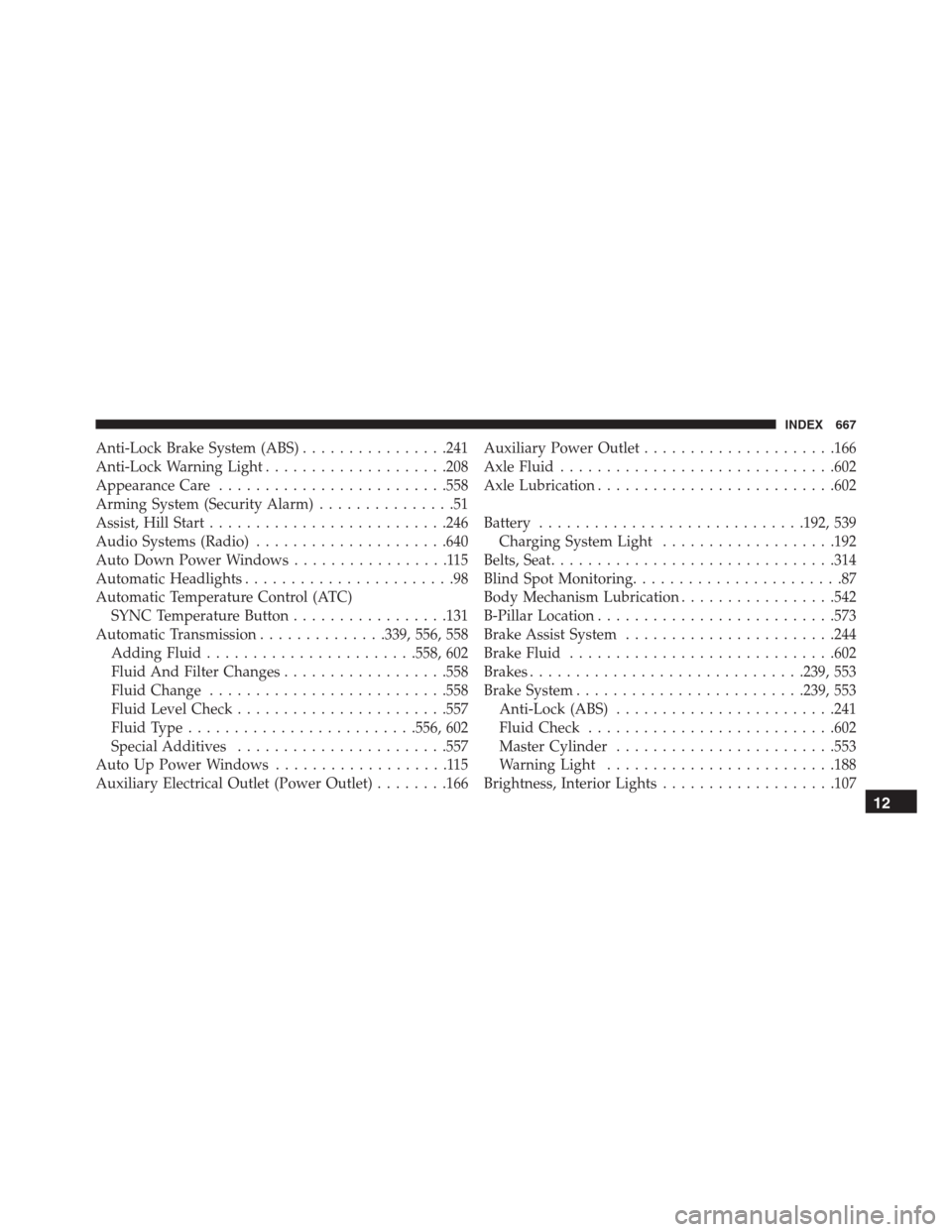
Anti-Lock Brake System (ABS)................241
Anti-Lock Warning Light....................208
Appearance Care.........................558
Arming System (Security Alarm)...............51
Assist, Hill Start..........................246
Audio Systems (Radio).....................640
Auto Down Power Windows.................115
Automatic Headlights.......................98
Automatic Temperature Control (ATC)
SYNC Temperature Button.................131
Automatic Transmission..............339, 556, 558
Adding Fluid.......................558, 602
Fluid And Filter Changes..................558
Fluid Change..........................558
Fluid Level Check.......................557
Fluid Type.........................556, 602
Special Additives.......................557
Auto Up Power Windows...................115
Auxiliary Electrical Outlet (Power Outlet)........166Auxiliary Power Outlet.....................166
Axle Fluid..............................602
Axle Lubrication..........................602
Battery.............................192, 539
Charging System Light...................192
Belts, Seat...............................314
Blind Spot Monitoring.......................87
Body Mechanism Lubrication.................542
B-Pillar Location..........................573
Brake Assist System.......................244
Brake Fluid.............................602
Brakes..............................239, 553
Brake System.........................239, 553
Anti-Lock (ABS)........................241
Fluid Check...........................602
Master Cylinder........................553
Warning Light.........................188
Brightness, Interior Lights...................107
12
INDEX 667
Page 670 of 688

Bulbs, Light.............................316
Camera, Rear............................386
Capacities, Fluid..........................600
Caps, Filler
Oil (Engine)...........................537
Carbon Monoxide Warning...............313, 405
Car Washes.............................559
Certification Label.........................409
Changing A Flat Tire....................483, 565
Chart, Tire Sizing.........................568
Check Engine Light (Malfunction Indicator Light) . .522
Checking Your Vehicle For Safety..............312
Checks, Safety...........................312
Child Restraint...........................291
Child Restraints
Booster Seats..........................296
Child Restraints........................291
Child Seat Installation....................309How To Stow An Unused ALR Seat Belt.......305
Infants And Child Restraints...............294
Install A LATCH-Compatible Child Restraint. . . .304
Installing Child Restraints Using The Vehicle
Seat Belt..............................306
LATCH Positions.......................299
Locating The LATCH Anchorages............302
Lower Anchors And Tethers For Children......298
Older Children And Child Restraints.........294
Seating Positions........................297
Child Safety Locks.........................65
Clean Air Gasoline........................401
Cleaning
Wheels...............................560
Windshield Wiper Blades..................542
Climate Control..........................117
Automatic..................123, 127, 128, 134
Manual..............................117
Clutch.................................553
668 INDEX