Page 424 of 723
The right-hand control is a rocker-type switch with a
push-button in the center and controls the volume and
mode of the sound system. Pushing the top of the rocker
switch will increase the volume, and pushing the bottom
of the rocker switch will decrease the volume.Pushing the center button will make the radio switch
between the various modes available (AM/FM/SXM/
CD/AUX/VES, etc.).
The left-hand control is a rocker-type switch with a
push-button in the center. The function of the left-hand
control is different depending on which mode you are in.
The following describes the left-hand control operation in
each mode.
Radio Operation
Pushing the top of the switch will “Seek” up for the next
listenable station and pushing the bottom of the switch
will “Seek” down for the next listenable station.
The button located in the center of the left-hand control
will tune to the next preset station that you have pro-
grammed in the radio preset button.
Remote Sound System Controls (Back View Of Steering
Wheel)
422 UNDERSTANDING YOUR INSTRUMENT PANEL
Page 432 of 723
•Panel Mode
Air comes from the outlets in the instrument
panel. Each of these outlets can be individu-
ally adjusted to direct the flow of air. The air vanes of
the center outlets and outboard outlets can be moved
up and down or side to side to regulate airflow
direction. There is a shut off wheel located below the
air vanes to shut off or adjust the amount of airflow
from these outlets.
• Bi-Level Mode
Air comes from the instrument panel outlets
and floor outlets. A slight amount of air is
directed through the defrost and side window demis-
ter outlets.
NOTE: BI-LEVEL mode is designed under comfort con-
ditions to provide cooler air out of the panel outlets and
warmer air from the floor outlets. •
Floor Mode
Air comes from the floor outlets. A slight
amount of air is directed through the defrost
and side window demister outlets.
• Mix Mode
Air comes from the floor, defrost and side
window demist outlets. This mode works best
in cold or snowy conditions.
12. Climate Control OFF Button
Press and release this button to turn the Climate Control
ON/OFF.
13. Driver Temperature Control Down Button
Provides the driver with independent temperature con-
trol. Push the button on the faceplate for cooler tempera-
ture settings or on the touchscreen, press and slide the
temperature bar towards the blue arrow button on the
touchscreen for cooler temperature settings.
430 UNDERSTANDING YOUR INSTRUMENT PANEL
Page 441 of 723
If you see theicon on your touchscreen, you have
the Uconnect 8.4AN system. If not, you have a
Uconnect 8.4A system. Get Started
All you need to control your Uconnect system with your
voice are the buttons on your steering wheel.
1. Visit UconnectPhone.com to check mobile device and
feature compatibility and to find phone pairing in-
structions.
2. Reduce background noise. Wind and passenger con- versations are examples of noise that may impact
recognition.
3. Speak clearly at a normal pace and volume while facing straight ahead. The microphone is positioned
on the rearview mirror and aimed at the driver.
Uconnect 8.4AN
4
UNDERSTANDING YOUR INSTRUMENT PANEL 439
Page 448 of 723
TIP:Voice Text Reply is not compatible with iPhone, but
if your vehicle is equipped with Siri Eyes Free, you can
use your voice to send a text message.
Climate (8.4A/8.4AN)
Too hot? Too cold? Adjust vehicle temperatures hands-
free and keep everyone comfortable while you keep
moving ahead. (If vehicle is equipped with climate
control.)
Push the VR button
. After the beep, say one of the
following commands:
• Set driver temperature to 70degrees
• Set passenger temperature to 70degrees
TIP: Voice Command for Climate may only be used to
adjust the interior temperature of your vehicle. Voice
Command will not work to adjust the heated seats or
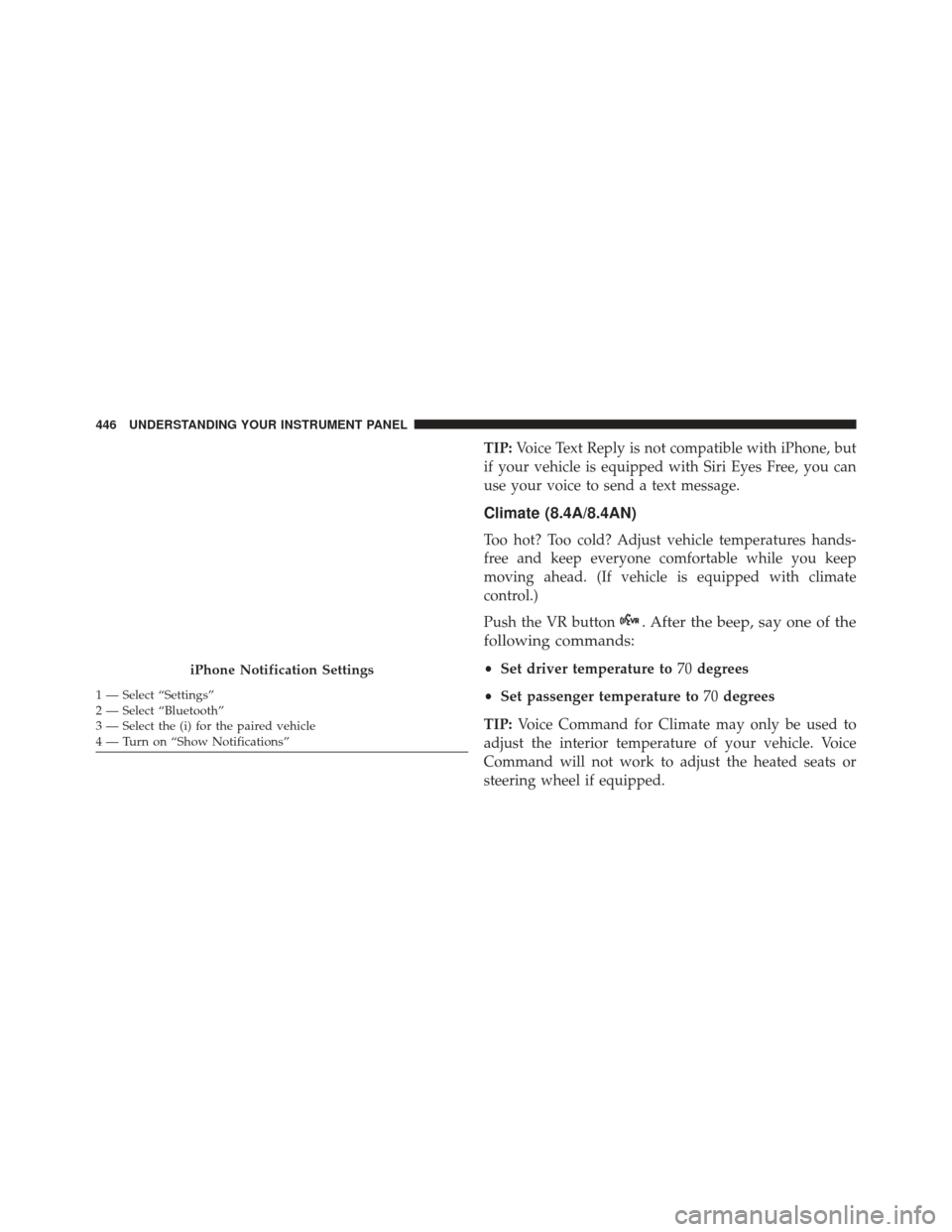
steering wheel if equipped.iPhone Notification Settings
1 — Select “Settings”
2 — Select “Bluetooth”
3 — Select the (i) for the paired vehicle
4 — Turn on “Show Notifications” 446 UNDERSTANDING YOUR INSTRUMENT PANEL
Page 458 of 723
Do Not Disturb
With Do Not Disturb, you can disable notifications from
incoming calls and texts, allowing you to keep your eyes
on the road and hands on the wheel. For your conve-
nience, there is a counter display to keep track of your
missed calls and text messages while you were using Do
Not Disturb.
Do Not Disturb can automatically reply with a text
message, a call or both, when declining an incoming call
and send it to voicemail.
Automatic reply messages can be:
•“I am driving right now, I will get back to you shortly.”
• Create a custom auto reply message up to 160 charac-
ters.
NOTE: Only the first 25 characters can been seen on the
touchscreen while typing a custom message. While in Do Not Disturb, Conference Call can be selected
so you can still place a second call without being inter-
rupted by incoming calls.
NOTE:
•
Reply with text message is not compatible with
iPhones.
• Auto reply with text message is only available on
phones that supporting Bluetooth MAP.
General Information
This device complies with FCC rules Part 15 and Industry
Canada RSS-210. Operation is subject to the following
two conditions:
1. This device may not cause harmful interference.
2. This device must accept any interference that may be received including interference that may cause unde-
sired operation.
456 UNDERSTANDING YOUR INSTRUMENT PANEL
Page 475 of 723
Gear Ranges
DO NOT race the engine when shifting from PARK or
NEUTRAL into another gear range.NOTE:
After selecting any gear range, wait a moment to
allow the selected gear to engage before accelerating.
This is especially important when the engine is cold.
PARK (P)
This range supplements the parking brake by locking the
transmission. The engine can be started in this range.
Never attempt to use PARK while the vehicle is in
motion. Apply the parking brake when leaving the
vehicle in this range.
When parking on a level surface, you may shift the
transmission into PARK first, and then apply the parking
brake.
When parking on a hill, apply the parking brake before
shifting the transmission to PARK. As an added precau-
tion, turn the front wheels toward the curb on a downhill
grade and away from the curb on an uphill grade.
Shift Lever
5
STARTING AND OPERATING 473
Page 481 of 723
When To Use TOW Mode
When driving in hilly areas, towing a trailer, carrying a
heavy load, etc., and frequent transmission shifting oc-
curs, select TOW mode, using the rotary switch on the
center console. Selecting TOW mode will improve per-
formance and reduce the potential for transmission over-
heating or failure due to excessive shifting. Refer to
“Selec-Track” in “Starting And Operating” for further
information.
AUTOSTICK
AutoStick is a driver-interactive transmission feature
providing manual shift control, giving you more control
of the vehicle. AutoStick allows you to maximize engine
braking, eliminate undesirable upshifts and downshifts,
and improve overall vehicle performance. This system
can also provide you with more control during passing,
city driving, cold slippery conditions, mountain driving,
trailer towing, and many other situations.
Operation
To activate AutoStick mode, move the shift lever into the
MANUAL (M) position (beside the DRIVE position), or
tap one of the shift paddles on the steering wheel.
Tapping the (-) shift paddle to enter AutoStick mode will
downshift the transmission to the next lower gear, while
tapping (+) to enter AutoStick mode will retain the
current gear. The current transmission gear will be dis-
played in the instrument cluster. In AutoStick mode, you
can use the shift lever (in the MANUAL position), or the
shift paddles, to manually shift the transmission. Tapping
the shift lever forward (-) while in the MANUAL (M)
position, or tapping the (-) shift paddle on the steering
wheel, will downshift the transmission to the next lower
gear. Tapping the lever rearward (+) (or tapping the (+)
shift paddle) will command an upshift.
NOTE:The shift paddles may be disabled (or re-enabled,
as desired) using Drive Modes.
5
STARTING AND OPERATING 479
Page 483 of 723
or out of AutoStick at any time without taking your foot
off the accelerator pedal.
WARNING!
Do not downshift for additional engine braking on a
slippery surface. The drive wheels could lose their
grip and the vehicle could skid, causing a collision or
personal injury.
SELEC-TRACK — IF EQUIPPED
Description
Selec-Track combines the capabilities of the vehicle con-
trol systems, along with driver input, to provide the best
performance for all terrains.Rotate the Selec-Track knob to select the desired mode.
Refer to “Drive Modes” in this section for further infor-
mation.
Selec-Track consists of the following positions:Selec-Track Switch
5
STARTING AND OPERATING 481