Page 172 of 642
3-74
Convenient features of your vehicle
Information
If any of the following conditions
occur, the mileage and number of days
to service may be incorrect.
- The battery cable is disconnected.
- The fuse switch is turned off.
- The battery is discharged.
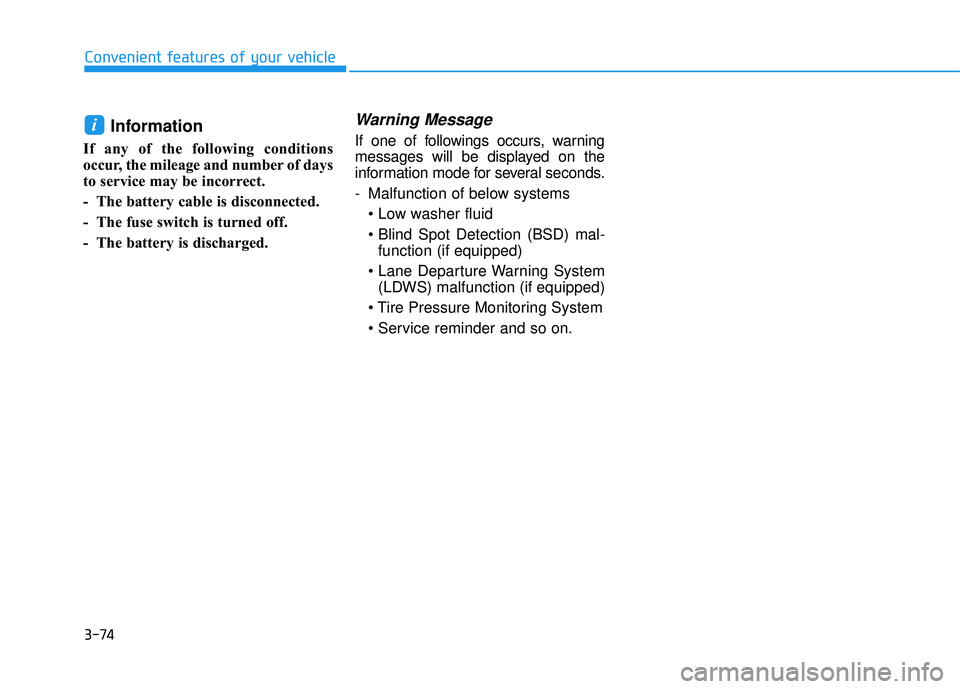
Warning Message
If one of followings occurs, warning
messages will be displayed on the
information mode for several seconds.
- Malfunction of below systems
function (if equipped)
(LDWS) malfunction (if equipped)
i
Page 178 of 642
3-80
Convenient features of your vehicle
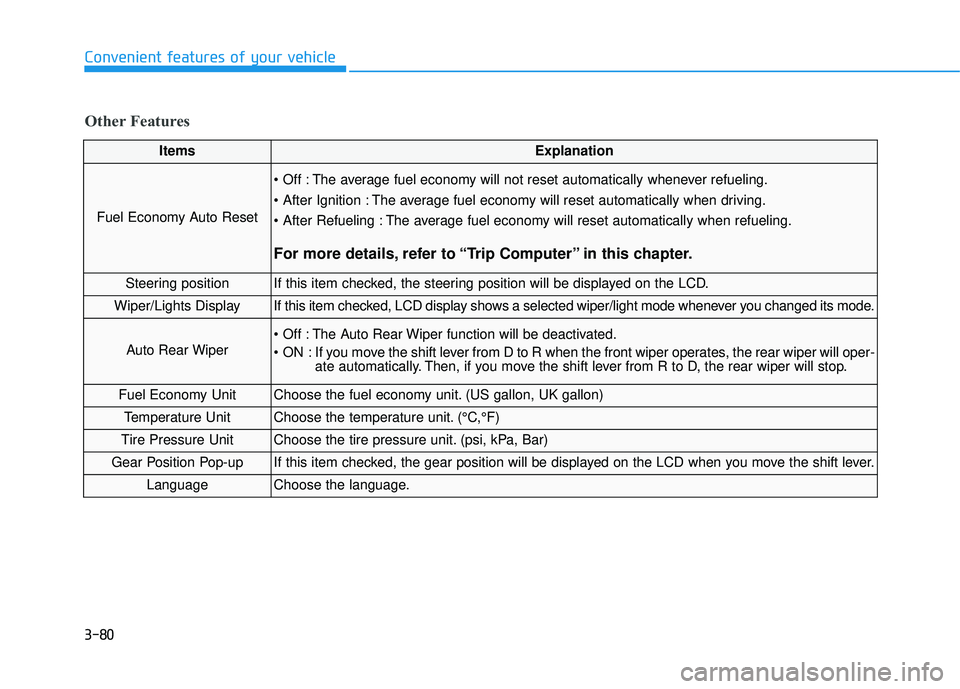
ItemsExplanation
Fuel Economy Auto Reset
The average fuel economy will not reset automatically whenever refueling.
The average fuel economy will reset automatically when driving.
The average fuel economy will reset automatically when refueling.
For more details, refer to “Trip Computer” in this chapter.
Steering positionIf this item checked, the steering position will be displayed on the LCD.
Wiper/Lights DisplayIf this item checked, LCD display shows a selected wiper/light mode whenever you changed its mode.
Auto Rear Wiper
The Auto Rear Wiper function will be deactivated.
ON : If you move the shift lever from D to R when the front wiper operates, the rear wiper will oper-ate automatically. Then, if you move the shift lever from R to D, the rear wiper will stop.
Fuel Economy UnitChoose the fuel economy unit. (US gallon, UK gallon)
Temperature UnitChoose the temperature unit. (°C,°F)
Tire Pressure UnitChoose the tire pressure unit. (psi, kPa, Bar)
Gear Position Pop-upIf this item checked, the gear position will be displayed on the LCD when you move the shift lever.
LanguageChoose the language.
Other Features
Page 187 of 642
3-89
Convenient features of your vehicle
Overview
The trip computer is a microcomput-
er-controlled driver information sys-
tem that displays information related
to driving.
Information
Some driving information stored in
the trip computer (for example
Average Vehicle Speed) resets if the
battery is disconnected.
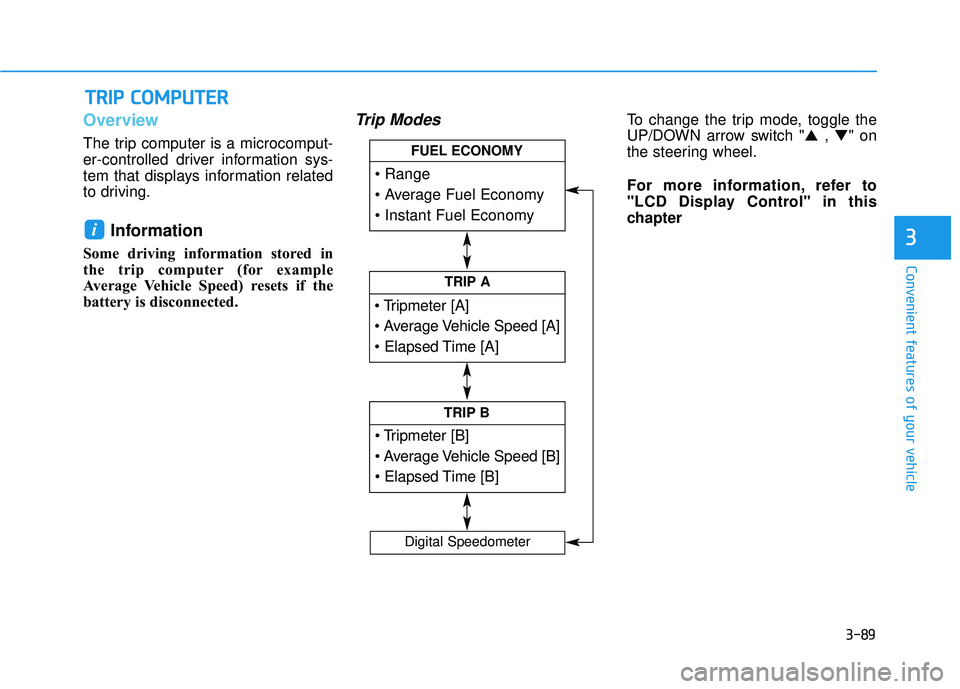
Trip ModesTo change the trip mode, toggle the
UP/DOWN arrow switch "▲ , ▼ " on
the steering wheel.
For more information, refer to
"LCD Display Control" in this
chapter
i
TT RR IIPP CC OO MM PPUU TTEERR
3
TRIP A
TRIP B
FUEL ECONOMY
Digital Speedometer
Page 190 of 642
3-92
Convenient features of your vehicle
Average Fuel Economy (2)
The average fuel economy is calcu-lated by the total driving distance and fuel consumption since the last
average fuel economy reset.
- Fuel economy range:0.0 ~ 99.9 MPG or L/100km or km/L
The average fuel economy can be reset both manually and automati-
cally.
Manual reset
To clear the average fuel economy
manually, press the OK button on the
steering wheel for more than 1 sec-
ond when the average fuel economy
is displayed.
For more information on the OK
button, refer to the "LCD Display
Control" in this chapter.
Automatic reset
To reset the average fuel economy
automatically whenever refueling,select the "After refueling" mode in
User Setting menu of the LCD display(Refer to "LCD Display" ).
Under "After refueling" mode, the
average fuel economy will be cleared
to zero (---) when the vehicle speed
exceeds 1 km/h after refueling morethan 1.6 gallons (6 liters).
Information
The vehicle must be driven for a min-
imum of 0.19 mile [0.3 km] since the
last ignition key cycle before the aver-
age fuel economy will be recalculated.
Instant Fuel Economy (3)
This mode displays the instanta-
neous fuel economy while driving
when the vehicle speed is greaterthan 6.2 mph [10 kph].
- Fuel economy range: 0 ~ 50 MPG or 0 ~ 30 L/100km
i
Page 203 of 642
3-105
Convenient features of your vehicle
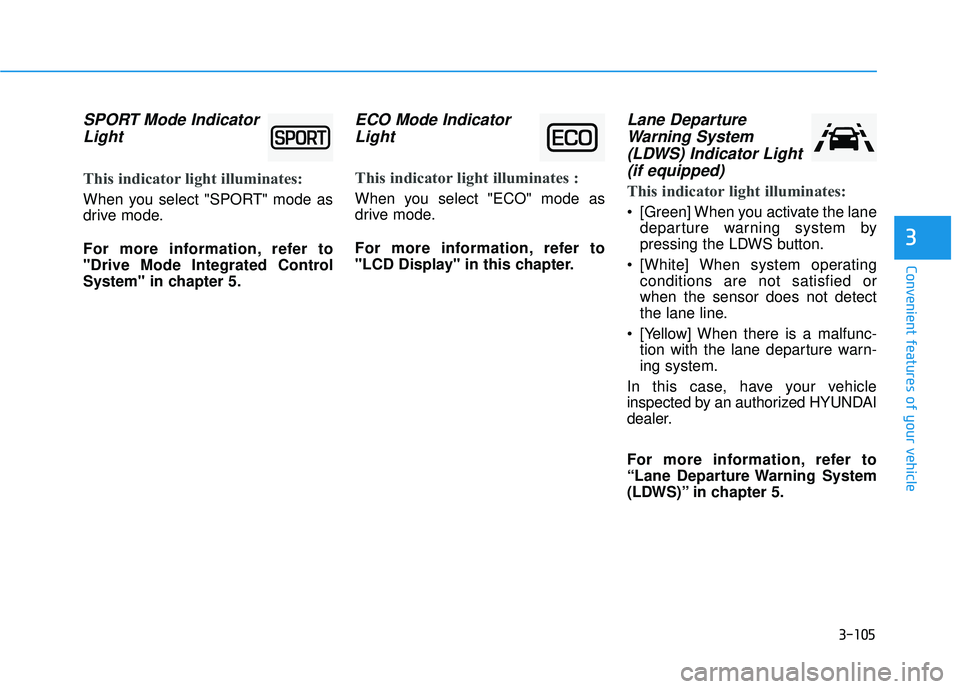
SPORT Mode IndicatorLight
This indicator light illuminates:
When you select "SPORT" mode as
drive mode.
For more information, refer to
"Drive Mode Integrated Control
System" in chapter 5.
ECO Mode IndicatorLight
This indicator light illuminates :
When you select "ECO" mode as
drive mode.
For more information, refer to
"LCD Display" in this chapter.
Lane DepartureWarning System(LDWS) Indicator Light (if equipped)
This indicator light illuminates:
[Green] When you activate the lane departure warning system by
pressing the LDWS button.
[White] When system operating conditions are not satisfied orwhen the sensor does not detect
the lane line.
[Yellow] When there is a malfunc- tion with the lane departure warn-ing system.
In this case, have your vehicle
inspected by an authorized HYUNDAI
dealer.
For more information, refer to
“Lane Departure Warning System
(LDWS)” in chapter 5.
3
Page 204 of 642
3-106
Convenient features of your vehicle
All Wheel Drive (AWD)LOCK Indicator Light(if equipped)
This indicator light illuminates:
Once you turn the ignition switch or Engine Start/Stop Button to the ON position.
- It illuminates for approximately 3seconds and then goes off.
When you select AWD Lock mode by pressing the AWD LOCK button.
- The AWD LOCK mode is to trans-fer a portion of the drive torque to
the rear wheels for increased
traction on wet pavement, snow
covered roads or when driving offroad.
Downhill Brake Control
(DBC) Indicator Light
This warning light illuminates:
Once you turn the ignition switch or Engine Start/Stop Button to the ON position.
- It illuminates for approximately 3seconds and then goes off.
When you activate the DBC sys- tem by pressing the DBC button.
This warning light blinks:
When the DBC is operating.
This warning light illuminates yel-
low:
When there is a malfunction withthe DBC system.
In this case, have your vehicle
inspected by an authorized
HYUNDAI dealer.
For more details, refer to
"Downhill Brake Control (DBC)
System" in chapter 5.
AWD Lock Mode
Do not use the AWD lock mode
on dry paved roads. Doing socan cause abnormal noise or
vibration, and may damage the
AWD system.
CAUTION
Page 211 of 642
3-113
Convenient features of your vehicle
3
Welcome System (if equipped)
Welcome light
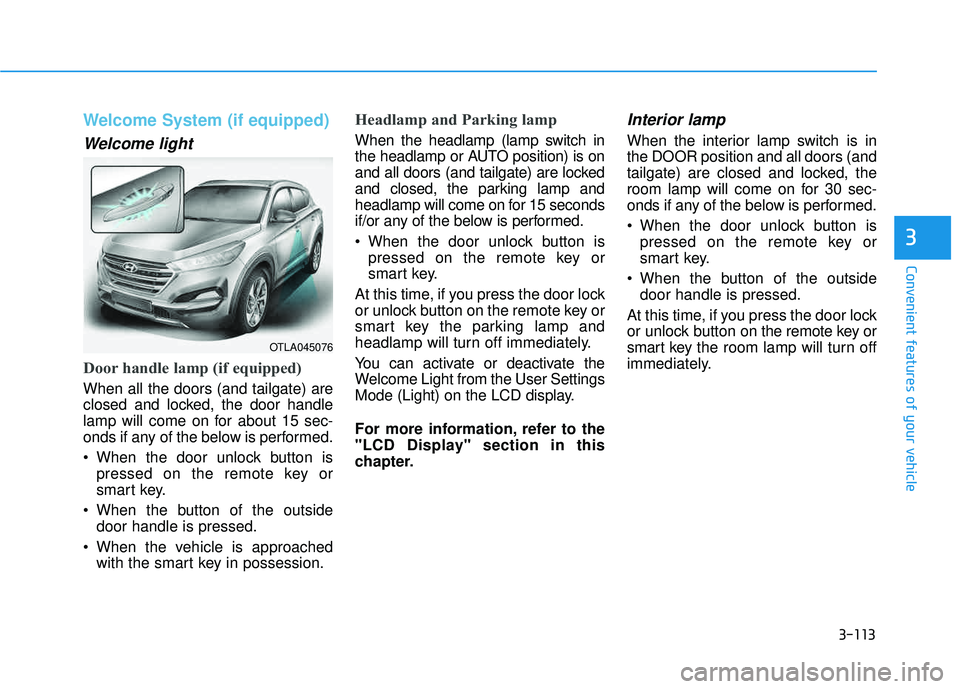
Door handle lamp (if equipped)
When all the doors (and tailgate) are
closed and locked, the door handle
lamp will come on for about 15 sec-
onds if any of the below is performed.
When the door unlock button ispressed on the remote key or
smart key.
When the button of the outside door handle is pressed.
When the vehicle is approached with the smart key in possession.
Headlamp and Parking lamp
When the headlamp (lamp switch in
the headlamp or AUTO position) is on
and all doors (and tailgate) are locked
and closed, the parking lamp and
headlamp will come on for 15 seconds
if/or any of the below is performed.
When the door unlock button ispressed on the remote key or
smart key.
At this time, if you press the door lock
or unlock button on the remote key or
smart key the parking lamp and
headlamp will turn off immediately.
You can activate or deactivate the
Welcome Light from the User Settings
Mode (Light) on the LCD display.
For more information, refer to the
"LCD Display" section in this
chapter.
Interior lamp
When the interior lamp switch is inthe DOOR position and all doors (and
tailgate) are closed and locked, the
room lamp will come on for 30 sec-
onds if any of the below is performed.
When the door unlock button is pressed on the remote key or
smart key.
When the button of the outside door handle is pressed.
At this time, if you press the door lock
or unlock button on the remote key or
smart key the room lamp will turn off
immediately.
OTLA045076
Page 245 of 642
3-147
Convenient features of your vehicle
3
Air conditioning system operation
tips
If the vehicle has been parked indirect sunlight during hot weather,
open the windows for a short time
to let the hot air inside the vehicle
escape.
After sufficient cooling has been achieved, switch back from therecirculated air to the fresh outsideair position.
To help reduce moisture inside of the windows on rainy or humid
days, decrease the humidity inside
the vehicle by operating the airconditioning system with the win-
dows and sunroof closed.
Use the air conditioning system every month for a few minutes to
ensure maximum system perform-
ance. If you operate the air conditioner
excessively, the difference
between the temperature of theoutside air and that of the wind-shield could cause the outer sur-
face of the windshield to fog up,
causing loss of visibility. In this
case, toggle the mode selection
button to the position and set
the fan speed control knob to the
lowest speed setting.
System Maintenance
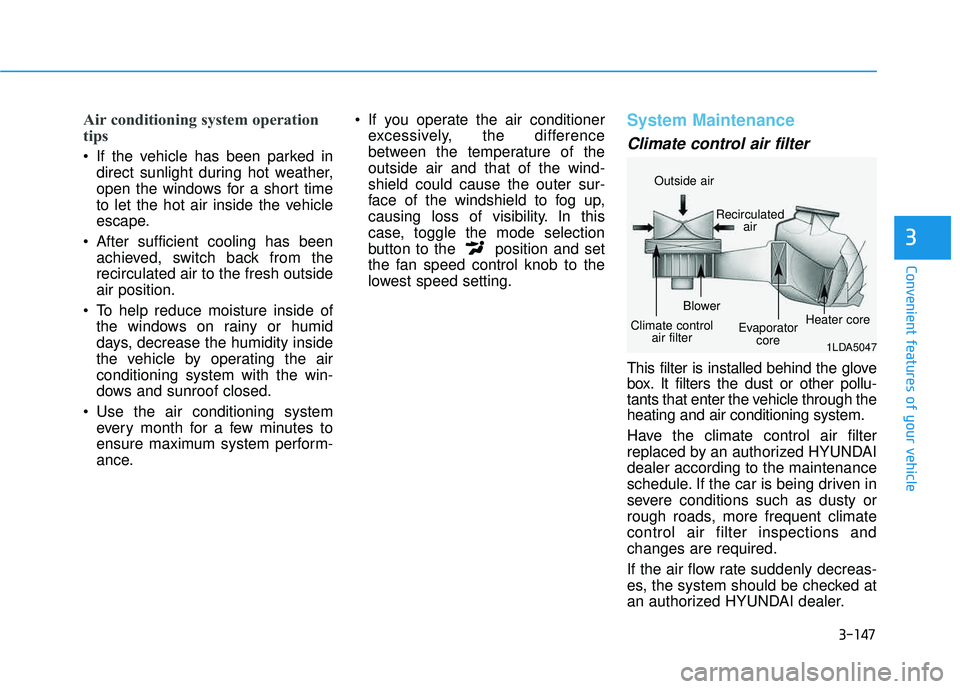
Climate control air filter
This filter is installed behind the glove
box. It filters the dust or other pollu-
tants that enter the vehicle through theheating and air conditioning system.
Have the climate control air filter
replaced by an authorized HYUNDAIdealer according to the maintenance
schedule. If the car is being driven in
severe conditions such as dusty or
rough roads, more frequent climatecontrol air filter inspections andchanges are required.
If the air flow rate suddenly decreas-
es, the system should be checked at
an authorized HYUNDAI dealer.
1LDA5047
Outside air
Recirculatedair
Climate control air filter Blower
Evaporatorcore Heater core