2016 HYUNDAI TUCSON instrument
[x] Cancel search: instrumentPage 81 of 642

2-54
Safety system of your vehicle
10. Side pressure sensors
11. Driver's and front passenger’sseat belt buckle sensors
12. Emergency Fastening Device (EFD)
13. Occupant classification system
The SRSCM continually monitors all SRS components while the Engine
Start/Stop button is in the ON posi-
tion to determine if a crash impact is
severe enough to require air bag
deployment or pre-tensioner seat
belt deployment.SRS warning light
The SRS (Supplement Restraint
System) air bag warning light on the
instrument panel displays the air bag
symbol depicted in the illustration.
The system checks the air bag elec-
trical system for malfunctions. Thelight indicates that there is a potential
malfunction with your air bag system,
which could include your side and
curtain air bags used for rollover pro-tection.
If your SRS malfunctions, the air
bag may not inflate properly dur-ing an accident increasing the
risk of serious injury or death.
If any of the following condi-
tions occur, your SRS is mal-functioning:
The light does not turn on for
approximately six seconds
when the ignition switch is inthe ON position.
The light remains illuminated
after approximately six sec-onds.
The light comes on while the
vehicle is in motion.
The light blinks when the engine is running.
Have an authorized HYUNDAIdealer inspect the SRS as soon
as possible if any of these con-
ditions occur.
WARNING
Page 84 of 642
2-57
Safety system of your vehicle
2
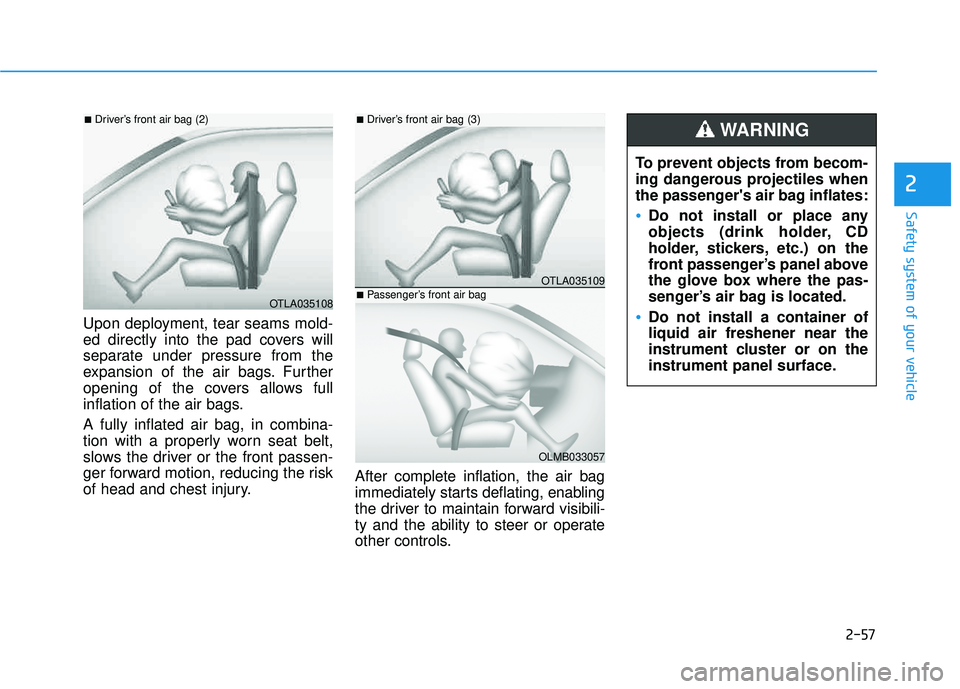
Upon deployment, tear seams mold-
ed directly into the pad covers will
separate under pressure from the
expansion of the air bags. Further
opening of the covers allows full
inflation of the air bags. A fully inflated air bag, in combina-
tion with a properly worn seat belt,
slows the driver or the front passen-
ger forward motion, reducing the risk
of head and chest injury.After complete inflation, the air bag
immediately starts deflating, enabling
the driver to maintain forward visibili-
ty and the ability to steer or operate
other controls. To prevent objects from becom-
ing dangerous projectiles when
the passenger's air bag inflates:
Do not install or place any
objects (drink holder, CD
holder, stickers, etc.) on the
front passenger’s panel above
the glove box where the pas-
senger’s air bag is located.
Do not install a container of liquid air freshener near the
instrument cluster or on the
instrument panel surface.
WARNING
OTLA035108
■
Driver’s front air bag (2)
OTLA035109
■Driver’s front air bag (3)
OLMB033057
■Passenger’s front air bag
Page 86 of 642
2-59
Safety system of your vehicle
2
Occupant Classification System (OCS)
Your vehicle is equipped with an Occupant Classification System
(OCS) in the front passenger’s seat.
Main components of theOccupant Classification System
A detection device located within the front passenger seat cushion.
Electronic system to determine whether the passenger air bag
systems should be activated or
deactivated.
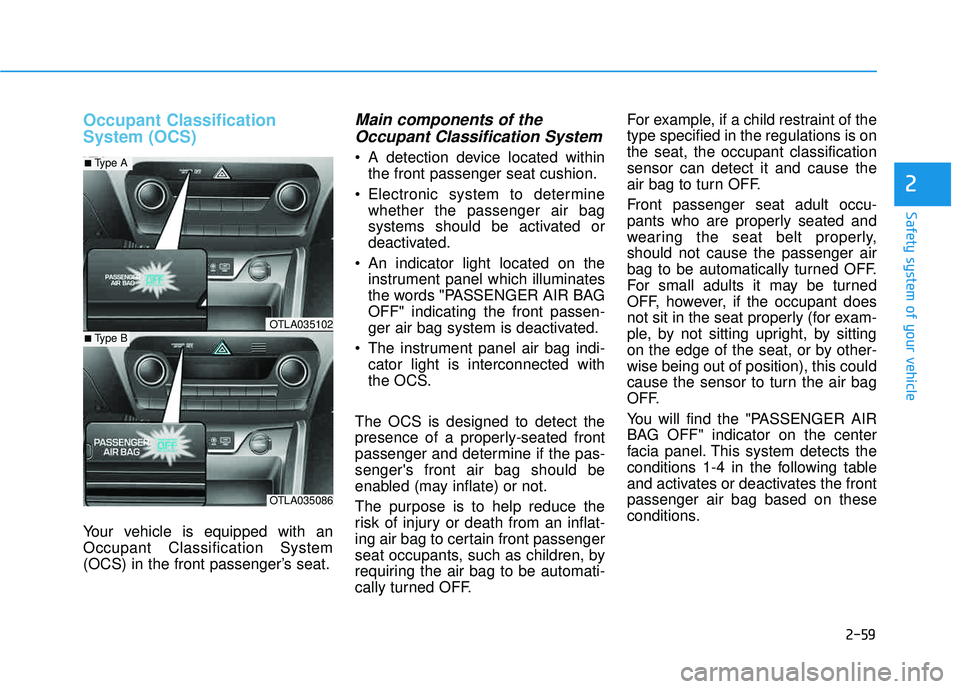
An indicator light located on the instrument panel which illuminates
the words "PASSENGER AIR BAGOFF" indicating the front passen-
ger air bag system is deactivated.
The instrument panel air bag indi- cator light is interconnected with
the OCS.
The OCS is designed to detect the
presence of a properly-seated front
passenger and determine if the pas-senger's front air bag should be
enabled (may inflate) or not.
The purpose is to help reduce the
risk of injury or death from an inflat-
ing air bag to certain front passenger
seat occupants, such as children, by
requiring the air bag to be automati-
cally turned OFF. For example, if a child restraint of thetype specified in the regulations is onthe seat, the occupant classificationsensor can detect it and cause the
air bag to turn OFF.
Front passenger seat adult occu-
pants who are properly seated and
wearing the seat belt properly,should not cause the passenger air
bag to be automatically turned OFF.
For small adults it may be turned
OFF, however, if the occupant does
not sit in the seat properly (for exam-
ple, by not sitting upright, by sitting
on the edge of the seat, or by other-wise being out of position), this could
cause the sensor to turn the air bag
OFF.
You will find the "PASSENGER AIR
BAG OFF" indicator on the center
facia panel. This system detects the
conditions 1-4 in the following table
and activates or deactivates the frontpassenger air bag based on these
conditions.
OTLA035102
■
Type A
OTLA035086
■Type B
Page 96 of 642
2-69
Safety system of your vehicle
2
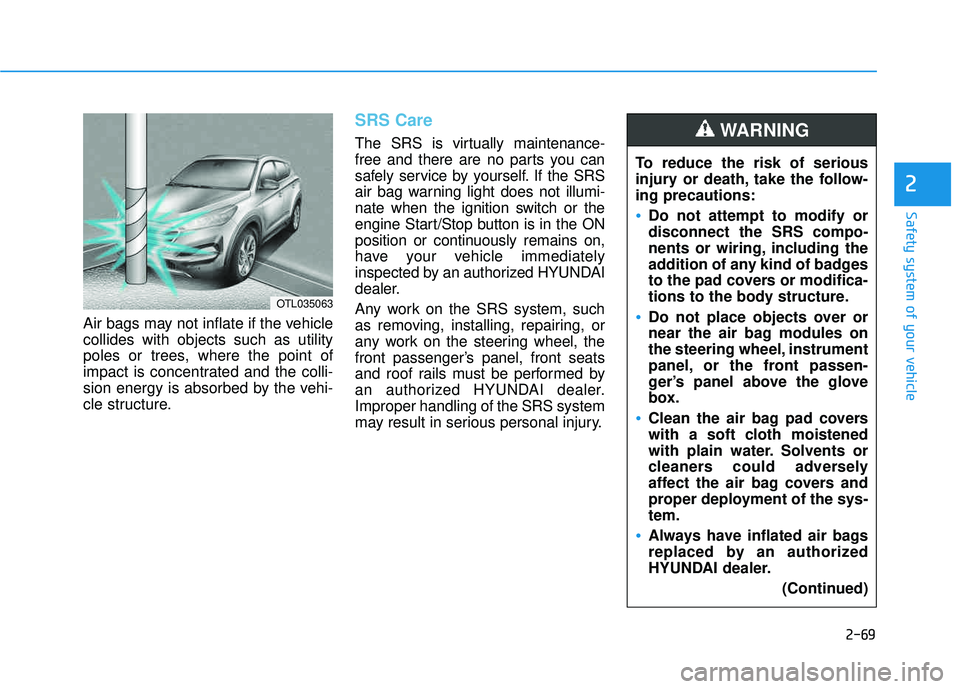
Air bags may not inflate if the vehicle collides with objects such as utility
poles or trees, where the point of
impact is concentrated and the colli-
sion energy is absorbed by the vehi-
cle structure.
SRS Care
The SRS is virtually maintenance-
free and there are no parts you can
safely service by yourself. If the SRS
air bag warning light does not illumi-
nate when the ignition switch or the
engine Start/Stop button is in the ON
position or continuously remains on,
have your vehicle immediately
inspected by an authorized HYUNDAI
dealer.
Any work on the SRS system, such
as removing, installing, repairing, or
any work on the steering wheel, the
front passenger’s panel, front seats
and roof rails must be performed by
an authorized HYUNDAI dealer.Improper handling of the SRS system
may result in serious personal injury.To reduce the risk of serious
injury or death, take the follow-ing precautions:
Do not attempt to modify or disconnect the SRS compo-
nents or wiring, including the
addition of any kind of badges
to the pad covers or modifica-
tions to the body structure.
Do not place objects over or
near the air bag modules on
the steering wheel, instrument
panel, or the front passen-
ger’s panel above the glove
box.
Clean the air bag pad covers
with a soft cloth moistened
with plain water. Solvents or
cleaners could adversely
affect the air bag covers and
proper deployment of the sys-tem.
Always have inflated air bags
replaced by an authorized
HYUNDAI dealer.
(Continued)
WARNING
OTL035063
Page 99 of 642
Convenient features of your vehicle
Accessing your vehicle .........................................3-4
Remote Key.........................................................................3-4
Smart Key ............................................................................3-8
Immobilizer System .........................................................3-12
Door locks .............................................................3-14
Operating Door Locks from Outside the Vehicle ....3-14
Operating Door Locks from Inside the Vehicle .......3-15
Auto Door Lock/Unlock Features ...............................3-17
Child-Protector Rear Door locks ................................3-18
Theft-alarm system.............................................3-19
Steering wheel......................................................3-20
Electric Power Steering (EPS) .....................................3-20
Tilt Steering / Telescope Steering ..............................3-21
Heated Steering Wheel ..................................................3-21
Horn ....................................................................................3-22
Mirrors ...................................................................3-23
Inside Rearview Mirror ..................................................3-23
Outside Rearview Mirror ...............................................3-35
Windows ................................................................3-38
Power Windows ...............................................................3-39
Panoramic sunroof ..............................................3-42
Sunshade ...........................................................................3-42
Sliding the Sunroof .........................................................3-43
Tilting the Sunroof .........................................................3-43
Closing the Sunroof........................................................3-44
To Reset the Sunroof.....................................................3-45
Exterior features .................................................3-46
Hood ...................................................................................3-46
Fuel Filler Door ................................................................3-48
Liftgate ..................................................................3-51
Non-Powered liftgate ....................................................3-51
Power liftgate ..................................................................3-52
Smart Liftgate ..................................................................3-59
Instrument cluster................................................3-63
Instrument Cluster Control............................................3-64
LCD Display Control ........................................................3-64
Gauges ...............................................................................3-65
3
Page 118 of 642
3-20
Convenient features of your vehicle
SSTT EEEERR IINN GG WW HHEEEELL
Electric Power Steering (EPS)
The system assists you with steering
the vehicle. If the engine is turned off
or if the power steering system
becomes inoperative, you may still
steer the vehicle, but it will require
increased steering effort.
Should you notice any change in the
effort required to steer during normal
vehicle operation, have the system
checked by an authorized HYUNDAI
dealer.
Information
The following symptoms may occur
during normal vehicle operation:
The steering effort may be high
immediately after placing the igni-
tion switch in the ON position.
This happens as the system per-
forms the EPS system diagnostics.
When the diagnostics are complet-
ed, the steering wheel will return to
its normal condition.
A click noise may be heard from the EPS relay after the ignition switch is
in the ON or OFF position.
Motor noise may be heard when the vehicle is at a stop or at a low driv-
ing speed.
If the outside ambient temperature is low, when you operate the steer-
ing wheel a noise from the electric
power steering may occur. As the
temperature increases, the noise will
dissappear. This is a normal condi-
tion.
i
If the Electric Power Steering System does not operate nor-
mally, the warning light ( ) willilluminate on the instrument
cluster. You may steer the vehi-
cle, but it will require increased
steering efforts. Take your vehi-
cle to an authorized HYUNDAI
dealer and have the system
checked as soon as possible.
CAUTION
Page 119 of 642
3-21
Convenient features of your vehicle
3
Tilt Steering / Telescope Steering
When adjusting the steering wheel to
a comfortable position, adjust the
steering wheel so that it points
toward your chest, not toward your
face. Make sure you can see the
instrument panel warning lights and
gauges. After adjusting, push the
steering wheel both up and down to
be certain it is locked in position.
Always adjust the position of the
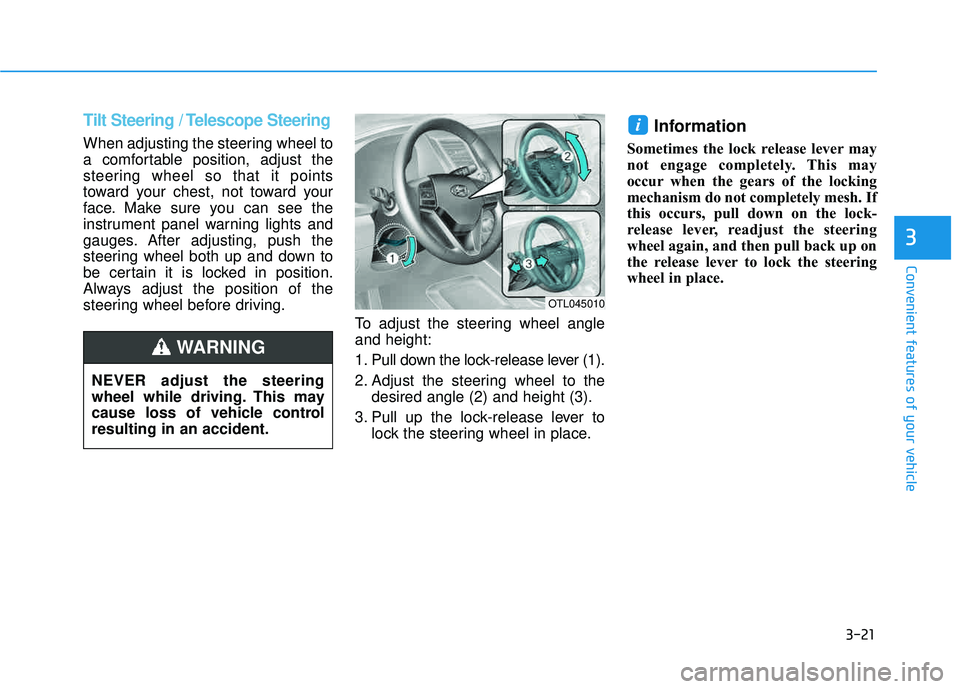
steering wheel before driving.To adjust the steering wheel angleand height:
1. Pull down the lock-release lever (1).
2. Adjust the steering wheel to thedesired angle (2) and height (3).
3. Pull up the lock-release lever to lock the steering wheel in place.
Information
Sometimes the lock release lever may
not engage completely. This may
occur when the gears of the locking
mechanism do not completely mesh. If
this occurs, pull down on the lock-
release lever, readjust the steering
wheel again, and then pull back up on
the release lever to lock the steering
wheel in place.
i
OTL045010
NEVER adjust the steering
wheel while driving. This may
cause loss of vehicle controlresulting in an accident.
WARNING
Page 162 of 642

3-64
Convenient features of your vehicle
Instrument Cluster Control
Adjusting instrument clusterillumination
When the vehicle’s parking lights or headlights are on, press the illumina-
tion control button to adjust the
brightness of the instrument panelillumination. When pressing the illumination con-
trol button, the interior switch illumi-nation intensity is also adjusted. The brightness of the instrument
panel illumination is displayed.
If the brightness reaches the maxi- mum or minimum level, a chimewill sound.
LCD Display Control
The LCD display modes can be
changed by using the control buttons
on the steering wheel.
(1) : MODE button for changing modes
(2) ▲, ▼ : MOVE switch for chang-
ing items
(3) OK : SELECT/RESET button for setting or resetting the selected item
For more information on LCD
Modes, refer to "LCD Display" in
the next pages of this chapter.OTLA045070
OTLE045112
OTL045150L
OTL045151L
■ Type A
■Type A
■Type B
■ Type B