Page 111 of 699
413
Features of your vehicle
Smart key function
1. Door lock
2. Door unlock
3. Tailgate open
With a smart key, you can lock or
unlock a door and tailgate and even
start the engine without inserting the
key.
The functions of the buttons on a
smart key are similar to the remote
keyless entry. Refer to the “Remote
keyless entry” in this section.Carrying the smart key, you may lock
and unlock the vehicle doors and tail-
gate.
Also, you may start the engine. Refer
to the following, for more details.
Locking
1. Carry the smart key.
2. Close all doors.
3. Press the button of the outside
door handle.
4. The hazard warning lights will
blink once (the engine bonnet and
tailgate must be closed). Also, the
outside rearview mirror will auto-
matically fold when the outside
rearview mirror folding switch is in
the AUTO position (if equipped).
5. Make sure that doors are locked
by pulling the outside door handle.
✽NOTICE
• The button will only operate when
the smart key is within 0.7 m (28
in.) from the outside door handle.
• Even though you press the outside
door handle button, the doors will
not lock and the chime will sound for
3 seconds if any of following occur:
- The smart key is in the vehicle.
- The engine start/stop button is
in ACC or ON position.
- Any door or the tailgate is opened.
SMART KEY (IF EQUIPPED)
ODM042006/H
ODMECO2030
Page 115 of 699
417
Features of your vehicle
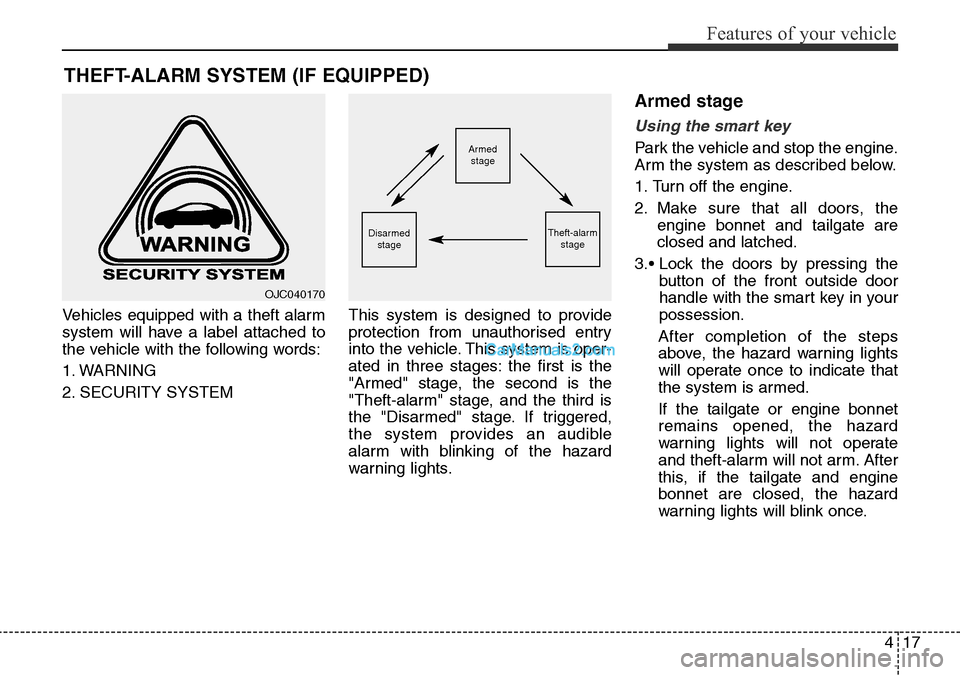
Vehicles equipped with a theft alarm
system will have a label attached to
the vehicle with the following words:
1. WARNING
2. SECURITY SYSTEMThis system is designed to provide
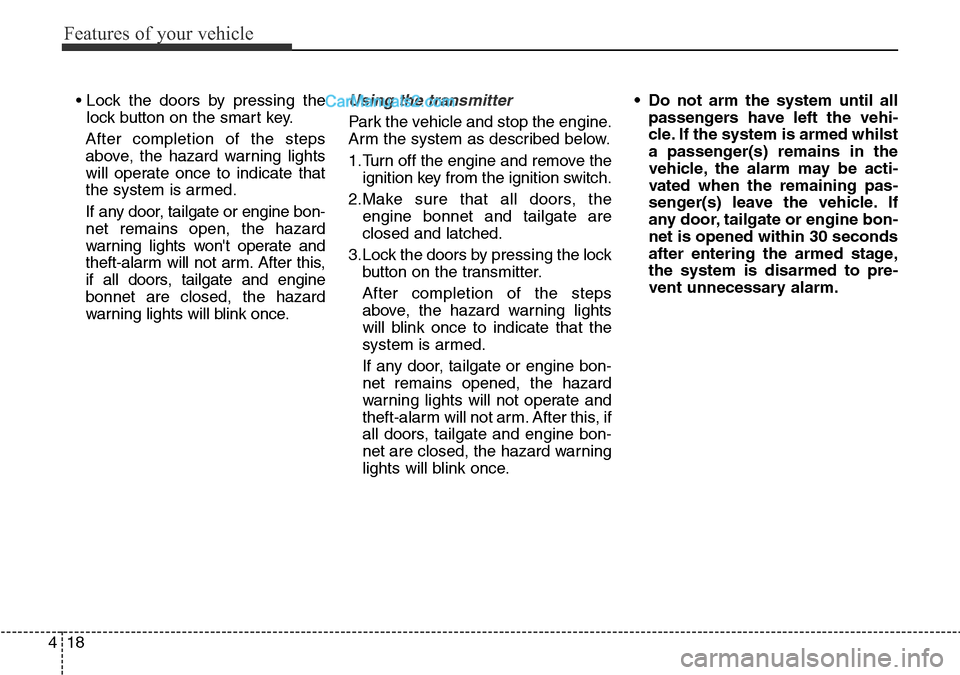
protection from unauthorised entry
into the vehicle. This system is oper-
ated in three stages: the first is the
"Armed" stage, the second is the
"Theft-alarm" stage, and the third is
the "Disarmed" stage. If triggered,
the system provides an audible
alarm with blinking of the hazard
warning lights.
Armed stage
Using the smart key
Park the vehicle and stop the engine.
Arm the system as described below.
1. Turn off the engine.
2. Make sure that all doors, the
engine bonnet and tailgate are
closed and latched.
3.• Lock the doors by pressing the
button of the front outside door
handle with the smart key in your
possession.
After completion of the steps
above, the hazard warning lights
will operate once to indicate that
the system is armed.
If the tailgate or engine bonnet
remains opened, the hazard
warning lights will not operate
and theft-alarm will not arm. After
this, if the tailgate and engine
bonnet are closed, the hazard
warning lights will blink once.
THEFT-ALARM SYSTEM (IF EQUIPPED)
Armed
stage
Theft-alarm
stageDisarmed
stage
OJC040170
Page 116 of 699
Features of your vehicle
18 4
• Lock the doors by pressing the
lock button on the smart key.
After completion of the steps
above, the hazard warning lights
will operate once to indicate that
the system is armed.
If any door, tailgate or engine bon-
net remains open, the hazard
warning lights won't operate and
theft-alarm will not arm. After this,
if all doors, tailgate and engine
bonnet are closed, the hazard
warning lights will blink once.Using the transmitter
Park the vehicle and stop the engine.
Arm the system as described below.
1.Turn off the engine and remove the
ignition key from the ignition switch.
2.Make sure that all doors, the
engine bonnet and tailgate are
closed and latched.
3.Lock the doors by pressing the lock
button on the transmitter.
After completion of the steps
above, the hazard warning lights
will blink once to indicate that the
system is armed.
If any door, tailgate or engine bon-
net remains opened, the hazard
warning lights will not operate and
theft-alarm will not arm. After this, if
all doors, tailgate and engine bon-
net are closed, the hazard warning
lights will blink once.• Do not arm the system until all
passengers have left the vehi-
cle. If the system is armed whilst
a passenger(s) remains in the
vehicle, the alarm may be acti-
vated when the remaining pas-
senger(s) leave the vehicle. If
any door, tailgate or engine bon-
net is opened within 30 seconds
after entering the armed stage,
the system is disarmed to pre-
vent unnecessary alarm.
Page 117 of 699
419
Features of your vehicle
Theft-alarm stage
The alarm will be activated if any of
the following occurs whilst the sys-
tem is armed.
• A front or rear door is opened with-
out using transmitter or smart key.
• The tailgate is opened without
using transmitter or smart key.
• The engine bonnet is opened.
The siren will sound and the hazard
warning lights will blink continuously
for 27 seconds, unless the system is
disarmed. To turn off the system,
unlock the doors with the transmitter
or smart key.
Disarmed stage
The system will be disarmed when:
Transmitter
- The door unlock button is pressed.
- The engine is started.
- The ignition switch is in the “ON”
position for 30 seconds or more.
Smart key
- The door unlock button is pressed.
- The button of the front outside door
is pressed whilst carrying the smart
key.
- The engine is started.
- The engine start/stop button is
turned to the ON position.
After the doors are unlocked, the haz-
ard warning lights will blink twice to
indicate that the system is disarmed.
After pressing the unlock button, if
any door (or tailgate) is not opened
within 30 seconds, the system will be
rearmed.
✽NOTICE
• Without smart key system
If the system is not disarmed with
the transmitter, insert the key into
the ignition switch and start the
engine. Then the system will be
disarmed.
• With smart key system
If the system is not disarmed with
the smart key, open the door with
the mechanical key and start the
engine. Then the system will be
disarmed.
• If you lose your keys, we recom-
mend that you consult with your
HYUNDAI authorised repairer.
CAUTION
Do not change, alter or adjust
the theft-alarm system because
it could cause the theft-alarm
system to malfunction and we
recommend that the system be
serviced by a HYUNDAI autho-
rised repairer.
Malfunctions caused by improp-
er alterations, adjustments or
modifications to the theft-alarm
system are not covered by your
vehicle manufacturer warranty.
Page 140 of 699
Features of your vehicle
42 4
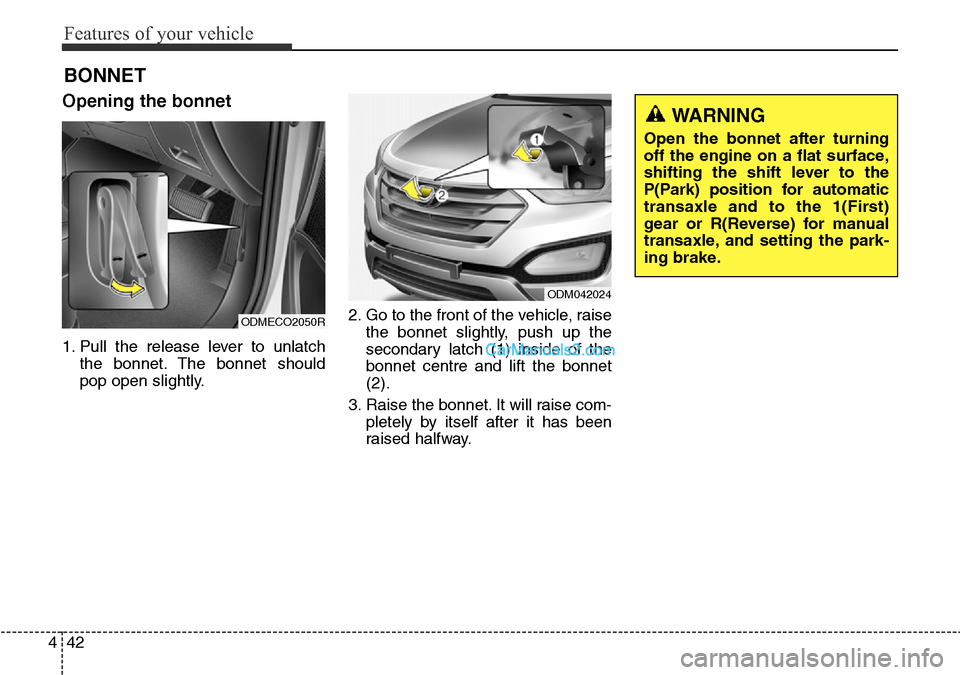
Opening the bonnet
1. Pull the release lever to unlatch
the bonnet. The bonnet should
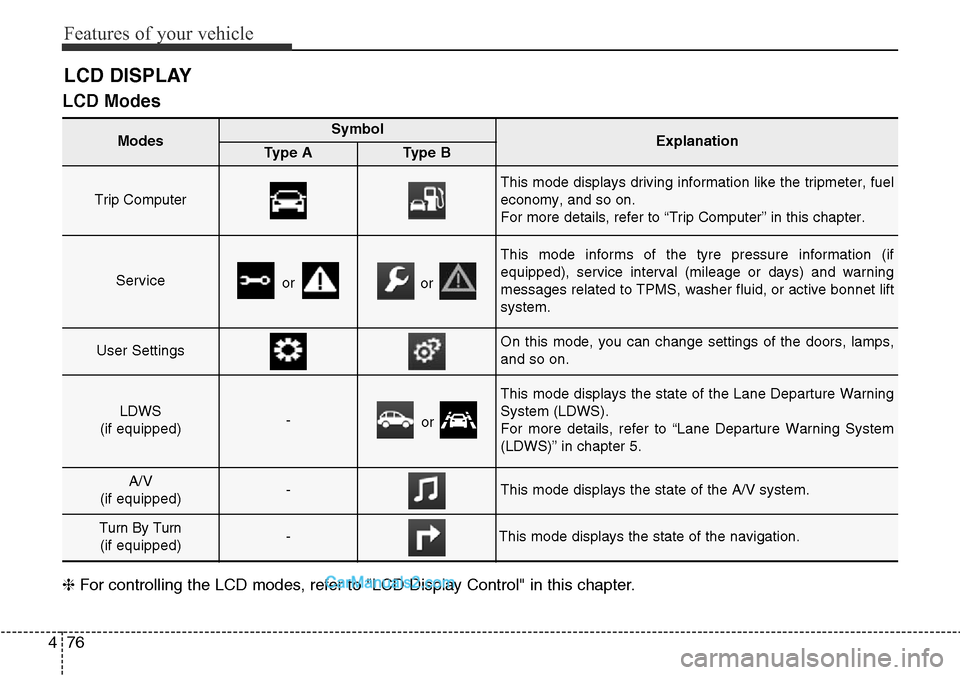
pop open slightly.2. Go to the front of the vehicle, raise
the bonnet slightly, push up the
secondary latch (1) inside of the
bonnet centre and lift the bonnet
(2).
3. Raise the bonnet. It will raise com-
pletely by itself after it has been
raised halfway.
BONNET
ODMECO2050R
ODM042024
WARNING
Open the bonnet after turning
off the engine on a flat surface,
shifting the shift lever to the
P(Park) position for automatic
transaxle and to the 1(First)
gear or R(Reverse) for manual
transaxle, and setting the park-
ing brake.
Page 141 of 699
443
Features of your vehicle
Closing the bonnet
1. Before closing the bonnet, check
the following:
• All filler caps in engine compart-
ment must be correctly installed.
• Gloves, rags or any other com-
bustible material must be
removed from the engine com-
partment.
2. Lower the bonnet halfway and
push it down. Make sure the bon-
net is locked securelyWARNING
• Always double check to be
sure that the bonnet is firmly
latched before driving away. If
it is not latched, the bonnet
could fly open whilst the vehi-
cle is being driven, causing a
total loss of visibility, which
might result in an accident.
• Do not move the vehicle with
the bonnet raised. The driver’s
visibility will be restricted and
the bonnet could fall or be
damaged.
WARNING - Bonnet
• Before closing the bonnet,
ensure that all obstructions
are removed from the bonnet
opening. Closing the bonnet
with an obstruction present in
the bonnet opening may
result in property damage or
severe personal injury.
• Do not leave gloves, rags or
any other combustible materi-
al in the engine compartment.
Doing so may cause a heat-
induced fire.
WARNING
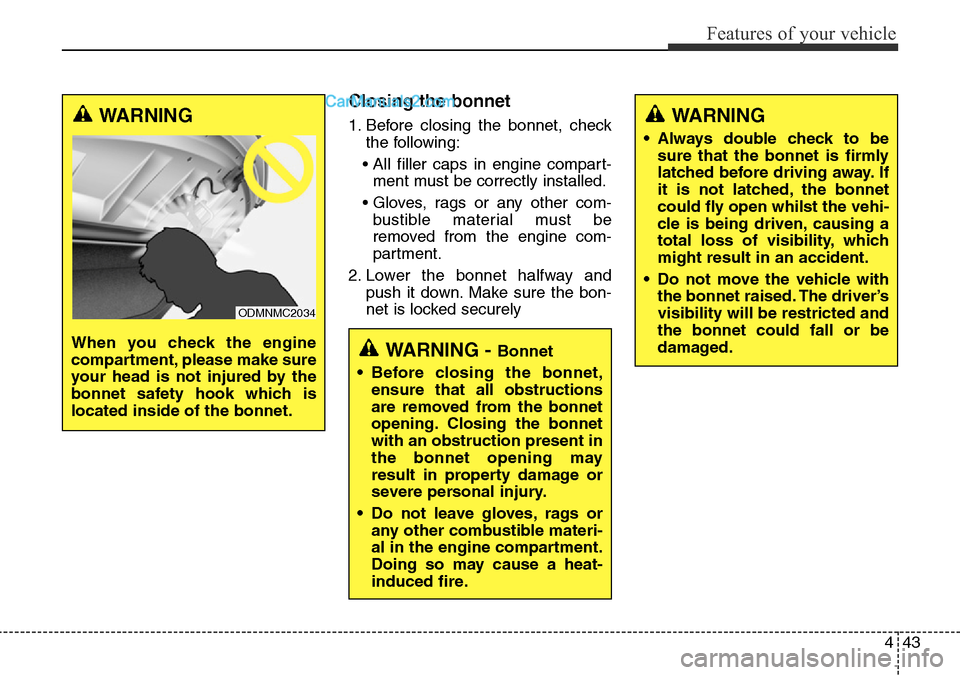
When you check the engine
compartment, please make sure
your head is not injured by the
bonnet safety hook which is
located inside of the bonnet.
ODMNMC2034
Page 174 of 699
Features of your vehicle
76 4
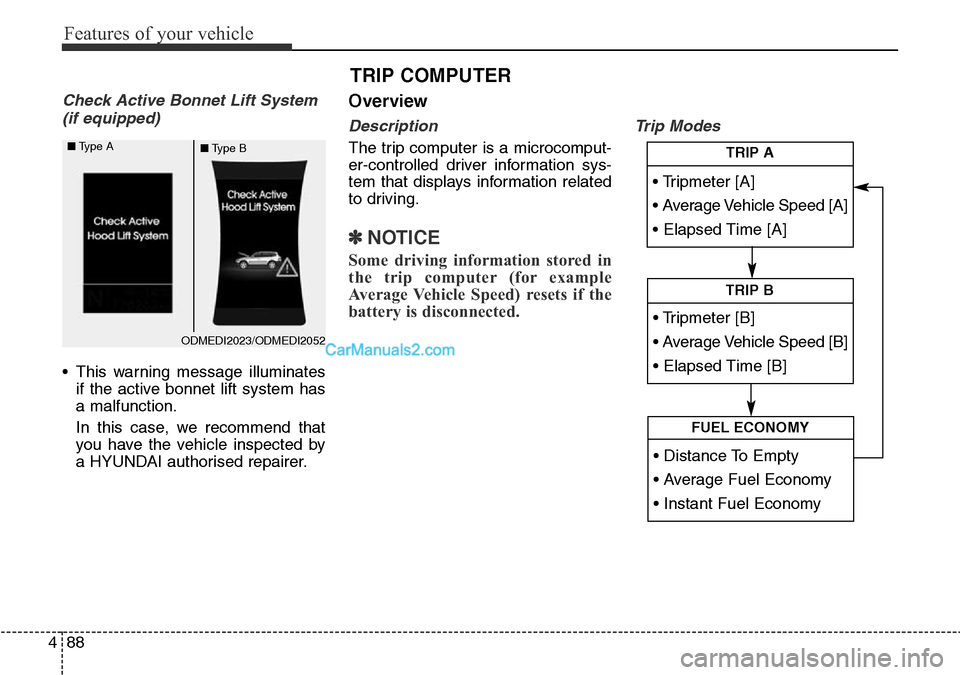
LCD Modes
❈For controlling the LCD modes, refer to "LCD Display Control" in this chapter.
LCD DISPLAY
Modes SymbolExplanationType AType B
Trip Computer
This mode displays driving information like the tripmeter, fuel
economy, and so on.
For more details, refer to “Trip Computer” in this chapter.
Serviceoror
This mode informs of the tyre pressure information (if
equipped), service interval (mileage or days) and warning
messages related to TPMS, washer fluid, or active bonnet lift
system.
User SettingsOn this mode, you can change settings of the doors, lamps,
and so on.
LDWS
(if equipped)-or
This mode displays the state of the Lane Departure Warning
System (LDWS).
For more details, refer to “Lane Departure Warning System
(LDWS)” in chapter 5.
A/V
(if equipped)-This mode displays the state of the A/V system.
Turn By Turn
(if equipped)-This mode displays the state of the navigation.
Page 186 of 699
Features of your vehicle
88 4
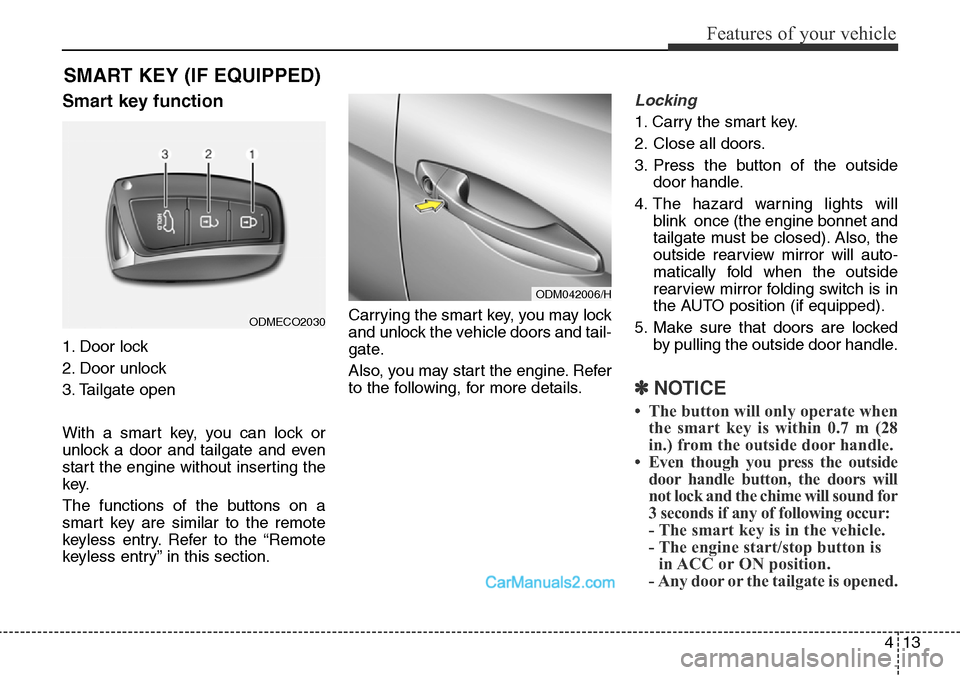
Check Active Bonnet Lift System
(if equipped)
• This warning message illuminates
if the active bonnet lift system has
a malfunction.
In this case, we recommend that
you have the vehicle inspected by
a HYUNDAI authorised repairer.
Overview
Description
The trip computer is a microcomput-
er-controlled driver information sys-
tem that displays information related
to driving.
✽NOTICE
Some driving information stored in
the trip computer (for example
Average Vehicle Speed) resets if the
battery is disconnected.
Trip Modes
TRIP COMPUTER
• Tripmeter [A]
• Average Vehicle Speed [A]
• Elapsed Time [A]
TRIP A
• Tripmeter [B]
• Average Vehicle Speed [B]
• Elapsed Time [B]
TRIP B
• Distance To Empty
• Average Fuel Economy
• Instant Fuel Economy
FUEL ECONOMY
ODMEDI2023/ODMEDI2052 ■Type A
■Type B