2016 Hyundai Genesis display
[x] Cancel search: displayPage 17 of 502

1-6
INSTRUMENT PANEL OVERVIEW (II)
Your vehicle at a glance
ODH014006R
1. Audio remote control buttons ..............4-4
2.
Bluetooth®wireless technology
hands-free buttons...............................4-6
3. Cruise control buttons .................5-51, 5-55
4. Smart cruise control vehicle-to-vehicle
distance button ..................................5-61
5. Light control / Turn signals lever ......3-101
6. Wiper and washer control lever .......3-116
7. LCD display control ...........................3-52
The actual shape may differ from the illustration.
Page 74 of 502

2-56
Safety system of your vehicle
11. Driver’s and front passenger’s seat
belt buckle sensors (if equipped)
12. Emergency fastening device
(if equipped)
The SRSCM continually monitors
SRS components except for the
buckle sensor whilst the engine
start/stop button is ON to determine
if a crash impact is severe enough to
require air bag deployment or pre-
tensioner seat belt deployment.
SRS warning light
The SRS (Supplement Restraint
System) air bag warning light on the
instrument panel displays the air bag
symbol depicted in the illustration. The
system checks the air bag electrical
system for malfunctions. The light indi-
cates that there is a potential problem
with your air bag system, which could
include your side and/or curtain air
bags used for rollover protection (if
equipped with rollover sensor).
If your SRS malfunctions, the
air bag may not inflate properly
during an accident increasing
the risk of serious injury or
death.
If any of the following condi-
tions occur, your SRS is mal-
functioning:
•The light does not turn on for
approximately six seconds
when the Engine Start/Stop
button is in the ON position.
•The light stays on after illumi-
nating for approximately six
seconds.
•The light comes on whilst the
vehicle is in motion.
•The light blinks when the
engine is running.
We recommend that a HYUNDAI
authorised repairer inspect the
SRS as soon as possible if any
of these conditions occur.
WARNING
Page 91 of 502
2-73
Safety system of your vehicle
2
Active bonnet lift
system malfunction
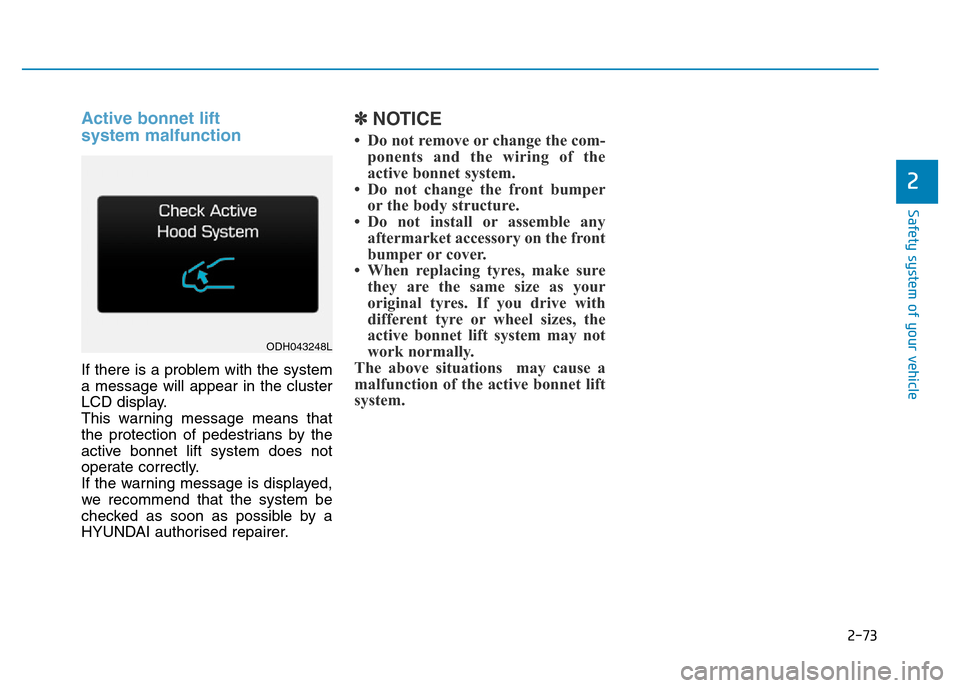
If there is a problem with the system
a message will appear in the cluster
LCD display.
This warning message means that
the protection of pedestrians by the
active bonnet lift system does not
operate correctly.
If the warning message is displayed,
we recommend that the system be
checked as soon as possible by a
HYUNDAI authorised repairer.
✽NOTICE
• Do not remove or change the com-
ponents and the wiring of the
active bonnet system.
• Do not change the front bumper
or the body structure.
• Do not install or assemble any
aftermarket accessory on the front
bumper or cover.
• When replacing tyres, make sure
they are the same size as your
original tyres. If you drive with
different tyre or wheel sizes, the
active bonnet lift system may not
work normally.
The above situations may cause a
malfunction of the active bonnet lift
system.
ODH043248L
Page 92 of 502

Convenient features of your vehicle
Accessing your vehicle .........................................3-4
Smart key ............................................................................3-4
Smart key precautions .....................................................3-7
Immobiliser System ........................................................3-10
Door locks .............................................................3-11
Operating door locks from outside the vehicle .....3-11
Power Door Latch ...........................................................3-12
Operating door locks from inside the vehicle ........3-12
Auto door lock/unlock features ................................3-14
Child-protector rear door locks ..................................3-14
Theft-alarm system.............................................3-15
Driver position memory system .........................3-16
Storing memory positions .............................................3-16
Easy access function .....................................................3-17
Steering wheel......................................................3-18
Electric power steering (EPS) ......................................3-18
Tilt steering/Telescope steering .................................3-19
Heated steering wheel ...................................................3-20
Horn ....................................................................................3-20
Mirrors ...................................................................3-21
Inside rearview mirror....................................................3-21
Outside rearview mirror ..............................................3-22
Reverse parking aid function.......................................3-25
Windows ................................................................3-26
Power windows ................................................................3-26
Panorama sunroof ...............................................3-30
Sunshade ...........................................................................3-30
Sliding the sunroof ........................................................3-31
Tilting the sunroof ........................................................3-31
Closing the sunroof ........................................................3-32
Resetting the sunroof ....................................................3-33
Bonnet ...................................................................3-34
Opening the bonnet ......................................................3-34
Closing the bonnet ..........................................................3-34
Boot........................................................................3-36
Non-Powered Boot.........................................................3-36
Power Boot .......................................................................3-37
Emergency boot safety release ..................................3-41
Smart boot ............................................................3-43
Fuel filler door .....................................................3-47
Opening the fuel filler door .........................................3-47
Closing the fuel filler door ...........................................3-47
Emergency fuel filler lid release .................................3-49
Instrument cluster................................................3-50
Instrument Cluster Control............................................3-51
LCD Display Control ........................................................3-52
Gauges ...............................................................................3-52
3
Page 93 of 502

LCD display ...........................................................3-57
LCD Modes ........................................................................3-57
Trip Computer Mode.......................................................3-58
Turn By Turn (TBT) Mode ............................................3-59
ASCC/LDWS/LKAS Mode ..............................................3-59
A/V Mode..........................................................................3-59
Information Mode ...........................................................3-60
User Settings Mode ........................................................3-62
Warning Messages..........................................................3-69
Trip computer .......................................................3-80
Overview............................................................................3-80
Trip Modes ........................................................................3-80
Trip A/B .............................................................................3-80
Fuel Economy...................................................................3-81
Warning and indicator lights ..............................3-84
Warning lights ..................................................................3-84
Indicator Lights ................................................................3-93
Head Up Display (HUD) .......................................3-98
Description ........................................................................3-98
Head Up Display ON/OFF .............................................3-99
Head Up Display Information .......................................3-99
Head Up Display Setting .............................................3-100
Light .....................................................................3-101
Exterior lights ................................................................3-101
Smart High Beam ..........................................................3-103
Traffic change ...............................................................3-109
Welcome system ...........................................................3-109
Interior lights..................................................................3-111
Wipers and washers ..........................................3-116
Windscreen wipers ......................................................3-116
Windscreen washers ...................................................3-118
Driver assist system ..........................................3-119
Rearview camera...........................................................3-119
Parking assist system ..................................................3-120
Smart Parking Assist System (SPAS) .......................3-123
Parking guide system (For Europe) .........................3-142
Around View Monitoring (AVM) System .................3-143
Defroster .............................................................3-145
Rear window defroster ...............................................3-145
Automatic climate control system ...................3-147
Automatic heating and air conditioning ..................3-148
Manual heating and air conditioning .......................3-149
System operation ..........................................................3-157
Climate control air filter ............................................3-160
3
Page 105 of 502

3-14
Auto door lock/unlock features
Impact sensing door unlock
system
All doors will be automatically
unlocked when an impact causes the
air bags to deploy.
Speed sensing door lock system
All doors will be automatically locked
when vehicle speed exceeds 9 mph
(15 km/h).
All of the doors will be automatically
unlocked after the engine is turned off.
You can activate or deactivate the
Auto Door Lock/Unlock features from
the User Settings Mode on the LCD
display. For more details, refer to
"LCD Display" in this chapter.
Child-protector rear door locks
The child safety lock is provided to
help prevent children seated in the
rear from accidentally opening the
rear doors. The rear door safety locks
should be used whenever children
are in the vehicle.
The child safety lock is located on
the edge of each rear door. When the
child safety lock is in the lock (1)
position, the rear door will not open if
the inner door handle (2) is pulled.To lock the child safety lock, insert a
screwdriver into the hole and turn it
to the lock position.
To allow a rear door to be opened
from inside the vehicle, unlock the
child safety lock.
Convenient features of your vehicle
ODH043013
If children accidently open the
rear doors whilst the vehicle is
in motion, they could fall out of
the vehicle. The rear door safety
locks should always be used
whenever children are in the
vehicle.
WARNING
Page 107 of 502

3-16
The Driver Position Memory System
is provided to store and recall the fol-
lowing memory settings with a sim-
ple button operation.
- Driver's seat position
- Outside rearview mirror position
- Steering wheel position
- Instrument panel illumination intensity
- Head Up Display (HUD) position
and brightness✽NOTICE
• If the battery is disconnected, the
memory settings will be erased.
• If the Driver Position Memory
System does not operate normally,
we recommend that you have the
system checked by a HYUNDAI
authorised repairer.
Storing memory positions
1. Move the shift lever into P (Park)
whilst the Engine Start/Stop but-
ton is in the ON position.
2. Adjust the driver's seat position,
outside rearview mirror position,
steering wheel position, instrument
panel illumination intensity and
Head Up Display height/brightness
to the desired position.
3. Press the SET button. The system
will beep once and notify you
"Press button to save settings"on
the LCD display.
4. Press one of the memory buttons
(1 or 2) within 5 seconds. The sys-
tem will beep twice when the mem-
ory has been successfully stored.
5.
"Driver 1 (or 2) settings saved" will
appear on the LCD display.
DRIVER POSITION MEMORY SYSTEM (IF EQUIPPED)
Convenient features of your vehicle
Never attempt to operate the driv-
er position memory system
whilst the vehicle is moving.
This could result in loss of con-
trol, and an accident causing
death, serious injury, or property
damage.
WARNING
ODH043156L/ODH043157L
ODH044041R
Page 108 of 502
3-17
Convenient features of your vehicle
Recalling memory position
1. Move the shift lever into P (Park)
whilst the Engine Start/Stop but-
ton is in the ON position.
2. Press the desired memory button
(1 or 2). The system will beep
once, and then the driver's seat
position, outside rearview mirror
position, steering wheel position,
instrument panel illumination
intensity and Head Up Display
height/brightness will automatical-
ly adjust to the stored positions.
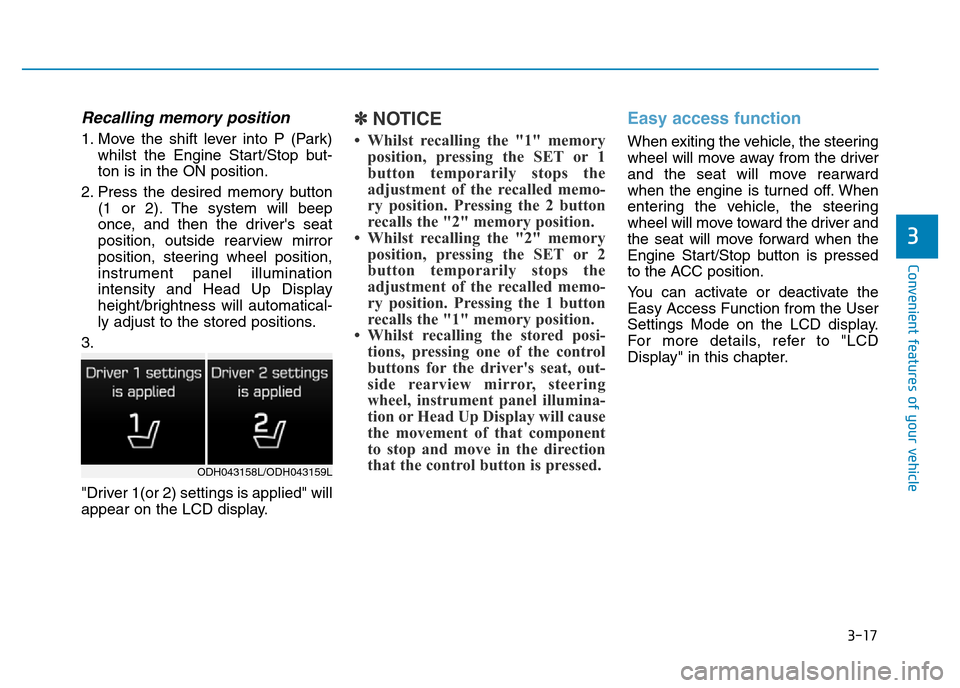
3.
"Driver 1(or 2) settings is applied" will
appear on the LCD display.
✽NOTICE
• Whilst recalling the "1" memory
position, pressing the SET or 1
button temporarily stops the
adjustment of the recalled memo-
ry position. Pressing the 2 button
recalls the "2" memory position.
• Whilst recalling the "2" memory
position, pressing the SET or 2
button temporarily stops the
adjustment of the recalled memo-
ry position. Pressing the 1 button
recalls the "1" memory position.
• Whilst recalling the stored posi-
tions, pressing one of the control
buttons for the driver's seat, out-
side rearview mirror, steering
wheel, instrument panel illumina-
tion or Head Up Display will cause
the movement of that component
to stop and move in the direction
that the control button is pressed.
Easy access function
When exiting the vehicle, the steering
wheel will move away from the driver
and the seat will move rearward
when the engine is turned off. When
entering the vehicle, the steering
wheel will move toward the driver and
the seat will move forward when the
Engine Start/Stop button is pressed
to the ACC position.
You can activate or deactivate the
Easy Access Function from the User
Settings Mode on the LCD display.
For more details, refer to "LCD
Display" in this chapter.
3
ODH043158L/ODH043159L