Page 322 of 502

5-49
Driving your vehicle
5
✽NOTICE
When the engine is started, AEB is
automatically turned on. If the sys-
tem is not needed, turn the AEB sys-
tem off from the User Settings Mode
on the LCD display.
Malfunction indicator
• When the AEB system is turned
off, the AEB warning light turns on.
(Warning message does not come
on.)• If the sensor or cover is dirty or
obscured with foreign matter such
as snow, the AEB warning light
and message comes on. In this
case, the AEB system may not
function temporarily, but it does not
indicate a malfunction of the AEB
system. Clean the sensor or cover
by using a soft cloth.
• If there is a malfunction with the
AEB system, the AEB warning light
and message will come on. We
recommend that the vehicle be
checked by a HYUNDAI authorised
repairer.
• When the ESC (Electronic Stability
Control) indicator or SCC (Smart
Cruise Control) message comes
on the AEB warning message may
come on but it does not indicate a
malfunction of the AEB system. If the AEB is selected and the
ESC (Electronic Stability
Control) is turned off from the
User Settings Mode, the AEB
system is automatically can-
celled.
CAUTION
ODH043252L
■Warning light
■Warning messageODH054165N/ODH054164N
Page 330 of 502
5-57
Driving your vehicle
5
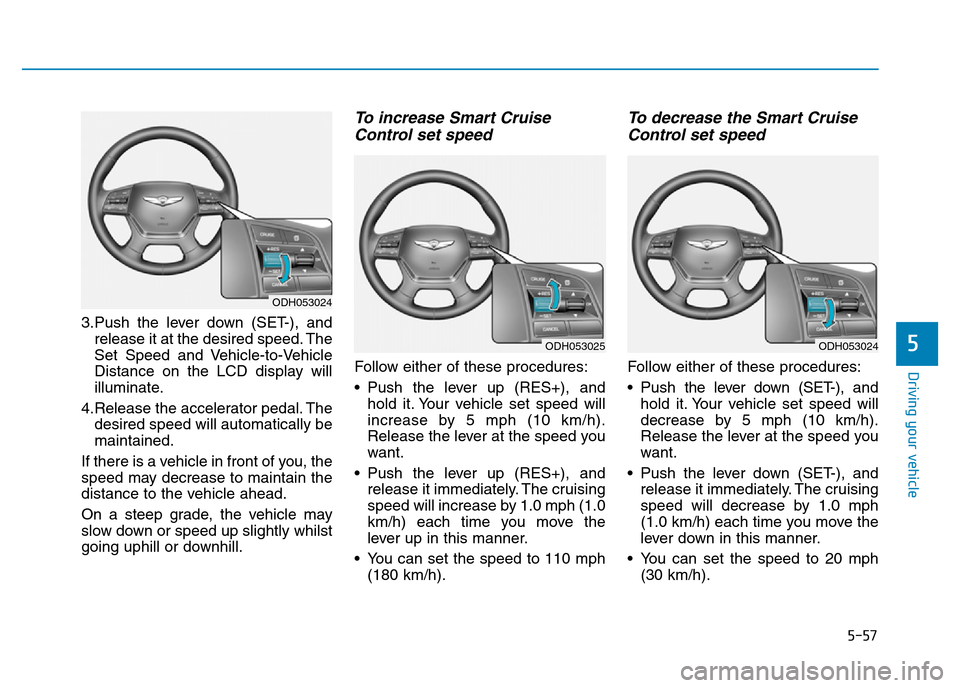
3.Push the lever down (SET-), and
release it at the desired speed. The
Set Speed and Vehicle-to-Vehicle
Distance on the LCD display will
illuminate.
4.Release the accelerator pedal. The
desired speed will automatically be
maintained.
If there is a vehicle in front of you, the
speed may decrease to maintain the
distance to the vehicle ahead.
On a steep grade, the vehicle may
slow down or speed up slightly whilst
going uphill or downhill.
To increase Smart Cruise
Control set speed
Follow either of these procedures:
• Push the lever up (RES+), and
hold it. Your vehicle set speed will
increase by 5 mph (10 km/h).
Release the lever at the speed you
want.
• Push the lever up (RES+), and
release it immediately. The cruising
speed will increase by 1.0 mph (1.0
km/h) each time you move the
lever up in this manner.
• You can set the speed to 110 mph
(180 km/h).
To decrease the Smart Cruise
Control set speed
Follow either of these procedures:
• Pushthe lever down (SET-), and
hold it. Your vehicle set speed will
decrease by 5 mph (10 km/h).
Release the lever at the speed you
want.
• Push the lever down (SET-), and
release it immediately. The cruising
speed will decrease by 1.0 mph
(1.0 km/h) each time you move the
lever down in this manner.
• You can set the speed to 20 mph
(30 km/h).
ODH053024
ODH053024
ODH053025
Page 331 of 502

5-58
Driving your vehicle
To temporarily accelerate with
the Smart Cruise Control on
If you want to speed up temporarily
when the Smart Cruise Control is on,
depress the accelerator pedal.
Increased speed will not interfere
with Smart Cruise Control operation
or change the set speed.
To return to the set speed, take your
foot off the accelerator.
If you push the lever down (SET-) at
increased speed, the cruising speed
will be set again.
✽NOTICE
Be careful when accelerating tem-
porarily, because the speed is not
controlled automatically at this
time even if there is a vehicle in front
of you.
Smart Cruise Control will be
temporarily cancelled when:
Cancelled manually
• Depressing the brake pedal.
• Pressing the CANCEL button
located on the steering wheel.
• Depress the brake pedal and press
the CANCEL button at the same
time, when the vehicle is at a
standstill.The Advanced Smart Cruise Control
turns off temporarily when the indica-
tor on the LCD display turns off.
The CRUISE indicator is illuminated
continuously.
ODH053026
Page 332 of 502
5-59
Driving your vehicle
5
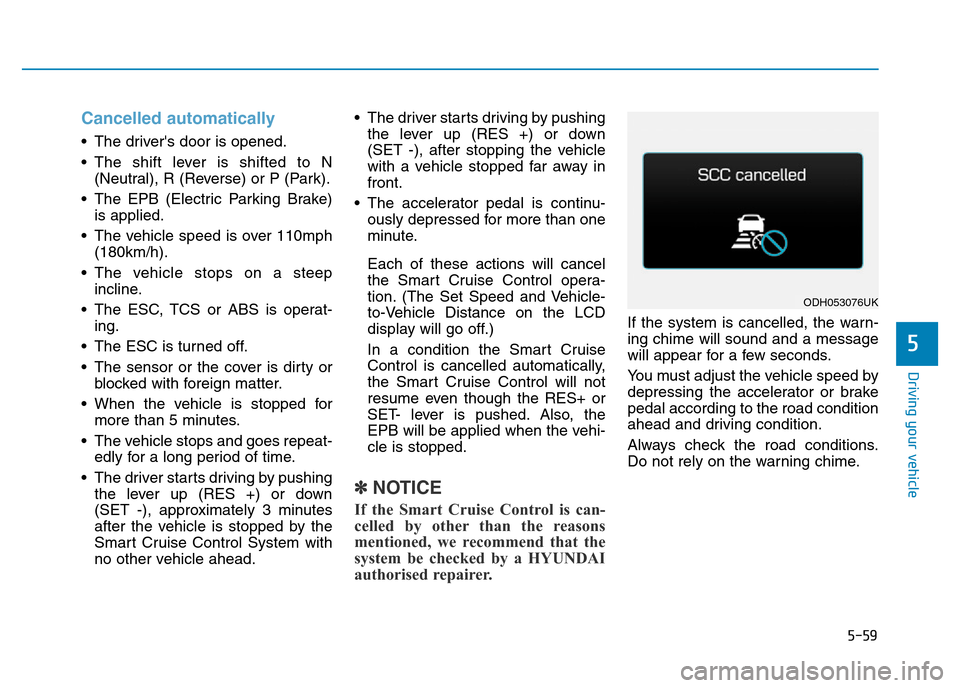
Cancelled automatically
• The driver's door is opened.
• The shift lever is shifted to N
(Neutral), R (Reverse) or P (Park).
• The EPB (Electric Parking Brake)
is applied.
• The vehicle speed is over 110mph
(180km/h).
• The vehicle stops on a steep
incline.
• The ESC, TCS or ABS is operat-
ing.
• The ESC is turned off.
• The sensor or the cover is dirty or
blocked with foreign matter.
• When the vehicle is stopped for
more than 5 minutes.
• The vehicle stops and goes repeat-
edly for a long period of time.
• The driver starts driving by pushing
the lever up (RES +) or down
(SET -), approximately 3 minutes
after the vehicle is stopped by the
Smart Cruise Control System with
no other vehicle ahead.• The driver starts driving by pushing
the lever up (RES +) or down
(SET -), after stopping the vehicle
with a vehicle stopped far away in
front.
• The accelerator pedal is continu-
ously depressed for more than one
minute.
Each of these actions will cancel
the Smart Cruise Control opera-
tion. (The Set Speed and Vehicle-
to-Vehicle Distance on the LCD
display will go off.)
In a condition the Smart Cruise
Control is cancelled automatically,
the Smart Cruise Control will not
resume even though the RES+ or
SET- lever is pushed. Also, the
EPB will be applied when the vehi-
cle is stopped.
✽NOTICE
If the Smart Cruise Control is can-
celled by other than the reasons
mentioned, we recommend that the
system be checked by a HYUNDAI
authorised repairer.
If the system is cancelled, the warn-
ing chime will sound and a message
will appear for a few seconds.
You must adjust the vehicle speed by
depressing the accelerator or brake
pedal according to the road condition
ahead and driving condition.
Always check the road conditions.
Do not rely on the warning chime.
ODH053076UK
Page 345 of 502
5-72
Driving your vehicle
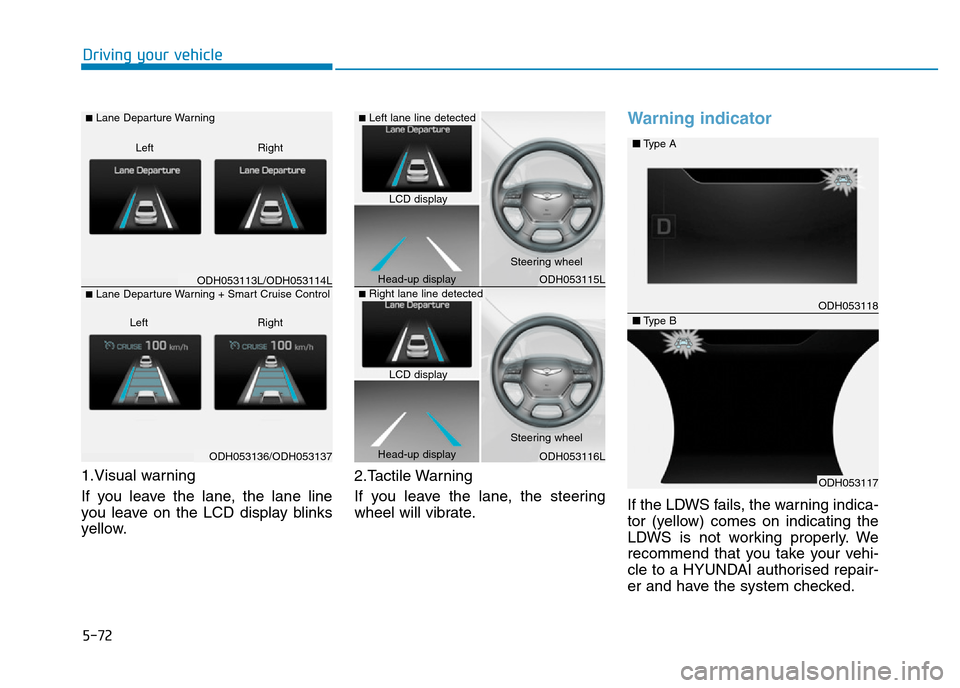
1.Visual warning
If you leave the lane, the lane line
you leave on the LCD display blinks
yellow.2.Tactile Warning
If you leave the lane, the steering
wheel will vibrate.
Warning indicator
If the LDWS fails, the warning indica-
tor (yellow) comes on indicating the
LDWS is not working properly. We
recommend that you take your vehi-
cle to a HYUNDAI authorised repair-
er and have the system checked.
ODH053113L/ODH053114L
ODH053136/ODH053137
■Lane Departure Warning
Right Left
■Lane Departure Warning + Smart Cruise Control
Right Left
ODH053115L
ODH053116L
ODH053118
ODH053117
■Type A
■Type B
■Left lane line detected
■Right lane line detected
LCD display
Head-up displaySteering wheel
Steering wheel
Head-up displayLCD display
Page 349 of 502
5-76
Driving your vehicle
LKAS activation
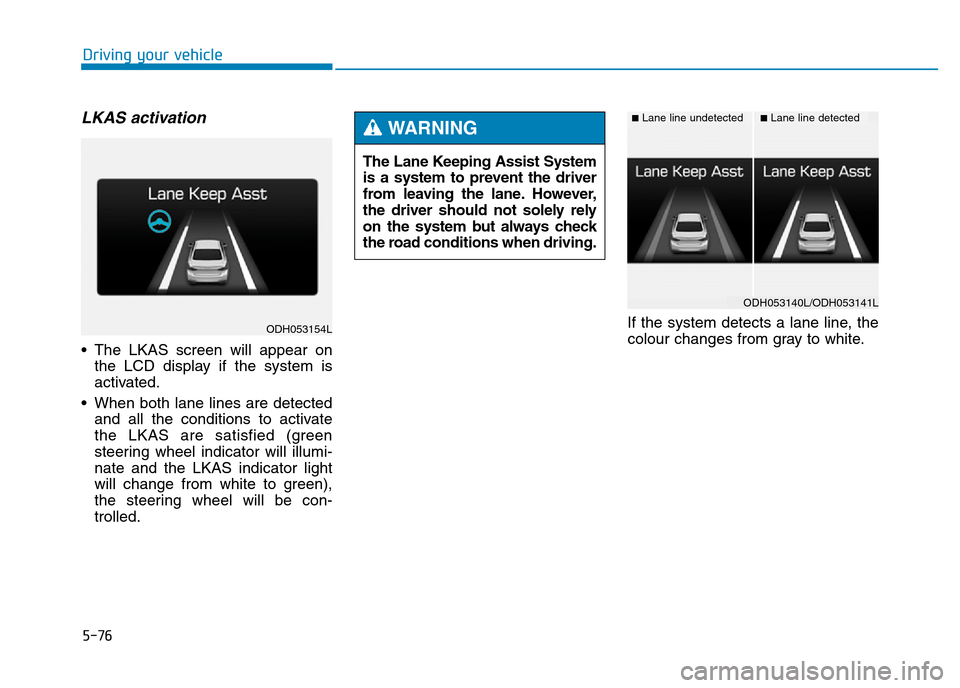
• The LKAS screen will appear on
the LCD display if the system is
activated.
• When both lane lines are detected
and all the conditions to activate
the LKAS are satisfied (green
steering wheel indicator will illumi-
nate and the LKAS indicator light
will change from white to green),
the steering wheel will be con-
trolled.If the system detects a lane line, the
colour changes from gray to white. The Lane Keeping Assist System
is a system to prevent the driver
from leaving the lane. However,
the driver should not solely rely
on the system but always check
the road conditions when driving.
WARNING ■Lane line undetected■Lane line detected
ODH053154L
ODH053140L/ODH053141L
Page 350 of 502
5-77
Driving your vehicle
5
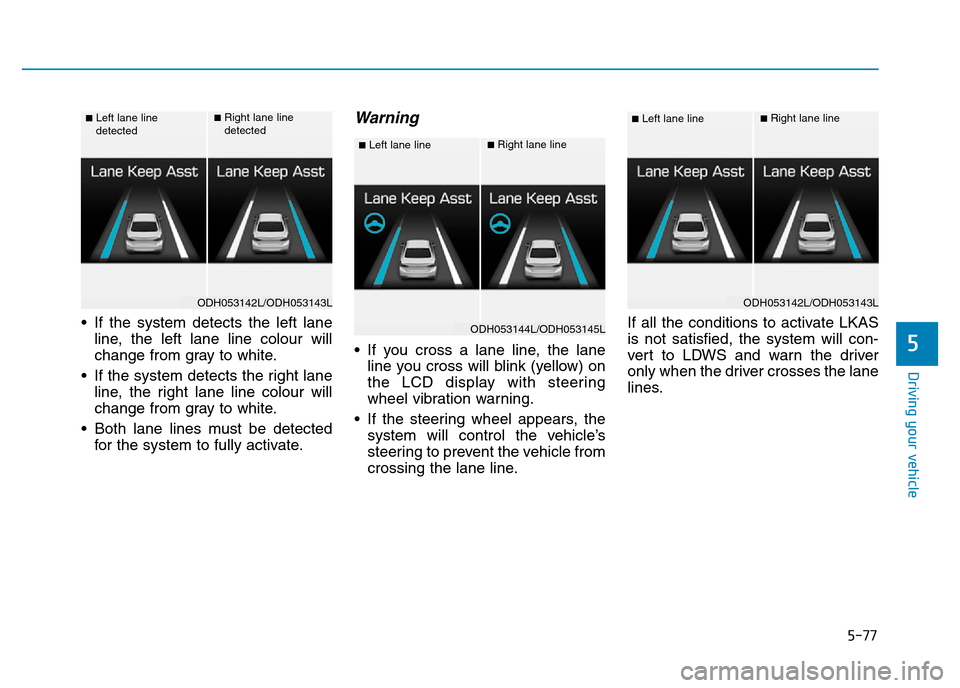
• If the system detects the left lane
line, the left lane line colour will
change from gray to white.
• If the system detects the right lane
line, the right lane line colour will
change from gray to white.
• Both lane lines must be detected
for the system to fully activate.
Warning
• If you cross a lane line, the lane
line you cross will blink (yellow) on
the LCD display with steering
wheel vibration warning.
• If the steering wheel appears, the
system will control the vehicle’s
steering to prevent the vehicle from
crossing the lane line.If all the conditions to activate LKAS
is not satisfied, the system will con-
vert to LDWS and warn the driver
only when the driver crosses the lane
lines.
■Left lane line
detected■Right lane line
detected
ODH053142L/ODH053143L
■Left lane line■Right lane line
ODH053144L/ODH053145L
■Left lane line■Right lane line
ODH053142L/ODH053143L
Page 352 of 502

5-79
Driving your vehicle
5
A message will appear on the LCD
display if the condition to activate the
LKAS is not satisfied. Also, there will
be acoustic warning. The warning
will disappear when the conditions
are met.
The system will be cancelled when:
• Vehicle speed is below 37.3 mph
(60 km/h) and over 111.8 mph (180
km/h).
• Only one lane line is detected.
• Using the turn signal to change
lanes. If you change lanes without
the turn signal on, the steering
wheel might be controlled.
• The hazard warning flasher is on.
• The width of the lane is below 2.8
m and over 4.5 m.
• ESC (Electronic Stability Control)
is activated.
• When the system is on or after
changing a lane, drive in the mid-
dle of the lane.
• The steering will not be assisted
when you drive fast on a sharp
curve.
• The steering will not be assisted
when you change lanes fast.
• The steering will not be assisted
when you brake suddenly.
DRIVER'S ATTENTION
The driver must be cautious in the
below situations may not work prop-
erly when :
• The lane is not visible due to snow,
rain, stain, a puddle or other fac-
tors.
• The brightness outside changes
suddenly such as when entering or
exiting a tunnel.
• The headlamps are not on at night
or in a tunnel, or light level is low.
• It is difficult to distinguish the
colour of the lane marking from
the road or the lane line is damaged
or indistinct.
• Driving on a steep grade or a curve.
• Light such as street light, sunlight
or oncoming vehicle light reflects
from the water on the road.
• The lens or windscreen is covered
with foreign matter.
• The sensor cannot detect the lane
because of fog, heavy rain, or heavy
snow.
• The surrounding of the inside rear
view mirror temperature is high
due to direct sun light.
(Continued)
ODH053148L