2016 HONDA PILOT low oil pressure
[x] Cancel search: low oil pressurePage 13 of 661

12
Quick Reference Guide
Instrument Panel (P77)
System Indicators
Malfunction Indicator
Lamp
Low Oil Pressure
Indicator
Charging System
IndicatorAnti-lock Brake System
(
ABS ) Indicator
Vehicle Stability Assist
(VSA
®) System Indicator
VSA ® OFF Indicator
Electric Power Steering
(EPS) System Indicator
Lights Indicators
Lights On Indicator
High Beam Indicator
Immobilizer System
Indicator
Seat Belt Reminder
Indicator
System Indicators
System Message
IndicatorParking Brake and
Brake System
Indicator (Red)Supplemental
Restraint System
Indicator
Low Fuel Indicator
Gauges (P113)/Multi-Information Display (MID) (P114)/System Indicators (P78)
Low Tire Pressure/
TPMS Indicator Turn Signal and
Hazard Warning
Indicators
Smart Entry System
Indicator
*Ambient
Meter Gear Position Indicator Fuel Gauge
Tachometer
Temperature
Gauge
Speedometer
MID
M (sequential mode) Indicator/
Sequential Mode Gear Selection
Indicator
*
Brake System
Indicator (Amber)
All-wheel drive system
(AWD) Indicator*
Blind spot information
(BSI) Indicator*
System Indicators
Collision Mitigation Braking
SystemTM (CMBSTM) Indicator*
Road Departure Mitigation
(RDM) Indicator*
Security System Alarm
Indicator
U.S.
Canada U.S.
Canada
Fog Light Indicator*
Auto Idle-stop System
Indicator (Amber)*
Auto Idle-stop
Indicator (Green)*
ECON Mode Indicator
Auto high-beam
system Indicator
*
Lane Keeping Assist
System ( LKAS) Indicator*
CRUISE MAIN
Indicator*
CRUISE CONTROL
Indicator*
Adaptive Cruise
Control ( ACC)
Indicator
*
Intelligent Traction
Management Indicator
16 PILOT-31TG76000.book 12 ページ 2015年6月15日 月曜日 午前11時30分
Page 80 of 661

79
uuIndicators u
Continued
Instrument Panel
IndicatorNameOn/BlinkingExplanationMessage
Low Oil Pressure
Indicator
●Comes on when you set the
power mode to ON, and goes off
when the engine starts.
●Comes on when the engine oil
pressure is low.
●Comes on while driving - Immediately
stop in a safe place.
2 If the Low Oil Pressure Indicator Comes
On P. 624
Malfunction
Indicator Lamp
●Comes on when you set the
power mode to ON, and goes off
either when the engine starts or
after several seconds if the
engine did not start. If “readiness
codes” have not been set, it
blinks five times before it goes
off.
●Comes on if there is a problem
with the emissions control
systems.
●Blinks when a misfire in the
engine’s cylinders is detected.
●Readiness codes are part of the on board
diagnostics for the emissions control
systems.
2 Testing of Readiness Codes P. 643●Comes on while driving - Have your
vehicle checked by a dealer.
●Blinks while driving - Stop in a safe place
where there are no flammable objects. Stop
the engine for 10 minutes or more, and wait
for it to cool down. Then, take your vehicle
to a dealer.
2 If the Malfunction Indicator Lamp
Comes On or Blinks P. 625
Charging System
Indicator
●Comes on when you set the
power mode to ON, and goes off
when the engine starts.
●Comes on when the battery is
not charging.
●Comes on while driving - Turn off the
climate control system and rear defogger in
order to reduce electricity consumption.
2 If the Charging System Indicator Comes
On P. 624
16 PILOT-31TG76000.book 79 ページ 2015年6月15日 月曜日 午前11時30分
Page 465 of 661

uuWhen Driving uStarting the Engine
464
Driving
■To stop the engine
Press and hold the button
for one second.
1Remote Engine Start*
•There is any antenna failure.•Door is unlocked with the built-in key.
•The engine oil pressure is low.
•The engine coolant temper ature is extremely high.•The telematics unit malfunctions.
•The security system alarm is not set.
The engine may stop whil e it is running if:
•You do not start the vehicl e within 10 minutes of
starting the engine with the smart entry remote.
•The engine is stopped by using the smart entry
remote.
•There is any antenna failure.
•The security system alarm is not set.•Door is unlocked with the built-in key.
•The hood is open, or any door, or the tailgate is
unlocked.
•Any door is open.
•The gear is in a position other than ( P.
•The telematics unit malfunction.•The engine coolant temper ature is extremely high.
•The battery is low.
•The engine oil pressure is low.•The Malfunction Indicator Lamp (MIL) comes on if
there is a problem with the emissions control
systems.
* Not available on all models
16 PILOT-31TG76000.book 464 ページ 2015年6月15日 月曜日 午前11時30分
Page 553 of 661
552
Driving
Fuel Economy
Improving Fuel Economy
Fuel economy depends on several conditions, including driving conditions, your
driving habits, the condition of your vehicle, and loading. Depending on these and
other conditions, you may or may not achieve the rated fuel economy of this vehicle.
You can optimize your fuel economy with proper maintenance of your vehicle.
Always maintain your vehicle in accordance with the messages displayed on the
MID.
• Use the recommended viscosity engine oil, displaying the API Certification Seal.
• Maintain the specified tire pressure.
• Do not load the vehicl e with excess cargo.
• Keep your vehicle clean. A buildup of snow or mud on your vehicle’s underside
adds weight and increases wind resistance.
■Maintenance and Fuel Economy
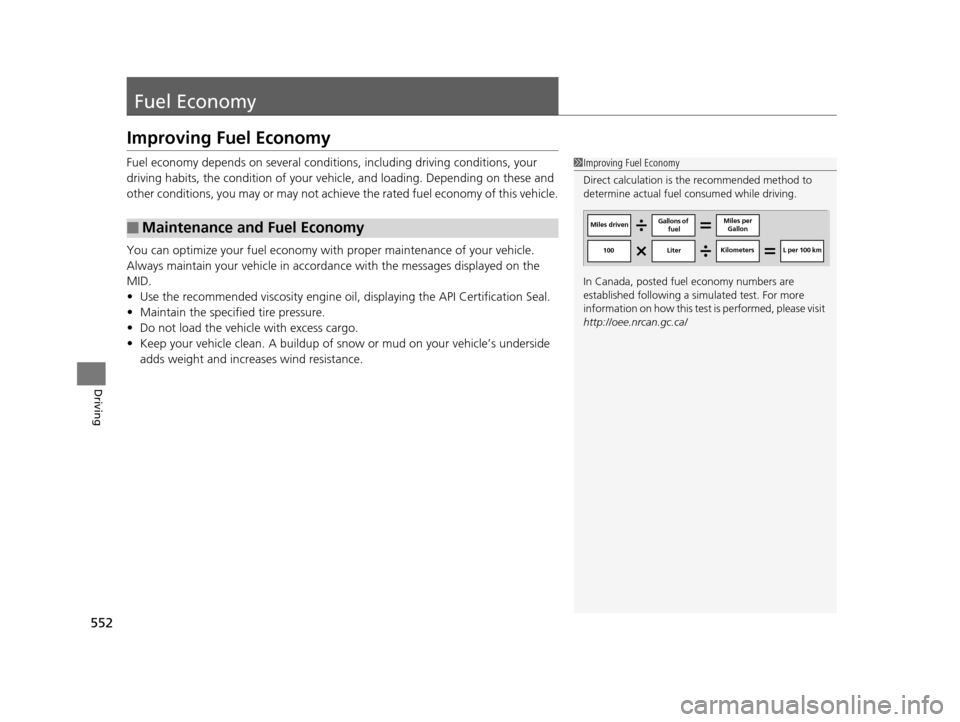
1Improving Fuel Economy
Direct calculation is the recommended method to
determine actual fuel consumed while driving.
In Canada, posted fuel economy numbers are
established following a simulated test. For more
information on how this test is performed, please visit
http://oee.nrcan.gc.ca/
Miles driven Gallons of
fuel Miles per
Gallon
100 LiterKilometers L per 100 km
16 PILOT-31TG76000.book 552 ページ 2015年6月15日 月曜日 午前11時30分
Page 571 of 661
uuMaintenance Under the Hood uChanging the Engine Oil and Oil Filter
570
Maintenance
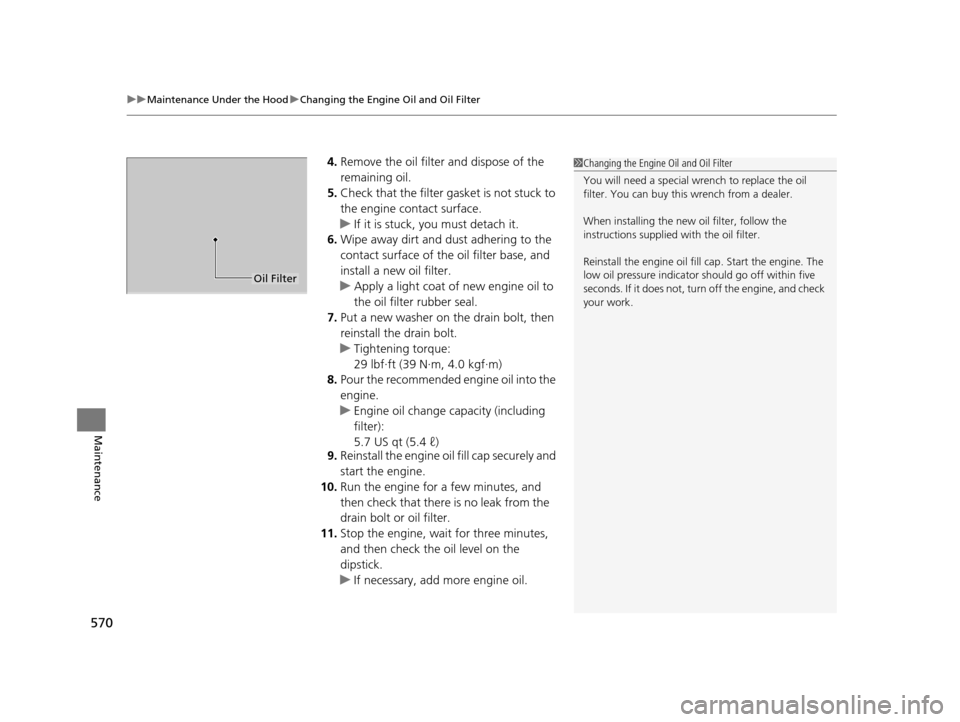
4. Remove the oil filter and dispose of the
remaining oil.
5. Check that the filter ga sket is not stuck to
the engine contact surface.
u If it is stuck, you must detach it.
6. Wipe away dirt and dust adhering to the
contact surface of the oil filter base, and
install a new oil filter.
u Apply a light coat of new engine oil to
the oil filter rubber seal.
7. Put a new washer on the drain bolt, then
reinstall the drain bolt.
u Tightening torque:
29 lbf∙ft (39 N∙m, 4.0 kgf∙m)
8. Pour the recommended engine oil into the
engine.
u Engine oil change capacity (including
filter):
5.7 US qt (5.4 ℓ)
9. Reinstall the engine oil fill cap securely and
start the engine.
10. Run the engine for a few minutes, and
then check that there is no leak from the
drain bolt or oil filter.
11. Stop the engine, wait for three minutes,
and then check the oil level on the
dipstick.
u If necessary, add more engine oil.1Changing the Engine Oil and Oil Filter
You will need a special wrench to replace the oil
filter. You can buy this wrench from a dealer.
When installing the new oil filter, follow the
instructions supplied with the oil filter.
Reinstall the engine oil fill cap. Start the engine. The
low oil pressure indicator should go off within five
seconds. If it does not, turn off the engine, and check
your work.
Oil Filter
16 PILOT-31TG76000.book 570 ページ 2015年6月15日 月曜日 午前11時30分
Page 606 of 661

605
Handling the Unexpected
This chapter explains how to handle unexpected troubles.
ToolsTypes of Tools .................................. 606
If a Tire Goes Flat Changing a Flat Tire ......................... 607
Engine Does Not Start Checking the Engine ........................ 615
If the Smart Entry Remote Battery is Weak .......................................... 616
Emergency Engine Stop ................... 617
Shift Lever Does Not Move*............ 618
Jump Starting .................................... 619 Overheating
How to Handle Overheating............. 622
Indicator, Coming On/Blinking
If the Low Oil Pressure Indicator Comes On ............................................. 624
If the Charging System Indicator Comes
On ................................................. 624
If the Malfunction Indicator Lamp Comes On or Blinks ................................... 625
If the Brake System Indicator (Red) Comes On .................................................... 626
If the Electric Power Steering (EPS) System
Indicator Comes On ............................... 626
If the Low Tire Pressure/Tire Pressure Monitoring System (TPMS) Indicator Comes
On or Blinks........................................ 627
If the Transmission I ndicator Blinks along
with the Warning Message*.......... 627
Fuses
Fuse Locations ................................. 628
Inspecting and Changing Fuses ........ 632
Emergency Towing ........................... 633
When You Cannot Unlock the Fuel Fill Door.. 634
Refueling........................................... 635Refueling From a Portable Fuel Container .... 635
When You Cannot Open the Tailgate.. 636
* Not available on all models
16 PILOT-31TG76000.book 605 ページ 2015年6月15日 月曜日 午前11時30分
Page 625 of 661

624
Handling the Unexpected
Indicator, Coming On/Blinking
If the Low Oil Pressure Indicator Comes On
■Reasons for the indicator to come on
Comes on when the engine oil pressure is low.
■What to do as soon as the indicator comes on
1. Immediately park the vehicle on level ground in a safe place.
2. If necessary, turn the ha zard warning lights on.
■What to do after parking the vehicle
1. Stop the engine and let it sit for about three minutes.
2. Open the hood and check the oil level.
2 Oil Check P. 567
3.Start the engine and check the low oil pressure indicator.
u The indicator goes off: Start driving again.
u The indicator does not go off within 10 seconds: Stop the engine
and contact a dealer for repairs immediately.
If the Charging System Indicator Comes On
■Reasons for the indicator to come on
Comes on when the battery is not being charged.
■What to do when the indicator comes on
Turn off the climate con trol system, rear defogger, and other electrical
systems, and immediately contact a dealer for repairs.
1 If the Low Oil Pressure Indicator Comes On
NOTICE
Running the engine with low oil pressure can cause
serious mechanical damage almost immediately.
1If the Charging System Indicator Comes On
If you need to stop temporarily, do not turn off the
engine. Restarting the engi ne may rapidly discharge
the battery.
16 PILOT-31TG76000.book 624 ページ 2015年6月15日 月曜日 午前11時30分
Page 650 of 661
Index
649
Index
Index
A
ABS (Anti-lock Brake System).................. 529
AC Power Outlet ...................................... 197
Accessories and Modifications ................ 553
Accessory Power Sockets ......................... 196
Adaptive Cruise Control (ACC) ................ 491
Indicator ................................................... 92
Adaptive Cruise Control (ACC) with Low
Speed Follow (LSF) Indicator ................................................... 92
Additives
Coolant .................................................. 571
Engine Oil ............................................... 566
Washer ................................................... 574
Additives, Engine Oil ............................... 566
Adjusting Armrest .................................................. 186
Front Seats.............................................. 174
Head Restraints ....................... 179, 180, 181
Mirrors.................................................... 171
Rear Seats ............................................... 183
Second Row Seat .................................... 176
Steering Wheel ....................................... 170
Temperature ........................................... 116
Agile Handling Assist System .................. 517
Aha
TM........................................................ 290
Air Conditioning System (Climate Control System) .................................................... 210
Changing the Mode................................ 211
Defrosting the Windshield and Windows .............................................. 211 Dust and Pollen Filter ............................... 599
Recirculation/Fresh Air Mode ................... 211
Sensor ..................................................... 216
Synchronized Mode ................................. 213
Using Automatic Climate Control ............ 210
Air Conditioning System (Heating and Cooling System) ...................................... 205
Cooling ................................................... 207
Defrosting the Windshield and Windows ............................................... 208
Heating ................................................... 206
Air Pressure ....................................... 586, 639
Airbags ........................................................ 45
Advanced Airbags ..................................... 51
After a Collision ......................................... 49
Airbag Care ............................................... 57
Event Data Recorder .................................... 0
Front Airbags (SRS) .................................... 48
Indicator .............................................. 55, 83
Passenger Airbag Off Indicator .................. 56
Sensors ...................................................... 45
Side Airbags .............................................. 52
Side Curtain Airbags .................................. 54
All-wheel drive (AWD) Indicator ............... 89
AM/FM Radio .................................... 231, 265
Anti-lock Brake System (ABS) .................. 529
Indicator .................................................... 83
Armrest ..................................................... 186
Audio Remote Controls ............................ 222
Audio System .................................... 218, 242
Adjusting the Sound ........................ 229, 258 Audio/Information Screen................ 225, 243
Auxiliary Input Jack.................................. 220
Changing the Home Screen Icon Layout .. 247
Closing Apps ........................................... 257
Display Setup .................................. 230, 259
Error Messages ........................................ 304
General Information ................................ 308
Home Screen........................................... 250
Limitations for Manual Operation ............ 260
MP3/WMA/AAC ...................... 236, 278, 291
Playing a CD............................................ 278
Reactivating ............................................ 221
Recommended CDs ................................. 309
Remote Controls ..................................... 222
Security Code .......................................... 221
Selecting an Audio Source ....................... 260
Status Area ............................................. 256
Theft Protection ...................................... 221
USB Flash Drives ...................................... 311
USB Port.................................................. 219
Wallpaper Setup.............................. 227, 248
Audio/Information Screen ............... 225, 243
Authorized Manuals ................................ 647
Auto Door Locking/Unlocking ................. 134
Customize ............................................... 367
Auto High-Beam System .......................... 159
Auto high-beam system Indicator............. 87
Auto Idle-stop ........................................... 479
OFF Button .............................................. 479
Auto Idle-stop In dicator (Green)............... 90
16 PILOT-31TG76000.book 649 ページ 2015年6月15日 月曜日 午前11時30分