2016 HONDA CIVIC ECU
[x] Cancel search: ECUPage 49 of 82

90 || 91
DRIVING
DRIVING
DRIVING
Learn about preparation for driving, as well as other features.
Before Driving
Check the following items before you begin driving.
Exterior Checks
• Make sure there are no obstructions on the windows, door mirrors, exterior
lights, or other parts of the vehicle.
•
remove any frost, snow, or ice.
• Make sure the hood is securely closed.
• Heat from the engine and exhaust can ignite flammable materials left u\
nder
the hood, causing a fire. If you’ve parked your vehicle for an exte\
nded period,
inspect and remove any debris that may have collected, such as dried grass
and leaves that have fallen or have been carried in for use as a nest by\
a small
animal. Also check under the hood for leftover flammable materials aft\
er you or
someone else has performed maintenance on your vehicle.
• Make sure the tires are in good condition.
• Make sure there are no people or objects behind or around the vehicle.
Interior Checks
• Store or secure all items on board properly.
• Do not pile items in the cargo area higher than the seatback height.
• Do not place anything in the front seat footwells. Make sure to secure t\
he floor
mats.
• If you have any animals on board, do not let them move freely around in \
the
vehicle.
• Securely close and lock all doors and the trunk.
• Adjust your seating position, mirrors, and steering wheel properly.
• Make sure items placed on the floor behind the front seats cannot roll\
under the
seats.
•
everyone in the vehicle must fasten their seat belt.
• Make sure that the indicators in the instrument panel come on when you s\
tart
the vehicle, and go off soon after.
If the doors are frozen shut, use warm water around the door edges to me\
lt any
ice. Do not try to force them open, as this can damage the rubber trim a\
round the
doors. When done, wipe dry to avoid further freezing.
NOTICE In addition:
• During the first 600 miles (1,000 km) of operation, avoid sudden acc\
eleration or
full throttle operation so as not to damage the engine or powertrain.
• Avoid hard braking for the first 200 miles (300 km). You should also follow this
when the brake pads are replaced.
Improper accessories or modifications can affect your vehicle’s handling,
stability, and performance, and cause a crash in which you can be seriously
hurt or killed.
Follow all instructions in the vehicle owner’s manual regarding accessories
and modifications.
WARNING
Page 51 of 82

94 || 95
DRIVING
DRIVING
Remote Engine Start*
Start your vehicle’s engine using the remote transmitter before you enter the vehicle.
Make sure the vehicle is in a safe location when using remote engine start (i.e., a
well ventilated area, away from any flammable materials).
Starting the Engine
Press the Lock button, then press and hold the engine button within 5 seconds to
remotely start the engine.
The engine runs for up to 10 minutes. To extend the run time for another 10
minutes, repeat the procedure during the initial 10 minutes.
While the engine is running, the climate control system adjusts the cabi\
n
temperature, the security system remains on, and lights and accessories remain
off.
Stopping the Engine
Press and hold the engine button.
The engine will also stop if it has been running for more than 10 minute\
s, or if any
door is opened without using the remote or smart entry.
engine exhaust contains toxic carbon monoxide gas.
Breathing carbon monoxide can kill you or cause unconsciousness.
Never use the remote engine starter when the vehicle is parked in a gara\
ge or
other area with limited ventilation.
WARNING
Lock button
Engine button
Starting to Drive
Turn on the vehicle and start the engine to begin driving.
Before Starting the Engine
Continuously Variable Transmission (CVT)
Check that the shift lever is in Park (P), then press
the brake pedal. Keep your foot firmly on the brake
pedal when starting the engine.
Manual transmission
Check that the shift lever is in Neutral (N), then
press the brake pedal with your right foot and the
clutch pedal with your left foot. The clutch must be
fully pressed to start the engine.
The engine is harder to start in cold weather and in thinner air found a\
t altitudes
above 8,000 feet (2,400 m). When starting the engine in cold weather, turn off
all electrical accessories such as the lights, climate control system, a\
nd rear
defogger in order to reduce battery drain.
Starting the Ignition*Insert the key into the ignition and turn to turn on the vehicle or star\
t the engine.
0 LOCK: Insert and remove the key in this position.
I ACCESSORY: operate the audio system and other
accessories in this position.
II ON: This is the position when driving.
III START: This position is for starting the engine.
The switch returns to oN when you release the key.
Manual transmission models
*if equipped
Brake pedal
Brake pedal
Clutch pedal
removing the key from the ignition switch while driving locks the steerin\
g.
This can cause you to lose control of the vehicle.
remove the key from the ignition switch only when parked.
WARNING
Page 65 of 82

122 || 123
HANDLING THE UNEXPECTED
HANDLING THE UNEXPECTED
Replacing the Flat Tire
1. remove the wheel nuts and flat tire.
2. Mount the compact spare tire. replace the
wheel nuts, and lightly tighten them.
3. Lower the vehicle and remove the jack. Tighten
the wheel nuts in the order indicated in the
image. Go around, tightening the nuts, two to
three times in this order. Do not overtighten the
wheel nuts.
Models with wheel covers: Make sure the wire
support ring is hooked into the clips around the
edge of the wheel cover.
Align the valve mark on the wheel cover to the
tire valve on the wheel, then install the wheel
cover.
If you drive with the spare tire installed, the low tire pressure/TPMS i\
ndicator
appears. The indicator stays on until a regular tire is installed.
spilC
spilC
Valve mark
Storing the Flat Tire
1. remove the center cap, if necessary.
2. open the trunk. Place the flat tire face down in
the spare tire well.
3. remove the spacer cone from the wing bolt, flip
it over, and insert it back on the bolt. Secure the
flat tire with the wing bolt.
Models with wheel covers: Make sure the wire
support ring is hooked into the clips around the
edge of the wheel cover.
4. Securely put the jack and wheel nut wrench back
in the tool case. Store the case in the trunk.
Loose items can fly around the interior in a crash and can seriously i\
njure the
occupants.
Store the wheel, jack, and tools securely before driving.
WARNING
Spacer cone Wing bolt
For
compact
spare tireFor full -
size tire
Tire valv e
Wire support rin g
Page 66 of 82

124 || 125
HANDLING THE UNEXPECTED
HANDLING THE UNEXPECTED
Fuse Locations
If any electrical devices are not working, turn the vehicle off and chec\
k to see if any
applicable fuse is blown. Fuse locations are shown on the fuse box cover\
. Locate the
fuse in question by the fuse number and box cover number.
Engine Compartment Fuse Box
Located under the hood near the battery. Push the tabs to open the box.
*if equipped
Circuit ProtectedAmps
1
Passenger’s Power Seat*/
Rear Seat Heaters*(60 A)
Cooling Fan*1(30 A)Cooling Fan*2(50 A)IG Main*3
*430 A
Headlight High Beam Main30 ABattery125A
2
EPS70 A
IG Main 30
A*3
50A*4
Fuse Box Option*(40 A)
Fuse Box60AFront Wiper Moto r30A
Headlight Low Beam Main 30 A
3
Rear Defroster40 AStarter Motor*3
*430A
Fuse Bo x40AABS/VSA Motor40AABS/VSA FS R40ABlower Motor40A
*1: 2.0L engine models
*2: 1.5L engine models
*3: Models with smart entry syste m
*4: Models without smart entry system
4
5Cooling Fan5A
6W asher15A7FI Main15A
8F I Sub1 5A
9 Stop Lights 10A
10 Injecto r
*2(15A )
11 LAF 5A
12 FI ECU 10A
13 Parking Lights 10A
14 Hazard1 5A
15 IG Coil 15A
16 Transmission
*5(1 5A )
17 Daytime Running Lights 10A
18 Back Up 10A
Circuit Protecte
d Amps
19 Audio 15A
20 Audio AMP*(30 A)
21 Interior Lights 10A
22 Front Fog Lights
*(15 A)
23 A/C Compressor*(10 A)
24 Horn 10A
25 Left Headlight Low Beam 10A
26 Right Headlight Low Beam 10A
27 VB ACT
*2(10 A)
28 Left Headlight High Beam 10A
29 Right Headlight High Beam 10A
30
31 Rear Seat Heaters
*(15 A)
32 Passenger’s Power Seat
Sliding
*(20 A)
33 Passenger’s Power Seat
Reclining
*(20 A)
34
35
36
Circuit Protected Amps
1 Passenger’s Power Seat*/
Rear Seat Heaters*(60 A)
Cooling Fan
*1(30 A)
Cooling Fan*2(50 A)
IG Main
*3
*430 A
Headlight High Beam Main 30A
Battery 125A
2 EPS
70A
IG Main 30
A
*3
50A*4
Fuse Box Option*(40 A)
Fuse Bo x6 0A
Front Wiper Moto r30A
Headlight Low Beam Main 30 A
3 Rear Defroster
40A
Starter Motor
*3
*430 A
Fuse Bo x 40A
ABS/VSA Motor 40A
ABS/VSA FS R 40A
Blower Motor 40A
*1: 2.0L engine models
*2: 1.5L engine models
*3: Models with smart entry syste m
*4: Models without smart entry system
*5: Continuously variable transmission
models
4
5 Cooling Fan 5A
6W asher1 5A
7 FI Main 15A
8F I Sub15A9Stop Lights10A
10 Injecto r*2(15A )11LAF5A
12 FI ECU 10A
13Parking Lights10 A
14 Hazard15A15IG Coil15A
16 Transmission*5(1 5A )17Daytime Running Lights10A
18 Back Up 10A
Circuit Protecte dAmps
19Audio15A
20 Audio AMP*(30 A)21Interior Lights10A
22 Front Fog Lights*(15 A)23A/C Compressor*(10 A)
24 Horn 10A
25Left Headlight Low Beam10A
26 Right Headlight Low Beam 10A
27VB ACT*2(10 A)
28 Left Headlight High Beam 10A
29Right Headlight High Beam10A
3031Rear Seat Heaters*(15 A)
32 Passenger’s Power Seat
Sliding
*(20 A)
33Passenger’s Power Seat Reclining*(20 A)
34
35
36
Interior Fuse Box
Located under the dashboard on the driver’s side.
*if equipped
Circuit ProtectedAmps1Accessory10 A
2*1
Key Lock*2
(5 A)
3
4Front Sensor Camera*1
Transmission*2, *3(5A)
(10 A)
5Optio n10A6SRS Indicator10A7Meter10A8Fuel Pump15A
*3: Continuously variable transmission models
9AIRCON10A1011Engine Control5A12Passenger Side Door Lock10A13Driver Side Rear Door Unloc k(10A )
14Rear Driver’s Side Power
Window(20A )
15Front Passenger’s Side
Power Windo w20A
16Door Lock20A
17Transmissio n*1, *3
Front Sensor Camera*2(10A )
(5 A)
18
19 Moonroo f*(20A )
20
21 ACG 10A
22 Daytime Running Lights 10A
23
24 Front Sensor Camera
*(5 A)
25 Driver’s Door Lock 10A
26
Passen ger Side Door Unlock10A
27 Rear Passenger’s Side
Power Window (2
0A )
*1: Models with smart entry system
*2: Models without smart entry system 28
Driver’s Power Window 20A
29 Front Accessory Power
Socket 20
A
30 Smart Entry
*1
*210
A
31 Driver’s Power Seat
Reclining
*(20 A)
32 Front Seat Heater
*(20 A)
33 Driver’s Power Seat Sliding*(20 A)
34 VSA/ABS 10A
35 SRS 10A
36
37
38 Driver Side Rear Door Lock (10 A)
39 Driver’s Door Unlock 10 A
Circuit Protecte
dAmps
Fuse label
Circuit Protected Amps
1 Accessory 10A
2
*1
Key Lock*2
(5 A)
3
4 Front Sensor Camera
*1
Transmission*2, *3(5
A)
(10 A)
5 Option 10A
6 SRS Indicator 10A
7 Meter 10A
8 Fuel Pump 15A
*3
: Continuously variable transmission models
9 AIRCON 10A
10
11 Engine Control 5A
12 Passenger Side Door Lock 10A
13
Driver Side Rear Door Unloc k(10A )
14 Rear Driver’s Side Power
Window (2
0A )
15 Front Passenger’s Side
Power Windo w20
A
16 Door Lock 20A
17 Transmissio
n
*1, *3
Front Sensor Camera*2(10A )
(5 A)
1819Moonroo f*(20A )2021ACG10A22Daytime Running Lights10A2324Front Sensor Camera*(5 A)25Driver’s Door Lock10A26Passen ger Side Door Unlock10A
27Rear Passenger’s Side
Power Window(20A )
*1: Models with smart entry system*2: Models without smart entry system
28Driver’s Power Window20 A
29 Front Accessory Power
Socket 20
A
30Smart Entry*1
*210A
31 Driver’s Power Seat
Reclining
*(20 A)
32Front Seat Heater*(20 A)
33 Driver’s Power Seat Sliding*(20 A)34VSA/ABS10A
35 SRS 10A
36
3738Driver Side Rear Door Lock(10 A)
39 Driver’s Door Unlock 10 A
Circuit Protecte dAmps
Page 71 of 82

134 || 135
M
AINTENANCEMAINTENANCE
Recommended Engine Oil
•
Honda Genuine Motor Oil
• Premium-grade 0W-20 detergent oil with an API Certification Seal on the
container
This seal indicates the oil is energy conserving and
that it meets the American Petroleum Institute’s
latest requirements.
Use Honda Genuine Motor oil or another
commercial engine oil of suitable viscosity for the
ambient temperature as shown.
You may also use synthetic motor oil if it is labeled
with the API Certification Seal and is of the
specified viscosity grade.
Adding Oil
1. Unscrew and remove the engine oil fill cap.
2. Add oil slowly.
3. reinstall the engine oil fill cap, and tighten it
securely.
4. Wait for three minutes and recheck the engine oil
dipstick.
Ambient temperature
Engine oil
ll cap
1.5 engine models
Engine oil
ll ca p
2.0 engine models
Do not ll the engine oil above the upper mark. Overlling the engine oil can result
in leaks and engine damage.
NOTICE
Resetting the Engine Oil Life
If you change or replace the vehicle’s engine oil yourself, you must reset the
engine oil life.
Models with information display
1. Press the TrIP knob in the instrument panel until
the engine oil life appears in the display.
2. Press and hold the knob for 10 seconds or more,
until the display begins to blink.
3. Press and hold the knob for 5 seconds or more.
The engine oil life display returns to 100%.
Models with Driver Information Interface
Use the steering wheel buttons to make and enter selections (see page 2\
9).
1. Scroll to the Maintenance Minder screen, and
select it.
2. Press and hold the eNTer button for about 10
seconds to enter the reset mode.
3. Scroll to the maintenance item you want to reset
(or All Due Items), and select it.
Models with Display Audio
Use the touchscreen to make and enter selections.
1. From the HoMe screen, select Settings.
2. Select vehicle.
3. Select Maintenance Info.
4. Select Select reset Items.
5. Select an item on the list to reset.
Failure to reset the engine oil life after a maintenance service results\
in the
system showing incorrect maintenance intervals, which can lead to seriou\
s
mechanical problems.
NOTICE
Page 73 of 82

138 || 139
M
AINTENANCEMAINTENANCE
Checking the Battery
Check the battery terminals for corrosion monthly.
For jump starting, see page 114.
The battery gives off explosive hydrogen gas during normal operation.
A spark or flame can cause the battery to explode with enough force to\
kill or
seriously hurt you.
When conducting any battery maintenance, wear protective clothing and a \
face
shield, or have a skilled technician do it.
WARNING
Changing Wiper Blades
If the wiper blades leave streaks across the windshield, try cleaning th\
em first with a
paper towel or soft cloth and wiper fluid. If the wiper blade rubber h\
as deteriorated,
you should change the wiper blades.
1. Lift the driver side wiper arm first, then the
passenger side.
2. Press and hold the tab, then slide the blade holder
toward the base of the wiper arm.
3. Slide the wiper blade out from its holder by pulling
the tabbed end out.
4. Slide the new wiper blade into the holder. The tab
on the holder should fit in the indent of the wiper
blade.
5. Slide the wiper blade holder onto the wiper arm
securely.
6. Lower the passenger side wiper arm first, then the
driver side.
end cap at the bottom
Holder
Holder Cap
Tab
Blade
Tab
Blade
TabBlade
Avoid dropping the wiper arm, as it may damage the windshield.
NOTICE
If your vehicle’s battery is disconnected or goes dead:
• Some systems are temporarily deactivated. Drive a short distance at 12 mph (20
km/h) or more, and the indicator(s) should go off.
• The immobilizer system needs to be reset (see page 26).*
*Canadian models only
Page 81 of 82

154 || 155
INDEX
INDEX
INDEX
ABS .............................................................25ACC .......................................................24, 27
Accessory Power Socket ...............................52Adaptive Cruise Control (ACC) with Low Speed Follow (LSF) ...................24, 102Address .............................................................85
Advanced Airbags .............................................8Aha™ radio ......................................................64Airbags ...............................................................8
Airbag System Components .......................12
Airbag System Indicators ...........................10
Ambient Meter ................................................ 100
Android Auto™
.................................................66
Anti-Lock Brake System (ABS) ................25, 98
Apple CarPlay® .................................................65
Audio Commands ...........................................153Audio operation ...............................................52Aha™ radio ..................................................64
Android Auto™ .............................................66
Apple CarPlay® .............................................65
Bluetooth® Audio ...................................61, 71
Color Audio System .....................................57
Display Audio ................................................62FM/AM radio ..........................................58, 67
HondaLink™ ..................................................63
iPod® .......................................................59, 69
Pandora® .......................................................72
SiriusXM® radio ...........................................68Sound .............................................................56
Steering Wheel Controls .............................54
USB Flash Drive ......................................60, 70
USB Port ........................................................52
Wi-Fi Connection ..........................................64
Wireless Charger .........................................53
Automatic brake hold ................................27, 99Automatic Dimming rearview Mirror ...........44Automatic rain-Sensing Wipers ...................39Battery ...........................................................138
Bluetooth® Audio .......................................61, 71
Bluetooth® Audio Commands ......................153
Bluetooth® HandsFreeLink® (HFL) .................73e-Mail .............................................................81
HFL Controls ............................................73, 76
HondaLink™ Assist ......................................80
Making a Call ..........................................75, 79
Pairing a Phone ......................................74, 78
Phonebook ..............................................75, 79
Siri® eyes Free ..............................................82
SMS Text Messaging ..................................81
Speed Dial ...............................................75, 80
Talk Button Tips ............................................77
Brake Assist System ........................................ 98
Brake/Clutch Fluid .......................................... 137Brake depress
..................................................26
Brake system ..............................................24, 25Braking .............................................................98
Brightness Control ...........................................37
Carbon Monoxide Gas .......................................4
Changing a Flat Tire
.......................................120
Changing Settings ............................................49
Charging system ............................................... 24
Childproof Door Locks
.....................................34
Child Safety .......................................................14
Child Seat ..........................................................16
Adding Security with a Tether ...................19
LATCH-Compatible Child Seat ....................17
Climate Control Commands ..........................152
Climate Control System ...................................46Clock .............................................................51
Collision Mitigation Braking System™ (CMBS™)
...................................25, 106
Color Audio System .........................................57
Condition Indicators ........................................26
Contact Us .......................................................150Continuously variable Transmission (CvT) ...96
Cruise Control ...........................................27, 101
Customer Information ....................................149
Customized Features
.......................................50Dashboard, Ceiling, and other Controls .........2
Destination ........................................................85
Dialing a Number .......................................75, 79
Display Audio ....................................................62
Door Mirrors .....................................................44Door operation .................................................34Doors .............................................................32
Door/trunk open ...............................................26DoT Tire Quality Grading ..............................144
Driver Information Interface ..........................29Driving .............................................................90Adaptive Cruise Control (ACC) with Low Speed Follow (LSF) .........................102
Braking ...........................................................98
Collision Mitigation Braking System™ (CMBS™)
.........................................106Continuously variable Transmission (CvT) ...................................................96
Cruise Control .............................................101eco Assist™ System ..................................100eNGINe STArT/SToP button .....................96
Ignition ...........................................................95
Lane Keeping Assist System (LKAS) .......104
LaneWatch™ ..............................................108
Manual Transmission ..................................97
Maximum Load Limit ....................................92Multi-view rear Camera ..........................109
Power Mode .................................................96
refueling ......................................................111remote engine Start ....................................94road Departure Mitigation (rDM) ..........105
Shifting ...........................................................96vehicle Stability Assist (vSA®) ................100
Wiper Blades ..............................................139eco Assist™ System ......................................100eCoN Button ...................................................100eCoN mode .......................................................27electric Parking Brake ....................................98electric Power Steering (ePS) .......................25electronic Stability Control (eSC) ................100e-Mail .............................................................81emergency engine Stop ................................117emergency Towing ........................................117engine and Fuel ......................................147, 148engine Coolant................................................ 136engine oil......................................................... 133eNGINe STArT/SToP button .........................96exterior lights ..............................................27, 37
Fastening a Seat Belt ........................................7Flat Tire ...........................................................120
Floor Mats .........................................................41Fluids ...................................................147, 148FM/AM radio ..............................................58, 67FM/AM radio Commands .............................153
Fog lights ...........................................................27
Foot Brake .........................................................98
Frequently Asked Questions ........................149Front Airbags (SrS) ...........................................8
Front Door Inner Handle .................................34
Fuel Information .............................................111
Fuse Locations ................................................ 124
Hang-Up/Back button ................................73, 76
Headlight-Wiper Integration
..........................38Head restraints ................................................42
Heating System ................................................45
HFL Controls ................................................73, 76
High beams .......................................................27
Home Address ..................................................85
HondaLink™ ......................................................63
HondaLink™ Assist ..........................................80Honda roadside Assistance ........................150Hood ...........................................................131Ignition .............................................................95
Immobilizer ........................................................26
Information Display .......................................... 28
Instrument Panel
..............................................23
Interior Lights .................................................... 37
Intermittent Wipers .......................................... 39
iPod
® .......................................................59, 69
iPod® Commands ...........................................153
Jump Starting .................................................114Key .............................................................31
Lane Keeping Assist System (LKAS) ....24, 104 LaneWatch™
..................................................108
Lap/Shoulder Seat Belts ...................................5
LATCH-Compatible Child Seat ........................17
Light Bulbs ............................................... 147, 148
Lights .......................................................27, 37LKAS .............................................................27
Lock Tab .............................................................34Low fuel .............................................................26
Low oil pressure ...............................................24
Low tire pressure .............................................26
Maintenance ................................................... 127
Air Conditioning
..........................................145
Battery .........................................................138
Brake/Clutch Fluid ......................................137engine Coolant ............................................136engine oil .....................................................133
Maintenance Minder™ .............................128
Service Codes .............................................129
Under the Hood ..........................................131
Window Washer Fluid ...............................137
Making a Call ..............................................75, 79
Malfunction indicator lamp ............................25
Malfunction Indicators ....................................24
Manual Seats .................................................... 41
Manual Transmission
......................................97
Map Legend ......................................................88
Master Door Lock Switch ...............................34
Maximum Load Limit ........................................ 92
Mirrors .............................................................44
Moonroof ...........................................................36Multi-view rear Camera ..............................109
Music search ..................................................153
Navigation .........................................................83
Display and Controls ....................................84entering a Destination .................................85
Home Address ..............................................85
Map Legend ..................................................88
Place Category .............................................86recent Places ...............................................86routing ...........................................................88
Saved Places ................................................87
Steering Wheel Controls .............................83
Street Address ..............................................85System Guidance volume ...........................83
Talk Button Tips ............................................83Traffic .............................................................89
Turn-by-turn directions ...............................88
Navigation Commands ..................................152one-Touch Turn Signal ....................................36on/off Indicators ..............................................27opening the Hood ..........................................132overheating..................................................... 116
Pairing a Phone ..........................................74, 78
Pandora® ...........................................................72
Pandora® Commands ....................................153
Page 82 of 82
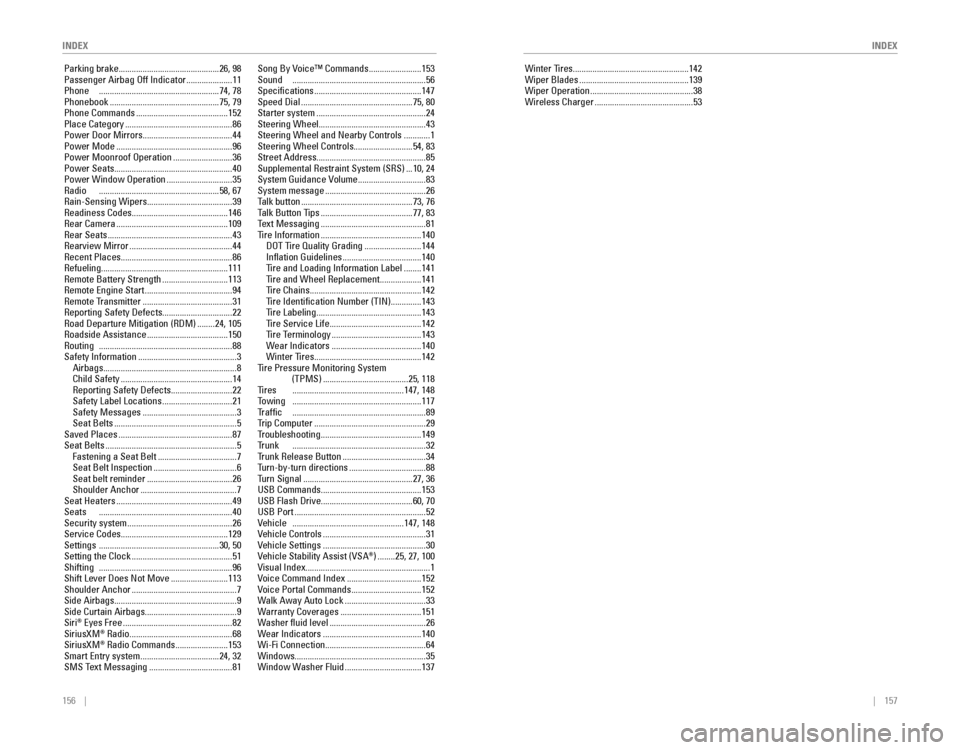
156 || 157
INDEX
INDEX
Parking brake .............................................. 26, 98Passenger Airbag off Indicator .....................11Phone .......................................................74, 78
Phonebook ..................................................75, 79
Phone Commands ..........................................152
Place Category .................................................86
Power Door Mirrors ......................................... 44
Power Mode
.....................................................96Power Moonroof operation ...........................36
Power Seats ...................................................... 40
Power Window operation ..............................35radio .......................................................58, 67rain-Sensing Wipers.......................................39readiness Codes............................................ 146rear Camera ...................................................109rear Seats .........................................................43rearview Mirror ...............................................44recent Places................................................... 86refueling.......................................................... 111remote Battery Strength ..............................113remote engine Start ........................................94remote Transmitter .........................................31reporting Safety Defects................................22road Departure Mitigation (rDM) ........24, 105roadside Assistance .....................................150routing .............................................................88
Safety Information .............................................3
Airbags .............................................................8
Child Safety ...................................................14reporting Safety Defects ............................22
Safety Label Locations ................................21
Safety Messages ...........................................3
Seat Belts ........................................................5
Saved Places ....................................................87
Seat Belts ............................................................5
Fastening a Seat Belt ....................................7
Seat Belt Inspection ......................................6
Seat belt reminder .......................................26
Shoulder Anchor ............................................7
Seat Heaters .....................................................49Seats .............................................................40
Security system ................................................26
Service Codes ................................................. 129
Settings .......................................................30, 50
Setting the Clock ..............................................51Shifting .............................................................96
Shift Lever Does Not Move ..........................113
Shoulder Anchor ................................................7
Side Airbags ........................................................ 9
Side Curtain Airbags .......................................... 9
Siri
® eyes Free ..................................................82
SiriusXM® radio ...............................................68
SiriusXM® radio Commands ........................153Smart entry system ....................................24, 32
SMS Text Messaging ......................................81
Song By voice™ Commands ........................153Sound .............................................................56
Specifications .................................................147
Speed Dial ...................................................75, 80
Starter system ..................................................24
Steering Wheel ................................................. 43
Steering Wheel and Nearby Controls
............1
Steering Wheel Controls ...........................54, 83
Street Address .................................................. 85
Supplemental restraint System (SrS) ...10, 24System Guidance volume ...............................83
System message ..............................................26
Talk button ...................................................73, 76
Talk Button Tips ..........................................77, 83
Text Messaging ................................................81
Tire Information ..............................................140DoT Tire Quality Grading ..........................144
Inflation Guidelines ....................................140
Tire and Loading Information Label ........141Tire and Wheel replacement ...................141
Tire Chains ...................................................142
Tire Identification Number (TIN) ..............143
Tire Labeling ................................................143
Tire Service Life ..........................................142
Tire Terminology .........................................143
Wear Indicators .........................................140
Winter Tires .................................................142
Tire Pressure Monitoring System (TPMS)
.......................................25, 118Tires ...................................................147, 148Towing ...........................................................117Traffic .............................................................89
Trip Computer ...................................................29
Troubleshooting ..............................................149Trunk .............................................................32Trunk release Button ......................................34
Turn-by-turn directions ...................................88
Turn Signal ..................................................27, 36
USB Commands .............................................. 153
USB Flash Drive .......................................... 60, 70
USB Port
............................................................52vehicle ...................................................147, 148vehicle Controls ...............................................31vehicle Settings ...............................................30vehicle Stability Assist (vSA®) ........25, 27, 100visual Index......................................................... 1voice Command Index ..................................152voice Portal Commands ................................152
Walk Away Auto Lock .....................................33
Warranty Coverages .....................................151
Washer fluid level ............................................26
Wear Indicators .............................................140
Wi-Fi Connection .............................................. 64
Windows ............................................................ 35
Window Washer Fluid
...................................137 Winter Tires
.....................................................142
Wiper Blades ..................................................139Wiper operation ...............................................38
Wireless Charger .............................................53