Page 229 of 590
228
uuAudio System Basic Operation uAudio/Information Screen
Features
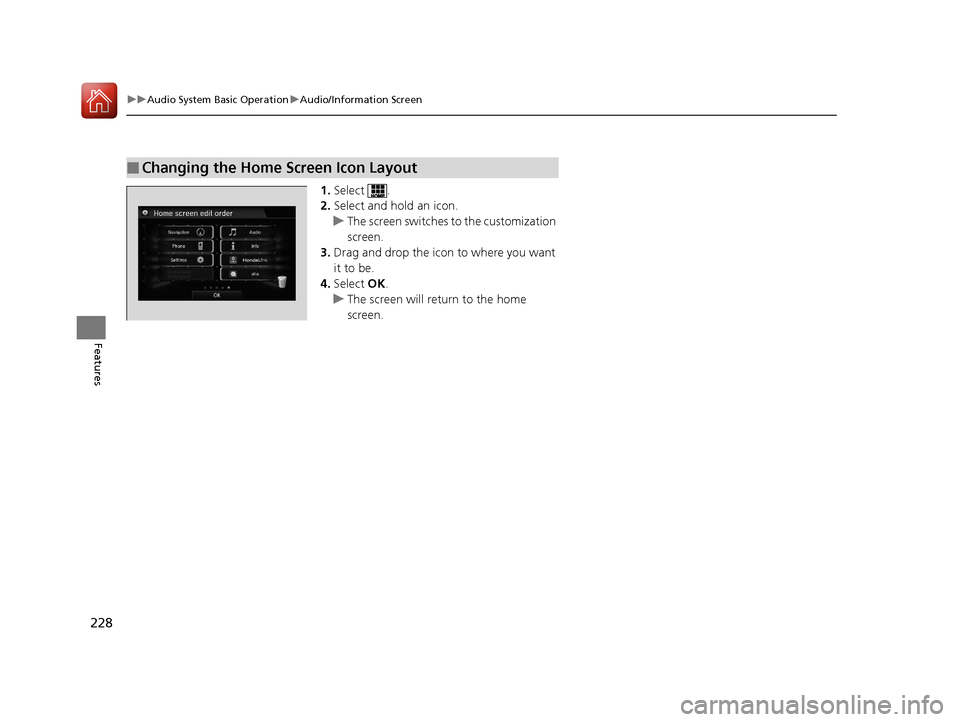
1. Select .
2. Select and hold an icon.
u The screen switches to the customization
screen.
3. Drag and drop the icon to where you want
it to be.
4. Select OK.
u The screen will return to the home
screen.
■Changing the Home Screen Icon Layout
16 CIVIC 4D-31TBA6000.book 228 ページ 2015年8月31日 月曜日 午後5時56分
Page 230 of 590
Continued229
uuAudio System Basic Operation uAudio/Information Screen
Features
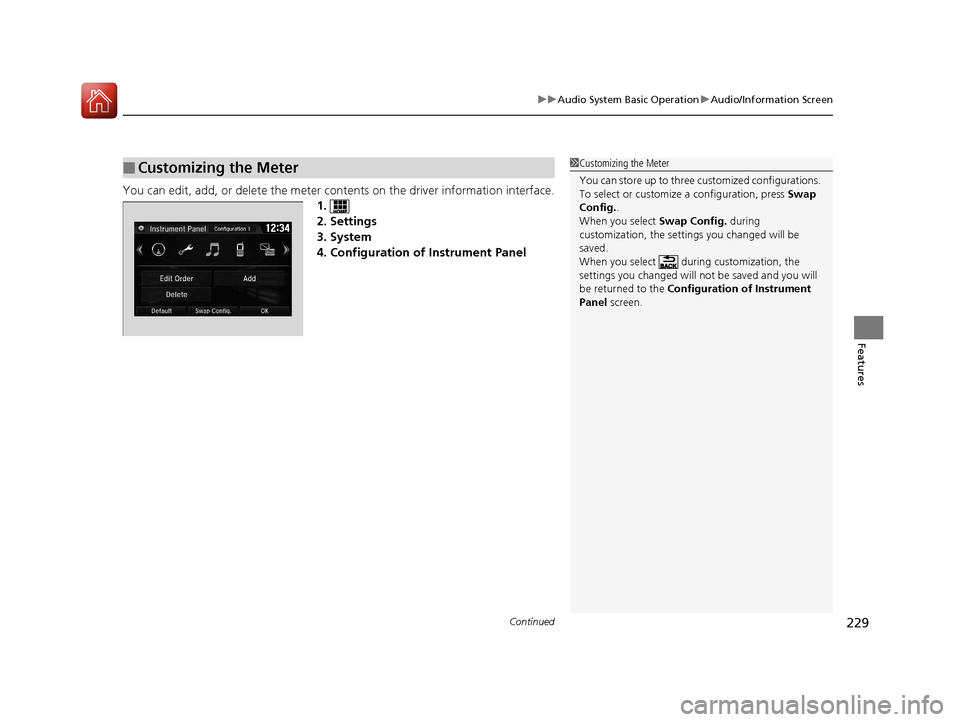
You can edit, add, or delete the meter cont ents on the driver information interface.
1.
2. Settings
3. System
4. Configuration of Instrument Panel
■Customizing the Meter1 Customizing the Meter
You can store up to three cu stomized configurations.
To select or customize a configuration, press Swap
Config. .
When you select Swap Config. during
customization, the settings you changed will be
saved.
When you select during customization, the
settings you changed will not be saved and you will
be returned to the Configuration of Instrument
Panel screen.
16 CIVIC 4D-31TBA6000.book 229 ページ 2015年8月31日 月曜日 午後5時56分
Page 231 of 590
uuAudio System Basic Operation uAudio/Information Screen
230
Features
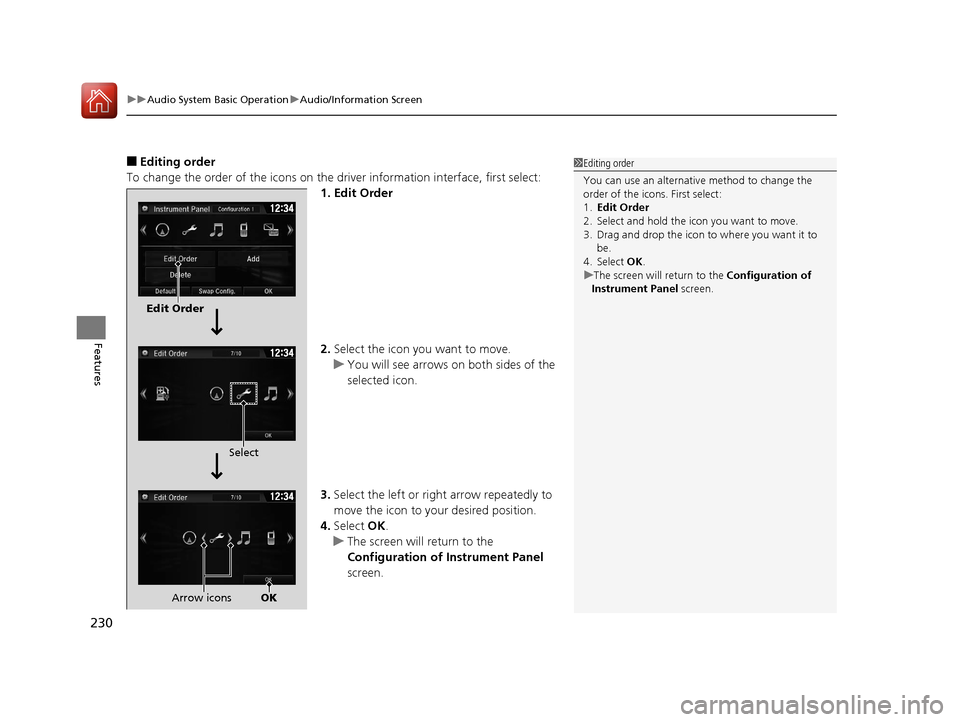
■Editing order
To change the order of the icons on the driver information interface, first select:
1. Edit Order
2. Select the icon you want to move.
u You will see arrows on both sides of the
selected icon.
3. Select the left or right arrow repeatedly to
move the icon to your desired position.
4. Select OK.
u The screen will return to the
Configuration of Instrument Panel
screen.1 Editing order
You can use an alternative method to change the
order of the icons. First select:
1. Edit Order
2. Select and hold the icon you want to move.
3. Drag and drop the icon to where you want it to be.
4. Select OK .
u The screen will return to the Configuration of
Instrument Panel screen.
Edit Order
Select
Arrow icons OK
16 CIVIC 4D-31TBA6000.book 230 ページ 2015年8月31日 月曜日 午後5時56分
Page 232 of 590
Continued231
uuAudio System Basic Operation uAudio/Information Screen
Features
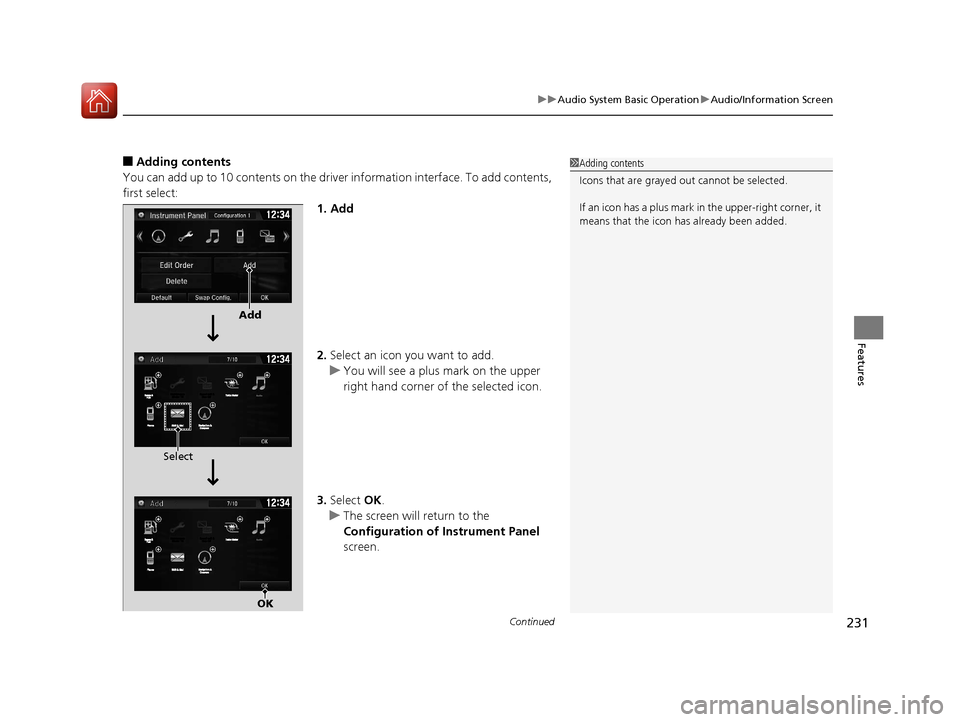
■Adding contents
You can add up to 10 contents on the driver information interface. To add contents,
first select: 1. Add
2.Select an icon you want to add.
u You will see a plus mark on the upper
right hand corner of the selected icon.
3. Select OK.
u The screen will return to the
Configuration of Instrument Panel
screen.1 Adding contents
Icons that are grayed out cannot be selected.
If an icon has a plus mark in the upper-right corner, it
means that the icon ha s already been added.
Add
Select
OK
16 CIVIC 4D-31TBA6000.book 231 ページ 2015年8月31日 月曜日 午後5時56分
Page 233 of 590
uuAudio System Basic Operation uAudio/Information Screen
232
Features
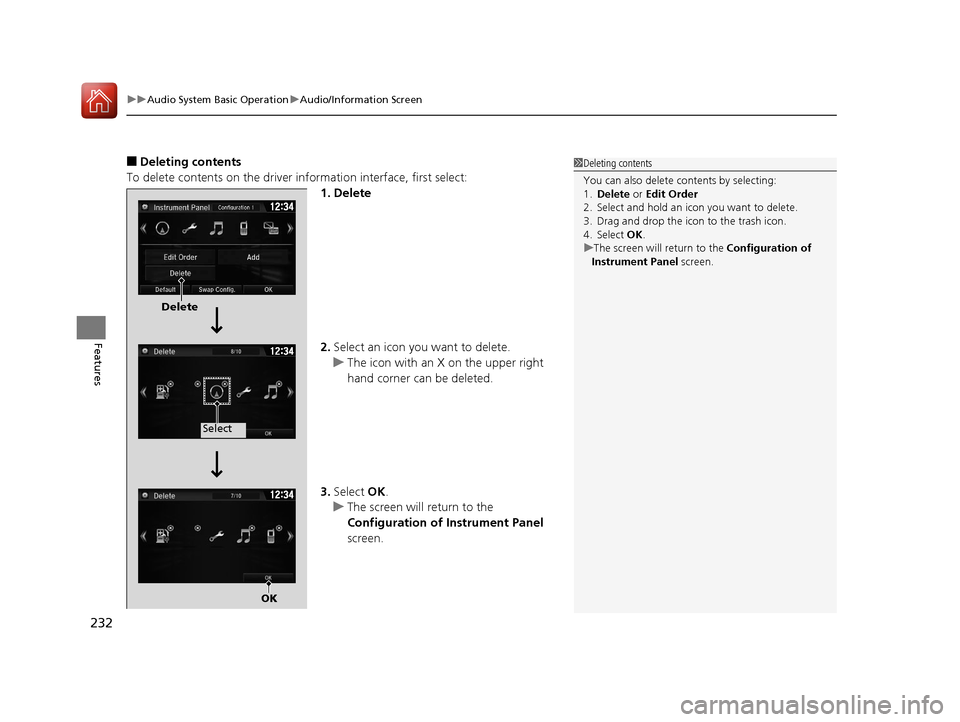
■Deleting contents
To delete contents on the driver information interface, first select:
1. Delete
2.Select an icon you want to delete.
u The icon with an X on the upper right
hand corner can be deleted.
3. Select OK.
u The screen will return to the
Configuration of Instrument Panel
screen.1 Deleting contents
You can also delete c ontents by selecting:
1. Delete or Edit Order
2. Select and hold an icon you want to delete.
3. Drag and drop the icon to the trash icon.
4. Select OK .
u The screen will return to the Configuration of
Instrument Panel screen.
Delete
Select
OK
16 CIVIC 4D-31TBA6000.book 232 ページ 2015年8月31日 月曜日 午後5時56分
Page 234 of 590
Continued233
uuAudio System Basic Operation uAudio/Information Screen
Features
You can change, store, and delete the wallpaper on the audio/ information screen.
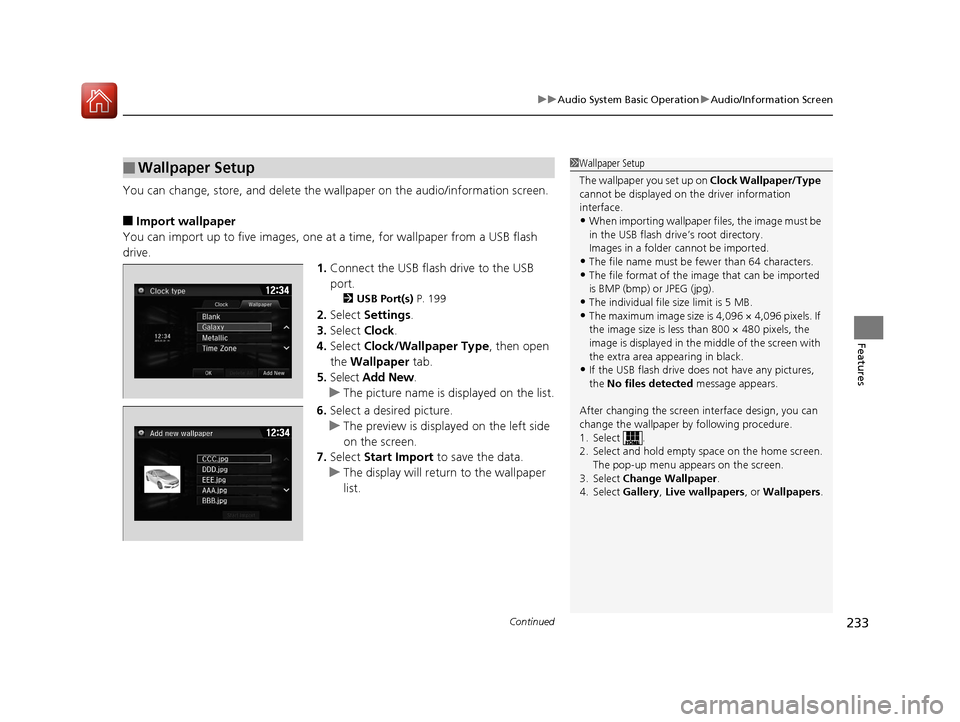
■Import wallpaper
You can import up to five images, one at a time, for wallpaper from a USB flash
drive. 1.Connect the USB flash drive to the USB
port.
2 USB Port(s) P. 199
2.Select Settings .
3. Select Clock.
4. Select Clock/Wallpaper Type , then open
the Wallpaper tab.
5. Select Add New .
u The picture name is displayed on the list.
6. Select a desired picture.
u The preview is displayed on the left side
on the screen.
7. Select Start Import to save the data.
u The display will return to the wallpaper
list.
■Wallpaper Setup1Wallpaper Setup
The wallpaper you set up on Clock Wallpaper/Type
cannot be displayed on th e driver information
interface.
•When importing wallpaper files, the image must be
in the USB flash driv e’s root directory.
Images in a folder cannot be imported.
•The file name must be fewer than 64 characters.•The file format of the im age that can be imported
is BMP (bmp) or JPEG (jpg).
•The individual file size limit is 5 MB.•The maximum image size is 4,096 × 4,096 pixels. If
the image size is less than 800 × 480 pixels, the
image is displayed in the middle of the screen with
the extra area appearing in black.
•If the USB flash drive doe s not have any pictures,
the No files detected message appears.
After changing the screen interface design, you can
change the wallpaper by following procedure.
1. Select .
2. Select and hold empty space on the home screen. The pop-up menu appears on the screen.
3. Select Change Wallpaper.
4. Select Gallery, Live wallpapers , or Wallpapers.
16 CIVIC 4D-31TBA6000.book 233 ページ 2015年8月31日 月曜日 午後5時56分
Page 235 of 590
uuAudio System Basic Operation uAudio/Information Screen
234
Features
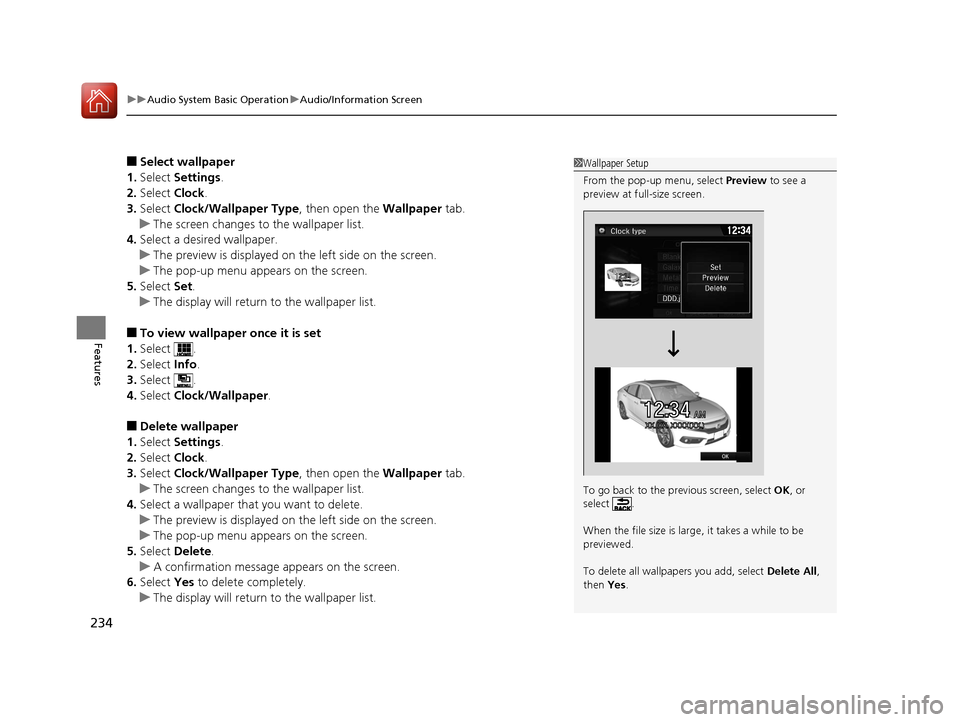
■Select wallpaper
1. Select Settings .
2. Select Clock.
3. Select Clock/Wallpaper Type , then open the Wallpaper tab.
u The screen changes to the wallpaper list.
4. Select a desired wallpaper.
u The preview is displayed on the left side on the screen.
u The pop-up menu appears on the screen.
5. Select Set.
u The display will return to the wallpaper list.
■To view wallpaper once it is set
1. Select .
2. Select Info.
3. Select .
4. Select Clock/Wallpaper .
■Delete wallpaper
1. Select Settings .
2. Select Clock.
3. Select Clock/Wallpaper Type , then open the Wallpaper tab.
u The screen changes to the wallpaper list.
4. Select a wallpaper that you want to delete.
u The preview is displayed on the left side on the screen.
u The pop-up menu appears on the screen.
5. Select Delete.
u A confirmation message appears on the screen.
6. Select Yes to delete completely.
u The display will return to the wallpaper list.
1Wallpaper Setup
From the pop-up menu, select Preview to see a
preview at full-size screen.
To go back to the prev ious screen, select OK, or
select .
When the file size is large, it takes a while to be
previewed.
To delete all wallpapers you add, select Delete All,
then Yes.
12:34AMXX.�XX. XXXX(XX.)
12�‰34
16 CIVIC 4D-31TBA6000.book 234 ページ 2015年8月31日 月曜日 午後5時56分
Page 236 of 590
Continued235
uuAudio System Basic Operation uAudio/Information Screen
Features
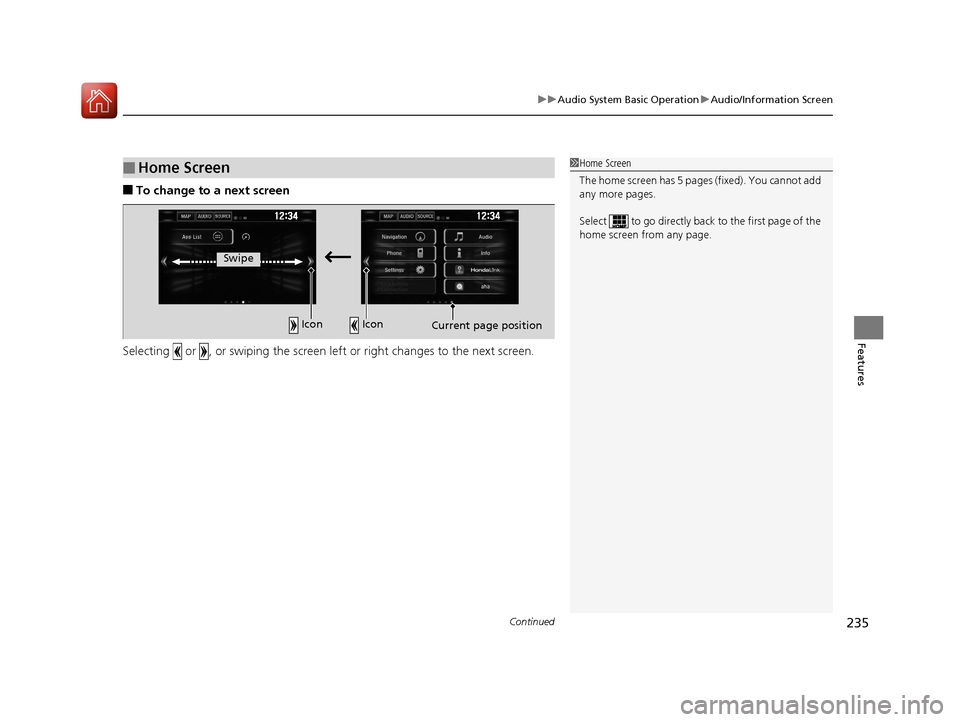
■To change to a next screen
Selecting or , or swiping the screen le ft or right changes to the next screen.
■Home Screen1Home Screen
The home screen has 5 pages (fixed). You cannot add
any more pages.
Select to go directly back to the first page of the
home screen from any page.
Swipe
Icon Icon
Current page position
16 CIVIC 4D-31TBA6000.book 235 ページ 2015年8月31日 月曜日 午後5時56分