2016 FORD SUPER DUTY oil reset
[x] Cancel search: oil resetPage 7 of 510

Reporting Safety Defects (U.S.
Only)..............................................................221
Reporting Safety Defects (Canada Only)..............................................................221
Fuses
Fuse Specification Chart...........................223
Changing a Fuse............................................231
Maintenance
General Information
....................................232
Opening and Closing the Hood..............232
Under Hood Overview - 6.2L...................233
Under Hood Overview - 6.8L..................234
Engine Oil Dipstick......................................235
Engine Oil Check
..........................................235
Oil Change Indicator Reset......................236
Engine Coolant Check
...............................236
Automatic Transmission Fluid Check...........................................................240
Transfer Case Fluid Check........................243
Brake Fluid Check........................................244
Power Steering Fluid Check....................244
Washer Fluid Check
....................................244
Fuel Filter........................................................244
Changing the 12V Battery.........................245
Checking the Wiper Blades
......................247
Changing the Wiper Blades
.....................247
Adjusting the Headlamps.........................247
Removing a Headlamp.............................249
Changing a Bulb..........................................249
Bulb Specification Chart
...........................252
Changing the Engine Air Filter................254
Vehicle Care
General Information...................................256
Cleaning Products.......................................256
Cleaning the Exterior
..................................256
Waxing
..............................................................257
Cleaning the Engine....................................258 Cleaning the Windows and Wiper
Blades..........................................................258
Cleaning the Interior...................................259
Cleaning the Instrument Panel and Instrument Cluster Lens
.......................259
Cleaning Leather Seats.............................260
Repairing Minor Paint Damage...............261
Cleaning the Alloy Wheels........................261
Vehicle Storage
.............................................262
Wheels and Tires
General Information
...................................264
Tire Care..........................................................267
Using Snow Chains
.....................................284
Tire Pressure Monitoring System..........284
Changing a Road Wheel...........................290
Technical Specifications
............................301
Capacities and Specific- ations
Engine Specifications
................................303
Motorcraft Parts
..........................................304
Vehicle Identification Number...............305
Vehicle Certification Label
......................306
Transmission Code Designation...........306
Capacities and Specifications - 6.2L V8
..................................................................307
Capacities and Specifications - 6.8L Triton-30V - V10........................................311
Audio System
General Information
.....................................317
Audio Unit - Vehicles With: AM/FM.......318
Audio Unit - Vehicles With: AM/FM/CD/ SYNC.............................................................319
Audio Unit - Vehicles With: AM/FM/CD/ Touchscreen Display
..............................322
Digital Radio..................................................323
Satellite Radio
..............................................325
USB Port
.........................................................328
Media Hub
......................................................328
4
Super Duty (TFA) Canada/United States of America, enUSA, Second Printing Table of Contents
Page 11 of 510
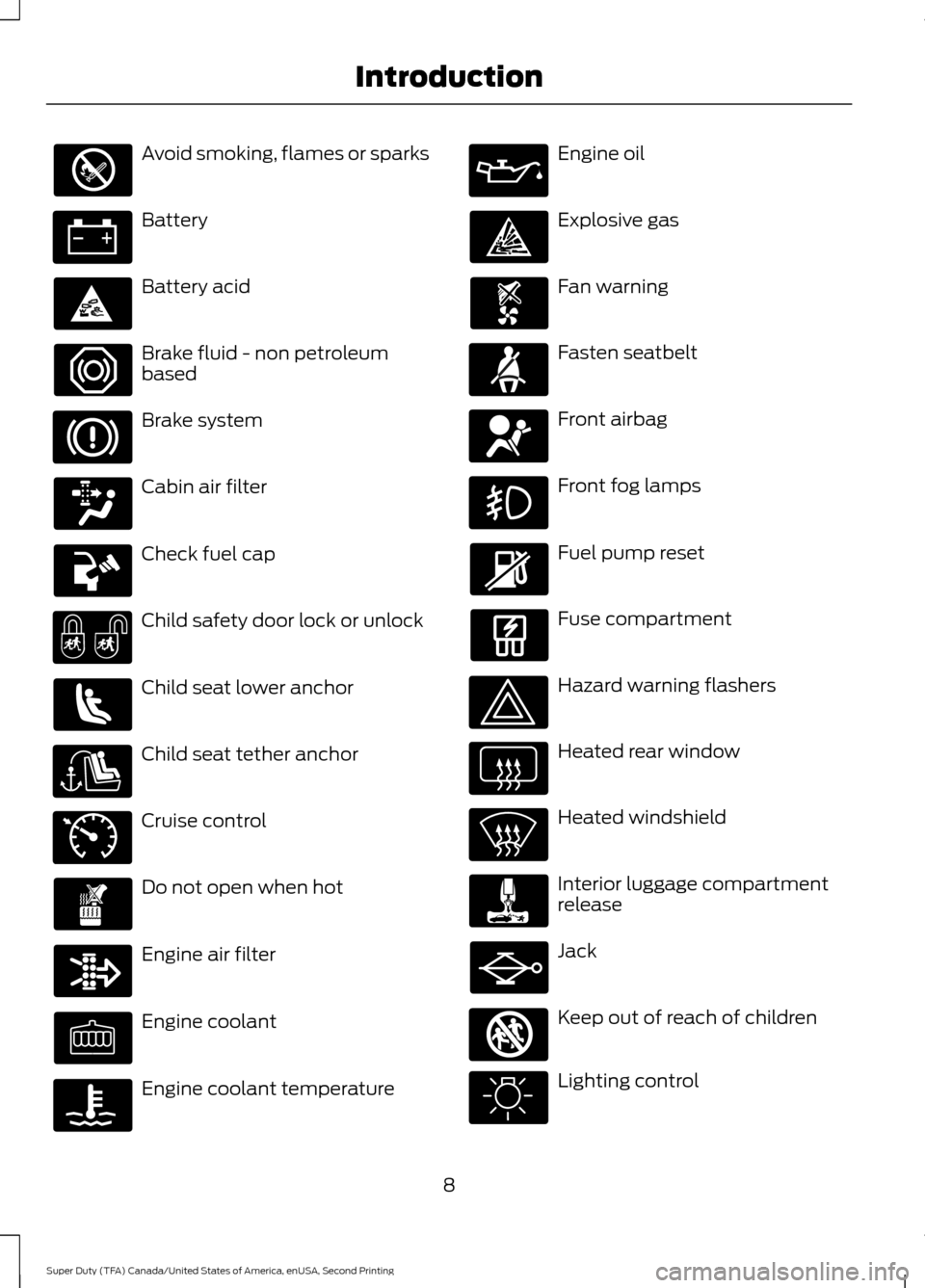
Avoid smoking, flames or sparks
Battery
Battery acid
Brake fluid - non petroleum
based
Brake system
Cabin air filter
Check fuel cap
Child safety door lock or unlock
Child seat lower anchor
Child seat tether anchor
Cruise control
Do not open when hot
Engine air filter
Engine coolant
Engine coolant temperature Engine oil
Explosive gas
Fan warning
Fasten seatbelt
Front airbag
Front fog lamps
Fuel pump reset
Fuse compartment
Hazard warning flashers
Heated rear window
Heated windshield
Interior luggage compartment
release
Jack
Keep out of reach of children
Lighting control
8
Super Duty (TFA) Canada/United States of America, enUSA, Second Printing Introduction E71340 E161353
Page 93 of 510

EXHAUST FILTER
For more information, refer to the Diesel
supplement.
System check and vehicle feature
customization
Press the SETUP button repeatedly to
cycle the information display through the
following features:
Note:
Some options may appear slightly
different or not at all if the items are
optional.
Note: When returning to the SETUP menu
and you selected a non-English language,
HOLD RESET FOR ENGLISH will display to
change back to English. Press and hold the
RESET button to change back to English. SETUP
OIL LIFE
press the RESET button
RESET FOR SYSTEM
CHECK
EXHAUST FLUID LEVEL
(Diesel only)
ENGINE HOURS
ENGINE IDLE HOURS
CHARGING SYSTEM
DOOR
BRAKE SYSTEM
TBC GAIN = XX.X
FUEL LEVEL
MYKEY DISTANCESETUP (cont’
d)
MYKEY(S) PROGRAMMED
press the RESET
button
RESET FOR
SYSTEM CHECK
ADMIN KEYS PROGRAMMED
OIL LIFE English or Metric
press the RESET
button
UNITS
0 to 180 seconds
AUTOLAMP (SEC)
On or Off
AUTOLOCK
On or Off
AUTOUNLOCK
On or Off
COURTESY WIPE
90
Super Duty (TFA) Canada/United States of America, enUSA, Second Printing Information Displays
Page 94 of 510

SETUP (cont’
d)
On or Off
REAR PARK AID
On or Off
REMOTE WINDOW
OPEN
CREATE MYKEY / MYKEY SETUP / CLEAR MYKEY
On or Off
press the RESET
button
RESET FOR REMOTE START
5, 10, 15 minutes
Electric or EOH
TBC MODE
LOW, MED or HIGH
TBC EFFORT
On or Off
TRAILER SWAY
English / Spanish / French
LANGUAGE = ENGLISH / SPANISH /
FRENCH
PRESS RESET FOR SYSTEM CHECK
The information display will begin to cycle
through the vehicle systems and provide
a status of the item if needed.
Note: Some systems show a message only
if a condition is present
OIL LIFE
Displays the remaining oil life. An oil
change is required whenever indicated by
the information display and according to
the recommended maintenance schedule.
USE ONLY RECOMMENDED ENGINE OILS.
To reset the oil monitoring system to 100%
after each oil change, perform the
following:
1. Press and release the SETUP button to display OIL LIFE XXX% HOLD RESET
= NEW.
2. Press and hold the RESET button for two seconds and release to reset the
oil life to 100%. Note:
To change oil life 100% value (if
equipped with this feature) to another value,
proceed to Step 3.
3. Once OIL LIFE SET TO XXX% is displayed, release and press the RESET
button to change the Oil Life Start
Value. Each release and press will
reduce the value by 10%.
UNITS
Displays the current units English or Metric
AUTOLAMP (SEC)
This feature keeps your headlights on for
up to three minutes after the ignition is
switched off.
AUTOLOCK
This feature automatically locks all vehicle
doors when the vehicle is shifted into any
gear, putting the vehicle in motion.
91
Super Duty (TFA) Canada/United States of America, enUSA, Second Printing Information Displays
Page 100 of 510
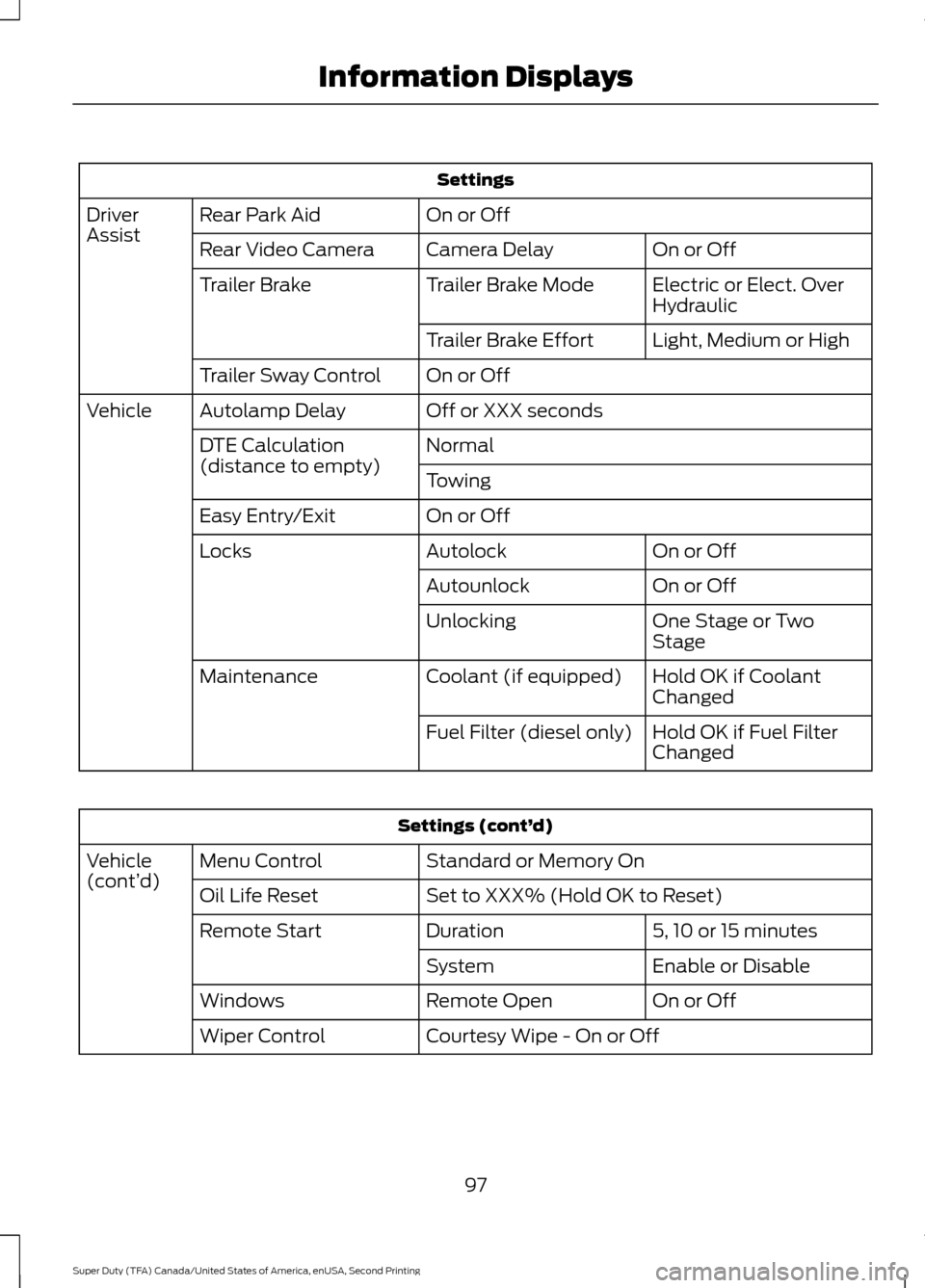
Settings
On or Off
Rear Park Aid
Driver
Assist
On or Off
Camera Delay
Rear Video Camera
Electric or Elect. Over
Hydraulic
Trailer Brake Mode
Trailer Brake
Light, Medium or High
Trailer Brake Effort
On or Off
Trailer Sway Control
Off or XXX seconds
Autolamp Delay
Vehicle
Normal
DTE Calculation
(distance to empty)
Towing
On or Off
Easy Entry/Exit
On or Off
Autolock
Locks
On or Off
Autounlock
One Stage or Two
Stage
Unlocking
Hold OK if Coolant
Changed
Coolant (if equipped)
Maintenance
Hold OK if Fuel Filter
Changed
Fuel Filter (diesel only) Settings (cont’
d)
Standard or Memory On
Menu Control
Vehicle
(cont’ d)
Set to XXX% (Hold OK to Reset)
Oil Life Reset
5, 10 or 15 minutes
Duration
Remote Start
Enable or Disable
System
On or Off
Remote Open
Windows
Courtesy Wipe - On or Off
Wiper Control
97
Super Duty (TFA) Canada/United States of America, enUSA, Second Printing Information Displays
Page 239 of 510
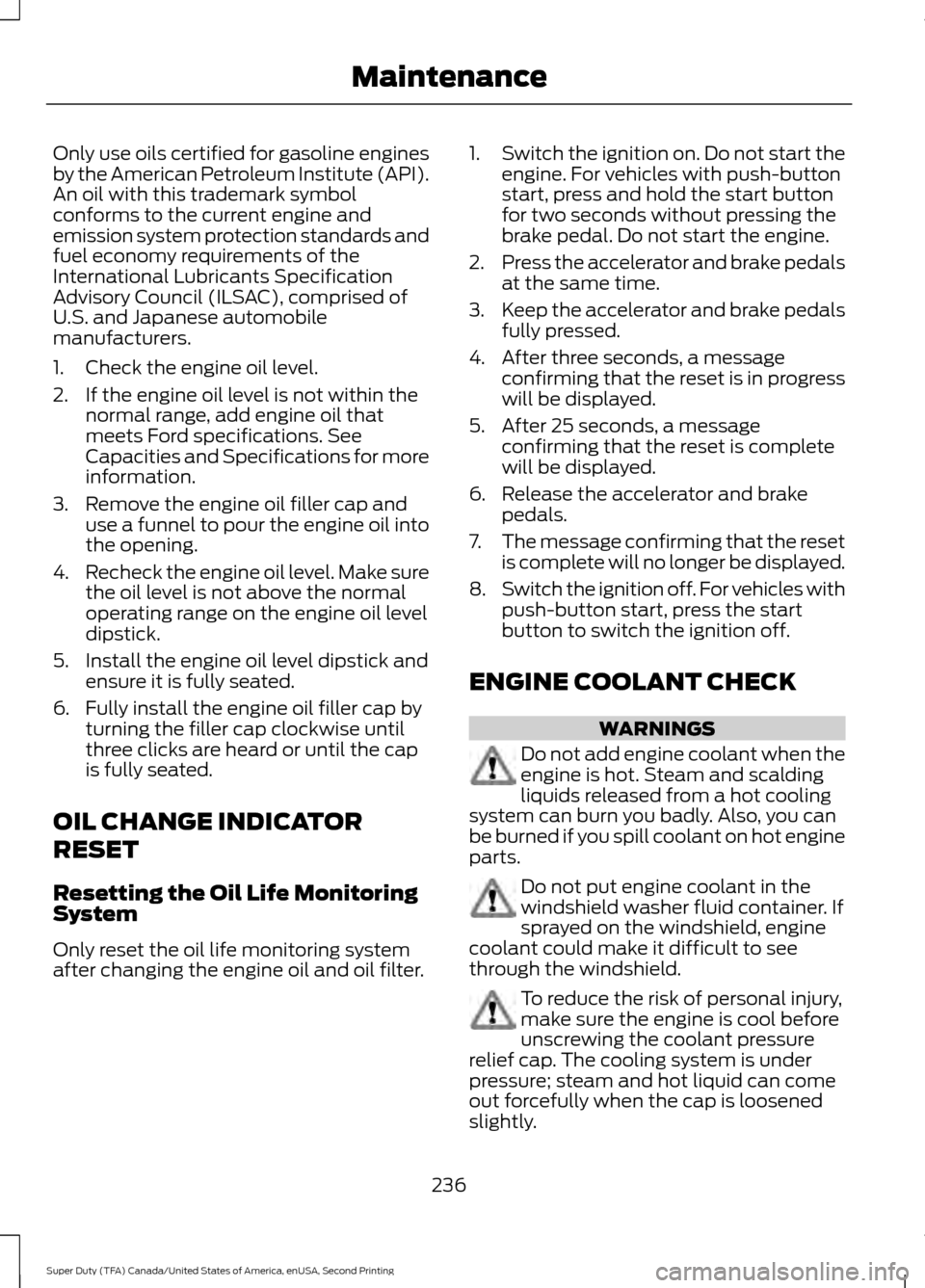
Only use oils certified for gasoline engines
by the American Petroleum Institute (API).
An oil with this trademark symbol
conforms to the current engine and
emission system protection standards and
fuel economy requirements of the
International Lubricants Specification
Advisory Council (ILSAC), comprised of
U.S. and Japanese automobile
manufacturers.
1. Check the engine oil level.
2. If the engine oil level is not within the
normal range, add engine oil that
meets Ford specifications. See
Capacities and Specifications for more
information.
3. Remove the engine oil filler cap and use a funnel to pour the engine oil into
the opening.
4. Recheck the engine oil level. Make sure
the oil level is not above the normal
operating range on the engine oil level
dipstick.
5. Install the engine oil level dipstick and ensure it is fully seated.
6. Fully install the engine oil filler cap by turning the filler cap clockwise until
three clicks are heard or until the cap
is fully seated.
OIL CHANGE INDICATOR
RESET
Resetting the Oil Life Monitoring
System
Only reset the oil life monitoring system
after changing the engine oil and oil filter. 1.
Switch the ignition on. Do not start the
engine. For vehicles with push-button
start, press and hold the start button
for two seconds without pressing the
brake pedal. Do not start the engine.
2. Press the accelerator and brake pedals
at the same time.
3. Keep the accelerator and brake pedals
fully pressed.
4. After three seconds, a message confirming that the reset is in progress
will be displayed.
5. After 25 seconds, a message confirming that the reset is complete
will be displayed.
6. Release the accelerator and brake pedals.
7. The message confirming that the reset
is complete will no longer be displayed.
8. Switch the ignition off. For vehicles with
push-button start, press the start
button to switch the ignition off.
ENGINE COOLANT CHECK WARNINGS
Do not add engine coolant when the
engine is hot. Steam and scalding
liquids released from a hot cooling
system can burn you badly. Also, you can
be burned if you spill coolant on hot engine
parts. Do not put engine coolant in the
windshield washer fluid container. If
sprayed on the windshield, engine
coolant could make it difficult to see
through the windshield. To reduce the risk of personal injury,
make sure the engine is cool before
unscrewing the coolant pressure
relief cap. The cooling system is under
pressure; steam and hot liquid can come
out forcefully when the cap is loosened
slightly.
236
Super Duty (TFA) Canada/United States of America, enUSA, Second Printing Maintenance
Page 266 of 510
Battery
•
Check and recharge as necessary. Keep
connections clean.
• If storing your vehicle for more than 30
days without recharging the battery,
we recommend that you disconnect
the battery cables to maintain battery
charge for quick starting.
Note: It is necessary to reset memory
features if battery cables are disconnected.
Brakes
• Make sure the brakes and parking brake
release fully.
Tires
• Maintain recommended air pressure.
Miscellaneous
• Make sure all linkages, cables, levers
and pins under your vehicle are covered
with grease to prevent rust.
• Move vehicles at least 25 ft (7.5 m)
every 15 days to lubricate working parts
and prevent corrosion.
Removing Vehicle From Storage
When your vehicle is ready to come out of
storage, do the following:
• Wash your vehicle to remove any dirt
or grease film build-up on window
surfaces.
• Check windshield wipers for any
deterioration.
• Check under the hood for any foreign
material that may have collected
during storage such as mice or squirrel
nests.
• Check the exhaust for any foreign
material that may have collected
during storage. •
Check tire pressures and set tire
inflation per the Tire Label.
• Check brake pedal operation. Drive
your vehicle
15 ft (4.5 m) back and
forth to remove rust build-up.
• Check fluid levels (including coolant,
oil and gas) to make sure there are no
leaks, and fluids are at recommended
levels.
• If you remove the battery, clean the
battery cable ends and check for
damage.
Contact an authorized dealer if you have
any concerns or issues.
263
Super Duty (TFA) Canada/United States of America, enUSA, Second Printing Vehicle Care
Page 505 of 510
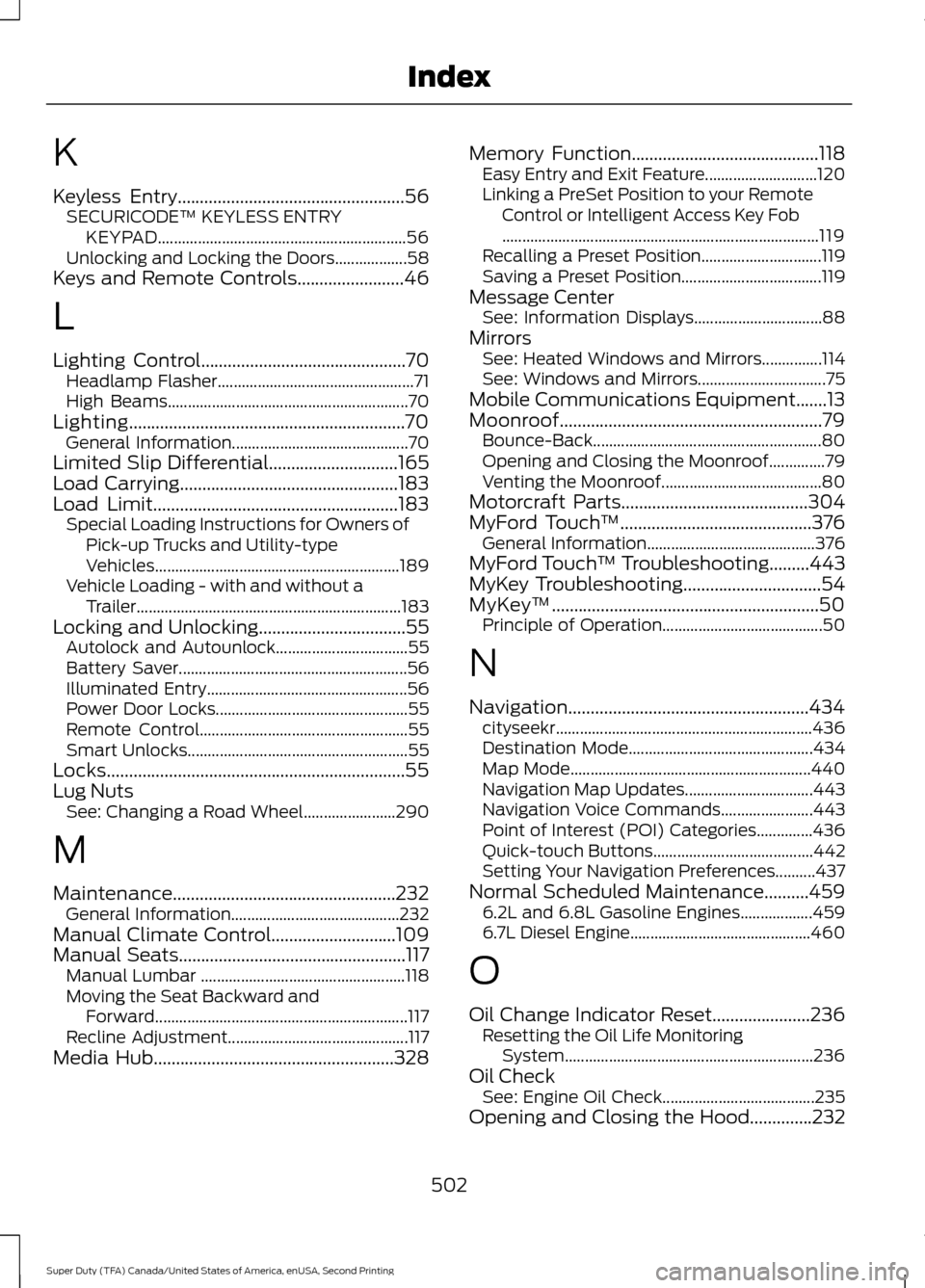
K
Keyless Entry...................................................56
SECURICODE™ KEYLESS ENTRY
KEYPAD.............................................................. 56
Unlocking and Locking the Doors.................. 58
Keys and Remote Controls........................46
L
Lighting Control..............................................70 Headlamp Flasher................................................. 71
High Beams............................................................ 70
Lighting..............................................................70 General Information............................................ 70
Limited Slip Differential.............................165
Load Carrying
.................................................183
Load Limit.......................................................183
Special Loading Instructions for Owners of
Pick-up Trucks and Utility-type
Vehicles............................................................. 189
Vehicle Loading - with and without a Trailer .................................................................. 183
Locking and Unlocking.................................55 Autolock and Autounlock................................. 55
Battery Saver......................................................... 56
Illuminated Entry.................................................. 56
Power Door Locks................................................ 55
Remote Control.................................................... 55
Smart Unlocks....................................................... 55
Locks...................................................................55
Lug Nuts See: Changing a Road Wheel....................... 290
M
Maintenance..................................................232 General Information.......................................... 232
Manual Climate Control............................109
Manual Seats
...................................................117
Manual Lumbar ................................................... 118
Moving the Seat Backward and Forward............................................................... 117
Recline Adjustment............................................. 117
Media Hub
......................................................328 Memory Function
..........................................118
Easy Entry and Exit Feature............................ 120
Linking a PreSet Position to your Remote Control or Intelligent Access Key Fob
........................................................................\
....... 119
Recalling a Preset Position.............................. 119
Saving a Preset Position................................... 119
Message Center See: Information Displays................................ 88
Mirrors See: Heated Windows and Mirrors...............114
See: Windows and Mirrors................................ 75
Mobile Communications Equipment.......13
Moonroof...........................................................79 Bounce-Back......................................................... 80
Opening and Closing the Moonroof..............79
Venting the Moonroof........................................ 80
Motorcraft Parts
..........................................304
MyFord Touch ™...........................................376
General Information.......................................... 376
MyFord Touch ™ Troubleshooting.........443
MyKey Troubleshooting
...............................54
MyKey ™............................................................50
Principle of Operation........................................ 50
N
Navigation......................................................434 cityseekr................................................................ 436
Destination Mode.............................................. 434
Map Mode............................................................ 440
Navigation Map Updates................................ 443
Navigation Voice Commands....................... 443
Point of Interest (POI) Categories..............436
Quick-touch Buttons........................................ 442
Setting Your Navigation Preferences..........437
Normal Scheduled Maintenance..........459 6.2L and 6.8L Gasoline Engines.................. 459
6.7L Diesel Engine............................................. 460
O
Oil Change Indicator Reset......................236 Resetting the Oil Life Monitoring
System.............................................................. 236
Oil Check See: Engine Oil Check...................................... 235
Opening and Closing the Hood..............232
502
Super Duty (TFA) Canada/United States of America, enUSA, Second Printing Index