Page 5 of 358
Interior Lamps.................................................59
Windows and Mirrors
Power Windows...............................................61
Exterior Mirrors................................................62
Interior Mirror...................................................63
Sun Visors.........................................................64
Instrument Cluster
Gauges
...............................................................65
Warning Lamps and Indicators................66
Audible Warnings and Indicators.............69
Information Displays
General Information......................................70
Information Messages
..................................73
Climate Control
Manual Climate Control
..............................79
Hints on Controlling the Interior Climate
..........................................................80
Heated Windows and Mirrors.....................81
Cabin Air Filter.................................................82
Seats
Sitting in the Correct Position...................83
Head Restraints
..............................................83
Manual Seats..................................................85
Power Seats.....................................................86
Auxiliary Power Points
Auxiliary Power Points..................................87
Storage Compartments
Center Console...............................................88
Overhead Console
.........................................88
Starting and Stopping the Engine
General Information.....................................89 Ignition Switch
................................................89
Starting a Gasoline Engine.........................89
Engine Block Heater.......................................91
Fuel and Refueling
Safety Precautions
........................................93
Fuel Quality - Gasoline................................94
Fuel Quality - E85..........................................94
Fuel Filler Funnel Location.........................95
Running Out of Fuel......................................95
Refueling...........................................................96
Fuel Consumption.........................................98
Emission Control System...........................99
Transmission
Automatic Transmission
...........................102
All-Wheel Drive
Using All-Wheel Drive................................105
Brakes
General Information
.....................................112
Hints on Driving With Anti-Lock Brakes............................................................112
Parking Brake
..................................................113
Traction Control
Principle of Operation..................................114
Using Traction Control
.................................114
Stability Control
Principle of Operation
..................................115
Using Stability Control
................................116
Parking Aids
Principle of Operation..................................117
Rear Parking Aid.............................................117
Rear View Camera........................................118
2
Police Interceptor (CPH), enUSA, Edition date: 10/2015, First Printing Table of Contents
Page 66 of 358

The image of the approaching vehicle is
small and near the inboard edge of the
main mirror when it is at a distance. The
image becomes larger and begins to move
outboard across the main mirror as the
vehicle approaches (A). The image
transitions from the main mirror and begins
to appear in the blind spot mirror as the
vehicle approaches (B). The vehicle
transitions to your peripheral field of view
as it leaves the blind spot mirror (C).
Blind Spot Information System (If
Equipped)
See
Blind Spot Information System
(page 123). INTERIOR MIRROR WARNING
Do not adjust the mirror when your
vehicle is moving.
Note:
Do not clean the housing or glass of
any mirror with harsh abrasives, fuel or other
petroleum or ammonia-based cleaning
products.
You can adjust the interior mirror to your
preference. Some mirrors also have a
second pivot point. This lets you move the
mirror head up or down and from side to
side.
Pull the tab below the mirror toward you
to reduce glare at night.
Auto-Dimming Mirror
(If Equipped)
Note: Do not block the sensors on the front
and back of the mirror. Mirror performance
may be affected. A rear center passenger or
raised rear center head restraint may also
block light from reaching the sensor.
The mirror will dim automatically to reduce
glare when bright lights are detected from
behind your vehicle. It will automatically
return to normal reflection when you select
reverse gear to make sure you have a clear
view when backing up.
63
Police Interceptor (CPH), enUSA, Edition date: 10/2015, First Printing Windows and MirrorsA
B
C
E138665
Page 121 of 358
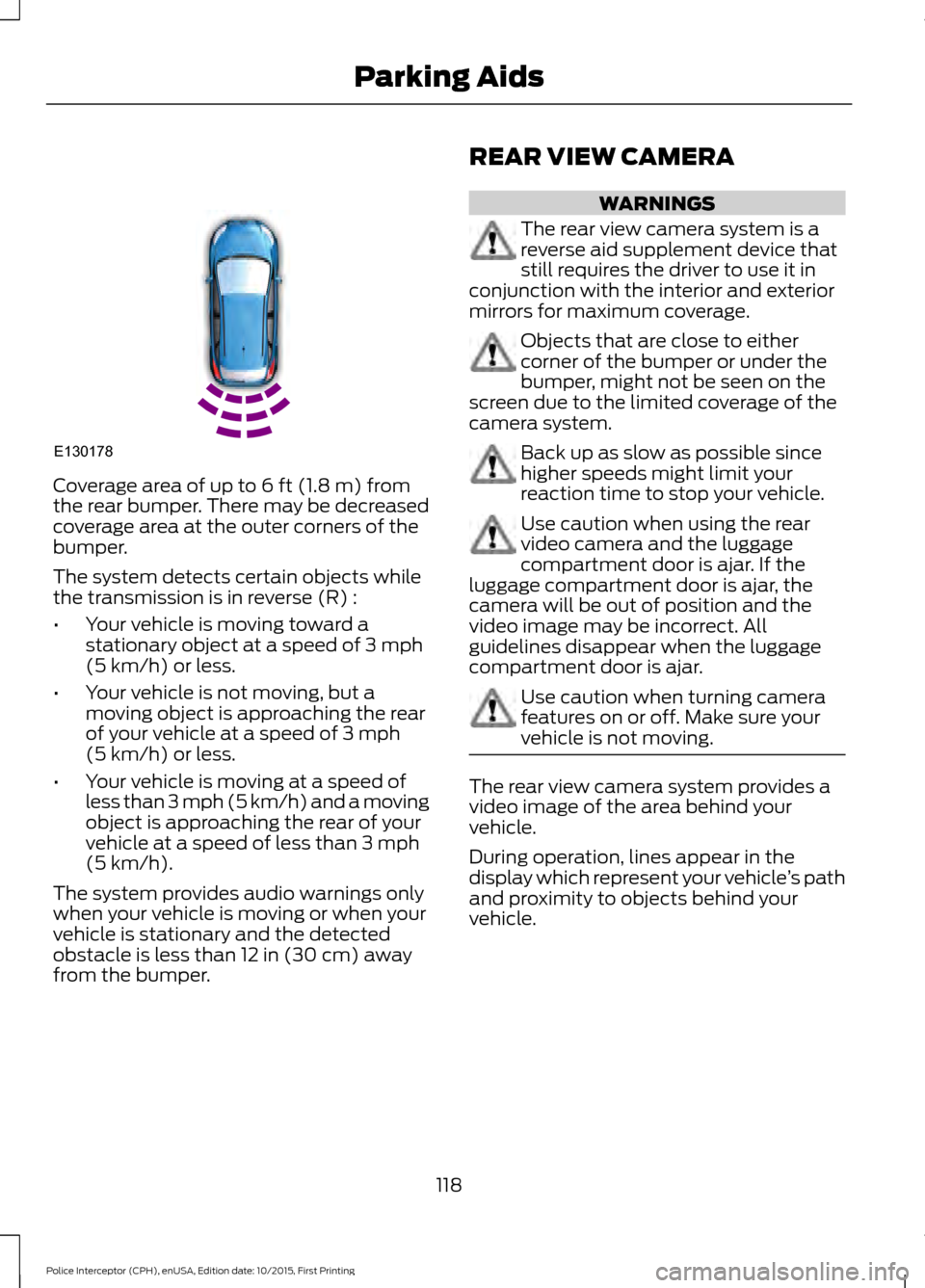
Coverage area of up to 6 ft (1.8 m) from
the rear bumper. There may be decreased
coverage area at the outer corners of the
bumper.
The system detects certain objects while
the transmission is in reverse (R) :
• Your vehicle is moving toward a
stationary object at a speed of
3 mph
(5 km/h) or less.
• Your vehicle is not moving, but a
moving object is approaching the rear
of your vehicle at a speed of
3 mph
(5 km/h) or less.
• Your vehicle is moving at a speed of
less than 3 mph (5 km/h) and a moving
object is approaching the rear of your
vehicle at a speed of less than
3 mph
(5 km/h).
The system provides audio warnings only
when your vehicle is moving or when your
vehicle is stationary and the detected
obstacle is less than
12 in (30 cm) away
from the bumper. REAR VIEW CAMERA WARNINGS
The rear view camera system is a
reverse aid supplement device that
still requires the driver to use it in
conjunction with the interior and exterior
mirrors for maximum coverage. Objects that are close to either
corner of the bumper or under the
bumper, might not be seen on the
screen due to the limited coverage of the
camera system. Back up as slow as possible since
higher speeds might limit your
reaction time to stop your vehicle.
Use caution when using the rear
video camera and the luggage
compartment door is ajar. If the
luggage compartment door is ajar, the
camera will be out of position and the
video image may be incorrect. All
guidelines disappear when the luggage
compartment door is ajar. Use caution when turning camera
features on or off. Make sure your
vehicle is not moving.
The rear view camera system provides a
video image of the area behind your
vehicle.
During operation, lines appear in the
display which represent your vehicle
’s path
and proximity to objects behind your
vehicle.
118
Police Interceptor (CPH), enUSA, Edition date: 10/2015, First Printing Parking AidsE130178
Page 123 of 358
Always use caution while reversing.
Objects in the red zone are closest to your
vehicle and objects in the green zone are
farther away. Objects are getting closer to
your vehicle as they move from the green
zone to the yellow or red zones. Use the
side view mirrors and rear view mirror to
get better coverage on both sides and rear
of the vehicle.
120
Police Interceptor (CPH), enUSA, Edition date: 10/2015, First Printing Parking Aids