2016 FORD FUSION (AMERICAS) manual
[x] Cancel search: manualPage 83 of 518
DAYTIME RUNNING LAMPS (If
Equipped) WARNING
The daytime running lamps system
does not activate the rear lamps and
may not provide adequate lighting
during low visibility driving conditions. Also,
the autolamps switch position may not
activate the headlamps in all low visibility
conditions, such as daytime fog. Make sure
the headlamps are switched to auto or on,
as appropriate, during all low visibility
conditions. Failure to do so may result in a
crash. Type 1 - Conventional (Non-
Configurable)
The daytime running lamps turn on when:
1. The ignition is switched to the on
position.
2. The transmission is not in park (P) for vehicles with automatic transmissions
or the parking brake is released for
vehicles with manual transmissions.
3. The lighting control is in the off, parking
lamp or autolamps positions.
4. The headlamps are off.
Type 2 - Configurable
Switch the daytime running lamps on or
off using the information display controls.
See
Information Displays (page 96).
The daytime running lamps turn on when:
1. They are switched on in the information
display. See
Information Displays
(page 96).
2. The ignition is switched to the on position. 3. The transmission is not in park (P) for
vehicles with automatic transmissions
or the parking brake is released for
vehicles with manual transmissions.
4. The lighting control is in the autolamps
position.
5. The headlamps are off.
The other lighting control switch positions
do not activate the daytime running lamps,
and you can use them to temporarily
override autolamp control.
When switched off in the information
display, the daytime running lamps are off
in all lighting control switch positions.
AUTOMATIC HIGH BEAM
CONTROL
(If Equipped)
The system will automatically turn on your
high beams if it is dark enough and no other
traffic is present. When it detects the
headlights of an approaching vehicle, the
tail lamps of the preceding vehicle or street
lighting, the system will turn off the high
beams before they distract other drivers.
The low beams remain on.
Note: If it appears that automatic control
of the high beams is not functioning
properly, check the windshield in front of
the camera for a blockage. A clear view of
the road is required for proper system
operation. Have any windshield damage in
the area of the camera ’s field-of-view
repaired.
Note: If the system detects a blockage, for
example bird droppings, bug splatter, snow
or ice, the system will go into low beam
mode until you clear the blockage. A
message may also appear in the instrument
cluster display noting the front camera is
blocked.
80
Fusion/Mondeo (CC7) Canada/United States of America, enUSA, First Printing Lighting
Page 84 of 518
Note:
Typical road dust, dirt and water
spots will not affect the performance of the
automatic high beam system . However, in
cold or inclement weather conditions, you
will notice a decrease in the availability of
the high beam system, especially at start
up. If you want to change the beam state
independently of the system, you may
switch the high beams on or off using the
multifunction switch. Automatic control will
resume when conditions are correct.
Note: Modification of the vehicle ride height
such as using much larger tires, may
degrade feature performance.
A camera sensor, centrally mounted
behind the windshield of your vehicle,
continuously monitors conditions to decide
when to switch the high beams off and on.
Once the system is active, the high beams
will switch on if:
• the ambient light level is low enough
• there is no traffic in front of the vehicle
• the vehicle speed is greater than
approximately 32 mph (52 km/h).
The high beams will switch off if:
• the system detects the headlamps of
an approaching vehicle or the tail
lamps of a preceding vehicle.
• vehicle speed falls below
approximately
27 mph (44 km/h)
• the ambient light level is high enough
that high beams are not required
• the system detects severe rain, snow
or fog
• the camera is blocked.
Activating the System
Switch on the system using the information
display and autolamps. See Information
Displays
(page 96). See Autolamps
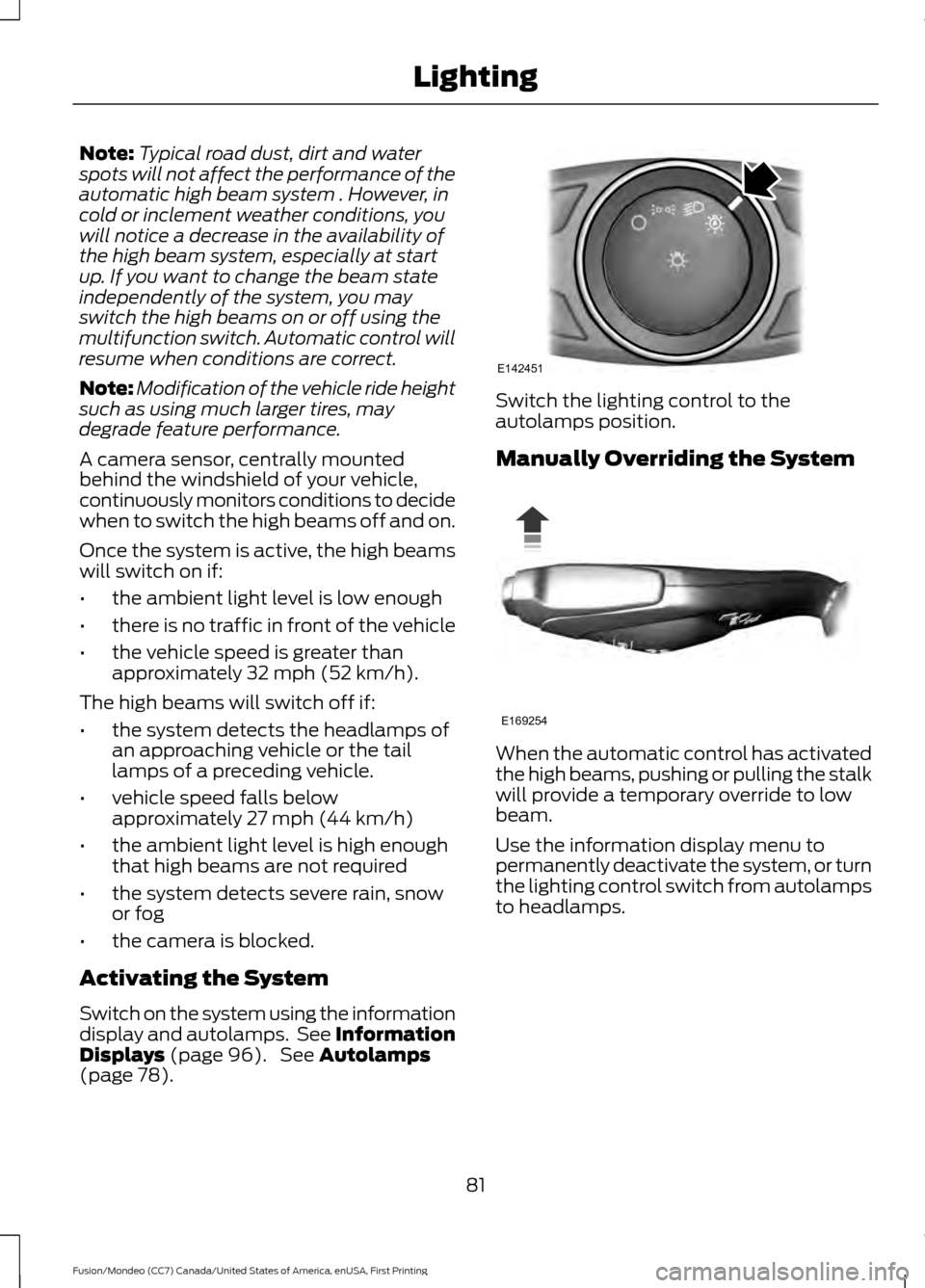
(page 78). Switch the lighting control to the
autolamps position.
Manually Overriding the System
When the automatic control has activated
the high beams, pushing or pulling the stalk
will provide a temporary override to low
beam.
Use the information display menu to
permanently deactivate the system, or turn
the lighting control switch from autolamps
to headlamps.
81
Fusion/Mondeo (CC7) Canada/United States of America, enUSA, First Printing LightingE142451 E169254
Page 90 of 518
Note:
Do not clean the housing or glass of
any mirror with harsh abrasives, fuel or other
petroleum or ammonia-based cleaning
products.
You can adjust the interior mirror to your
preference. Some mirrors also have a
second pivot point. This lets you move the
mirror head up or down and from side to
side.
Pull the tab below the mirror toward you
to reduce glare at night.
Auto-Dimming Mirror (If Equipped)
Note: Do not block the sensors on the front
and back of the mirror. Mirror performance
may be affected. A rear center passenger or
raised rear center head restraint may also
block light from reaching the sensor.
The mirror will dim automatically to reduce
glare when bright lights are detected from
behind your vehicle. It will automatically
return to normal reflection when you select
reverse gear to make sure you have a clear
view when backing up.
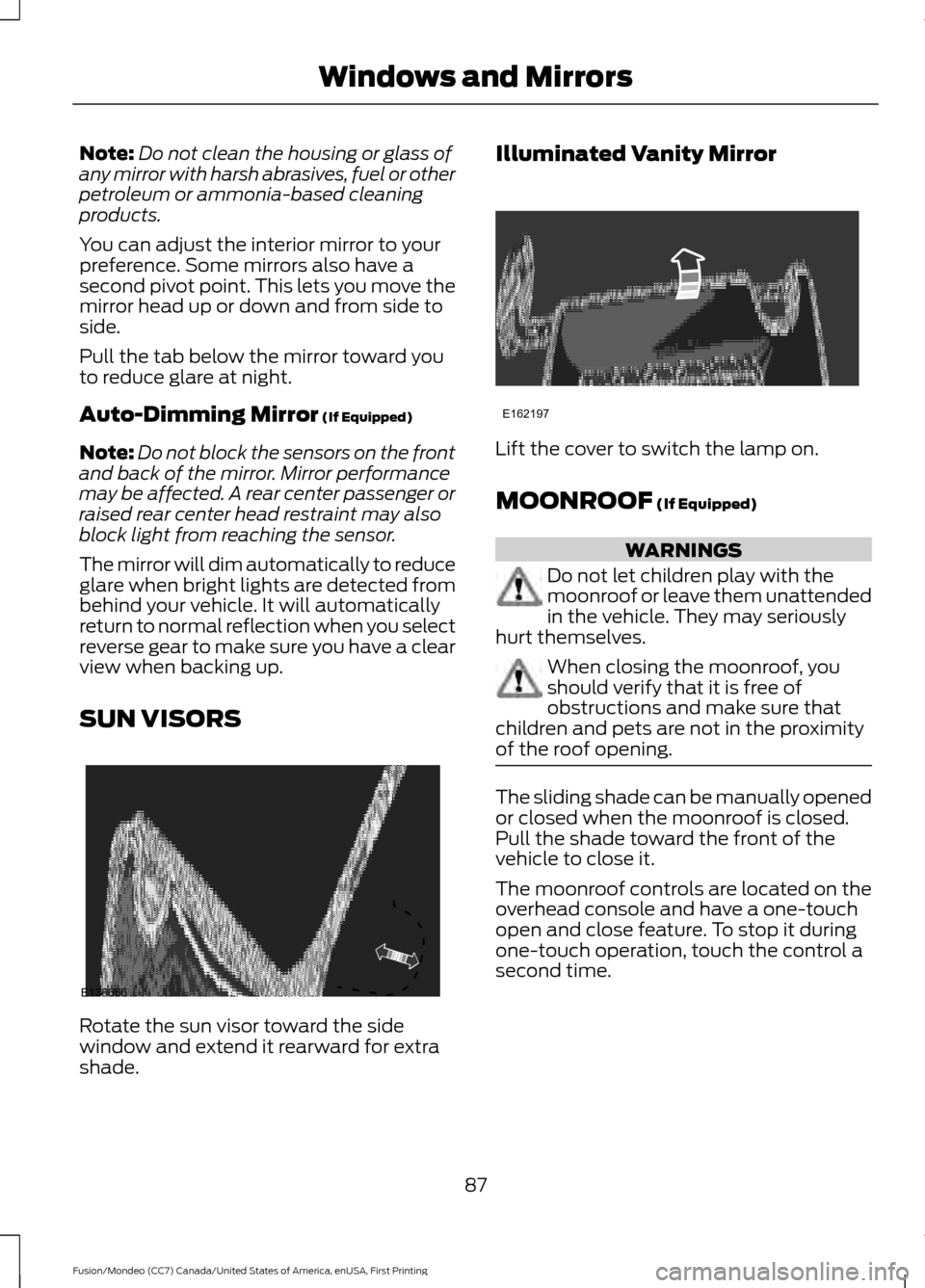
SUN VISORS Rotate the sun visor toward the side
window and extend it rearward for extra
shade. Illuminated Vanity Mirror
Lift the cover to switch the lamp on.
MOONROOF
(If Equipped)
WARNINGS
Do not let children play with the
moonroof or leave them unattended
in the vehicle. They may seriously
hurt themselves. When closing the moonroof, you
should verify that it is free of
obstructions and make sure that
children and pets are not in the proximity
of the roof opening. The sliding shade can be manually opened
or closed when the moonroof is closed.
Pull the shade toward the front of the
vehicle to close it.
The moonroof controls are located on the
overhead console and have a one-touch
open and close feature. To stop it during
one-touch operation, touch the control a
second time.
87
Fusion/Mondeo (CC7) Canada/United States of America, enUSA, First Printing Windows and MirrorsE138666 E162197
Page 109 of 518

Adaptive Cruise Control
Action
Message
A radar malfunction is preventing the adaptive cruise controlfrom engaging. See Using Adaptive Cruise Control (page
189).
Adaptive Cruise
Malfunction
A condition exists such that the adaptive cruise cannot func-tion properly. See
Using Adaptive Cruise Control (page
189).
Adaptive Cruise Not
Available
You have a blocked sensor due to bad weather, ice, mud or
water in front of the radar sensor. You can typically clean the
sensor to resolve. See Using Adaptive Cruise Control
(page
189).
Adaptive Cruise Not
Available Sensor
Blocked See Manual
The system has disabled the automatic braking.
Cruise Control Auto-
matic Braking Turned Off
A radar malfunction is preventing the adaptive cruise control from engaging.
Front Sensor Not Aligned
The adaptive cruise has reinstated controls to the driver.
Adaptive Cruise - Driver
Resume Control
Your vehicle speed is too slow to activate the adaptive cruise.
Adaptive Cruise Speed
Too Low to Activate
The adaptive cruise is automatically adjusting the gap
distance and you need to shift the transmission into a lower gear.
Adaptive Cruise Shift
Down
AdvanceTrac® Action
Message
The system detects a malfunction due to a blocked sensor.
Service AdvanceTrac
The traction control has been switch on or off.
AdvanceTrac Off On
106
Fusion/Mondeo (CC7) Canada/United States of America, enUSA, First Printing Information Displays
Page 110 of 518
Airbag
Action
Message
The system detects a malfunction due to a blocked sensor. Remove blockage.
Occupant Sensor
BLOCKED Remove
Objects Near Passenger Seat
Alarm Action
Message
Alarm triggered due to unauthorized entry. See Anti-Theft
Alarm (page 70).
Vehicle Alarm to Stop
Alarm, Start Vehicle
Auto Start-Stop Action
Message
The engine needs to be restarted, press the brake pedal to start.
Auto StartStop Press
Brake to Start Engine
The engine needs to be restarted, press the brake pedal harder to start.
Auto StartStop Press
Brake Harder to Activate
The engine needs to be restarted, press any pedal to start.
Auto StartStop Press
Any Pedal
Select park for the system to restart the engine.
Auto StartStop Shift to
P Restart Engine
The system is not functioning. A manual restart is required.
Auto StartStop Manual
Restart Required
Displays when conditions are not met for the Auto StartStopsystem to function properly.
See Auto-Start-Stop (page
152).
Auto StartStop Not
Available
StartStop has shut off the engine automatically.
Engine Stopped
StartStop is starting the engine automatically.
Engine Starting
The wheels are at a sharp angle or the steering wheel is being turned.
Engine On due to Vehicle
Maneuvering
107
Fusion/Mondeo (CC7) Canada/United States of America, enUSA, First Printing Information Displays
Page 113 of 518
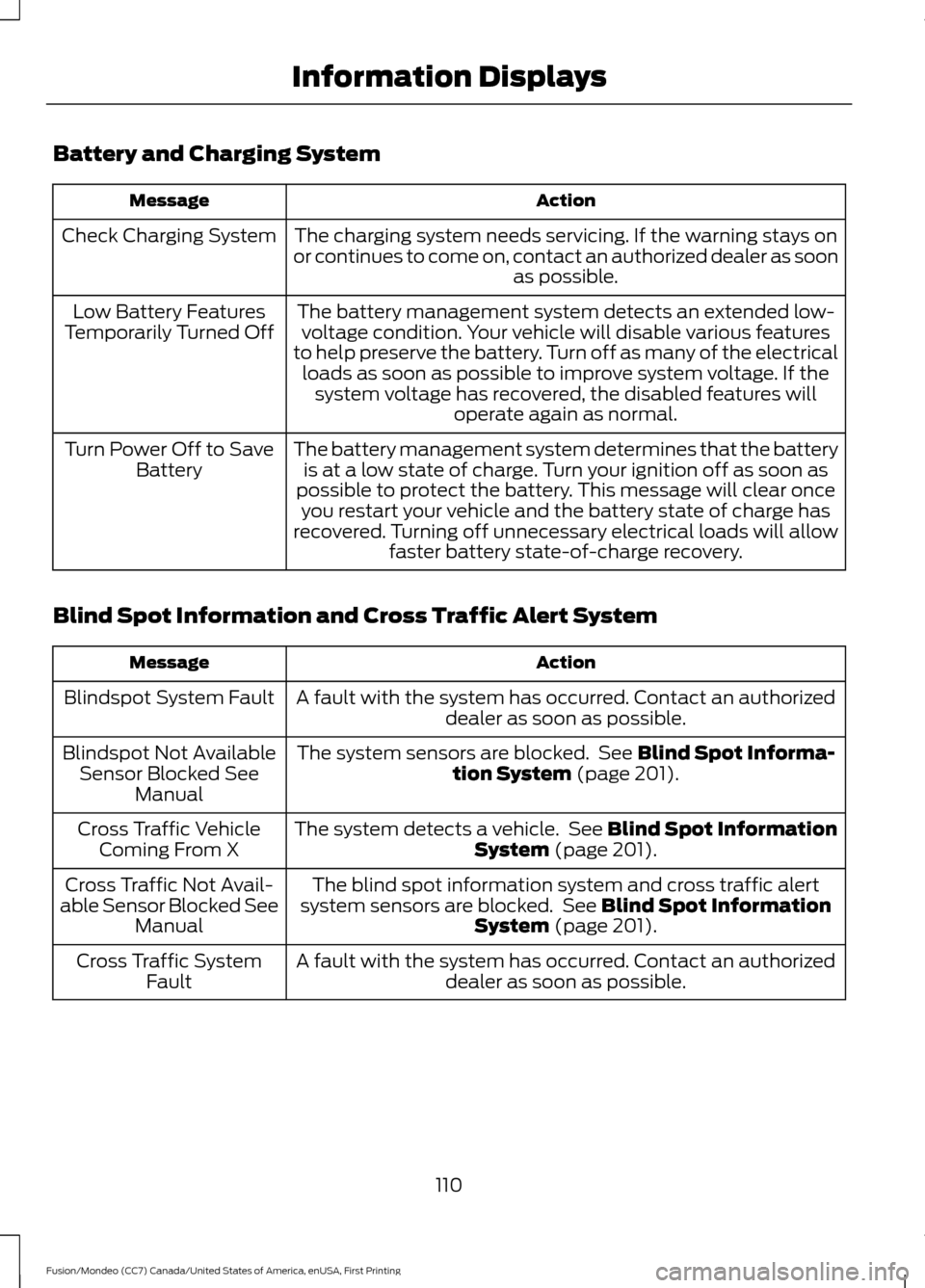
Battery and Charging System
Action
Message
The charging system needs servicing. If the warning stays on
or continues to come on, contact an authorized dealer as soon as possible.
Check Charging System
The battery management system detects an extended low-voltage condition. Your vehicle will disable various features
to help preserve the battery. Turn off as many of the electrical loads as soon as possible to improve system voltage. If the system voltage has recovered, the disabled features will operate again as normal.
Low Battery Features
Temporarily Turned Off
The battery management system determines that the batteryis at a low state of charge. Turn your ignition off as soon as
possible to protect the battery. This message will clear once you restart your vehicle and the battery state of charge has
recovered. Turning off unnecessary electrical loads will allow faster battery state-of-charge recovery.
Turn Power Off to Save
Battery
Blind Spot Information and Cross Traffic Alert System Action
Message
A fault with the system has occurred. Contact an authorizeddealer as soon as possible.
Blindspot System Fault
The system sensors are blocked. See Blind Spot Informa-
tion System (page 201).
Blindspot Not Available
Sensor Blocked See Manual
The system detects a vehicle. See
Blind Spot Information
System (page 201).
Cross Traffic Vehicle
Coming From X
The blind spot information system and cross traffic alert
system sensors are blocked. See
Blind Spot Information
System (page 201).
Cross Traffic Not Avail-
able Sensor Blocked See Manual
A fault with the system has occurred. Contact an authorizeddealer as soon as possible.
Cross Traffic System
Fault
110
Fusion/Mondeo (CC7) Canada/United States of America, enUSA, First Printing Information Displays
Page 117 of 518

Action
Message
The engine has reduced power to help reduce high engine temperature.
Power Reduced to
Lower Engine Temp
Your vehicle is still in Transport or Factory mode. This may
not allow some features to operate properly. See an author- ized dealer.
Transport / Factory
Mode
The powertrain needs service due to a powertrain malfunction.
See Manual
MyKey Action
Message
You cannot program a MyKey.
MyKey Not Created
MyKey is active.
MyKey Active Drive
Safely
When switching on your vehicle and MyKey is in use, displaysthat the MyKey speed limit is on.
Speed Limited to XX
MPH/km/h
MyKey is in use, the MyKey speed limit is on and your vehiclespeed is approaching 80 mph (130 km/h).
Near Vehicle Top Speed
You have reached the speed limit set for your MyKey.
Vehicle at Top Speed of
MyKey Setting
You have an active MyKey with a programmed set speed limit.
Check Speed Drive
Safely
The belt-minder turns on with a MyKey in use.
Buckle Up to Unmute
Audio
With a MyKey in use, AdvanceTrac turns on.
AdvanceTrac On -
MyKey Setting
With a MyKey in use, traction control turns on.
Traction Control On -
MyKey Setting
With a MyKey in use, park aid is always on.
MyKey Park Aid Cannot
be Deactivated
With a MyKey in use, lane keeping alert turns on.
Lane Keeping Alert On
MyKey Setting
114
Fusion/Mondeo (CC7) Canada/United States of America, enUSA, First Printing Information Displays
Page 118 of 518
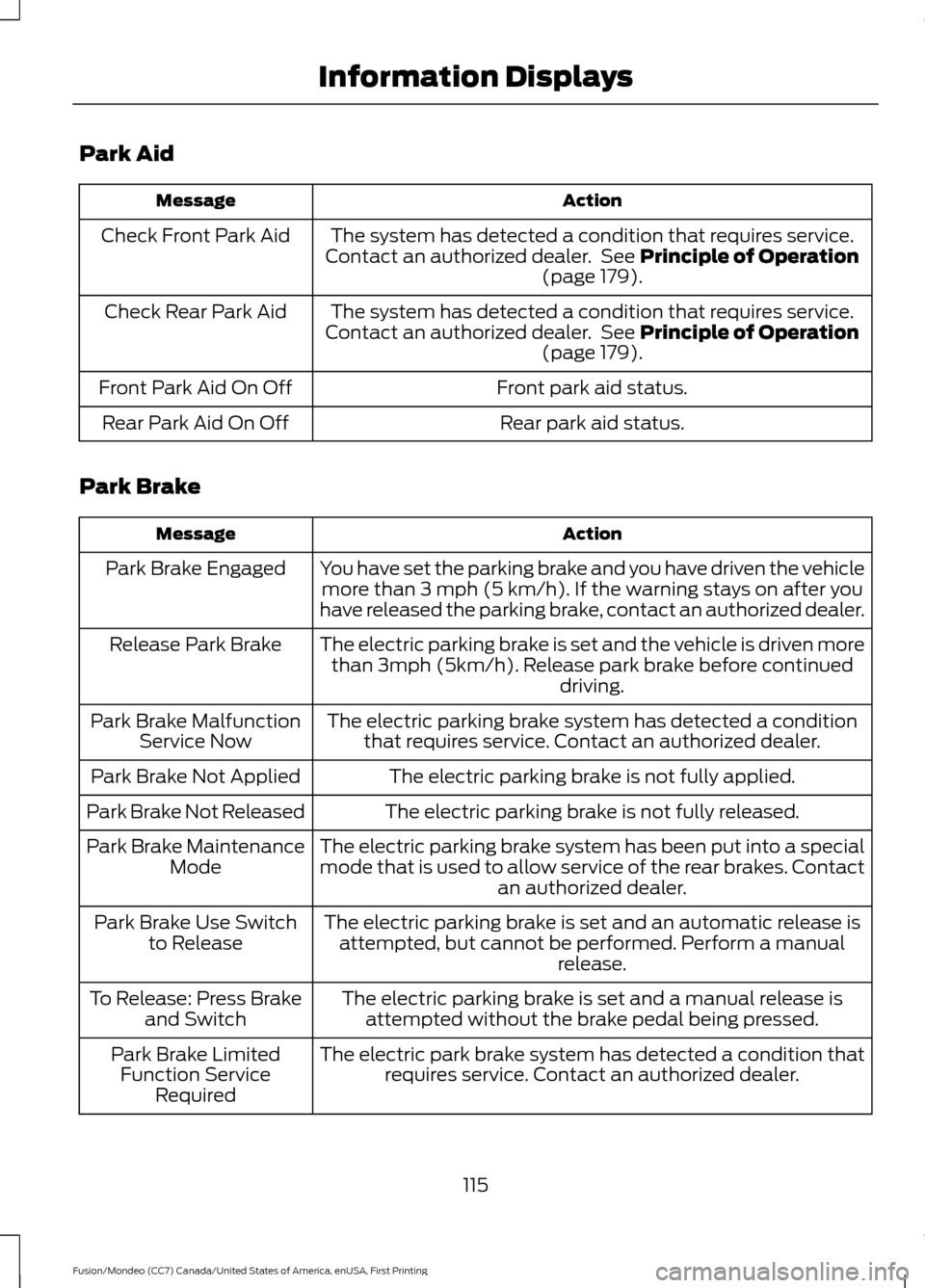
Park Aid
Action
Message
The system has detected a condition that requires service.
Contact an authorized dealer. See Principle of Operation
(page 179).
Check Front Park Aid
The system has detected a condition that requires service.
Contact an authorized dealer. See
Principle of Operation
(page 179).
Check Rear Park Aid
Front park aid status.
Front Park Aid On Off
Rear park aid status.
Rear Park Aid On Off
Park Brake Action
Message
You have set the parking brake and you have driven the vehiclemore than 3 mph (5 km/h). If the warning stays on after you
have released the parking brake, contact an authorized dealer.
Park Brake Engaged
The electric parking brake is set and the vehicle is driven morethan 3mph (5km/h). Release park brake before continued driving.
Release Park Brake
The electric parking brake system has detected a conditionthat requires service. Contact an authorized dealer.
Park Brake Malfunction
Service Now
The electric parking brake is not fully applied.
Park Brake Not Applied
The electric parking brake is not fully released.
Park Brake Not Released
The electric parking brake system has been put into a special
mode that is used to allow service of the rear brakes. Contactan authorized dealer.
Park Brake Maintenance
Mode
The electric parking brake is set and an automatic release isattempted, but cannot be performed. Perform a manual release.
Park Brake Use Switch
to Release
The electric parking brake is set and a manual release isattempted without the brake pedal being pressed.
To Release: Press Brake
and Switch
The electric park brake system has detected a condition thatrequires service. Contact an authorized dealer.
Park Brake Limited
Function Service Required
115
Fusion/Mondeo (CC7) Canada/United States of America, enUSA, First Printing Information Displays