2016 FORD FOCUS brake light
[x] Cancel search: brake lightPage 129 of 385
AUTO-START-STOP (If Equipped)
The system reduces fuel consumption and
CO2 emissions by shutting down the
engine when your vehicle is idling, for
example at traffic lights. WARNINGS
The engine may restart
automatically if required by the
system.
Switch the ignition off before
opening the hood or performing any
maintenance. Failure to do so may
result in serious injuries due to automatic
engine restart. Always switch the ignition off before
leaving your vehicle, as the system
may have turned the engine off, but
the ignition will still be on and automatic
restart may occur. Note:
The Auto-Start-Stop indicator
illuminates green when the engine shuts
down. See Warning Lamps and Indicators
(page 87). It flashes amber with a message
when the driver needs to shift to neutral or
press a pedal. See Information Messages
(page 95). If it illuminates grey, the system
is not available. Using Auto-Start-Stop with a
Manual Transmission
To Stop the Engine
1. Stop your vehicle.
2. Shift into neutral.
3. Release the clutch and accelerator
pedal.
To Re-Start the Engine
Press the clutch pedal. Note:
To obtain maximum benefit from the
system, move the transmission selector
lever to neutral and release the clutch pedal
during any stop of longer than three
seconds.
Note: Auto-Start-Stop also comes with
stall recovery. If you fully press the clutch
pedal after stalling the engine, the engine
automatically restarts.
Using Auto-Start-Stop with an
Automatic Transmission
To Stop the Engine
1. Stop your vehicle in drive (D).
2. Release the accelerator pedal.
3. Maintain pressure on the brake pedal.
Note: If your vehicle is in an engine off
Auto-Start-Stop state and you move the
transmission to reverse (R) while the brake
pedal is not pressed, a message will appear
on your instrument cluster. Press the brake
pedal within 10 seconds or you will need to
shift to park (P). A manual restart will be
required.
Note: If the Shift to P, Restart Engine
message appears and the amber
Auto-Start-Stop indicator flashes,
automatic restart is not available. You must
restart your vehicle manually.
To Re-Start the Engine
Release the brake pedal or press the
accelerator pedal.
Limitations of Use
The system may not shut down the engine
under certain conditions, for example:
• Low engine operating temperature.
• To maintain the interior climate.
• The battery charge level is low.
• The outside temperature is too low or
too high.
126
Focus (CDH) Canada/United States of America, enUSA, First Printing Unique Driving Characteristics
Page 143 of 385
WARNINGS
Do not apply the brake pedal and
accelerator pedal simultaneously.
Applying both pedals simultaneously
for more than three seconds will limit
engine rpm, which may result in difficulty
maintaining speed in traffic and could lead
to serious injury. The PowerShift™ 6-speed, dual-clutch
automatic transmission is designed to offer
drivers both enhanced fuel efficiency and
fun to drive performance. This
transmission
’s dual-clutch technology uses
electronically shifted clutches to operate
two separate transmissions all in a small
lightweight package.
Since the clutch and gear operation is
derived from a manual transmission, the
PowerShift automatic transmission will
drive, sound, and feel similar to manual
transmission minus the required
user-inputs. For example, the transmission
may exhibit mechanical noises, firm gear
shifts and/or light clutch vibrations when
accelerating slowly as the clutches
automatically engage. These are all
considered to be normal and expected
driving characteristics.
Understanding the Positions of
Your Automatic Transmission
Putting your vehicle in gear:
1. Fully press down the brake pedal.
2. Move the gearshift lever into the desired gear.
3. Come to a complete stop.
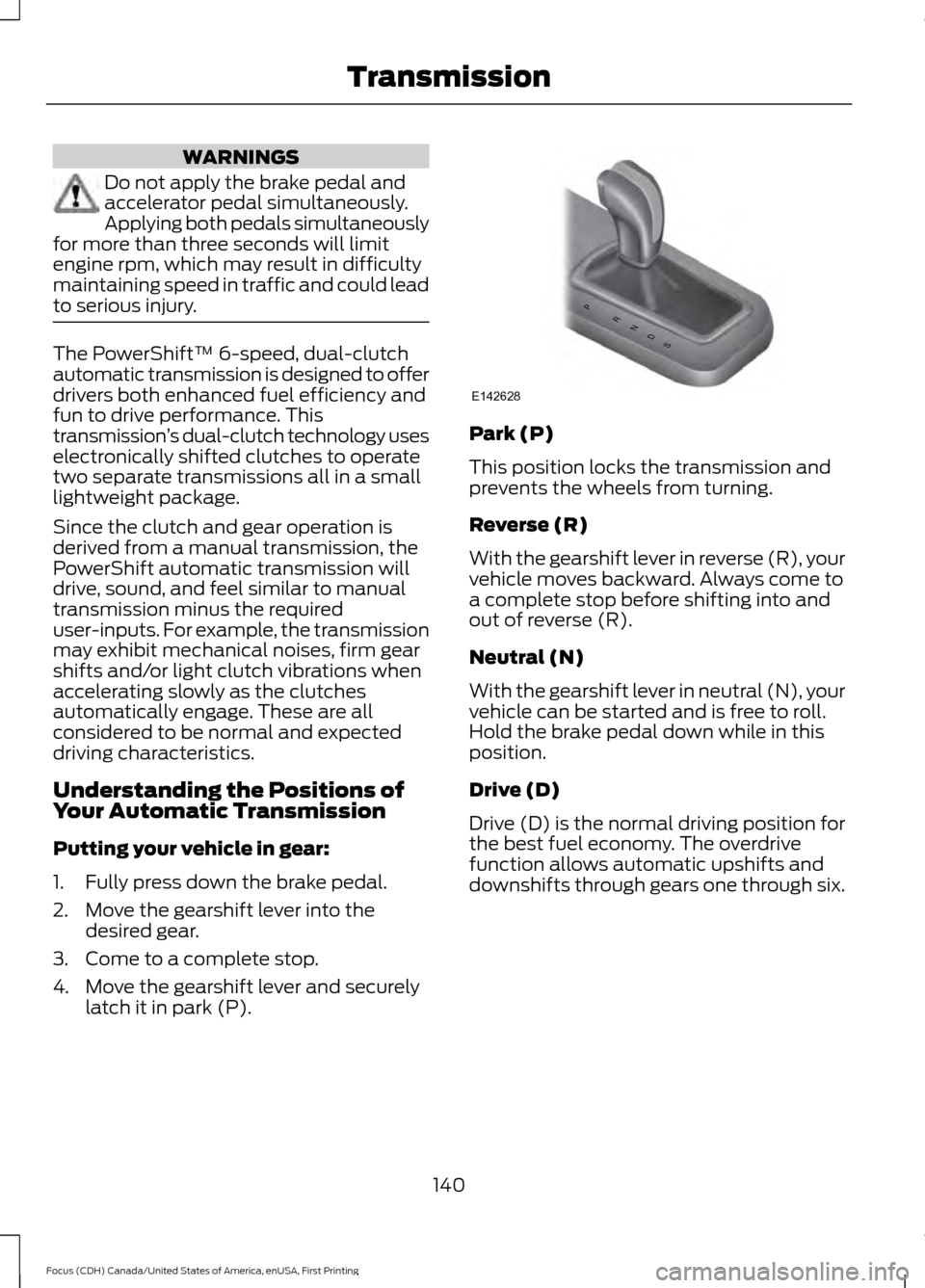
4. Move the gearshift lever and securely latch it in park (P). Park (P)
This position locks the transmission and
prevents the wheels from turning.
Reverse (R)
With the gearshift lever in reverse (R), your
vehicle moves backward. Always come to
a complete stop before shifting into and
out of reverse (R).
Neutral (N)
With the gearshift lever in neutral (N), your
vehicle can be started and is free to roll.
Hold the brake pedal down while in this
position.
Drive (D)
Drive (D) is the normal driving position for
the best fuel economy. The overdrive
function allows automatic upshifts and
downshifts through gears one through six.
140
Focus (CDH) Canada/United States of America, enUSA, First Printing TransmissionPRNDS
E142628
Page 146 of 385
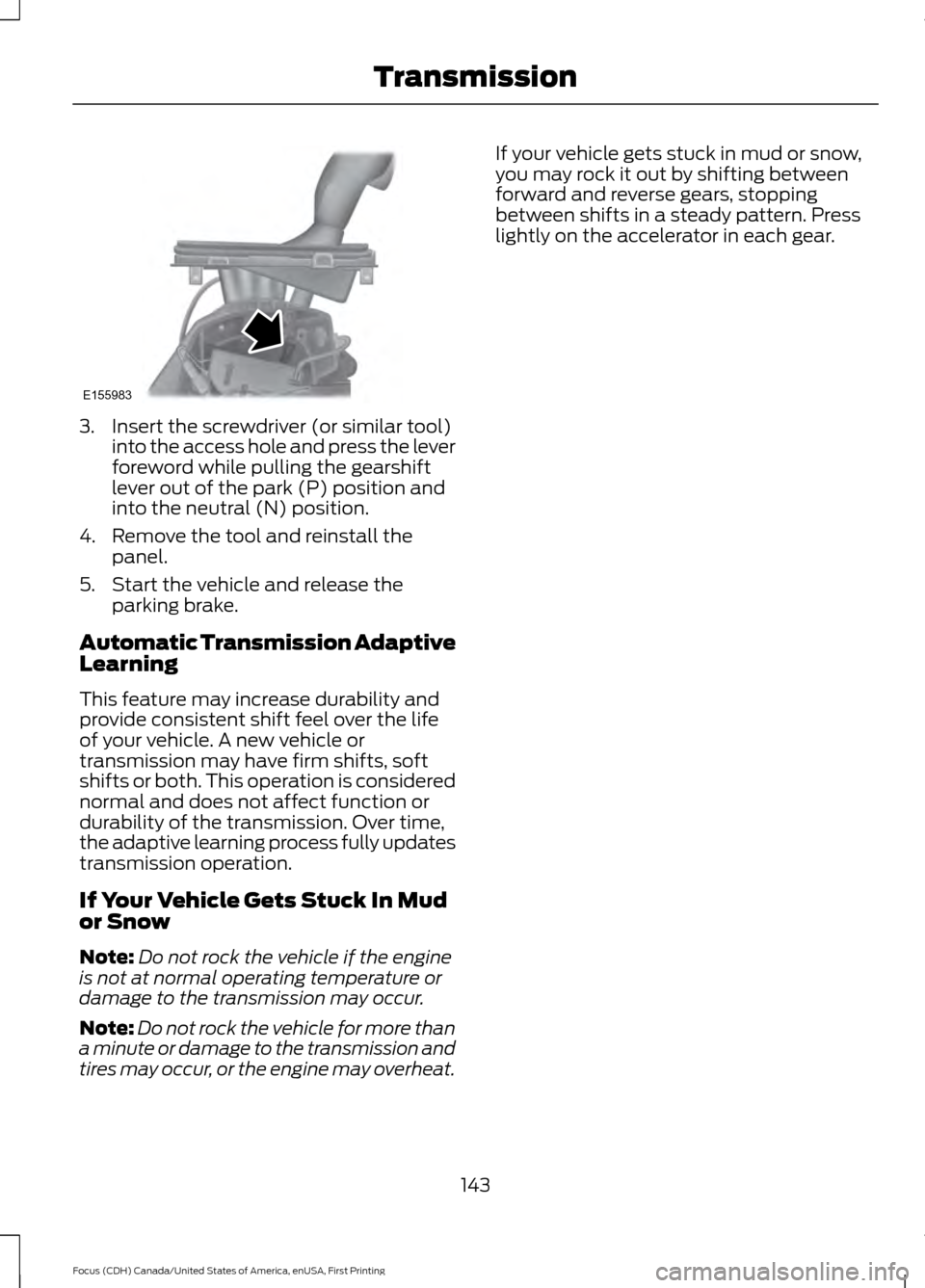
3. Insert the screwdriver (or similar tool)
into the access hole and press the lever
foreword while pulling the gearshift
lever out of the park (P) position and
into the neutral (N) position.
4. Remove the tool and reinstall the panel.
5. Start the vehicle and release the parking brake.
Automatic Transmission Adaptive
Learning
This feature may increase durability and
provide consistent shift feel over the life
of your vehicle. A new vehicle or
transmission may have firm shifts, soft
shifts or both. This operation is considered
normal and does not affect function or
durability of the transmission. Over time,
the adaptive learning process fully updates
transmission operation.
If Your Vehicle Gets Stuck In Mud
or Snow
Note: Do not rock the vehicle if the engine
is not at normal operating temperature or
damage to the transmission may occur.
Note: Do not rock the vehicle for more than
a minute or damage to the transmission and
tires may occur, or the engine may overheat. If your vehicle gets stuck in mud or snow,
you may rock it out by shifting between
forward and reverse gears, stopping
between shifts in a steady pattern. Press
lightly on the accelerator in each gear.
143
Focus (CDH) Canada/United States of America, enUSA, First Printing TransmissionE155983
Page 147 of 385

GENERAL INFORMATION
Note:
Occasional brake noise is normal. If
a metal-to-metal, continuous grinding or
continuous squeal sound is present, the
brake linings may be worn-out. Have the
system checked by an authorized dealer. If
your vehicle has continuous vibration or
shudder in the steering wheel while braking,
have it checked by an authorized dealer.
Note: Brake dust may accumulate on the
wheels, even under normal driving
conditions. Some dust is inevitable as the
brakes wear and does not contribute to
brake noise. See Cleaning the Alloy
Wheels (page 238).
Note: Depending on applicable laws and
regulations in the country for which your
vehicle was originally built, your brake lamps
may flash during heavy braking. Following
this, your hazard lights may also flash when
your vehicle comes to a stop. See
Warning Lamps and
Indicators (page 87).
Wet brakes result in reduced braking
efficiency. Gently press the brake pedal a
few times when driving from a car wash or
standing water to dry the brakes.
Brake Over Accelerator
In the event the accelerator pedal
becomes stuck or entrapped, apply steady
and firm pressure to the brake pedal to
slow the vehicle and reduce engine power.
If you experience this condition, apply the
brakes and bring your vehicle to a safe
stop. Move the transmission to park (P),
switch the engine off and apply the parking
brake. Inspect the accelerator pedal for
any interference. If none are found and the
condition persists, have your vehicle towed
to the nearest authorized dealer. Brake Assist
Brake assist detects when you brake
rapidly by measuring the rate at which you
press the brake pedal. It provides
maximum braking efficiency as long as you
press the pedal, and can reduce stopping
distances in critical situations.
Anti-lock Brake System
This system helps you maintain steering
control during emergency stops by keeping
the brakes from locking.
This lamp momentarily
illuminates when you turn the
ignition on. If the light does not
illuminate during start up, remains on or
flashes, the system may be disabled. Have
the system checked by an authorized
dealer. If the anti-lock brake system is
disabled, normal braking is still effective. If the brake warning lamp
illuminates when you release the
parking brake, have the system
checked by an authorized dealer.
HINTS ON DRIVING WITH
ANTI-LOCK BRAKES
Note: When the system is operating, the
brake pedal may pulse and may travel
further. Maintain pressure on the brake
pedal. You may also hear a noise from the
system. This is normal.
The anti-lock braking system will not
eliminate the risks when:
• You drive too closely to the vehicle in
front of you.
• Your vehicle is hydroplaning.
• You take corners too fast.
• The road surface is poor.
144
Focus (CDH) Canada/United States of America, enUSA, First Printing BrakesE144522 E144522
Page 148 of 385
PARKING BRAKE
Vehicles With Automatic
Transmission
WARNING
Always set the parking brake fully
and leave your vehicle with the
transmission selector lever in
position P. Note:
If you park your vehicle on a hill and
facing uphill move the transmission selector
lever to position P and turn the steering
wheel away from the curb.
Note: If you park your vehicle on a hill and
facing downhill move the transmission
selector lever to position P and turn the
steering wheel toward the curb.
Vehicles With Manual
Transmission WARNING
Always set the parking brake fully.
Note:
If you park your vehicle on a hill and
facing uphill select first gear and turn the
steering wheel away from the curb.
Note: If you park your vehicle on a hill and
facing downhill select reverse gear and turn
the steering wheel toward the curb.
All Vehicles
Note: Do not press the release button while
pulling the lever up.
To apply the parking brake:
1. Press the foot brake pedal firmly.
2. Pull the parking brake lever up to its fullest extent.
To release the parking brake: 1. Press the brake pedal firmly.
2. Pull the lever up slightly.
3. Press the release button and push the
lever down.
HILL START ASSIST WARNINGS
The system does not replace the
parking brake. When you leave your
vehicle, always apply the parking
brake and shift the transmission into park
(P) for automatic transmission or first gear
for manual transmission. You must remain in your vehicle once
you have activated the system.
During all times, you are responsible
for controlling your vehicle,
supervising the system and
intervening, if required. If the engine is revved excessively, or
if a malfunction is detected, the
system will be deactivated.
The system makes it easier to pull away
when your vehicle is on a slope without the
need to use the parking brake.
When the system is active, your vehicle will
remain stationary on the slope for two to
three seconds after you release the brake
pedal. This allows you time to move your
foot from the brake to the accelerator
pedal. The brakes are released
automatically once the engine has
developed sufficient torque to prevent your
vehicle from rolling down the slope. This
is an advantage when pulling away on a
slope, for example from a car park ramp,
traffic lights or when reversing uphill into
a parking space.
145
Focus (CDH) Canada/United States of America, enUSA, First Printing Brakes
Page 150 of 385
PRINCIPLE OF OPERATION
The traction control system helps avoid
drive wheel spin and loss of traction.
If your vehicle begins to slide, the system
applies the brakes to individual wheels
and, when needed, reduces engine power
at the same time. If the wheels spin when
accelerating on slippery or loose surfaces,
the system reduces engine power in order
to increase traction.
USING TRACTION CONTROL
WARNING
The stability and traction control
light illuminates steadily if the
system detects a failure. Make sure
you did not manually disable the traction
control system using the information
display controls or the switch. If the
stability control and traction control light
is still illuminating steadily, have the
system serviced by an authorized dealer
immediately. Operating your vehicle with
the traction control disabled could lead to
an increased risk of loss of vehicle control,
vehicle rollover, personal injury and death. The system automatically turns on each
time you switch the ignition on.
If your vehicle is stuck in mud or snow,
switching traction control off may be
beneficial as this allows the wheels to spin.
Note:
When you switch traction control off,
stability control remains fully active.
Switching the System Off
When you switch the system off or on, a
message appears in the information
display showing system status.
You can switch the system off by either
using the information display controls or
the switch. Using the Information Display
Controls
You can switch this feature off or on in the
information display. See General
Information (page 91).
Using a Switch
(If Equipped)
Use the traction control switch on the
instrument panel to switch the system off
or on.
The switch illuminates when traction
control is off.
System Indicator Lights and
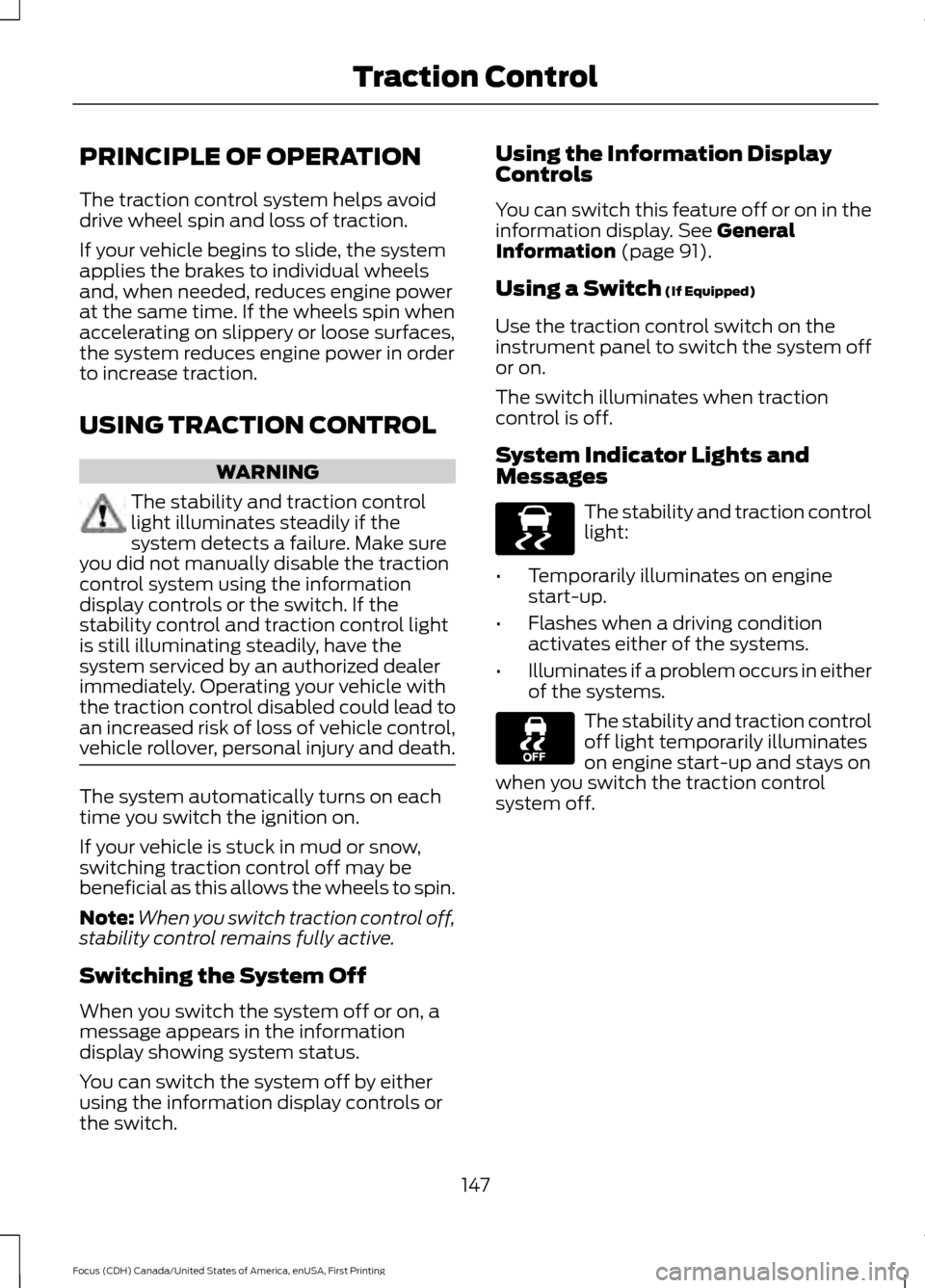
Messages The stability and traction control
light:
• Temporarily illuminates on engine
start-up.
• Flashes when a driving condition
activates either of the systems.
• Illuminates if a problem occurs in either
of the systems. The stability and traction control
off light temporarily illuminates
on engine start-up and stays on
when you switch the traction control
system off.
147
Focus (CDH) Canada/United States of America, enUSA, First Printing Traction ControlE138639
Page 151 of 385

PRINCIPLE OF OPERATION
WARNINGS
Vehicle modifications involving
braking system, aftermarket roof
racks, suspension, steering system,
tire construction and wheel and tire size
may change the handling characteristics
of your vehicle and may adversely affect
the performance of the electronic stability
control system. In addition, installing any
stereo loudspeakers may interfere with
and adversely affect the electronic stability
control system. Install any aftermarket
stereo loudspeaker as far as possible from
the front center console, the tunnel, and
the front seats in order to minimize the risk
of interfering with the electronic stability
control sensors. Reducing the
effectiveness of the electronic stability
control system could lead to an increased
risk of loss of vehicle control, vehicle
rollover, personal injury and death. Remember that even advanced
technology cannot defy the laws of
physics. It’
s always possible to lose
control of a vehicle due to inappropriate
driver input for the conditions. Aggressive
driving on any road condition can cause
you to lose control of your vehicle
increasing the risk of personal injury or
property damage. Activation of the
electronic stability control system is an
indication that at least some of the tires
have exceeded their ability to grip the road;
this could reduce the operator ’s ability to
control the vehicle potentially resulting in
a loss of vehicle control, vehicle rollover,
personal injury and death. If your electronic
stability control system activates, SLOW
DOWN. The system automatically turns on each
time you switch the ignition on. If a driving condition activates either the
stability control or the traction control
system you may experience the following
conditions:
•
The stability and traction control light
flashes.
• Your vehicle slows down.
• Reduced engine power.
• A vibration in the brake pedal.
• The brake pedal is stiffer than usual.
• If the driving condition is severe and
your foot is not on the brake, the brake
pedal may move as the system applies
higher brake forces.
The stability control system has several
features built into it to help you maintain
control of your vehicle:
Electronic Stability Control
The system enhances your vehicle ’s ability
to prevent skids or lateral slides by
applying brakes to one or more of the
wheels individually and, if necessary,
reducing engine power.
148
Focus (CDH) Canada/United States of America, enUSA, First Printing Stability Control
Page 189 of 385
BREAKING-IN
You need to break in new tires for
approximately 300 miles (480
kilometers). During this time, your vehicle
may exhibit some unusual driving
characteristics.
Avoid driving too fast during the first 1000
miles (1600 kilometers). Vary your speed
frequently and change up through the
gears early. Do not labor the engine.
Do not tow during the first 1000 miles
(1600 kilometers).
ECONOMICAL DRIVING
Fuel economy is affected by several things
such as how you drive, the conditions you
drive under and how you maintain your
vehicle.
There are some things to keep in mind that
may improve your fuel economy:
•
Accelerate and slow down in a smooth,
moderate fashion.
• Drive at steady speeds.
• Anticipate stops; slowing down may
eliminate the need to stop.
• Combine errands and minimize
stop-and-go driving(When running
errands, go to the furthest destination
first and then work your way back
home).
• Close the windows for high-speed
driving.
• Drive at reasonable speeds.
• Keep the tires properly inflated and use
only the recommended size.
• Use the recommended engine oil.
• Perform all regularly scheduled
maintenance. There are also some things you may want
to avoid doing because they reduce your
fuel economy:
•
Avoid sudden or hard accelerations.
• Avoid revving the engine before turning
off the car.
• Avoid long idle periods.
• Do not warm up your vehicle on cold
mornings.
• Reduce the use of air conditioning and
heat.
• Avoid using speed control in hilly
terrain.
• Do not rest your foot on the brake
pedal while driving.
• Avoid carrying unnecessary weight.
• Avoid adding particular accessories to
your vehicle (e.g. bug deflectors,
rollbars/light bars, running boards, ski
racks).
• Avoid driving with the wheels out of
alignment.
COLD WEATHER
PRECAUTIONS
The functional operation of some
components and systems can be affected
at temperatures below -13°F (-25°C).
DRIVING THROUGH WATER WARNING
Do not drive through flowing or deep
water as you may lose control of your
vehicle.
Note:
Driving through standing water can
cause vehicle damage.
Note: Engine damage can occur if water
enters the air filter.
186
Focus (CDH) Canada/United States of America, enUSA, First Printing Driving Hints