2016 FORD EXPLORER stop start
[x] Cancel search: stop startPage 293 of 541
Note:
If a person adds electrical or
electronic accessories or components to the
vehicle, the accessories or components may
adversely affect the low voltage battery
performance and durability and may also
affect the performance of other electrical
systems in the vehicle.
For longer, trouble-free operation, keep the
top of the battery clean and dry. Also,
make certain the battery cables are always
tightly fastened to the battery terminals.
If you see any corrosion on the battery or
terminals, remove the cables from the
terminals and clean with a wire brush. You
can neutralize the acid with a solution of
baking soda and water.
When a battery replacement is required,
the battery should only be replaced with
a Ford recommended replacement battery
that matches the electrical requirements
of the vehicle.
Because your vehicle ’s engine is
electronically-controlled by a computer,
some engine control settings are
maintained by power from the low voltage
battery. Some engine computer settings,
like the idle trim and fuel trim strategy,
optimize the driveability and performance
of the engine. Some other computer
settings, like the clock and radio station
presets, are also maintained in memory by
power from the low voltage battery. When
a technician disconnects and connects the
low voltage battery, these settings are
erased. Complete the following procedure
in order to restore the settings:
1. With the vehicle at a complete stop, set the parking brake.
2. Shift into park (P).
3. Switch off all accessories.
4. Fully press the brake pedal and start the vehicle. 5. Run the engine until it reaches normal
operating temperature. While the
engine is warming up, complete the
following: Reset the clock. See Audio
System (page 353). Reset the power
windows bounce-back feature. See
Windows and Mirrors
(page 87).
Reset the radio station presets. See
Audio System
(page 353).
6. Allow the engine to idle for at least one
minute. If the engine turns off, press
the accelerator pedal to start the
engine.
7. While the engine is running, press the brake pedal and shift into neutral (N).
8. Allow the engine to run for at least one
minute by pressing on the accelerator
pedal.
9. Drive the vehicle at least 12 mi (20 km)
to completely relearn the idle and fuel
trim strategy.
Note: If you do not allow the engine to
relearn the idle and fuel trim strategy, the
idle quality of your vehicle may be adversely
affected until the engine computer
eventually relearns the idle trim and fuel
trim strategy.
Make sure that you dispose of old batteries
in an environmentally friendly way. Seek
advice from your local authority about
recycling old batteries.
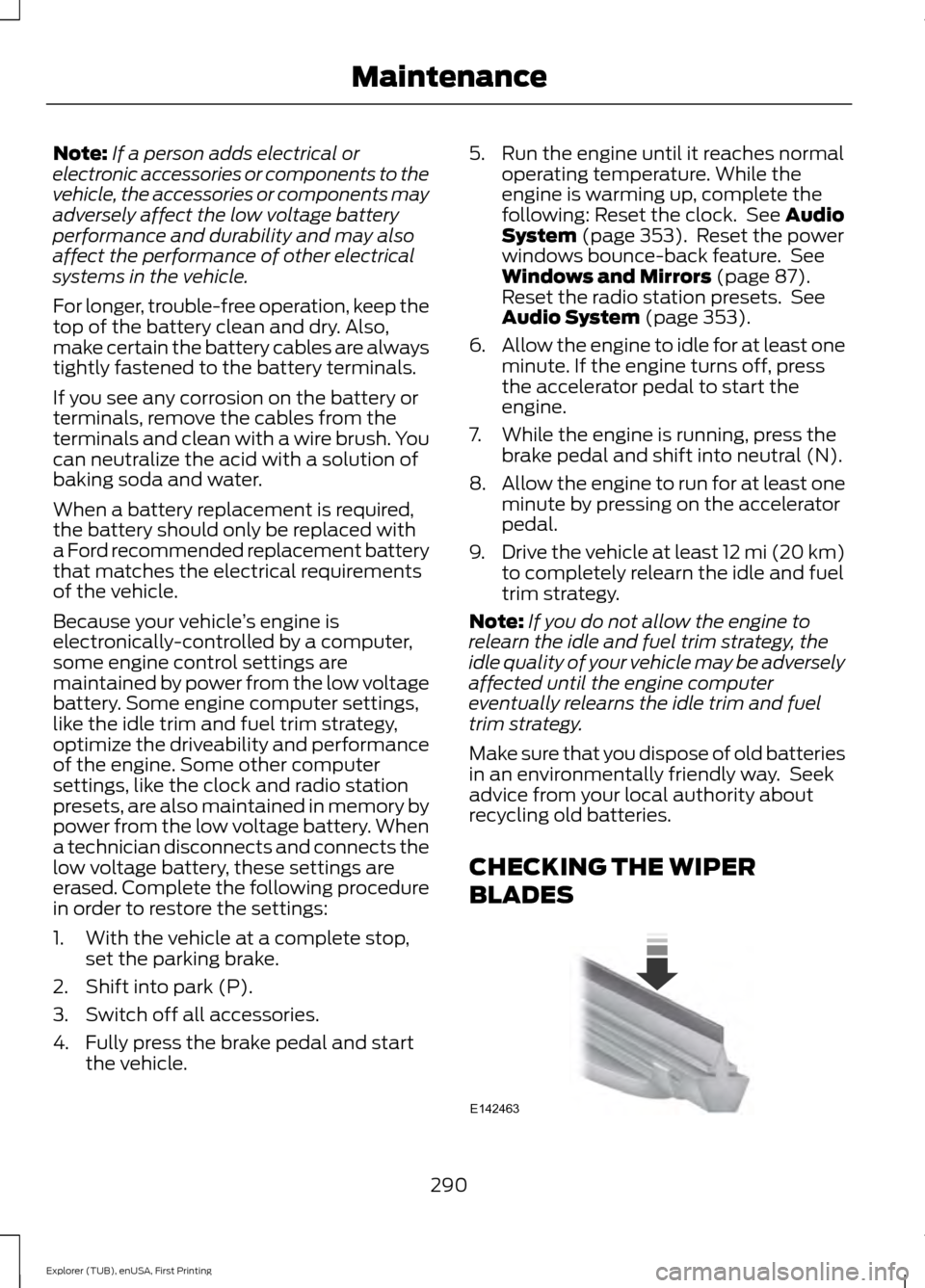
CHECKING THE WIPER
BLADES 290
Explorer (TUB), enUSA, First Printing MaintenanceE142463
Page 324 of 541

WARNINGS
1. Make sure that you have the
correct tire and wheel size.
2. Lubricate the tire bead and
wheel bead seat area again.
3. Stand at a minimum of 12 feet
(3.66 meters) away from the
wheel and tire assembly.
4. Use both eye and ear
protection.
For a mounting pressure more
than 20 psi (1.38 bar) greater than
the maximum pressure, a Ford
dealer or other tire service
professional should do the
mounting.
Always inflate steel carcass tires
with a remote air fill with the
person inflating standing at a
minimum of 12 feet (3.66 meters)
away from the wheel and tire
assembly. Important: Remember to replace
the wheel valve stems when the
road tires are replaced on your
vehicle.
It is recommended that the two
front tires or two rear tires
generally be replaced as a pair.
The tire pressure sensors mounted
in the wheels (originally installed
on your vehicle) are not designed
to be used in aftermarket wheels. The use of wheels or tires not
recommended by Ford Motor
Company may affect the
operation of your tire pressure
monitoring system.
If the tire pressure monitoring
system indicator is flashing, your
system is malfunctioning. Your
replacement tire might be
incompatible with your tire
pressure monitoring system, or
some component of the system
may be damaged.
Safety Practices
WARNINGS
If your vehicle is stuck in
snow, mud, or sand, do not
rapidly spin the tires. Spinning the
tires can tear the tire and cause
an explosion. A tire can explode in
as little as three to five seconds. Do not spin the wheels at
over 35 mph (56 km/h). The
tires may fail and injure a
passenger or bystander. Driving habits have a great deal
to do with your tire mileage and
safety.
*Observe posted speed limits
*Avoid fast starts, stops and turns
*Avoid potholes and objects on
the road
*Do not run over curbs or hit the
tire against a curb when parking
321
Explorer (TUB), enUSA, First Printing Wheels and Tires
Page 328 of 541
TIRE PRESSURE MONITORING
SYSTEM
WARNING
The tire pressure monitoring system
is not a substitute for manually
checking tire pressure. The tire
pressure should be checked periodically
(at least monthly) using a tire gauge, see
Inflating your tires in this chapter. Failure
to properly maintain your tire pressure
could increase the risk of tire failure, loss
of control, vehicle rollover and personal
injury. Each tire, including the spare (if
provided), should be checked
monthly when cold and inflated
to the inflation pressure
recommended by the vehicle manufacturer
on the vehicle placard or tire inflation
pressure label. (If your vehicle has tires of
a different size than the size indicated on
the vehicle placard or tire inflation pressure
label, you should determine the proper tire
inflation pressure for those tires.)
As an added safety feature, your vehicle
has been equipped with a Tire Pressure
Monitoring System (TPMS) that
illuminates a low tire pressure telltale
when one or more of your tires is
significantly under-inflated. Accordingly,
when the low tire pressure telltale
illuminates, you should stop and check
your tires as soon as possible, and inflate
them to the proper pressure. Driving on a
significantly under-inflated tire causes the
tire to overheat and can lead to tire failure.
Under-inflation also reduces fuel efficiency
and tire tread life, and may affect the
vehicle ’s handling and stopping ability. Please note that the TPMS is not a
substitute for proper tire maintenance, and
it is the driver
’s responsibility to maintain
correct tire pressure, even if under-inflation
has not reached the level to trigger
illumination of the TPMS low tire pressure
telltale.
Your vehicle has also been equipped with
a TPMS malfunction indicator to indicate
when the system is not operating properly.
The TPMS malfunction indicator is
combined with the low tire pressure
telltale. When the system detects a
malfunction, the telltale will flash for
approximately one minute and then remain
continuously illuminated. This sequence
will continue upon subsequent vehicle
start-ups as long as the malfunction exists.
When the malfunction indicator is
illuminated, the system may not be able
to detect or signal low tire pressure as
intended. TPMS malfunctions may occur
for a variety of reasons, including the
installation of replacement or alternate
tires or wheels on the vehicle that prevent
the TPMS from functioning properly.
Always check the TPMS malfunction
telltale after replacing one or more tires or
wheels on your vehicle to ensure that the
replacement or alternate tires and wheels
allow the TPMS to continue to function
properly.
The tire pressure monitoring system
complies with part 15 of the FCC rules and
with RSS-210 of Industry Canada.
Operation is subject to the following two
conditions: (1) This device may not cause
harmful interference, and (2) This device
must accept any interference received,
including interference that may cause
undesired operation.
325
Explorer (TUB), enUSA, First Printing Wheels and Tires
Page 407 of 541
AppLink issues
Possible solution(s)
Possible cause(s)
Issue
login on the app on the
phone before using them with AppLink. Also, some may have a "Ford SYNC"
setting, so check the app's
settings menu on the phone.
Closing and restarting apps may help SYNC find the
application if you cannot
discover it inside the vehicle. On an Android device, if
apps have an "Exit' or 'Quit'
Sometime apps do not
properly close and re-open their connection to SYNC, over ignition cycles, for example.
My phone is connected, my
app(s) are running, but I still cannot find any apps. option, select that then
restart the app. If the app
does not have that option, you can also manually
"Force Close" the app by
going to the phone's settings
menu, selecting 'Apps.' then finding the particular app
and choosing 'Force stop.' Don't forget to restart the
app afterwards, then select "Find New Apps" on SYNC.
On an iPhone with iOS7+, to force close an app, doubletab the home button then
swipe up on the app to close it. Tab the home button
again, then select the app again to restart it. After a
few seconds, the app should then appear in SYNC'sMobile App's Menu.
Reset the Bluetooth on your phone by turning it off and
then turning Bluetooth back
on. If you are in your vehicle, SYNC should be able to
automatically re-connect to your phone if you press the "Phone" button.
There is a Bluetooth bug on
some order versions of theAndroid operating systemthat may cause apps that
were found on your previous
vehicle drive to not be found
again if you have not turned off Bluetooth.
My Android phone is
connected, my app(s) are running, I restarted them,but I still cannot find any apps.
404
Explorer (TUB), enUSA, First Printing SYNC™ (If Equipped)
Page 538 of 541

Satellite Radio..............................................364
Satellite Radio Electronic Serial Number
(ESN)................................................................ 365
Satellite Radio Reception Factors..............365
SIRIUS® Satellite Radio Service.................. 365
Troubleshooting................................................. 366
Scheduled Maintenance Record...........494
Scheduled Maintenance..........................486
Seats.................................................................140
Security..............................................................70
Settings............................................................416 Clock........................................................................\
417
Display..................................................................... 417
Settings.................................................................. 421
Sound..................................................................... 419
Vehicle.................................................................... 419
Side Airbags
.....................................................44
Side Sensing System.................................200 Obstacle Distance Indicator........................... 201
Sitting in the Correct Position.................140
Snow Chains See: Using Snow Chains................................. 324
Special Notices................................................12 New Vehicle Limited Warranty......................... 12
Notice to Owners of Pickup Trucks and Utility Type Vehicles........................................ 12
On-board Diagnostics (OBD-II)....................... 12
Special Instructions.............................................. 12
Using Your Vehicle as an Ambulance............12
Using Your Vehicle With a Snowplow............12
Special Operating Conditions Scheduled Maintenance..............................................492
Exceptions............................................................ 493
Speed Control See: Cruise Control............................................. 213
Stability Control
............................................193
Principle of Operation....................................... 193
Starter Switch See: Ignition Switch........................................... 165Starting a Gasoline Engine.......................166
Automatic Engine Shutdown........................ 168
Failure to Start..................................................... 167
Guarding Against Exhaust Fumes...............169
Important Ventilating Information..............169
Stopping the Engine When Your Vehicle is Moving............................................................... 168
Stopping the Engine When Your Vehicle is Stationary......................................................... 168
Vehicles with an Ignition Key......................... 166
Vehicles with Keyless Start............................ 166
Starting and Stopping the Engine..........165 General Information.......................................... 165
Steering...........................................................229 Electric Power Steering................................... 229
Steering Wheel
................................................72
Storage Compartments.............................164
Sunroof See: Moonroof........................................................ 91
Sun Visors
..........................................................91
Illuminated Vanity Mirror.................................... 91
Supplementary Restraints System.........40 Principle of Operation........................................ 40
Symbols Glossary
.............................................7
SYNC™ Applications and Services........................................................384
911 Assist............................................................... 384
SYNC Mobile Apps........................................... 386
SYNC™...........................................................368 General Information......................................... 368
SYNC™ Troubleshooting
.........................398
T
Tailgate See: Manual Liftgate........................................... 63
See: Power Liftgate............................................. 64
Technical Specifications See: Capacities and Specifications............334
Terrain Response
..........................................195
The Better Business Bureau (BBB) Auto Line Program (U.S. Only).......................262
535
Explorer (TUB), enUSA, First Printing Index