2016 FORD EXPEDITION EL warning light
[x] Cancel search: warning lightPage 296 of 421

Customer action requiredPossible causeLow tire pressurewarning light
Make sure tires are at the proper pres-sure. See Inflating your tires in thischapter. After inflating your tires to themanufacturer’s recommended pressureas shown on the Tire Label (located onthe edge of driver’s door or the B-Pillar),the vehicle must be driven for at leasttwo minutes over 20 mph (32 km/h)before the light turns off.
Tire(s) under-inflatedSolid warning light
Repair the damaged road wheel and tireassembly and reinstall it on the vehicleto restore system function. For adescription on how the system functions,see When your temporary spare tireis installed in this section.
Spare tire in use
If the tires are properly inflated and thespare tire is not in use but the lightremains on, contact your authorizeddealer as soon as possible.
Tire pressure monitoringsystem malfunction
On vehicles with different front and reartire pressures, the system must beretrained following every tire rotation.See Tire Care (page 275).
Tire rotation withoutsensor training
Repair the damaged road wheel and tireassembly and reinstall it on the vehicleto restore system function. For adescription on how the system functions,see When your temporary spare tireis installed in this section.
Spare tire in useFlashing warninglight
If the tires are properly inflated and thespare tire is not in use but the lightremains on, contact your authorizeddealer as soon as possible.
Tire pressure monitoringsystem malfunction
293
Expedition (TB7) Canada/United States of America, enUSA, First Printing
Wheels and Tires
Page 297 of 421
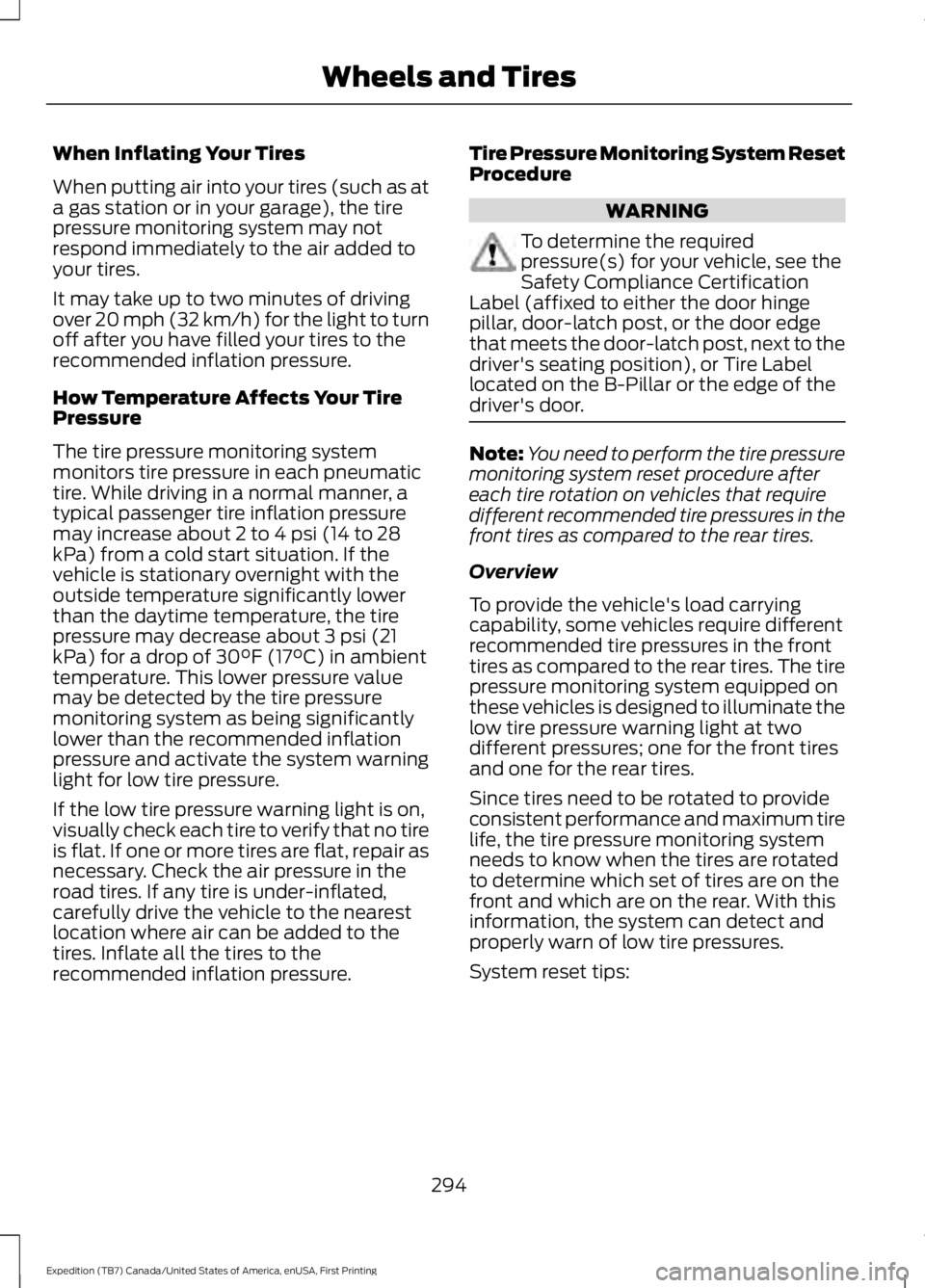
When Inflating Your Tires
When putting air into your tires (such as ata gas station or in your garage), the tirepressure monitoring system may notrespond immediately to the air added toyour tires.
It may take up to two minutes of drivingover 20 mph (32 km/h) for the light to turnoff after you have filled your tires to therecommended inflation pressure.
How Temperature Affects Your TirePressure
The tire pressure monitoring systemmonitors tire pressure in each pneumatictire. While driving in a normal manner, atypical passenger tire inflation pressuremay increase about 2 to 4 psi (14 to 28kPa) from a cold start situation. If thevehicle is stationary overnight with theoutside temperature significantly lowerthan the daytime temperature, the tirepressure may decrease about 3 psi (21kPa) for a drop of 30°F (17°C) in ambienttemperature. This lower pressure valuemay be detected by the tire pressuremonitoring system as being significantlylower than the recommended inflationpressure and activate the system warninglight for low tire pressure.
If the low tire pressure warning light is on,visually check each tire to verify that no tireis flat. If one or more tires are flat, repair asnecessary. Check the air pressure in theroad tires. If any tire is under-inflated,carefully drive the vehicle to the nearestlocation where air can be added to thetires. Inflate all the tires to therecommended inflation pressure.
Tire Pressure Monitoring System ResetProcedure
WARNING
To determine the requiredpressure(s) for your vehicle, see theSafety Compliance CertificationLabel (affixed to either the door hingepillar, door-latch post, or the door edgethat meets the door-latch post, next to thedriver's seating position), or Tire Labellocated on the B-Pillar or the edge of thedriver's door.
Note:You need to perform the tire pressuremonitoring system reset procedure aftereach tire rotation on vehicles that requiredifferent recommended tire pressures in thefront tires as compared to the rear tires.
Overview
To provide the vehicle's load carryingcapability, some vehicles require differentrecommended tire pressures in the fronttires as compared to the rear tires. The tirepressure monitoring system equipped onthese vehicles is designed to illuminate thelow tire pressure warning light at twodifferent pressures; one for the front tiresand one for the rear tires.
Since tires need to be rotated to provideconsistent performance and maximum tirelife, the tire pressure monitoring systemneeds to know when the tires are rotatedto determine which set of tires are on thefront and which are on the rear. With thisinformation, the system can detect andproperly warn of low tire pressures.
System reset tips:
294
Expedition (TB7) Canada/United States of America, enUSA, First Printing
Wheels and Tires
Page 299 of 421

11.Set all four tires to the recommendedair pressure as indicated on theSafety Compliance CertificationLabel (affixed to either the door hingepillar, door-latch post, or the dooredge that meets the door-latch post,next to the driver's seating position)or Tire Label located on the B-Pillaror the edge of the driver's door.
CHANGING A ROAD WHEEL
WARNINGS
The use of tire sealant may damageyour tire pressure monitoring systemand should only be used in roadsideemergencies. If you must use a sealant, theFord Tire Mobility Kit sealant should beused. The tire pressure monitoring systemsensor and valve stem on the wheel mustbe replaced by an authorized dealer afteruse of the sealant.
If the tire pressure monitor sensorbecomes damaged, it will no longerfunction. See Tire PressureMonitoring System (page 290).
Note:The tire pressure monitoring systemindicator light will illuminate when the sparetire is in use. To restore the full function ofthe monitoring system, all road wheelsequipped with tire pressure monitoringsensors must be mounted on this vehicle.
If you get a flat tire while driving, do notapply the brake heavily. Instead, graduallydecrease your speed. Hold the steeringwheel firmly and slowly move to a safeplace on the side of the road.
Have a flat serviced by an authorizeddealer in order to prevent damage to thesystem sensors See Tire PressureMonitoring System (page 290). Replacethe spare tire with a road tire as soon aspossible. During repairing or replacing ofthe flat tire, have the authorized dealerinspect the system sensor for damage.
Dissimilar Spare Wheel and TireAssembly Information
WARNING
Failure to follow these guidelinescould result in an increased risk ofloss of vehicle control, injury or death.
If you have a dissimilar spare wheel andtire, then it is intended for temporary useonly. This means that if you need to use it,you should replace it as soon as possiblewith a road wheel and tire assembly thatis the same size and type as the road tiresand wheels that were originally providedby Ford. If the dissimilar spare tire or wheelis damaged, it should be replaced ratherthan repaired.
A dissimilar spare wheel and tire assemblyis defined as a spare wheel and tireassembly that is different in brand, size orappearance from the road tires and wheelsand can be one of three types:
1.T-type mini-spare: This spare tirebegins with the letter T for tire size andmay have Temporary Use Only molded inthe sidewall.
2.Full-size dissimilar spare with labelon wheel: This spare tire has a label onthe wheel that states: THIS WHEEL ANDTIRE ASSEMBLY FOR TEMPORARY USEONLY
296
Expedition (TB7) Canada/United States of America, enUSA, First Printing
Wheels and Tires
Page 377 of 421
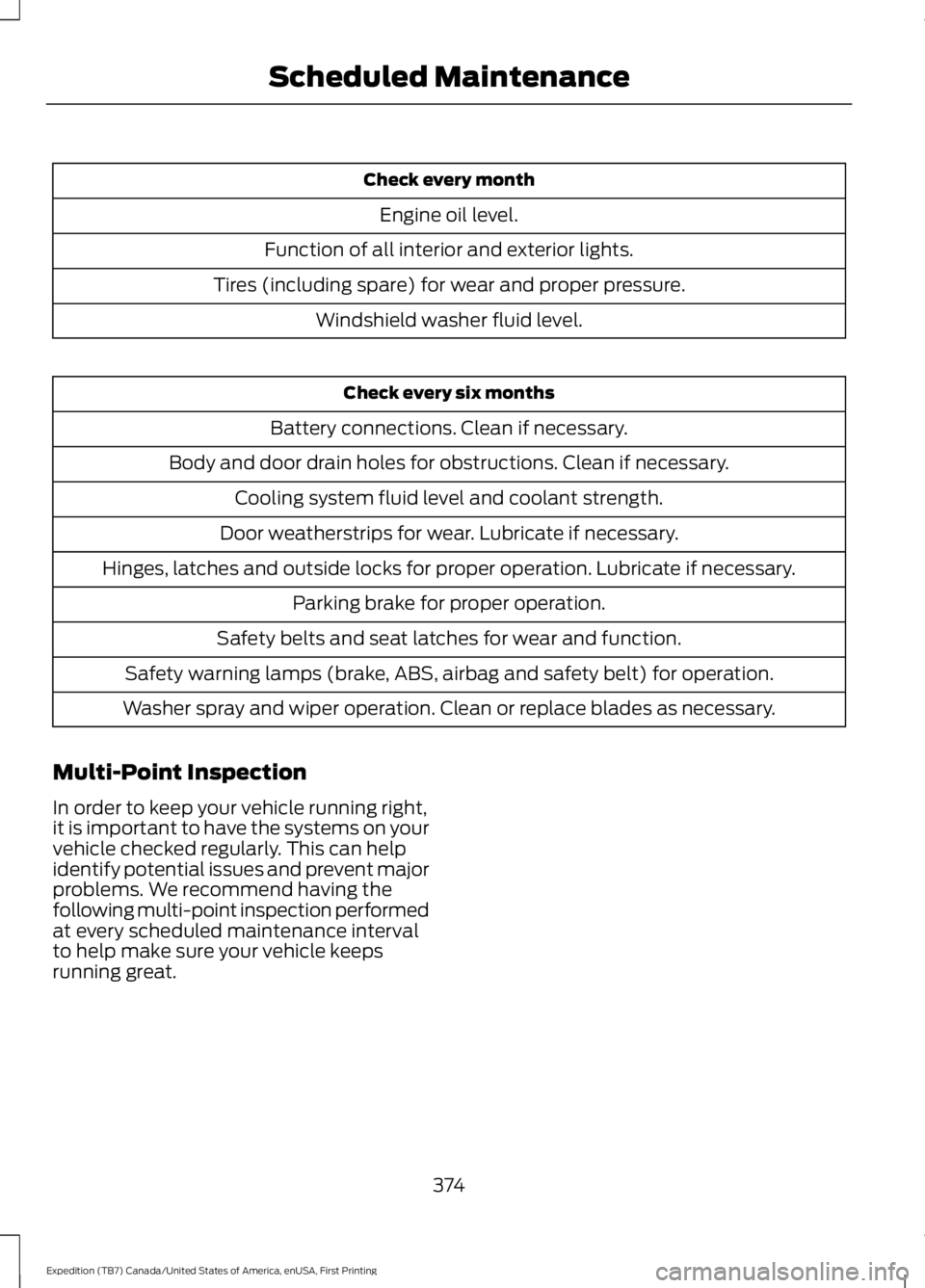
Check every month
Engine oil level.
Function of all interior and exterior lights.
Tires (including spare) for wear and proper pressure.
Windshield washer fluid level.
Check every six months
Battery connections. Clean if necessary.
Body and door drain holes for obstructions. Clean if necessary.
Cooling system fluid level and coolant strength.
Door weatherstrips for wear. Lubricate if necessary.
Hinges, latches and outside locks for proper operation. Lubricate if necessary.
Parking brake for proper operation.
Safety belts and seat latches for wear and function.
Safety warning lamps (brake, ABS, airbag and safety belt) for operation.
Washer spray and wiper operation. Clean or replace blades as necessary.
Multi-Point Inspection
In order to keep your vehicle running right,it is important to have the systems on yourvehicle checked regularly. This can helpidentify potential issues and prevent majorproblems. We recommend having thefollowing multi-point inspection performedat every scheduled maintenance intervalto help make sure your vehicle keepsrunning great.
374
Expedition (TB7) Canada/United States of America, enUSA, First Printing
Scheduled Maintenance
Page 410 of 421
4
4WDSee: Four-Wheel Drive.....................................164
A
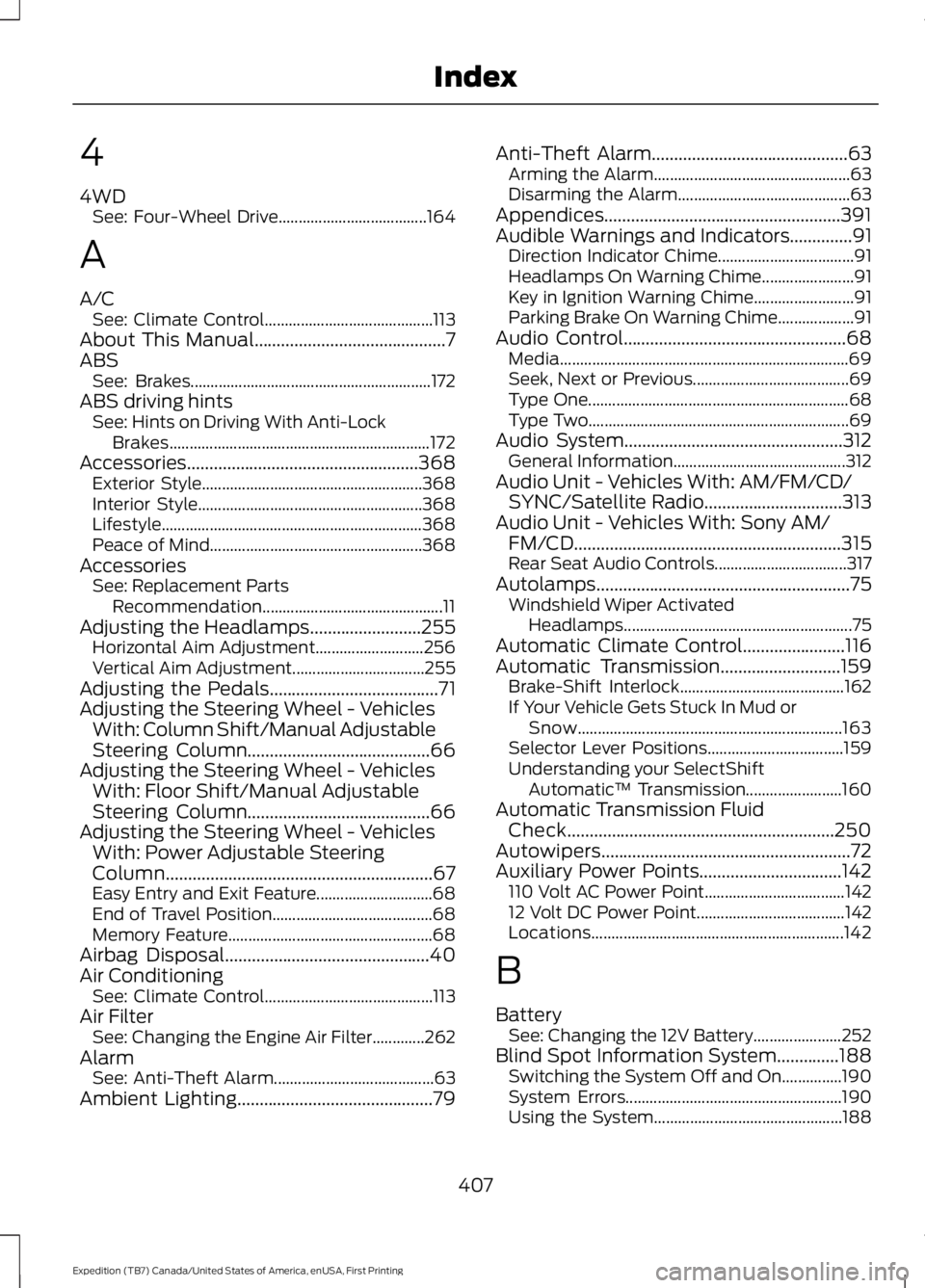
A/CSee: Climate Control..........................................113About This Manual...........................................7ABSSee: Brakes............................................................172ABS driving hintsSee: Hints on Driving With Anti-LockBrakes.................................................................172Accessories....................................................368Exterior Style.......................................................368Interior Style........................................................368Lifestyle.................................................................368Peace of Mind.....................................................368AccessoriesSee: Replacement PartsRecommendation.............................................11Adjusting the Headlamps.........................255Horizontal Aim Adjustment...........................256Vertical Aim Adjustment.................................255Adjusting the Pedals......................................71Adjusting the Steering Wheel - VehiclesWith: Column Shift/Manual AdjustableSteering Column.........................................66Adjusting the Steering Wheel - VehiclesWith: Floor Shift/Manual AdjustableSteering Column.........................................66Adjusting the Steering Wheel - VehiclesWith: Power Adjustable SteeringColumn............................................................67Easy Entry and Exit Feature.............................68End of Travel Position........................................68Memory Feature...................................................68Airbag Disposal..............................................40Air ConditioningSee: Climate Control..........................................113Air FilterSee: Changing the Engine Air Filter.............262AlarmSee: Anti-Theft Alarm........................................63Ambient Lighting............................................79
Anti-Theft Alarm............................................63Arming the Alarm.................................................63Disarming the Alarm...........................................63Appendices.....................................................391Audible Warnings and Indicators..............91Direction Indicator Chime..................................91Headlamps On Warning Chime.......................91Key in Ignition Warning Chime.........................91Parking Brake On Warning Chime...................91Audio Control..................................................68Media........................................................................69Seek, Next or Previous.......................................69Type One.................................................................68Type Two.................................................................69Audio System.................................................312General Information...........................................312Audio Unit - Vehicles With: AM/FM/CD/SYNC/Satellite Radio...............................313Audio Unit - Vehicles With: Sony AM/FM/CD............................................................315Rear Seat Audio Controls.................................317Autolamps.........................................................75Windshield Wiper ActivatedHeadlamps.........................................................75Automatic Climate Control.......................116Automatic Transmission...........................159Brake-Shift Interlock.........................................162If Your Vehicle Gets Stuck In Mud orSnow..................................................................163Selector Lever Positions..................................159Understanding your SelectShiftAutomatic™ Transmission........................160Automatic Transmission FluidCheck............................................................250Autowipers........................................................72Auxiliary Power Points................................142110 Volt AC Power Point...................................14212 Volt DC Power Point.....................................142Locations...............................................................142
B
BatterySee: Changing the 12V Battery......................252Blind Spot Information System..............188Switching the System Off and On...............190System Errors......................................................190Using the System...............................................188
407
Expedition (TB7) Canada/United States of America, enUSA, First Printing
Index
Page 419 of 421
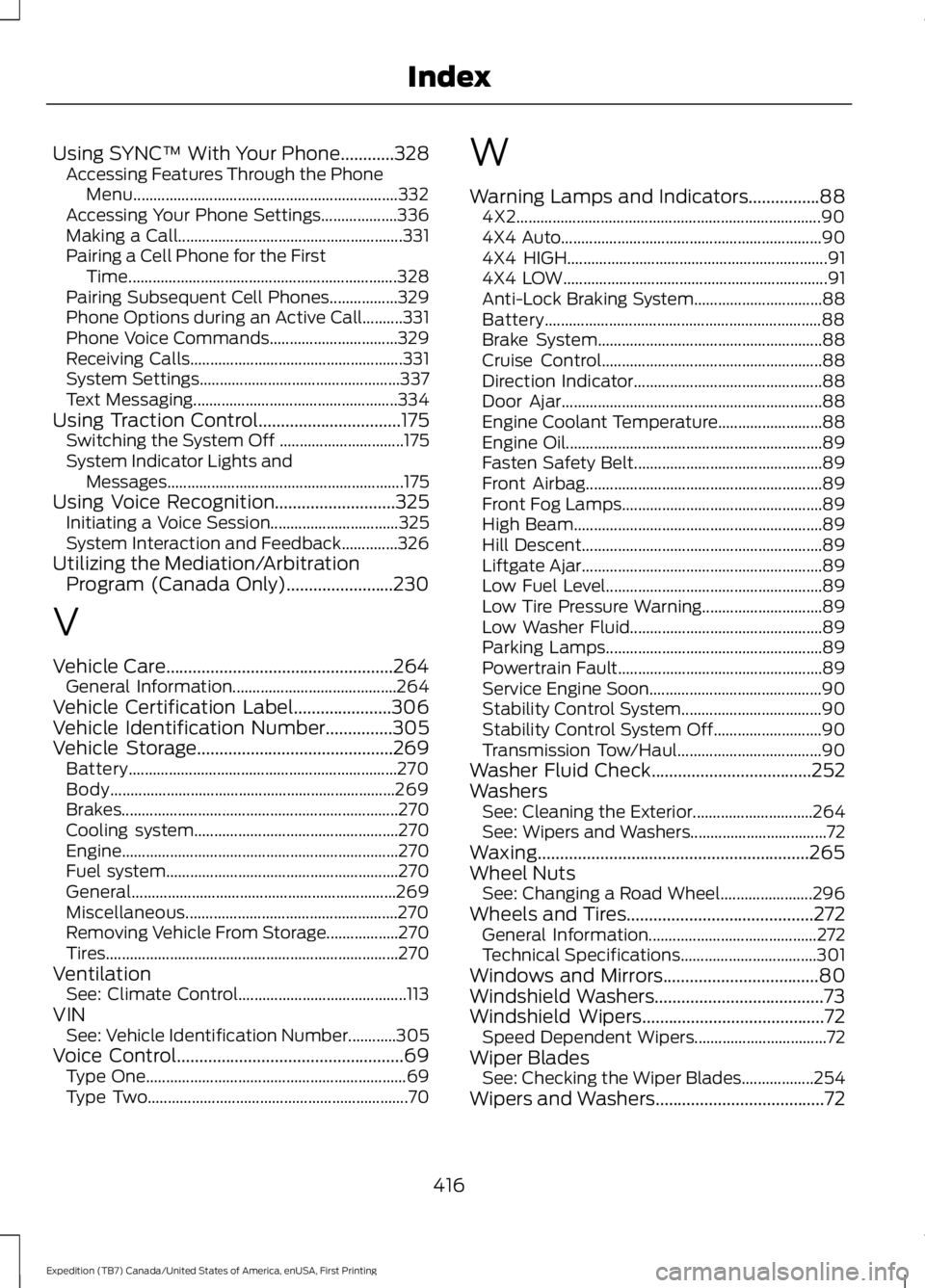
Using SYNC™ With Your Phone............328Accessing Features Through the PhoneMenu..................................................................332Accessing Your Phone Settings...................336Making a Call........................................................331Pairing a Cell Phone for the FirstTime...................................................................328Pairing Subsequent Cell Phones.................329Phone Options during an Active Call..........331Phone Voice Commands................................329Receiving Calls.....................................................331System Settings..................................................337Text Messaging...................................................334Using Traction Control................................175Switching the System Off ...............................175System Indicator Lights andMessages...........................................................175Using Voice Recognition...........................325Initiating a Voice Session................................325System Interaction and Feedback..............326Utilizing the Mediation/ArbitrationProgram (Canada Only)........................230
V
Vehicle Care...................................................264General Information.........................................264Vehicle Certification Label......................306Vehicle Identification Number...............305Vehicle Storage............................................269Battery...................................................................270Body.......................................................................269Brakes.....................................................................270Cooling system...................................................270Engine.....................................................................270Fuel system..........................................................270General..................................................................269Miscellaneous.....................................................270Removing Vehicle From Storage..................270Tires.........................................................................270VentilationSee: Climate Control..........................................113VINSee: Vehicle Identification Number............305Voice Control...................................................69Type One.................................................................69Type Two.................................................................70
W
Warning Lamps and Indicators................884X2............................................................................904X4 Auto.................................................................904X4 HIGH.................................................................914X4 LOW..................................................................91Anti-Lock Braking System................................88Battery.....................................................................88Brake System........................................................88Cruise Control.......................................................88Direction Indicator...............................................88Door Ajar.................................................................88Engine Coolant Temperature..........................88Engine Oil................................................................89Fasten Safety Belt...............................................89Front Airbag...........................................................89Front Fog Lamps..................................................89High Beam..............................................................89Hill Descent............................................................89Liftgate Ajar............................................................89Low Fuel Level......................................................89Low Tire Pressure Warning..............................89Low Washer Fluid................................................89Parking Lamps......................................................89Powertrain Fault...................................................89Service Engine Soon...........................................90Stability Control System...................................90Stability Control System Off...........................90Transmission Tow/Haul....................................90Washer Fluid Check....................................252WashersSee: Cleaning the Exterior..............................264See: Wipers and Washers..................................72Waxing.............................................................265Wheel NutsSee: Changing a Road Wheel.......................296Wheels and Tires..........................................272General Information..........................................272Technical Specifications..................................301Windows and Mirrors...................................80Windshield Washers......................................73Windshield Wipers.........................................72Speed Dependent Wipers.................................72Wiper BladesSee: Checking the Wiper Blades..................254Wipers and Washers......................................72
416
Expedition (TB7) Canada/United States of America, enUSA, First Printing
Index