2016 FORD EXPEDITION EL stop start
[x] Cancel search: stop startPage 294 of 421
Each tire, including the spare (ifprovided), should be checkedmonthly when cold and inflatedto the inflation pressure recommended bythe vehicle manufacturer on the vehicleplacard or tire inflation pressure label. (Ifyour vehicle has tires of a different sizethan the size indicated on the vehicleplacard or tire inflation pressure label, youshould determine the proper tire inflationpressure for those tires.)
As an added safety feature, your vehiclehas been equipped with a Tire PressureMonitoring System (TPMS) thatilluminates a low tire pressure telltalewhen one or more of your tires issignificantly under-inflated. Accordingly,when the low tire pressure telltaleilluminates, you should stop and checkyour tires as soon as possible, and inflatethem to the proper pressure. Driving on asignificantly under-inflated tire causes thetire to overheat and can lead to tire failure.Under-inflation also reduces fuel efficiencyand tire tread life, and may affect thevehicle’s handling and stopping ability.
Please note that the TPMS is not asubstitute for proper tire maintenance, andit is the driver’s responsibility to maintaincorrect tire pressure, even if under-inflationhas not reached the level to triggerillumination of the TPMS low tire pressuretelltale.
Your vehicle has also been equipped witha TPMS malfunction indicator to indicatewhen the system is not operating properly.The TPMS malfunction indicator iscombined with the low tire pressuretelltale. When the system detects amalfunction, the telltale will flash forapproximately one minute and then remaincontinuously illuminated. This sequencewill continue upon subsequent vehiclestart-ups as long as the malfunction exists.
When the malfunction indicator isilluminated, the system may not be ableto detect or signal low tire pressure asintended. TPMS malfunctions may occurfor a variety of reasons, including theinstallation of replacement or alternatetires or wheels on the vehicle that preventthe TPMS from functioning properly.Always check the TPMS malfunctiontelltale after replacing one or more tires orwheels on your vehicle to ensure that thereplacement or alternate tires and wheelsallow the TPMS to continue to functionproperly.
The tire pressure monitoring systemcomplies with part 15 of the FCC rules andwith RSS-210 of Industry Canada.Operation is subject to the following twoconditions: (1) This device may not causeharmful interference, and (2) This devicemust accept any interference received,including interference that may causeundesired operation.
This device complies with part 15 of theFCC Rules and with Licence exempt RSSStandards of Industry Canada. Operationis subject to the following two conditions:
•This device may not cause harmfulinterference.
•This device must accept anyinterference received, includinginterference that may cause undesiredoperation.
291
Expedition (TB7) Canada/United States of America, enUSA, First Printing
Wheels and Tires
Page 298 of 421
•To reduce the chances of interferencefrom another vehicle, perform thesystem reset procedure at least threefeet (one meter) away from anotherFord Motor Company vehicleundergoing the system reset procedureat the same time.
•Do not wait more than two minutesbetween resetting each tire sensor orthe system will time-out and the entireprocedure will have to be repeated onall four wheels.
•A double horn will sound indicating theneed to repeat the procedure.
Performing the System Reset Procedure
Read the entire procedure beforeattempting.
1. Drive the vehicle above 20 mph (32km/h) for at least two minutes, thenpark in a safe location where you caneasily get to all four tires and haveaccess to an air pump.
2.Place the ignition in the off position andkeep the key in the ignition.
3. Cycle the ignition to the on positionwith the engine off.
4. Turn the hazard flashers on then offthree times. You must accomplish thiswithin 10 seconds. If the reset modehas been entered successfully, the hornwill sound once, the system indicatorwill flash and a message is shown inthe information display. If this does notoccur, please try again starting at Step2. If after repeated attempts to enterthe reset mode, the horn does notsound, the system indicator does notflash and no message is shown in theinformation display, seek service fromyour authorized dealer.
5. Train the tire pressure monitoringsystem sensors in the tires using thefollowing system reset sequencestarting with the left front tire in thefollowing clockwise order: Left front(driver's side front tire), Right front(passenger's side front tire), Right rear(passenger's side rear tire), Left rear(driver's side rear tire).
6. Remove the valve cap from the valvestem on the left front tire. Decrease theair pressure until the horn sounds.Note: The single horn chirp confirmsthat the sensor identification code hasbeen learned by the module for thisposition. If a double horn is heard, thereset procedure was unsuccessful, andyou must repeat it.
7. Remove the valve cap from the valvestem on the right front tire. Decreasethe air pressure until the horn sounds.
8. Remove the valve cap from the valvestem on the right rear tire. Decrease theair pressure until the horn sounds.
9. Remove the valve cap from the valvestem on the left rear tire. Decrease theair pressure until the horn sounds.Training is complete after the hornsounds for the last tire trained (driver'sside rear tire), the system indicatorstops flashing, and a message is shownin the information display.
10.Turn the ignition off. If two short hornbeeps are heard, the reset procedurewas unsuccessful and you mustrepeat it. If after repeating theprocedure and two short beeps areheard when the ignition is turned tooff, seek assistance from yourauthorized dealer.
295
Expedition (TB7) Canada/United States of America, enUSA, First Printing
Wheels and Tires
Page 368 of 421
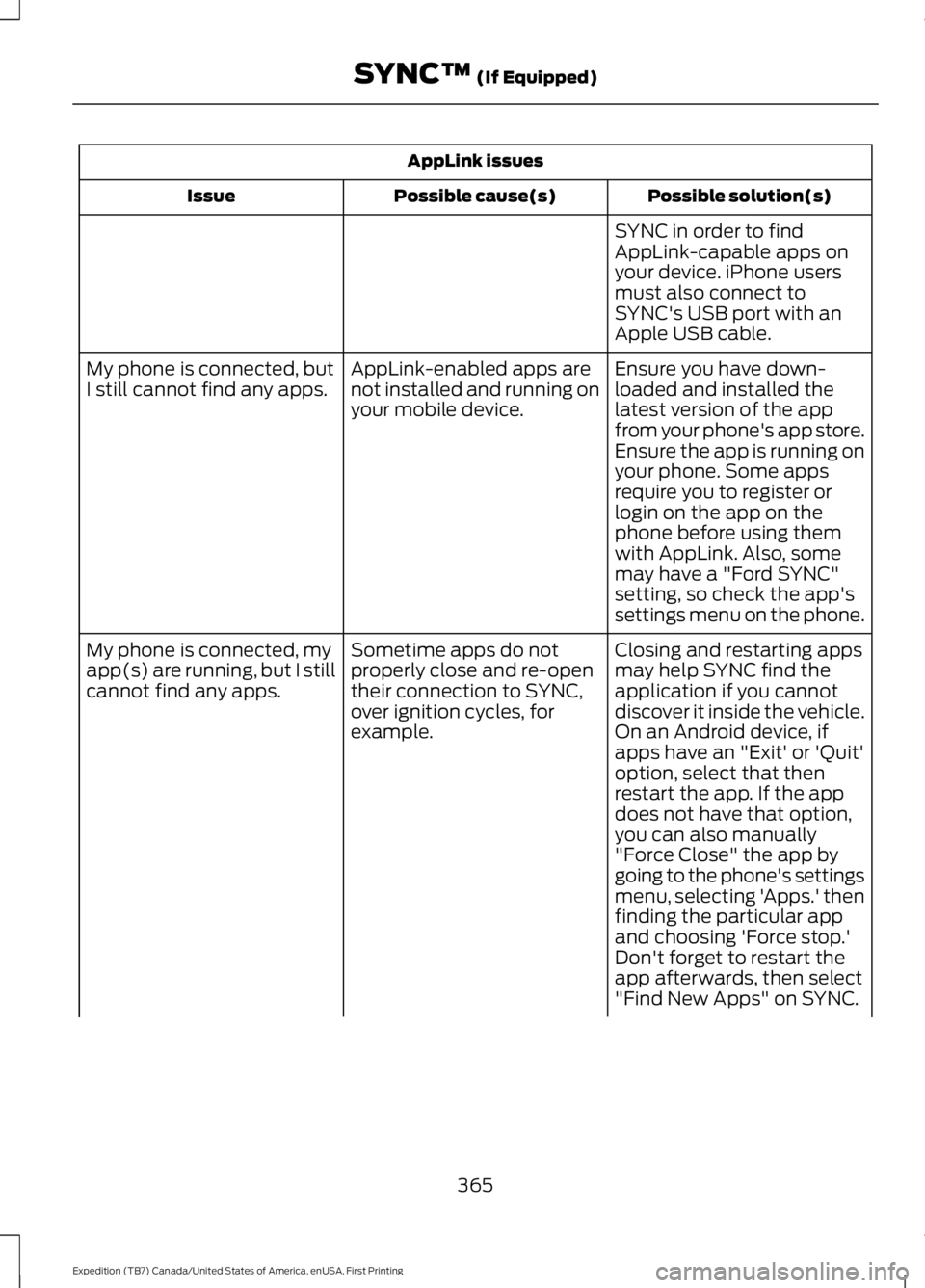
AppLink issues
Possible solution(s)Possible cause(s)Issue
SYNC in order to findAppLink-capable apps onyour device. iPhone usersmust also connect toSYNC's USB port with anApple USB cable.
Ensure you have down-loaded and installed thelatest version of the appfrom your phone's app store.Ensure the app is running onyour phone. Some apps
AppLink-enabled apps arenot installed and running onyour mobile device.
My phone is connected, butI still cannot find any apps.
require you to register orlogin on the app on thephone before using themwith AppLink. Also, somemay have a "Ford SYNC"setting, so check the app'ssettings menu on the phone.
Closing and restarting appsmay help SYNC find theapplication if you cannotdiscover it inside the vehicle.On an Android device, ifapps have an "Exit' or 'Quit'
Sometime apps do notproperly close and re-opentheir connection to SYNC,over ignition cycles, forexample.
My phone is connected, myapp(s) are running, but I stillcannot find any apps.
option, select that thenrestart the app. If the appdoes not have that option,you can also manually"Force Close" the app bygoing to the phone's settingsmenu, selecting 'Apps.' thenfinding the particular appand choosing 'Force stop.'Don't forget to restart theapp afterwards, then select"Find New Apps" on SYNC.
365
Expedition (TB7) Canada/United States of America, enUSA, First Printing
SYNC™ (If Equipped)
Page 417 of 421
Safety Precautions........................................151Satellite Radio...............................................319Satellite Radio Electronic Serial Number(ESN)................................................................320Satellite Radio Reception Factors..............320SIRIUS® Satellite Radio Service..................320Troubleshooting..................................................321Scheduled Maintenance Record............381Scheduled Maintenance...........................372Seatbelt Height Adjustment.......................31Second Row Comfort Guide............................32Seatbelt Reminder.........................................33Belt-Minder™........................................................33Seatbelts...........................................................28Principle of Operation........................................28Seatbelt Warning Lamp and IndicatorChime...............................................................32Conditions of operation.....................................33Seats..................................................................122Security..............................................................62Self-Leveling Suspension.........................195Side Airbags......................................................37Sitting in the Correct Position..................122Snow ChainsSee: Using Snow Chains.................................290Special Notices................................................12New Vehicle Limited Warranty.........................12On-board Diagnostics (OBD-II).......................12Special Instructions..............................................12Special Operating Conditions ScheduledMaintenance...............................................378Exceptions............................................................379Speed ControlSee: Cruise Control............................................186Stability Control............................................176Principle of Operation.......................................176Starter SwitchSee: Ignition Switch...........................................145
Starting a Gasoline Engine.......................146Automatic Engine Shutdown........................148Failure to Start......................................................147Guarding Against Exhaust Fumes................149Important Ventilating Information...............149Stopping the Engine When Your Vehicle isMoving...............................................................148Stopping the Engine When Your Vehicle isStationary.........................................................148Vehicles with an Ignition Key.........................146Vehicles with Keyless Start............................146Starting and Stopping the Engine..........145General Information..........................................145Steering............................................................193Electric Power Steering....................................193Steering Wheel...............................................66Storage Compartments.............................144SunroofSee: Moonroof.......................................................83Sun Visors.........................................................83Illuminated Vanity Mirror...................................83Supplementary Restraints System.........35Principle of Operation.........................................35Symbols Glossary.............................................7SYNC™ Applications andServices........................................................340911 Assist..............................................................340SYNC Services: Traffic, Directions &Information (TDI) (If Equipped, UnitedStates Only)...................................................344Vehicle Health Report (If Equipped, UnitedStates Only)....................................................342SYNC™ AppLink™.....................................348SYNC Mobile Apps............................................348SYNC™............................................................323General Information..........................................323SYNC™ Troubleshooting.........................359
T
TailgateSee: Manual Liftgate...........................................55See: Power Liftgate..............................................57Technical SpecificationsSee: Capacities and Specifications............303Terrain Response..........................................179The Better Business Bureau (BBB) AutoLine Program (U.S. Only).......................230
414
Expedition (TB7) Canada/United States of America, enUSA, First Printing
Index