2016 FORD EXPEDITION EL child lock
[x] Cancel search: child lockPage 60 of 421
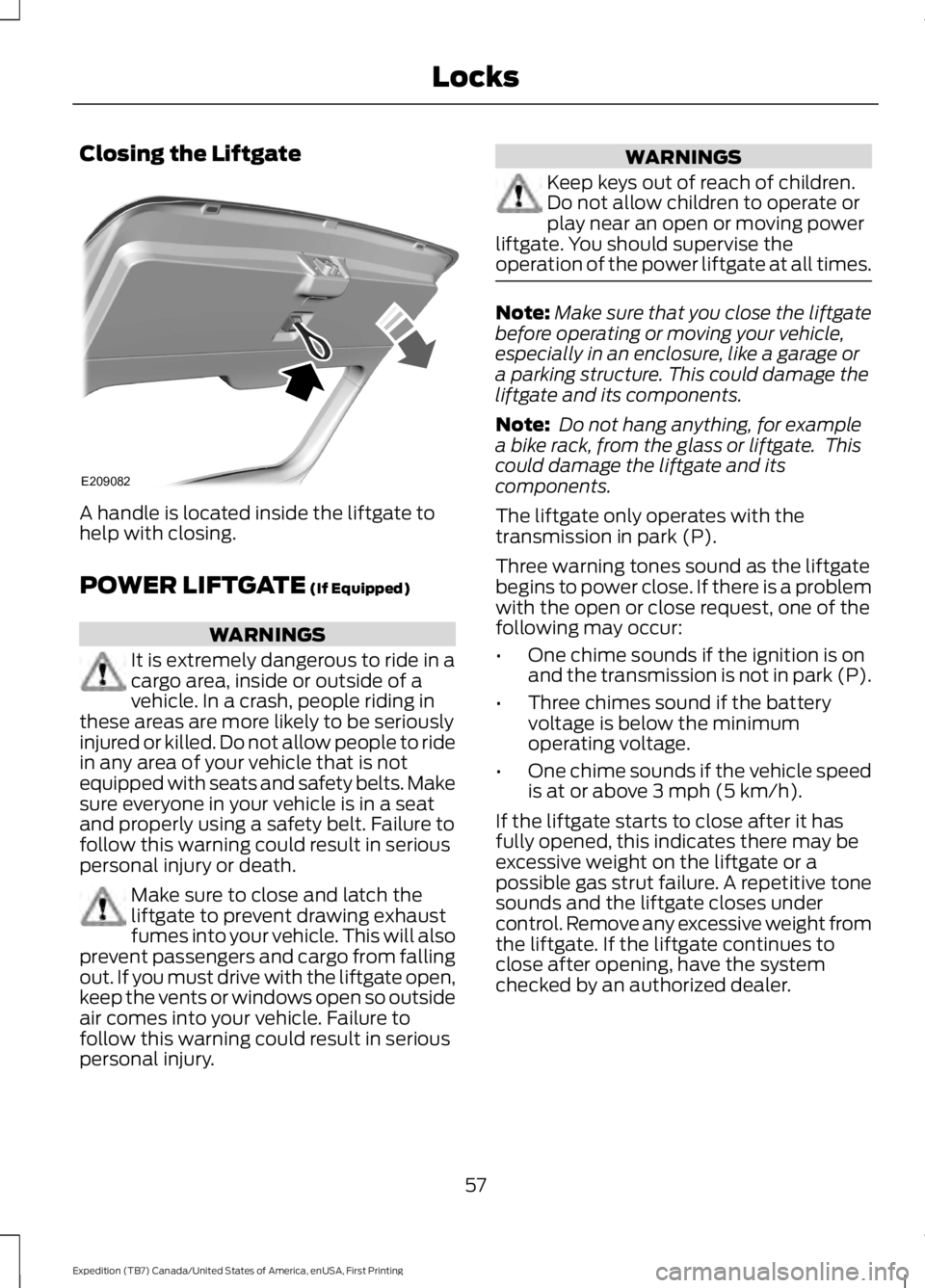
Closing the Liftgate
A handle is located inside the liftgate tohelp with closing.
POWER LIFTGATE (If Equipped)
WARNINGS
It is extremely dangerous to ride in acargo area, inside or outside of avehicle. In a crash, people riding inthese areas are more likely to be seriouslyinjured or killed. Do not allow people to ridein any area of your vehicle that is notequipped with seats and safety belts. Makesure everyone in your vehicle is in a seatand properly using a safety belt. Failure tofollow this warning could result in seriouspersonal injury or death.
Make sure to close and latch theliftgate to prevent drawing exhaustfumes into your vehicle. This will alsoprevent passengers and cargo from fallingout. If you must drive with the liftgate open,keep the vents or windows open so outsideair comes into your vehicle. Failure tofollow this warning could result in seriouspersonal injury.
WARNINGS
Keep keys out of reach of children.Do not allow children to operate orplay near an open or moving powerliftgate. You should supervise theoperation of the power liftgate at all times.
Note:Make sure that you close the liftgatebefore operating or moving your vehicle,especially in an enclosure, like a garage ora parking structure. This could damage theliftgate and its components.
Note: Do not hang anything, for examplea bike rack, from the glass or liftgate. Thiscould damage the liftgate and itscomponents.
The liftgate only operates with thetransmission in park (P).
Three warning tones sound as the liftgatebegins to power close. If there is a problemwith the open or close request, one of thefollowing may occur:
•One chime sounds if the ignition is onand the transmission is not in park (P).
•Three chimes sound if the batteryvoltage is below the minimumoperating voltage.
•One chime sounds if the vehicle speedis at or above 3 mph (5 km/h).
If the liftgate starts to close after it hasfully opened, this indicates there may beexcessive weight on the liftgate or apossible gas strut failure. A repetitive tonesounds and the liftgate closes undercontrol. Remove any excessive weight fromthe liftgate. If the liftgate continues toclose after opening, have the systemchecked by an authorized dealer.
57
Expedition (TB7) Canada/United States of America, enUSA, First Printing
LocksE209082
Page 83 of 421
POWER WINDOWS
WARNINGS
Do not leave children unattended inyour vehicle and do not let them playwith the power windows. They mayseriously injure themselves.
When closing the power windows,you should verify they are free ofobstructions and make sure thatchildren and pets are not in the proximityof the window openings.
Note:You may hear a pulsing noise whenjust one of the windows is open. Lower theopposite window slightly to reduce thisnoise.
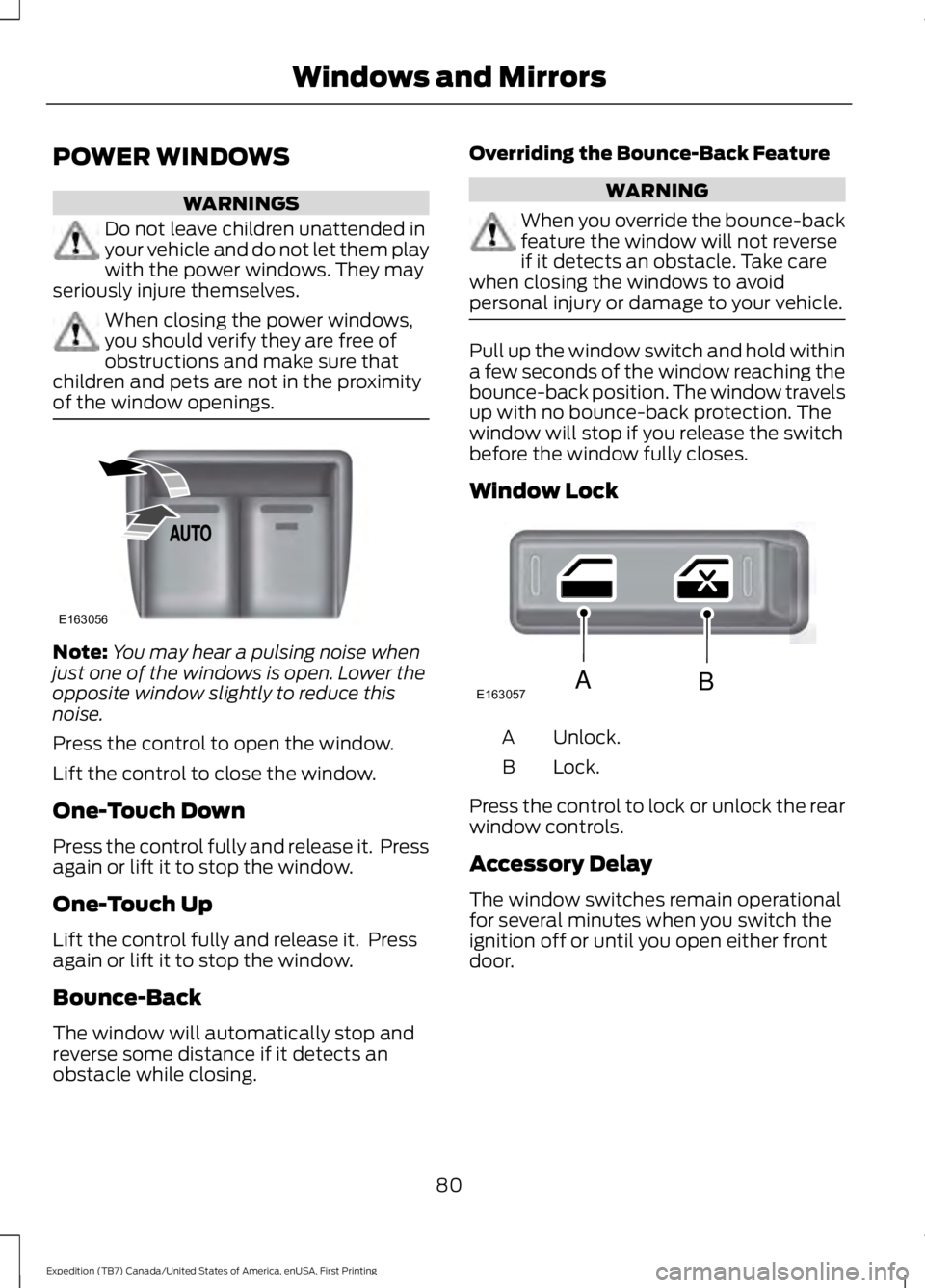
Press the control to open the window.
Lift the control to close the window.
One-Touch Down
Press the control fully and release it. Pressagain or lift it to stop the window.
One-Touch Up
Lift the control fully and release it. Pressagain or lift it to stop the window.
Bounce-Back
The window will automatically stop andreverse some distance if it detects anobstacle while closing.
Overriding the Bounce-Back Feature
WARNING
When you override the bounce-backfeature the window will not reverseif it detects an obstacle. Take carewhen closing the windows to avoidpersonal injury or damage to your vehicle.
Pull up the window switch and hold withina few seconds of the window reaching thebounce-back position. The window travelsup with no bounce-back protection. Thewindow will stop if you release the switchbefore the window fully closes.
Window Lock
Unlock.A
Lock.B
Press the control to lock or unlock the rearwindow controls.
Accessory Delay
The window switches remain operationalfor several minutes when you switch theignition off or until you open either frontdoor.
80
Expedition (TB7) Canada/United States of America, enUSA, First Printing
Windows and MirrorsE163056 E163057AB
Page 85 of 421

Heated Exterior Mirrors
See Heated Windows and Mirrors (page121).
Memory Mirrors (If Equipped)
You can save and recall the mirrorpositions through the memory function.See Memory Function (page 126).
Auto-Dimming Feature
The driver exterior mirror automaticallydims with the auto-dimming interior mirror.
Signal Indicator Mirrors (If Equipped)
The outer portion of the appropriate mirrorhousing blinks when you switch on thedirection indicator.
Blind Spot Monitor (If Equipped)
See Blind Spot Information System(page 188).
INTERIOR MIRROR
WARNING
Do not adjust the mirror when yourvehicle is moving.
Note:Do not clean the housing or glass ofany mirror with harsh abrasives, fuel or otherpetroleum or ammonia-based cleaningproducts.
You can adjust the interior mirror to yourpreference. Some mirrors also have asecond pivot point. This lets you move themirror head up or down and from side toside.
Auto-Dimming Mirror
Note:Do not block the sensors on the frontand back of the mirror. Mirror performancemay be affected. A rear center passenger orraised rear center head restraint may alsoblock light from reaching the sensor.
The mirror will dim automatically to reduceglare when bright lights are detected frombehind your vehicle. It will automaticallyreturn to normal reflection when you selectreverse gear to make sure you have a clearview when backing up.
CHILDMINDER MIRROR
On double bin overhead consoles, theconversation mirror allows the driver toview the rear seating area.
WARNING
Do not use the childminder mirror toview rearward traffic, do not allowrear passengers to distract you fromthe driving task, and make sure the rearview mirror has a clear view of rearwardtraffic. Failure to do so could increase therisk of a crash from an unseen vehicle,which may result in serious injury.
Press the release area on the rear edge ofthe bin door to open the childminder mirror.The door will open to full open position.
82
Expedition (TB7) Canada/United States of America, enUSA, First Printing
Windows and MirrorsE205354
Page 256 of 421
WARNINGS
Keep batteries out of reach ofchildren. Batteries contain sulfuricacid. Avoid contact with skin, eyes orclothing. Shield your eyes when workingnear the battery to protect against possiblesplashing of acid solution. In case of acidcontact with skin or eyes, flushimmediately with water for a minimum of15 minutes and get prompt medicalattention. If acid is swallowed, call aphysician immediately.
Battery posts, terminals and relatedaccessories contain lead and leadcompounds. Wash hands afterhandling.
This vehicle may be fitted with morethan one battery. Removing thebattery cables from only one batterydoes not disconnect your vehicle electricalsystem. Make sure you disconnect thebattery cables from all batteries whendisconnecting power. Failure to do so maycause serious personal injury or propertydamage.
Your vehicle is fitted with a Motorcraftmaintenance-free battery which normallydoes not require additional water.
When a battery replacement is required,you must use a recommendedreplacement battery that matches theelectrical requirements of the vehicle.
Note:After cleaning or replacing thebattery, make sure you reinstall the batterycover or shield.
Note:If you add electrical accessories orcomponents to the vehicle, it may adverselyaffect the low voltage battery performanceand durability. This may also affect theperformance of other electrical systems inthe vehicle.
For longer, trouble-free operation, keep thetop of the battery clean and dry.
If you see any corrosion on the battery orterminals, remove the cables from theterminals and clean with a wire brush. Youcan neutralize the acid with a solution ofbaking soda and water.
Because your vehicle’s engine iselectronically controlled by a computer,some control conditions are maintainedby power from the battery. When thebattery is disconnected or a new batteryis installed, the engine must relearn its idleand fuel trim strategy for optimumdriveability and performance. Flexible fuelvehicles (FFV) must also relearn theethanol content of the fuel for optimumdriveability and performance.
To restore the settings, do the following:
1. Apply the parking brake.
2. Shift into park (P) or neutral (N).
3. Switch off all accessories.
4. Press the brake pedal and start yourvehicle.
5. Run the engine until it reaches normaloperating temperature. While theengine is warming up, complete thefollowing: Reset the clock. See AudioSystem (page 312). Reset the powerwindows bounce-back feature. SeeWindows and Mirrors (page 80).Reset the radio station presets. SeeAudio System (page 312).
6.Allow the engine to idle for at least oneminute.
7.Drive the vehicle at least 10 mi (16 km)to completely relearn the idle trim andfuel trim strategy.
Note:If you do not allow the engine torelearn the idle and fuel trim strategy, theidle quality of your vehicle may be adverselyaffected until the engine computereventually relearns the idle trim and fueltrim strategy.
253
Expedition (TB7) Canada/United States of America, enUSA, First Printing
Maintenance
Page 411 of 421

Bonnet LockSee: Opening and Closing the Hood..........243Booster Seats..................................................23Types of Booster Seats......................................24Brake Fluid Check.........................................251Brakes................................................................172General Information...........................................172Breaking-In.....................................................220Bulb Specification Chart..........................260
C
California Proposition 65..............................11Capacities and Specifications - 3.5LEcoboost™.................................................307Specifications.....................................................308Capacities and Specifications................303Car WashSee: Cleaning the Exterior..............................264Center Console..............................................144Changing a Bulb...........................................257Central High-mounted Brake LampBulb....................................................................259Fog Lamp Bulb...................................................258Front Direction Indicator Bulb.......................258Headlamp Bulb...................................................257LED Central High-mounted Brake LampBulb....................................................................259LED Direction Indicator and Side MarkerBulbs..................................................................258LED Headlamp Bulb..........................................257LED Rear Lamp, Brake Lamp, Rear DirectionIndicator and Reverse LampBulbs..................................................................259License Plate Lamp Bulb...............................260Rear Lamp, Brake Lamp, Rear DirectionIndicator and Reverse LampBulbs..................................................................259Side Direction Indicator Bulb........................260Side Marker Bulb...............................................258Changing a Fuse...........................................242Fuses.......................................................................242Changing a Road Wheel...........................296Dissimilar Spare Wheel and Tire AssemblyInformation.....................................................296Location of the Spare Tire and Tools.........297Tire Change Procedure....................................298
Changing the 12V Battery.........................252Battery Management System.......................254Changing the Engine Air Filter.................262Changing the Wiper Blades.....................255Checking MyKey System Status..............49Checking the Wiper Blades.....................254Childminder Mirror.........................................82Child Restraint and SeatbeltMaintenance.................................................34Child Restraint Positioning.........................25Child Safety.......................................................15General Information.............................................15Child Safety Locks.........................................26Cleaning Leather Seats..............................267With King Ranch Edition.................................268Without King Ranch Edition...........................267Cleaning Products.......................................264Cleaning the Alloy Wheels.......................269Cleaning the Engine....................................265Cleaning the Exterior..................................264Exterior Chrome Parts.....................................264Exterior Plastic Parts........................................265Stripes or Graphics............................................265Underbody...........................................................265Cleaning the Instrument Panel andInstrument Cluster Lens.........................267Cleaning the Interior...................................266Cleaning the Windows and WiperBlades...........................................................266Clearing All MyKeys.......................................48Climate Control..............................................113Climate Controlled Seats..........................135Cooled Seats........................................................135Coolant CheckSee: Engine Coolant Check............................247Crash Sensors and Airbag Indicator........39Creating a MyKey............................................47Programming/Changing ConfigurableSettings...............................................................47Cross Traffic Alert........................................190False Alerts...........................................................193Switching the System Off and On...............193System Errors.......................................................193System Lights, Messages and AudibleAlerts..................................................................192System Limitations............................................192Using the System...............................................190
408
Expedition (TB7) Canada/United States of America, enUSA, First Printing
Index
Page 412 of 421
Cruise Control..................................................70Principle of Operation......................................186Cruise controlSee: Using Cruise Control................................186Customer Assistance.................................228
D
Data Recording..................................................9Event Data Recording...........................................9Service Data Recording........................................9Daytime Running Lamps.............................76Type 1 - Conventional(Non-Configurable)........................................76Type 2 - Configurable..........................................76Digital Radio....................................................317HD Radio Reception and StationTroubleshooting.............................................318Direction Indicators........................................77Lane Change...........................................................77Drive Control..................................................194Adaptive Steering...............................................195Driver Select Suspension................................194Driver and Passenger Airbags...................36Children and Airbags...........................................37Proper Driver and Front Passenger SeatingAdjustment........................................................37Driving Aids.....................................................188Driving Hints..................................................220Driving Through Water................................221DRLSee: Daytime Running Lamps.........................76
E
Economical Driving.....................................220Emission Control System..........................156On-Board Diagnostics (OBD-II)....................157Readiness for Inspection/Maintenance(I/M) Testing...................................................158End User License Agreement..................391VEHICLE SOFTWARE END USER LICENSEAGREEMENT (EULA) ..................................391Engine Block Heater....................................149Using the Engine Block Heater......................150
Engine Coolant Check................................247Adding Engine Coolant....................................247Checking the Engine Coolant........................247Recycled Engine Coolant................................248Severe Climates.................................................248What You Should Know About Fail-SafeCooling..............................................................248Engine ImmobilizerSee: Passive Anti-Theft System.....................62Engine Oil Check..........................................245Adding Engine Oil..............................................245Engine Oil Dipstick......................................245Engine Specifications................................303Drivebelt Routing...............................................303Environment......................................................14Essential Towing Checks..........................208Before Towing a Trailer.....................................214Hitches..................................................................208Launching or Retrieving a Boat or PersonalWatercraft (PWC).........................................215Safety Chains.......................................................210Trailer Brakes.........................................................211Trailer Lamps........................................................214Trailer Towing Connector (Vehicles with aTrailer Towing Package and 7–PinConnector).....................................................208When Towing a Trailer......................................214Event Data RecordingSee: Data Recording..............................................9Export Unique Options..................................13Extended Service Plan (ESP).................370SERVICE PLANS (CANADA ONLY)..............371SERVICE PLANS (U.S. Only).........................370Exterior Mirrors.................................................81Auto-Dimming Feature......................................82Blind Spot Monitor...............................................82Fold-Away Exterior Mirrors................................81Heated Exterior Mirrors......................................82Memory Mirrors.....................................................82Power Exterior Mirrors.........................................81Power-Folding Mirrors.........................................81Signal Indicator Mirrors......................................82
409
Expedition (TB7) Canada/United States of America, enUSA, First Printing
Index
Page 414 of 421
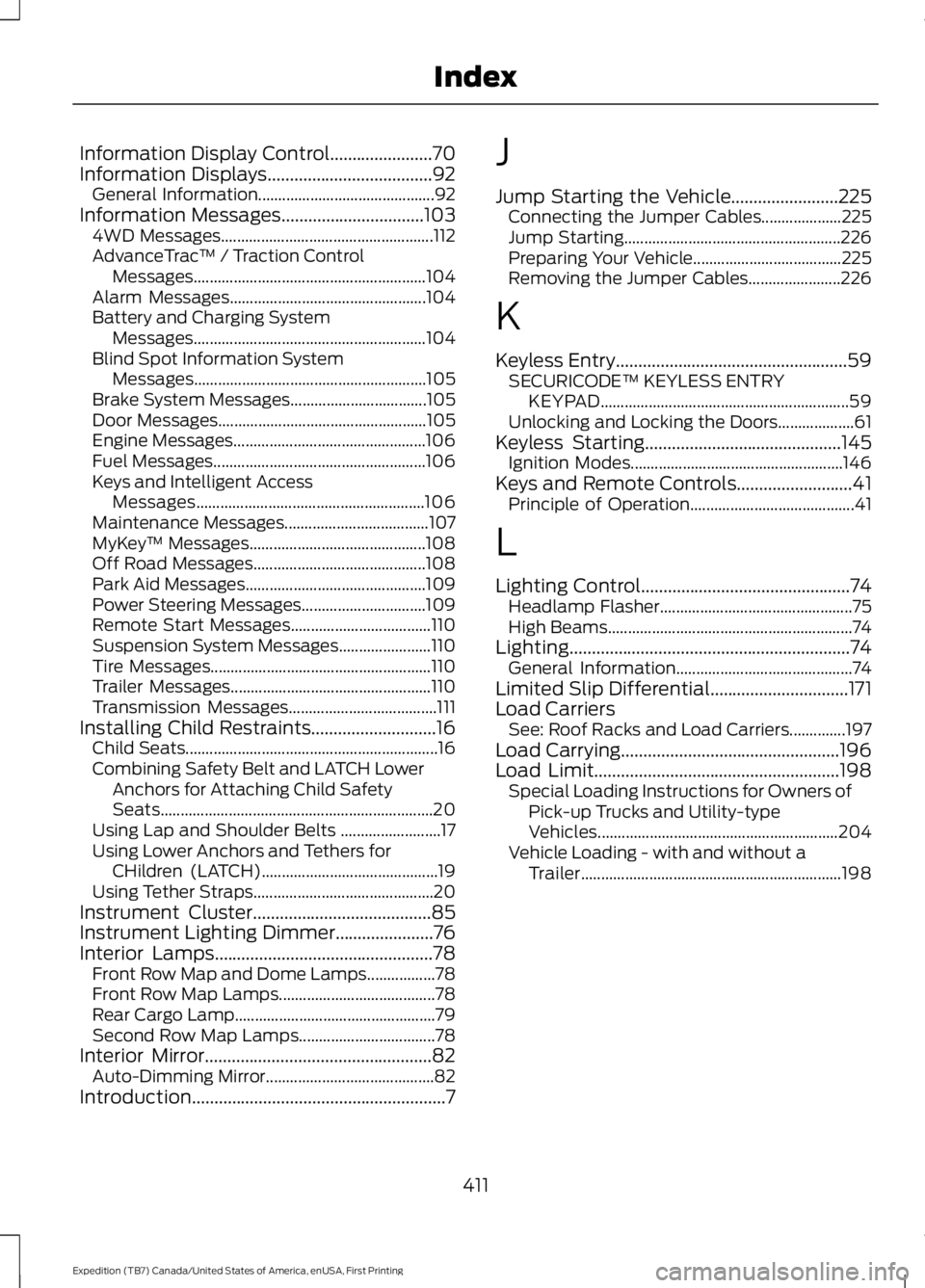
Information Display Control.......................70Information Displays.....................................92General Information............................................92Information Messages................................1034WD Messages.....................................................112AdvanceTrac™ / Traction ControlMessages..........................................................104Alarm Messages.................................................104Battery and Charging SystemMessages..........................................................104Blind Spot Information SystemMessages..........................................................105Brake System Messages..................................105Door Messages....................................................105Engine Messages................................................106Fuel Messages.....................................................106Keys and Intelligent AccessMessages.........................................................106Maintenance Messages....................................107MyKey™ Messages............................................108Off Road Messages...........................................108Park Aid Messages.............................................109Power Steering Messages...............................109Remote Start Messages...................................110Suspension System Messages.......................110Tire Messages.......................................................110Trailer Messages..................................................110Transmission Messages.....................................111Installing Child Restraints............................16Child Seats...............................................................16Combining Safety Belt and LATCH LowerAnchors for Attaching Child SafetySeats....................................................................20Using Lap and Shoulder Belts .........................17Using Lower Anchors and Tethers forCHildren (LATCH)............................................19Using Tether Straps.............................................20Instrument Cluster........................................85Instrument Lighting Dimmer......................76Interior Lamps.................................................78Front Row Map and Dome Lamps.................78Front Row Map Lamps.......................................78Rear Cargo Lamp..................................................79Second Row Map Lamps..................................78Interior Mirror...................................................82Auto-Dimming Mirror..........................................82Introduction.........................................................7
J
Jump Starting the Vehicle........................225Connecting the Jumper Cables....................225Jump Starting......................................................226Preparing Your Vehicle.....................................225Removing the Jumper Cables.......................226
K
Keyless Entry....................................................59SECURICODE™ KEYLESS ENTRYKEYPAD..............................................................59Unlocking and Locking the Doors...................61Keyless Starting............................................145Ignition Modes.....................................................146Keys and Remote Controls..........................41Principle of Operation.........................................41
L
Lighting Control...............................................74Headlamp Flasher................................................75High Beams.............................................................74Lighting...............................................................74General Information............................................74Limited Slip Differential...............................171Load CarriersSee: Roof Racks and Load Carriers..............197Load Carrying.................................................196Load Limit.......................................................198Special Loading Instructions for Owners ofPick-up Trucks and Utility-typeVehicles............................................................204Vehicle Loading - with and without aTrailer.................................................................198
411
Expedition (TB7) Canada/United States of America, enUSA, First Printing
Index