2016 FORD EXPEDITION EL ignition
[x] Cancel search: ignitionPage 331 of 421
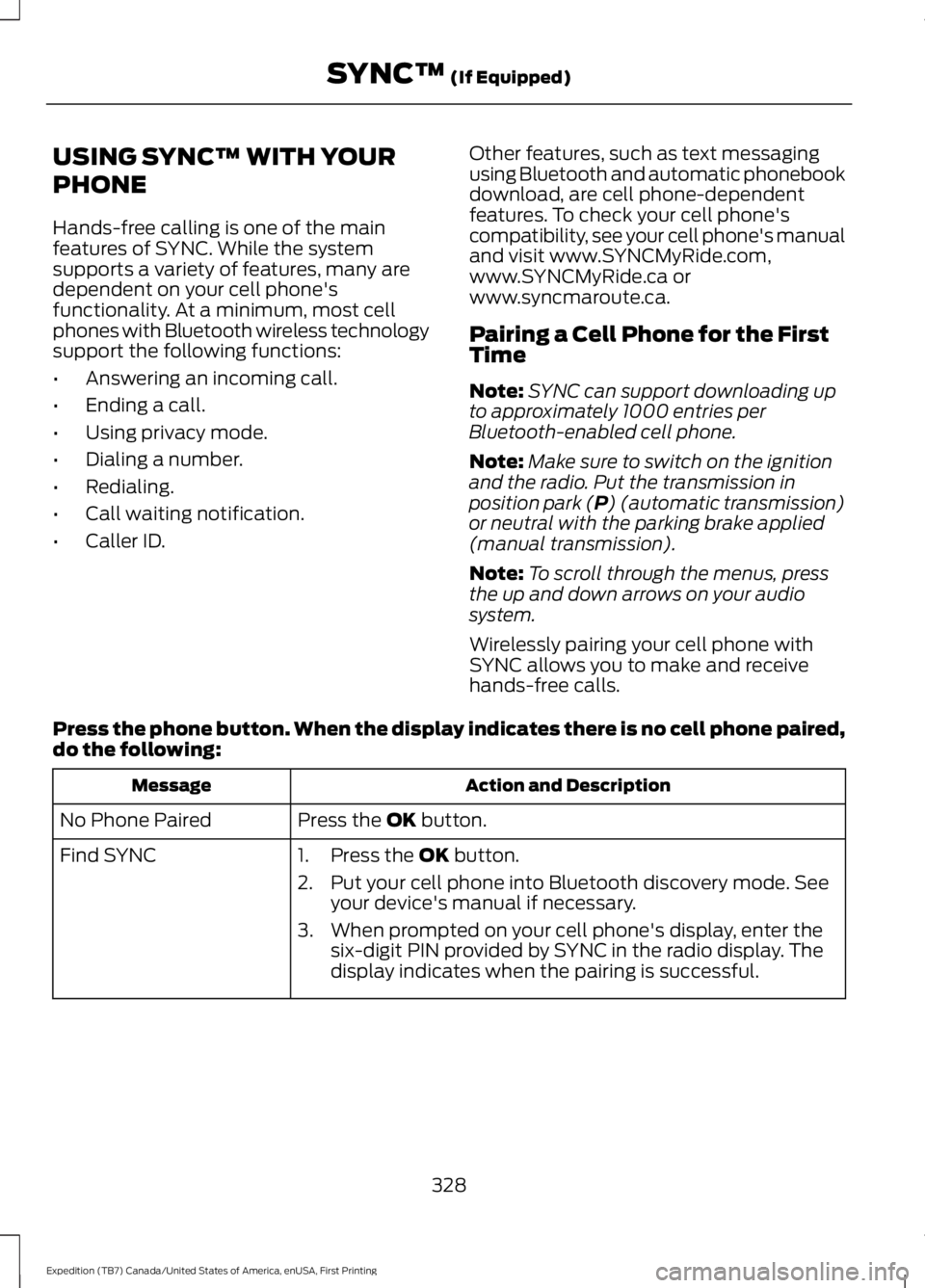
USING SYNC™ WITH YOUR
PHONE
Hands-free calling is one of the mainfeatures of SYNC. While the systemsupports a variety of features, many aredependent on your cell phone'sfunctionality. At a minimum, most cellphones with Bluetooth wireless technologysupport the following functions:
•Answering an incoming call.
•Ending a call.
•Using privacy mode.
•Dialing a number.
•Redialing.
•Call waiting notification.
•Caller ID.
Other features, such as text messagingusing Bluetooth and automatic phonebookdownload, are cell phone-dependentfeatures. To check your cell phone'scompatibility, see your cell phone's manualand visit www.SYNCMyRide.com,www.SYNCMyRide.ca orwww.syncmaroute.ca.
Pairing a Cell Phone for the FirstTime
Note:SYNC can support downloading upto approximately 1000 entries perBluetooth-enabled cell phone.
Note:Make sure to switch on the ignitionand the radio. Put the transmission inposition park (P) (automatic transmission)or neutral with the parking brake applied(manual transmission).
Note:To scroll through the menus, pressthe up and down arrows on your audiosystem.
Wirelessly pairing your cell phone withSYNC allows you to make and receivehands-free calls.
Press the phone button. When the display indicates there is no cell phone paired,do the following:
Action and DescriptionMessage
Press the OK button.No Phone Paired
Find SYNC1. Press the OK button.
2. Put your cell phone into Bluetooth discovery mode. Seeyour device's manual if necessary.
3. When prompted on your cell phone's display, enter thesix-digit PIN provided by SYNC in the radio display. Thedisplay indicates when the pairing is successful.
328
Expedition (TB7) Canada/United States of America, enUSA, First Printing
SYNC™ (If Equipped)
Page 332 of 421
Depending on your cell phone's capabilityand your market, the system may promptyou with questions, such as setting thecurrent cell phone as the primary cellphone (the cell phone SYNC automaticallytries to connect with first upon vehiclestart-up) and downloading yourphonebook.
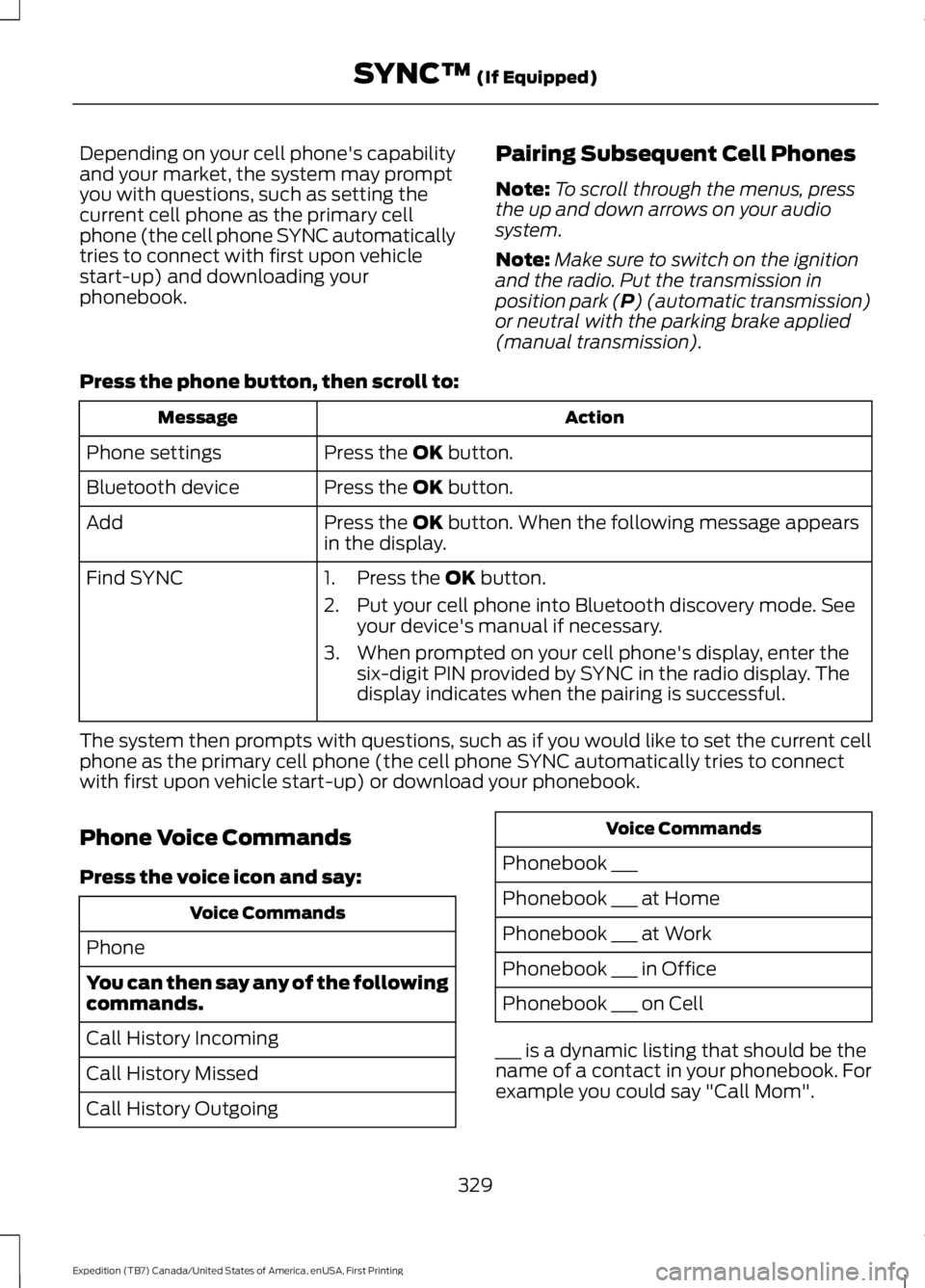
Pairing Subsequent Cell Phones
Note:To scroll through the menus, pressthe up and down arrows on your audiosystem.
Note:Make sure to switch on the ignitionand the radio. Put the transmission inposition park (P) (automatic transmission)or neutral with the parking brake applied(manual transmission).
Press the phone button, then scroll to:
ActionMessage
Press the OK button.Phone settings
Press the OK button.Bluetooth device
Press the OK button. When the following message appearsin the display.Add
Find SYNC1. Press the OK button.
2. Put your cell phone into Bluetooth discovery mode. Seeyour device's manual if necessary.
3. When prompted on your cell phone's display, enter thesix-digit PIN provided by SYNC in the radio display. Thedisplay indicates when the pairing is successful.
The system then prompts with questions, such as if you would like to set the current cellphone as the primary cell phone (the cell phone SYNC automatically tries to connectwith first upon vehicle start-up) or download your phonebook.
Phone Voice Commands
Press the voice icon and say:
Voice Commands
Phone
You can then say any of the followingcommands.
Call History Incoming
Call History Missed
Call History Outgoing
Voice Commands
Phonebook ___
Phonebook ___ at Home
Phonebook ___ at Work
Phonebook ___ in Office
Phonebook ___ on Cell
___ is a dynamic listing that should be thename of a contact in your phonebook. Forexample you could say "Call Mom".
329
Expedition (TB7) Canada/United States of America, enUSA, First Printing
SYNC™ (If Equipped)
Page 341 of 421
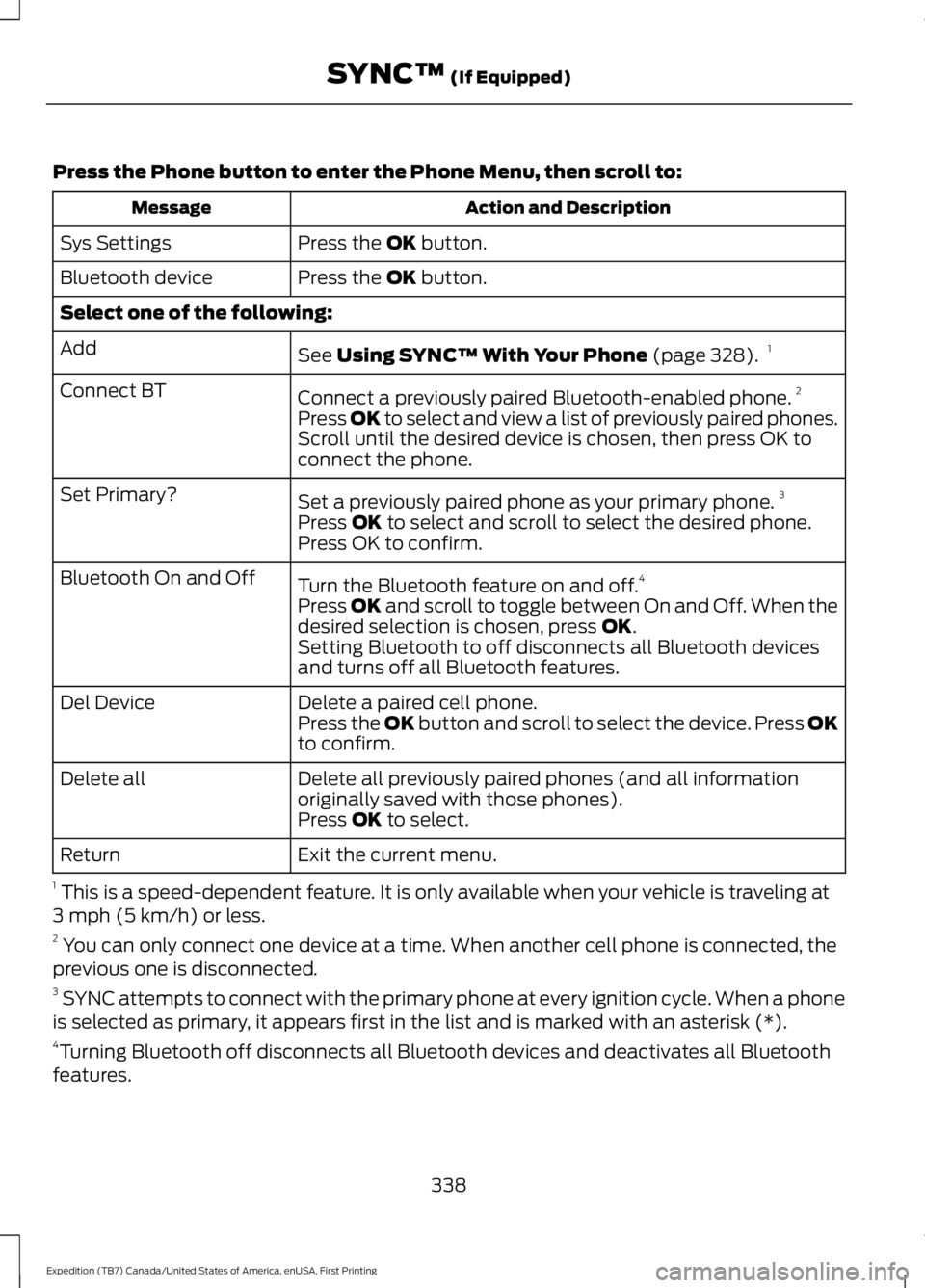
Press the Phone button to enter the Phone Menu, then scroll to:
Action and DescriptionMessage
Press the OK button.Sys Settings
Press the OK button.Bluetooth device
Select one of the following:
See Using SYNC™ With Your Phone (page 328).1Add
Connect a previously paired Bluetooth-enabled phone.2Connect BT
Press OK to select and view a list of previously paired phones.Scroll until the desired device is chosen, then press OK toconnect the phone.
Set a previously paired phone as your primary phone.3Set Primary?
Press OK to select and scroll to select the desired phone.Press OK to confirm.
Turn the Bluetooth feature on and off.4Bluetooth On and Off
Press OK and scroll to toggle between On and Off. When thedesired selection is chosen, press OK.Setting Bluetooth to off disconnects all Bluetooth devicesand turns off all Bluetooth features.
Delete a paired cell phone.Del DevicePress the OK button and scroll to select the device. Press OKto confirm.
Delete all previously paired phones (and all informationoriginally saved with those phones).Delete all
Press OK to select.
Exit the current menu.Return
1 This is a speed-dependent feature. It is only available when your vehicle is traveling at3 mph (5 km/h) or less.2 You can only connect one device at a time. When another cell phone is connected, theprevious one is disconnected.3 SYNC attempts to connect with the primary phone at every ignition cycle. When a phoneis selected as primary, it appears first in the list and is marked with an asterisk (*).4Turning Bluetooth off disconnects all Bluetooth devices and deactivates all Bluetoothfeatures.
338
Expedition (TB7) Canada/United States of America, enUSA, First Printing
SYNC™ (If Equipped)
Page 368 of 421
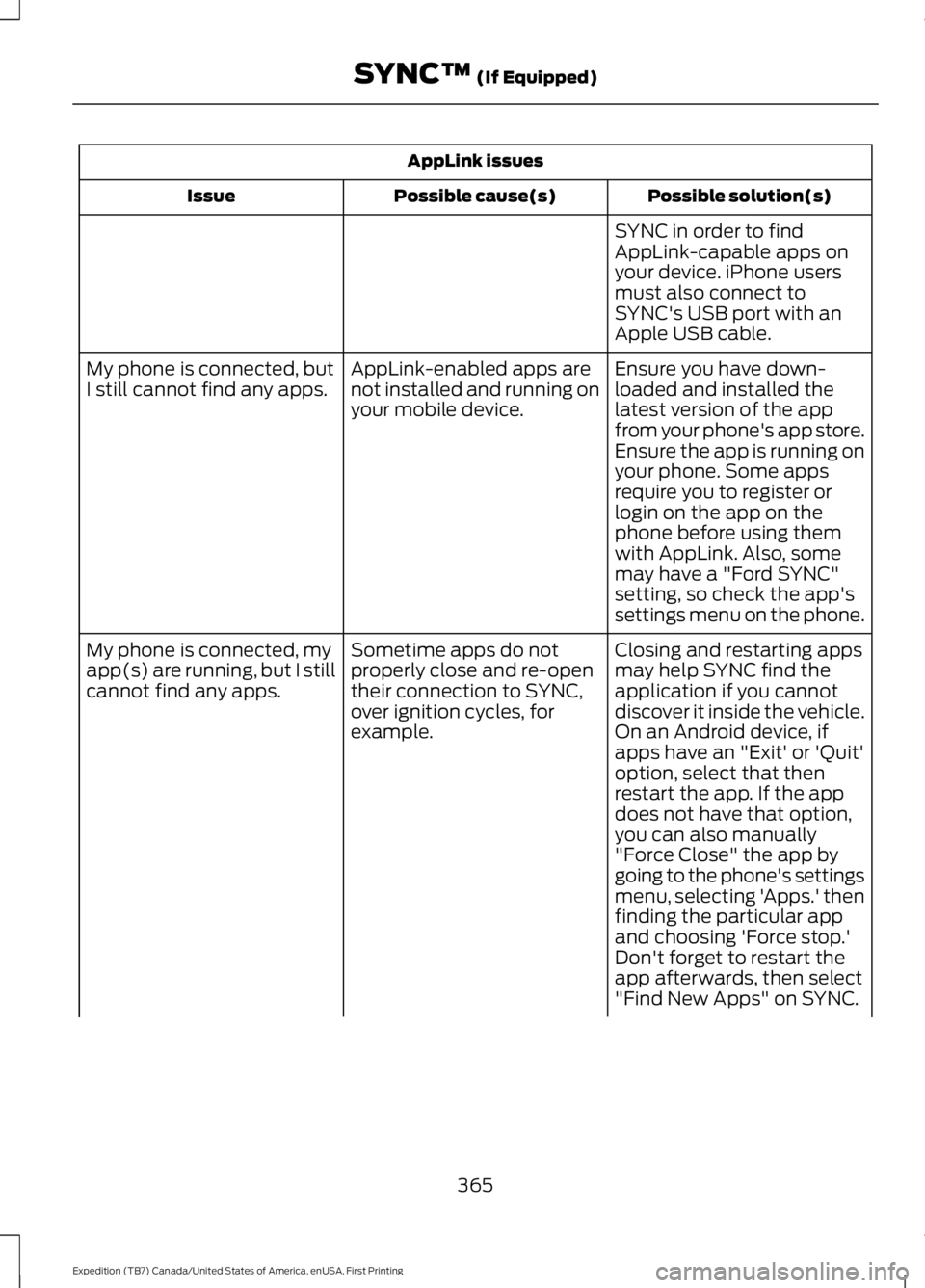
AppLink issues
Possible solution(s)Possible cause(s)Issue
SYNC in order to findAppLink-capable apps onyour device. iPhone usersmust also connect toSYNC's USB port with anApple USB cable.
Ensure you have down-loaded and installed thelatest version of the appfrom your phone's app store.Ensure the app is running onyour phone. Some apps
AppLink-enabled apps arenot installed and running onyour mobile device.
My phone is connected, butI still cannot find any apps.
require you to register orlogin on the app on thephone before using themwith AppLink. Also, somemay have a "Ford SYNC"setting, so check the app'ssettings menu on the phone.
Closing and restarting appsmay help SYNC find theapplication if you cannotdiscover it inside the vehicle.On an Android device, ifapps have an "Exit' or 'Quit'
Sometime apps do notproperly close and re-opentheir connection to SYNC,over ignition cycles, forexample.
My phone is connected, myapp(s) are running, but I stillcannot find any apps.
option, select that thenrestart the app. If the appdoes not have that option,you can also manually"Force Close" the app bygoing to the phone's settingsmenu, selecting 'Apps.' thenfinding the particular appand choosing 'Force stop.'Don't forget to restart theapp afterwards, then select"Find New Apps" on SYNC.
365
Expedition (TB7) Canada/United States of America, enUSA, First Printing
SYNC™ (If Equipped)
Page 410 of 421
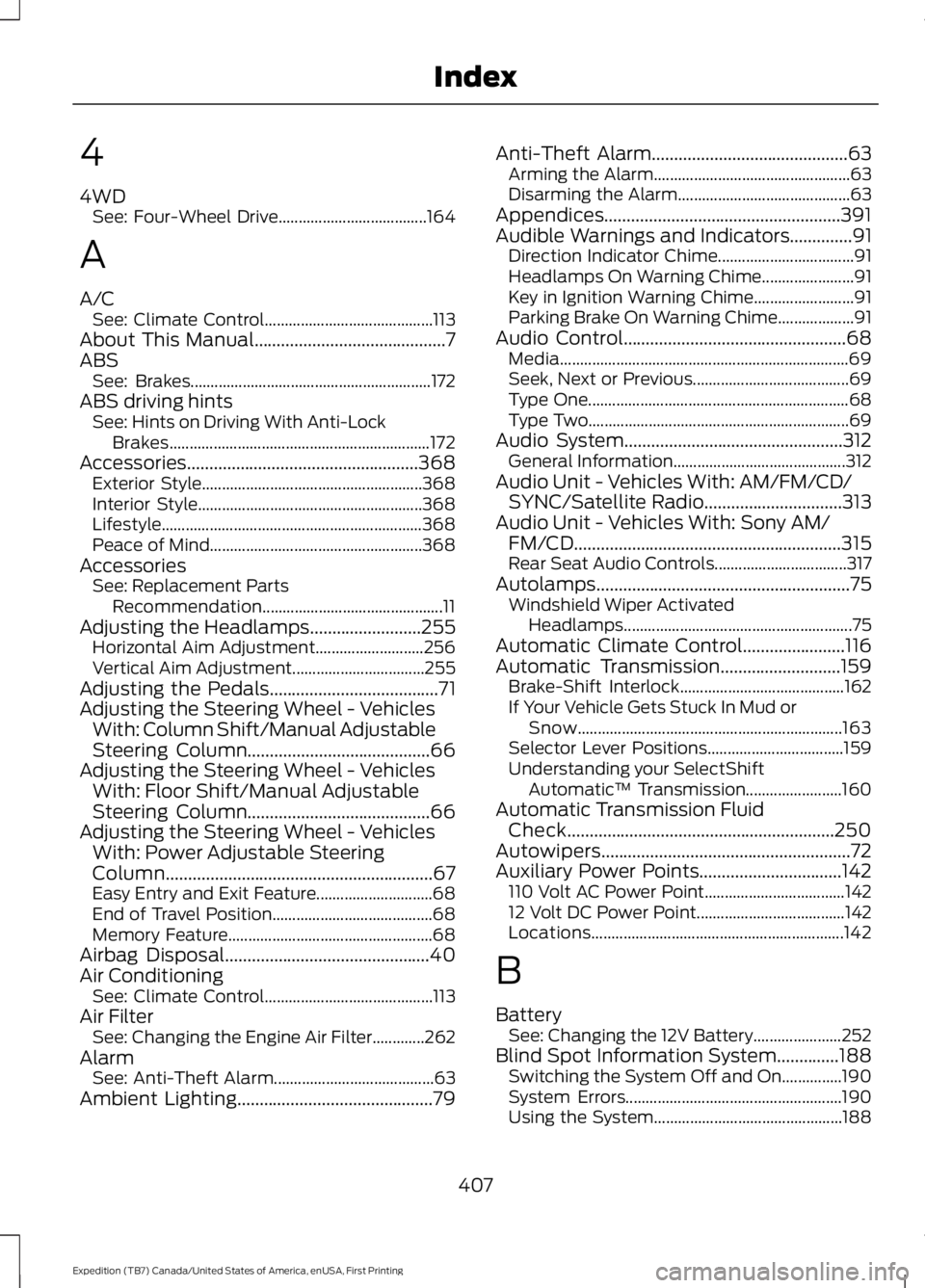
4
4WDSee: Four-Wheel Drive.....................................164
A
A/CSee: Climate Control..........................................113About This Manual...........................................7ABSSee: Brakes............................................................172ABS driving hintsSee: Hints on Driving With Anti-LockBrakes.................................................................172Accessories....................................................368Exterior Style.......................................................368Interior Style........................................................368Lifestyle.................................................................368Peace of Mind.....................................................368AccessoriesSee: Replacement PartsRecommendation.............................................11Adjusting the Headlamps.........................255Horizontal Aim Adjustment...........................256Vertical Aim Adjustment.................................255Adjusting the Pedals......................................71Adjusting the Steering Wheel - VehiclesWith: Column Shift/Manual AdjustableSteering Column.........................................66Adjusting the Steering Wheel - VehiclesWith: Floor Shift/Manual AdjustableSteering Column.........................................66Adjusting the Steering Wheel - VehiclesWith: Power Adjustable SteeringColumn............................................................67Easy Entry and Exit Feature.............................68End of Travel Position........................................68Memory Feature...................................................68Airbag Disposal..............................................40Air ConditioningSee: Climate Control..........................................113Air FilterSee: Changing the Engine Air Filter.............262AlarmSee: Anti-Theft Alarm........................................63Ambient Lighting............................................79
Anti-Theft Alarm............................................63Arming the Alarm.................................................63Disarming the Alarm...........................................63Appendices.....................................................391Audible Warnings and Indicators..............91Direction Indicator Chime..................................91Headlamps On Warning Chime.......................91Key in Ignition Warning Chime.........................91Parking Brake On Warning Chime...................91Audio Control..................................................68Media........................................................................69Seek, Next or Previous.......................................69Type One.................................................................68Type Two.................................................................69Audio System.................................................312General Information...........................................312Audio Unit - Vehicles With: AM/FM/CD/SYNC/Satellite Radio...............................313Audio Unit - Vehicles With: Sony AM/FM/CD............................................................315Rear Seat Audio Controls.................................317Autolamps.........................................................75Windshield Wiper ActivatedHeadlamps.........................................................75Automatic Climate Control.......................116Automatic Transmission...........................159Brake-Shift Interlock.........................................162If Your Vehicle Gets Stuck In Mud orSnow..................................................................163Selector Lever Positions..................................159Understanding your SelectShiftAutomatic™ Transmission........................160Automatic Transmission FluidCheck............................................................250Autowipers........................................................72Auxiliary Power Points................................142110 Volt AC Power Point...................................14212 Volt DC Power Point.....................................142Locations...............................................................142
B
BatterySee: Changing the 12V Battery......................252Blind Spot Information System..............188Switching the System Off and On...............190System Errors......................................................190Using the System...............................................188
407
Expedition (TB7) Canada/United States of America, enUSA, First Printing
Index
Page 413 of 421
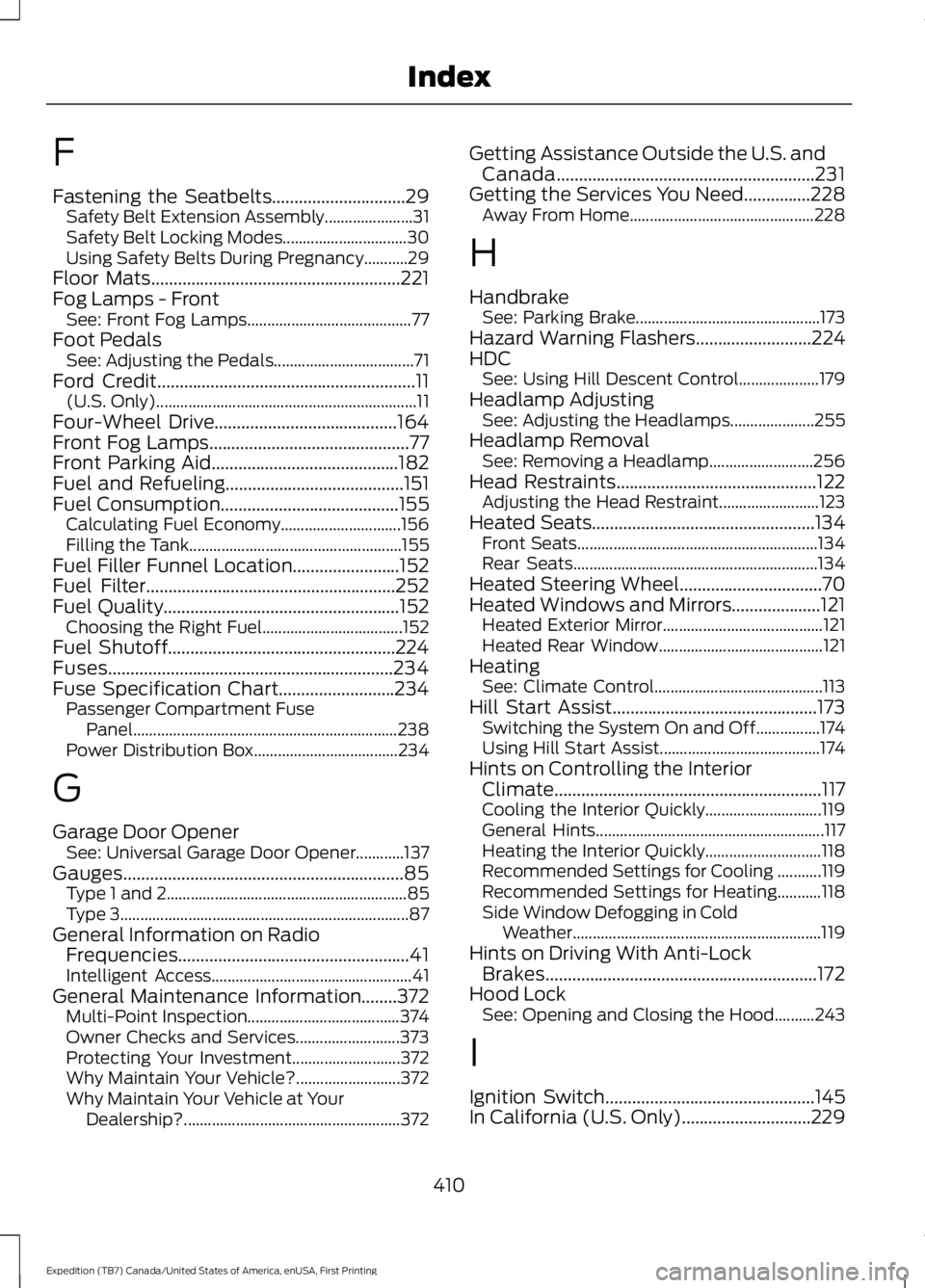
F
Fastening the Seatbelts..............................29Safety Belt Extension Assembly......................31Safety Belt Locking Modes...............................30Using Safety Belts During Pregnancy...........29Floor Mats........................................................221Fog Lamps - FrontSee: Front Fog Lamps.........................................77Foot PedalsSee: Adjusting the Pedals...................................71Ford Credit..........................................................11(U.S. Only).................................................................11Four-Wheel Drive.........................................164Front Fog Lamps.............................................77Front Parking Aid..........................................182Fuel and Refueling........................................151Fuel Consumption........................................155Calculating Fuel Economy..............................156Filling the Tank.....................................................155Fuel Filler Funnel Location........................152Fuel Filter........................................................252Fuel Quality.....................................................152Choosing the Right Fuel...................................152Fuel Shutoff...................................................224Fuses................................................................234Fuse Specification Chart..........................234Passenger Compartment FusePanel..................................................................238Power Distribution Box....................................234
G
Garage Door OpenerSee: Universal Garage Door Opener............137Gauges...............................................................85Type 1 and 2............................................................85Type 3........................................................................87General Information on RadioFrequencies....................................................41Intelligent Access..................................................41General Maintenance Information........372Multi-Point Inspection......................................374Owner Checks and Services..........................373Protecting Your Investment...........................372Why Maintain Your Vehicle?..........................372Why Maintain Your Vehicle at YourDealership?......................................................372
Getting Assistance Outside the U.S. andCanada..........................................................231Getting the Services You Need...............228Away From Home..............................................228
H
HandbrakeSee: Parking Brake..............................................173Hazard Warning Flashers..........................224HDCSee: Using Hill Descent Control....................179Headlamp AdjustingSee: Adjusting the Headlamps.....................255Headlamp RemovalSee: Removing a Headlamp..........................256Head Restraints.............................................122Adjusting the Head Restraint.........................123Heated Seats..................................................134Front Seats............................................................134Rear Seats.............................................................134Heated Steering Wheel................................70Heated Windows and Mirrors....................121Heated Exterior Mirror........................................121Heated Rear Window.........................................121HeatingSee: Climate Control..........................................113Hill Start Assist..............................................173Switching the System On and Off................174Using Hill Start Assist........................................174Hints on Controlling the InteriorClimate............................................................117Cooling the Interior Quickly.............................119General Hints.........................................................117Heating the Interior Quickly.............................118Recommended Settings for Cooling ...........119Recommended Settings for Heating...........118Side Window Defogging in ColdWeather..............................................................119Hints on Driving With Anti-LockBrakes.............................................................172Hood LockSee: Opening and Closing the Hood..........243
I
Ignition Switch...............................................145In California (U.S. Only).............................229
410
Expedition (TB7) Canada/United States of America, enUSA, First Printing
Index
Page 414 of 421
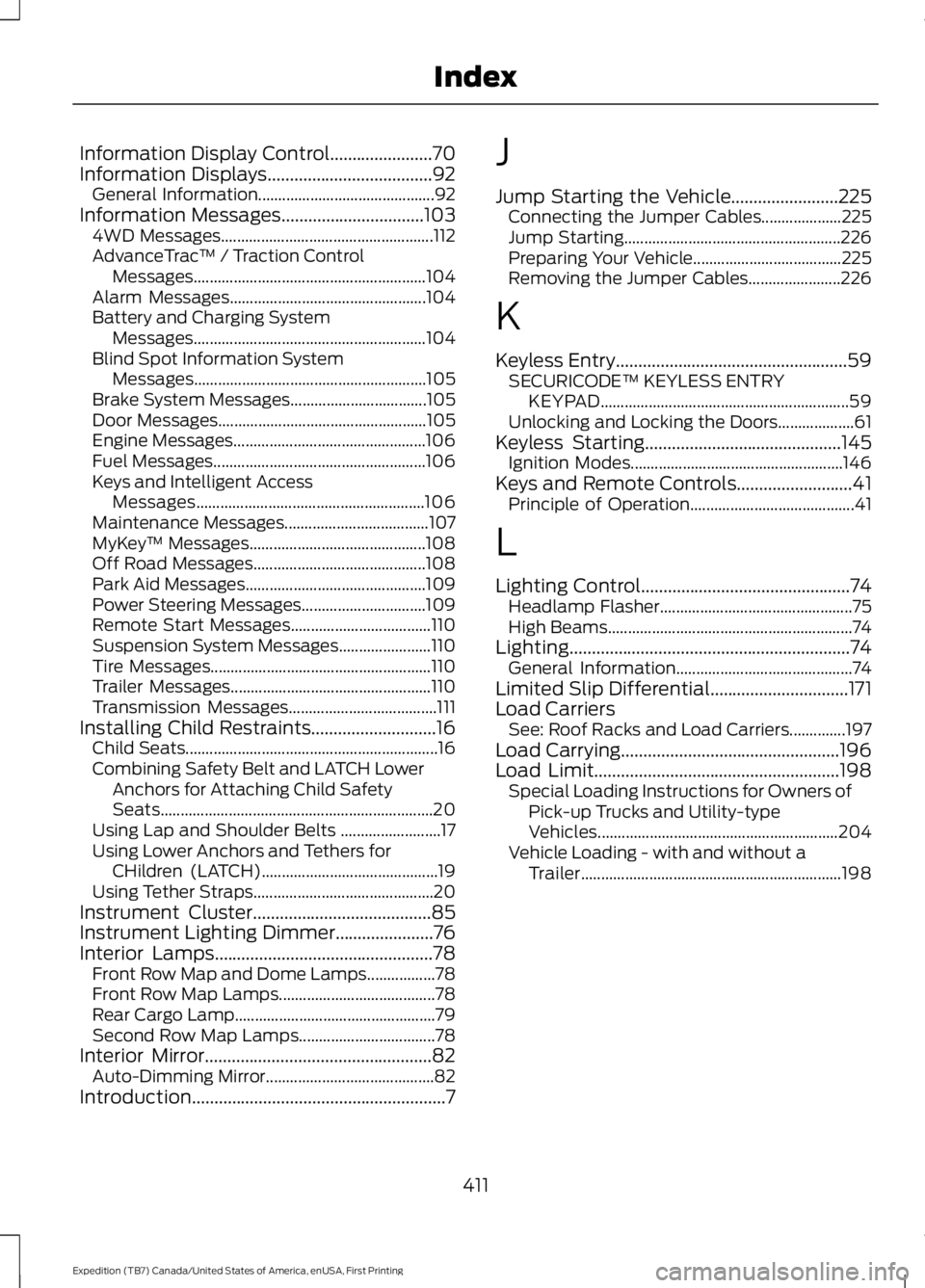
Information Display Control.......................70Information Displays.....................................92General Information............................................92Information Messages................................1034WD Messages.....................................................112AdvanceTrac™ / Traction ControlMessages..........................................................104Alarm Messages.................................................104Battery and Charging SystemMessages..........................................................104Blind Spot Information SystemMessages..........................................................105Brake System Messages..................................105Door Messages....................................................105Engine Messages................................................106Fuel Messages.....................................................106Keys and Intelligent AccessMessages.........................................................106Maintenance Messages....................................107MyKey™ Messages............................................108Off Road Messages...........................................108Park Aid Messages.............................................109Power Steering Messages...............................109Remote Start Messages...................................110Suspension System Messages.......................110Tire Messages.......................................................110Trailer Messages..................................................110Transmission Messages.....................................111Installing Child Restraints............................16Child Seats...............................................................16Combining Safety Belt and LATCH LowerAnchors for Attaching Child SafetySeats....................................................................20Using Lap and Shoulder Belts .........................17Using Lower Anchors and Tethers forCHildren (LATCH)............................................19Using Tether Straps.............................................20Instrument Cluster........................................85Instrument Lighting Dimmer......................76Interior Lamps.................................................78Front Row Map and Dome Lamps.................78Front Row Map Lamps.......................................78Rear Cargo Lamp..................................................79Second Row Map Lamps..................................78Interior Mirror...................................................82Auto-Dimming Mirror..........................................82Introduction.........................................................7
J
Jump Starting the Vehicle........................225Connecting the Jumper Cables....................225Jump Starting......................................................226Preparing Your Vehicle.....................................225Removing the Jumper Cables.......................226
K
Keyless Entry....................................................59SECURICODE™ KEYLESS ENTRYKEYPAD..............................................................59Unlocking and Locking the Doors...................61Keyless Starting............................................145Ignition Modes.....................................................146Keys and Remote Controls..........................41Principle of Operation.........................................41
L
Lighting Control...............................................74Headlamp Flasher................................................75High Beams.............................................................74Lighting...............................................................74General Information............................................74Limited Slip Differential...............................171Load CarriersSee: Roof Racks and Load Carriers..............197Load Carrying.................................................196Load Limit.......................................................198Special Loading Instructions for Owners ofPick-up Trucks and Utility-typeVehicles............................................................204Vehicle Loading - with and without aTrailer.................................................................198
411
Expedition (TB7) Canada/United States of America, enUSA, First Printing
Index
Page 417 of 421
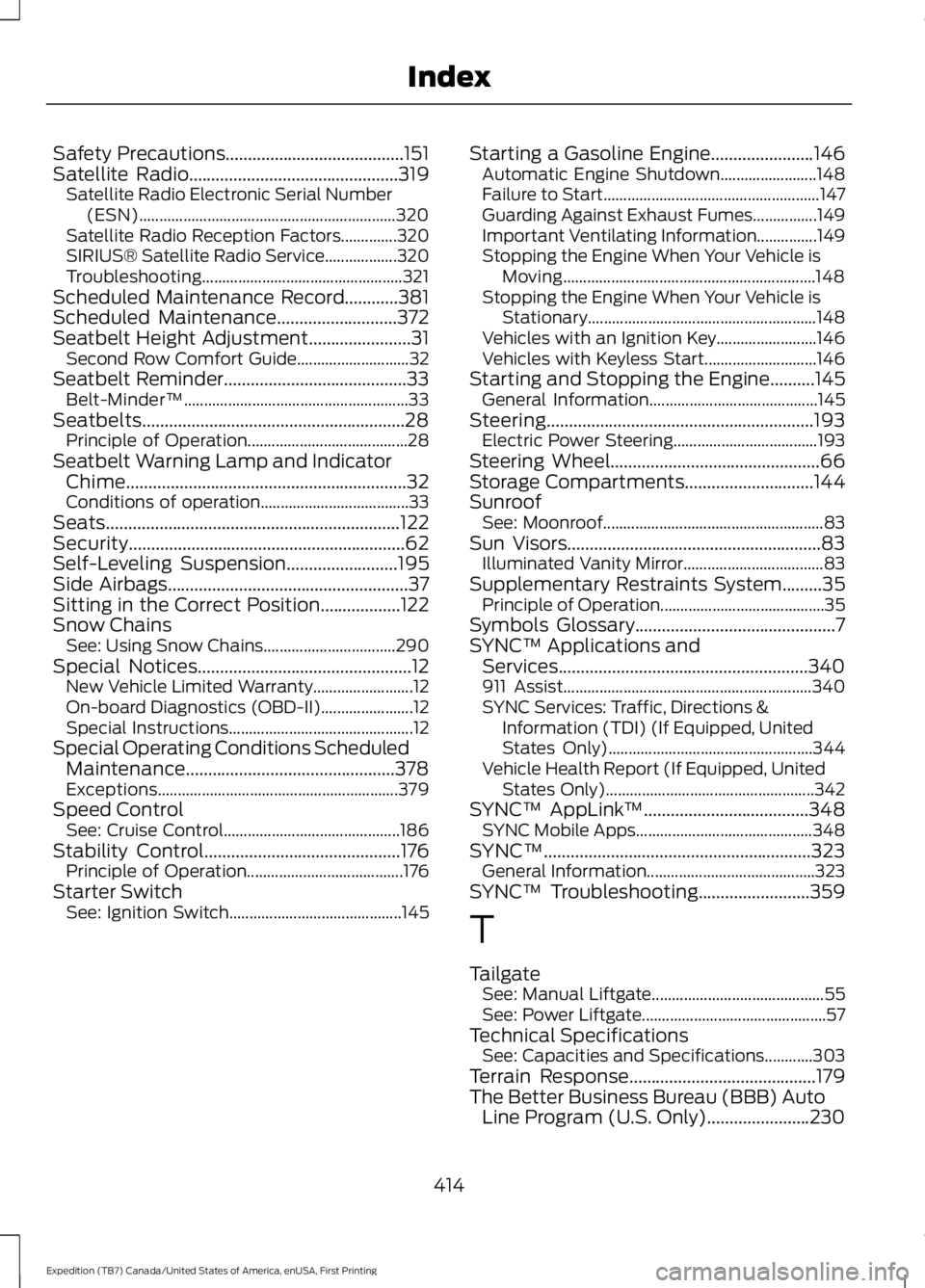
Safety Precautions........................................151Satellite Radio...............................................319Satellite Radio Electronic Serial Number(ESN)................................................................320Satellite Radio Reception Factors..............320SIRIUS® Satellite Radio Service..................320Troubleshooting..................................................321Scheduled Maintenance Record............381Scheduled Maintenance...........................372Seatbelt Height Adjustment.......................31Second Row Comfort Guide............................32Seatbelt Reminder.........................................33Belt-Minder™........................................................33Seatbelts...........................................................28Principle of Operation........................................28Seatbelt Warning Lamp and IndicatorChime...............................................................32Conditions of operation.....................................33Seats..................................................................122Security..............................................................62Self-Leveling Suspension.........................195Side Airbags......................................................37Sitting in the Correct Position..................122Snow ChainsSee: Using Snow Chains.................................290Special Notices................................................12New Vehicle Limited Warranty.........................12On-board Diagnostics (OBD-II).......................12Special Instructions..............................................12Special Operating Conditions ScheduledMaintenance...............................................378Exceptions............................................................379Speed ControlSee: Cruise Control............................................186Stability Control............................................176Principle of Operation.......................................176Starter SwitchSee: Ignition Switch...........................................145
Starting a Gasoline Engine.......................146Automatic Engine Shutdown........................148Failure to Start......................................................147Guarding Against Exhaust Fumes................149Important Ventilating Information...............149Stopping the Engine When Your Vehicle isMoving...............................................................148Stopping the Engine When Your Vehicle isStationary.........................................................148Vehicles with an Ignition Key.........................146Vehicles with Keyless Start............................146Starting and Stopping the Engine..........145General Information..........................................145Steering............................................................193Electric Power Steering....................................193Steering Wheel...............................................66Storage Compartments.............................144SunroofSee: Moonroof.......................................................83Sun Visors.........................................................83Illuminated Vanity Mirror...................................83Supplementary Restraints System.........35Principle of Operation.........................................35Symbols Glossary.............................................7SYNC™ Applications andServices........................................................340911 Assist..............................................................340SYNC Services: Traffic, Directions &Information (TDI) (If Equipped, UnitedStates Only)...................................................344Vehicle Health Report (If Equipped, UnitedStates Only)....................................................342SYNC™ AppLink™.....................................348SYNC Mobile Apps............................................348SYNC™............................................................323General Information..........................................323SYNC™ Troubleshooting.........................359
T
TailgateSee: Manual Liftgate...........................................55See: Power Liftgate..............................................57Technical SpecificationsSee: Capacities and Specifications............303Terrain Response..........................................179The Better Business Bureau (BBB) AutoLine Program (U.S. Only).......................230
414
Expedition (TB7) Canada/United States of America, enUSA, First Printing
Index