2016 FORD EDGE instrument panel
[x] Cancel search: instrument panelPage 126 of 451

MANUAL CLIMATE CONTROL - VEHICLES WITH: ELECTRONIC
MANUAL TEMPERATURE CONTROL (EMTC)
Fan speed control: Adjusts the volume of air circulated in the vehicle.
A
Air distribution control: Adjust to turn airflow from the windshield, instrument
panel, or footwell vents on or off. You can distribute air through any combination
of these vents.
B
Note:
At least one of these buttons illuminates on when the system is on.
Temperature control:
Controls the temperature of the air circulated in your
vehicle.
C
MAX Defrost:
Adjust to switch on defrost. Outside air flows through the
windshield vents, air conditioning automatically turns on. You can also use this
setting to defrost and clear the windshield of a thin covering of ice.
D
Note:
To prevent window fogging, you cannot select recirculated air when
maximum defrost is on.
123
Edge/Galaxy/S-MAX (CDQ) Canada/United States of America, enUSA, First Printing Climate ControlE188680
Page 127 of 451

MAX A/C: Adjust for maximum cooling. Recirculated air flows through the
instrument panel vents and air conditioning automatically turns on.
E
Recirculated air:
Press to switch between outside air and recirculated air. The
air currently in the passenger compartment recirculates. This can reduce the
time needed to cool the interior and reduce unwanted odors from entering your
vehicle.
F
Note:
Recirculated air may also turn on and off automatically in instrument
panel or instrument panel and floor airflow modes during hot weather to improve
cooling efficiency.
Heated seats:
Press to switch the heated seats on and off. See Heated Seats
(page 139).
G
Heated rear window: Press to switch the heated rear window on and off. See
Heated Windows and Mirrors
(page 130).
H
Power:
Press to switch the system on and off. When the system is off, it
prevents outside air from entering the vehicle.
I
A/C:
Press to switch the air conditioning on or off. Air conditioning cools your
vehicle using outside air. To improve the time to reach a comfortable
temperature in hot weather, drive with the windows open until you feel cold air
through the air vents.
J
Note: In certain conditions (for example, maximum defrost), the air conditioning
compressor may continue to operate even though the air conditioning is
switched off.
124
Edge/Galaxy/S-MAX (CDQ) Canada/United States of America, enUSA, First Printing Climate Control
Page 128 of 451

AUTOMATIC CLIMATE CONTROL - VEHICLES WITH: DUAL
AUTOMATIC TEMPERATURE CONTROL (DATC)/PREMIUM AM/
FM/CD
Driver temperature control: Adjust the temperature on the driver side. This
control also adjusts the passenger side temperature when you switch off dual
zone mode.
A
Fan speed control:
Adjusts the volume of air circulated in the vehicle.
B
Passenger temperature control:
Adjusts the temperature on the passenger
side.
C
Recirculated air:
Press to switch between outside air and recirculated air. The
air currently in the passenger compartment recirculates. This can reduce the
time needed to cool the interior and reduce unwanted odors from entering your
vehicle.
D
Note:
Recirculated air may also turn on and off automatically in instrument
panel or instrument panel and floor airflow modes during hot weather to improve
cooling efficiency.
Heated seats:
Press to switch the heated seats on and off. See Heated Seats
(page 139).
E
MAX A/C:
Press for maximum cooling. Recirculated air flows through the
instrument panel vents, air conditioning automatically turns on and the fan
automatically adjusts to the highest speed.
F
125
Edge/Galaxy/S-MAX (CDQ) Canada/United States of America, enUSA, First Printing Climate ControlE198814
Page 129 of 451

A/C: Press to switch the air conditioning on or off. Air conditioning cools your
vehicle using outside air. To improve the time to reach a comfortable
temperature in hot weather, drive with the windows open until you feel cold air
through the air vents.
G
Note: In certain conditions (for example, maximum defrost), the air conditioning
compressor may continue to operate even though the air conditioning is
switched off.
Power:
Press to switch the system on and off. When the system is off, it
prevents outside air from entering the vehicle.
H
AUTO:
Press to switch on automatic operation. Adjust to select the desired
temperature. Fan speed, air distribution, air conditioning operation, and outside
or recirculated air are automatically adjusted to heat or cool the vehicle to
maintain the desired temperature. You can also turn off dual zone mode by
pressing and holding for greater than two seconds.
I
Heated rear window: Press to switch the heated rear window on and off. See
Heated Windows and Mirrors
(page 130).
J
MAX Defrost:
Press to switch on defrost. Outside air flows through the
windshield vents, air conditioning automatically turns on, and fan automatically
adjusts to the highest speed. You can also use this setting to defrost and clear
the windshield of a thin covering of ice. The heated rear window also
automatically turns on when you select maximum defrost.
K
Note:
To prevent window fogging, you cannot select recirculated air when
maximum defrost is on.
Defrost: Select to distribute air through the windshield air vents. Air distribution
to the instrument panel and footwell vents turns off. You can also use this
setting to defrost and clear the windshield of a thin covering of ice.
L
AUTOMATIC CLIMATE
CONTROL - VEHICLES WITH:
DUAL AUTOMATIC
TEMPERATURE CONTROL
(DATC)/SONY AUDIO SYSTEM
Note: You can switch temperature units
between Fahrenheit and Celsius. See
Information Displays
(page 98).
126
Edge/Galaxy/S-MAX (CDQ) Canada/United States of America, enUSA, First Printing Climate Control
Page 130 of 451

A/C: Press to switch the air conditioning on or off. Air conditioning cools your
vehicle using outside air. To improve the time to reach a comfortable
temperature in hot weather, drive with the windows open until you feel cold air
through the air vents.
A
Note: In certain conditions (for example, maximum defrost), the air conditioning
may continue to operate even though the air conditioning is switched off.
MAX A/C:
Press for maximum cooling. Recirculated air flows through the
instrument panel vents, air conditioning automatically turns on, and the fan
automatically adjusts to the highest speed.
B
Recirculated air:
Press to switch between outside air and recirculated air. The
air currently in the passenger compartment recirculates. This can reduce the
time needed to cool the interior and reduce unwanted odors from entering your
vehicle.
C
Note:
Recirculated air may also turn on and off automatically in instrument
panel or instrument panel and floor airflow modes during hot weather to improve
cooling efficiency.
Power:
Press to switch the system on and off. When the system is off, it
prevents outside air from entering the vehicle.
D
127
Edge/Galaxy/S-MAX (CDQ) Canada/United States of America, enUSA, First Printing Climate ControlE218450
Page 131 of 451

Heated seats: Press to switch the heated seats on and off. See Heated Seats
(page 139).
E
Climate controlled seats:
Press to switch the climate controlled seats on
and off. See Climate Controlled Seats (page 140).
F
Passenger temperature control:
Adjust the temperature setting on the
passenger side.
G
Fan speed control:
Adjust the volume of air circulated in the vehicle.
H
Driver temperature control: Adjust the temperature setting on the driver side.
I
Heated rear window: Press to switch the heated rear window on and off. See
Heated Windows and Mirrors
(page 130).
J
Defrost: Select to distribute air through the windshield air vents. Air distribution
to the instrument panel and footwell vents turns off. You can also use this
setting to defrost and clear the windshield of a thin covering of ice.
K
MAX Defrost:
Press to switch on defrost. Outside air flows through the
windshield vents, air conditioning automatically turns on, and fan automatically
adjusts to the highest speed. You can also use this setting to defrost and clear
the windshield of a thin covering of ice. The heated rear window also
automatically turns on when you select maximum defrost.
L
Note:
To prevent window fogging, you cannot select recirculated air when
maximum defrost is on.
AUTO:
Press to switch on automatic operation. Adjust to select the desired
temperature. Fan speed, air distribution, air conditioning operation, and outside
or recirculated air are automatically adjusted to heat or cool the vehicle to
maintain the desired temperature. You can also switch off dual zone mode by
pressing and holding for more than two seconds.
M
HINTS ON CONTROLLING THE
INTERIOR CLIMATE
General Hints
Note: Prolonged use of recirculated air may
cause the windows to fog up.
Note: You may feel a small amount of air
from the footwell air vents regardless of the
air distribution setting.
Note: To reduce humidity build-up inside
your vehicle, do not drive with the system
switched off or with recirculated air always
switched on. Note:
Do not place objects under the front
seats as this may interfere with the airflow
to the rear seats.
Note: Remove any snow, ice or leaves from
the air intake area at the base of the
windshield.
Note: To improve the time to reach comfort
in hot weather, drive with the windows
slightly open for 2-3 minutes after start-up
or until your vehicle airs out.
128
Edge/Galaxy/S-MAX (CDQ) Canada/United States of America, enUSA, First Printing Climate Control
Page 132 of 451

In mild weather, you can improve your fuel
economy when using the climate control
system by using outside air instead of air
conditioning.
•
Turn the temperature control knob(s)
so the interior temperature is set to
60°F (15.5°C).
• Set the air distribution to panel or floor
(or both).
• Press A/C to turn the air conditioning
off.
• Press the recirculated air button so
fresh air enters the vehicle.
• Press the small fan button until the fan
is at its lowest setting.
Automatic Climate Control
Note: Adjusting the settings when your
vehicle interior is extremely hot or cold is
not necessary. The system automatically
adjusts to heat or cool the cabin to your
selected temperature as quickly as possible.
For the system to function efficiently, the
instrument panel and side air vents should
be fully open.
Note: If you select
AUTO during cold
outside temperatures, the system directs
airflow to the windshield and side window
vents. In addition, the fan may run at a
slower speed until the engine warms up.
Note: If you select AUTO during hot outside
temperatures, or when the inside of the
vehicle is hot, the system automatically uses
recirculated air to maximize interior cooling.
When the interior reaches the selected
temperature, the system automatically
switches to using outside air.
Heating the Interior Quickly
1. Press the
AUTO button.
2. Adjust the temperature control to the desired setting. Recommended Settings for
Heating
1. Press the
AUTO button.
2. Adjust the temperature control to the desired setting. Use 72°F (22°C) as a
starting point, then adjust the setting
as necessary.
Cooling the Interior Quickly
Press the
MAX A/C button.
Recommended Settings for
Cooling
1. Press the
AUTO button.
2. Adjust the temperature control to the desired setting. Use 72°F (22°C) as a
starting point, then adjust the setting
as necessary.
Side Window Defogging in Cold
Weather
1. Press the defrost and panel buttons.
2. Select
A/C.
3. Adjust the temperature control to maintain comfort. Use 72°F (22°C) as
a starting point, then adjust the setting
as necessary.
4. Set the fan to the highest speed.
5. Direct the outer instrument panel air vents toward the side windows.
6. To increase the airflow to the outer instrument panel vents, close the air
vents in the middle of the instrument
panel and in the rear of the center
console.
129
Edge/Galaxy/S-MAX (CDQ) Canada/United States of America, enUSA, First Printing Climate Control
Page 154 of 451
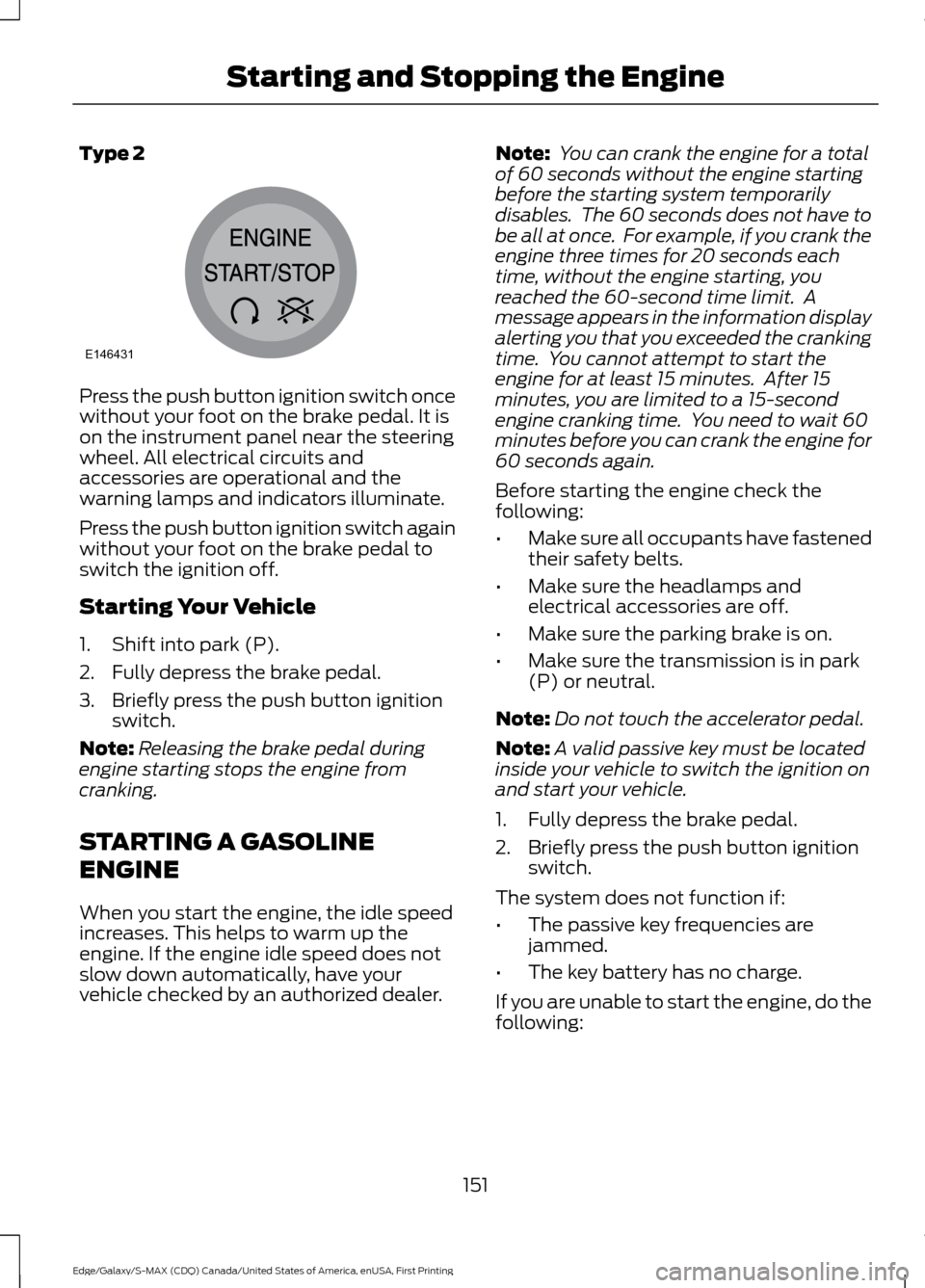
Type 2
Press the push button ignition switch once
without your foot on the brake pedal. It is
on the instrument panel near the steering
wheel. All electrical circuits and
accessories are operational and the
warning lamps and indicators illuminate.
Press the push button ignition switch again
without your foot on the brake pedal to
switch the ignition off.
Starting Your Vehicle
1. Shift into park (P).
2. Fully depress the brake pedal.
3. Briefly press the push button ignition
switch.
Note: Releasing the brake pedal during
engine starting stops the engine from
cranking.
STARTING A GASOLINE
ENGINE
When you start the engine, the idle speed
increases. This helps to warm up the
engine. If the engine idle speed does not
slow down automatically, have your
vehicle checked by an authorized dealer. Note:
You can crank the engine for a total
of 60 seconds without the engine starting
before the starting system temporarily
disables. The 60 seconds does not have to
be all at once. For example, if you crank the
engine three times for 20 seconds each
time, without the engine starting, you
reached the 60-second time limit. A
message appears in the information display
alerting you that you exceeded the cranking
time. You cannot attempt to start the
engine for at least 15 minutes. After 15
minutes, you are limited to a 15-second
engine cranking time. You need to wait 60
minutes before you can crank the engine for
60 seconds again.
Before starting the engine check the
following:
• Make sure all occupants have fastened
their safety belts.
• Make sure the headlamps and
electrical accessories are off.
• Make sure the parking brake is on.
• Make sure the transmission is in park
(P) or neutral.
Note: Do not touch the accelerator pedal.
Note: A valid passive key must be located
inside your vehicle to switch the ignition on
and start your vehicle.
1. Fully depress the brake pedal.
2. Briefly press the push button ignition switch.
The system does not function if:
• The passive key frequencies are
jammed.
• The key battery has no charge.
If you are unable to start the engine, do the
following:
151
Edge/Galaxy/S-MAX (CDQ) Canada/United States of America, enUSA, First Printing Starting and Stopping the EngineE146431