Page 311 of 587
When the system determines a collision with the vehicle
in front of you is no longer probable, the warning
message will be deactivated.
NOTE:
•The minimum speed for Brake Control activation is
4 mph (7 km/h).
• The maximum speed for Brake Control activation is
124 mph (200 km/h).
• The Brake Control alerts may be triggered on objects
other than vehicles such as guard rails or sign posts
based on the course prediction. This is expected and is
a part of normal Brake Control activation and func-
tionality.
• The Brake Control system is intended for on-road use
only. If the vehicle is taken off-road, the Brake Control
system should be deactivated to prevent unnecessary
warnings to the surroundings. •
The system is active only if the front seat belts are
fastened.
WARNING!
Brake Control is not intended to avoid a collision on
its own, nor can Brake Control detect every type of
potential collision. The driver has the responsibility
to avoid a collision by controlling the vehicle via
braking and steering. Failure to follow this warning
could lead to serious injury or death.
Turning Brake Control ON Or OFF
The Brake Control menu setting is located in the
Uconnect settings.
NOTE: The default status of Brake Control is “Warning +
Active Braking,” this allows the system to warn you of a
possible collision with the vehicle in front of you and
enable the active braking.
7
STARTING AND OPERATING 309
Page 324 of 587
LaneSense system uses a forward looking camera to
detect lane markings and measure vehicle position
within the lane boundaries.
When both lane markings are detected and the driver
unintentionally drifts out of the lane (no turn signal
applied), the LaneSense system provides a haptic warn-
ing in the form of torque applied to the steering wheel to
prompt the driver to remain within the lane boundaries.
If the driver continues to unintentionally drift out of the
lane, the LaneSense system provides a visual warning
through the Electronic Vehicle Information Center (EVIC)
to prompt the driver to remain within the lane boundar-
ies.
The driver may manually override the haptic warning by
applying torque into the steering wheel at any time.
When only a single lane marking is detected and the
driver unintentionally drifts across the lane marking (no
turn signal applied), the LaneSense system provides avisual warning through the EVIC to prompt the driver to
remain within the lane. When only a single lane marking
is detected, a haptic (torque) warning will not be pro-
vided.
NOTE:
When operating conditions have been met, the
LaneSense system will monitor if the driver ’s hands are
on the steering wheel and provides an audible warning
to the driver when the driver ’s hands are not detected on
the steering wheel. The system will cancel if the driver
does not return their hands to the wheel.
Turning LaneSense ON Or OFF
The default status of LaneSense is “OFF”.
The LaneSense button is located on the end of the turn
signal stalk located on the steering column.
To turn the LaneSense system ON, push the
Lane Assist button (LED turns OFF). A “Lane
Sense On” message is shown in the EVIC.
322 STARTING AND OPERATING
Page 326 of 587
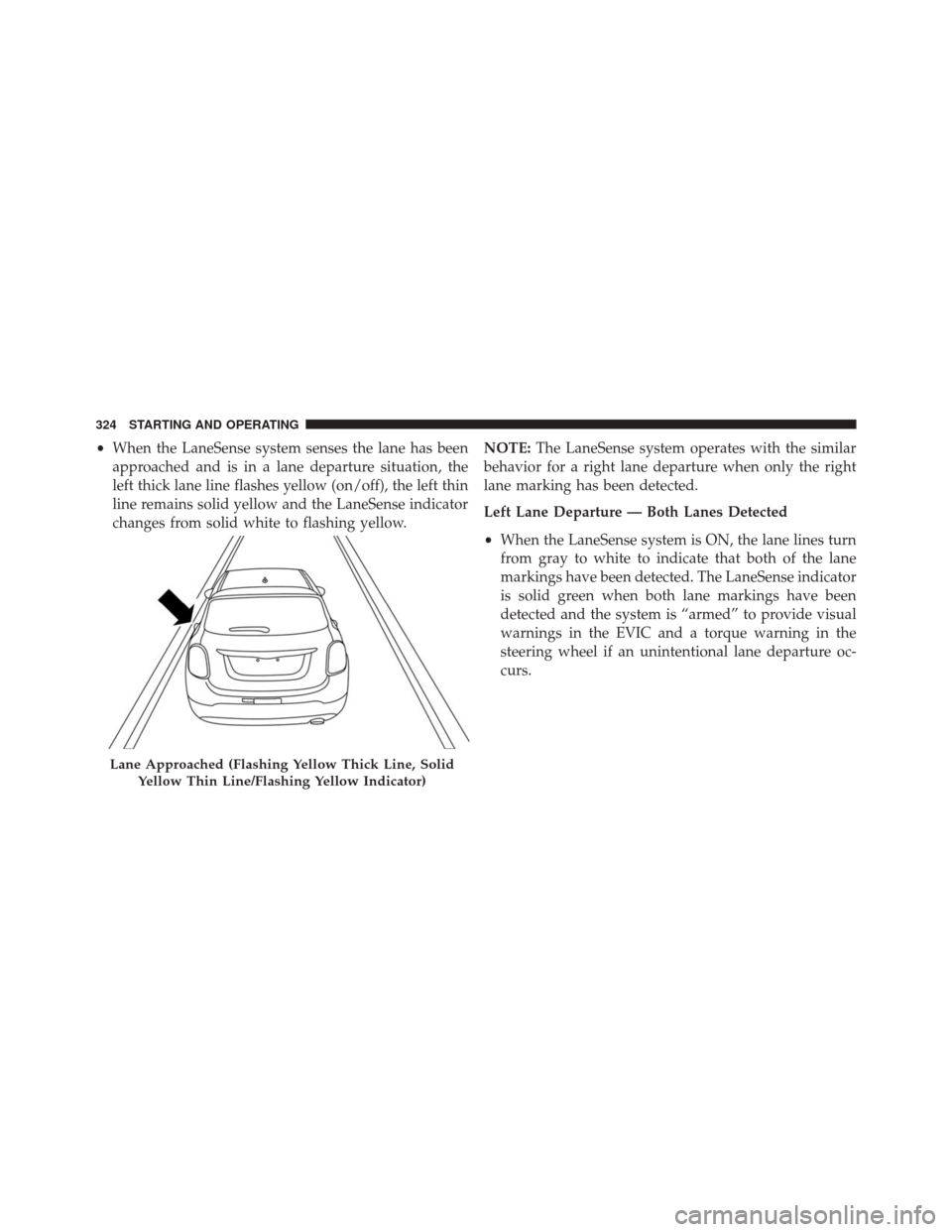
•When the LaneSense system senses the lane has been
approached and is in a lane departure situation, the
left thick lane line flashes yellow (on/off), the left thin
line remains solid yellow and the LaneSense indicator
changes from solid white to flashing yellow. NOTE:
The LaneSense system operates with the similar
behavior for a right lane departure when only the right
lane marking has been detected.
Left Lane Departure — Both Lanes Detected
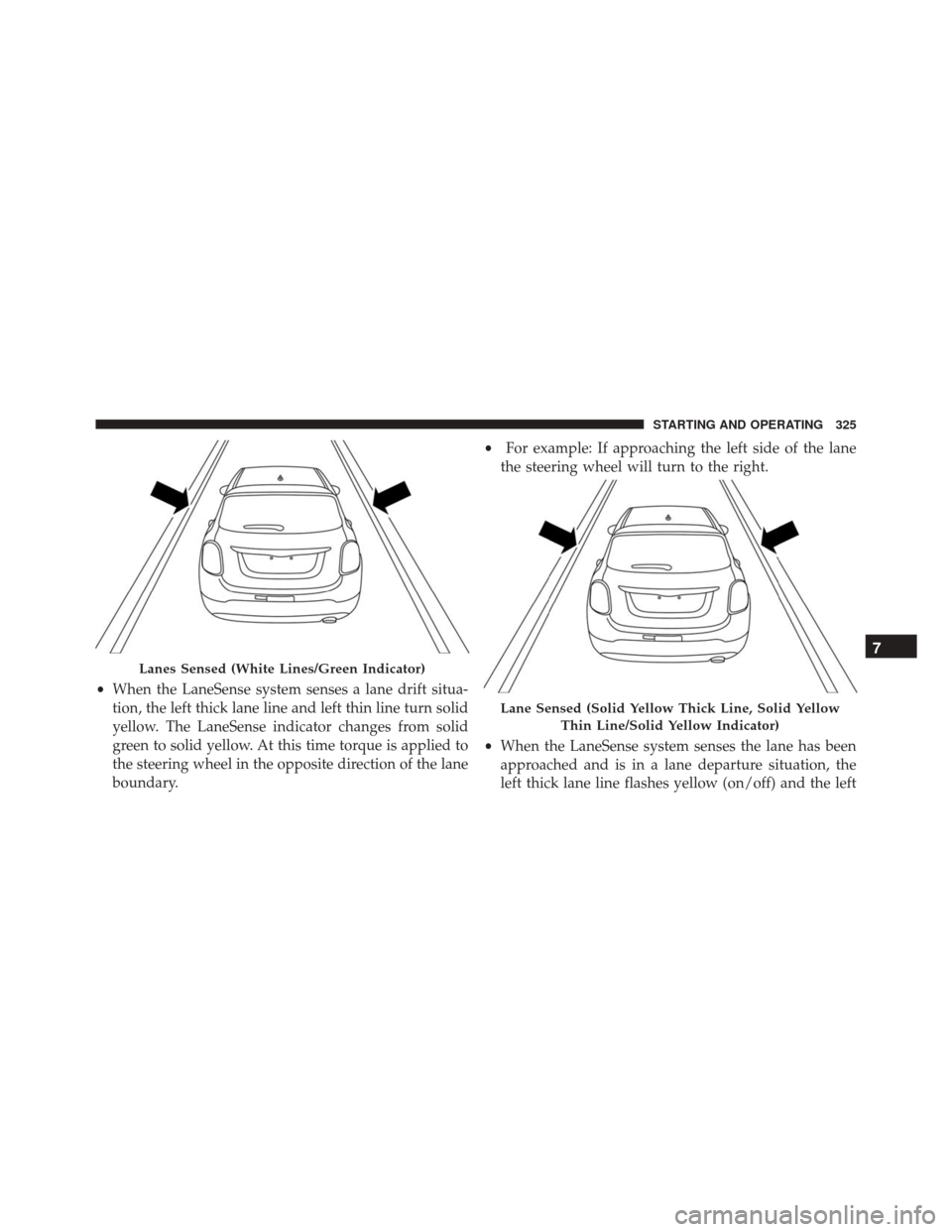
• When the LaneSense system is ON, the lane lines turn
from gray to white to indicate that both of the lane
markings have been detected. The LaneSense indicator
is solid green when both lane markings have been
detected and the system is “armed” to provide visual
warnings in the EVIC and a torque warning in the
steering wheel if an unintentional lane departure oc-
curs.
Lane Approached (Flashing Yellow Thick Line, Solid
Yellow Thin Line/Flashing Yellow Indicator)
324 STARTING AND OPERATING
Page 327 of 587
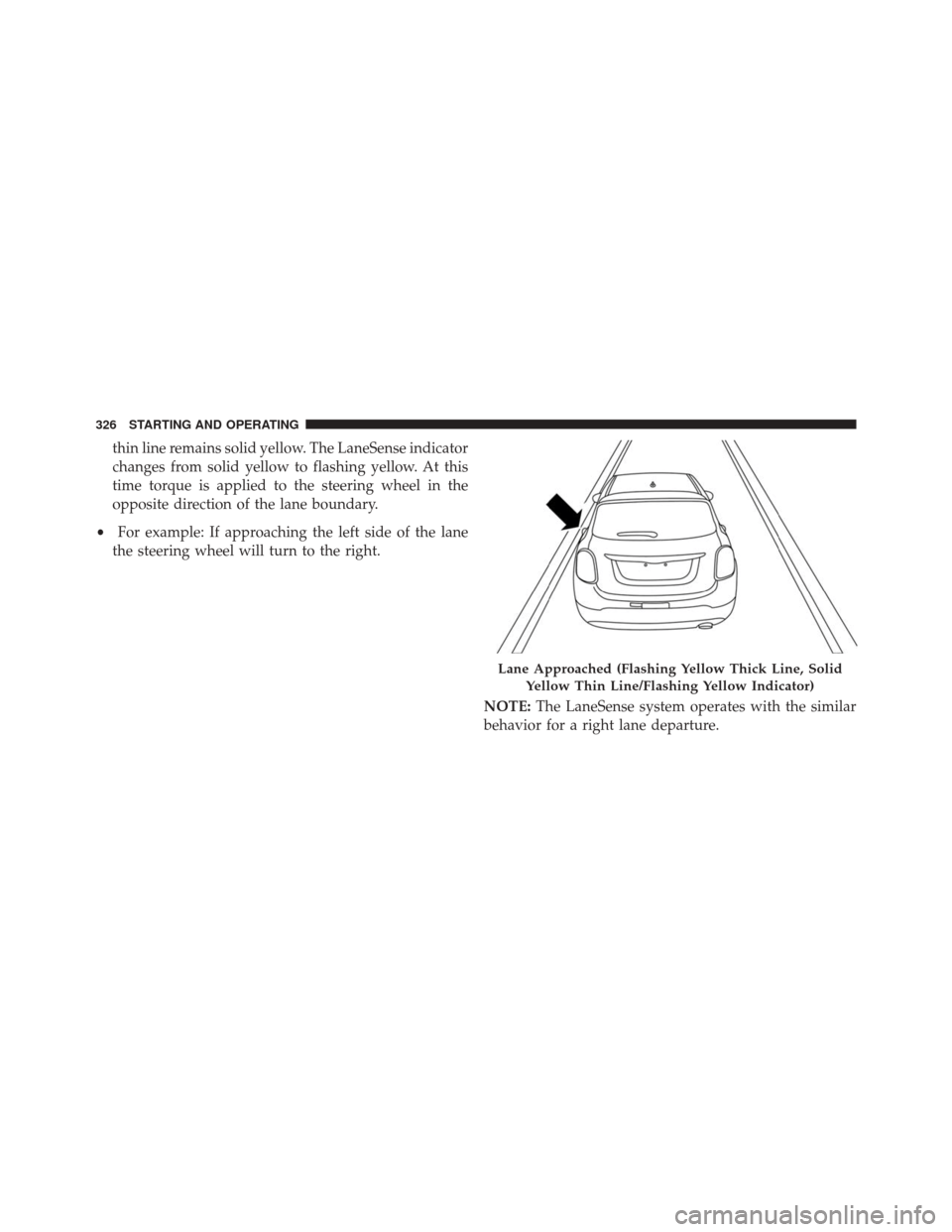
•When the LaneSense system senses a lane drift situa-
tion, the left thick lane line and left thin line turn solid
yellow. The LaneSense indicator changes from solid
green to solid yellow. At this time torque is applied to
the steering wheel in the opposite direction of the lane
boundary. •
For example: If approaching the left side of the lane
the steering wheel will turn to the right.
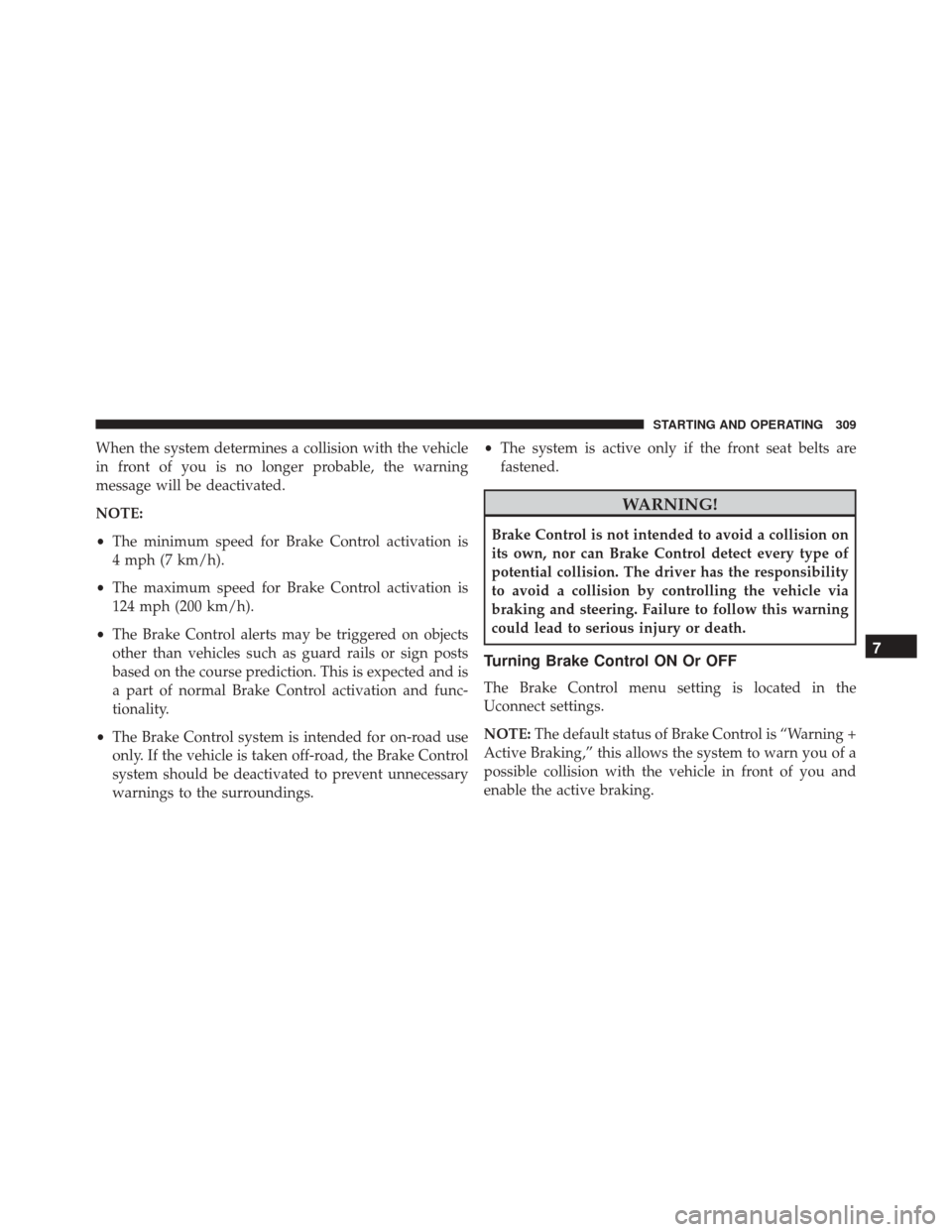
• When the LaneSense system senses the lane has been
approached and is in a lane departure situation, the
left thick lane line flashes yellow (on/off) and the left
Lanes Sensed (White Lines/Green Indicator)
Lane Sensed (Solid Yellow Thick Line, Solid Yellow
Thin Line/Solid Yellow Indicator)
7
STARTING AND OPERATING 325
Page 328 of 587
thin line remains solid yellow. The LaneSense indicator
changes from solid yellow to flashing yellow. At this
time torque is applied to the steering wheel in the
opposite direction of the lane boundary.
• For example: If approaching the left side of the lane
the steering wheel will turn to the right.
NOTE:The LaneSense system operates with the similar
behavior for a right lane departure.
Lane Approached (Flashing Yellow Thick Line, Solid
Yellow Thin Line/Flashing Yellow Indicator)
326 STARTING AND OPERATING
Page 329 of 587
Changing LaneSense Status
The LaneSense system has settings to adjust the intensity
of the torque warning and the warning zone sensitivity
(early/late) that you can configure through the Uconnect
system screen. Refer to “Uconnect Settings” in “Multime-
dia” for further information.
NOTE:
•When enabled the system operates above 37 mph
(60 km/h) and below 112 mph (180 km/h).
• Use of the turn signal suppresses the warnings.
• The system will not apply torque to the steering wheel
whenever a safety system engages. (anti-lock brakes,
traction control system, electronic stability control,
forward collision warning, etc.).
PARKVIEW REAR BACK UP CAMERA — IF
EQUIPPED
The ParkView Rear Back Up Camera that allows you to
see an on-screen image of your vehicle’s rear surround-
ings when the shift lever is put into REVERSE. The image
will be displayed on the touchscreen display along with
a note to “check entire surroundings” across the top of
the screen. After five seconds this note will disappear.
The ParkView camera is located above the rear license
plate.
7
STARTING AND OPERATING 327
Page 330 of 587
When the vehicle is shifted out of REVERSE (with camera
delay turned OFF), the rear camera mode is exited and
the navigation or audio screen appears again.
When the vehicle is shifted out of REVERSE (with camera
delay turned ON), the camera image will continue to be
displayed for up to 10 seconds after shifting out ofREVERSE unless the vehicle speed exceeds 8 mph
(13 km/h), the vehicle is shifted into PARK or the ignition
is switched to the STOP/OFF position.
A touchscreen button to disable the camera is available
when the vehicle is not in REVERSE. Display of the
camera image after shifting out of REVERSE can be
disabled via Uconnect Settings.
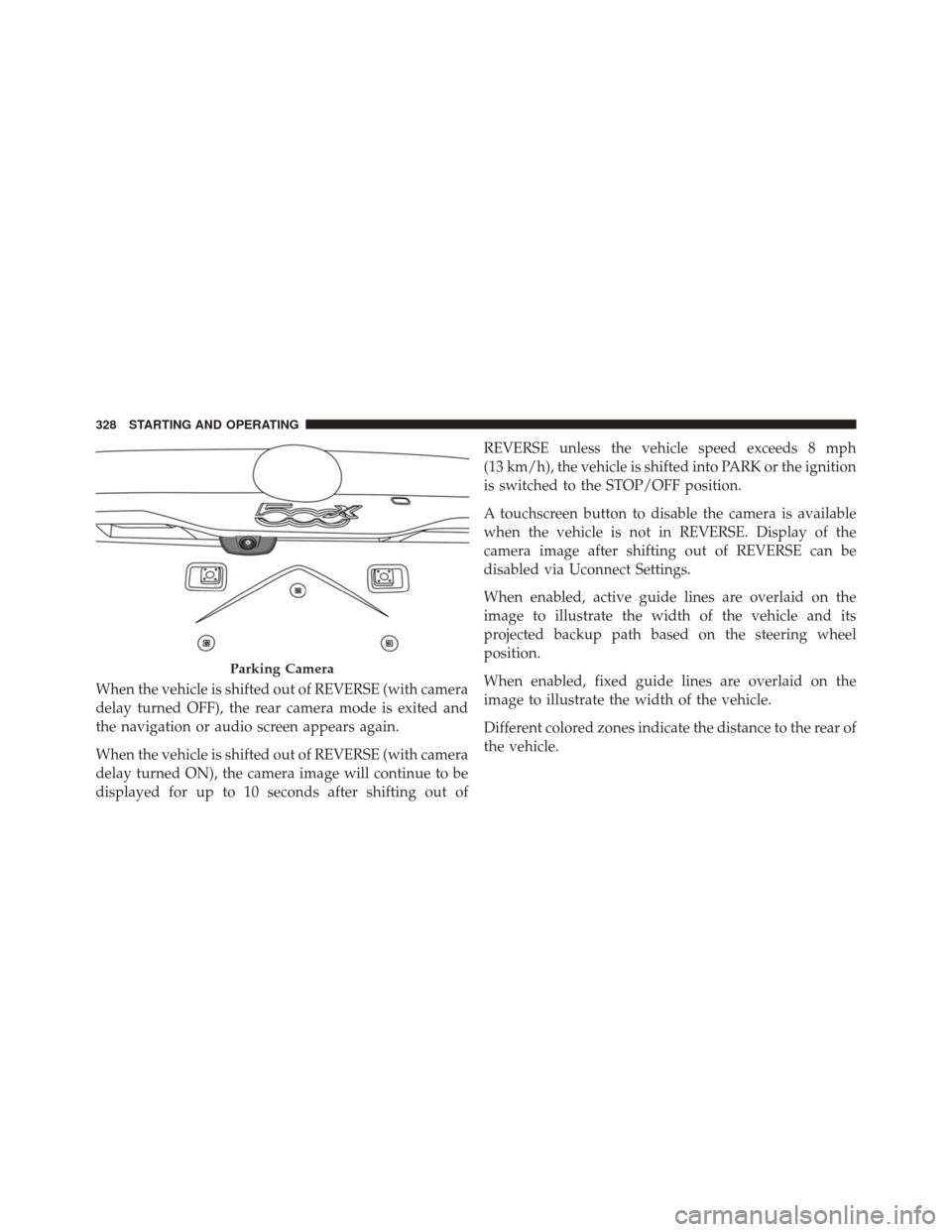
When enabled, active guide lines are overlaid on the
image to illustrate the width of the vehicle and its
projected backup path based on the steering wheel
position.
When enabled, fixed guide lines are overlaid on the
image to illustrate the width of the vehicle.
Different colored zones indicate the distance to the rear of
the vehicle.
Parking Camera
328 STARTING AND OPERATING
Page 351 of 587
CAUTION!(Continued)
operate the vehicle if any fluid appears contami-
nated, as this may result in further damage. Such
damage is not covered by the New Vehicle Limited
Warranty.
• Getting water inside your vehicle’s engine can
cause it to lock up and stall out, and cause serious
internal damage to the engine. Such damage is not
covered by the New Vehicle Limited Warranty.
POWER STEERING
The electric power steering system will give you good
vehicle response and increased ease of maneuverability
in tight spaces. The system will vary its assist to provide
light efforts while parking and good feel while driving. If
the electric steering system experiences a fault that
reduces assist or prevents the vehicle from providing assist, you will still have the ability to steer the vehicle
manually.
WARNING!
Continued operation with reduced assist could pose
a safety risk to yourself and others. Service should be
obtained as soon as possible.
If the “SERVICE POWER STEERING� OR
�POWER STEERING ASSIST OFF - SERVICE
SYSTEM” message and a steering wheel icon
are displayed on the EVIC screen, it indicates
that the vehicle needs to be taken to the dealer for service.
It is likely the vehicle has lost power steering assistance.
Refer to “Electronic Vehicle Information (EVIC) in “Get-
ting To Know Your Instrument Cluster” for further
information.
7
STARTING AND OPERATING 349