Page 174 of 432
Exterior Bulb Failure Indicator Light
Yellow TelltaleLight What It Means
Exterior Bulb Failure Indicator Light
This light will illuminate when there is a malfunction in one of the exterior bulbs.
Stop Light Failure Indicator Light
Yellow Telltale
Light What It Means
Stop Light Failure Indicator Light
This light will illuminate if one or more of the stop light bulb fails.
The failure relating to this light could be:
•
One or more blown bulbs
• A blown protection fuse
• A break in the electrical connection
172 UNDERSTANDING YOUR INSTRUMENT PANEL
Page 175 of 432
Glow Plug Light — If Equipped
Yellow TelltaleLight What It Means
Glow Plug Light — If Equipped
This vehicle will inhibit engine cranking when the ambient temperature is less than –22° F
(–30° C) and the oil temperature sensor reading indicates an engine block heater has not
been used. The Glow Plug light will flash during in cold weather for up to 10 seconds.
If equipped with a block heater harness the message
�Plug In Engine Heater�, will be dis-
played in the instrument cluster when the ambient temperature is below 5°F (-15° C) at the
time the engine is shut off as a reminder to avoid possible crank delays at the next cold
start.
4
UNDERSTANDING YOUR INSTRUMENT PANEL 173
Page 176 of 432
Green Telltale Indicator Lights
Turn Signal Indicator Lights
Green Tell-tale Light What It Means
Turn Signal Indicator Lights
The instrument cluster arrow will flash independently for the LEFT or RIGHT turn signal as se-
lected, as well as the exterior turn signal lamp(s) (front and rear) as selected when the multi-
function lever is moved down (LEFT) or up (RIGHT).
Park/Headlight ON Indicator Light
Green Telltale
Light What It Means
Park/Headlight ON Indicator Light
This indicator will illuminate when the park lights or headlights are turned on.
174 UNDERSTANDING YOUR INSTRUMENT PANEL
Page 177 of 432
Front Fog Indicator Light — If Equipped
Green TelltaleLight What It Means
Front Fog Indicator Light — If Equipped
This indicator will illuminate when the front fog lights are on.
Cruise Control Engaged Indicator Light
Green Telltale
Light What It Means
Cruise Control Engaged Indicator Light
This light will turn on when the cruise control has been set to a certain speed.
4
UNDERSTANDING YOUR INSTRUMENT PANEL 175
Page 178 of 432
Blue Telltale Indicator Lights
High Beam Indicator Light
Blue TelltaleLight What It Means
High Beam Indicator Light
This indicator shows that the high beam headlights are on. Push the multifunction control
lever away from you to switch the headlights to high beam. Pull the lever toward you to
switch the headlights back to low beam. Pull the lever toward you for a temporary high
beam on,
�flash to pass� scenario.
176 UNDERSTANDING YOUR INSTRUMENT PANEL
Page 179 of 432
White Telltale Indicator Lights
Electronic Speed Control ON Indicator Light
White TelltaleLight What It Means
Electronic Speed Control ON Indicator Light
This light will turn on when the electronic speed control is ON, but not set.4
UNDERSTANDING YOUR INSTRUMENT PANEL 177
Page 187 of 432
EVIC Submenu Personal Settings
Dimmer
The EVIC display is provided with a light sensor capable
of detecting environmental light conditions and adjust-
ing the brightness of the instruments accordingly.
NOTE:The brightness of the instrument panel may
change while travelling following an event that causes
switching from “day” to “night” conditions (or vice
versa) in the passenger compartment (e.g. in a tunnel, on
avenues in shadows, under bridges, etc.).
To adjust the brightness, proceed as follows:
1. Push and release the UP
orDOWNarrow
button to set the required brightness level.
2. Briefly push and release the MENUbutton to go back
to the menu screen or push and hold the MENU
(approximately one second) to go back to the main
screen without storing settings.
Service – If Equipped
This function allows you to display the information
about mileage intervals for servicing your car.
Service Submenu Display
4
UNDERSTANDING YOUR INSTRUMENT PANEL 185
Page 190 of 432
•CD audio, CD MP3: track number.
To activate (On) or to deactivate (Off) the sound system
info displaying, proceed as follows:
1. Briefly push and release the MENUbutton. Push and
release the UP
orDOWNarrow button to
highlight See Radio and push and release the
MENU button.
2. Push and release the UPorDOWNarrow
button for setting.
3. Briefly push and release the MENUbutton to go back
to the menu screen, or push and hold the MENU
button (approximately one second) to go back to the
main screen without storing the settings.
If the radio has Uconnect, refer to the appropriate
“Uconnect Radio Supplement” for further information.
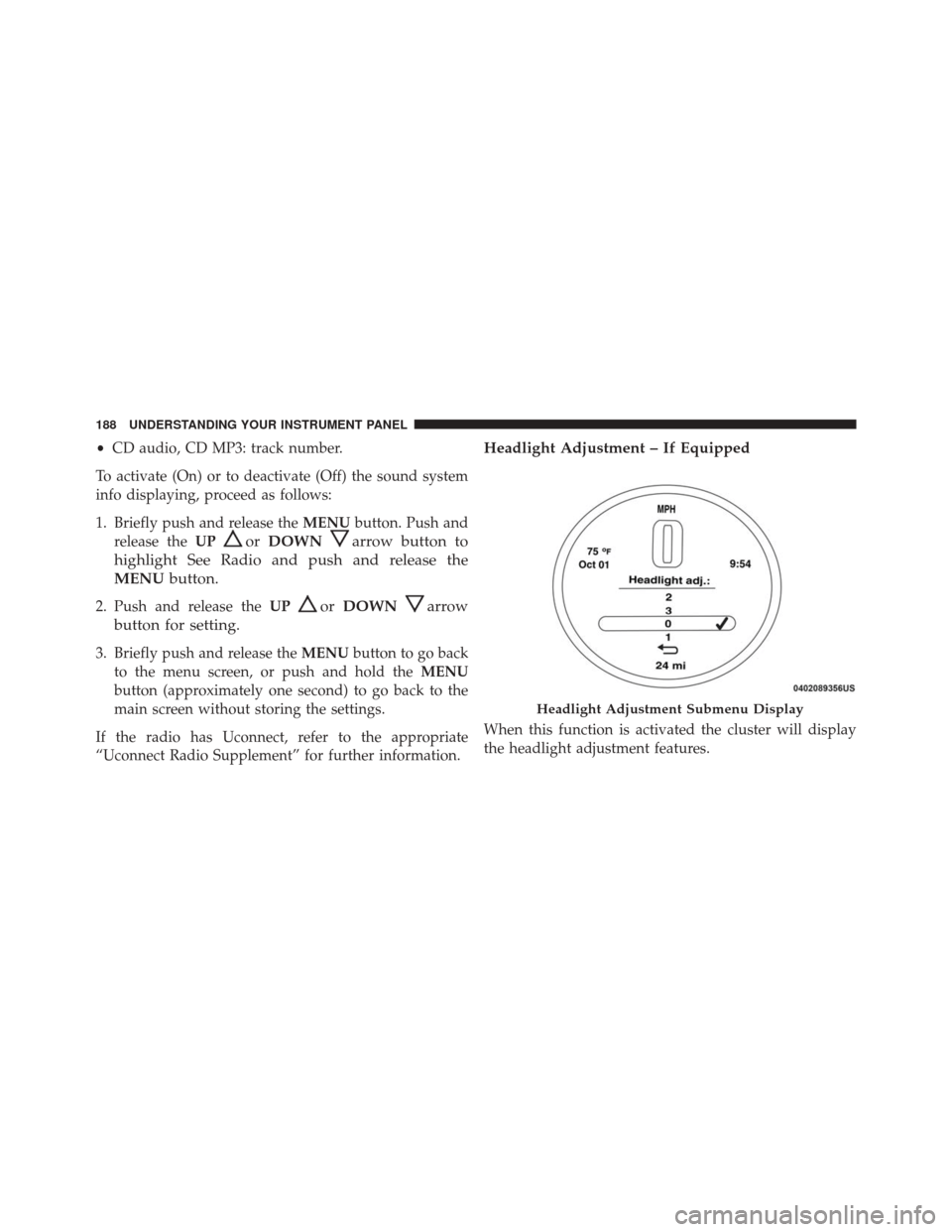
Headlight Adjustment – If Equipped
When this function is activated the cluster will display
the headlight adjustment features.
Headlight Adjustment Submenu Display
188 UNDERSTANDING YOUR INSTRUMENT PANEL