Page 173 of 432
Generic Warning Indicator Light
Yellow TelltaleLight What It Means
Generic Warning Indicator Light
The Generic Warning Light will illuminate if any of the following conditions occur: Oil
Change Request, Engine Oil Pressure Sensor Failure, External Light Failure, Fuel Cut-Off
Not Available, Parking Sensor Failure, DST System Failure.
Icy Road Condition Indicator Light
Yellow Telltale
Light What It Means
Icy Road Condition Indicator Light
This light will illuminate during an icy road condition.
4
UNDERSTANDING YOUR INSTRUMENT PANEL 171
Page 180 of 432
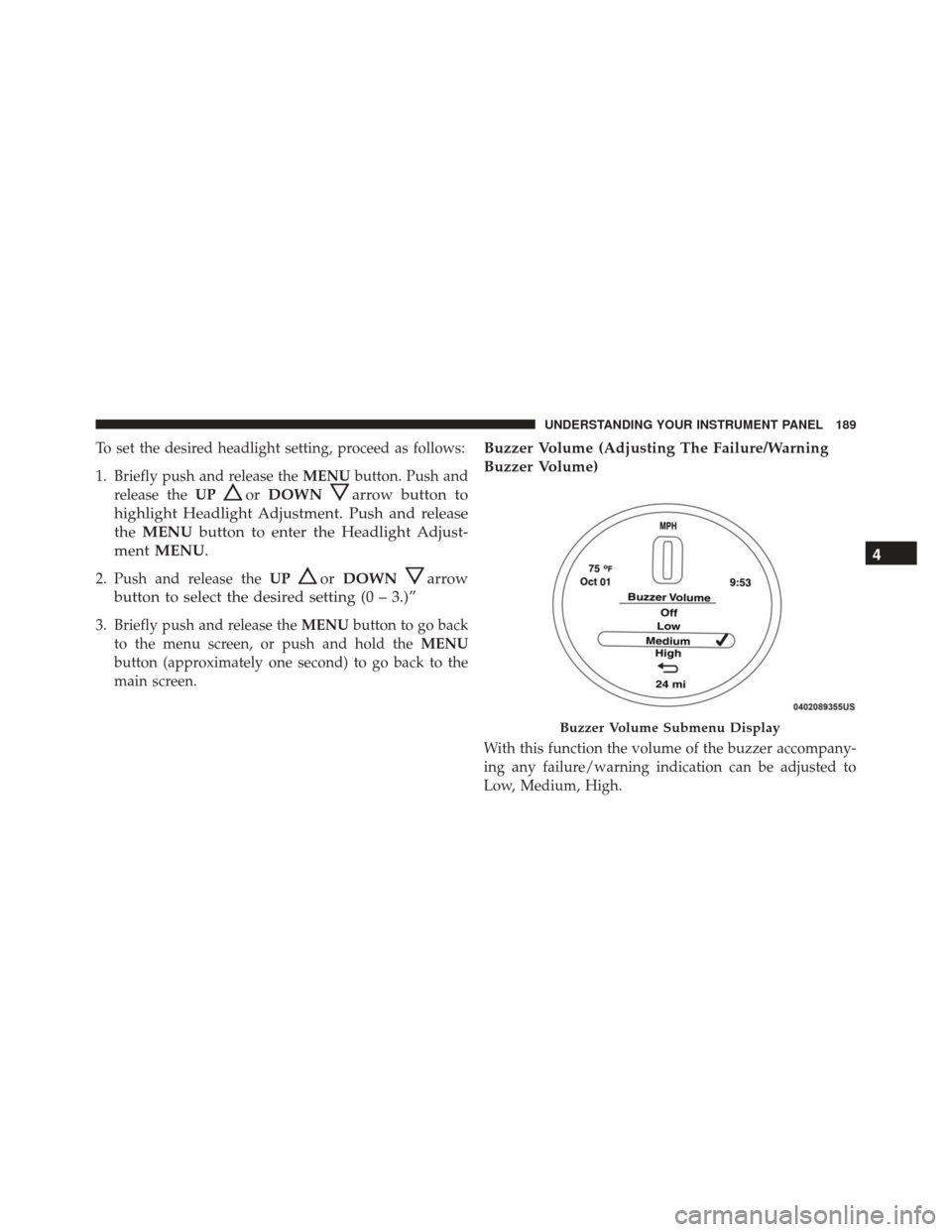
ELECTRONIC VEHICLE INFORMATION CENTER
(EVIC)
The Electronic Vehicle Information Center (EVIC) fea-
tures a driver-interactive display that is located in the
instrument cluster.The EVIC consists of the following:
•
System Status
• Vehicle Information Warning Message Displays
• Personal Settings (Customer-Programmable Features)
• Outside Temperature Display
• Trip Computer Functions
• Tire Pressure Monitoring Display
EVIC Control Buttons
Push and release the MENUbutton briefly to access the
EVIC. Push and hold the MENUbutton (approximately
one second) to return to the main screen.
Push and release the UP
arrow button to scroll
upward through the displayed menu and the related
options or to increase the displayed value.
Electronic Vehicle Information Center (EVIC) Display
178 UNDERSTANDING YOUR INSTRUMENT PANEL
Page 191 of 432
To set the desired headlight setting, proceed as follows:
1. Briefly push and release theMENUbutton. Push and
release the UP
orDOWNarrow button to
highlight Headlight Adjustment. Push and release
the MENU button to enter the Headlight Adjust-
ment MENU.
2. Push and release the UPorDOWNarrow
button to select the desired setting (0 – 3.)”
3. Briefly push and release the MENUbutton to go back
to the menu screen, or push and hold the MENU
button (approximately one second) to go back to the
main screen.
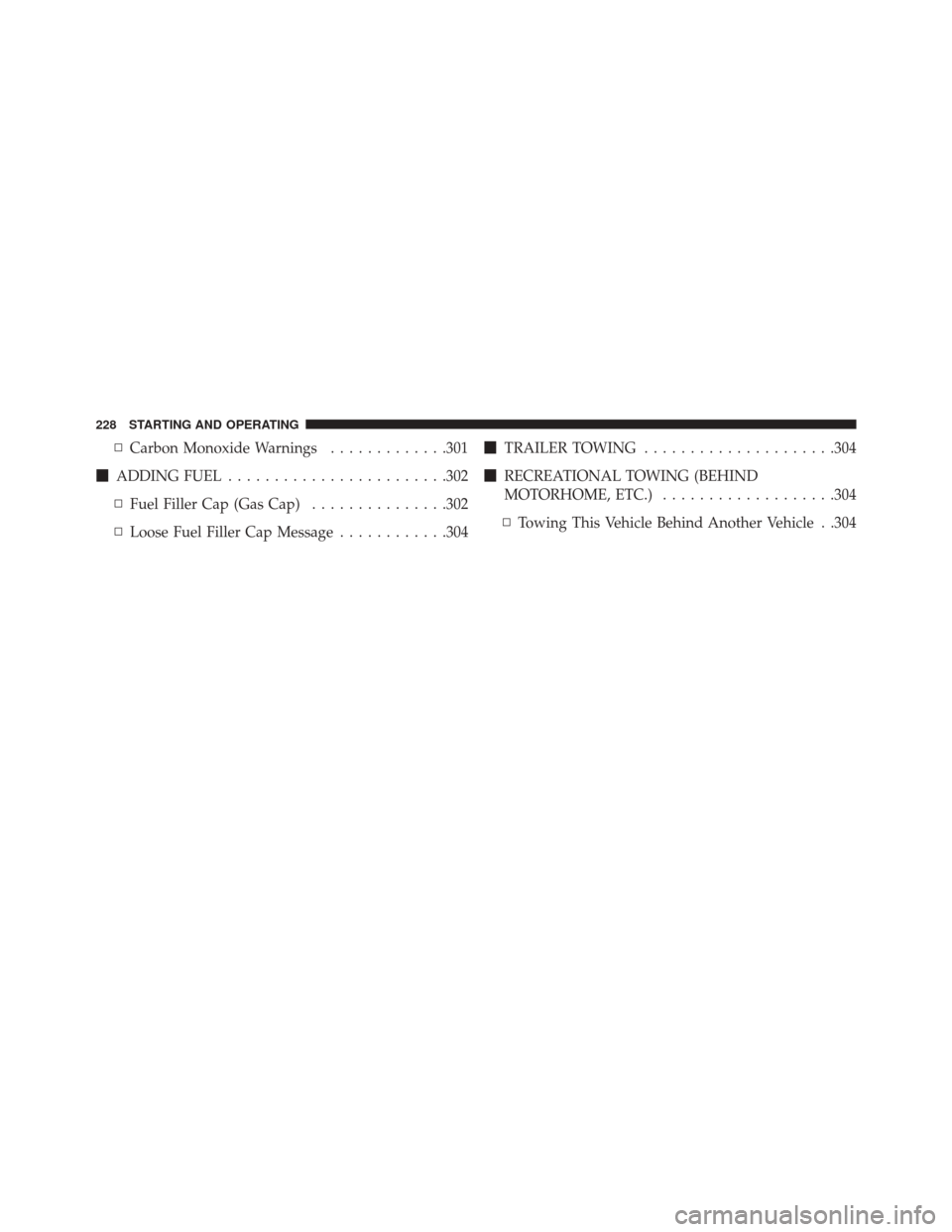
Buzzer Volume (Adjusting The Failure/Warning
Buzzer Volume)
With this function the volume of the buzzer accompany-
ing any failure/warning indication can be adjusted to
Low, Medium, High.
Buzzer Volume Submenu Display
4
UNDERSTANDING YOUR INSTRUMENT PANEL 189
Page 195 of 432
Your vehicle may be equipped with certain security
features to reduce the risk of unauthorized and unlawful
access to vehicle systems and wireless communications.
Vehicle software technology continues to evolve over
time and FCA US LLC, working with its suppliers,
evaluates and takes appropriate steps as needed. Similar
to a computer or other devices, your vehicle may require
software updates to improve the usability and perfor-
mance of your systems or to reduce the potential risk of
unauthorized and unlawful access to your vehicle sys-
tems.
The risk of unauthorized and unlawful access to your
vehicle systems may still exist, even if the most recent
version of vehicle software (such as Uconnect software) is
installed.WARNING!
•It is not possible to know or to predict all of the
possible outcomes if your vehicle’s systems are
breached. It may be possible that vehicle systems,
including safety related systems, could be im-
paired or a loss of vehicle control could occur that
may result in an accident involving serious injury
or death.
• ONLY insert media (e.g., USB, SD card, or CD) into
your vehicle if it came from a trusted source. Media
of unknown origin could possibly contain mali-
cious software, and if installed in your vehicle, it
may increase the possibility for vehicle systems to
be breached.
• As always, if you experience unusual vehicle be-
havior, take your vehicle to your nearest authorized
dealer immediately.
4
UNDERSTANDING YOUR INSTRUMENT PANEL 193
Page 230 of 432
▫Carbon Monoxide Warnings .............301
� ADDING FUEL ....................... .302
▫ Fuel Filler Cap (Gas Cap) ...............302
▫ Loose Fuel Filler Cap Message ............304�
TRAILER TOWING .....................304
� RECREATIONAL TOWING (BEHIND
MOTORHOME, ETC.) ...................304
▫ Towing This Vehicle Behind Another Vehicle . .304
228 STARTING AND OPERATING
Page 231 of 432

STARTING PROCEDURES
Before starting your vehicle, adjust your seat, adjust both
inside and outside mirrors, and fasten your seat belts.
WARNING!
•Never leave children alone in a vehicle, or with
access to an unlocked vehicle.
• Allowing children to be in a vehicle unattended is
dangerous for a number of reasons. A child or
others could be seriously or fatally injured. Chil-
dren should be warned not to touch the parking
brake, brake pedal or the transmission gear selec-
tor.
• Do not leave the Key Fob in or near the vehicle (or
in a location accessible to children). A child could
operate power windows, other controls, or move
the vehicle.
Manual Transmission — If Equipped
Apply the parking brake, place the gear selector in
NEUTRAL, and press the clutch pedal before starting the
vehicle. This vehicle is equipped with a clutch interlock-
ing ignition system. It will not start unless the clutch
pedal is pressed to the floor.
Automatic Transmission — If Equipped
The gear selector must be in the PARK or NEUTRAL
position before you can start the engine. Press the brake
pedal before shifting to any driving gear.
NOTE: You must press the brake pedal before shifting
out of PARK.
Normal Starting
NOTE: Normal starting of either a cold or a warm
engine is obtained without pumping or pressing the
accelerator pedal.
5
STARTING AND OPERATING 229
Page 233 of 432

3. If the engine fails to start within ten seconds, cycle theignition to the STOP (OFF/LOCK) position, wait five
seconds to allow the starter to cool, then repeat the
Extended Park Starting procedure.
4. If the engine fails to start after eight attempts, allow the starter to cool for at least 10 minutes, then repeat
the procedure.
CAUTION!
To prevent damage to the starter, do not crank con-
tinuously for more than 10 seconds at a time. Wait 10
to 15 seconds before trying again.
If Engine Fails To Start
WARNING!
Never pour fuel or other flammable liquid into the
throttle body air inlet opening in an attempt to start
the vehicle. This could result in flash fire causing
serious personal injury.
CAUTION!
•Do not attempt to push or tow your vehicle to get it
started. Unburned fuel could enter the catalytic
converter and once the engine has started, ignite
and damage the converter and vehicle.
• To prevent damage to the starter, do not continu-
ously crank the engine for more than 15 seconds at
a time. Wait 10 to 15 seconds before trying again.
5
STARTING AND OPERATING 231
Page 234 of 432
After Starting
The idle speed will automatically decrease as the engine
warms up.
Turbocharger “Cool Down”
This vehicle is equipped with an after-run pump to cool
the turbocharger after the engine is shut off. Depending
on the type of driving and the amount of cargo, the pump
will run for up to 10 minutes after the engine has been
shut off to circulate coolant through the turbocharger.
Although the pump is rubber-mounted for quiet opera-
tion, it is normal to hear it running during this time.
MANUAL TRANSMISSION — IF EQUIPPED
Five-Speed Manual Transmission
WARNING!
You or others could be injured if you leave the
vehicle unattended without having the parking
brake fully applied. The parking brake should al-
ways be applied when the driver is not in the vehicle,
especially on an incline.
232 STARTING AND OPERATING