Page 65 of 292
63
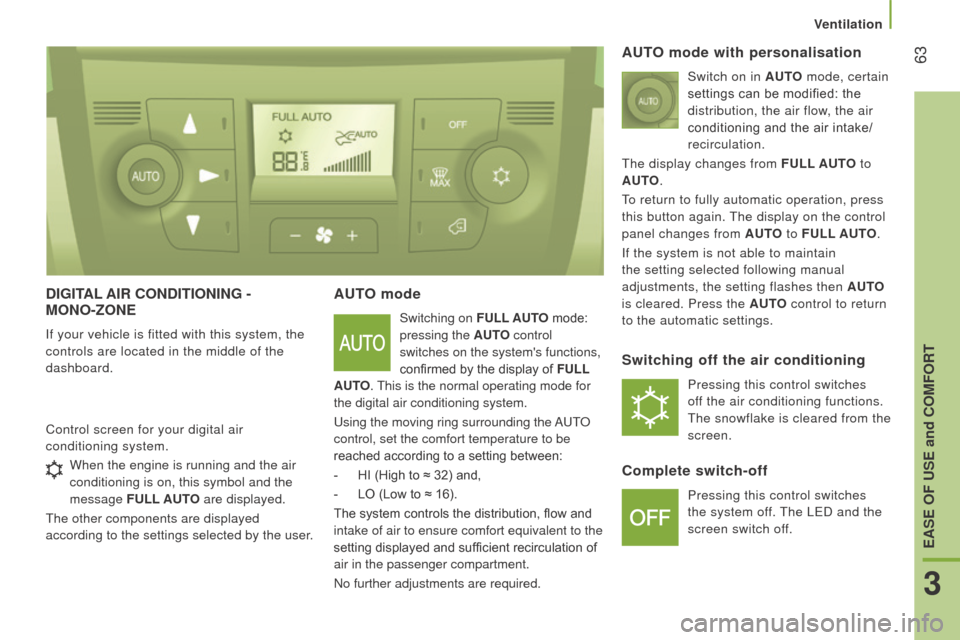
dIGItAL AIr c O nd I t IO n I n G -
M O n O -z O n E
If your vehicle is fitted with this system, the
controls are located in the middle of the
dashboard.
AutO mode
Switching on F u LL A utO mode:
pressing the A
ut
O
control
switches on the system's functions,
confirmed by the display of F
u LL
A
ut
O
. This is the normal operating mode for
the digital air conditioning system.
Using the moving ring surrounding the AUTO
control, set the comfort temperature to be
reached according to a setting between:
-
HI (High to ≈
32) and,
-
LO (Low to ≈
16).
The system controls the distribution, flow and
intake of air to ensure comfort equivalent to the
setting displayed and sufficient recirculation of
air in the passenger compartment.
No further adjustments are required.
Control screen for your digital air
conditioning system.
AutO mode with personalisation
Switch on in AutO
mode, certain
settings can be modified: the
distribution, the air flow, the air
conditioning and the air intake/
recirculation.
The display changes from F
u LL A ut
O
to
A
ut
O
.
To return to fully automatic operation, press
this button again. The display on the control
panel changes from A
ut
O
to F u LL A ut
O
.
If the system is not able to maintain
the setting selected following manual
adjustments, the setting flashes then A
ut
O
is cleared. Press the
A ut
O
control to return
to the automatic settings.
Switching off the air conditioning
Pressing this control switches
off the air conditioning functions.
The snowflake is cleared from the
screen.
complete switch-off
Pressing this control switches
the system off. The LED and the
screen switch off.
When the engine is running and the air
conditioning is on, this symbol and the
message
F
u
LL A
utO
are displayed.
The other components are displayed
according to the settings selected by the user.
3
EASE OF uSE and cOMFOrt
Ventilation
Page 66 of 292
64comfort value adjustment
ring
The settings range between:
-
increasing the interior ambient air
temperature HI (High) which goes up to
to a maximum setting of 32,
-
cooling the interior ambient air
temperature LO (Low) which goes down
to a setting of 16.
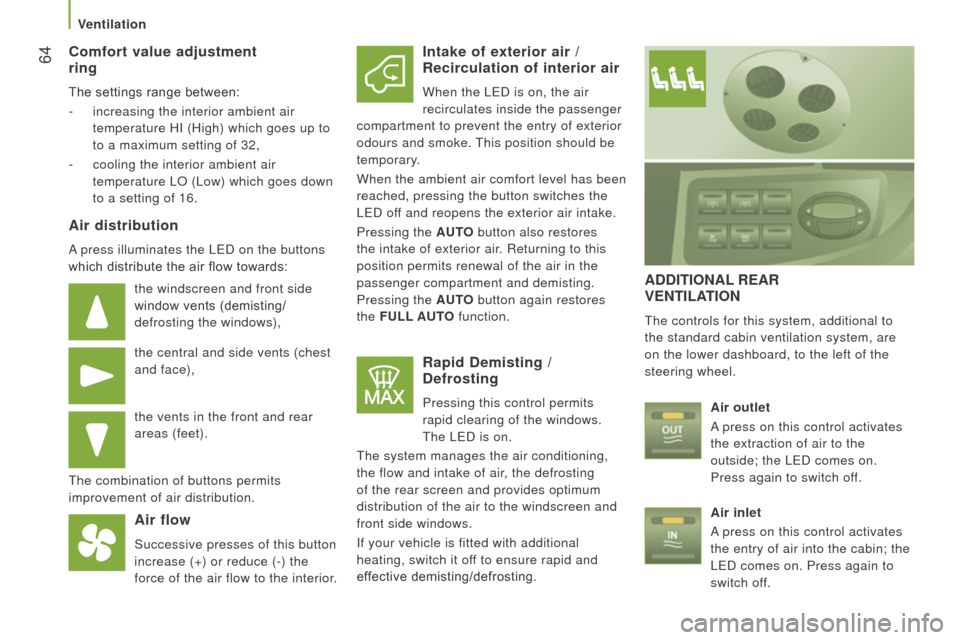
Air distribution
A press illuminates the LED on the buttons
which distribute the air flow towards:
the windscreen and front side
window vents (demisting/
defrosting the windows),
the central and side vents (chest
and face),
the vents in the front and rear
areas (feet).
The combination of buttons permits
improvement of air distribution.
Air flow
Successive presses of this button
increase (+) or reduce (-) the
force of the air flow to the interior.
Intake of exterior air / r ecirculation of interior air
When the LED is on, the air
recirculates inside the passenger
compartment to prevent the entry of exterior
odours and smoke. This position should be
temporary.
When the ambient air comfort level has been
reached, pressing the button switches the
LED off and reopens the exterior air intake.
Pressing the A
ut
O
button also restores
the intake of exterior air. Returning to this
position permits renewal of the air in the
passenger compartment and demisting.
Pressing the A
ut
O
button again restores
the F
u
LL A ut
O
function.
rapid demisting / defrosting
Pressing this control permits
rapid clearing of the windows.
The LED is on.
The system manages the air conditioning,
the flow and intake of air, the defrosting
of the rear screen and provides optimum
distribution of the air to the windscreen and
front side windows.
If your vehicle is fitted with additional
heating, switch it off to ensure rapid and
effective demisting/defrosting.
AddItIOnAL r EA r VE
nt ILAt IO n
The controls for this system, additional to
the standard cabin ventilation system, are
on the lower dashboard, to the left of the
steering wheel.
Air outlet
A press on this control activates
the extraction of air to the
outside; the LED comes on.
Press again to switch off.
Air inlet
A press on this control activates
the entry of air into the cabin; the
LED comes on. Press again to
switch off.
Ventilation
Page 68 of 292
66
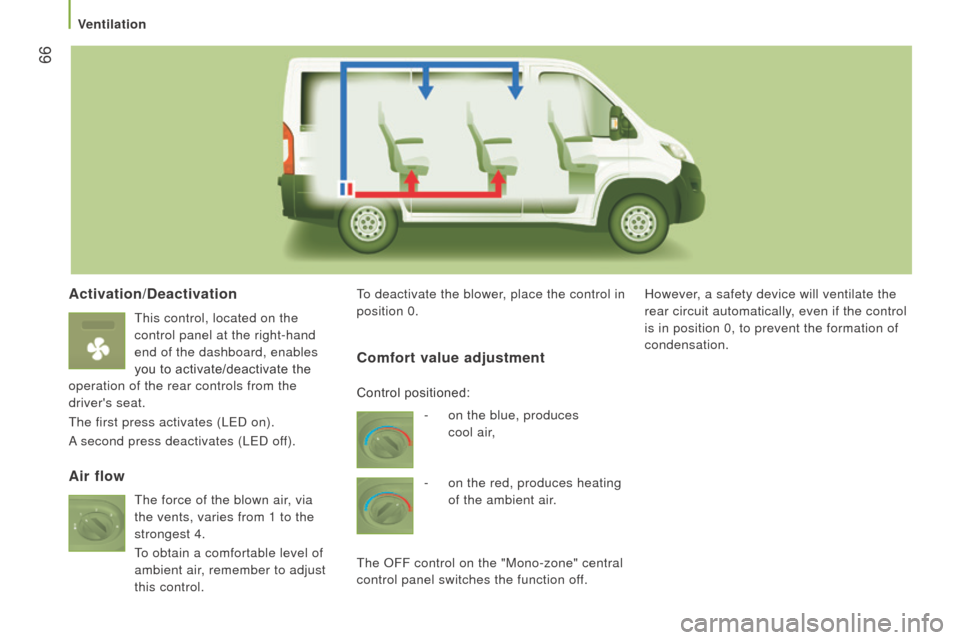
Activation/deactivation
This control, located on the
control panel at the right-hand
end of the dashboard, enables
you to activate/deactivate the
operation of the rear controls from the
driver's seat.
The first press activates (LED on).
A second press deactivates (LED off). To deactivate the blower, place the control in
position 0.
However, a safety device will ventilate the
rear circuit automatically, even if the control
is in position 0, to prevent the formation of
condensation.
Air flow
c
omfort value adjustment
- on the blue, produces
cool air,
-
on the red, produces heating
of the ambient air.
The OFF control on the "Mono-zone" central
control panel switches the function off. Control positioned:
The force of the blown air, via
the vents, varies from 1 to the
strongest 4.
To obtain a comfortable level of
ambient air, remember to adjust
this control.
Ventilation
Page 80 of 292
78
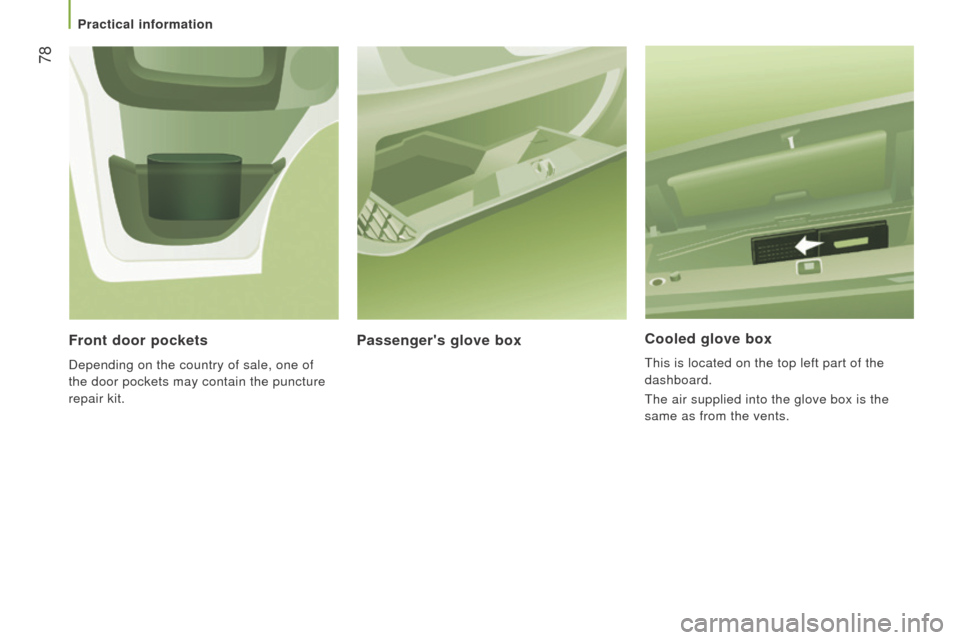
cooled glove box
This is located on the top left part of the
dashboard.
The air supplied into the glove box is the
same as from the vents.
Passenger's glove box
Front door pockets
Depending on the country of sale, one of
the door pockets may contain the puncture
repair kit.
Practical information
Page 82 of 292
80
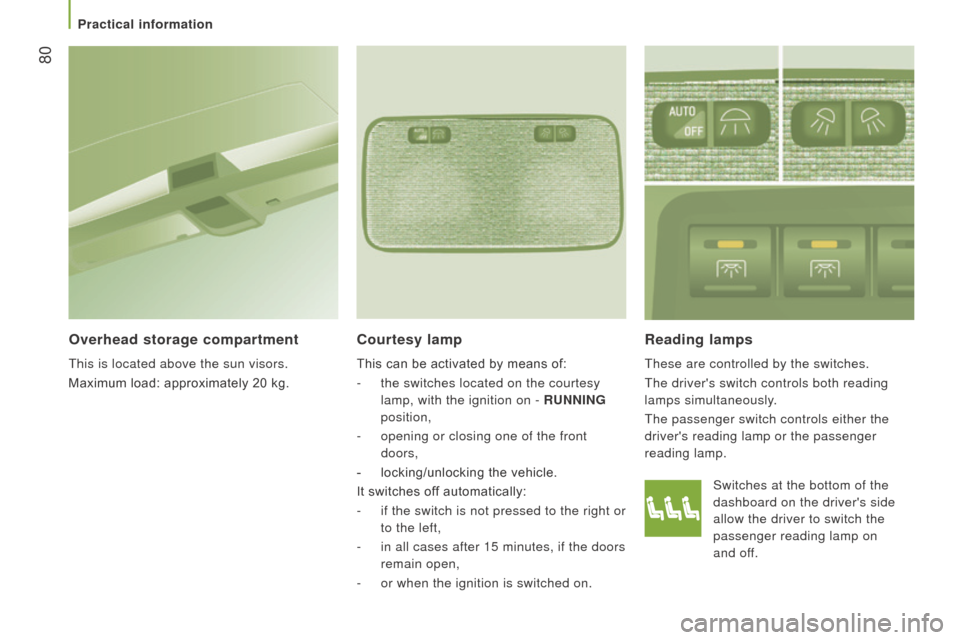
reading lamps
These are controlled by the switches.
The driver's switch controls both reading
lamps simultaneously.
The passenger switch controls either the
driver's reading lamp or the passenger
reading lamp.
courtesy lamp
This can be activated by means of:
-
the switches located on the courtesy
lamp, with the ignition on -
runn I n G
position,
-
opening or closing one of the front
doors,
-
locking/unlocking the vehicle.
It switches of
f automatically:
-
if the switch is not pressed to the right or
to the left,
-
in all cases after 15 minutes, if the doors
remain open,
-
or when the ignition is switched on.
Overhead storage compartment
This is located above the sun visors.
Maximum load: approximately 20 kg. Switches at the bottom of the
dashboard on the driver's side
allow the driver to switch the
passenger reading lamp on
and
off.
Practical information
Page 92 of 292
90
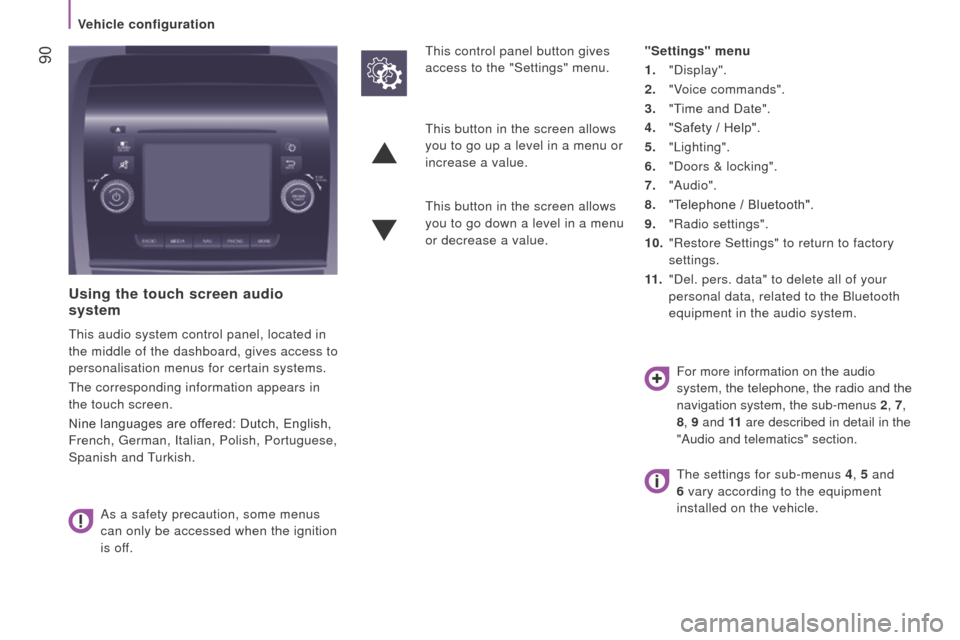
using the touch screen audio
system
This audio system control panel, located in
the middle of the dashboard, gives access to
personalisation menus for certain systems.
The corresponding information appears in
the touch screen.
Nine languages are offered: Dutch, English,
French, German, Italian, Polish, Portuguese,
Spanish and Turkish.
As a safety precaution, some menus
can only be accessed when the ignition
is off. This control panel button gives
access to the "Settings" menu.
"Settings" menu
1. "Display".
2.
"V
oice commands".
3.
"T
ime and Date".
4.
"Safety / Help".
5.
"Lighting".
6.
"Doors & locking".
7.
"Audio".
8.
"T
elephone / Bluetooth".
9.
"Radio settings".
10.
"Restore Settings" to return to factory
settings.
11 .
"Del. pers. data" to delete all of your
personal data, related to the Bluetooth
equipment in the audio system.
This button in the screen allows
you to go up a level in a menu or
increase a value.
This button in the screen allows
you to go down a level in a menu
or decrease a value.
For more information on the audio
system, the telephone, the radio and the
navigation system, the sub-menus 2, 7,
8 , 9 and 11 are described in detail in the
"Audio and telematics" section.
The settings for sub-menus 4 , 5 and
6 vary according to the equipment
installed on the vehicle.
Vehicle configuration
Page 103 of 292

101
trAjEctOrY c O ntr OL SYS t EMS
Switching off
This system cannot be deactivated by
the
driver.
dynamic stability control
( d S c )
The electronic stability programme acts on
the brake of one or more wheels and on the
engine to keep the vehicle on the trajectory
required by the driver, within the limits of the
laws of physics.
With the DSC system, maintain course
without trying to countersteer.
Operation
The DSC system is activated automatically
each time the vehicle is started. Operating fault
Illumination of this warning lamp,
accompanied by an audible signal
and confirmed by a message
in the instrument panel screen,
indicates a fault with the DSC system.
Have it checked by a CITROËN dealer or a
qualified workshop. Operation
This system is activated automatically every
time the vehicle is started.
In the event of a problem of adhesion or
trajectory, this system comes into play.
Switching off
In exceptional conditions (starting a vehicle
which is bogged down, stuck in snow,
on soft ground...), it may be advisable to
deactivate the ASR system, so that the
wheels can spin freely and regain grip.
-
Press this button, located in the
middle of the dashboard, to deactivate
the
system.
Anti-slip regulation (ASr)
Anti-slip regulation (also known as traction
control) optimises traction, avoiding wheel
spin by acting on the brakes of the driving
wheels and the engine.
If the button's warning lamp comes
on, accompanied by a message in the
instrument panel screen, this indicates that
the ASR system is deactivated.
It comes into operation in the
event of a grip or trajectory
problem.
This is indicated by flashing of this warning
lamp in the instrument panel.
5
Driving safely
SAFETY
Page 105 of 292
103
Intelligent traction c ontrol
System to improve traction on slippery
surfaces (snow, black ice, mud...)
This system checks for situations of difficult
surface adhesion that could make it difficult
to move off or make progress.
In these situations, Intelligent
t
raction
c
ontrol takes over from the AS r system,
by transferring drive to the wheel with the
best grip on the ground to provide the best
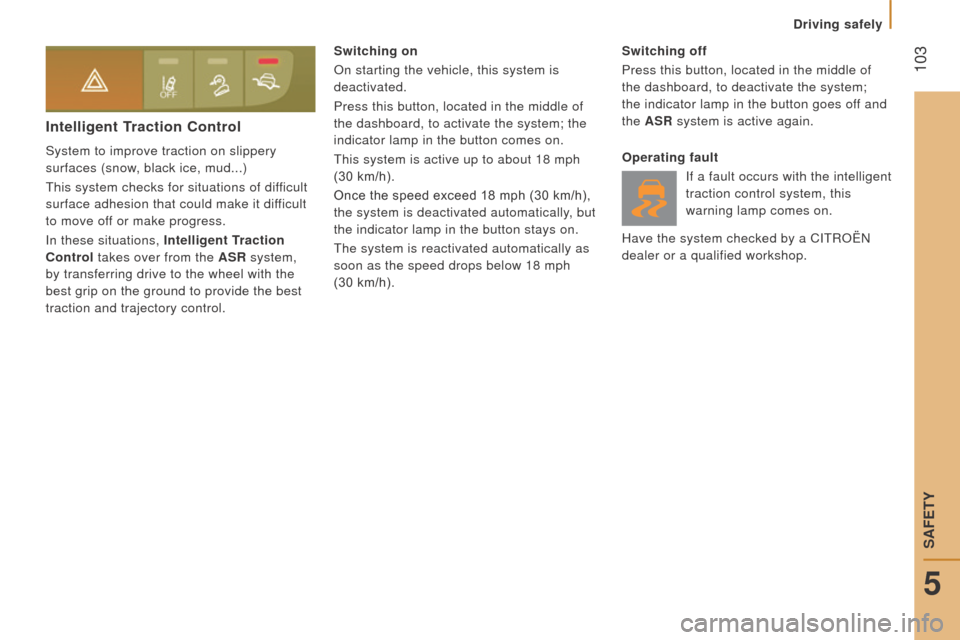
traction and trajectory control. Switching on
On starting the vehicle, this system is
deactivated.
Press this button, located in the middle of
the dashboard, to activate the system; the
indicator lamp in the button comes on.
This system is active up to about 18 mph
(30 km/h).
Once the speed exceed 18 mph (30 km/h),
the system is deactivated automatically, but
the indicator lamp in the button stays on.
The system is reactivated automatically as
soon as the speed drops below 18 mph
(30 km/h). Switching off
Press this button, located in the middle of
the dashboard, to deactivate the system;
the indicator lamp in the button goes off and
the AS r system is active again.
Operating fault If a fault occurs with the intelligent
traction control system, this
warning lamp comes on.
Have the system checked by a CITROËN
dealer or a qualified workshop.
5
Driving safely
SAFETY