2016 CHEVROLET SS clock
[x] Cancel search: clockPage 181 of 397

Chevrolet SS Sedan Owner Manual (GMNA-Localizing-U.S.-9234782) - 2016 -
CRC - 8/24/15
180 Infotainment System
Previous Destinations
Previously downloaded OnStar
destinations are saved under
Previous Destinations in the
navigation system, where they can
be accessed or saved to the
Address Book.
Configure Menu
The Configuration Menu is used to
adjust features and preferences,
such as Sound, Radio, Nav
(Navigation), Display, or Time
Settings.
1. Press the Config screen buttonon the Home Page.
2. Touch-tap the scroll bar untilthe desired option displays.
Select the desired settings to
change. See the owner manual
for information on adjusting
most vehicle settings. See
“Navigation Settings” and
“Navigation Settings Button” in
this section.
Languages
Press the Config button on the
Home Page or the CONFIG button
on the faceplate to enter the menu
options. Turn the TUNE/MENU knob
or touch-tap the scroll bar to scroll
through the available options. Press
the TUNE/MENU knob or press
Languages to display the
languages. Select the desired
language.
Time and Date Settings
From the Time and Date Settings
screen button, press to display the
Time and Date Settings menu.
Automatic Clock Update : When
enabled, this feature will set the
clock automatically.
Set Time : Press the + or −to
increase or decrease the Hours and
Minutes displayed on the clock.
Set Date : Press the + and −to
increase or decrease the day.
Set Time Format : Press the
12 Hour screen button for standard
time; press the 24 Hour screen
button for military time.
Press the Back screen button to
save the adjustments.
ProCarManuals.com
Page 210 of 397

Chevrolet SS Sedan Owner Manual (GMNA-Localizing-U.S.-9234782) - 2016 -
CRC - 8/24/15
Climate Controls 209
7. Passenger TemperatureControl
8. Rear Window Defogger
9. Fan Control
10. Recirculation
Automatic Operation
AUTO (Automatic) : When this
button is pressed, the system
automatically controls the inside
temperature, the air delivery mode,
the air conditioning compressor, and
the fan speed. When AUTO appears
in the display, the system is in full
automatic operation. If any of the
controls are manually adjusted, the
AUTO indicator turns off in the
display.
1. Press the AUTO button, if the AUTO indicator does not
appear on the display.
2. Adjust the temperature to a comfortable setting.
3. Adjust the air outlets as desired.
4. Let the system stabilize for a few minutes. In cold weather, the system will limit
the blower speed until the engine
has warmed up.
Do not cover the solar sensor in the
center of the instrument panel, near
the windshield. See
“Sensors”later
in this section.
The automatic climate control
system may not work as desired if
one or more of the instrument panel
outlets are closed.
Manual Operation
On/Off : Press9to turn the
system on or off.
9(Fan Control) : Turn clockwise
or counterclockwise to increase or
decrease the fan speed. The fan
speed appears on the infotainment
display.
Press the AUTO button to return to
full automatic operation.
Driver and Passenger
Temperature Controls : The
temperature can be adjusted
separately for the driver and the
passenger. Turn the temperature controls clockwise or
counterclockwise to increase or
decrease the temperature.
The temperature setting between
21 °C (70 °F) and 23 °C (74 °F) is
recommended.
The temperature settings for each
side are shown in the temperature
control knob displays and the
infotainment display. If the
temperature control is past 30 °C
(86 °F), the display shows HI
(hottest). Turning it past 16 °C
(61 °F), shows LO (coolest).
ZONE :
Press to synchronize the
driver and passenger temperatures.
Single-Zone Mode : All zones are
set to the same temperature. “Driver
has control” will be displayed on the
infotainment display. Turn the driver
temperature control to adjust the
system temperature.
Dual-Zone Mode : Allows different
temperatures to be set for the driver
and passenger sides.
Enter Dual-Zone mode by adjusting
the passenger side temperature
when in Single-Zone mode.
ProCarManuals.com
Page 245 of 397

Chevrolet SS Sedan Owner Manual (GMNA-Localizing-U.S.-9234782) - 2016 -
CRC - 8/24/15
244 Driving and Operating
To turn off only TCS, press and
release the TCS/StabiliTrak button.
The traction off light
idisplays in
the instrument cluster.
To turn TCS on again, press and
release the TCS/StabiliTrak button.
The traction off light
idisplayed in
the instrument cluster will turn off.
If TCS is limiting wheel spin when
the TCS/StabiliTrak button is
pressed, the system will not turn off
until the wheels stop spinning.
To turn off both TCS and StabiliTrak,
press and hold the TCS/StabiliTrak
button until the traction off light
i
and StabiliTrak OFF lightgcome
on and stay on in the instrument
cluster.
To turn TCS and StabiliTrak on
again, press and release the TCS/
StabiliTrak button. The traction off
light
iand StabiliTrak OFF lightg
in the instrument cluster turn off. Adding accessories can affect the
vehicle performance. See
Accessories and Modifications
0
268
ii.
Driver Mode Control
This feature allows for selecting
different modes and settings.
The control is on the center console. Driver Mode can only be changed
when the ignition is in ON/RUN.
Driver Mode will return to the same
setting when the vehicle is
restarted.
Turn the control clockwise to select
the mode in order: Touring
–Sport –
Performance. It will return to the
center position when released. Turn
the control counterclockwise to
select the previous mode in order.
The mode displays in the Driver
Information Center (DIC).
ProCarManuals.com
Page 264 of 397

Chevrolet SS Sedan Owner Manual (GMNA-Localizing-U.S.-9234782) - 2016 -
CRC - 8/24/15
Driving and Operating 263
Warning (Continued)
.Fuel can spray out if the fuel
cap is opened too quickly.
This spray can happen if the
tank is nearly full, and is
more likely in hot weather.
Open the fuel cap slowly
and wait for any hiss noise
to stop, then unscrew the
cap all the way.
The fuel cap is behind a hinged fuel
door on the passenger side of the
vehicle. To open the fuel door, push
and release the rearward center
edge of the door.
{Warning
Overfilling the fuel tank by more
than three clicks of a standard fill
nozzle may cause:
. Vehicle performance issues,
including engine stalling and
damage to the fuel system.
. Fuel spills.
. Potential fuel fires.
Be careful not to spill fuel. Wait a
few seconds after you have finished
pumping before removing the
nozzle. Clean fuel from painted
surfaces as soon as possible. See
Exterior Care 0335
ii.
When replacing the fuel cap, turn it
clockwise until it clicks. Make sure
the cap is fully installed. The
diagnostic system can determine if
the fuel cap has been left off or improperly installed. This would
allow fuel to evaporate into the
atmosphere. See
Malfunction
Indicator Lamp (Check Engine
Light) 097
ii.
{Warning
If a fire starts while you are
refueling, do not remove the
nozzle. Shut off the flow of fuel by
shutting off the pump or by
notifying the station attendant.
Leave the area immediately.
Caution
If a new fuel cap is needed, be
sure to get the right type of cap
from your dealer. The wrong type
of fuel cap may not fit properly,
may cause the malfunction
indicator lamp to light, and could
damage the fuel tank and
emissions system. See
Malfunction Indicator Lamp
(Check Engine Light) 097
ii.
ProCarManuals.com
Page 279 of 397

Chevrolet SS Sedan Owner Manual (GMNA-Localizing-U.S.-9234782) - 2016 -
CRC - 8/24/15
278 Vehicle Care
sewers, streams or bodies of water.
Have the coolant changed by an
authorized service center, familiar
with legal requirements regarding
used coolant disposal. This will help
protect the environment and your
health.
Checking Coolant
The vehicle must be on a level
surface when checking the coolant
level.
To check coolant:1. Turn the ignition off.
2. Locate the coolant recovery reservoir. See Engine
Compartment Overview 0270
ii.
3. Turn the coolant recovery
reservoir dipstick cap
counterclockwise and slowly
pull out the dipstick. There are
maximum and minimum
markings on the dipstick.4. When the engine is cold, thecoolant level should be at or
above the minimum mark (1).
After the vehicle has been
driven and the engine is at
normal operating temperature,
the level should be somewhere
between half full and the
maximum mark (2).
5. If the coolant level is correct, replace the coolant recovery
reservoir dipstick cap and turn
clockwise to secure.
ProCarManuals.com
Page 280 of 397

Chevrolet SS Sedan Owner Manual (GMNA-Localizing-U.S.-9234782) - 2016 -
CRC - 8/24/15
Vehicle Care 279
How to Add Coolant to the
Coolant Recovery Bottle
{Warning
You can be burned if you spill
coolant on hot engine parts.
Coolant contains ethylene glycol
and it will burn if the engine parts
are hot enough. Do not spill
coolant on a hot engine.
Caution
This vehicle has a specific
coolant fill procedure. Failure to
follow this procedure could cause
the engine to overheat and be
severely damaged.
To add coolant: 1. Turn the engine coolant recovery reservoir dipstick cap
counterclockwise 1/8 of a turn
and slowly pull out the dipstick. 2. Pour the coolant into the
engine coolant recovery
reservoir.
3. When the level is correct, as per the markings on the
dipstick, replace the coolant
recovery reservoir dipstick cap
and turn clockwise to secure.
How to Add Coolant to the
Radiator
{Warning
You can be burned if you spill
coolant on hot engine parts.
Coolant contains ethylene glycol
and it will burn if the engine parts
are hot enough. Do not spill
coolant on a hot engine.
Caution
This vehicle has a specific
coolant fill procedure. Failure to
follow this procedure could cause
the engine to overheat and be
severely damaged.
{Warning
An electric engine cooling fan
under the hood can start up even
when the engine is not running
and can cause injury. Keep
hands, clothing, and tools away
from any underhood electric fan.
{Warning
Steam and scalding liquids from a
hot cooling system can blow out
and burn you badly. They are
under pressure, and if you turn
the radiator cap —even a
little —they can come out at high
speed. Never turn the cap when
the cooling system, including the
radiator cap, is hot. Wait for the
cooling system and radiator cap
to cool if you ever have to turn
the pressure cap.
ProCarManuals.com
Page 281 of 397
Chevrolet SS Sedan Owner Manual (GMNA-Localizing-U.S.-9234782) - 2016 -
CRC - 8/24/15
280 Vehicle Care
If no coolant is visible in the engine
coolant recovery reservoir, add
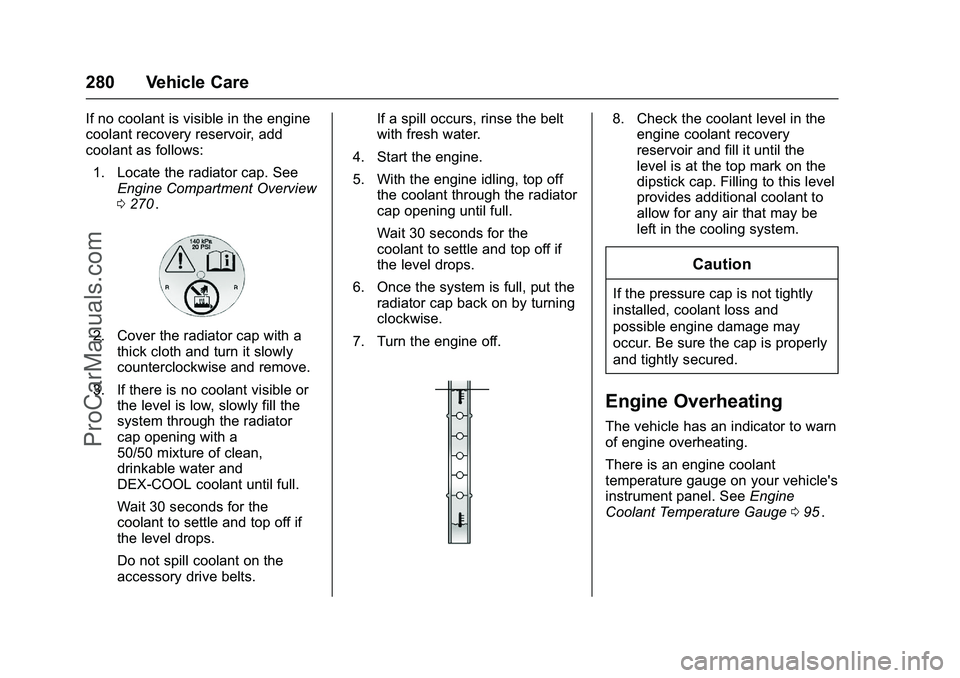
coolant as follows:1. Locate the radiator cap. See Engine Compartment Overview
0270
ii.
2. Cover the radiator cap with a
thick cloth and turn it slowly
counterclockwise and remove.
3. If there is no coolant visible or the level is low, slowly fill the
system through the radiator
cap opening with a
50/50 mixture of clean,
drinkable water and
DEX-COOL coolant until full.
Wait 30 seconds for the
coolant to settle and top off if
the level drops.
Do not spill coolant on the
accessory drive belts. If a spill occurs, rinse the belt
with fresh water.
4. Start the engine.
5. With the engine idling, top off the coolant through the radiator
cap opening until full.
Wait 30 seconds for the
coolant to settle and top off if
the level drops.
6. Once the system is full, put the radiator cap back on by turning
clockwise.
7. Turn the engine off.
8. Check the coolant level in the engine coolant recovery
reservoir and fill it until the
level is at the top mark on the
dipstick cap. Filling to this level
provides additional coolant to
allow for any air that may be
left in the cooling system.
Caution
If the pressure cap is not tightly
installed, coolant loss and
possible engine damage may
occur. Be sure the cap is properly
and tightly secured.
Engine Overheating
The vehicle has an indicator to warn
of engine overheating.
There is an engine coolant
temperature gauge on your vehicle's
instrument panel. See Engine
Coolant Temperature Gauge 095
ii.
ProCarManuals.com
Page 291 of 397

Chevrolet SS Sedan Owner Manual (GMNA-Localizing-U.S.-9234782) - 2016 -
CRC - 8/24/15
290 Vehicle Care
Bulb Assembly
1. Bulb Socket
2. Bulb
3. Lamp Assembly
To replace one of these bulbs:1. Push the left end of the lamp assembly toward the right.
2. Turn the lamp assembly down to remove it.
3. Turn the bulb socket (1) counterclockwise to remove it
from the lamp assembly (3).
4. Pull the bulb (2) straight out of the bulb socket (1). 5. Push the replacement bulb
straight into the bulb socket
and turn the bulb socket
clockwise to install it into the
lamp assembly.
6. Turn the lamp assembly into the lamp assembly opening
engaging the clip side first.
7. Push on the lamp side opposite the clip until the lamp assembly
snaps into place.
Replacement Bulbs
Exterior Lamp Bulb
Number
License
Plate Lamp W5W
For replacement bulbs not listed
here, contact your dealer.
Electrical System
Electrical System
Overload
The vehicle has fuses and circuit
breakers to protect against an
electrical system overload.
When the current electrical load is
too heavy, the circuit breaker opens
and closes, protecting the circuit
until the current load returns to
normal or the problem is fixed. This
greatly reduces the chance of circuit
overload and fire caused by
electrical problems.
Fuses and circuit breakers protect
power devices in the vehicle.
Replace a bad fuse with a new one
of the identical size and rating.
If there is a problem on the road and
a fuse needs to be replaced, the
same amperage fuse can be
borrowed. Choose some feature of
the vehicle that is not needed to use
and replace it as soon as possible.
ProCarManuals.com