2016 CHEVROLET SONIC stop start
[x] Cancel search: stop startPage 114 of 353
Chevrolet Sonic Owner Manual (GMNA-Localizing-U.S/Canada-9085902) -
2016 - CRC - 5/27/15
Instruments and Controls 113
This number is calculated based on
the number of L/100 km (mpg)
recorded since the last time this
menu item was reset. This number
reflects only the approximate
average fuel economy that the
vehicle has right now, and will
change as driving conditions
change. To reset the average fuel
economy, press and hold the SET/
CLR button while the average fuel
economy is displayed.Timer
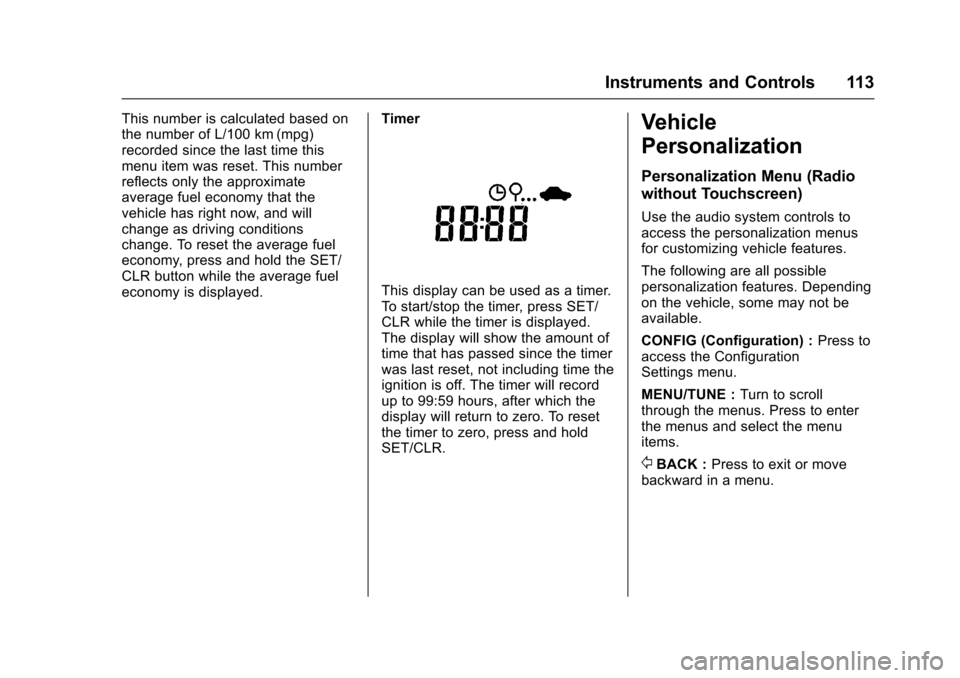
This display can be used as a timer.
To start/stop the timer, press SET/
CLR while the timer is displayed.
The display will show the amount of
time that has passed since the timer
was last reset, not including time the
ignition is off. The timer will record
up to 99:59 hours, after which the
display will return to zero. To reset
the timer to zero, press and hold
SET/CLR.
Vehicle
Personalization
Personalization Menu (Radio
without Touchscreen)
Use the audio system controls to
access the personalization menus
for customizing vehicle features.
The following are all possible
personalization features. Depending
on the vehicle, some may not be
available.
CONFIG (Configuration) :
Press to
access the Configuration
Settings menu.
MENU/TUNE : Turn to scroll
through the menus. Press to enter
the menus and select the menu
items.
/BACK : Press to exit or move
backward in a menu.
Page 162 of 353

Chevrolet Sonic Owner Manual (GMNA-Localizing-U.S/Canada-9085902) -
2016 - CRC - 5/27/15
Infotainment System 161
Stitcher SmartRadio is an Internet
radio service that streams news,
sports, and entertainment shows
through the audio system. Create
personalized, on-demand stations or
discover new shows through
Stitcher's preset stations. To set up
an account, download the
application from the Android Market
or iTunes Store, or go to
www.stitcher.com.
A phone or tablet with Internet
connection and the application
installed is required. Personal cell
phone data plans are used. Make
sure the latest version is installed
on the device and the volume is
turned up.
Smartphone Supported by
Application
To use Applications:
.Connect an iPod/iPhone using
the USB port.
. Connect Andriod™ phones
through Bluetooth. iPod/iPhone Error Messages and
Solutions
If the system fails to activate the
application on the iPod/iPhone
connected, an error message is
displayed as,
“Unable to start
application, possible reasons.”
. Your iPhone is locked. To
resolve, unlock the iPhone.
. You have another active
application open. To resolve,
close the other active
application.
. You have not installed the
application on your iPhone. To
resolve, install the application on
the iPhone.
iOS Version Error
If the iOS version of the iPhone is
less than 4.0, the error message is
displayed as, “Your iPhone does not
allow this application to be opened
on a USB connection. Please refer
to owner ’s manual.”
. Activate the application on your
iPhone, then touch the desired
application menu on the
infotainment system. Connecting Application Error
If the infotainment system fails to
activate the application on the
smartphone connected through
Bluetooth wireless technology, the
error message is displayed as,
“Connecting application failed.”
.
Reset all settings related to the
phone, then touch the desired
application menu on the
infotainment system.
. Reconnect the smartphone and
infotainment system through
Bluetooth wireless technology,
then touch the desired
application menu on the
infotainment system.
. When the application is stopped
on the smartphone, it usually
takes time to return to normal
operation. Try to activate the
application after 10–20 seconds.
To switch to another application
while playing an application and
connected through the USB port,
touch HOME on the iPod/iPhone,
then touch the application icon on
the infotainment system.
Page 168 of 353
Chevrolet Sonic Owner Manual (GMNA-Localizing-U.S/Canada-9085902) -
2016 - CRC - 5/27/15
Infotainment System 167
terminal, the music file will play,
but can’t be controlled by the
infotainment system.
. The iPod/iPhone playback
functions and the information
displayed may be different when
played on the infotainment
system.
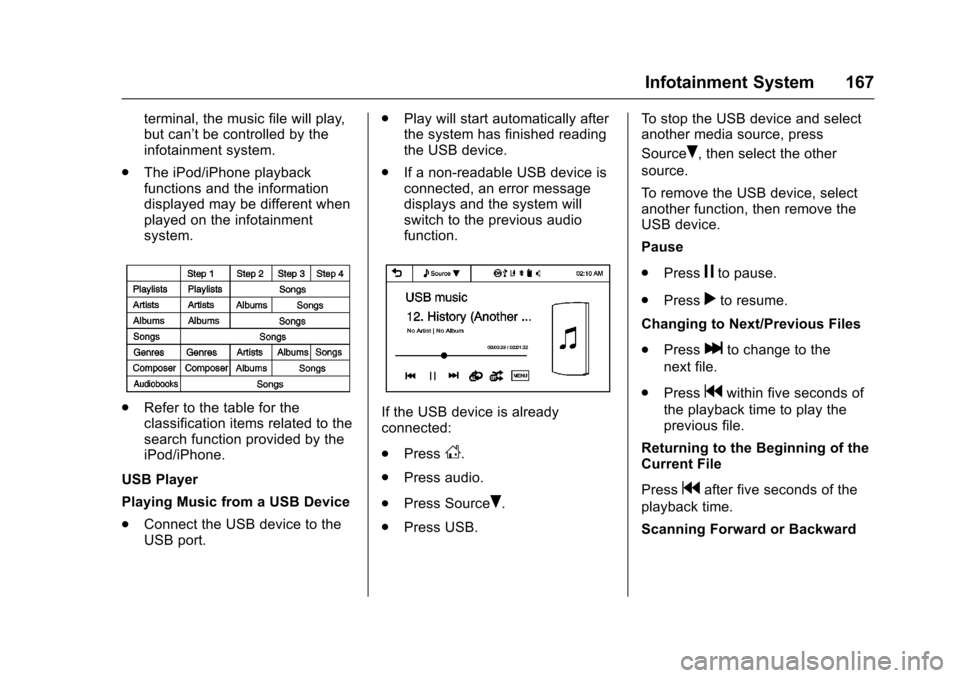
.Refer to the table for the
classification items related to the
search function provided by the
iPod/iPhone.
USB Player
Playing Music from a USB Device
. Connect the USB device to the
USB port. .
Play will start automatically after
the system has finished reading
the USB device.
. If a non-readable USB device is
connected, an error message
displays and the system will
switch to the previous audio
function.If the USB device is already
connected:
.Press
D.
. Press audio.
. Press Source
R.
. Press USB. To stop the USB device and select
another media source, press
Source
R, then select the other
source.
To remove the USB device, select
another function, then remove the
USB device.
Pause
. Press
jto pause.
. Press
rto resume.
Changing to Next/Previous Files
. Press
lto change to the
next file.
. Press
gwithin five seconds of
the playback time to play the
previous file.
Returning to the Beginning of the
Current File
Press
gafter five seconds of the
playback time.
Scanning Forward or Backward
Page 170 of 353
Chevrolet Sonic Owner Manual (GMNA-Localizing-U.S/Canada-9085902) -
2016 - CRC - 5/27/15
Infotainment System 169
movie files. Picture and movie files
are not available even if the audio
file in MTP device is played.
MTP device that has external
memory may be recognized as
USB1/USB2.
For other USB operations seeUSB
Port 0142.
When a MTP device is connected
and another app is running at the
same time, there may be a delay in
the rear vision camera.
iPod/iPhone Player
This feature is limited to models
supporting the iPod/iPhone
connection.
Playing Music Files
. Connect the iPod/iPhone to the
USB port.
. Play will start from the previously
played point after the system
has finished reading the USB
device. .
If a non-readable USB device is
connected, an error message
displays and the system will
switch to the previous audio
function.
. Connect the iPod/iPhone to the
USB port.
. Play will start from the previously
played point after the system
has finished reading the USB
device.
. If a non-readable USB device is
connected, an error message
displays and the system will
switch to the previous audio
function.
If the iPod/iPhone is already
connected:
1. Press
D.
2. Press
eaudio.
3. Press Source
R.
4. Press iPod.
To stop the device and select
another media source, press
Source
R, then select the other
source. To remove the device, select
another function, then remove the
device.
Pause
.
Press
jto pause.
. Press
rto resume.
Changing to Next/Previous Song
. Press
lto change to the
next song.
. Press
gwithin two seconds of
the playback time to play the
previous file.
Returning to the Beginning of the
Current File
Press
gafter two seconds of the
playback time.
Scanning Forward or Backward
Press and hold
gorlduring
playback to rewind or fast forward.
Release the button to resume
playback at normal speed.
Playing a File Repeatedly
Press
vduring playback.
Page 191 of 353
Chevrolet Sonic Owner Manual (GMNA-Localizing-U.S/Canada-9085902) -
2016 - CRC - 5/27/15
190 Driving and Operating
weight of the driver, passengers,
and cargo should never exceed
the vehicle's capacity weight.
Certification Label
Label Example
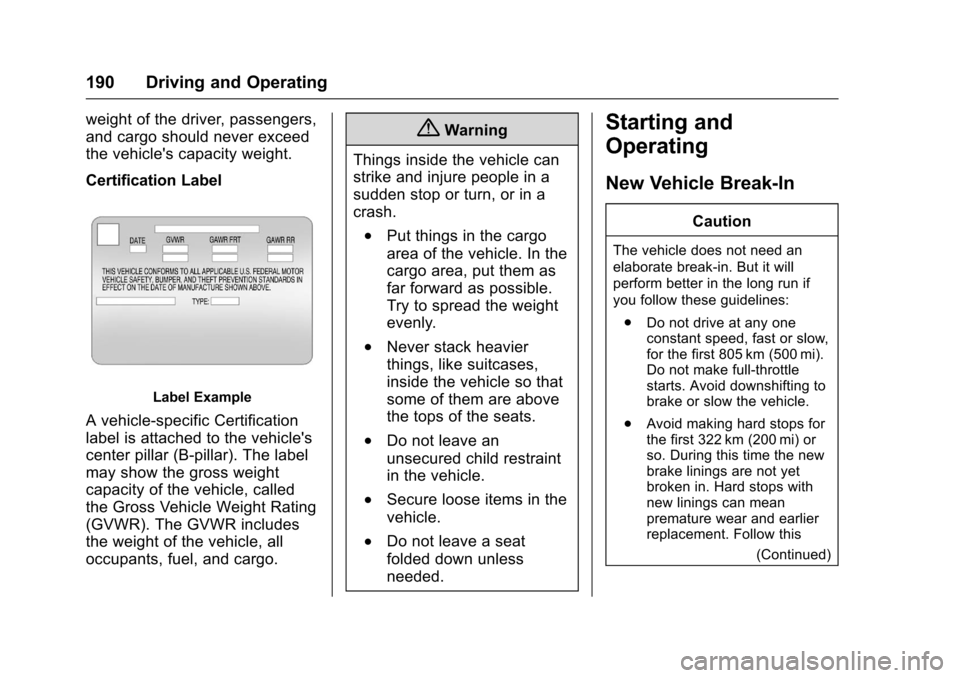
A vehicle-specific Certification
label is attached to the vehicle's
center pillar (B-pillar). The label
may show the gross weight
capacity of the vehicle, called
the Gross Vehicle Weight Rating
(GVWR). The GVWR includes
the weight of the vehicle, all
occupants, fuel, and cargo.
{Warning
Things inside the vehicle can
strike and injure people in a
sudden stop or turn, or in a
crash.
.Put things in the cargo
area of the vehicle. In the
cargo area, put them as
far forward as possible.
Try to spread the weight
evenly.
.Never stack heavier
things, like suitcases,
inside the vehicle so that
some of them are above
the tops of the seats.
.Do not leave an
unsecured child restraint
in the vehicle.
.Secure loose items in the
vehicle.
.Do not leave a seat
folded down unless
needed.
Starting and
Operating
New Vehicle Break-In
Caution
The vehicle does not need an
elaborate break-in. But it will
perform better in the long run if
you follow these guidelines: . Do not drive at any one
constant speed, fast or slow,
for the first 805 km (500 mi).
Do not make full-throttle
starts. Avoid downshifting to
brake or slow the vehicle.
. Avoid making hard stops for
the first 322 km (200 mi) or
so. During this time the new
brake linings are not yet
broken in. Hard stops with
new linings can mean
premature wear and earlier
replacement. Follow this
(Continued)
Page 193 of 353
Chevrolet Sonic Owner Manual (GMNA-Localizing-U.S/Canada-9085902) -
2016 - CRC - 5/27/15
192 Driving and Operating
Caution (Continued)
key. Use the correct key, make
sure it is all the way in, and turn it
only with your hand. If the key
cannot be turned by hand, see
your dealer.
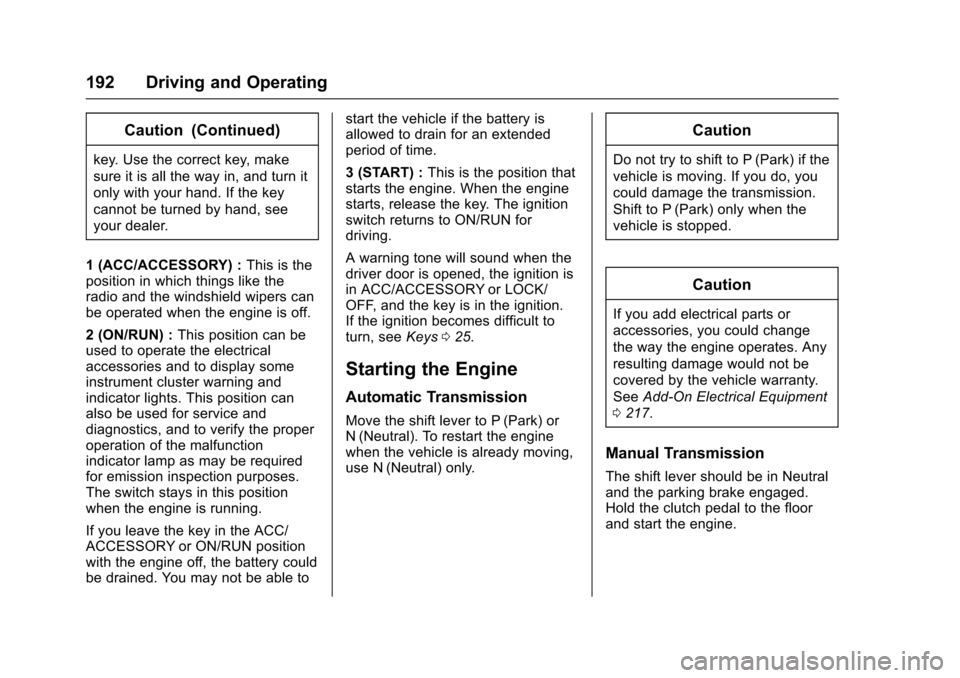
1 (ACC/ACCESSORY) : This is the
position in which things like the
radio and the windshield wipers can
be operated when the engine is off.
2 (ON/RUN) : This position can be
used to operate the electrical
accessories and to display some
instrument cluster warning and
indicator lights. This position can
also be used for service and
diagnostics, and to verify the proper
operation of the malfunction
indicator lamp as may be required
for emission inspection purposes.
The switch stays in this position
when the engine is running.
If you leave the key in the ACC/
ACCESSORY or ON/RUN position
with the engine off, the battery could
be drained. You may not be able to start the vehicle if the battery is
allowed to drain for an extended
period of time.
3 (START) :
This is the position that
starts the engine. When the engine
starts, release the key. The ignition
switch returns to ON/RUN for
driving.
A warning tone will sound when the
driver door is opened, the ignition is
in ACC/ACCESSORY or LOCK/
OFF, and the key is in the ignition.
If the ignition becomes difficult to
turn, see Keys025.
Starting the Engine
Automatic Transmission
Move the shift lever to P (Park) or
N (Neutral). To restart the engine
when the vehicle is already moving,
use N (Neutral) only.
Caution
Do not try to shift to P (Park) if the
vehicle is moving. If you do, you
could damage the transmission.
Shift to P (Park) only when the
vehicle is stopped.
Caution
If you add electrical parts or
accessories, you could change
the way the engine operates. Any
resulting damage would not be
covered by the vehicle warranty.
See Add-On Electrical Equipment
0 217.
Manual Transmission
The shift lever should be in Neutral
and the parking brake engaged.
Hold the clutch pedal to the floor
and start the engine.
Page 194 of 353
Chevrolet Sonic Owner Manual (GMNA-Localizing-U.S/Canada-9085902) -
2016 - CRC - 5/27/15
Driving and Operating 193
Starting Procedure
1. With your foot off theaccelerator pedal, turn the
ignition to START. When the
engine cranks, let go of the
key. The idle speed will go
down as the engine gets warm.
Caution
Holding the key in START for
longer than 15 seconds at a time
will cause the battery to be
drained much sooner. And the
excessive heat can damage the
starter motor. Wait about
15 seconds between each try to
help avoid draining the battery or
damaging the starter.
2. If the engine does not start, wait about 15 seconds and try
again. Wait about 15 seconds
between each try.
When the engine has run about
10 seconds to warm up, the
vehicle is ready to be driven.
Do not run the engine at high
speed when it is cold. If the weather is below freezing
(0 °C or 32 °F), let the engine
run for a few minutes to
warm up.
3. If the engine still will not start, or starts but then stops, it could
be flooded with too much
gasoline. Try pushing the
accelerator pedal all the way to
the floor and holding it there as
you hold the key in START for
about three seconds. If the
vehicle starts briefly but then
stops again, do the same thing,
but this time keep the pedal
down for five or six seconds.
This clears the extra gasoline
from the engine.
Engine Heater
The engine heater can provide
easier starting and better fuel
economy during engine warm-up in
cold weather conditions at or below
−18 °C (0 °F). Vehicles with an
engine heater should be plugged in
at least four hours before starting.
1. Turn off the engine.
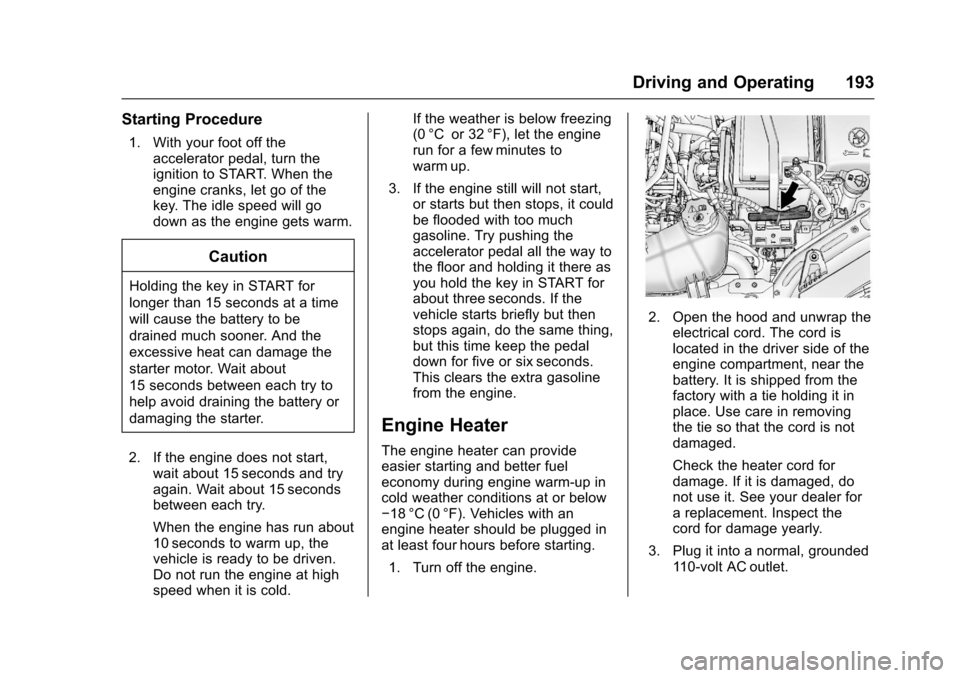
2. Open the hood and unwrap the electrical cord. The cord is
located in the driver side of the
engine compartment, near the
battery. It is shipped from the
factory with a tie holding it in
place. Use care in removing
the tie so that the cord is not
damaged.
Check the heater cord for
damage. If it is damaged, do
not use it. See your dealer for
a replacement. Inspect the
cord for damage yearly.
3. Plug it into a normal, grounded 110-volt AC outlet.
Page 199 of 353
Chevrolet Sonic Owner Manual (GMNA-Localizing-U.S/Canada-9085902) -
2016 - CRC - 5/27/15
198 Driving and Operating
Automatic
Transmission
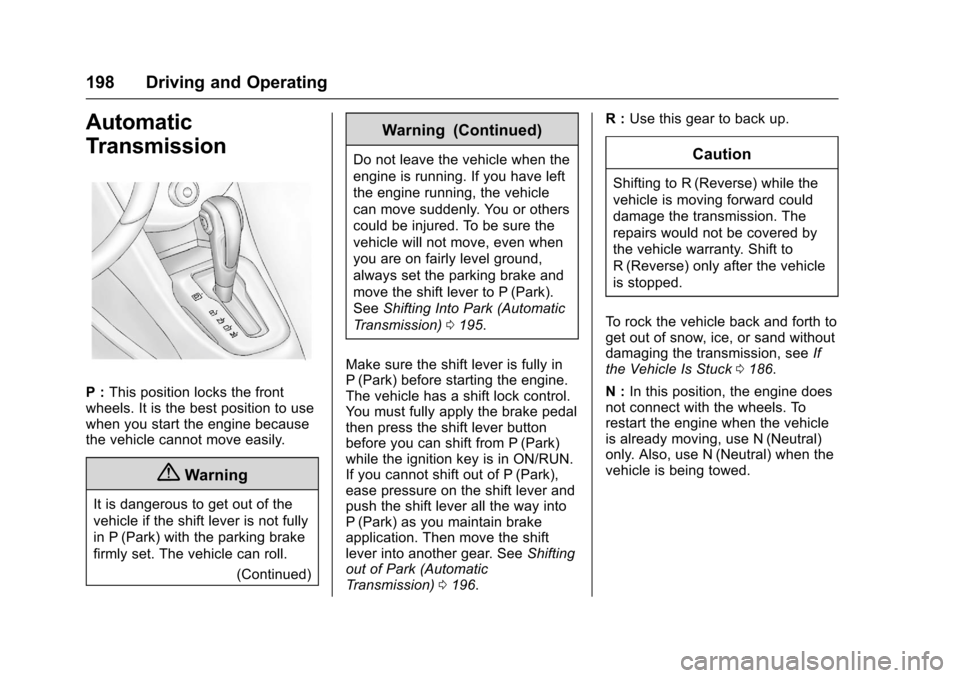
P :This position locks the front
wheels. It is the best position to use
when you start the engine because
the vehicle cannot move easily.
{Warning
It is dangerous to get out of the
vehicle if the shift lever is not fully
in P (Park) with the parking brake
firmly set. The vehicle can roll.
(Continued)
Warning (Continued)
Do not leave the vehicle when the
engine is running. If you have left
the engine running, the vehicle
can move suddenly. You or others
could be injured. To be sure the
vehicle will not move, even when
you are on fairly level ground,
always set the parking brake and
move the shift lever to P (Park).
SeeShifting Into Park (Automatic
Transmission) 0195.
Make sure the shift lever is fully in
P (Park) before starting the engine.
The vehicle has a shift lock control.
You must fully apply the brake pedal
then press the shift lever button
before you can shift from P (Park)
while the ignition key is in ON/RUN.
If you cannot shift out of P (Park),
ease pressure on the shift lever and
push the shift lever all the way into
P (Park) as you maintain brake
application. Then move the shift
lever into another gear. See Shifting
out of Park (Automatic
Transmission) 0196. R :
Use this gear to back up.Caution
Shifting to R (Reverse) while the
vehicle is moving forward could
damage the transmission. The
repairs would not be covered by
the vehicle warranty. Shift to
R (Reverse) only after the vehicle
is stopped.
To rock the vehicle back and forth to
get out of snow, ice, or sand without
damaging the transmission, see If
the Vehicle Is Stuck 0186.
N : In this position, the engine does
not connect with the wheels. To
restart the engine when the vehicle
is already moving, use N (Neutral)
only. Also, use N (Neutral) when the
vehicle is being towed.