2016 CHEVROLET SILVERADO wheel
[x] Cancel search: wheelPage 227 of 533
Chevrolet Silverado Owner Manual (GMNA-Localizing-U.S./Canada/Mexico-
9159338) - 2016 - crc - 10/21/15
226 Infotainment System
The Recent Calls menu allows you
to access the phone numbers from
the Incoming Calls, Outgoing Calls,
and Missed Calls menus on the cell
phone to make a call.
To make a call using the
Contacts menu:1. From the Home Page, turn the MENU knob, then press to
select the PHONE screen
button.
2. Turn the MENU knob to highlight Contacts and press to
select.
3. Turn the MENU knob to highlight the letter group and
press to select.
4. Turn the MENU knob to highlight the contact and press
to select.
5. Turn the MENU knob to highlight the desired number,
then press the MENU knob to
call the contact. To make a call using the Recent
Calls menu:
1. From the Home Page, turn the MENU knob, then press to
select the PHONE screen
button.
2. Turn the MENU knob to highlight Recent Calls and
press to select.
If necessary, select between
Missed, Recent, and Sent calls
by pressing the button below
the appropriate screen button.
3. Turn the MENU knob to highlight the contact or the
phone number.
4. Press the MENU knob to call the contact.
Making a Call Using the
Keypad
To make a call:
1. From the Home Page, turn the MENU knob, then press to
select the PHONE screen
button. 2. Turn the MENU knob and
press to select Keypad.
3. Turn the MENU knob to highlight the first digit and
press to select. Continue this
process through the number.
To call, press the button just
below the CALL screen button.
Accepting or Declining a Call
When an incoming call is received,
the infotainment system mutes and
a ring tone is heard in the vehicle.
Accepting a Call
To accept a call, do one of the
following:
.Press the button just below the
ANSWER screen button.
. Press
gon the steering wheel
controls.
Declining a Call
To decline a call, do one of the
following:
. Press the button just below the
IGNORE screen button.
Page 228 of 533
Chevrolet Silverado Owner Manual (GMNA-Localizing-U.S./Canada/Mexico-
9159338) - 2016 - crc - 10/21/15
Infotainment System 227
.Pression the steering wheel
controls.
. Do nothing.
Call Waiting
Call waiting must be supported on
the Bluetooth phone and enabled by
the wireless service carrier to work.
Accepting a Call Waiting Call
To accept a call waiting call, do one
of the following:
.Press the button just below the
SWITCH screen button.
. Press
gon the steering wheel
controls.
Declining a Call Waiting Call
To decline a call waiting call, do one
of the following:
. Press the button just below the
IGNORE screen button.
. Press
ion the steering wheel
controls.
. Do nothing.
Ending a Call
To end a call, do one of the
following:
.Press the button just below the
END screen button.
. Press
ion the steering wheel
controls.
Dual Tone Multi-Frequency
(DTMF) Tones
The in-vehicle Bluetooth system can
send numbers during a call. This is
used when calling a menu-driven
phone system.
1. When a call is active, press the button just below the KEYPAD
screen button.
2. Turn the MENU knob to highlight the first digit and
press to select.
If not initially in the phone
application, from the Home Page,
turn the MENU knob, then press to
select the PHONE screen button.
From the PHONE main menu, turn
the MENU knob to highlight Active
Call and press to select.
Bluetooth (Voice
Recognition - Base
Radio)
Using Voice Recognition
To use voice recognition, pressg
on the steering wheel. Use the
commands below for the various
voice features. For additional
information, say “Help”while you
are in a voice recognition menu.
Pairing
Pairing a Phone
1. Press
g. The system responds
“Ready,” followed by a tone.
2. Say “Bluetooth.”
3. Say “Pair.”The system
responds with instructions and
a four-digit Personal
Identification Number (PIN).
The PIN is used in Step 5.
4. Start the pairing process on the cell phone that you want to
pair. For help with this process,
see your cell phone
manufacturer's user guide.
Page 234 of 533
Chevrolet Silverado Owner Manual (GMNA-Localizing-U.S./Canada/Mexico-
9159338) - 2016 - crc - 10/21/15
Infotainment System 233
available paired cell phone in the
order that they were first paired
to the system.
When the Bluetooth device and
infotainment system are
successfully paired, the phone book
is downloaded automatically. This is
dependent on the type of the phone
paired. If the automatic download
does not occur, proceed with the
phone book download on the
phone.
Pairing a Phone - SSP and No
Paired Device
When there is no paired device on
the infotainment system and Simple
Secure Pairing (SSP) is supported:
1. Press
{.
2. Touch PHONE, press
#on the
faceplate, or press
gon the
steering wheel without OnStar.
3. Touch Search Device.
4. Touch the desired device to pair on the searched list
screen. 5. Touch Yes on the pop-up
screen of the Bluetooth device
and infotainment system.
6. When the Bluetooth device and infotainment system are
successfully paired, the phone
screen is displayed on the
infotainment system.
Pairing a Phone - SSP and Paired
Device
When a paired device is on the
infotainment system and SSP is
supported:
1. Press
{.
2. Touch Settings.
3. Touch Bluetooth, then Device Management.
4. Touch the desired device to pair. When the Bluetooth
device and infotainment system
are successfully paired,
Z/5
is displayed on the pair device
screen. If no desired device is
available go to Step 5.
5. Touch Search Device to search for the desired device. 6. Touch the desired device to
pair on the searched list
screen.
7. Touch Yes on the pop-up screen of the Bluetooth device
and infotainment system.
. The connected phone is
highlighted by
5.
.
Z/5indicates the hands-free
and phone music functions are
enabled.
.
5indicates only the hands-free
function is enabled.
.
Zindicates only Bluetooth
music is enabled.
Pairing a Phone - No SSP and No
Paired Device
When there is no paired device on
the infotainment system and SSP is
not supported:
1. Press
{.
2. Touch PHONE, press
#on the
faceplate, or press
gon the
steering wheel without OnStar.
Page 258 of 533
Chevrolet Silverado Owner Manual (GMNA-Localizing-U.S./Canada/Mexico-
9159338) - 2016 - crc - 10/21/15
Climate Controls 257
Air Vents
Use the air vents in the center and
on the side of the instrument panel
to direct airflow. Use the
thumbwheels near the air vents to
open or close off the airflow.
Air vents blow warm air on the side
windows in cold weather. If Floor,
Defog, or Defrost modes are
selected, a small amount of air will
come from the vents close to the
window. If the airflow is shut off
using the thumbwheels, warm air
will be directed to the other
instrument panel vents. This is
normal operation.
Use the thumbwheels to turn vent
airflow on or off based on the mode
selected.
Operation Tips
.Clear away any ice, snow,
or leaves from air inlets at the
base of the windshield that could
block the flow of air into the
vehicle. .
Keep the path under the front
seats clear of objects to help
circulate the air inside of the
vehicle more effectively.
. Use of non-GM approved hood
deflectors can adversely affect
the performance of the system.
Check with your dealer before
adding equipment to the outside
of the vehicle.
Maintenance
Passenger Compartment
Air Filter
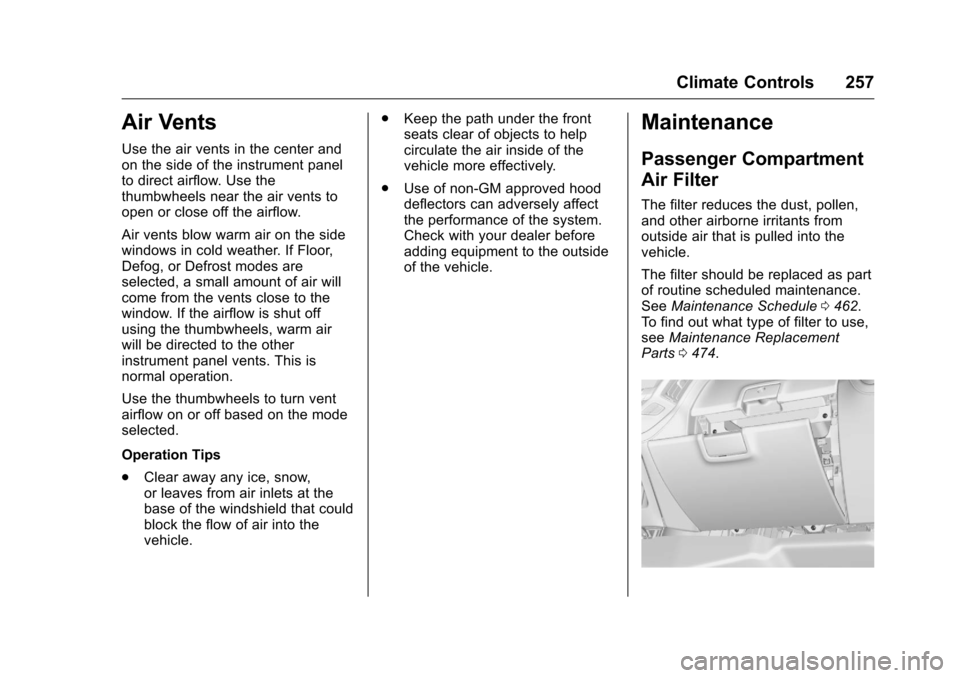
The filter reduces the dust, pollen,
and other airborne irritants from
outside air that is pulled into the
vehicle.
The filter should be replaced as part
of routine scheduled maintenance.
See Maintenance Schedule 0462.
To find out what type of filter to use,
see Maintenance Replacement
Parts 0474.
Page 260 of 533
Chevrolet Silverado Owner Manual (GMNA-Localizing-U.S./Canada/Mexico-
9159338) - 2016 - crc - 10/27/15
Driving and Operating 259
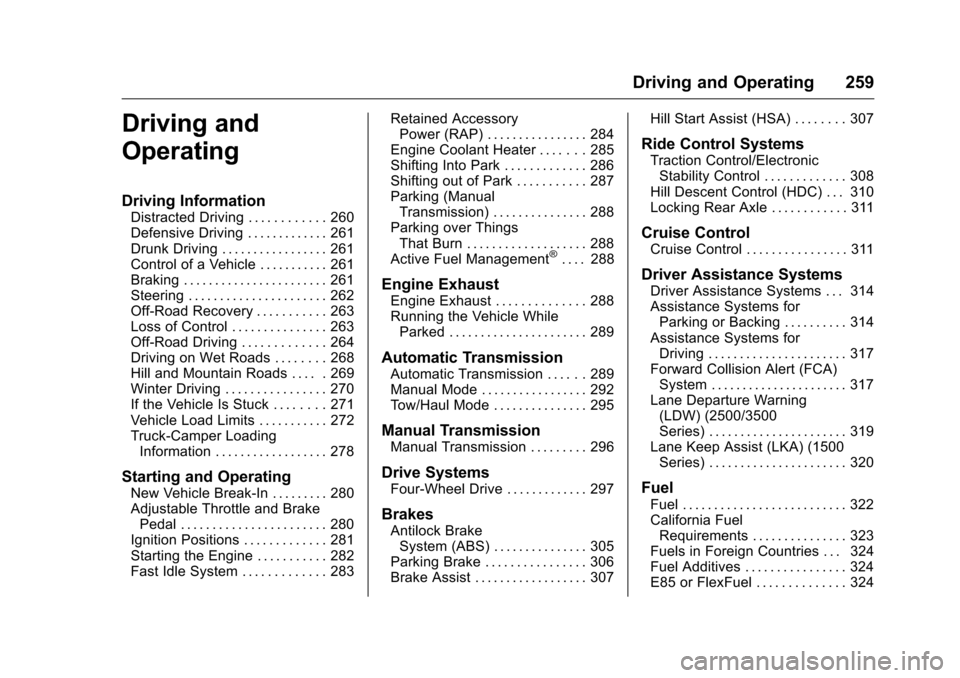
Driving and
Operating
Driving Information
Distracted Driving . . . . . . . . . . . . 260
Defensive Driving . . . . . . . . . . . . . 261
Drunk Driving . . . . . . . . . . . . . . . . . 261
Control of a Vehicle . . . . . . . . . . . 261
Braking . . . . . . . . . . . . . . . . . . . . . . . 261
Steering . . . . . . . . . . . . . . . . . . . . . . 262
Off-Road Recovery . . . . . . . . . . . 263
Loss of Control . . . . . . . . . . . . . . . 263
Off-Road Driving . . . . . . . . . . . . . 264
Driving on Wet Roads . . . . . . . . 268
Hill and Mountain Roads . . . . . 269
Winter Driving . . . . . . . . . . . . . . . . 270
If the Vehicle Is Stuck . . . . . . . . 271
Vehicle Load Limits . . . . . . . . . . . 272
Truck-Camper LoadingInformation . . . . . . . . . . . . . . . . . . 278
Starting and Operating
New Vehicle Break-In . . . . . . . . . 280
Adjustable Throttle and BrakePedal . . . . . . . . . . . . . . . . . . . . . . . 280
Ignition Positions . . . . . . . . . . . . . 281
Starting the Engine . . . . . . . . . . . 282
Fast Idle System . . . . . . . . . . . . . 283 Retained Accessory
Power (RAP) . . . . . . . . . . . . . . . . 284
Engine Coolant Heater . . . . . . . 285
Shifting Into Park . . . . . . . . . . . . . 286
Shifting out of Park . . . . . . . . . . . 287
Parking (Manual Transmission) . . . . . . . . . . . . . . . 288
Parking over Things That Burn . . . . . . . . . . . . . . . . . . . 288
Active Fuel Management
®. . . . 288
Engine Exhaust
Engine Exhaust . . . . . . . . . . . . . . 288
Running the Vehicle While Parked . . . . . . . . . . . . . . . . . . . . . . 289
Automatic Transmission
Automatic Transmission . . . . . . 289
Manual Mode . . . . . . . . . . . . . . . . . 292
Tow/Haul Mode . . . . . . . . . . . . . . . 295
Manual Transmission
Manual Transmission . . . . . . . . . 296
Drive Systems
Four-Wheel Drive . . . . . . . . . . . . . 297
Brakes
Antilock BrakeSystem (ABS) . . . . . . . . . . . . . . . 305
Parking Brake . . . . . . . . . . . . . . . . 306
Brake Assist . . . . . . . . . . . . . . . . . . 307 Hill Start Assist (HSA) . . . . . . . . 307
Ride Control Systems
Traction Control/Electronic
Stability Control . . . . . . . . . . . . . 308
Hill Descent Control (HDC) . . . 310
Locking Rear Axle . . . . . . . . . . . . 311
Cruise Control
Cruise Control . . . . . . . . . . . . . . . . 311
Driver Assistance Systems
Driver Assistance Systems . . . 314
Assistance Systems for Parking or Backing . . . . . . . . . . 314
Assistance Systems for Driving . . . . . . . . . . . . . . . . . . . . . . 317
Forward Collision Alert (FCA) System . . . . . . . . . . . . . . . . . . . . . . 317
Lane Departure Warning (LDW) (2500/3500
Series) . . . . . . . . . . . . . . . . . . . . . . 319
Lane Keep Assist (LKA) (1500 Series) . . . . . . . . . . . . . . . . . . . . . . 320
Fuel
Fuel . . . . . . . . . . . . . . . . . . . . . . . . . . 322
California FuelRequirements . . . . . . . . . . . . . . . 323
Fuels in Foreign Countries . . . 324
Fuel Additives . . . . . . . . . . . . . . . . 324
E85 or FlexFuel . . . . . . . . . . . . . . 324
Page 261 of 533
Chevrolet Silverado Owner Manual (GMNA-Localizing-U.S./Canada/Mexico-
9159338) - 2016 - crc - 10/27/15
260 Driving and Operating
Filling the Tank . . . . . . . . . . . . . . . 325
Filling a Portable FuelContainer . . . . . . . . . . . . . . . . . . . 327
Trailer Towing
General TowingInformation . . . . . . . . . . . . . . . . . . 327
Driving Characteristics and Towing Tips . . . . . . . . . . . . . . . . . 327
Trailer Towing . . . . . . . . . . . . . . . . 330
Towing Equipment . . . . . . . . . . . . 345
Trailer Sway Control (TSC) . . . 354
Conversions and Add-Ons
Add-On Electrical Equipment . . . . . . . . . . . . . . . . . . 355
Adding a Snow Plow or Similar Equipment . . . . . . . . . . . . . . . . . . 355
Pickup Conversion to Chassis Cab . . . . . . . . . . . . . . . . 359
Driving Information
Distracted Driving
Distraction comes in many forms
and can take your focus from the
task of driving. Exercise good
judgment and do not let other
activities divert your attention away
from the road. Many local
governments have enacted laws
regarding driver distraction. Become
familiar with the local laws in
your area.
To avoid distracted driving, always
keep your eyes on the road, hands
on the wheel, and mind on the drive.
. Do not use a phone in
demanding driving situations.
Use a hands-free method to
place or receive necessary
phone calls.
. Watch the road. Do not read,
take notes, or look up
information on phones or other
electronic devices.
. Designate a front seat
passenger to handle potential
distractions. .
Become familiar with vehicle
features before driving, such as
programming favorite radio
stations and adjusting climate
control and seat settings.
Program all trip information into
any navigation device prior to
driving.
. Wait until the vehicle is parked
to retrieve items that have fallen
to the floor.
. Stop or park the vehicle to tend
to children.
. Keep pets in an appropriate
carrier or restraint.
. Avoid stressful conversations
while driving, whether with a
passenger or on a cell phone.
{Warning
Taking your eyes off the road too
long or too often could cause a
crash resulting in injury or death.
Focus your attention on driving.
Page 263 of 533
Chevrolet Silverado Owner Manual (GMNA-Localizing-U.S./Canada/Mexico-
9159338) - 2016 - crc - 10/27/15
262 Driving and Operating
Steering
Electric Power Steering (1500
Series)
If the vehicle has electric power
steering, it does not have power
steering fluid. Regular maintenance
is not required.
If power steering assist is lost due
to a system malfunction, the vehicle
can be steered, but may require
increased effort. See your dealer if
there is a problem.
If the steering wheel is turned until it
reaches the end of its travel, and is
held in that position for an extended
period of time, power steering assist
may be reduced.
If the steering assist is used for an
extended period of time, power
assist may be reduced.
Normal use of the power steering
assist should return when the
system cools down.
See specific vehicle steering
messages underSteering System
Messages 0161.
Hydraulic Power Steering
(2500/3500 Series)
(2500/3500 Series –All Regular
Cab, Double Cab/Crew Cab
without Digital Steer Assist)
The power steering system may
require maintenance. See Power
Steering Fluid (1500 Series) 0385
or Power Steering Fluid (2500/3500
Series) 0385.
If power steering assist is lost
because the engine stops or the
system malfunctions, the vehicle
can be steered but may require
increased effort. See your dealer.
(2500/3500 Series –Double Cab/
Crew Cab with Digital Steer
Assist)
The vehicle has a Digital Steer
Assist power steering system that
varies the amount of effort required
to steer the vehicle. Less steering
effort is required at slower speeds.
At faster speeds, the steering effort
increases. The system helps the
steering wheel return to center at
low speeds. Pressing the Tow/Haul button adjusts steering effort for
driving conditions described in
Tow/
Haul Mode 0295.
The power steering system may
require maintenance, see Power
Steering Fluid (1500 Series) 0385
or Power Steering Fluid (2500/3500
Series) 0385.
If power steering assist is lost
because the engine stops or the
system malfunctions, the vehicle
can be steered but may require
increased effort. See your dealer.
Caution
If the steering wheel is turned
until it reaches the end of its
travel, and is held in that position
for more than 15 seconds,
damage may occur to the power
steering system and there may be
loss of power steering assist.
Curve Tips
. Take curves at a reasonable
speed.
Page 264 of 533
Chevrolet Silverado Owner Manual (GMNA-Localizing-U.S./Canada/Mexico-
9159338) - 2016 - crc - 10/27/15
Driving and Operating 263
.Reduce speed before entering a
curve.
. Maintain a reasonable steady
speed through the curve.
. Wait until the vehicle is out of
the curve before accelerating
gently into the straightaway.
Steering in Emergencies
.There are some situations when
steering around a problem may
be more effective than braking.
. Holding both sides of the
steering wheel allows you to turn
180 degrees without removing
a hand.
. Antilock Brake System (ABS)
allows steering while braking.
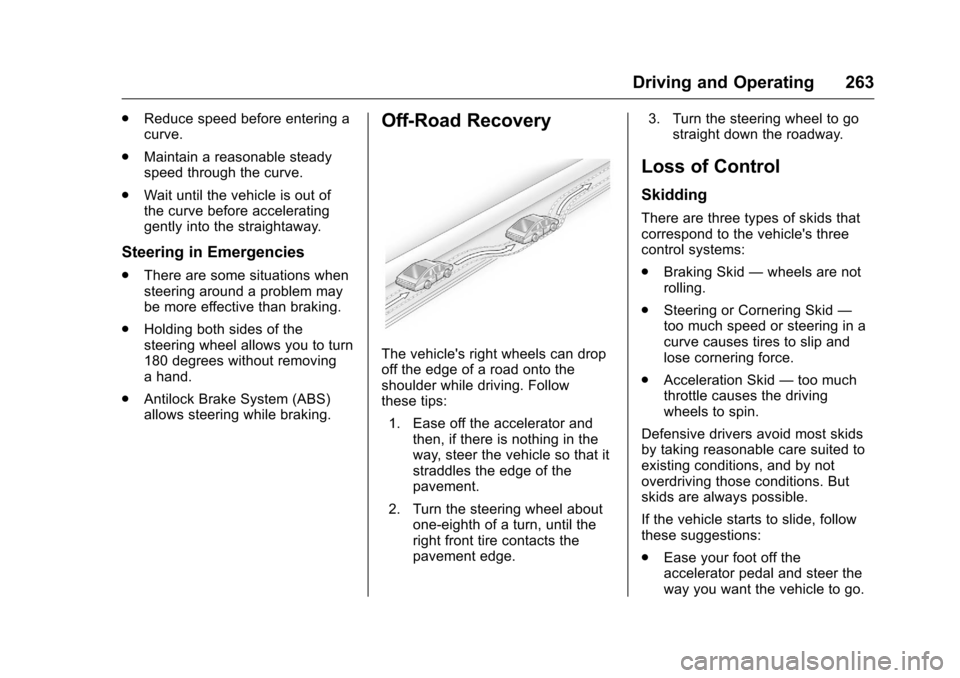
Off-Road Recovery
The vehicle's right wheels can drop
off the edge of a road onto the
shoulder while driving. Follow
these tips:
1. Ease off the accelerator and then, if there is nothing in the
way, steer the vehicle so that it
straddles the edge of the
pavement.
2. Turn the steering wheel about one-eighth of a turn, until the
right front tire contacts the
pavement edge. 3. Turn the steering wheel to go
straight down the roadway.
Loss of Control
Skidding
There are three types of skids that
correspond to the vehicle's three
control systems:
.Braking Skid —wheels are not
rolling.
. Steering or Cornering Skid —
too much speed or steering in a
curve causes tires to slip and
lose cornering force.
. Acceleration Skid —too much
throttle causes the driving
wheels to spin.
Defensive drivers avoid most skids
by taking reasonable care suited to
existing conditions, and by not
overdriving those conditions. But
skids are always possible.
If the vehicle starts to slide, follow
these suggestions:
. Ease your foot off the
accelerator pedal and steer the
way you want the vehicle to go.