2016 CHEVROLET MALIBU change time
[x] Cancel search: change timePage 136 of 420
Chevrolet Malibu Owner Manual (GMNA-Localizing-U.S./Canada/Mexico-
9087641) - 2016 - crc - 9/3/15
Instruments and Controls 135
the timer to zero, press and holdV
while this display is active, orpress
pand select reset.
Speed Limit : Shows sign
information, which comes from a
roadway database in the onboard
navigation, if equipped.
Following Distance Indicator :
When Adaptive Cruise Control
(ACC) is not engaged, the current
follow time to the vehicle ahead is
displayed as a time value on this
page. When ACC has been
engaged, the display switches to the
gap setting page. This page shows
the current gap setting along with
the vehicle ahead indicator.
Battery Voltage : Displays the
current battery voltage, if equipped.
Battery voltage changes are normal
while driving. See Charging System
Light 0119
ii. If there is a problem
with the battery charging system,
the DIC will display a message. See
Battery Voltage and Charging
Messages 0136
ii. Coolant Temperature :
Shows the
engine coolant temperature in either
degrees Celsius (°C) or degrees
Fahrenheit (°F).
Oil Pressure : Oil pressure is
displayed in either kilopascal (kPa)
or in pounds per square inch (psi).
Drive Cycle Info (Hybrid) : This
screen displays the distance
traveled and average fuel economy
for the current trip. The screen will
also be shown when the vehicle is
turned off displaying the previous
trip’s information.
Efficiency Gauge (Hybrid) : This
gauge is a guide to driving in an
efficient manner by keeping the
indicator in the center of the gauge.
. Accel: If the indicator moves to
the right of the gauge,
acceleration is too aggressive to
optimize efficiency.
. Brake: If the indicator moves to
the left side of the gauge,
braking is too aggressive to
optimize efficiency. Total Power Display (Hybrid) :
Provides a numeric display of the
total power being used to propel or
stop the vehicle. The display shows
the power being provided by the
battery or charging the battery as
well as the power provided by the
engine.
EV Operation (Hybrid) :
The bar
moves from left to right as the driver
requests more power from the
propulsion system. While in EV
mode, maintaining the bar in the
green zone will allow the driver to
maximize EV operation.
Blank Page : Shows no
information.
Page 140 of 420
Chevrolet Malibu Owner Manual (GMNA-Localizing-U.S./Canada/Mexico-
9087641) - 2016 - crc - 9/3/15
Instruments and Controls 139
severe damage. This message
clears when the engine has cooled
to a safe operating temperature.
Engine Oil Messages
CHANGE ENGINE OIL SOON
This message displays when the
engine oil needs to be changed.
When the engine oil is changed, be
sure to reset the Oil Life System.
SeeEngine Oil Life System 0291
ii,
Driver Information Center (DIC)
(Base Level) 0129
iior Driver
Information Center (DIC) (Uplevel)
0 132
ii,Engine Oil 0289ii, and
Maintenance Schedule 0368ii.
ENGINE OIL HOT, IDLE
ENGINE
This message displays when the
engine oil temperature is too hot.
Stop and allow the vehicle to idle
until it cools down.
OIL PRESSURE LOW— STOP
ENGINE
This message displays if low oil
pressure levels occur. Stop the
vehicle as soon as safely possible and do not operate it until the cause
of the low oil pressure has been
corrected. Check the oil as soon as
possible and have the vehicle
serviced by your dealer.
Engine Power Messages
ENGINE POWER IS REDUCED
This message displays when the
vehicle's engine power is reduced.
Reduced engine power can affect
the vehicle's ability to accelerate.
If this message is on, but there is no
reduction in performance, proceed
to your destination. The
performance may be reduced the
next time the vehicle is driven. The
vehicle may be driven at a reduced
speed while this message is on, but
maximum acceleration and speed
may be reduced. Anytime this
message stays on, the vehicle
should be taken to your dealer for
service as soon as possible.
Fuel System Messages
FUEL LEVEL LOW
This message displays when the
vehicle is low on fuel. Refuel as
soon as possible.
TIGHTEN GAS CAP
This message displays when the
fuel cap is not on tight. Tighten the
fuel cap.
Key and Lock Messages
NO REMOTE KEY WAS
DETECTED PLACE KEY IN
TRANSMITTER POCKET THEN
START YOUR VEHICLE
This message displays when trying
to start the vehicle if an RKE
transmitter is not detected. The
transmitter battery may be weak.
See
“Starting the Vehicle with a Low
Transmitter Battery” underRemote
Keyless Entry (RKE) System
Operation 031
ii.
Page 142 of 420
Chevrolet Malibu Owner Manual (GMNA-Localizing-U.S./Canada/Mexico-
9087641) - 2016 - crc - 9/3/15
Instruments and Controls 141
Adaptive Cruise Control (ACC),
some last-second automatic braking
capability is still provided, though
less likely to occur. SeeFront
Automatic Braking (FAB) System
0 259
ii.
AUTOMATIC COLLISION PREP
UNAVAILABLE
This message displays when the
Front Automatic Braking (FAB)
System has been unavailable for
some time. The FAB System does
not need service.
This can occur under the following
conditions:
.
The front of the vehicle or
windshield is not clean. Keep
these areas clean and free of
mud, dirt, snow, ice, and slush.
For cleaning instructions, see
Exterior Care 0358
ii.
. Heavy rain or snow is interfering
with the object detection
performance. This message may also be
displayed if there is a problem with
the StabiliTrak system. See
Traction
Control/Electronic Stability Control
0 241
ii
FORWARD COLLISION
ALERT OFF
This message displays when the
Forward Collision Alert has been
turned off.
FRONT CAMERA BLOCKED
CLEAN WINDSHIELD
This message displays when the
camera is blocked. Cleaning the
outside of the windshield behind the
rearview mirror may correct the
issue. The Front Pedestrian Braking
(FPB), Lane Keep Assist (LKA), and
Lane Departure Warning (LDW) will
not operate. Adaptive Cruise Control
(ACC), Forward Collision Alert
(FCA), and the Front Automatic
Braking (FAB) System may not work
or may not work as well.
LANE CHANGE ALERT OFF
This message indicates that the
driver has turned the Side Blind
Zone Alert (SBZA) and Lane
Change Alert (LCA) systems off.
LANE KEEPING ASSIST
UNAVAILABLE
This message displays when the
Lane Keep Assist (LKA) and Lane
Departure Warning (LDW) system is
temporarily unavailable. The LKA
system does not need service.
This message could be due to the
camera being blocked. Cleaning the
outside of the windshield behind the
rearview mirror may correct the
issue.
PARK ASSIST OFF
This message displays when the
Parking Assist system has been
turned off or when there is a
temporary condition causing the
system to be disabled.
Page 148 of 420
Chevrolet Malibu Owner Manual (GMNA-Localizing-U.S./Canada/Mexico-
9087641) - 2016 - crc - 9/3/15
Instruments and Controls 147
Auto Rear Defog
This allows the rear window
defogger to turn on automatically
when the interior temperature is cold
and the outside temperature is
about 7 °C (44 °F) and below. See
“Rear Window Defogger”inDual
Automatic Climate Control System
0 209
ii.
Select Off or On.
Comfort and Convenience
Select and the following may
display:
. Auto Memory Recall
. Easy Exit Options
. Chime Volume
. Reverse Tilt Mirror
. Extended Hill Start Assist
Auto Memory Recall
This feature automatically recalls
the current driver ’s previously stored
1 or 2 positions when the ignition is
changed from OFF to ON/RUN/
START or ACCESSORY. See
Memory Seats 058
ii. Select Off or On.
Easy Exit Options
This feature automatically recalls
the current driver
’s previously stored
Exit button position when exiting the
vehicle. See Memory Seats 058
ii.
Select Off or On.
Chime Volume
Select to set the chime volume
level.
Reverse Tilt Mirror
When on, both the driver and
passenger, driver, or passenger
mirrors will tilt downward when the
vehicle is shifted to R (Reverse) to
improve visibility of the ground near
the rear wheels. They will return to
their previous driving position when
the vehicle is shifted out of
R (Reverse) or the ignition is turned
to OFF.
Select Off, On - Driver and
Passenger, On - Driver, or On -
Passenger. Extended Hill Start Assist
This allows the duration of the Hill
Start Assist to be changed. See
“Extended Hill Start Assist (EHSA)”
in
Hill Start Assist (HSA) 0240
ii.
Select Extended Hold or
Standard Hold.
Languages
Select, then select from the
available language(s).
Lighting
Select the Lighting menu and the
following may be displayed:
. Exit Lighting
Exit Lighting
Select to set how long the exterior
lamps stay on when leaving the
vehicle and it is dark outside. See
Exit Lighting 0166
ii.
Select the desired time.
Power Door Locks
Select and the following may
display:
. Unlocked Door Anti Lock Out
Page 151 of 420
Chevrolet Malibu Owner Manual (GMNA-Localizing-U.S./Canada/Mexico-
9087641) - 2016 - crc - 9/3/15
150 Instruments and Controls
.Voice
. USB Auto Launch
. Turn Display Off
. Rear Camera
. Return to Factory Settings
. Software Information
Time and Date
Select Time and Date to adjust the
clock. See Clock0106ii.
Language
Select, then select from the
available language(s).
Valet Mode (If Equipped)
This will lock the infotainment
system and steering wheel controls.
It may also limit access to vehicle
storage locations (if equipped).
To enable valet mode:
1. Enter a four-digit code on the keypad.
2. Touch Enter to go to the confirmation screen.
3. Re-enter the four-digit code. Touch LOCK or UNLOCK to lock or
unlock the system. Touch Back to
go back to the previous menu.
Teen Driver (If Equipped)
Select and the following may
display:
.
View Report Card
. Manage Settings
. Change PIN
. Key Registration
. Clear All Teen Keys/PIN
View Report Card
This allows the driver ’s driving
habits to be viewed. See Teen
Driver 0195
ii.
Manage Settings
Select and the following may
display:
. Audio Volume Limit
. Teen Driver Speed Warning
Audio Volume Limit
This allows a maximum radio
volume to be set. Select Off or On.
Teen Driver Speed Warning
This allows a warning to be set
when a certain speed is exceeded.
Select Off or On. If On is selected,
select a speed between 64 km/h
(40 mph) and 120 km/h (75 mph).
Change PIN
This allows the Personal
Identification Number (PIN) to be
changed. See
Teen Driver0195
ii.
Key Registration
This allows the key to be registered.
See Teen Driver 0195
ii.
Clear All Teen Keys/PIN
This allows all Teen Driver keys and
PINs to be cleared.
Select Continue or Cancel.
Radio
Select and the following may
display:
. Manage Favorites
. Number of Favorites Shown
Page 159 of 420
Chevrolet Malibu Owner Manual (GMNA-Localizing-U.S./Canada/Mexico-
9087641) - 2016 - crc - 9/3/15
158 Instruments and Controls
Make sure the hand-held transmitter
has a new battery for quick and
accurate transmission of the
radio-frequency signal.
Programming the Universal
Remote System
For questions or help programming
the Universal Remote system, call
1-800-355-3515 or see
www.homelink.com.
Programming involves
time-sensitive actions, and may time
out causing the procedure to be
repeated.
To program up to three devices:1. Hold the end of the hand-held transmitter about 3 to 8 cm (1
to 3 in) away from the
Universal Remote system
buttons with the indicator light
in view. The hand-held
transmitter was supplied by the
manufacturer of the garage
door opener receiver.
2. At the same time, press and hold both the hand-held
transmitter button and one of
the three Universal Remote system buttons to be used to
operate the garage door. Do
not release either button until
the indicator light changes from
a slow to a rapid flash. Then
release both buttons.
Some garage door openers
may require substitution of
Step 2 with the procedure
under
“Radio Signals for
Canada and Some Gate
Operators” later in this section.
3. Press and hold the newly programmed Universal Remote
system button for five seconds
while watching the indicator
light and garage door
activation.
.If the indicator light stays on
continuously or the garage
door moves when the
button is pressed, then
programming is complete.
There is no need to
complete Steps 4–6.
. If the indicator light does
not come on or the garage
door does not move, a
second button press may be required. For a second
time, press and hold the
newly programmed button
for five seconds. If the light
stays on or the garage door
moves, programming is
complete.
. If the indicator light blinks
rapidly for two seconds,
then changes to a solid light
and the garage door does
not move, continue with
programming Steps 4–6.
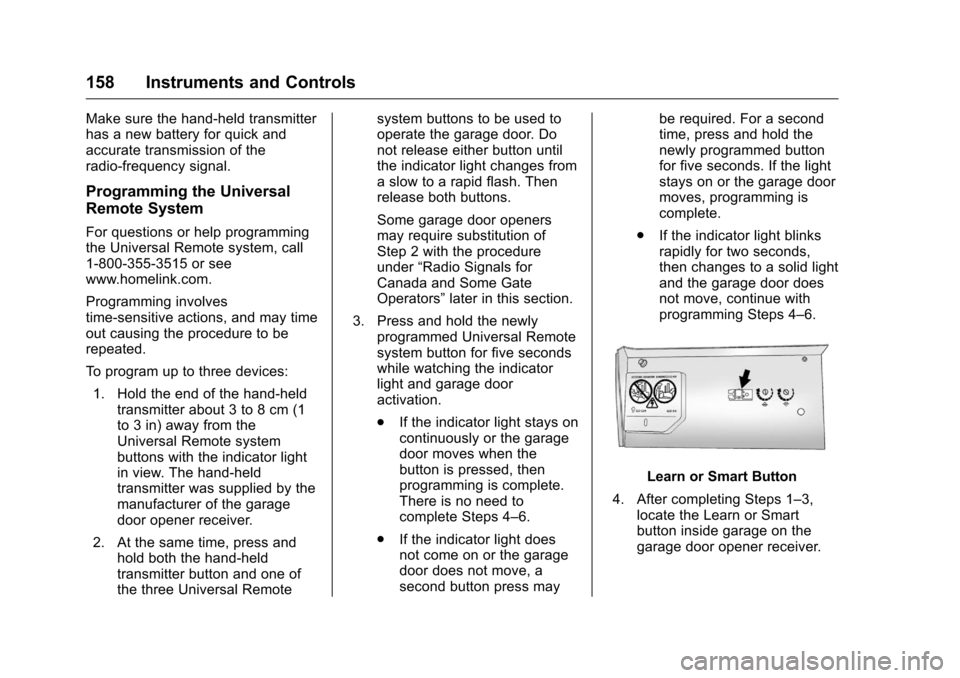
Learn or Smart Button
4. After completing Steps 1–3, locate the Learn or Smart
button inside garage on the
garage door opener receiver.
Page 162 of 420
Chevrolet Malibu Owner Manual (GMNA-Localizing-U.S./Canada/Mexico-
9087641) - 2016 - crc - 9/3/15
Lighting 161
Lighting
Exterior Lighting
Exterior Lamp Controls . . . . . . . 161
Exterior Lamps OffReminder . . . . . . . . . . . . . . . . . . . 163
Headlamp High/Low-Beam Changer . . . . . . . . . . . . . . . . . . . . 163
Flash-to-Pass . . . . . . . . . . . . . . . . 163
Daytime Running Lamps (DRL) . . . . . . . . . . . . . . . 163
Automatic Headlamp System . . . . . . . . . . . . . . . . . . . . . . 163
Hazard Warning Flashers . . . . . 164
Turn and Lane-Change Signals . . . . . . . . . . . . . . . . . . . . . . 164
Interior Lighting
Instrument Panel IlluminationControl . . . . . . . . . . . . . . . . . . . . . . 165
Courtesy Lamps . . . . . . . . . . . . . . 165
Dome Lamps . . . . . . . . . . . . . . . . . 165
Reading Lamps . . . . . . . . . . . . . . 166
Lighting Features
Entry Lighting . . . . . . . . . . . . . . . . 166
Exit Lighting . . . . . . . . . . . . . . . . . . 166
Battery Load Management . . . 167
Exterior Lighting
Exterior Lamp Controls
Shown with AUTO
Shown without AUTO
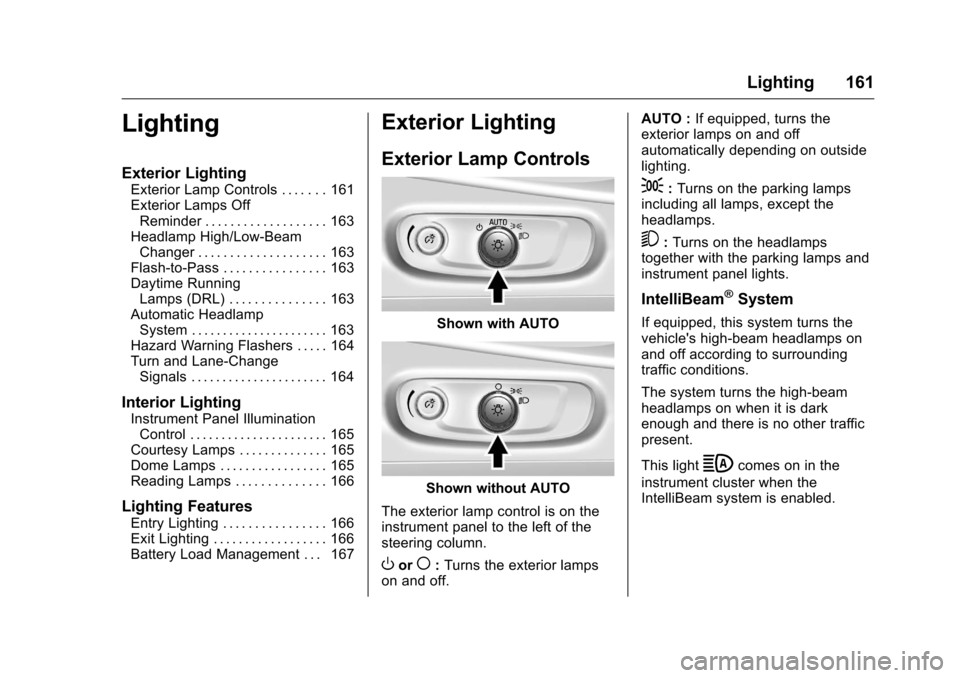
The exterior lamp control is on the
instrument panel to the left of the
steering column.
Oor(: Turns the exterior lamps
on and off. AUTO :
If equipped, turns the
exterior lamps on and off
automatically depending on outside
lighting.
;: Turns on the parking lamps
including all lamps, except the
headlamps.
5: Turns on the headlamps
together with the parking lamps and
instrument panel lights.
IntelliBeam®System
If equipped, this system turns the
vehicle's high-beam headlamps on
and off according to surrounding
traffic conditions.
The system turns the high-beam
headlamps on when it is dark
enough and there is no other traffic
present.
This light
bcomes on in the
instrument cluster when the
IntelliBeam system is enabled.
Page 164 of 420
Chevrolet Malibu Owner Manual (GMNA-Localizing-U.S./Canada/Mexico-
9087641) - 2016 - crc - 9/3/15
Lighting 163
.Driving on winding or hilly roads.
The IntelliBeam system may need to
be disabled if any of the above
conditions exist.
Exterior Lamps Off
Reminder
A warning chime sounds if the driver
door is opened while the ignition is
off and the exterior lamps are on.
Headlamp High/
Low-Beam Changer
3
: Push the turn signal lever away
from you and release, to turn the
high beams on. To return to low
beams, push the lever again or pull
it toward you and release.
This indicator light turns on in the
instrument cluster when the
high-beam headlamps are on.
Flash-to-Pass
To flash the high beams, pull the
turn signal lever toward you, and
release.
Daytime Running
Lamps (DRL)
DRL can make it easier for others to
see the front of your vehicle during
the day. Fully functional DRL are
required on all vehicles first sold in
Canada.
The DRL system comes on in
daylight when the following
conditions are met:
. The ignition is on.
. The exterior lamp control is in
AUTO, if equipped.
. The light sensor determines it is
daytime.
. The vehicle is not in P (Park).
When the DRL are on, the taillamps,
sidemarker lamps, instrument panel
lights, and other lamps will not
be on. The DRL turn off when the
headlamps are turned to
O,(,
or the ignition is off.
Automatic Headlamp
System
If equipped, the headlamps come on
automatically when the exterior
lamp control is set to AUTO and it is
dark enough outside
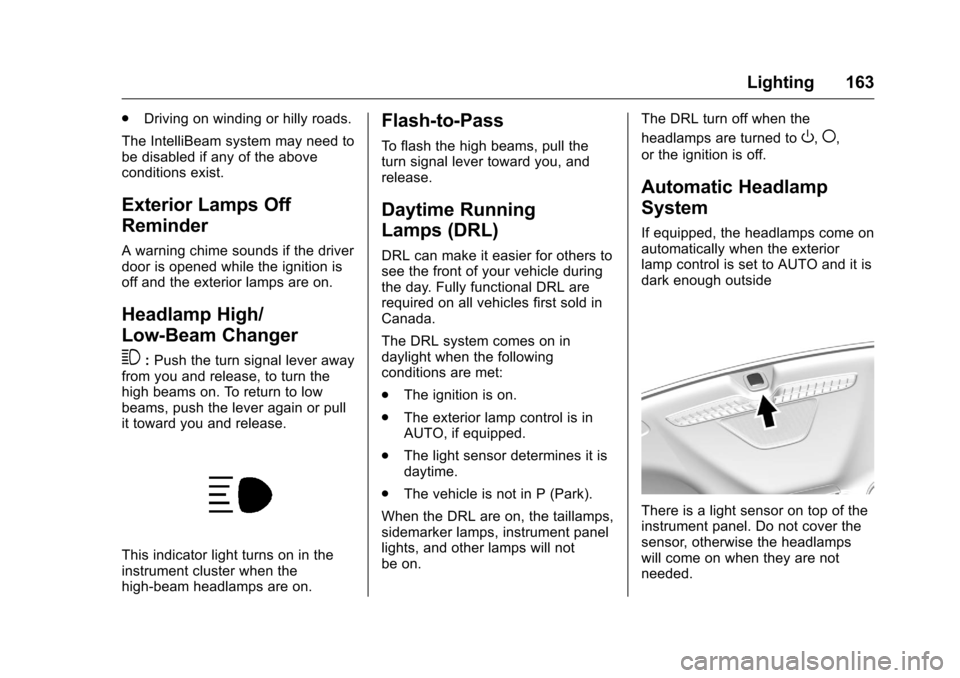
There is a light sensor on top of the
instrument panel. Do not cover the
sensor, otherwise the headlamps
will come on when they are not
needed.