Page 33 of 94
Chevrolet Malibu Limited/Cruze Limited MyLink Infotainment System
(GMNA-Localizing-U.S./Canada-9282853) - 2016 - crc - 4/16/15
32 Radio
Loss of Audio
Loss of Stitcher audio can happen
due to:
.Weak or lost data connection.
. Device needs to be charged.
. Application needs to be
relaunched.
. Connection between phone and
radio is lost.
. The volume is too low. Turn up
the volume on the device.
If the connection is lost between the
application and device, a message
“Please Unlock the Phone or
Restart the Phone App and Try
Again” will display. Touch OK to
retry.
If touching OK does not clear the
issue, see “Please Unlock the
Phone or Restart Phone App and
Try Again” under“Common Stitcher
Messages” following.
Common Stitcher Messages
Please Try Again Later : A general
error has occurred. A data
connection may be unavailable due to a weak or lost signal or the
Stitcher service being temporarily
down. Touch OK to continue.
Paused or Audio Paused :
Playback is paused on the radio or
on the device. Touch
kor play on
the device.
Please See Device : When not
logged in or when authentication
failed, see the device. Touch OK to
continue. Disconnect the phone
from the radio and follow the
Stitcher account login process on
the phone.
No Stations Found : Logged in but
no stations have been created.
Touch OK to continue.
Please Choose a New Station :
The end of the station has been
reached and there is no more
content to play. Select a new station
through the Stitcher menu.
Please unlock the phone or
restart the App and try again :
Communication failure between the
radio and the phone application or
the device is locked. See www.stitcher.com/help for more
information. If the service will not
work, send an e-mail to
[email protected] or see your
dealer for assistance.Pictures
Pictures can only be viewed using
USB devices. If pictures are on an
SD card, transfer to a USB device
or use a USB-SD adapter. File sizes
above approximately four mega
pixels may not show. Only jpeg,
bmp, gif, and png files are
supported.
1. Touch the Pictures screen button on the Home Page.
2. The system does a search to find the picture folders.
A“Please wait” message
displays until the search is
finished.
Page 66 of 94
Chevrolet Malibu Limited/Cruze Limited MyLink Infotainment System
(GMNA-Localizing-U.S./Canada-9282853) - 2016 - crc - 4/16/15
Navigation 65
Touch to enable the Guidance Alert
pop-up to be viewed on the map or
on the main screens such as audio,
weather, phone, etc. A checkmark
appears to indicate the guidance
alert mode is on.
Vehicle Settings
See“Vehicle Personalization” in the
owner manual.
Display Settings
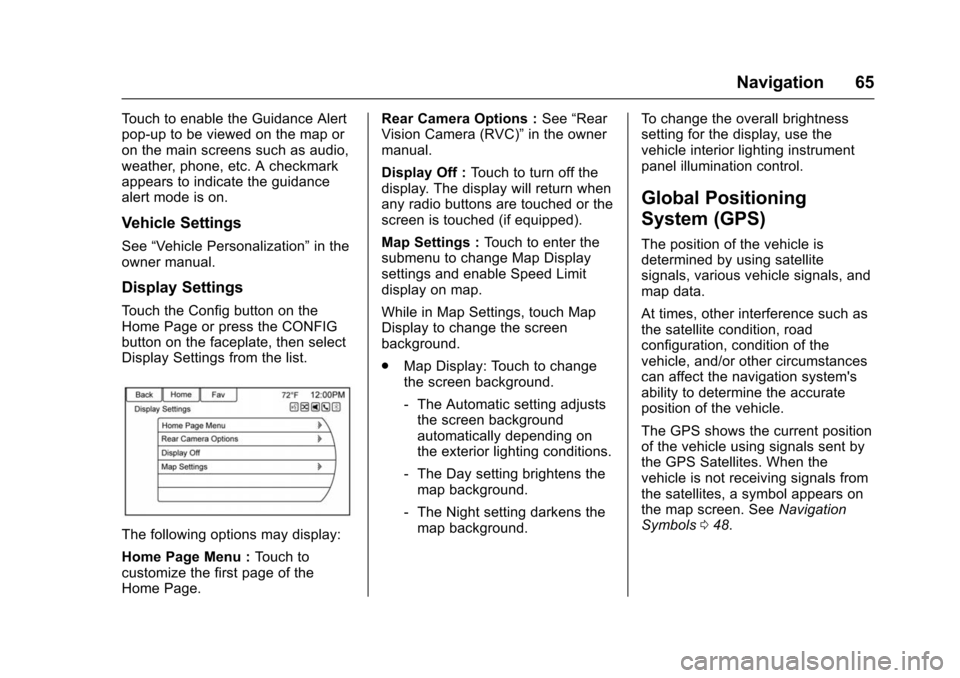
Touch the Config button on the
Home Page or press the CONFIG
button on the faceplate, then select
Display Settings from the list.
The following options may display:
Home Page Menu : Touch to
customize the first page of the
Home Page. Rear Camera Options :
See“Rear
Vision Camera (RVC)” in the owner
manual.
Display Off : Touch to turn off the
display. The display will return when
any radio buttons are touched or the
screen is touched (if equipped).
Map Settings : Touch to enter the
submenu to change Map Display
settings and enable Speed Limit
display on map.
While in Map Settings, touch Map
Display to change the screen
background.
. Map Display: Touch to change
the screen background.
‐The Automatic setting adjusts
the screen background
automatically depending on
the exterior lighting conditions.
‐ The Day setting brightens the
map background.
‐ The Night setting darkens the
map background. To change the overall brightness
setting for the display, use the
vehicle interior lighting instrument
panel illumination control.
Global Positioning
System (GPS)
The position of the vehicle is
determined by using satellite
signals, various vehicle signals, and
map data.
At times, other interference such as
the satellite condition, road
configuration, condition of the
vehicle, and/or other circumstances
can affect the navigation system's
ability to determine the accurate
position of the vehicle.
The GPS shows the current position
of the vehicle using signals sent by
the GPS Satellites. When the
vehicle is not receiving signals from
the satellites, a symbol appears on
the map screen. See
Navigation
Symbols 048.
Page 67 of 94
Chevrolet Malibu Limited/Cruze Limited MyLink Infotainment System
(GMNA-Localizing-U.S./Canada-9282853) - 2016 - crc - 4/16/15
66 Navigation
This system might not be available
or interference can occur if any of
the following are true:
.Signals are obstructed by tall
buildings, trees, large trucks,
or a tunnel.
. Satellites are being repaired or
improved.
For more information if the GPS is
not functioning properly, see
Problems with Route Guidance 066
and If the System Needs Service
0 67.
Vehicle Positioning
At times, the position of the vehicle
on the map could be inaccurate due
to one or more of the following
reasons:
.
The road system has changed.
. The vehicle is driving on slippery
road surfaces such as sand,
gravel, or snow.
. The vehicle is traveling on
winding roads or long straight
roads. .
The vehicle is approaching a tall
building or a large vehicle.
. The surface streets run parallel
to a freeway.
. The vehicle has been transferred
by a vehicle carrier or a ferry.
. The current position calibration
is set incorrectly.
. The vehicle is traveling at high
speed.
. The vehicle changes directions
more than once, or the vehicle is
turning on a turn table in a
parking lot.
. The vehicle is entering and/or
exiting a parking lot, garage, or a
lot with a roof.
. The GPS signal is not received.
. A roof carrier is installed on the
vehicle.
. Tire chains have been installed.
. The tires are replaced or worn.
. The tire pressure for the tires is
incorrect. .
This is the first navigation use
after the map data is updated.
. The 12-volt battery is
disconnected for several days.
. The vehicle is driving in heavy
traffic where driving is at low
speeds, and the vehicle is
stopped and started repeatedly.
Problems with Route
Guidance
Inappropriate route guidance can
occur under one or more of the
following conditions:
.The turn was not made on the
road indicated.
. Route guidance might not be
available when using automatic
rerouting for the next right or
left turn.
. The route might not be changed
when using automatic rerouting.
. There is no route guidance when
turning at an intersection.
. Plural names of places might be
announced occasionally.