Chevrolet Malibu Limited/Cruze Limited MyLink Infotainment System
(GMNA-Localizing-U.S./Canada-9282853) - 2016 - crc - 4/16/15
Navigation 63
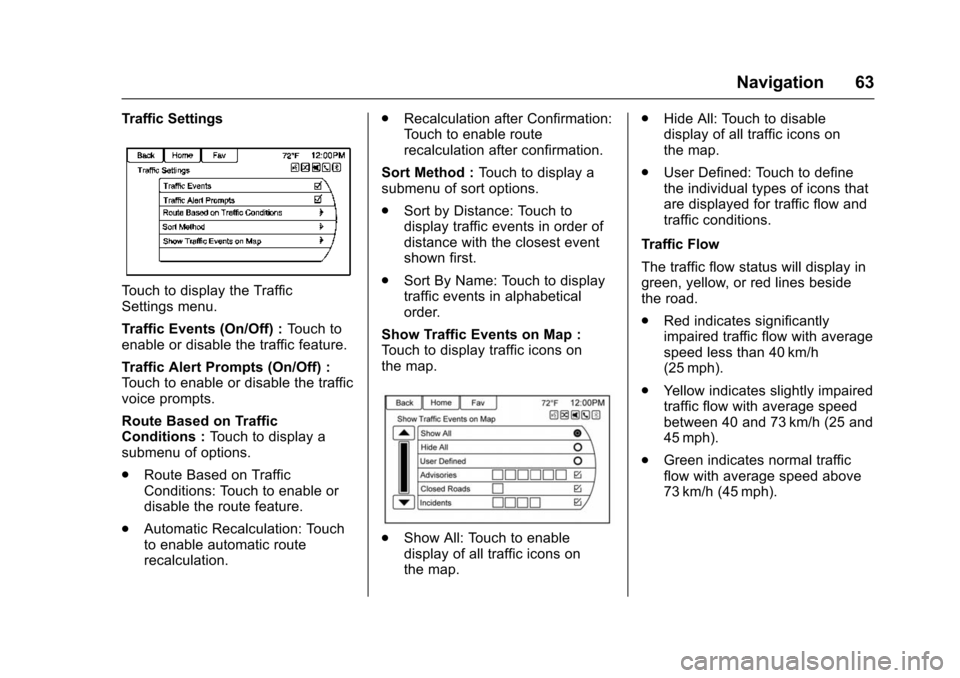
Traffic Settings
Touch to display the Traffic
Settings menu.
Traffic Events (On/Off) :Touch to
enable or disable the traffic feature.
Traffic Alert Prompts (On/Off) :
Touch to enable or disable the traffic
voice prompts.
Route Based on Traffic
Conditions : Touch to display a
submenu of options.
. Route Based on Traffic
Conditions: Touch to enable or
disable the route feature.
. Automatic Recalculation: Touch
to enable automatic route
recalculation. .
Recalculation after Confirmation:
Touch to enable route
recalculation after confirmation.
Sort Method : Touch to display a
submenu of sort options.
. Sort by Distance: Touch to
display traffic events in order of
distance with the closest event
shown first.
. Sort By Name: Touch to display
traffic events in alphabetical
order.
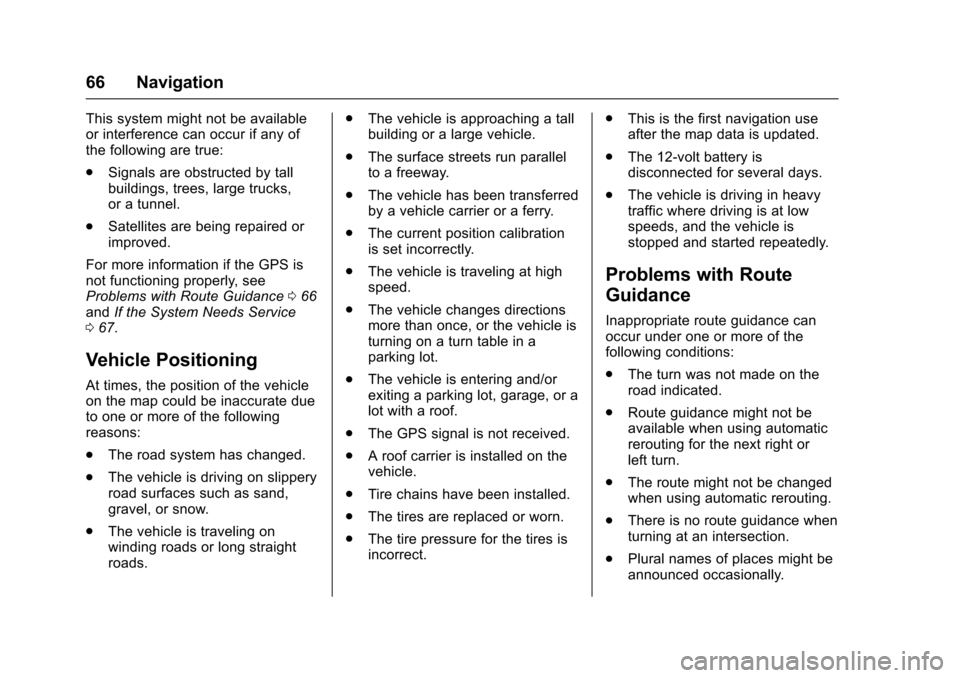
Show Traffic Events on Map :
Touch to display traffic icons on
the map.
. Show All: Touch to enable
display of all traffic icons on
the map. .
Hide All: Touch to disable
display of all traffic icons on
the map.
. User Defined: Touch to define
the individual types of icons that
are displayed for traffic flow and
traffic conditions.
Traffic Flow
The traffic flow status will display in
green, yellow, or red lines beside
the road.
. Red indicates significantly
impaired traffic flow with average
speed less than 40 km/h
(25 mph).
. Yellow indicates slightly impaired
traffic flow with average speed
between 40 and 73 km/h (25 and
45 mph).
. Green indicates normal traffic
flow with average speed above
73 km/h (45 mph).
Chevrolet Malibu Limited/Cruze Limited MyLink Infotainment System
(GMNA-Localizing-U.S./Canada-9282853) - 2016 - crc - 4/16/15
66 Navigation
This system might not be available
or interference can occur if any of
the following are true:
.Signals are obstructed by tall
buildings, trees, large trucks,
or a tunnel.
. Satellites are being repaired or
improved.
For more information if the GPS is
not functioning properly, see
Problems with Route Guidance 066
and If the System Needs Service
0 67.
Vehicle Positioning
At times, the position of the vehicle
on the map could be inaccurate due
to one or more of the following
reasons:
.
The road system has changed.
. The vehicle is driving on slippery
road surfaces such as sand,
gravel, or snow.
. The vehicle is traveling on
winding roads or long straight
roads. .
The vehicle is approaching a tall
building or a large vehicle.
. The surface streets run parallel
to a freeway.
. The vehicle has been transferred
by a vehicle carrier or a ferry.
. The current position calibration
is set incorrectly.
. The vehicle is traveling at high
speed.
. The vehicle changes directions
more than once, or the vehicle is
turning on a turn table in a
parking lot.
. The vehicle is entering and/or
exiting a parking lot, garage, or a
lot with a roof.
. The GPS signal is not received.
. A roof carrier is installed on the
vehicle.
. Tire chains have been installed.
. The tires are replaced or worn.
. The tire pressure for the tires is
incorrect. .
This is the first navigation use
after the map data is updated.
. The 12-volt battery is
disconnected for several days.
. The vehicle is driving in heavy
traffic where driving is at low
speeds, and the vehicle is
stopped and started repeatedly.
Problems with Route
Guidance
Inappropriate route guidance can
occur under one or more of the
following conditions:
.The turn was not made on the
road indicated.
. Route guidance might not be
available when using automatic
rerouting for the next right or
left turn.
. The route might not be changed
when using automatic rerouting.
. There is no route guidance when
turning at an intersection.
. Plural names of places might be
announced occasionally.