2016 CHEVROLET CRUZE USB
[x] Cancel search: USBPage 179 of 377
Chevrolet Cruze Owner Manual (GMNA-Localizing-U.S./Canada/Mexico-
9234744) - 2016 - CRC - 3/9/16
178 Infotainment System
.Only connect the iPod/iPhone
with connection cables
supported by iPod/iPhone
products. Other connection
cables cannot be used.
. The iPod/iPhone may be
damaged if it is connected to the
vehicle with the ignition on.
When not in use, disconnect the
iPod/iPhone.
. When the iPod/iPhone is
connected to the USB port by
using the iPod/iPhone cable, the
Bluetooth music is not
supported.
. The iPod/iPhone playback
functions and the information
displayed may be different when
played on the infotainment
system.
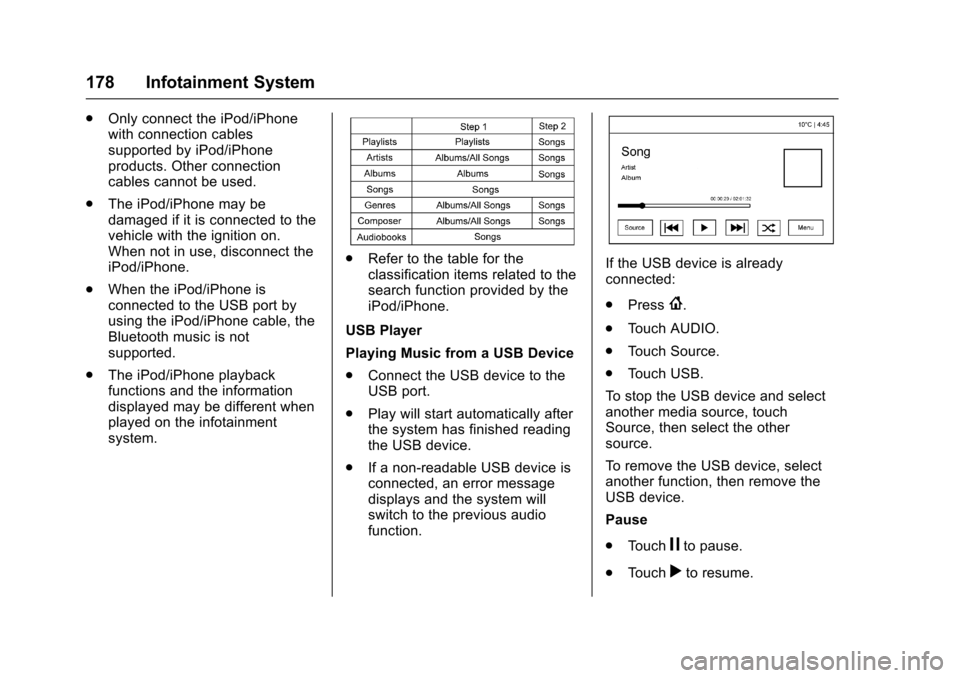
.Refer to the table for the
classification items related to the
search function provided by the
iPod/iPhone.
USB Player
Playing Music from a USB Device
. Connect the USB device to the
USB port.
. Play will start automatically after
the system has finished reading
the USB device.
. If a non-readable USB device is
connected, an error message
displays and the system will
switch to the previous audio
function.If the USB device is already
connected:
.Press
{.
. Touch AUDIO.
. Touch Source.
. Touch USB.
To stop the USB device and select
another media source, touch
Source, then select the other
source.
To remove the USB device, select
another function, then remove the
USB device.
Pause
. Touch
jto pause.
. Touch
rto resume.
Page 180 of 377
Chevrolet Cruze Owner Manual (GMNA-Localizing-U.S./Canada/Mexico-
9234744) - 2016 - CRC - 3/9/16
Infotainment System 179
Changing to the Next/Previous
Files
.Touch
lto change to the
next file.
. Touch
gwithin five seconds of
the playback time to play the
previous file.
Returning to the Beginning of the
Current File
Touch
gafter five seconds of the
playback time.
Scanning Forward or Backward
Touch and hold
gorlduring
playback to rewind or fast forward.
Release the button to resume
playback at normal speed.
Playing a File Randomly
Touch
Zduring playback.
. ON: Plays all files randomly.
. OFF: Returns to normal
playback.
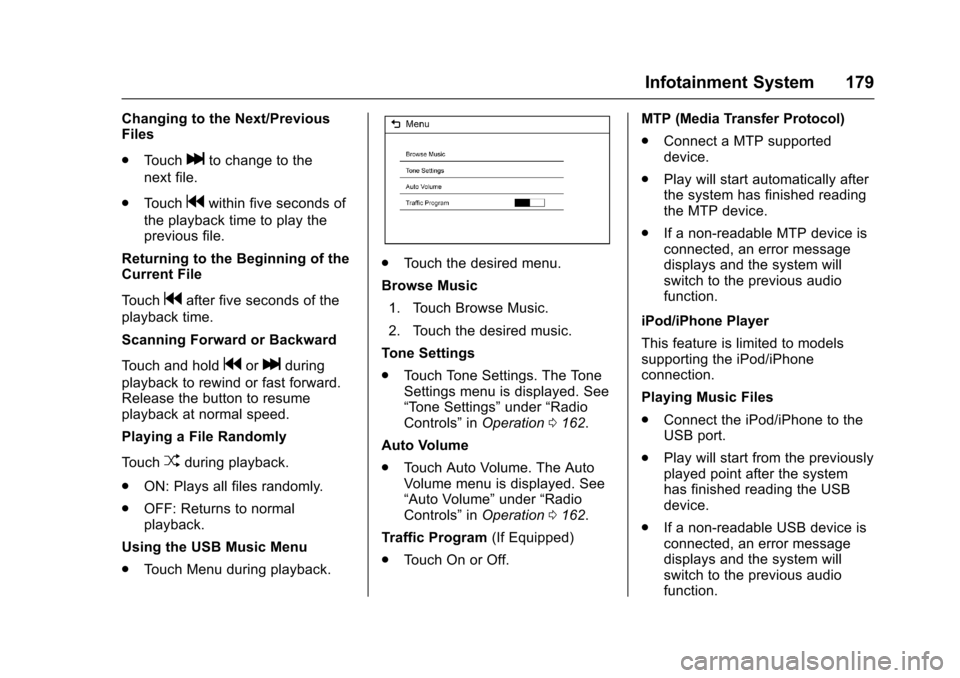
Using the USB Music Menu
. Touch Menu during playback.
.Touch the desired menu.
Browse Music 1. Touch Browse Music.
2. Touch the desired music.
Tone Settings
. Touch Tone Settings. The Tone
Settings menu is displayed. See
“Tone Settings” under“Radio
Controls” inOperation 0162.
Auto Volume
. Touch Auto Volume. The Auto
Volume menu is displayed. See
“Auto Volume” under“Radio
Controls” inOperation 0162.
Traffic Program (If Equipped)
. Touch On or Off. MTP (Media Transfer Protocol)
.
Connect a MTP supported
device.
. Play will start automatically after
the system has finished reading
the MTP device.
. If a non-readable MTP device is
connected, an error message
displays and the system will
switch to the previous audio
function.
iPod/iPhone Player
This feature is limited to models
supporting the iPod/iPhone
connection.
Playing Music Files
. Connect the iPod/iPhone to the
USB port.
. Play will start from the previously
played point after the system
has finished reading the USB
device.
. If a non-readable USB device is
connected, an error message
displays and the system will
switch to the previous audio
function.
Page 181 of 377
Chevrolet Cruze Owner Manual (GMNA-Localizing-U.S./Canada/Mexico-
9234744) - 2016 - CRC - 3/9/16
180 Infotainment System
If the iPod/iPhone is already
connected:1. Press
{.
2. Touch AUDIO.
3. Touch Source.
4. Touch iPod.
To stop the device and select
another media source, touch
Source, then select the other
source.
To remove the device, select
another function, then remove the
device.
Pause
. Touch
jto pause.
. Touch
rto resume.
Changing to the Next/
Previous Song
. Touch
lto change to the
next song.
. Touch
gwithin two seconds of
the playback time to play the
previous file. Returning to the Beginning of the
Current File
Touch
gafter two seconds of the
playback time.
Scanning Forward or Backward
Touch and hold
gorlduring
playback to rewind or fast forward.
Release the button to resume
playback at normal speed.
Playing a File Randomly
Touch
Zduring playback.
. ON: Plays all files randomly.
. OFF: Returns to normal
playback.
Using the iPod Menu
. Touch Menu during playback.
. Touch the appropriate
play mode.
Browse Music 1. Touch Browse Music.
2. Touch the desired music. Tone Settings
.
Touch Tone Settings. The Tone
Settings menu is displayed. See
“Tone Settings” under“Radio
Controls” inOperation 0162.
Auto Volume
. Touch Auto Volume. The Auto
Volume menu is displayed. See
“Auto Volume” under“Radio
Controls” inOperation 0162.Pictures and Movies
(Picture System)
The infotainment system can view
picture files stored on a USB
storage device and devices that
support Media Transfer
Protocol (MTP).
Picture System Information
.
Supported file extensions: .jpg,
.bmp, .png, .gif.
. Animated GIF files are not
supported.
. Some files may not operate due
to a different recording format or
the condition of the file.
Page 182 of 377
Chevrolet Cruze Owner Manual (GMNA-Localizing-U.S./Canada/Mexico-
9234744) - 2016 - CRC - 3/9/16
Infotainment System 181
Viewing Pictures1. Connect the USB device to the USB port.
2. Touch the screen to open to full screen. Touch the screen again
to return to the previous
screen.
If the USB device is already
connected:
1. Press
{.
2. Touch GALLERY.
Some features are disabled while
the vehicle is in motion.
Viewing a Slide Show
1. Touch
zfrom the picture
screen.
2. Touch the screen to cancel the slide show during the slide
show playback.
Viewing a Previous or Next
Picture
Touch
SorTfrom the picture
screen. Rotating a Picture
Touch
wfrom the picture screen.
Enlarging a Picture
Touch
xfrom the picture screen.
Using the USB Picture Menu 1. Touch MENU from the picture screen.
2. Touch the appropriate menu: .Slide Show Time: Allows
selection of the slide show
interval.
. Clock, Temp. Display:
Allows selection of On or
Off to show the clock and
temperature on the full
screen.
. Display Settings: Adjusts
for Brightness and Contrast.
3. Touch
0to exit.
Pictures and Movies
(Movie System)
The infotainment system can play
movie files stored on a USB storage
device and devices that support
Media Transfer Protocol (MTP).
Movie System Information
. Available resolution: Lower than
1280 x 720 (W x H) pixels.
. Frame rate: Less than 30 fps.
. Playable movie file: .mp4, .avi.
The playable movie file may not
be played according to the
codec format.
. Playable codec format: H.264/
MPEG-4 AVC.
. Playable Audio format: MP3,
AC3, AAC, WMA.
. Max video bitrate:
‐MPEG-1: 8 Mbps
‐ MPEG-4 (mpg4, mp42, mp43):
4 Mbps
. Max audio bitrate:
‐MP3: 320 Kbps
Page 183 of 377
Chevrolet Cruze Owner Manual (GMNA-Localizing-U.S./Canada/Mexico-
9234744) - 2016 - CRC - 3/9/16
182 Infotainment System
‐WMA: 768 Kbps
‐ AC-3: 640 Kbps
‐ AAC: 320 Kbps
. Movie files to which Digital Right
Management (DRM) is applied
may not be played.
Playing a Movie File 1. Connect the USB device to the USB port.
2. Touch the screen to open to full screen. Touch the screen again
to return to the previous
screen.
If the USB device is already
connected:
1. Press
{.
2. Touch GALLERY.
3. Touch
z.
Movie is not available while driving.
Pause
. Touch
jto pause.
. Touch
rto resume. Changing to the Next/Previous
Movie
.
Touch
uto change to the
next file.
. Touch
twithin five seconds of
the playback time to play the
previous file.
Returning to the Beginning of the
Current Movie
Touch
tafter five seconds of the
playback time.
Scanning Forward or Backward
Touch and hold
toruduring
playback to rewind or fast forward.
Release the button to resume
playback at normal speed.
Viewing Full Screen
Touch
tfrom the movie screen.
Touch
tagain to return to the
previous screen.
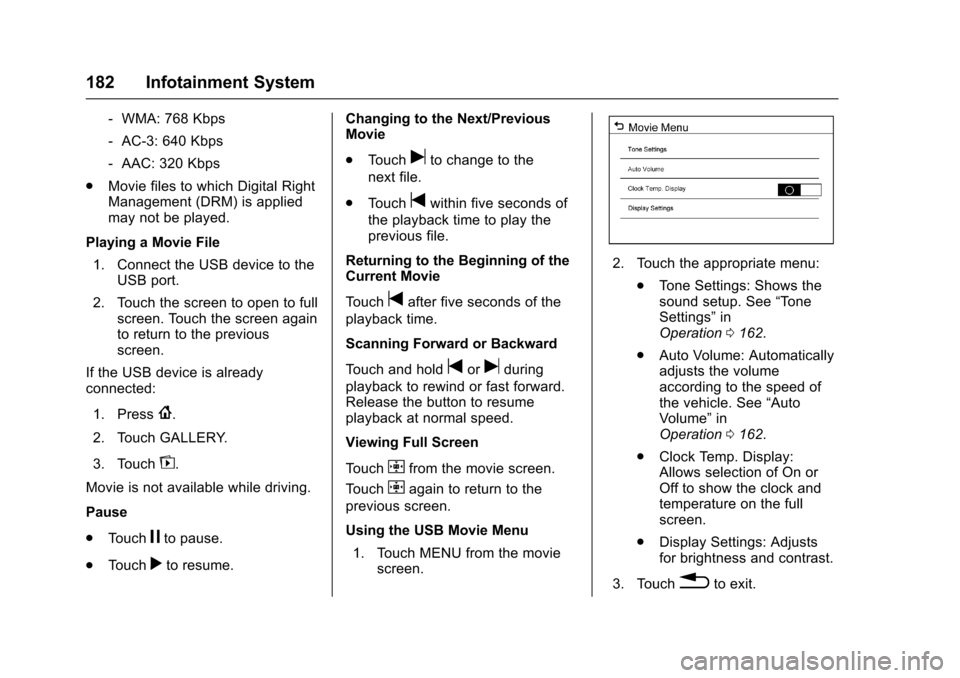
Using the USB Movie Menu
1. Touch MENU from the movie screen.
2. Touch the appropriate menu:
.Tone Settings: Shows the
sound setup. See “Tone
Settings” in
Operation 0162.
. Auto Volume: Automatically
adjusts the volume
according to the speed of
the vehicle. See “Auto
Volume” in
Operation 0162.
. Clock Temp. Display:
Allows selection of On or
Off to show the clock and
temperature on the full
screen.
. Display Settings: Adjusts
for brightness and contrast.
3. Touch
0to exit.
Page 275 of 377
Chevrolet Cruze Owner Manual (GMNA-Localizing-U.S./Canada/Mexico-
9234744) - 2016 - CRC - 3/9/16
274 Vehicle Care
The vehicle may not be equipped
with all of the fuses, relays, and
features shown.Fuses Usage
F1 –
F2 Blower
F3 Driver power seat
F4 Front power outlet
F5 –
F6 Front power windows
F7 ABS valves
F8 Rear power outlet
F9 Body control module 8
F10 Rear power window F11 Sunroof
F12 Body control module 4
F13 Heated seats Fuses Usage
F14 Exterior mirrors/Lane keep assist/
High-beam
headlamp auto
control
F15 Body control module 1
F16 Body control module 7
F17 Body control module 6
F18 Body control module 3
F19 Data link connector
F20 Airbag
F21 A/C
F22 Trunk release
F23 Passive entry/ Passive start
F24 Right front child presence detection
F25 Steering wheel switch illumination Fuses Usage
F26 Ignition switch
F27 Body control module 2
F28 Amplifier
F29 –
F30 PRNDL/Shift lever illumination
F31 Rear wiper
F32 Transmission control module (with Stop/
Start)
F33 Mobile phone wireless charging/
DC AC converter
F34 Parking assist/Side blind zone alert/
Infotainment/USB
F35 OnStar
F36 Display/Cluster
F37 Radio
Page 374 of 377

Chevrolet Cruze Owner Manual (GMNA-Localizing-U.S./Canada/Mexico-
9234744) - 2016 - CRC - 3/9/16
Index 373
Perchlorate MaterialsRequirements, California . . . . . . 242
Personalization Vehicle . . . . . . . . . . . . . . . . . . . . . . . 143
Phone Apple CarPlay andAndroid Auto . . . . . . . . . . . . . . . . 173
Bluetooth . . . . . . . . . . . . . . . . 168, 169
Hands-Free . . . . . . . . . . . . . . . . . . . 174
Pictures and Movies . . . . . . . . . . . . . .176, 180, 181
Port USB . . . . . . . . . . . . . . . . . . . . . . . . . . 167
Power Door Locks . . . . . . . . . . . . . . . . . . . . . 42
Mirrors . . . . . . . . . . . . . . . . . . . . . . . . . . 49
Outlets . . . . . . . . . . . . . . . . . . . . . . . 108
Protection, Battery . . . . . . . . . . . . 158
Retained Accessory (RAP) . . . .211
Seat Adjustment . . . . . . . . . . . . . . . . 58
Windows . . . . . . . . . . . . . . . . . . . . . . . 51
Pregnancy, Using Safety Belts . . . 68
Privacy Vehicle Data Recording . . . . . . . 354
Program
Courtesy Transportation . . . . . . 348 Proposition
65 Warning,
California . . . . . . . . . . . .241, 259, 309
R
Radio Frequency Statement . . . . 352
Radio Reception . . . . . . . . . . . . . . . . 166
Radios
AM-FM Radio . . . . . . . . . . . . . . . . . 163
Satellite . . . . . . . . . . . . . . . . . . . . . . . 164
Reading Lamps . . . . . . . . . . . . . . . . . 156
Rear Seat Armrest . . . . . . . . . . . . . . . 63
Rear Seats . . . . . . . . . . . . . . . . . . . . . . 61 Heated . . . . . . . . . . . . . . . . . . . . . . . . . 63
Rearview Mirrors . . . . . . . . . . . . . . . . 50 Automatic Dimming . . . . . . . . . . . . . 50
Reclining Seatbacks . . . . . . . . . . . . . 58
Recommended Fluids and
Lubricants . . . . . . . . . . . . . . . . . . . . . 335
Records Maintenance . . . . . . . . . . . . . . . . . . 337
Recreational Vehicle Towing . . . . 312
Reimbursement Program, GM Mobility . . . . . . . . . . . . . . . . . . . 346
Remote Keyless Entry (RKE) System . . . . . . . . . . 30, 31, 33
Remote Vehicle Start . . . . . . . . . . . . 39
Replacement Bulbs . . . . . . . . . . . . . 267 Replacement Parts
Airbags . . . . . . . . . . . . . . . . . . . . . . . . . 81
Maintenance . . . . . . . . . . . . . . . . . . 336
Replacing Airbag System . . . . . . . . 81
Replacing LATCH System Parts after a Crash . . . . . . . . . . . . . 95
Replacing Safety Belt System
Parts after a Crash . . . . . . . . . . . . . 69
Reporting Safety Defects Canadian Government . . . . . . . . 353
General Motors . . . . . . . . . . . . . . . 354
U.S. Government . . . . . . . . . . . . . 353
Restraints Where to Put . . . . . . . . . . . . . . . . . . . 88
Retained Accessory Power (RAP) . . . . . . . . . . . . . . . . . . 211
Ride Control Systems Messages . . . . . . . . . . . . . . . . . . . . 141
Roads Driving, Wet . . . . . . . . . . . . . . . . . . 197
Roadside Assistance
Program . . . . . . . . . . . . . . . . . . . . . . . 346
Roof Sunroof . . . . . . . . . . . . . . . . . . . . . . . . . 53
Rotation, Tires . . . . . . . . . . . . . . . . . . 288
Routing, Engine Drive Belt . . . . . . 341
Running the Vehicle While
Parked . . . . . . . . . . . . . . . . . . . . . . . . 214
Page 376 of 377

Chevrolet Cruze Owner Manual (GMNA-Localizing-U.S./Canada/Mexico-
9234744) - 2016 - CRC - 3/9/16
Index 375
Storing the Tire Sealant andCompressor Kit . . . . . . . . . . . . . . . 303
Stuck Vehicle . . . . . . . . . . . . . . . . . . . 199
Sun Visors . . . . . . . . . . . . . . . . . . . . . . . 53
Sunroof . . . . . . . . . . . . . . . . . . . . . . . . . . 53
Symbols . . . . . . . . . . . . . . . . . . . . . . . . . . 3
System Forward CollisionAlert (FCA) . . . . . . . . . . . . . . . . . . 229
Infotainment . . . . . . . . . . . . . 159, 355
Systems
Driver Assistance . . . . . . . . . . . . . 225
T
Tachometer . . . . . . . . . . . . . . . . . . . . . 117
TaillampsBack-up Lamps . . . . . . . . . . . . . . . 265
Text Telephone (TTY) Users . . . . 345
Theft-Deterrent Systems . . . . . 47, 48 Immobilizer . . . . . . . . . . . . . . . . . . . . . 47
Time . . . . . . . . . . . . . . . . . . . . . . . . . . . . 107
Tires . . . . . . . . . . . . . . . . . . . . . . . . . . . . 275
All-Season . . . . . . . . . . . . . . . . . . . . 275
Buying New Tires . . . . . . . . . . . . . 290
Chains . . . . . . . . . . . . . . . . . . . . . . . . 294
Changing . . . . . . . . . . . . . . . . . . . . . 303
Compact Spare . . . . . . . . . . . . . . . 308
Designations . . . . . . . . . . . . . . . . . 279
Different Size . . . . . . . . . . . . . . . . . 291 Tires (cont'd)
If a Tire Goes Flat . . . . . . . . . . . . 295
Inspection . . . . . . . . . . . . . . . . . . . . 288
Low Profile . . . . . . . . . . . . . . . . . . . 276
Messages . . . . . . . . . . . . . . . . . . . . 142
Pressure . . . . . . . . . . . . . . . . . . . . . . 283
Pressure Light . . . . . . . . . . . . . . . . 127
Pressure Monitor Operation . . 285
Pressure Monitor System . . . . . 284
Rotation . . . . . . . . . . . . . . . . . . . . . . 288
Sealant and
Compressor Kit . . . . . . . . . . . . . 296
Sealant and Compressor Kit, Storing . . . . . . . . . . . . . . . . . . 303
Sidewall Labeling . . . . . . . . . . . . . 277
Terminology and Definitions . . 279
Uniform Tire Quality Grading . . . . . . . . . . . . . . . . . . . . . 292
Wheel Alignment and Tire Balance . . . . . . . . . . . . . . . . . . . . . 293
Wheel Replacement . . . . . . . . . . 293
When It Is Time for New Tires . . . . . . . . . . . . . . . . . . . . . . . . 289
Winter . . . . . . . . . . . . . . . . . . . . . . . . 276
Towing General Information . . . . . . . . . . 238
Recreational Vehicle . . . . . . . . . . 312
Vehicle . . . . . . . . . . . . . . . . . . . . . . . 312 Traction
Control System (TCS)/
StabiliTrak
®Light . . . . . . . . . . . . 127
Off Light . . . . . . . . . . . . . . . . . . . . . . 126
Traction Control/Electronic Stability Control . . . . . . . . . . . . . . . 221
Trademarks and License
Agreements . . . . . . . . . . . . . . . . . . . 183
Transmission Automatic . . . . . . . . . . . . . . . . . . . . . 214
Fluid, Automatic . . . . . . . . . . . . . . 249
Fluid, Manual . . . . . . . . . . . . . . . . . 250
Messages . . . . . . . . . . . . . . . . . . . . 143
Transportation Program, Courtesy . . . . . . . . . . . . . . . . . . . . . . 348
Trip Odometer . . . . . . . . . . . . . . . . . . 117
Trunk . . . . . . . . . . . . . . . . . . . . . . . . . . . . 44
Turn and Lane-Change
Signals . . . . . . . . . . . . . . . . . . . . . . . . 155
U
Uniform Tire Quality Grading . . . 292
Up-Shift Light . . . . . . . . . . . . . . . . . . . 125
USB Port . . . . . . . . . . . . . . . . . . . . . . . 167
Using This Manual . . . . . . . . . . . . . . . . 2