2016 BMW X1 sos
[x] Cancel search: sosPage 27 of 242

Executing functions using short
commands
Execute functions on the main menu via short
commands. It almost doesn't matter which
menu item is selected, e.g., ›Vehicle status‹.
Help dialog for the voice activationsystem
Calling up help dialog: ›Help‹.
Additional commands for the help dialog:▷›Help with examples‹: announces informa‐
tion about the current operating options
and the most important commands for
them.▷›Help with voice activation‹: information
about the principle of operation for the
voice activation system is announced.
One example: open the tone
settings
Via the main menu The commands of the menu items are spoken
just as they are selected via the controller.
1.Turn on the Entertainment sound output if
needed.2. Press button on the steering
wheel.3.›Radio‹4.›Tone‹
Via short command
The desired tone settings can also be started
via a short command.
1.Turn on the Entertainment sound output if
needed.2. Press button on the steering
wheel.3.›Tone‹Setting the voice dialog
Set system to standard dialog or use a short
version.
The short version of the voice dialog plays
back short messages in abbreviated form.1."Settings"2."Language/Units"3."Speech type:"4.Select setting.
Adjusting the volume
Turn the volume button during the spoken in‐
structions until the desired volume is set.
▷The volume remains constant even if the
volume of other audio sources is changed.▷The volume is stored for the profile cur‐
rently used.
Information on Emergency
Requests
Do not use the voice activation system to ini‐
tiate an Emergency Request. In stressful situa‐
tions, the voice and vocal pitch can change.
This can unnecessarily delay the establish‐
ment of a phone connection.
Instead, use the SOS button, refer to
page 217, close to the interior mirror.
Seite 27Voice activation systemAt a glance27
Online Edition for Part no. 01 40 2 964 303 - VI/15
Page 217 of 242
Breakdown assistanceVehicle features and options
This chapter describes all standard, country-
specific and optional features offered with the
series. It also describes features that are not
necessarily available in your car, e. g., due to
the selected options or country versions. This
also applies to safety-related functions and
systems. The respectively applicable country
provisions must be observed when using the
respective features and systems.
Hazard warning flashers
The button is located in the center console.
Intelligent Emergency
Request
The concept In case of an emergency, an Emergency Re‐
quest can be made through this system.
General information
Only press the SOS button in an emergency.
For technical reasons, the Emergency Request
cannot be guaranteed under unfavorable con‐
ditions.
Overview
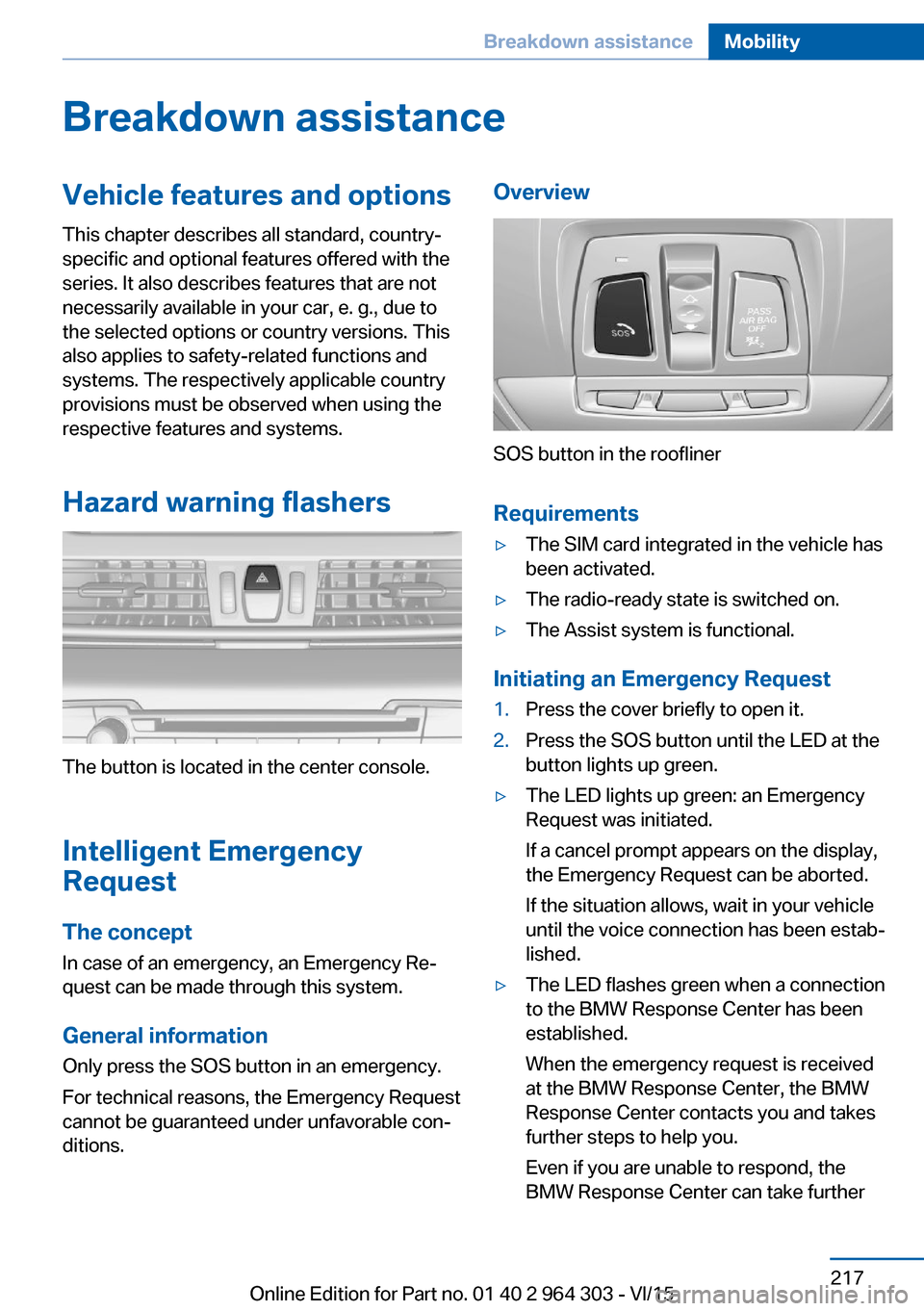
SOS button in the roofliner
Requirements
▷The SIM card integrated in the vehicle has
been activated.▷The radio-ready state is switched on.▷The Assist system is functional.
Initiating an Emergency Request
1.Press the cover briefly to open it.2.Press the SOS button until the LED at the
button lights up green.▷The LED lights up green: an Emergency
Request was initiated.
If a cancel prompt appears on the display,
the Emergency Request can be aborted.
If the situation allows, wait in your vehicle
until the voice connection has been estab‐
lished.▷The LED flashes green when a connection
to the BMW Response Center has been
established.
When the emergency request is received
at the BMW Response Center, the BMW
Response Center contacts you and takes
further steps to help you.
Even if you are unable to respond, the
BMW Response Center can take furtherSeite 217Breakdown assistanceMobility217
Online Edition for Part no. 01 40 2 964 303 - VI/15
Page 218 of 242

steps to help you under certain circum‐
stances.
For this, data are transmitted to the BMW
Response Center which serve to deter‐
mine the necessary rescue measures. E. g.
the current position of the vehicle, if it can
be established.▷If the LED is flashing green, but the BMW
Response Center can no longer be heard
via the speaker, you can nevertheless still
be heard at the BMW Response Center.
Initiating an Emergency Request
automatically
Under certain conditions, an Emergency Re‐
quest is automatically initiated immediately af‐
ter a severe accident. Automatic Collision Noti‐
fication is not affected by pressing the SOS
button.
Warning triangle
The warning triangle is located on the inside of
the tailgate.
Move the warning triangle sideways and re‐
move it.
First-aid kit InformationSome of the articles have a limited service life.
Check the expiration dates of the contents
regularly and replace any expired items
promptly.
Storage The first-aid kit is located in the cargo area on
the left in the storage compartment.
Jump-starting
General information
If the battery is discharged, the engine can be
started using the battery of another vehicle
and two jumper cables. Only use jumper ca‐
bles with fully insulated clamp handles.
Information DANGER
Contact with live components can lead to
an electric shock. There is risk of injuries or
danger to life. Do not touch any components
that are under voltage.◀
To prevent personal injury or damage to both
vehicles, adhere strictly to the following proce‐
dure.
Preparation CAUTION
In the case of body contact between the
two vehicles, a short circuit can occur during
jump-starting. There is risk of property dam‐
age. Make sure that no body contact occurs.◀1.Check whether the battery of the other ve‐
hicle has a voltage of 12 volts. This infor‐
mation can be found on the battery.2.Switch off the engine of the assisting vehi‐
cle.3.Switch off any electronic systems/power
consumers in both vehicles.Seite 218MobilityBreakdown assistance218
Online Edition for Part no. 01 40 2 964 303 - VI/15
Page 239 of 242

Shift paddles on the steeringwheel 79
Side airbags 102
Signaling, horn 14
Signals when unlocking 46
Sitting safely 52
Size 228
Ski and snowboard bag 159
Slide/tilt glass roof 49
Snow chains 195
Socket 155
Socket, OBD Onboard Diag‐ nostics 205
SOS button 217
Spare fuse 216
Spare tire, see Emergency wheel 213
Speed, average 91
Speed limit detection, on- board computer 92
Speed limiter, display 88
Speed Limit Information 88
Speed warning 93
Split screen 23
Sport displays 92
SPORT program, Dynamic Driving Control 124
Sport program, transmis‐ sion 78
Sport steering, variable 123
Stability control systems 120
Start/stop, automatic func‐ tion 70
Start/Stop button 68
Start function during malfunc‐ tion 35
Starting the engine 69
Status control display, tires 106
Status information, iDrive 23
Status of Owner's Manual 7
Steering assistance 123
Steering wheel, adjusting 62
Steering wheel heating 62 Steptronic Sport transmis‐
sion, refer to Steptronic
transmission 77
Steptronic transmission 77
Stopping the engine 69
Storage compartment in the rear 162
Storage compartments 160
Storage compartments, loca‐ tions 160
Storage, tires 192
Storing the vehicle 225
Suitable engine oil types 201
Summer tires, tread 190
Sun visor 155
Supplementary text mes‐ sages 85
Switch for Dynamic Driv‐ ing 124
Switch-on times, parked-car ventilation 149
Switch, refer to Cockpit 14
Symbols 6
Symbols in the status field 23
SYNC program, automatic cli‐ mate control 148
T Tachometer 86
Tailgate, automatic 41
Tailgate closing 41
Tailgate, closing with no- touch activation 44
Tailgate opening 40
Tailgate, opening with no- touch activation 44
Tailgate via remote con‐ trol 38
Tail lights 211
Technical changes, see Own Safety 7
Technical data 228
Telephone 6
Temperature, air condi‐ tioner 145 Temperature, automatic cli‐
mate control 147
Temperature display for ex‐ ternal temperature 86
Temperature, engine 91
Terminal, starting aid 219
Text messages, supplemen‐ tary 85
Theft alarm system, see Alarm system 46
Thigh support 54
Tilt alarm sensor 47
Time of arrival 91
Tire damage 190
Tire identification marks 188
Tire inflation pressure 186
Tire inflation pressure moni‐ tor, refer to FTM 109
Tire Pressure Monitor TPM 105
Tires, changing 190
Tire sealant 192
Tires, everything on wheels and tires 186
Tires, run-flat tires 192
Tire tread 190
Tone 6
Tool 206
Total vehicle weight 229
Touchpad 21
Tow fitting 221
Towing 219
Tow lug, see Tow fitting 221
Tow-starting 219
TPM Tire Pressure Moni‐ tor 105
Traction control 121
TRACTION, driving dynam‐ ics 121
Transmission lock, releasing manually 79
Transmission, Steptronic transmission 77
Transporting children safely 64
Tread, tires 190 Seite 239Everything from A to ZReference239
Online Edition for Part no. 01 40 2 964 303 - VI/15