2016 BMW X1 Rear light
[x] Cancel search: Rear lightPage 14 of 242

CockpitVehicle features and options
This chapter describes all standard, country-
specific and optional features offered with the
series. It also describes features that are not
necessarily available in your car, e. g., due tothe selected options or country versions. This
also applies to safety-related functions and
systems. The respectively applicable country
provisions must be observed when using the
respective features and systems.
All around the steering wheel
1Rear window safety switch 492Power windows 483Exterior mirror operation 604Central locking systemUnlocking 39Lock 395LightsFront fog lights 100Lights off
Daytime running lights 99Parking lights 97Low beams 97Seite 14At a glanceCockpit14
Online Edition for Part no. 01 40 2 964 303 - VI/15
Page 15 of 242

Automatic headlight con‐
trol 98
Corner-illuminating lights 99
High-beam Assistant 99Instrument lighting 1006Steering column stalk, leftTurn signal 73High beams, head‐
light flasher 73High-beam Assistant 99Roadside parking lights 98On-board computer 907Shift paddles 778Instrument cluster 819Steering column stalk, rightWiper 74Rain sensor 75Clean the windshields and head‐
lights 75Rear window wiper in Canadian
models 76Rear window wiper 76Cleaning rear window 7610Start/stop the engine and switch
the ignition on/off 69Auto Start/Stop function 7011Steering wheel buttons, rightEntertainment sourceVolumeVoice activation 26TelephoneThumbwheel for selection lists 9012Horn, total area13Steering wheel heating 6214Adjust steering wheel 6215Steering wheel buttons, leftCruise control on/off, interrupt‐
ing 132Active Cruise Control on/off, in‐
terrupting 126Store speed 132, 126Resume speed 132, 126Reduce distance 126Increase distance 126Cruise control rocker switch 132, 12616Unlock hood 197Seite 15CockpitAt a glance15
Online Edition for Part no. 01 40 2 964 303 - VI/15
Page 36 of 242

vated. All settings stored in the profile are au‐
tomatically applied.
If several drivers use their own remote control,
the vehicle will adjust the personal settings
during unlocking. These settings are also re‐
stored, if the vehicle has been used in the
meantime by a person with a different remote
control.
Changes to the settings are automatically
saved in the personal profile.
Three personal profiles and a guest profile can
be created.
Adjusting
The settings for the following systems and
functions are saved in the active profile. The
scope of storable settings is country- and
equipment-dependable.▷Unlocking and locking.▷Lights.▷Climate control.▷Radio.▷Instrument cluster.▷Programmable memory buttons.▷Volumes, tone.▷Control Display.▷Navigation.▷Park Distance Control PDC.▷Rearview camera▷Head-up Display.▷Driving Dynamics Control.▷Driver's seat position, exterior mirror posi‐
tion, steering wheel position.▷Cruise control.▷Intelligent Safety.
Profile management
Opening profiles Regardless of the remote control in use a dif‐
ferent profile may be activated.
About iDrive:1."Settings"2."Profiles"3.Select a profile.▷All settings stored in the called-up profile
are automatically applied.▷The called-up profile is assigned to the re‐
mote control being used at the time.▷If the profile is already assigned to a differ‐
ent remote control, this profile will apply to
both remote controls. It cannot be differen‐
tiated anymore between the settings for
the two remote controls.
Renaming profiles
A personal name can be assigned to every pro‐
file to avoid confusion between the profiles.
On the Control Display:
1."Settings"2."Profiles"3.Open "Options".4."Rename current profile"
Resetting profiles The settings of the active profile are reset to
their default values.
On the Control Display:
1."Settings"2."Profiles"3.Open "Options".4."Reset current profile"
Exporting profiles Most settings of the active profile can be ex‐
ported.
This can be helpful for securing and retrieving
personal settings, before delivering the vehicle
to a workshop, e.g. Profiles can be taken to an‐
other vehicle equipped with the Personal Pro‐
file function.
Seite 36ControlsOpening and closing36
Online Edition for Part no. 01 40 2 964 303 - VI/15
Page 38 of 242

▷The alarm system, refer to page 46, is
disarmed.
Convenient opening
Press and hold this button on the re‐
mote control after unlocking.
The windows and the glass sunroof are
opened, as long as the button on the remote
control is pressed.
Locking WARNING
Unlocking from the inside is only possi‐
ble with special knowledge.
If people must spend a longer time in the vehi‐
cle while it is very hot or cold outside, there is
risk of injuries or danger to life. Do not lock the
vehicle from the outside when there are people
in it.◀
The driver's door must be closed. Press button on the remote control.
All doors, the tailgate, and the fuel filler flap are
being locked.
The alarm system, refer to page 46, is armed.
Switching on interior lights and
courtesy lights
Press button on the remote control with
the vehicle locked.
The courtesy lamps are only switched on when
it is dark outside. This function is not available,
if the interior lamps were switched off man‐ ually.
If the button is pressed again within 10 sec‐
onds after vehicle was locked, the interior mo‐
tion sensor and tilt alarm sensor of the anti-
theft warning system, refer to page 47, are
turned off. After locking, wait 10 seconds be‐
fore pressing the button again.
Panic mode
You can trigger the alarm system if you find
yourself in a dangerous situation.
Press button on the remote control for
at least 3 seconds.
To switch off the alarm: press any button.
Unlocking the tailgate
With automatic tailgate operation:
To avoid locking it into the vehicle, do not
place the remote control in the cargo area.
Press button on the remote control for
approx. 1 second.
The tailgate opens slightly, regardless of
whether the vehicle was previously locked or
unlocked.
With automatic tailgate operation, the closed
tailgate is automatically opened.
Depending on the features and the country
version, it is also possible to have door un‐
locked. Create the settings, refer to page 45.
If the doors were not unlocked, the tailgate is
locked again as soon as it closes. Take the re‐
mote control with you and do not leave it in the
cargo area; otherwise, the remote control is
locked inside the vehicle when the tailgate is
closed.
CAUTION
Sharp-edged or pointed objects can hit
the rear window and heat conductors while
driving. There is risk of property damage.
Cover the edges and ensure that pointed ob‐
jects do not hit the rear window.◀
Malfunction Remote control detection by the vehicle can
among others be malfunctioning under the fol‐
lowing circumstances:▷The battery of the remote control is dis‐
charged. Replace the battery, refer to
page 35.Seite 38ControlsOpening and closing38
Online Edition for Part no. 01 40 2 964 303 - VI/15
Page 47 of 242

▷By switching on the hazard warning sys‐
tem.▷By flashing the daytime running lights.
Arming and disarming the alarm
system
When you unlock or lock the vehicle, either
with the remote control or via the Comfort Ac‐
cess, the alarm system is disarmed or armed at
the same time.
Door lock and armed alarm systemThe alarm system is triggered when the door is
opened, when the vehicle is unlocked via the
door lock.
Tailgate and armed alarm system
The tailgate can be opened even when the
alarm system is armed.
After the tailgate is closed, it is locked and
monitored again when the doors are locked.
The hazard warning system flashes once.
Panic mode You can trigger the alarm system if you find
yourself in a dangerous situation.
Press button on the remote control for
at least 3 seconds.
To switch off the alarm: press any button.
Indicator lamp on the interior rearview
mirror
▷The indicator lamp flashes briefly every
2 seconds:The alarm system is armed.▷The indicator lamp flashes after locking:
Doors, hood or tailgate are not correctly
closed. Correctly closed access points are
secured.
After 10 seconds, the indicator lamp
flashes continuously. Interior motion sen‐
sor and tilt alarm sensor are not active.
When the still open access is closed, inte‐
rior motion sensor and tilt alarm sensor will
be switched on.▷The indicator lamp goes out after unlock‐
ing:
The vehicle has not been tampered with.▷The indicator lamp flashes after unlocking
until the engine ignition is switched on, but
no longer than approx. 5 minutes:
An alarm has been triggered.
Tilt alarm sensor The tilt of the vehicle is monitored.
The alarm system responds in situations such
as attempts to steal a wheel or when the car is
towed.
Interior motion sensor The windows and glass sunroof must be
closed for the system to function properly.
Avoiding unintentional alarms The tilt alarm sensor and interior motion sen‐
sor can be switched off together, such as in
the following situations:
▷In automatic car washes.▷In duplex garages.▷During transport on trains carrying vehi‐
cles, at sea or on a trailer.▷With animals in the vehicle.Seite 47Opening and closingControls47
Online Edition for Part no. 01 40 2 964 303 - VI/15
Page 49 of 242

Pinch protection systemWARNING
When operating the windows, body parts
and objects can be jammed. There is risk of in‐
juries or risk of property damage. Make sure
that the area of movement of the windows is
clear during opening and closing.◀
WARNING
Accessories on the windows such as an‐
tennas can impact jam protection. There is risk
of injuries. Do not install accessories in the
area of movement of the windows.◀
If closing force exceeds a specific margin as a
window closes, closing is interrupted.
The window reopens slightly.
Closing without the pinch protection system
WARNING
When operating the windows, body parts
and objects can be jammed. There is risk of in‐
juries or risk of property damage. Make sure
that the area of movement of the windows is
clear during opening and closing.◀
In case of danger from the outside or if ice
might prevent normal closing, proceed as fol‐
lows:1.Pull the switch past the resistance point
and hold it there.
The pinch protection is limited and the
window reopens slightly if the closing force
exceeds a certain margin.2.Pull the switch past the resistance point
again within approx. 4 seconds and hold it
there.
The window closes without jam protection.Safety switch
General information
The safety switch in the driver's door can be
used to prevent children, e.g., from opening
and closing the rear windows using the
switches in the rear.
Information WARNING
When operating the windows, body parts
and objects can be jammed. There is risk of in‐
juries or risk of property damage. Make sure
that the area of movement of the windows is
clear during opening and closing.◀
In order to prevent uncontrolled closing of the windows, press the safety switch, e.g. if chil‐
dren or animals are carried in the rear.
Switching on and off Press button.
The LED lights up if the safety func‐
tion is switched on.
Panoramic glass sunroof General information
The glass sunroof and the sliding visor can be
operated together or separately, using the
same switch.
The glass sunroof is operational when the igni‐
tion is switched on.Seite 49Opening and closingControls49
Online Edition for Part no. 01 40 2 964 303 - VI/15
Page 55 of 242
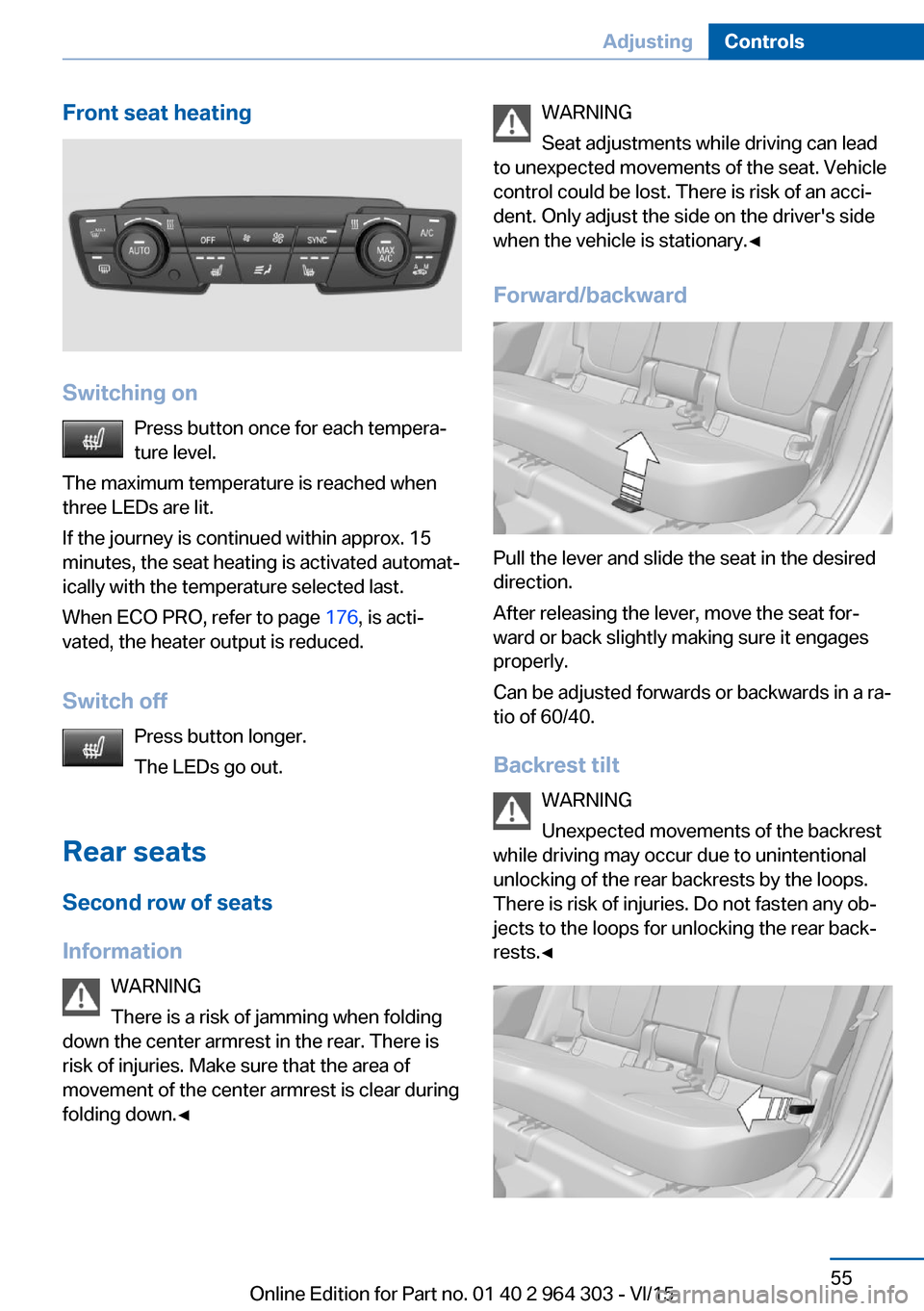
Front seat heating
Switching onPress button once for each tempera‐
ture level.
The maximum temperature is reached when
three LEDs are lit.
If the journey is continued within approx. 15
minutes, the seat heating is activated automat‐
ically with the temperature selected last.
When ECO PRO, refer to page 176, is acti‐
vated, the heater output is reduced.
Switch off Press button longer.
The LEDs go out.
Rear seats
Second row of seats
Information WARNING
There is a risk of jamming when folding
down the center armrest in the rear. There is
risk of injuries. Make sure that the area of
movement of the center armrest is clear during
folding down.◀
WARNING
Seat adjustments while driving can lead
to unexpected movements of the seat. Vehicle
control could be lost. There is risk of an acci‐
dent. Only adjust the side on the driver's side
when the vehicle is stationary.◀
Forward/backward
Pull the lever and slide the seat in the desired
direction.
After releasing the lever, move the seat for‐
ward or back slightly making sure it engages
properly.
Can be adjusted forwards or backwards in a ra‐
tio of 60/40.
Backrest tilt WARNING
Unexpected movements of the backrest
while driving may occur due to unintentional
unlocking of the rear backrests by the loops.
There is risk of injuries. Do not fasten any ob‐
jects to the loops for unlocking the rear back‐
rests.◀
Seite 55AdjustingControls55
Online Edition for Part no. 01 40 2 964 303 - VI/15
Page 57 of 242

Unbuckling the belt1.Hold the belt firmly.2.Press the red button in the belt buckle.3.Guide the belt back into its roll-up mecha‐
nism.
Center safety belt in the rear
Buckling the belt
1.Pull the buckle tongues out of the mounts
in the roof.2.Insert the lower buckle tongue in the belt
buckle, arrow 1.3.Insert the upper buckle tongue in the belt
buckle, arrow 2.
Safety belt buckles must audibly click into
place.
Unbuckling the belt
1.Hold the belt firmly.2.Press the red button in the belt buckle.3.With the buckle tongue, arrow 1, open the
second safety belt buckle, arrow 2.4.Guide the safety belt to the mount in the
roofliner.
Safety belt reminder for driver's and
passenger's seat
The indicator lamp lights up and a sig‐
nal sounds. Make sure that the safety
belts are positioned correctly. The
safety belt reminder is active at speeds above
approx. 6 mph/10 km/h. It can also be activated
if objects are placed on the front passenger
seat.
Damage to safety belts WARNING
The protective effect of the safety belts
may not be fully functional or fail in the follow‐
ing situations:
▷Safety belts are damaged, soiled or
changed in any other way.▷Safety belt buckle is damaged or heavily
soiled.▷Belt tensioners or belt retractors were
modified.
Safety belts can be imperceptibly damaged in
the event of an accident. There is risk of inju‐
ries or danger to life. Do not modify safety
belts, safety belt buckles, belt tensioners, belt
retractors or belt anchors and keep them
clean. Have the safety belts checked after an
accident at the dealer’s service center or an‐
other qualified service center or repair shop.◀
Seite 57AdjustingControls57
Online Edition for Part no. 01 40 2 964 303 - VI/15