2016 BMW 7 SERIES snow
[x] Cancel search: snowPage 199 of 314

Display
Lamp in the exterior mirror
The lamp in the exterior mirror flashes if vehi‐
cles are detected by the rear sensors and the
vehicle is moving backwards.
Display in the PDC view
The respective boundary area in the PDC view
flashes red, if vehicles are detected by the sen‐
sors.
Display in the camera view
The respective boundary area, arrow 1, in the
camera view flashes red, if vehicles are de‐
tected by the sensors.
Yellow lines, arrow 2, mark the front or rear
edge of the own vehicle.
Acoustic warning
In addition to the optical indicator, a warning
signal sounds if the own vehicle moves into the
respective direction.
System limits
The system may not be fully functional in the
following situations:▷If the speed of the approaching vehicle is
very high.▷In heavy fog, rain or snowfall.▷In tight curves.▷If the bumper is dirty or iced up, or covered
with stickers.▷If crossing objects move at a very slow
speed.▷If other objects are in the capture range of
the sensors, that hide cross traffic.Seite 199Driver assistance systemsControls199
Online Edition for Part no. 0140 2 964 330 - VI/15
Page 202 of 314

Overview
Camera
The camera is installed near the interior rear‐
view mirror.
Keep the windshield in the area behind the in‐
terior rearview mirror clean and clear.
General information
The system is active up to a speed
of 75 mph/120 km/h.
System limits
Functional limitations The system may not be fully functional or may
not be available in the following situations:
▷In heavy fog, rain, sprayed water or snow‐
fall.▷In tight curves.▷At rapid steering angles.▷When driving very close to the vehicle in
front of you.▷Up to 10 seconds after the start of the en‐
gine, via the Start/Stop button.▷During calibration of the camera immedi‐
ately after vehicle delivery.▷If the field of view of the camera or the front
windshield are dirty or covered.▷If there are constant blinding effects be‐
cause of oncoming light, e. g., from the sun
low in the sky.▷When it is dark outside.Malfunction
A Check Control message is displayed when
there is a camera malfunction. Visit the nearest
dealer’s service center or another qualified
service center or repair shop.
Active roll stabilization
The concept The system reduces the lateral inclination of
the vehicle that occurs during rapid driving in
curves or during quick evasive maneuvers.
The lateral inclination of the vehicle is bal‐
anced out by permanent adjustment on the
front and rear axles. The vehicle is thus always
stabilized.
Agility and driving comfort are increased under
all driving conditions.
General information
The system offers several different damping
settings.
These are assigned to the different driving
modes of the Driving Dynamics Control, refer
to page 110.
TuningDrive modeDamper tuningCOMFORT/COMFORT
PLUScomfortableSPORTfirmSeite 202ControlsDriving comfort202
Online Edition for Part no. 0140 2 964 330 - VI/15
Page 209 of 314

The selected air flow is shown on the display of
the automatic climate control.
The air flow can also be operated using BMW
Touch Command.
Maximum cooling Press button.
The system is set to the lowest tem‐
perature, maximum air flow and air circulation
mode.
Air flows out of the vents to the upper body re‐
gion. The vents need to be open for this.
Air is cooled as quickly as possible:▷At an external temperature of approx.
32 ℉/0 ℃.▷When the engine is running.
Operation is also possible using BMW Touch
Command.
Climate control operation on the
roofliner
Temperature Turn the ring to set the desired
temperature.
Air flow Press the left or right side of the but‐
ton: decrease or increase air flow.
LEDs indicate the intensity of the air supply.
The air flow may be reduced automatically to
save battery power.
Ventilation
Thumbwheel for changing the air flow direc‐
tion.
Parked-car ventilation/
heating
The concept
The parked-car ventilation ventilates the vehi‐
cle interior and lowers its temperature, if
needed.
The parked-car heating warms the vehicle in‐
terior, making snow and ice easier to remove.
The system uses the fuel of the vehicle for
heat generation.
Parked-car ventilation and parked-car heating
can be switched on and off directly or via a pre-
set departure time.
The reel-on time is automatically determined
based on the external temperature. The sys‐
tem promptly switches on before the selected
departure time.
Information DANGER
If the exhaust pipe is blocked or ventila‐
tion is insufficient, harmful exhaust gases can
enter into the vehicle. The exhaust gases con‐
tain carbon monoxide, an odorless and color‐
less but highly toxic gas. In enclosed areas, ex‐
haust gases can also accumulate outside of
the vehicle. There is danger to life. Keep the
exhaust pipe free and ensure sufficient ventila‐
Seite 209Climate controlControls209
Online Edition for Part no. 0140 2 964 330 - VI/15
Page 224 of 314

Switching onThe cooler can be operated at two levels.1.Turn on operations.2. Press button once for each cooling
level.
The highest cooling power is active when
two LEDs are lit.
If the cooler was switched on the last time op‐
erating readiness was switched off, it will like‐
wise be switched on the next time operating
readiness is switched on.
Switch off Press button repeatedly until the LEDs go out.
Removing
1.Pull on the rear handle.2.Pull cooler backward and remove it.3.Fold the cover back.
Installing
1.Open the cover.2.Pull on the rear handle and push the cooler
into the guide rails.3.Fold the handle back again.
Malfunction
The cooler cannot be switched on or switches
off, e.g., when the cooling system overheats or
if the battery voltage is low. One of the LEDs
flashes.
Remedy the problem
1.If necessary, allow the refrigerator cooling
system to cool down.2.Start the engine.3.Switch on cooler.
If the LED flashes even after a short time, have
the cooler checked by a dealer’s service center
or another qualified service center or repair
shop.
Ski and snowboard bag The ski and snowboard bag is contained in a
protective jacket in the trunk.
Follow the installation and operation instruc‐
tions included in the protective jacket.
If equipped with emergency wheel: remove the
emergency wheel from the vehicle to mount
the ski and snowboard bag.
Seite 224ControlsInterior equipment224
Online Edition for Part no. 0140 2 964 330 - VI/15
Page 264 of 314

Snow chains
Fine-link snow chains The manufacturer of your vehicle recommends
use of fine-link snow chains. Certain types of
fine-link snow chains have been tested by the
manufacturer of the vehicle and recommended
as road-safe and suitable.
Information regarding suitable snow chains is
available from a dealer’s service center or an‐
other qualified service center or repair shop.
Use
Use only in pairs on the rear wheels, equipped
with the tires of the following size:▷245/50 R 18.▷245/45 R 19.
Follow the snow chain manufacturer's instruc‐
tions.
Make sure that the snow chains are always
sufficiently tight. Retighten as needed accord‐
ing to the chain manufacturer's instructions.
Do not initialize the Flat Tire Monitor after
mounting snow chains, as doing so may result
in incorrect readings.
Do not initialize the Tire Pressure Monitor after
mounting snow chains, as doing so may result
in incorrect readings.
When driving with snow chains, briefly activate
Dynamic Traction Control if needed.
Maximum speed with snow chains Do not exceed a speed of 30 mph/50 km/hwhen using snow chains.
Rear wheel steering during operation with snow chains
General information
In order to guarantee free running of the
wheels when operating with snow chains, the
rear wheel steering of the integral active steer‐
ing must be switched off when snow chains
are mounted. For this, it is possible to confirm
via iDrive that snow chains are mounted.
Information WARNING
When rear wheel steering is switched on
and snow chains are mounted, there can be
contact between snow chains and the chassis.
There is risk of accidents or risk of property
damage. With mounted snow chains, switch
off the rear wheel steering.◀
Switching off rear wheel steering With the setting that snow chains are
mounted, the rear wheel steering is switched
off.
About iDrive:1."My Vehicle"2."Vehicle settings"3."Tire chains"4."Tire chains installed"
Starting with the permissible maximum speed
with snow chains of 30 mph/50 km/h the rear
wheel steering will be switched on automati‐
cally.
Tire Pressure Monitor TPM
The concept
The system monitors tire inflation pressure in
the four mounted tires. The system warns you
if there is a loss of pressure in one or more
tires. For this purpose, sensors in the tire
valves measure the tire inflation pressure and
tire temperature.
Information
With use of the system observe further infor‐
mation found under Tire inflation pressure, re‐
fer to page 254.
Seite 264MobilityWheels and tires264
Online Edition for Part no. 0140 2 964 330 - VI/15
Page 269 of 314

Status displayThe current status of the flat tire monitor can
be displayed, e.g., whether the RPA is active.
About iDrive:1."My Vehicle"2."Vehicle status"3. "Flat Tire Monitor"
The status is displayed.
Initialization
When initializing the once set inflation tire
pressures serve as reference values in order to
detect a flat tire. Initialization is started by con‐
firming the tire inflation pressures.
Do not initialize the system when driving with
snow chains.
About iDrive:
1."My Vehicle"2."Vehicle status"3.Flat Tire Monitor reset4.Start the engine - do not drive off.5.Start the initialization: "Perform reset"6.Drive away.
The initialization is completed while driving,
which can be interrupted at any time.
The initialization automatically continues when
driving resumes.
Indication of a flat tire The yellow warning lamp lights up. A
Check Control message is displayed.
There is a flat tire or a major loss in tire
inflation pressure.
1.Reduce your speed and stop cautiously.
Avoid sudden braking and steering maneu‐
vers.2.Check whether the vehicle is fitted with
normal tires or run-flat tires.Run-flat tires, refer to page 260, are la‐
beled with a circular symbol containing the
letters RSC marked on the tire's sidewall.
WARNING
A damaged regular tire with low or miss‐
ing tire inflation pressure impacts handling,
such as steering and braking response. Run-
flat tires can maintain limited stability. There is
risk of an accident. Do not continue driving if
the vehicle is not equipped with run-flat tires.
Observe the information on run-flat tires and
continued driving with these tires.◀
When a flat tire is indicated, DSC Dynamic Sta‐
bility Control is switched on if needed.
System limits
A natural, even tire inflation pressure loss in all four tires will not be recognized. Therefore,
check the tire inflation pressure regularly.
Sudden serious tire damage caused by exter‐
nal circumstances cannot be recognized in ad‐
vance.
The system could be delayed or malfunction in
the following situations:
▷When the system has not been initialized.▷When driving on a snowy or slippery road
surface.▷Sporty driving style: spinning traction
wheels, high lateral acceleration (drifting).▷When driving with snow chains.
Actions in the event of a flat tire
Normal tires
1.Identify the damaged tire.
Do this by checking the air pressure in all
four tires.
The tire pressure gauge of the Mobility
System, refer to page 260, can be used for
this purpose.
If the tire inflation pressure in all four tires
is correct, the Flat Tire Monitor may notSeite 269Wheels and tiresMobility269
Online Edition for Part no. 0140 2 964 330 - VI/15
Page 283 of 314

▷Have all vehicle occupants get out of the
vehicle and ensure that they remain out‐
side the immediate area in a safe place,
such as behind a guardrail.▷If necessary, set up a warning triangle or
portable hazard warning lamp at an appro‐
priate distance.▷Perform wheel change only on a flat, solid
and slip-resistant surface. On soft or slip‐
pery ground, e.g., snow, ice, tiles, etc., the
vehicle or vehicle jack can slip away to the
side.▷Do not place wood blocks or similar items
under the vehicle jack; otherwise, it cannot
reach its carrying capacity because of the
restricted height.▷If the vehicle is raised, do not lie under the
vehicle and do not start the engine; other‐
wise, a fatal hazard exists.
Information
WARNING
The vehicle jack is optimized for lifting
the vehicle and for the jacking points on the
vehicle only. There is risk of injuries. Do not lift
any other vehicle or cargo using the vehicle
jack.◀
Removing the emergency wheel The emergency wheel and the tools are lo‐
cated in the trunk under the cargo floor panel.
1.Remove the cargo floor panel. To do this,
pull the floor upward directly behind the
rear backrests.2.Loosen the lashing straps.3.Remove tool holder.4.Remove emergency wheel.
Prepare wheel change
1.Follow the Safety instructions, refer to
page 283.2.With the wheel chock from the onboard ve‐
hicle tool kit, also secure the vehicle
against rolling away at the front wheel of
the opposite side. For this, place the wheel
chock behind the front wheel diagonally
across.3.Switching off the air suspension, refer to
page 200.4.Loosen the wheel lug bolts a half turn.
Jacking up the vehicle
1.Place the vehicle jack at the jacking point
closest to the wheel such that the vehicle
jack foot is vertically beneath the vehicleSeite 283Replacing componentsMobility283
Online Edition for Part no. 0140 2 964 330 - VI/15
Page 310 of 314
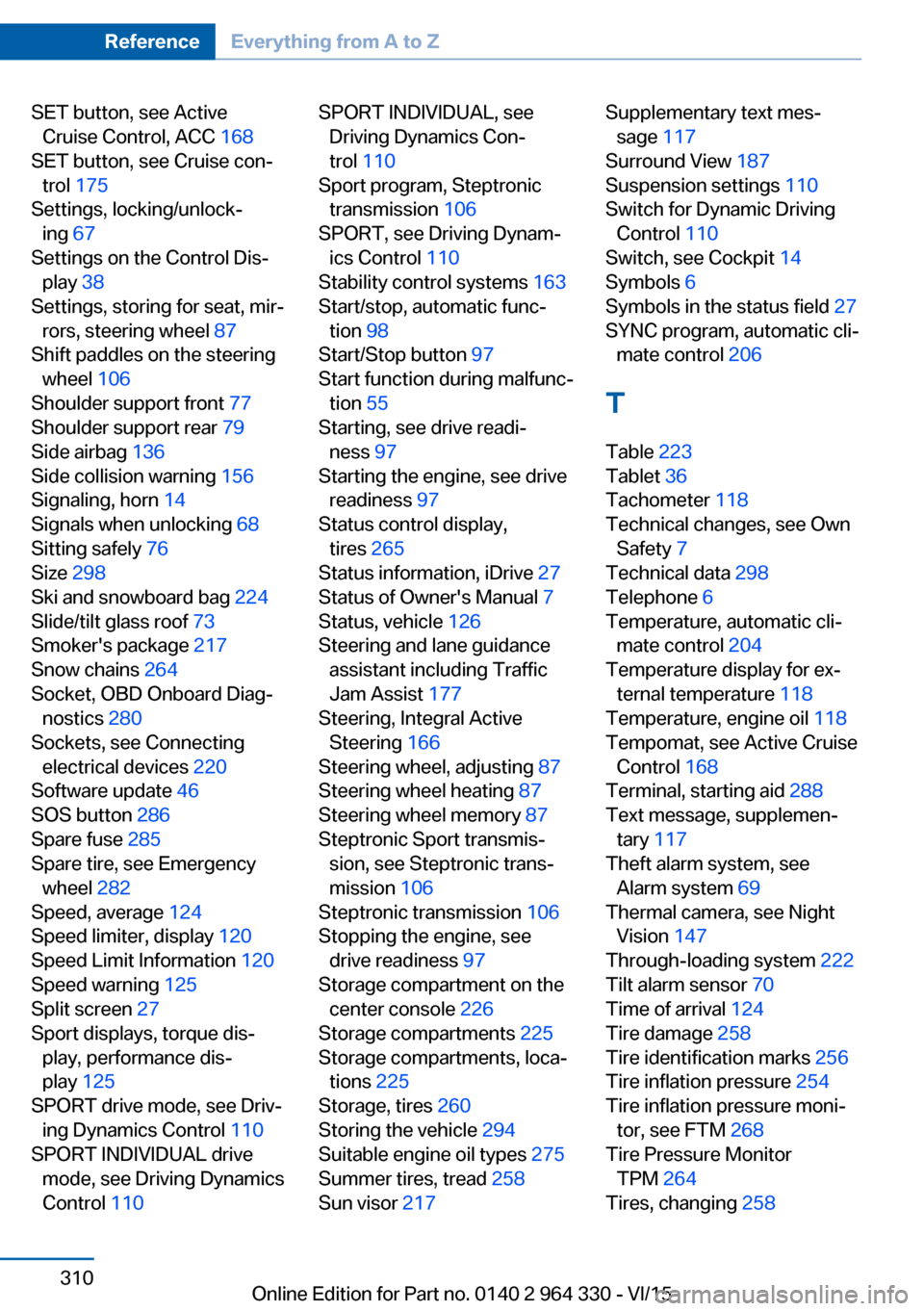
SET button, see ActiveCruise Control, ACC 168
SET button, see Cruise con‐ trol 175
Settings, locking/unlock‐ ing 67
Settings on the Control Dis‐ play 38
Settings, storing for seat, mir‐ rors, steering wheel 87
Shift paddles on the steering wheel 106
Shoulder support front 77
Shoulder support rear 79
Side airbag 136
Side collision warning 156
Signaling, horn 14
Signals when unlocking 68
Sitting safely 76
Size 298
Ski and snowboard bag 224
Slide/tilt glass roof 73
Smoker's package 217
Snow chains 264
Socket, OBD Onboard Diag‐ nostics 280
Sockets, see Connecting electrical devices 220
Software update 46
SOS button 286
Spare fuse 285
Spare tire, see Emergency wheel 282
Speed, average 124
Speed limiter, display 120
Speed Limit Information 120
Speed warning 125
Split screen 27
Sport displays, torque dis‐ play, performance dis‐
play 125
SPORT drive mode, see Driv‐ ing Dynamics Control 110
SPORT INDIVIDUAL drive mode, see Driving Dynamics
Control 110 SPORT INDIVIDUAL, see
Driving Dynamics Con‐
trol 110
Sport program, Steptronic transmission 106
SPORT, see Driving Dynam‐ ics Control 110
Stability control systems 163
Start/stop, automatic func‐ tion 98
Start/Stop button 97
Start function during malfunc‐ tion 55
Starting, see drive readi‐ ness 97
Starting the engine, see drive readiness 97
Status control display, tires 265
Status information, iDrive 27
Status of Owner's Manual 7
Status, vehicle 126
Steering and lane guidance assistant including Traffic
Jam Assist 177
Steering, Integral Active Steering 166
Steering wheel, adjusting 87
Steering wheel heating 87
Steering wheel memory 87
Steptronic Sport transmis‐ sion, see Steptronic trans‐
mission 106
Steptronic transmission 106
Stopping the engine, see drive readiness 97
Storage compartment on the center console 226
Storage compartments 225
Storage compartments, loca‐ tions 225
Storage, tires 260
Storing the vehicle 294
Suitable engine oil types 275
Summer tires, tread 258
Sun visor 217 Supplementary text mes‐
sage 117
Surround View 187
Suspension settings 110
Switch for Dynamic Driving Control 110
Switch, see Cockpit 14
Symbols 6
Symbols in the status field 27
SYNC program, automatic cli‐ mate control 206
T Table 223
Tablet 36
Tachometer 118
Technical changes, see Own Safety 7
Technical data 298
Telephone 6
Temperature, automatic cli‐ mate control 204
Temperature display for ex‐ ternal temperature 118
Temperature, engine oil 118
Tempomat, see Active Cruise Control 168
Terminal, starting aid 288
Text message, supplemen‐ tary 117
Theft alarm system, see Alarm system 69
Thermal camera, see Night Vision 147
Through-loading system 222
Tilt alarm sensor 70
Time of arrival 124
Tire damage 258
Tire identification marks 256
Tire inflation pressure 254
Tire inflation pressure moni‐ tor, see FTM 268
Tire Pressure Monitor TPM 264
Tires, changing 258 Seite 310ReferenceEverything from A to Z310
Online Edition for Part no. 0140 2 964 330 - VI/15