Page 180 of 204
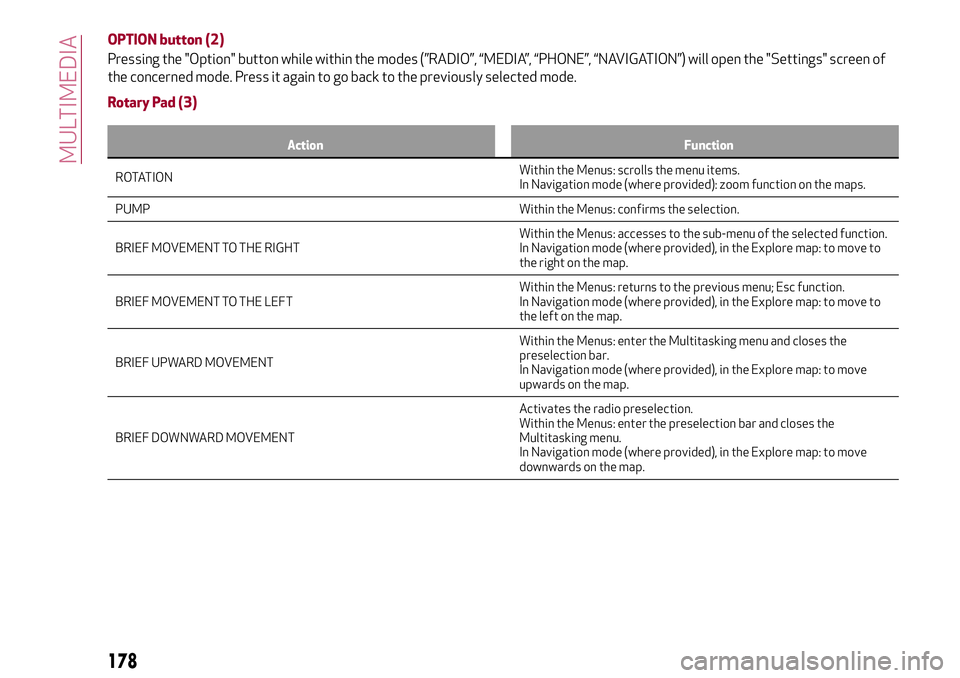
OPTION button (2)
Pressing the "Option" button while within the modes (”RADIO”, “MEDIA”, “PHONE”, “NAVIGATION”) will open the "Settings" screen of
the concerned mode. Press it again to go back to the previously selected mode.
Rotary Pad (3)
Action Function
ROTATIONWithin the Menus:scrolls the menu items.
In Navigation mode (where provided): zoom function on the maps.
PUMP Within the Menus: confirms the selection.
BRIEF MOVEMENT TO THE RIGHTWithin the Menus: accesses to the sub-menu of the selected function.
In Navigation mode (where provided), in the Explore map: to move to
the right on the map.
BRIEF MOVEMENT TO THE LEFTWithin the Menus: returns to the previous menu; Esc function.
In Navigation mode (where provided), in the Explore map: to move to
the left on the map.
BRIEF UPWARD MOVEMENTWithin the Menus: enter the Multitasking menu and closes the
preselection bar.
In Navigation mode (where provided), in the Explore map: to move
upwards on the map.
BRIEF DOWNWARD MOVEMENTActivates the radio preselection.
Within the Menus: enter the preselection bar and closes the
Multitasking menu.
In Navigation mode (where provided), in the Explore map: to move
downwards on the map.
178
MULTIMEDIA
Page 182 of 204
CONTROLS ON STEERING WHEEL
DESCRIPTION
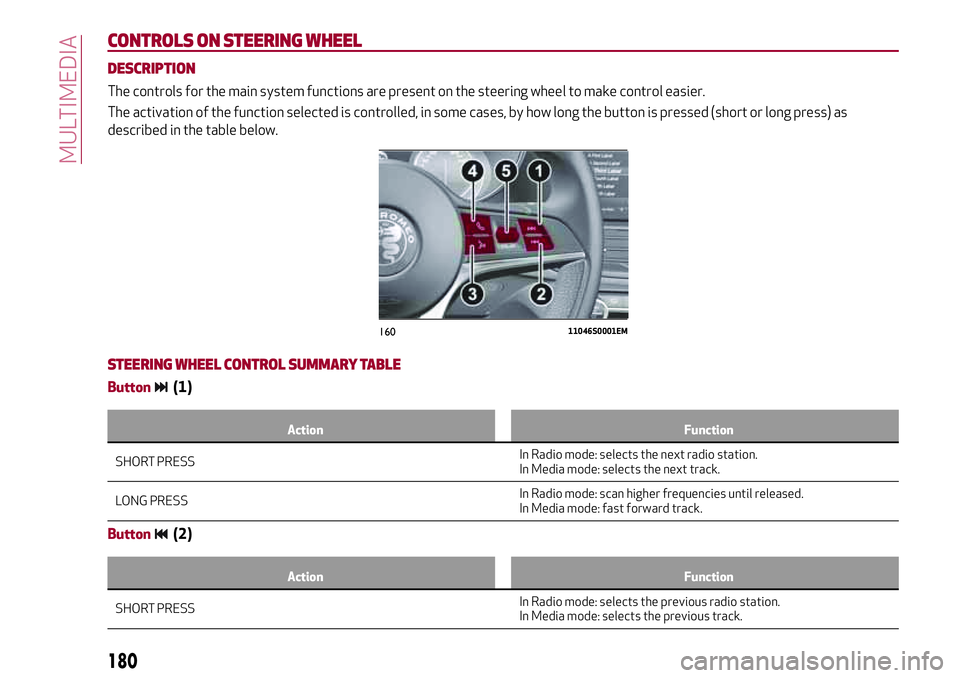
The controls for the main system functions are present on the steering wheel to make control easier.
The activation of the function selected is controlled, in some cases, by how long the button is pressed (short or long press) as
described in the table below.
STEERING WHEEL CONTROL SUMMARY TABLE
Button(1)
Action Function
SHORT PRESSIn Radio mode:selects the next radio station.
In Media mode: selects the next track.
LONG PRESSIn Radio mode: scan higher frequencies until released.
In Media mode: fast forward track.
Button(2)
Action Function
SHORT PRESSIn Radio mode:selects the previous radio station.
In Media mode: selects the previous track.
16011046S0001EM
180
MULTIMEDIA
Page 183 of 204
Action Function
LONG PRESSIn Radio mode:scan lower frequencies until released.
In Media mode: fast rewind track.
Voice command button (3)
Action Function
SHORT PRESS Activate voice commands.
LONG PRESS immediate
closing of the voice session.
Phone button (4)
Answers / closes call or shows the recent calls list.
Volume Control (5)
Action Function
ROTATIONupwards: increases volume.
downwards:decreases volume.
SHORT PRESSIn Radio mode: activates/deactivates the Mute function.
In Media mode: activates play/pause.
181
Page 184 of 204
INTRODUCTION
The system can be managed using the
Rotary Pad. Turn it to navigate the menus,
press it to activate/confirm the
selections, push it leftwards to go back to
the previous screen.
RADIO MODE
After the desired radio station is
selected, the following information is
shown on the display fig. 161:
1 - control bar:
Favourites List;
Next;
Previous;
Stations List;
Tuner seek;
Frequency band.
2 - name of the radio being played and the
favourite symbol if the station is store in
the list;
3 - logo of the active frequency band;
4 - transmitted programme type;
5 - current station frequency;
6 - preset number (if the current station
is stored).Audio
The following settings are available in the
“Audio” menu present in the Options
menu (Option button):
Bass;
Treble;
Med;
Balance/Fade;
Volume/Speed;
Surround sound;
AUX volume comp.;
Restore settings.
16111056S0006EM
182
MULTIMEDIA
Page 189 of 204
This function can be used to carry out the
following adjustments:
ParkSense
This function can be used to select the
type of warning provided by the
ParkSense system.
The options available are:
“Mode”: the following options are
available in this function: “Sound”, the
system notifies the driver of the
presence of an obstacle by means of
auditory signals only, by means of the
speakers in the car or “Sound and
Display”, the system notifies the driver of
the presence of an obstacle by means of
auditory signals (by means of the
speakers in the vehicle) and visual
signals, on the instrument panel display.
"Audio": allows to select the volume of
the acoustic warnings provided by the
ParkSense system, the available options
are: "High", "Medium" or "Low".
Rear view camera
(where provided)
This function can be used to carry out the
following adjustments:
"Active": lets you activate viewing the
video camera on the display;
"Switching off delay": allows you to
delay the switching off of the camera by a
few seconds when reverse gear is
disengaged.
"Grid": Allows you to activate the
display of the dynamic guidelines that
indicate the route of the vehicle.
Automatic parking brake
This function allows you to
activate/deactivate the automatic
parking brake engagement upon
switching off the engine.
Brake service
(where provided)
This function permits the activation of
the procedure to carry out braking
system servicing.
Access the functions and select the
setting by turning and pressing the
Rotary Pad.
Doors & Locks
To access the “Doors & Locks” function,
select it by turning the Rotary Pad and
press the Rotary Pad to activate. The
following settings can be modified when
this mode is selected:
Door lock in motion;
Unlock all doors on exit;
Passive entry;
Door unlock on entry;
Horn w/Remote Start (for
versions/markets where provided)
Horn on closing;
Auto relock;
Restore settings.Cluster
To access the “Cluster” function, select it
by turning the Rotary Pad and press the
Rotary Pad to activate. The following
settings can be modified when this mode
is selected:
Warning buzzer volume;
Trip B;
Phone repeat;
Audio repeat;
Nav repeat;
Restore settings.
Infotainment
To access the “Infotainment” function,
select it by turning the Rotary Pad and
press the Rotary Pad to activate. The
following settings can be modified when
this mode is selected:
Screen Off;
Splitscreen (where provided);
Audio;
Bluetooth®;
Radio;
Media;
Phone;
Navigation (where provided);
Apps.
187
Page 190 of 204
System
To access the “System” function, select it
by turning the Rotary Pad and press the
Rotary Pad to activate. The following
settings can be modified when this mode
is selected:
Automatic ignition;
Delay shutting off;
Software update;
Map update;
Clear personal data;
Restore settings.
APPLICATIONS
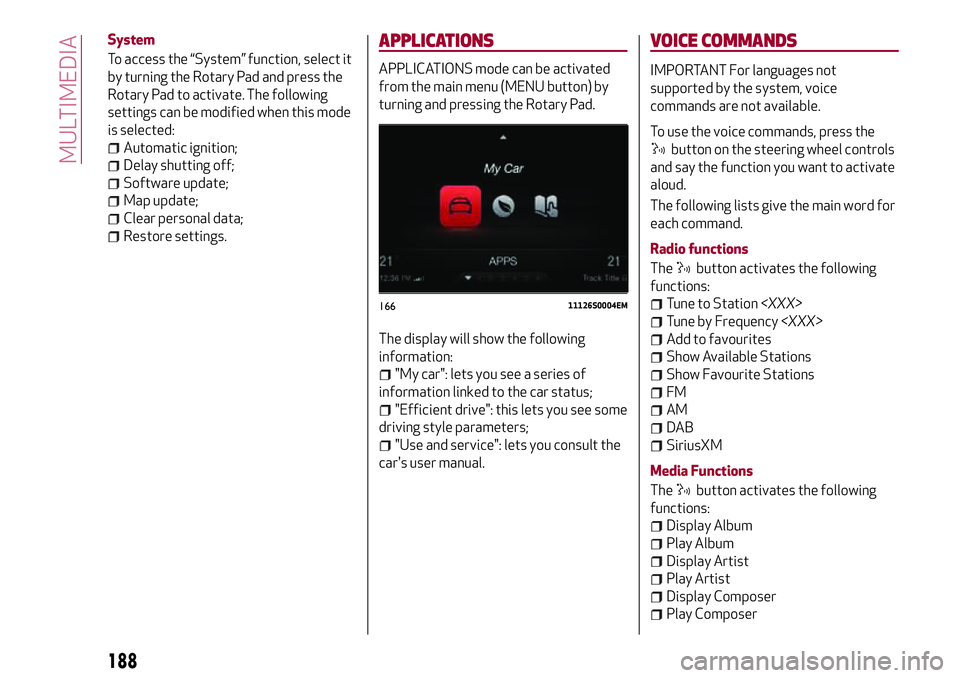
APPLICATIONS mode can be activated
from the main menu (MENU button) by
turning and pressing the Rotary Pad.
The display will show the following
information:
"My car": lets you see a series of
information linked to the car status;
"Efficient drive": this lets you see some
driving style parameters;
"Use and service": lets you consult the
car's user manual.
VOICE COMMANDS
IMPORTANT For languages not
supported by the system, voice
commands are not available.
To use the voice commands, press the
button on the steering wheel controls
and say the function you want to activate
aloud.
The following lists give the main word for
each command.
Radio functions
The
button activates the following
functions:
Tune to Station
Tune by Frequency
Add to favourites
Show Available Stations
Show Favourite Stations
FM
AM
DAB
SiriusXM
Media Functions
The
button activates the following
functions:
Display Album
Play Album
Display Artist
Play Artist
Display Composer
Play Composer
16611126S0004EM
188
MULTIMEDIA