2015 VOLKSWAGEN POLO navigation
[x] Cancel search: navigationPage 27 of 100
Downloaded from www.Manualslib.com manuals search engine 12/29/2015Bedienungsanleitung < Service & Zubehör < Volkswagen Deutschland
24/32
If a message or vehicle pictogram is displayed, press button → Fig. 15 ① on the windscreen wiper level or the button on the
multifunction steering wheel → Fig. 16 . You may need to press the button several times.
Operation using the windscreen wiper lever: to display the selection menu → Selection menu or to return to the selection menu from
another menu or information display, press and hold the rocker switch → Fig. 15 ② until the selection menu is displayed. To browse
through the selection menu, press the rocker switch up or down.
Operation using the multifunction steering wheel: to display and browse through the selection menu, press or → Fig. 16 .
To open the menu or information display shown in the selection menu, press → Fig. 15 ① on the windscreen wiper lever, press the
button on the multifunction steering wheel → Fig. 16 , or wait until the menu or information display opens automatically after a few
seconds.
Adjusting settings in menus
In the displayed menu, press the rocker switch → Fig. 15 ② on the windscreen wiper lever up or down, or press the arrow buttons
or on the multifunction steering wheel → Fig. 16 until the required menu option is selected. A frame appears around the selected
option.
Press button → Fig. 15 ① on the windscreen wiper lever or press the button on the multifunction steering wheel → Fig. 16 to
make the required change. A tick indicates that the particular system or function is active.
Returning to the selection menu
Using the menu: in the menu, select the Back menu option to leave the menu.
Using the multifunction steering wheel: press the or button → Fig. 16 .
If warning messages about malfunctions are displayed when the ignition is switched on, it may not be possible to adjust some settings
as described, or the information display may appear differently. If this is the case, take the vehicle to a qualified workshop to have the
malfunction rectified.
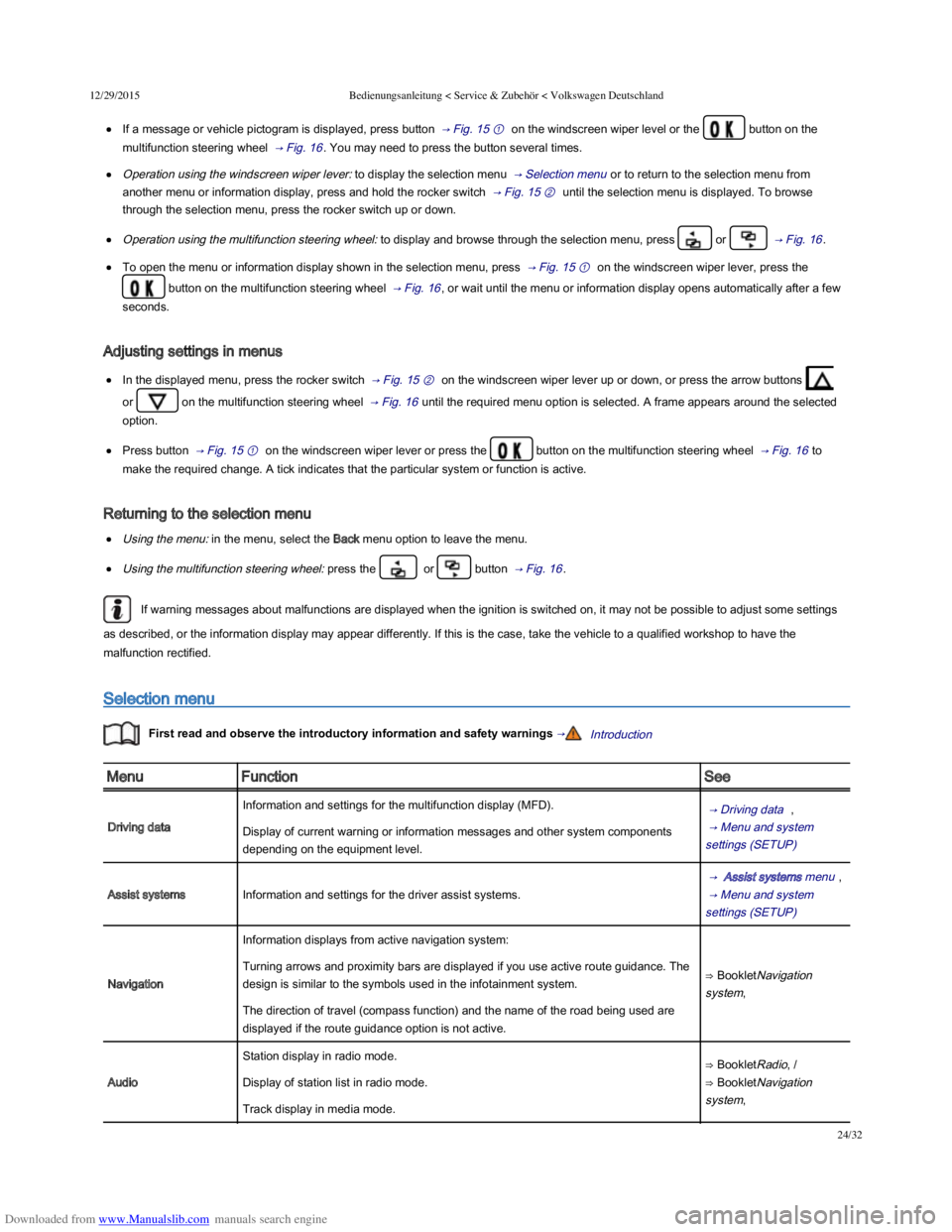
Selection menu
First read and observe the introductory information and safety warnings →Introduction
MenuFunctionSee
Driving data
Information and settings for the multifunction display (MFD). → Driving data ,
→ Menu and system
settings (SETUP)
Display of current warning or information messages and other system components
depending on the equipment level.
Assist systemsInformation and settings for the driver assist systems.
→ Assist systems menu ,
→ Menu and system
settings (SETUP)
Navigation
Information displays from active navigation system:
⇒ BookletNavigation
system,
Turning arrows and proximity bars are displayed if you use active route guidance. The
design is similar to the symbols used in the infotainment system.
The direction of travel (compass function) and the name of the road being used are
displayed if the route guidance option is not active.
Audio
Station display in radio mode.⇒ BookletRadio, /
⇒ BookletNavigation
system,
Display of station list in radio mode.
Track display in media mode.
Page 28 of 100
Downloaded from www.Manualslib.com manuals search engine 12/29/2015Bedienungsanleitung < Service & Zubehör < Volkswagen Deutschland
25/32
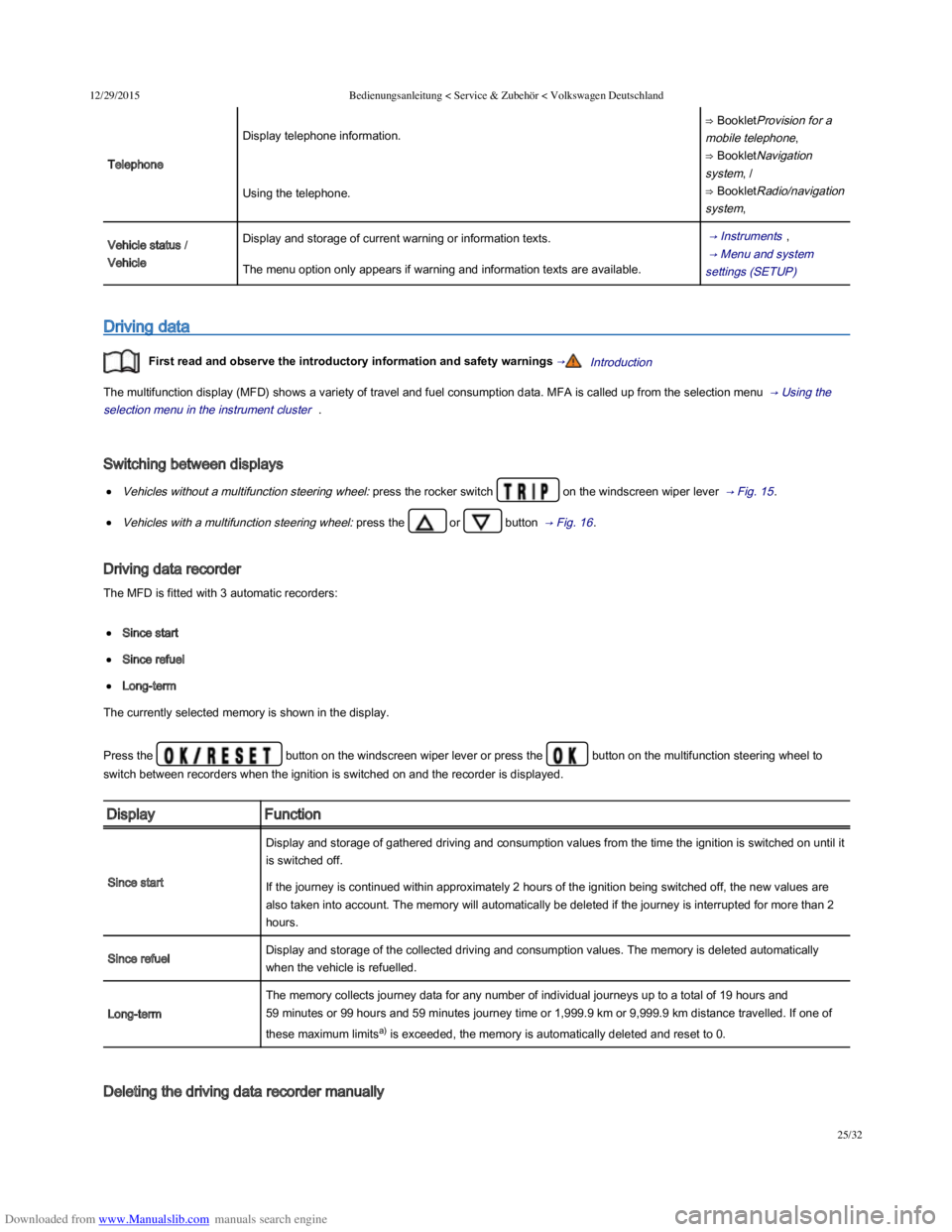
Telephone
Display telephone information.
⇒ BookletProvision for a
mobile telephone,
⇒ BookletNavigation
system, /
⇒ BookletRadio/navigation
system,
Using the telephone.
Vehicle status /
Vehicle
Display and storage of current warning or information texts. → Instruments ,
→ Menu and system
settings (SETUP) The menu option only appears if warning and information texts are available.
Driving data
First read and observe the introductory information and safety warnings →Introduction
The multifunction display (MFD) shows a variety of travel and fuel consumption data. MFA is called up from the selection menu → Using the
selection menu in the instrument cluster .
Switching between displays
Vehicles without a multifunction steering wheel: press the rocker switch on the windscreen wiper lever → Fig. 15 .
Vehicles with a multifunction steering wheel: press the or button → Fig. 16 .
Driving data recorder
The MFD is fitted with 3 automatic recorders:
Since start
Since refuel
Long-term
The currently selected memory is shown in the display.
Press the button on the windscreen wiper lever or press the button on the multifunction steering wheel to
switch between recorders when the ignition is switched on and the recorder is displayed.
DisplayFunction
Since start
Display and storage of gathered driving and consumption values from the time the ignition is switched on until it
is switched off.
If the journey is continued within approximately 2 hours of the ignition being switched off, the new values are
also taken into account. The memory will automatically be deleted if the journey is interrupted for more than 2
hours.
Since refuelDisplay and storage of the collected driving and consumption values. The memory is deleted automatically
when the vehicle is refuelled.
Long-term
The memory collects journey data for any number of individual journeys up to a total of 19 hours and
59 minutes or 99 hours and 59 minutes journey time or 1,999.9 km or 9,999.9 km distance travelled. If one of
these maximum limitsa) is exceeded, the memory is automatically deleted and reset to 0.
Deleting the driving data recorder manually
Page 30 of 100
Downloaded from www.Manualslib.com manuals search engine 12/29/2015Bedienungsanleitung < Service & Zubehör < Volkswagen Deutschland
27/32
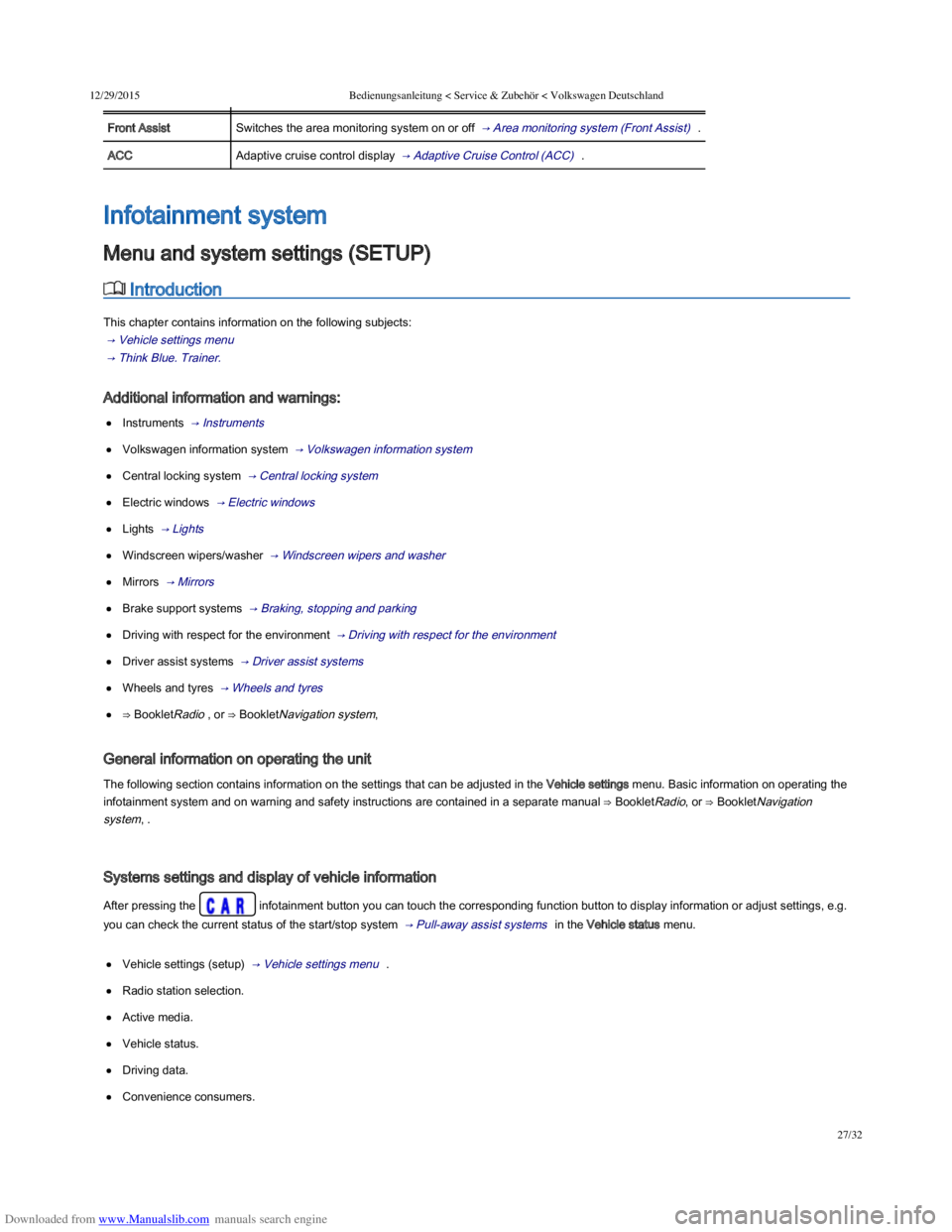
MenuFunction
Front AssistSwitches the area monitoring system on or off → Area monitoring system (Front Assist) .
ACCAdaptive cruise control display → Adaptive Cruise Control (ACC) .
Introduction
This chapter contains information on the following subjects:
→ Vehicle settings menu
→ Think Blue. Trainer.
Additional information and warnings:
Instruments → Instruments
Volkswagen information system → Volkswagen information system
Central locking system → Central locking system
Electric windows → Electric windows
Lights → Lights
Windscreen wipers/washer → Windscreen wipers and washer
Mirrors → Mirrors
Brake support systems → Braking, stopping and parking
Driving with respect for the environment → Driving with respect for the environment
Driver assist systems → Driver assist systems
Wheels and tyres → Wheels and tyres
⇒ BookletRadio , or ⇒ BookletNavigation system,
General information on operating the unit
The following section contains information on the settings that can be adjusted in the Vehicle settings menu. Basic information on operating the
infotainment system and on warning and safety instructions are contained in a separate manual ⇒ BookletRadio, or ⇒ BookletNavigation
system, .
Systems settings and display of vehicle information
After pressing the infotainment button you can touch the corresponding function button to display information or adjust settings, e.g.
you can check the current status of the start/stop system → Pull-away assist systems in the Vehicle status menu.
Vehicle settings (setup) → Vehicle settings menu .
Radio station selection.
Active media.
Vehicle status.
Driving data.
Convenience consumers.
Infotainment system
Menu and system settings (SETUP)
Page 31 of 100
Downloaded from www.Manualslib.com manuals search engine 12/29/2015Bedienungsanleitung < Service & Zubehör < Volkswagen Deutschland
28/32
After starting the engine with a discharged vehicle battery, or after the battery has been changed, system settings (time, date, personal
convenience settings and programming) may have been changed or deleted. Check and correct the settings as necessary once the vehicle
battery has been sufficiently charged.
Vehicle settings menu
First read and observe the introductory information and safety warnings →Introduction
Opening the Vehicle settings menu
Switch on ignition.
Switch on infotainment system if necessary.
Press the infotainment button.
Touch the function button to open the Vehicle settings menu.
Touch the corresponding function button to open additional menus in the Vehicle settings menu, or to adjust settings in the menu points.
If the checkbox in the function button is ticked , the respective function is switched on.
Changes made in settings menus are automatically applied immediately after entry.
Touching the function button takes you back to the previous menu.
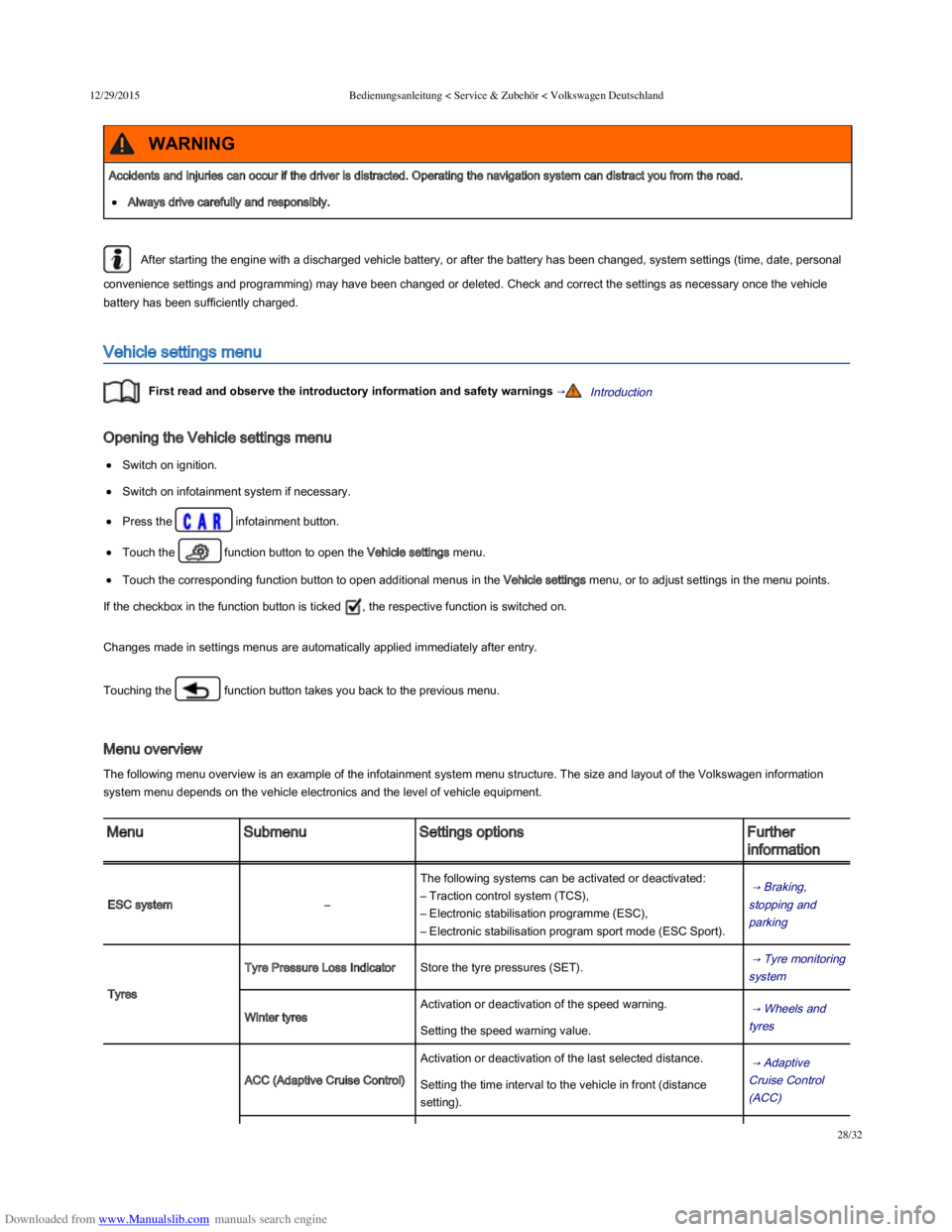
Menu overview
The following menu overview is an example of the infotainment system menu structure. The size and layout of the Volkswagen information
system menu depends on the vehicle electronics and the level of vehicle equipment.
MenuSubmenuSettings optionsFurther
information
ESC system–
The following systems can be activated or deactivated:
– Traction control system (TCS),
– Electronic stabilisation programme (ESC),
– Electronic stabilisation program sport mode (ESC Sport).
→ Braking,
stopping and
parking
Tyres
Tyre Pressure Loss IndicatorStore the tyre pressures (SET). → Tyre monitoring
system
Winter tyres
Activation or deactivation of the speed warning. → Wheels and
tyres Setting the speed warning value.
ACC (Adaptive Cruise Control)
Activation or deactivation of the last selected distance. → Adaptive
Cruise Control
(ACC)
Setting the time interval to the vehicle in front (distance
setting).
Accidents and injuries can occur if the driver is distracted. Operating the navigation system can distract you from the road.
Always drive carefully and responsibly.
WARNING
Page 38 of 100
Downloaded from www.Manualslib.com manuals search engine 12/29/2015Bedienungsanleitung < Service & Zubehör < Volkswagen Deutschland
3/136
For diesel engines: is diesel with a low sulphur level available?
Are the correct engine oil ( Engine oil Engine oil Engine compartment Engine oil_3 Oil see Engine oil_3 ) and other service fluids that
comply with Volkswagen specifications available in the destination country?
Will the factory-fitted navigation system work with the navigation data available in the destination country?
Are special tyres necessary for travelling in the destination country?
Driving through water on roads
First read and observe the introductory information and safety warnings →Introduction
Please follow these rules to help prevent damage to your vehicle when driving through water, for example if the road is flooded:
Check the depth of the water before driving through it. The water level must be no higher than the lower edge of the vehicle body → .
Do not drive faster than walking speed.
Never stop the vehicle, reverse or switch off the engine while in water.
Oncoming vehicles create waves that could increase the water level for your vehicle to such an extent that it is not safe to drive through the
water.
When driving through water, always switch start/stop system off manually → Pull-away assist systems .
Introduction
This chapter contains information on the following subjects:
→ Vehicle identification data
→ Engine data
→ Dimensions
→ Performance figures
Volkswagen is not responsible for any vehicle damage caused by low-quality fuel, inadequate servicing work or lack of Genuine Parts.
NOTICE
After driving through water, mud, slush etc., the brakes may react slowly and the braking distance will be increased as the brake discs and pads
will be wet, or possibly iced up in winter.
You can dry and de-ice the brakes by performing careful braking manoeuvres. Make sure that you do not endanger any other road users or
violate any legal regulations when doing so.
Avoid abrupt and sudden braking manoeuvres directly after driving through water.
WARNING
If you drive through water, parts of the vehicle, such as the engine, drive train, running gear and vehicle electrics, could sustain severe
damage.
Never drive through salt water as salt can cause corrosion. Rinse all components that have been exposed to salt water immediately with
fresh water.
NOTICE
Technical data
Page 42 of 100
Downloaded from www.Manualslib.com manuals search engine 12/29/2015Bedienungsanleitung < Service & Zubehör < Volkswagen Deutschland
7/136
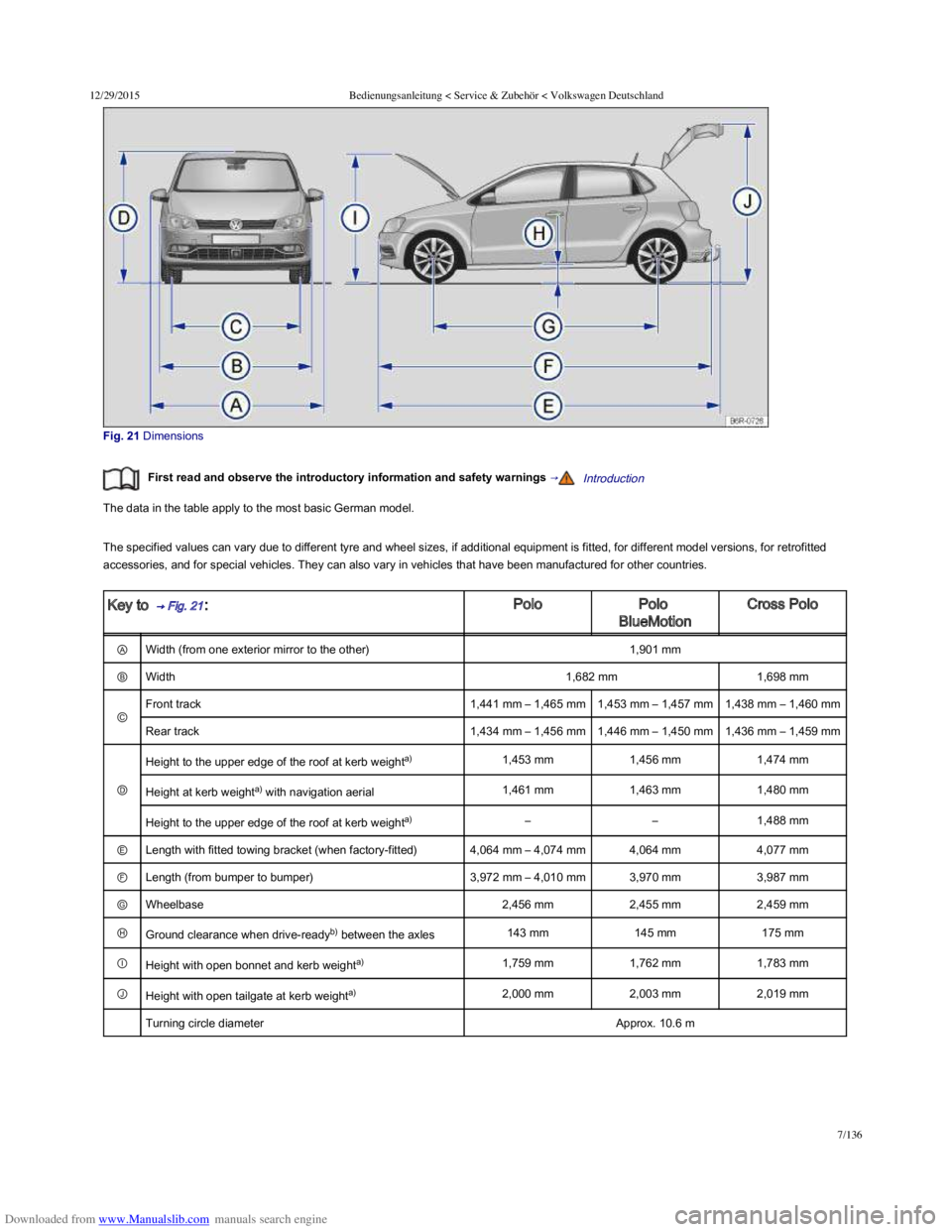
Fig. 21 Dimensions
First read and observe the introductory information and safety warnings →Introduction
The data in the table apply to the most basic German model.
The specified values can vary due to different tyre and wheel sizes, if additional equipment is fitted, for different model versions, for retrofitted
accessories, and for special vehicles. They can also vary in vehicles that have been manufactured for other countries.
Key to → Fig. 21 :PoloPolo
BlueMotion
Cross Polo
ⒶWidth (from one exterior mirror to the other)1,901 mm
ⒷWidth1,682 mm1,698 mm
Ⓒ
Front track1,441 mm – 1,465 mm1,453 mm – 1,457 mm1,438 mm – 1,460 mm
Rear track1,434 mm – 1,456 mm1,446 mm – 1,450 mm1,436 mm – 1,459 mm
Ⓓ
Height to the upper edge of the roof at kerb weighta)1,453 mm1,456 mm1,474 mm
Height at kerb weighta) with navigation aerial1,461 mm1,463 mm1,480 mm
Height to the upper edge of the roof at kerb weighta)––1,488 mm
ⒺLength with fitted towing bracket (when factory-fitted)4,064 mm – 4,074 mm4,064 mm4,077 mm
ⒻLength (from bumper to bumper)3,972 mm – 4,010 mm3,970 mm3,987 mm
ⒼWheelbase2,456 mm2,455 mm2,459 mm
ⒽGround clearance when drive-readyb) between the axles143 mm145 mm175 mm
ⒾHeight with open bonnet and kerb weighta)1,759 mm1,762 mm1,783 mm
ⒿHeight with open tailgate at kerb weighta)2,000 mm2,003 mm2,019 mm
Turning circle diameterApprox. 10.6 m
Page 95 of 100
Downloaded from www.Manualslib.com manuals search engine 12/29/2015Bedienungsanleitung < Service & Zubehör < Volkswagen Deutschland
60/136
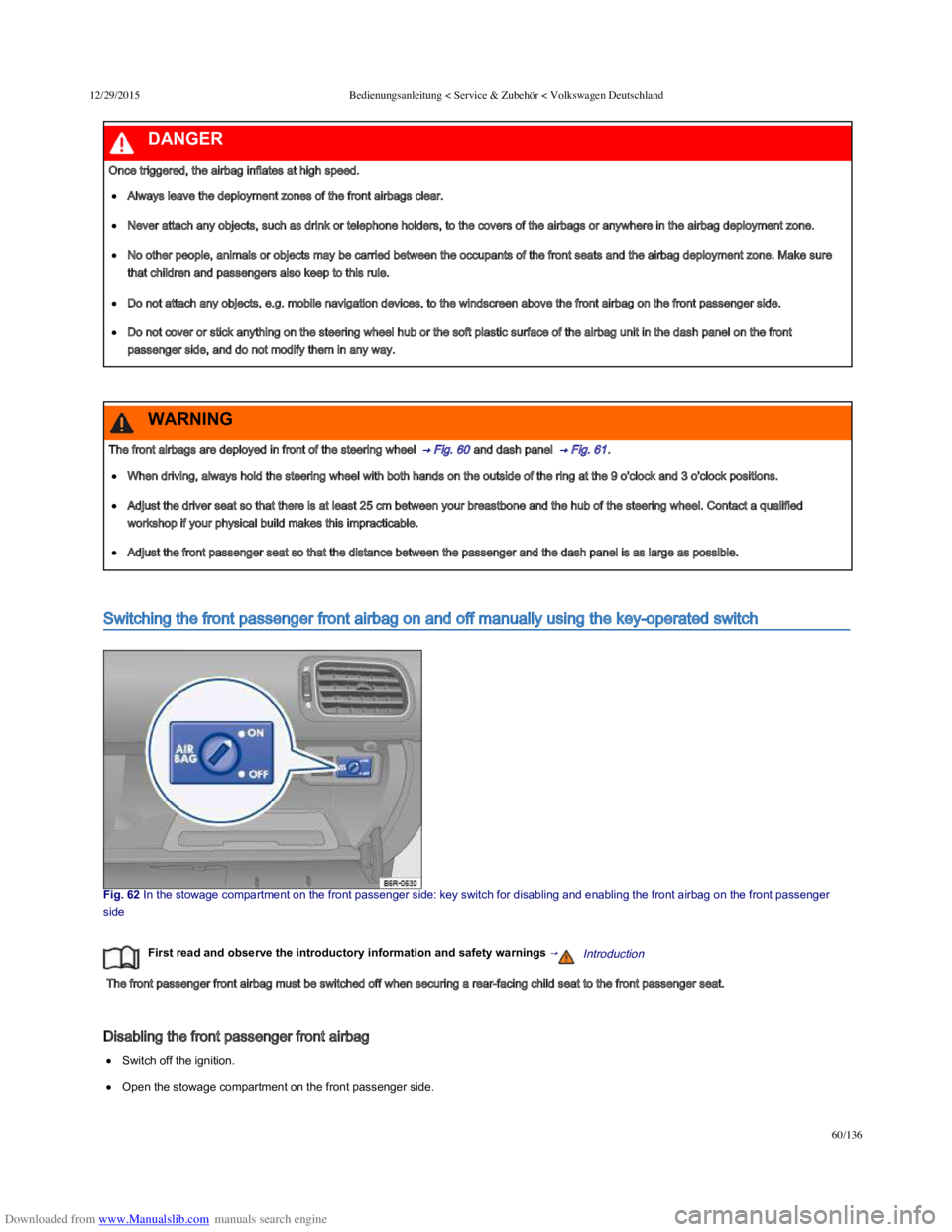
Switching the front passenger front airbag on and off manually using the key-operated switch
Fig. 62 In the stowage compartment on the front passenger side: key switch for disabling and enabling the front airbag on the front passenger
side
First read and observe the introductory information and safety warnings →Introduction
The front passenger front airbag must be switched off when securing a rear-facing child seat to the front passenger seat.
Disabling the front passenger front airbag
Switch off the ignition.
Open the stowage compartment on the front passenger side.
Once triggered, the airbag inflates at high speed.
Always leave the deployment zones of the front airbags clear.
Never attach any objects, such as drink or telephone holders, to the covers of the airbags or anywhere in the airbag deployment zone.
No other people, animals or objects may be carried between the occupants of the front seats and the airbag deployment zone. Make sure
that children and passengers also keep to this rule.
Do not attach any objects, e.g. mobile navigation devices, to the windscreen above the front airbag on the front passenger side.
Do not cover or stick anything on the steering wheel hub or the soft plastic surface of the airbag unit in the dash panel on the front
passenger side, and do not modify them in any way.
DANGER
The front airbags are deployed in front of the steering wheel → Fig. 60 and dash panel → Fig. 61 .
When driving, always hold the steering wheel with both hands on the outside of the ring at the 9 o'clock and 3 o'clock positions.
Adjust the driver seat so that there is at least 25 cm between your breastbone and the hub of the steering wheel. Contact a qualified
workshop if your physical build makes this impracticable.
Adjust the front passenger seat so that the distance between the passenger and the dash panel is as large as possible.
WARNING