Page 6 of 578
– Intermittent operation for windshield wipers z
– “One-tap wiping” �x
– Windshield wiper U
– Automatic wipe/wash for windshield W
(5) Multi-function steering wheel controls:
– Volume setting for radio, navigation system notifications, or
telephone calls & – '
– Mute switching for radio or activation of voice control �
– Display Phone main menu or accept telephone calls -
– Audio, Navigation
Page 18 of 578
Calibrating the compass
In order to calibrate the compass, you need a valid compass zone for
the location and enough room to drive in a circle.
Switch on the ignition.
Select the Settings menu followed by the Compass and Calibrate
menu items.
Confirm the Please drive a full circle to calibrate message by
pressing the /+ button on the multi-function steering wheel, and then
drive in a complete circle at about 6 mph (10 km/h).
During calibration, CAL is shown in the instrument cluster display.
The calibration is complete when the compass direction is displayed.
Service reminder display
Page 19 of 578
Select the Settings menu.
In the Service submenu, select the Info menu item.
OR: If the Vehicle status main menu is active, use the arrow but-
tons to navigate to the service reminder display.
A minus sign in front of the number of miles (kilometers) or days
means that service is overdue.
Resetting the oil change service reminder
If the service was not performed by an authorized Volkswagen dealer
or an authorized Volkswagen Service Facility, the oil change service
reminder can be reset as follows:
1. Switch off the ignition.
2. Press and hold the /./
Page 22 of 578
Radio or Navigation system ⇒ Booklet Radio or
⇒ Booklet Navigation system
Mobile phone package ⇒ Booklet Mobile Phone Package
WARNING
Driving on today's roads demands the full attention of the driv-
er at all times. Driver distraction causes accidents, collisions
and serious personal injury!
Never access menus when the vehicle is moving.
Emergency starting and starting the engine with a very weak ve-
hicle battery or after the vehicle battery has been replaced may
change or delete system settings (including time, date, personal con-
venience settings, and programming). Check the settings and correct
as necessary once the vehicle battery has built up a sufficient charge.
Using the instrument cluster menus
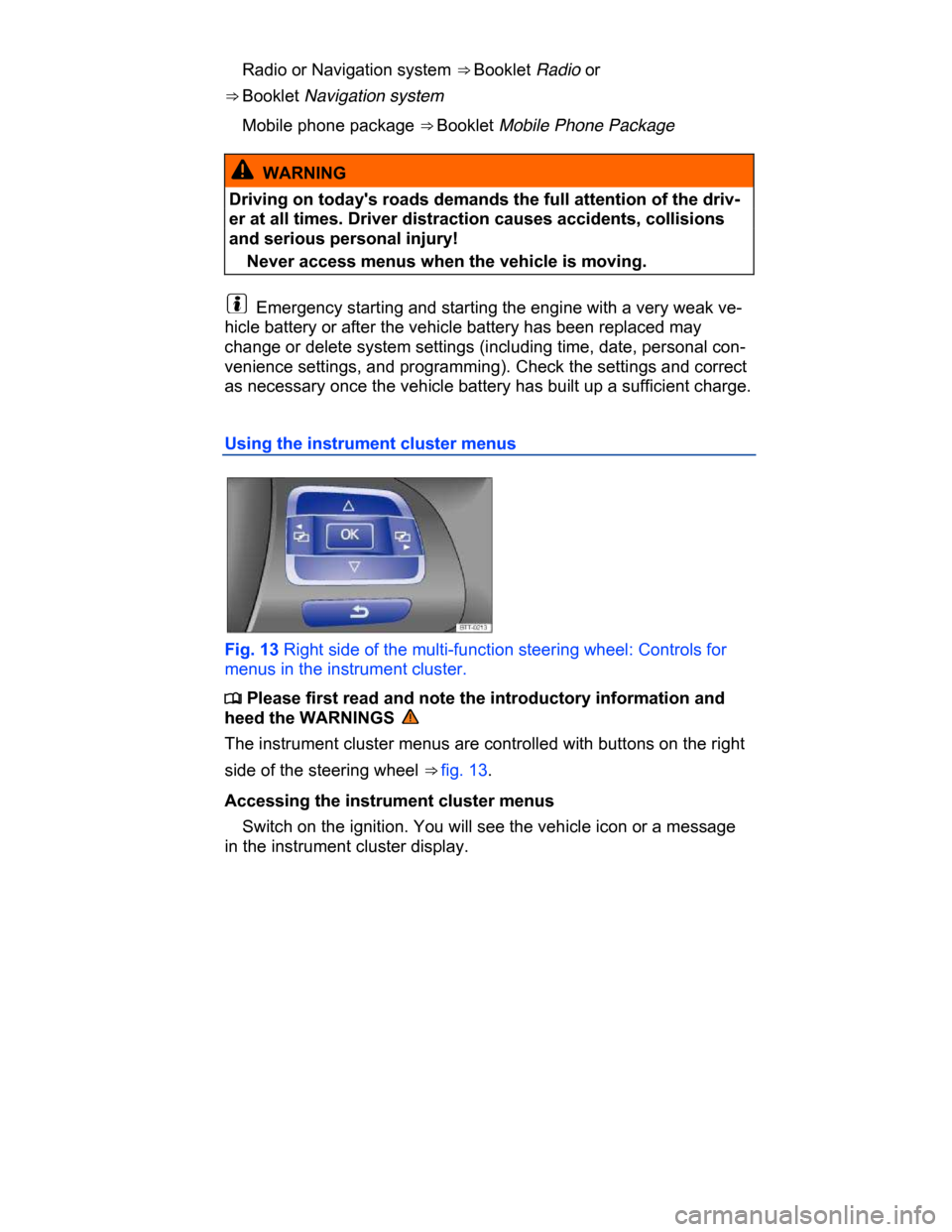
Fig. 13 Right side of the multi-function steering wheel: Controls for
menus in the instrument cluster.
Page 23 of 578
Push the /+ button (⇒ fig. 13) on the right side of the multi-function
steering wheel until a main menu appears in the instrument cluster
display. For a list of main menus, see ⇒ Main menu.
Push buttons # or ∃ to move to another main menu, and push the
arrow up and down buttons * and + to navigate inside the current
main menu. For example, in the Settings main menu, press the ar-
row down button + to navigate to the MFI data submenu.
Displaying a submenu
Press the /+ button ⇒ fig. 13 to display submenu items. For in-
stance, after scrolling to MFI data in the Settings main menu, press
the /+ button to display items available under the MFI data submenu.
Selecting a setting
Some menus are used to select settings for certain features. Push
the /+ button (⇒ fig. 13) to select a setting.
Use the arrow up and down buttons * and + on the multi-function
steering wheel to navigate through the available options.
The selected menu item is located between the 2 horizontal lines.
There may also be a triangle () on the right.
Push the /+ button to select the setting.
Returning to the main menu
Via menu: Use the arrow down button + to select Back and then
press the /+ button ⇒ fig. 13.
For operation with multi-function steering wheel: Press E.
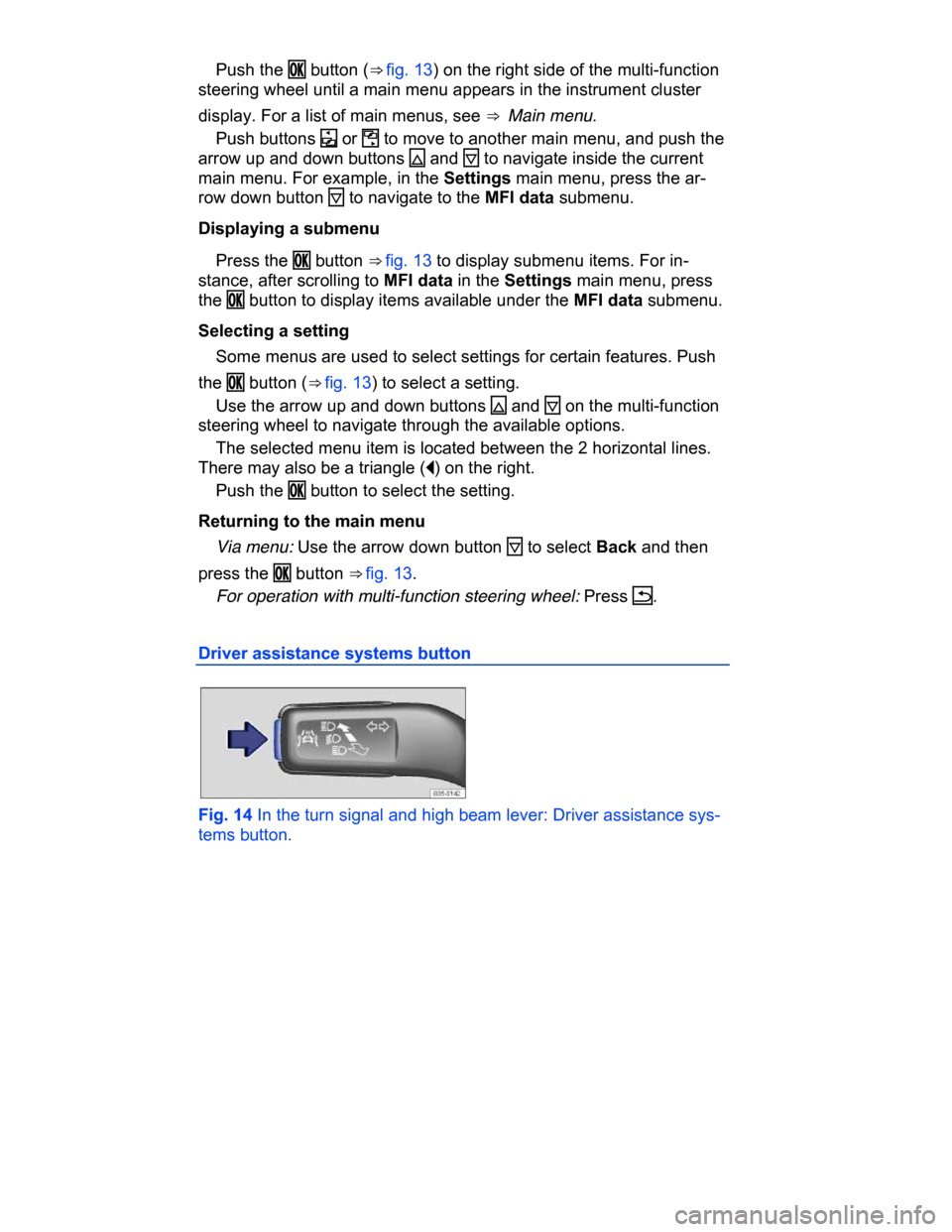
Driver assistance systems button
Fig. 14 In the turn signal and high beam lever: Driver assistance sys-
tems button.
Page 27 of 578
– Info
– Back
▪ Factory setting
Main menu
Page 28 of 578
Menu Function See
Vehicle
status
Current warning and information
messages.
This menu item is only displayed
when warning or information
messages are available. The
number of available messages is
shown in the display. Example:
1/1 or 2/2.
Settings Includes the Convenience and
Lights & Vision submenus, as
well as many settings such as
time, speed warning for winter
tires, language, and units.
MFI menu (Multi-Function Indicator)
Page 29 of 578

1 Single trip
memory
The memory accumulates and stores infor-
mation about distance driven and fuel used from
the time the ignition was switched on until the
time it was switched off.
If the ignition stays off for 2 hours or more,
stored information is automatically deleted. If the
trip is continued within 2 hours after the ignition
was switched off, the new values are added.
2 Total trip
memory
The memory displays and stores the accumulat-
ed driving and fuel consumption data of any
number of single trips up to a total driving time
of 99 hours and 59 minutes, and up to a total
distance of 9,999 miles (9,999 km). If one of the
maximum values is exceeded, then the memory
is automatically cleared and starts again from 0.
Possible MFI menu displays
The following displays can be accessed in the MFI menu if enabled
under Settings > MFI data. Displays that are not enabled will not
appear.
Display Function
Travel time Driving time in hours (h) and minutes (min) cor-
responding to trip memories 1 and 2 (toggle).
Consumption
--.- mpg
Current fuel consumption in miles per gallon
(l/100 km) while driving.
When units are set to miles, dashes appear in-
stead of a number when the engine is running
and the vehicle is standing still.
When units are set to kilometers, the display
shows liters consumed per hour when the en-
gine is running and the vehicle is standing still.
Consumption
--.- l/100 km
Av. consumption
--.- mpg
Average fuel consumption in miles per gallon
(l/100 km) on trips per trip memories 1 and 2