Page 31 of 578
Storing speed for the speed warning
Navigate to MFI > Speed warning (Speed warning -- mph or
Speed warning -- km/h) display.
Press the /+ button to save the current speed and to activate the
warning.
If the speed is not right, press buttons * or + on the multi-function
steering wheel to set a different speed within about 5 seconds. Then
press the /+ button a second time or just wait a few seconds. The
speed is saved and the warning is activated.
To deactivate, toggle to --- mph or --- km/h and press the /+ but-
ton. The set speed is deleted.
Manually erasing trip memory 1 or 2
Navigate to MFI > Route.
Select the memory to be erased.
Press the /+ button for about 2 seconds.
Enabling and disabling displays
Use the Settings menu, submenu MFI data to enable displays you
want to be available under the MFI menu in the instrument cluster
display. The units in which data is displayed can also be changed ⇒
Settings menu
Settings menu
Page 32 of 578
Settings
menu
Function
Lights &
Vision
Vehicle lighting settings
Time Set hours and minutes for the instrument cluster
clock, the Radio & Navigation System clock, and the
analog clock. The digital clocks can be set to show
the time in 12 or 24 hour format, and can also be set
to daylight savings time.
Snow tires Set up a visual and acoustic speed warning. Use the
feature only when winter tires are installed that have
a speed rating less than top vehicle speed.
Compass Calibrate the compass on vehicles without a factory-
installed navigation system. To calibrate, follow the
instructions in the instrument cluster display
Units Set the units in which temperature, fuel consumption,
and distances should be displayed (for example,
whether to show distance driven in miles or kilome-
ters).
Service View the service reminder display
Factory
setting
Reset the functions in the Settings menu back to the
factory settings.
Lights & Vision submenu
Page 33 of 578
Lights &
Vision menu
Function
Coming
Home
Set how long the headlights and inside lights stay on
after locking or unlocking the vehicle. Feature can
also be switched on or off
Leaving
Home
Footwell
light
Set footwell lighting brightness or switch this feature
on or off.
Conv. turn
sig.
Enable/disable convenience turn signal (lane change
feature). When the feature is enabled, the turn signal
flashes at least 3 times when the turn signal is tapped
Factory
setting
Resets the functions in the Lights & Vision submenu
back to the factory settings.
Back The display returns to the Settings menu.
Personal convenience settings
Page 34 of 578
▪ Mirror down
Settings / Lights & Vision menu
▪ Coming Home / Leaving Home
▪ Convenience turn signal (lane change feature)
The stored settings are recalled when the ignition is switched on.
Please also see information about the memory seat ⇒ Seat functions.
Page 151 of 578
mation System. If your vehicle is not equipped with the Lights & Vi-
sion menu, the convenience turn signal feature can be deactivated
by an authorized Volkswagen dealer or authorized Volkswagen Ser-
vice Facility.
WARNING
Improper use of high beams can distract and blind others,
causing accidents and serious injuries.
The turn signal light works only when the ignition is switched on.
The emergency flasher works even when the ignition is switched off
⇒ In an emergency.
The indicator light flashes twice as fast if a turn signal bulb is
burned out.
High beams can only be switched on when the low beams are on.
Switching lights on and off
Fig. 86 Headlight switch next to the steering wheel. A: Vehicles with
fog lights. B: Vehicles without fog lights.
Page 155 of 578

Automatic headlight control (!54/)
Automatic headlight control is a convenience feature only and cannot
always recognize all lighting and driving situations.
If the light switch is in the !54/ position, both vehicle lighting and in-
strument and switch lighting are automatically switched on and off in
the following situations ⇒ :
Automatic activation: Automatic deactivation:
If the low-light sensor registers
darkness, for example when driv-
ing through a tunnel.
If sufficient brightness is regis-
tered.
If the rain sensor recognizes rain
and switches the windshield wip-
ers on.
If the windshield wipers have not
moved for several minutes.
Adaptive Front Lighting System (AFS)
The Adaptive Front Lighting System works only with the low beams
switched on and only at speeds above about 6 mph (10 km/h). The
swivel-mounted lamps automatically improve road illumination during
cornering.
On vehicles equipped with the Adaptive Front Lighting System, the
feature is switched on and off via the Assistants menu in the instru-
ment cluster display ⇒ Volkswagen Information System.
Page 158 of 578
The delay period can be adjusted in 10 second intervals and the
function can be switched on and off in the Lights & Vision menu ⇒
Volkswagen Information System.
If the “Coming home” feature is switched on and the driver door is
opened, no warning chime will sound to alert you that the lights are
still on.
Instrument panel lighting and headlight range adjustment
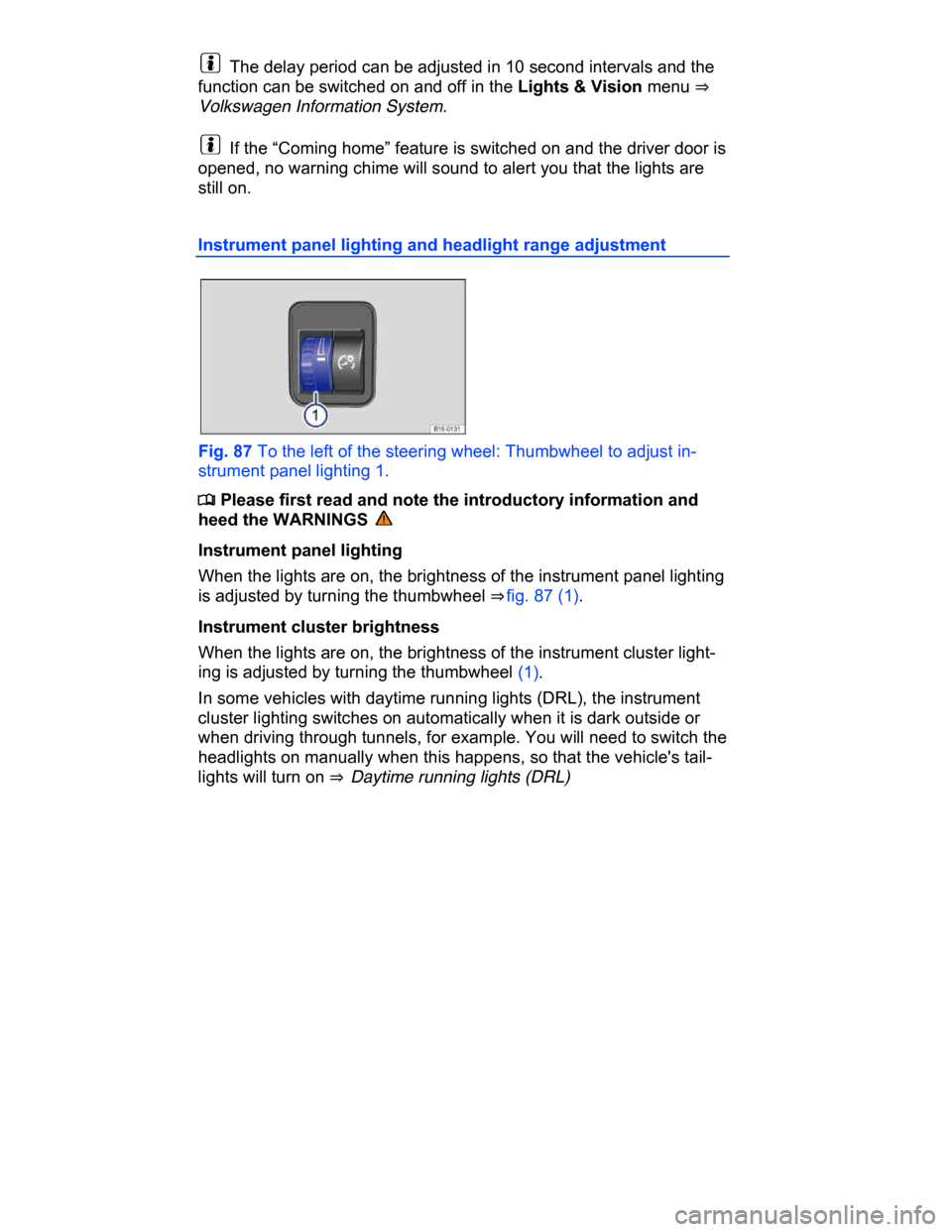
Fig. 87 To the left of the steering wheel: Thumbwheel to adjust in-
strument panel lighting 1.
Page 180 of 578

Turn the adjusting knob to the L position.
Adjust the left outside mirror. The right (passenger) outside mirror
will automatically adjust at the same time.
If needed, correct the position of the right mirror by turning the ad-
justing knob to the R position.
Auto-dimming outside mirror on the driver side
Some models are equipped with an auto-dimming outside mirror,
which is controlled together with the auto-dimming inside mirror ⇒
Inside mirror.
Memory for front passenger side mirror (when backing up)
On vehicles equipped with memory seats ⇒ page 136, Memory seats,
the passenger side mirror settings for backing up can be stored as
follows:
Choose the remote control vehicle key that will be used with the
settings about to be made.
Unlock the vehicle with that remote control vehicle key.
Set the electronic parking brake.
Switch on the ignition.
Activate the function Mirror down in the Settings - Convenience
menu.
Turn the adjusting knob for the side mirrors to the R position.
Shift the transmission into Reverse (R).
Adjust the passenger outside mirror for a clear view of the curb, for
example.
The adjusted mirror position is automatically stored and assigned
to the vehicle key used to unlock the vehicle. The preselected posi-
tion will be recalled when the key assigned to that mirror adjustment
position is used again.
Recalling passenger side mirror settings
Turn the adjusting knob for the side mirrors to the R position.
Shift the transmission into reverse gear with the ignition switched
on.
The mirror moves back to the regular position when the vehicle
moves forward faster than about 10 mph (15 km/h) or the adjusting
knob is turned to the O or L position.