Page 293 of 564
293 3-2. Using the audio system
3
Interior features
NOTICE
CD player precautions
Failure to follow the precautions below may result in serious damage to the
CDs or the player itself.
Do not insert anything other than CDs into the CD slot.
Do not apply oil to the CD player.
Store CDs away from direct sunlight.
Never try to disassemble any part of the CD player.
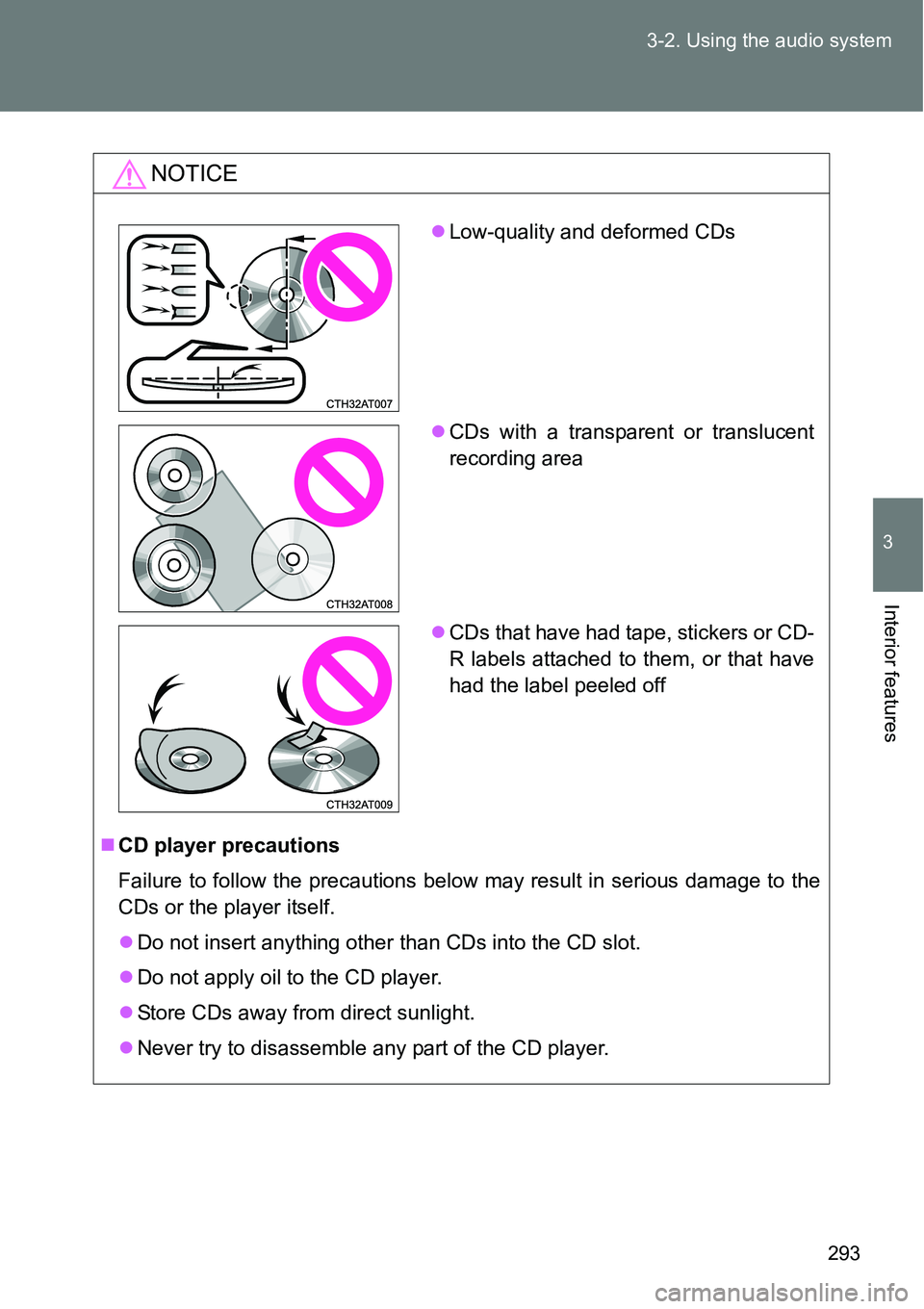
Low-quality and deformed CDs
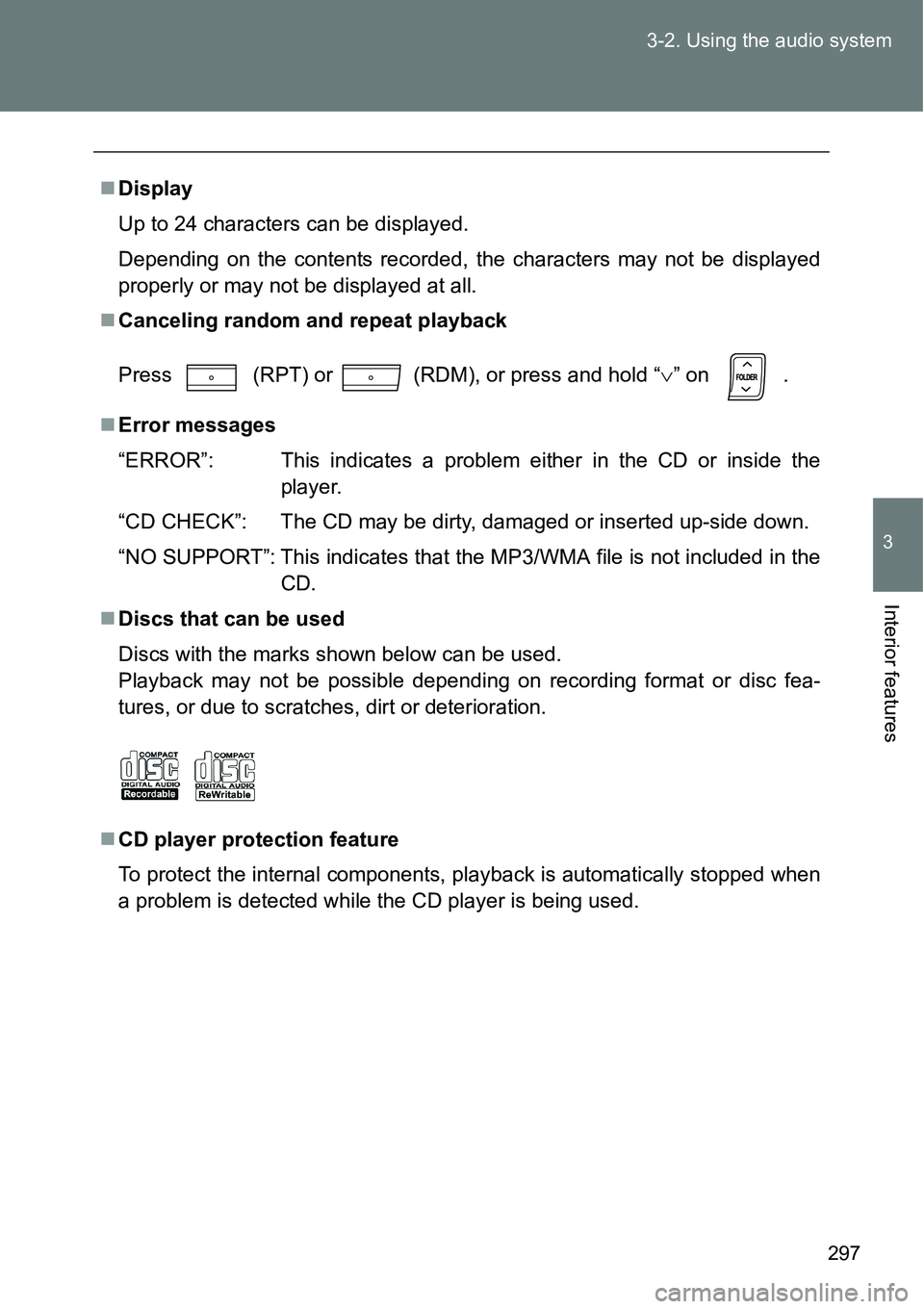
CDs with a transparent or translucent
recording area
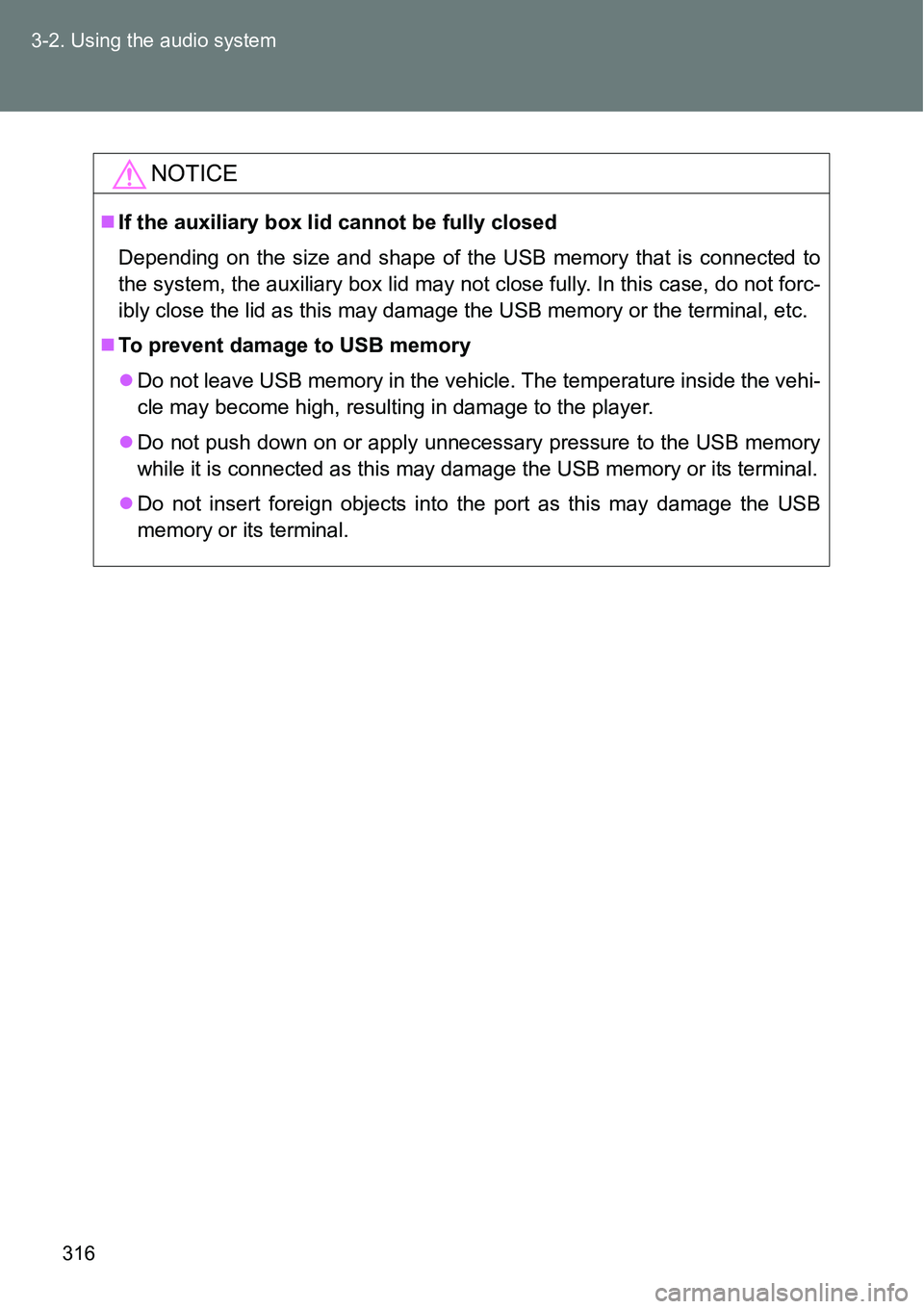
CDs that have had tape, stickers or CD-
R labels attached to them, or that have
had the label peeled off
Page 297 of 564
297 3-2. Using the audio system
3
Interior features
Display
Up to 24 characters can be displayed.
Depending on the contents recorded, the characters may not be displayed
properly or may not be displayed at all.
Canceling random and repeat playback
Press
(RPT) or (RDM), or press and hold “” on .
Error messages
“ERROR”: This indicates a problem either in the CD or inside the
player.
“CD CHECK”: The CD may be dirty, damaged or inserted up-side down.
“NO SUPPORT”: This indicates that the MP3/WMA file is not included in the
CD.
Discs that can be used
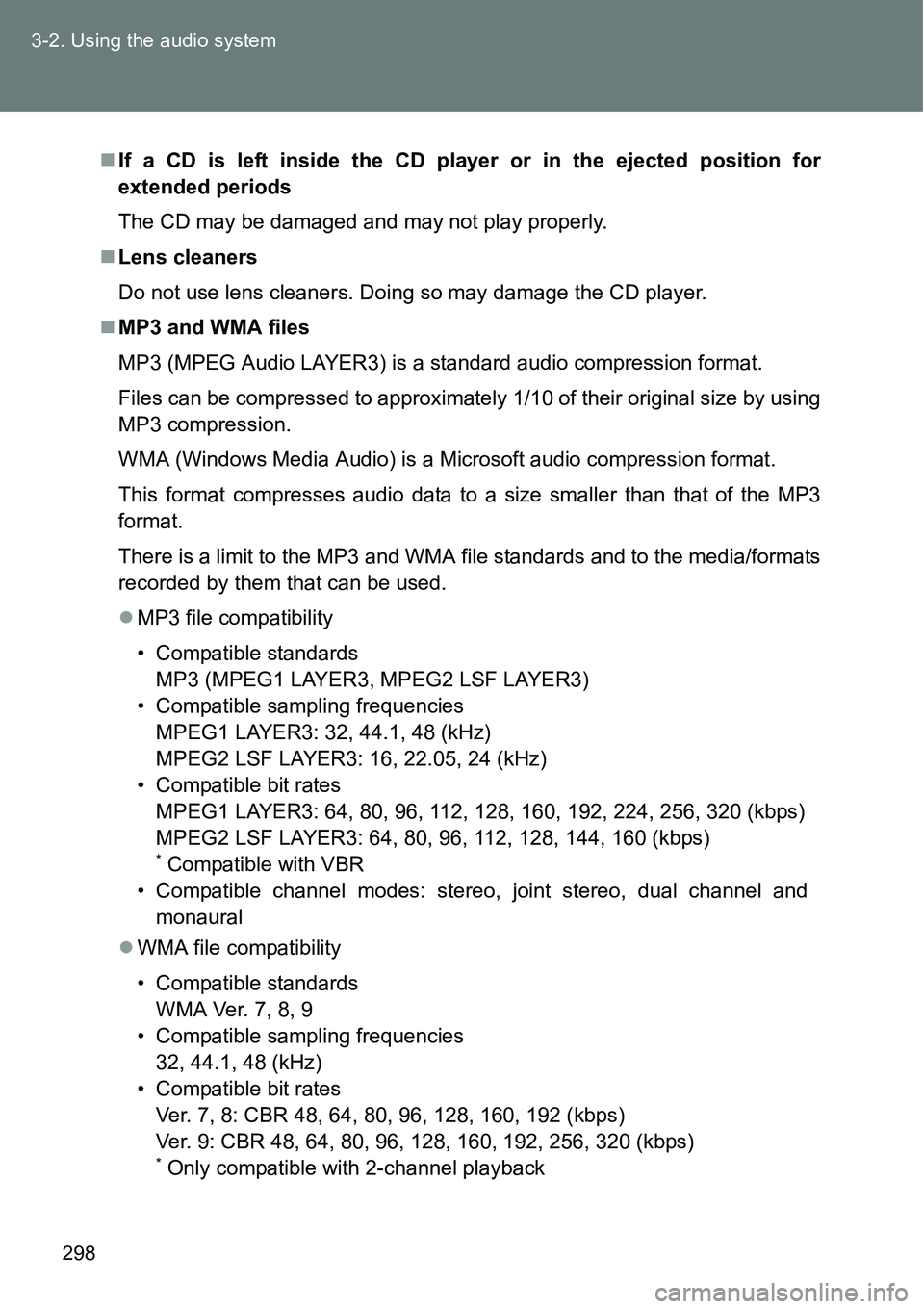
Discs with the marks shown below can be used.
Playback may not be possible depending on recording format or disc fea-
tures, or due to scratches, dirt or deterioration.
CD player protection feature
To protect the internal components, playback is automatically stopped when
a problem is detected while the CD player is being used.
Page 298 of 564
298 3-2. Using the audio system
If a CD is left inside the CD player or in the ejected position for
extended periods
The CD may be damaged and may not play properly.
Lens cleaners
Do not use lens cleaners. Doing so may damage the CD player.
MP3 and WMA files
MP3 (MPEG Audio LAYER3) is a standard audio compression format.
Files can be compressed to approximately 1/10 of their original size by using
MP3 compression.
WMA (Windows Media Audio) is a Microsoft audio compression format.
This format compresses audio data to a size smaller than that of the MP3
format.
There is a limit to the MP3 and WMA file standards and to the media/formats
recorded by them that can be used.
MP3 file compatibility
• Compatible standards
MP3 (MPEG1 LAYER3, MPEG2 LSF LAYER3)
• Compatible sampling frequencies
MPEG1 LAYER3: 32, 44.1, 48 (kHz)
MPEG2 LSF LAYER3: 16, 22.05, 24 (kHz)
• Compatible bit rates
MPEG1 LAYER3: 64, 80, 96, 112, 128, 160, 192, 224, 256, 320 (kbps)
MPEG2 LSF LAYER3: 64, 80, 96, 112, 128, 144, 160 (kbps)
* Compatible with VBR
• Compatible channel modes: stereo, joint stereo, dual channel and
monaural
WMA file compatibility
• Compatible standards
WMA Ver. 7, 8, 9
• Compatible sampling frequencies
32, 44.1, 48 (kHz)
• Compatible bit rates
Ver. 7, 8: CBR 48, 64, 80, 96, 128, 160, 192 (kbps)
Ver. 9: CBR 48, 64, 80, 96, 128, 160, 192, 256, 320 (kbps)
* Only compatible with 2-channel playback
Page 300 of 564
300 3-2. Using the audio system
MP3 and WMA playback
When a disc containing MP3 or WMA files is inserted, all files on the disc
are first checked. Once the file check is finished, the first MP3 or WMA file
is played. To make the file check finish more quickly, we recommend you
do not write in any files other than MP3 or WMA files or create any unnec-
essary folders.
If the discs contain a mixture of music data and MP3 or WMA format data,
only music data can be played.
Extensions
If the file extensions .mp3 and .wma are used for files other than MP3 and
WMA files, they will be mistakenly recognized and played as MP3 and
WMA files. This may result in large amounts of interference and damage
to the speakers.
Playback
• To play MP3 files with steady sound quality, we recommend a fixed bit
rate of 128 kbps and a sampling frequency of 44.1 kHz.
• CD-R or CD-RW playback may not be possible in some instances,
depending on the characteristics of the disc.
• There is a wide variety of freeware and other encoding software for
MP3 and WMA files on the market, and depending on the status of the
encoding and the file format, poor sound quality or noise at the start of
playback may result. In some cases, playback may not be possible at
all.
• When files other than MP3 or WMA files are recorded on a disc, it may
take more time to recognize the disc and in some cases, playback may
not be possible at all.
• Microsoft, Windows, and Windows Media are the registered trade-
marks of Microsoft Corporation in the U.S. and other countries.
NOTICE
CDs and adapters that cannot be used (P. 292)
CD player precautions (P. 293)
Page 316 of 564
316 3-2. Using the audio system
NOTICE
If the auxiliary box lid cannot be fully closed
Depending on the size and shape of the USB memory that is connected to
the system, the auxiliary box lid may not close fully. In this case, do not forc-
ibly close the lid as this may damage the USB memory or the terminal, etc.
To prevent damage to USB memory
Do not leave USB memory in the vehicle. The temperature inside the vehi-
cle may become high, resulting in damage to the player.
Do not push down on or apply unnecessary pressure to the USB memory
while it is connected as this may damage the USB memory or its terminal.
Do not insert foreign objects into the port as this may damage the USB
memory or its terminal.
Page 547 of 564
547
Alphabetical index
Alphabetical index
A/C..................................... 266, 272
ABS ........................................... 240
Air conditioning filter .............. 400
Air conditioning system
Air conditioning filter.............. 400
Automatic air conditioning
system ................................ 272
Manual air conditioning
system ................................ 266
Airbags
Airbag manual on-off
system ................................ 133
Airbag operating
conditions ........................... 124
Airbag precautions for
your child ............................ 128
Airbag warning light .............. 449
Curtain shield airbag
operating conditions ........... 124
Curtain shield airbag
precautions ......................... 128
General airbag precautions... 128
Locations of airbags .............. 122
Modification and disposal of
airbags ................................ 132
Proper driving posture... 120, 128
Side airbag operating
conditions ........................... 124
Side airbag precautions ........ 128
SRS airbags .......................... 122Antenna .................................... 357
Anti-lock brake system ........... 240
Armrest ..................................... 340
Assist grips .............................. 344
Audio input............................... 319
Audio system
Antenna ................................ 288
Audio input ............................ 319
AUX port ............................... 319
CD player .............................. 289
iPod....................................... 301
MP3/WMA disc ..................... 294
Optimal use........................... 317
Portable music player ........... 319
Radio .................................... 285
Steering wheel audio
switch ................................. 320
Type ...................................... 283
USB memory ........................ 309
Automatic air conditioning
system .................................... 272
Automatic light control
system .................................... 213
AUX port ................................... 319
Auxiliary box .................... 327, 348A
Page 548 of 564
548 Alphabetical index
Back door ................................... 72
Back-up light
Replacing light bulbs ............. 423
Wattage................................. 536
Battery
Checking ............................... 378
If the vehicle has a
discharged battery .............. 501
Preparing and checking
before winter ....................... 250
Bluetooth
® audio*
Bluetooth® phone*
Bottle holders........................... 329
Brake
Parking brake ........................ 196
Brake assist.............................. 240
Break-in tips ............................. 162Camera*
Care
Exterior ................................. 354
Interior................................... 358
Seat belts .............................. 359
Cargo hooks............................. 347
CD player .................................. 289
Chains....................................... 250
Child-protectors......................... 68
Child restraint system
Baby seats, definition............ 136
Baby seats, installation ......... 145
Child seats, definition............ 136
Child seats, installation ......... 145
Installing CRS with ISOFIX
rigid anchor......................... 150
Installing CRS with seat
belts .................................... 146
Installing CRS with top
straps.................................. 151
Junior seats, definition .......... 136
Junior seats, installation ....... 145
BC