Page 233 of 732
RAV4_OM_OM42A78U_(U)
2334-3. Operating the lights and wipers
4
Driving
CAUTION
■Caution regarding the use of washer fluid
When it is cold, do not use the washer fluid until the windshield becomes
warm. The fluid may freeze on the windshield and cause low visibility. This
may lead to an accident, resulting in death or serious injury.
NOTICE
■When the windshield is dry
Do not use the wipers, as they may damage the windshield.
■ When the washer fluid tank is empty
Do not operate the switch continually as the washer fluid pump may over-
heat.
■ When a nozzle becomes blocked
In this case, contact your Toyota dealer.
Do not try to clear it with a pin or other object. The nozzle will be damaged.
■ To prevent battery discharge
Do not leave the wipers on longer than necessary when the engine is off.
Page 236 of 732
236
RAV4_OM_OM42A78U_(U)
4-3. Operating the lights and wipers
■The rear window wiper and washer can be operated when
Vehicles without a smart key system
The engine switch is in the “ON” position.
Vehicles with a smart key system
The engine switch is in IGNITION ON mode.
■ If no washer fluid sprays
Check that the washer nozzle is not blocked if there is washer fluid in the
washer fluid reservoir.
NOTICE
■When the rear window is dry
Do not use the wiper, as it may damage the rear window.
■ When the washer fluid tank is empty
Do not operate the switch continually as the washer fluid pump may over-
heat.
Page 237 of 732
237
RAV4_OM_OM42A78U_(U)
4-4. Refueling
4
Driving
Opening the fuel tank cap
●Close all the doors and windows, and turn the engine switch to the
“LOCK” position (vehicles without a smart key system) or off (vehi-
cles with a smart key system).
● Confirm the type of fuel.
■Fuel types
Unleaded gasoline (Octane rating 87 [Research Octane Number 91] or
higher)
Perform the following steps to open the fuel tank cap:
Before refueling the vehicle
Page 246 of 732
246
RAV4_OM_OM42A78U_(U)
4-5. Using the driving support systems
Press the “LDA” switch to activate
the system.
LDA indicator will come on.
Press the switch again to turn the
LDA system off.
The LDA system will remain on or
off even if the engine switch is
turned to the “ON” position (vehi-
cles without a smart key system) or
IGNITION ON mode (vehicles with
a smart key system).
●When the vehicle speed is approximately 32 mph (50 km/h) or
more
● When the lane width is more than approximately 8.2 ft. (2.5 m)
● When driving on a straight road or through a curve with a radius of
more than approximately 328 ft. (100 m)
Turning the LDA system on
Operating conditions
Page 255 of 732
RAV4_OM_OM42A78U_(U)
2554-5. Using the driving support systems
4
Driving
■Detection range of the sensors
Approximately 4.9 ft. (150 cm)
Approximately 1.6 ft. (50 cm)
The diagram shows the detec-
tion range of the sensors. Note
that the sensors may not be
able to detect obstacles that are
extremely close to the vehicle.
The range of the sensors may
change depending on the shape
of the object etc.
■Intuitive parking assist can be operated when
Vehicles without a smart key system
The engine switch is in the “ON” position and the shift lever is in R.
Vehicles with a smart key system
The engine switch is in IGNITION ON mode and the shift lever is in R.
1
2
Page 256 of 732

256
RAV4_OM_OM42A78U_(U)
4-5. Using the driving support systems
■Sensor detection information
●The sensor’s detection areas are limited to the areas around the vehicle’s
rear bumper.
● Certain vehicle conditions and the surrounding environment may affect the
ability of a sensor to correctly detect an obstacle. Particular instances where
this may occur are listed below.
• There is dirt, snow or ice on a sensor. (Wiping the sensors will resolve
this problem.)
• A sensor is frozen. (Thawing the area will resolve this problem.)
• A sensor is covered in any way.
• The vehicle is leaning considerably to one side.
• On an extremely bumpy road, on an incline, on gravel, or on grass.
• The vicinity of the vehicle is noisy due to vehicle horns, motorcycle engines, air brakes of large vehicles, or other loud noises producing ultra-
sonic waves.
• There is another vehicle equipped with parking assist sensors in the vicinity.
• A sensor is coated with a sheet of spray or heavy rain.
• The vehicle is equipped with a fender pole or radio antenna.
• A bumper or sensor receives a strong impact.
• The vehicle is approaching a tall or right-angled curb.
• In harsh sunlight or intense cold weather.
• The area directly under the bumpers is not detected.
• If obstacles draw too close to the sensor.
• A non-genuine Toyota suspension (lowered suspension etc.) is installed.
• People may not be detected if they are wearing certain types of clothing.
In addition to the examples above, there are instances in which, because of
their shape, signs and other objects may be judged by a sensor to be closer
than they are.
Page 260 of 732

260
RAV4_OM_OM42A78U_(U)
4-5. Using the driving support systems
■Screen description
Vehicles without a smart key system
The rear view monitor system screen will be displayed if the shift
lever is shifted to R while the engine switch is in the “ON” position.
Vehicles with a smart key system
The rear view monitor system screen will be displayed if the shift
lever is shifted to R while the engine switch is in IGNITION ON
mode.
Vehicle width extension guide line
The line indicates a guide path when the vehicle is being backed straight
up.
The displayed width is wider than the actual vehicle width.
Vehicle center guide line
These lines indicate the estimated vehicle center on the ground.
Distance guide line
The line shows distance behind the vehicle, a point approximately 1.5 ft.
(0.5 m) (red) from the edge of the bumper.
Distance guide line
The line shows distance behind the vehicle, a point approximately 3 ft.
(1 m) (blue) from the edge of the bumper.
Using the rear view monitor system
1
2
3
4
Page 270 of 732
270
RAV4_OM_OM42A78U_(U)
4-5. Using the driving support systems
All-wheel drive lock switch (AWD models)
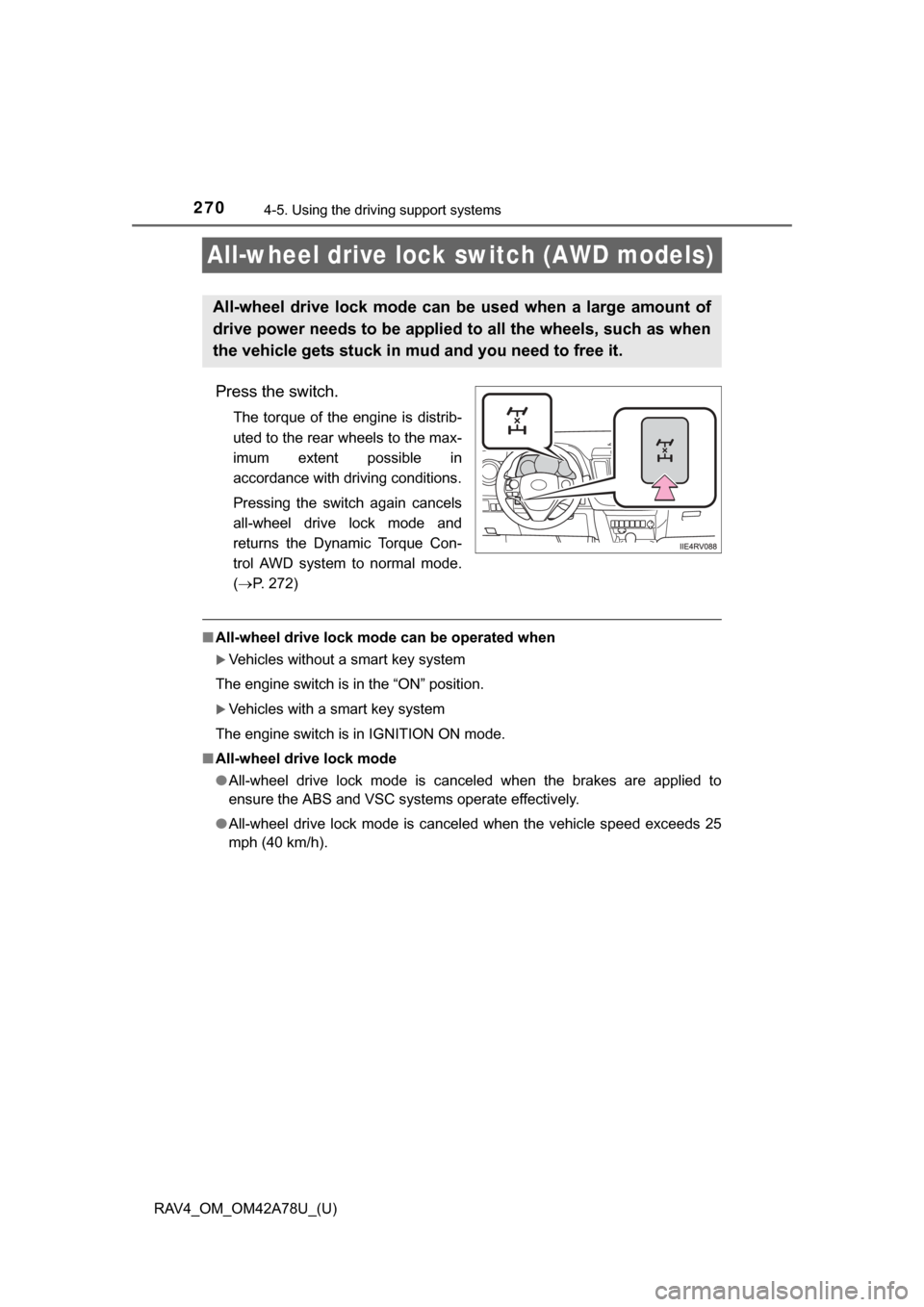
Press the switch.
The torque of the engine is distrib-
uted to the rear wheels to the max-
imum extent possible in
accordance with driving conditions.
Pressing the switch again cancels
all-wheel drive lock mode and
returns the Dynamic Torque Con-
trol AWD system to normal mode.
(P. 272)
■ All-wheel drive lock mode can be operated when
Vehicles without a smart key system
The engine switch is in the “ON” position.
Vehicles with a smart key system
The engine switch is in IGNITION ON mode.
■ All-wheel drive lock mode
●All-wheel drive lock mode is canceled when the brakes are applied to
ensure the ABS and VSC systems operate effectively.
● All-wheel drive lock mode is cancel ed when the vehicle speed exceeds 25
mph (40 km/h).
All-wheel drive lock mode can be used when a large amount of
drive power needs to be applied to all the wheels, such as when
the vehicle gets stuck in mud and you need to free it.