Page 3 of 728

1
2
3
4
5
6
7
3
LC200_OM_OM60L83U_(U)
2-1. Driving proceduresDriving the vehicle............... 158
Engine (ignition) switch ....... 170
Automatic transmission ....... 175
Turn signal lever ................. 180
Parking brake ...................... 181
Horn .................................... 182
2-2. Instrument cluster Gauges and meters ............ 183
Indicators and warning lights ................................. 188
Multi-information display ..... 193
2-3. Operating the lights and wipers
Headlight switch .................. 200
Fog light switch ................... 205
Windshield wipers and washer ....................... 206
Rear window wiper and washer ....................... 212
Headlight cleaner switch ..... 213 2-4. Using other driving systems
Cruise control ..................... 214
Dynamic radar cruise control .............................. 218
Intuitive parking assist ........ 233
Four-wheel drive system .... 244
Crawl Control (with Turn Assist function) ................. 249
Multi-terrain Select ............. 255
Multi-terrain Monitor ........... 261
Driving assist systems ........ 285
Pre-Collision System .......... 293
2-5. Driving information Off-road precautions........... 300
Cargo and luggage ............. 305
Vehicle load limits............... 312
Winter driving tips ............... 313
Trailer towing ...................... 318
Dinghy towing ..................... 336
2When driving
Page 18 of 728
18
LC200_OM_OM60L83U_(U)
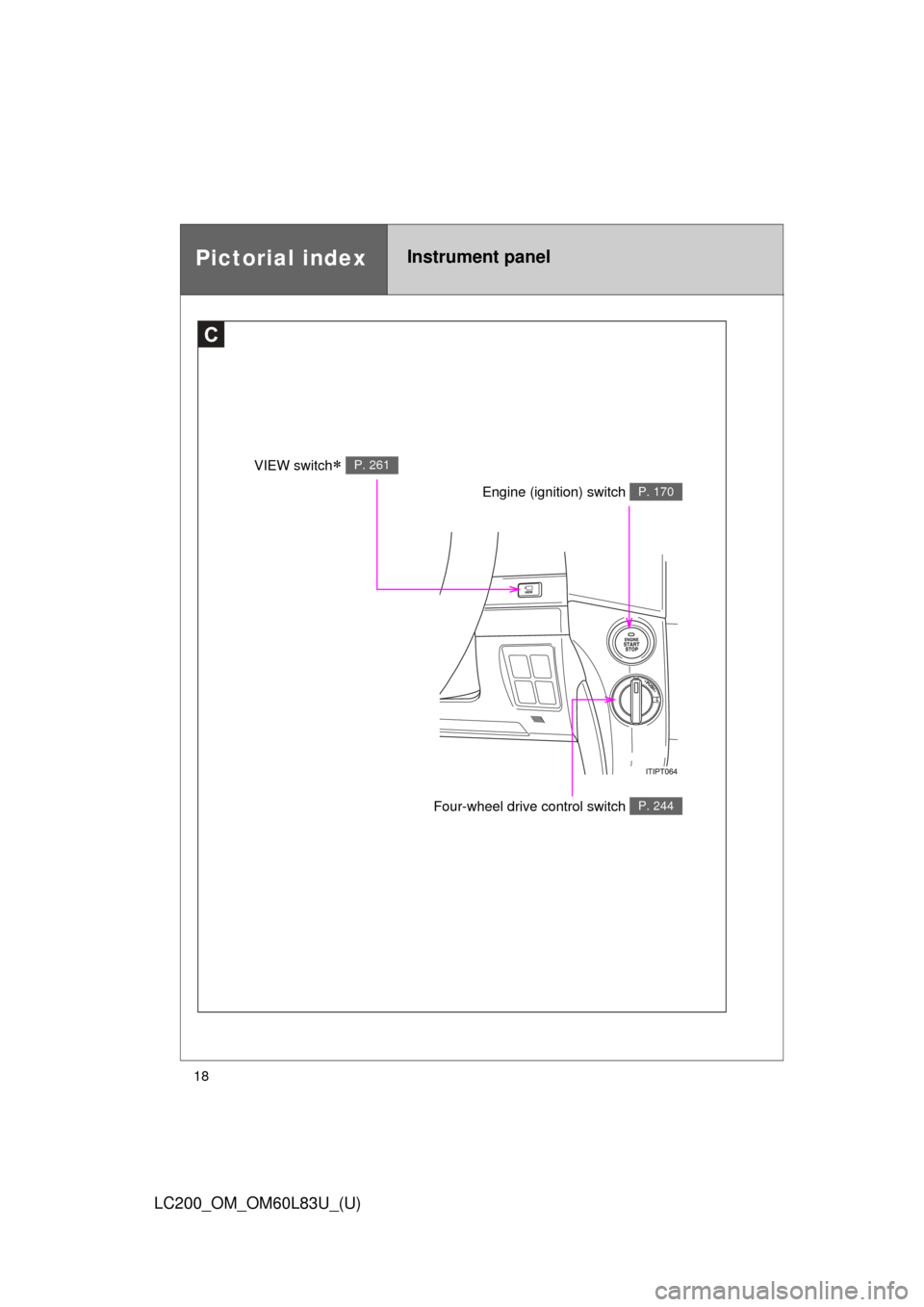
Pictorial indexInstrument panel
C
Engine (ignition) switch P. 170
Four-wheel drive control switch P. 244
VIEW switch P. 261
Page 41 of 728

41
1-2. Opening, closing and locking the doors
1
Before driving
LC200_OM_OM60L83U_(U)
AlarmSituationCorrection procedure
Interior alarm
sounds continu-
ously
*1
When the “ENGINE
START STOP” switch is in
IGNITION ON or ACCES-
SORY mode, an attempt
was made to open the
door and exit the vehicle,
and the shift lever was not
in “P” Shift the shift lever to
“P” and turn the
“ENGINE START
STOP” switch OFF
Interior and exte-
rior alarms sound
continuously
*1
When the “ENGINE
START STOP” switch is in
IGNITION ON or ACCES-
SORY mode, the driver’s
door was closed after the
key was carried outside
the vehicle, and the shift
lever not in “P” Shift the shift lever to
“P”, turn the “ENGINE
START STOP” switch
OFF and close the
driver’s door again
Interior alarm
pings once
*1
The electronic key has a
low battery Replace the electronic
key battery
An attempt was made to
start the engine without the
electronic key being
present, or the electronic
key was not functioning
normally Start the engine with
the electronic key
present*
2
Page 48 of 728
48 1-2. Opening, closing and locking the doors
LC200_OM_OM60L83U_(U)
Locking the driver’s door from the outside without a keyMove the inside lock button to the lock position.
Close the door.
The door cannot be locked if the “ENGINE START STOP” switch is in
ACCESSORY or IGNITION ON mode, or the electronic key is left
inside the vehicle.
Depending on the position of the electronic key, the key may not be
detected correctly and the door may be locked.
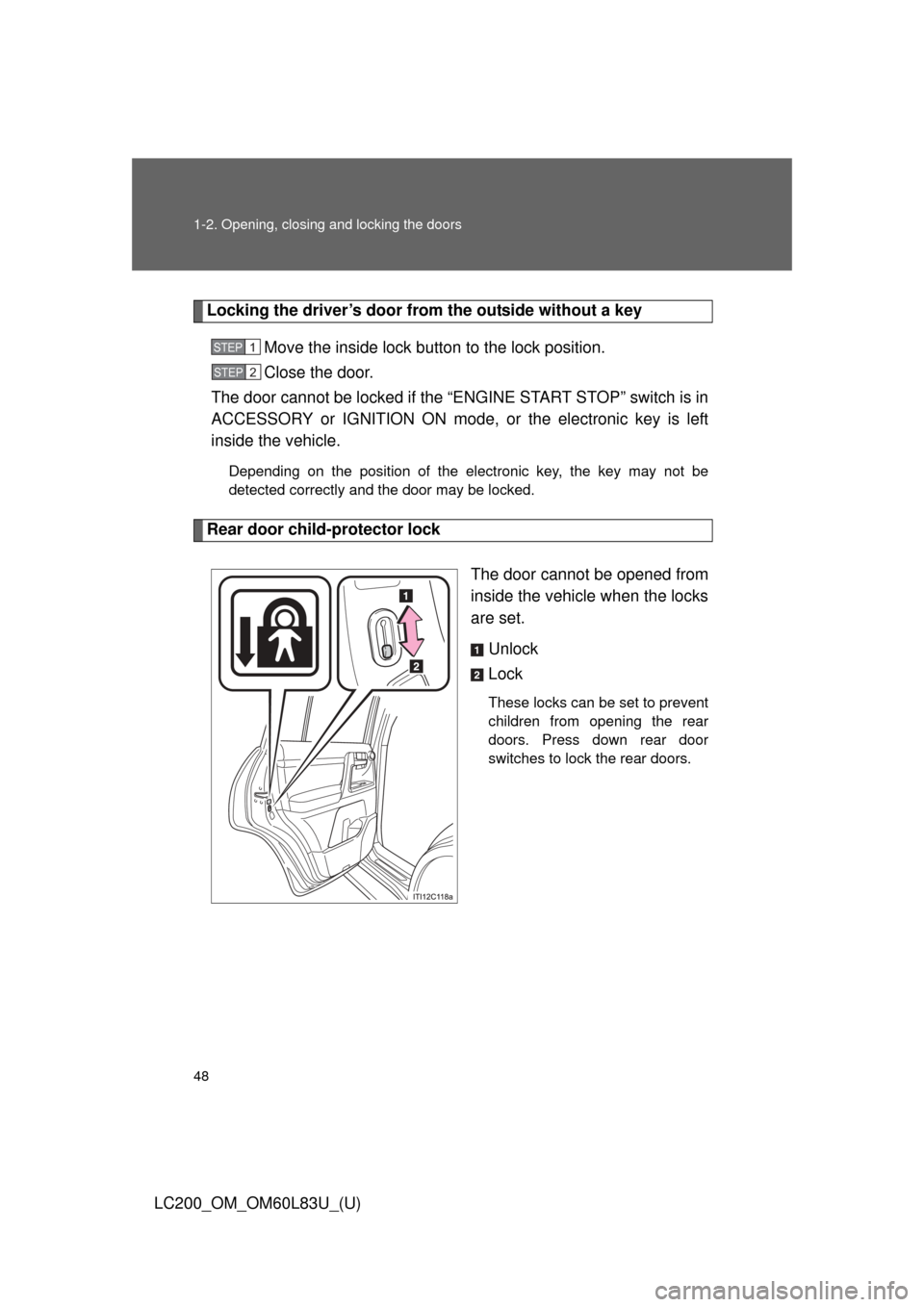
Rear door child-protector lock
The door cannot be opened from
inside the vehicle when the locks
are set.Unlock
Lock
These locks can be set to prevent
children from opening the rear
doors. Press down rear door
switches to lock the rear doors.
STEP1
STEP2
Page 49 of 728
49
1-2. Opening, closing and locking the doors
1
Before driving
LC200_OM_OM60L83U_(U)
Automatic door locking and unl
ocking systems (if equipped)
The following functions can be set or canceled:
■ Setting and canceling the functions
To switch between setting and canceling, follow the procedure
below:
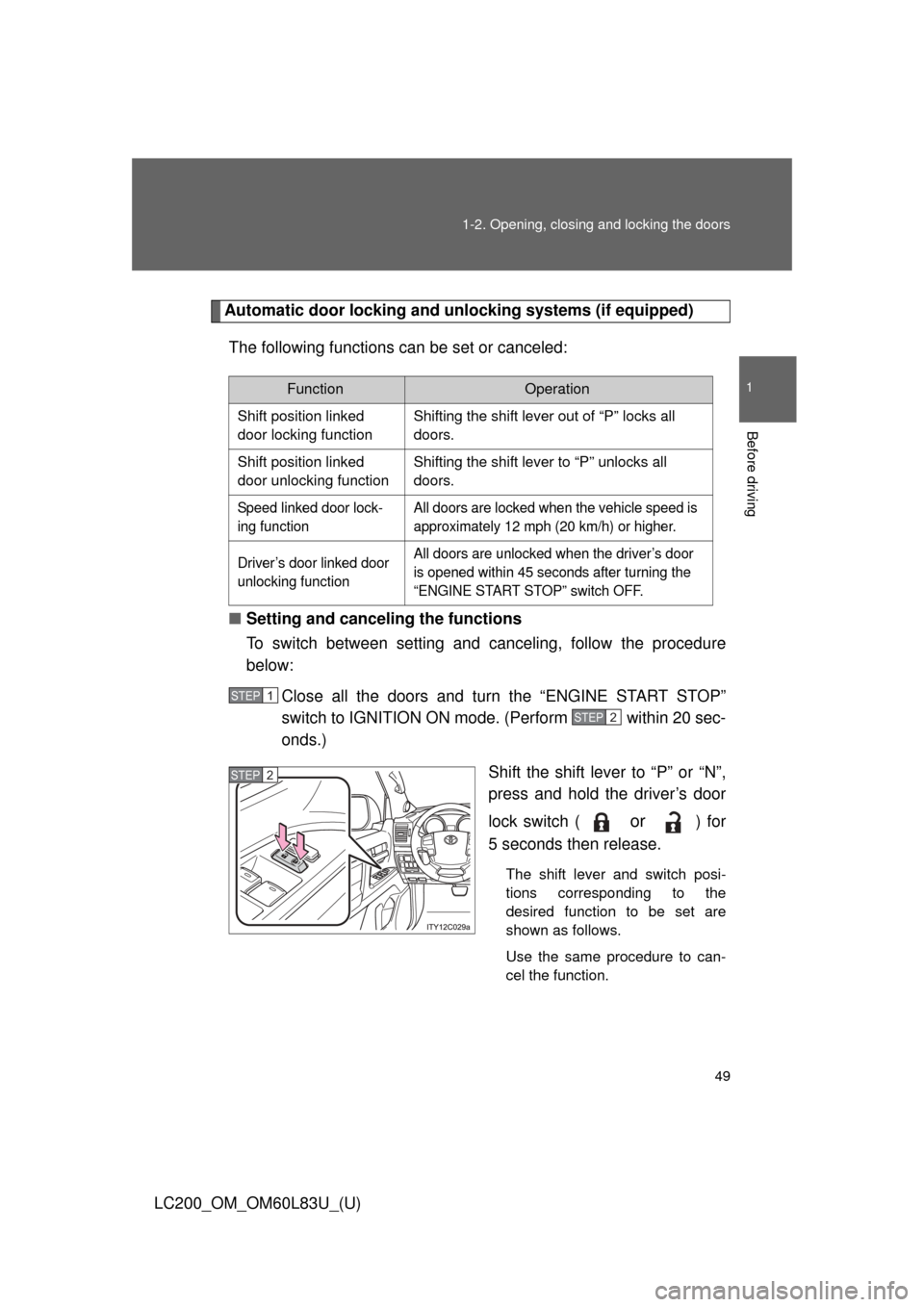
Close all the doors and turn the “ENGINE START STOP”
switch to IGNITION ON mode. (Perform within 20 sec-
onds.)
Shift the shift lever to “P” or “N”,
press and hold the driver’s door
lock switch (
or ) for
5 seconds then release.
The shift lever and switch posi-
tions corresponding to the
desired function to be set are
shown as follows.
Use the same procedure to can-
cel the function.
FunctionOperation
Shift position linked
door locking function Shifting the shift lever out of “P” locks all
doors.
Shift position linked
door unlocking function Shifting the shift lever to “P” unlocks all
doors.
Speed linked door lock-
ing function All doors are locked when the vehicle speed is
approximately 12 mph (20 km/h) or higher.
Driver’s door linked door
unlocking function All doors are unlocked when the driver’s door
is opened within 45 seconds after turning the
“ENGINE START STOP” switch OFF.
STEP1
STEP2
STEP2
Page 69 of 728
69
1
1-3. Adjustable components (seats, mirrors, steering wheel)
Before driving
LC200_OM_OM60L83U_(U)
Driving position memor y system
Your preferred driving position (the position of the driver’s seat,
steering wheel and outside rear view mirrors) can be entered into the
computer’s memory and recalled with the touch of a button. It is also
possible to set this function to activate automatically when the
doors are unlocked.
Three different driving positions can be entered into memory.
■ Entering a position to memory
Turn the “ENGINE START STOP” switch to IGNITION ON
mode.
Adjust the driver’s seat, steering wheel, and outside rear
view mirrors to the desired positions.
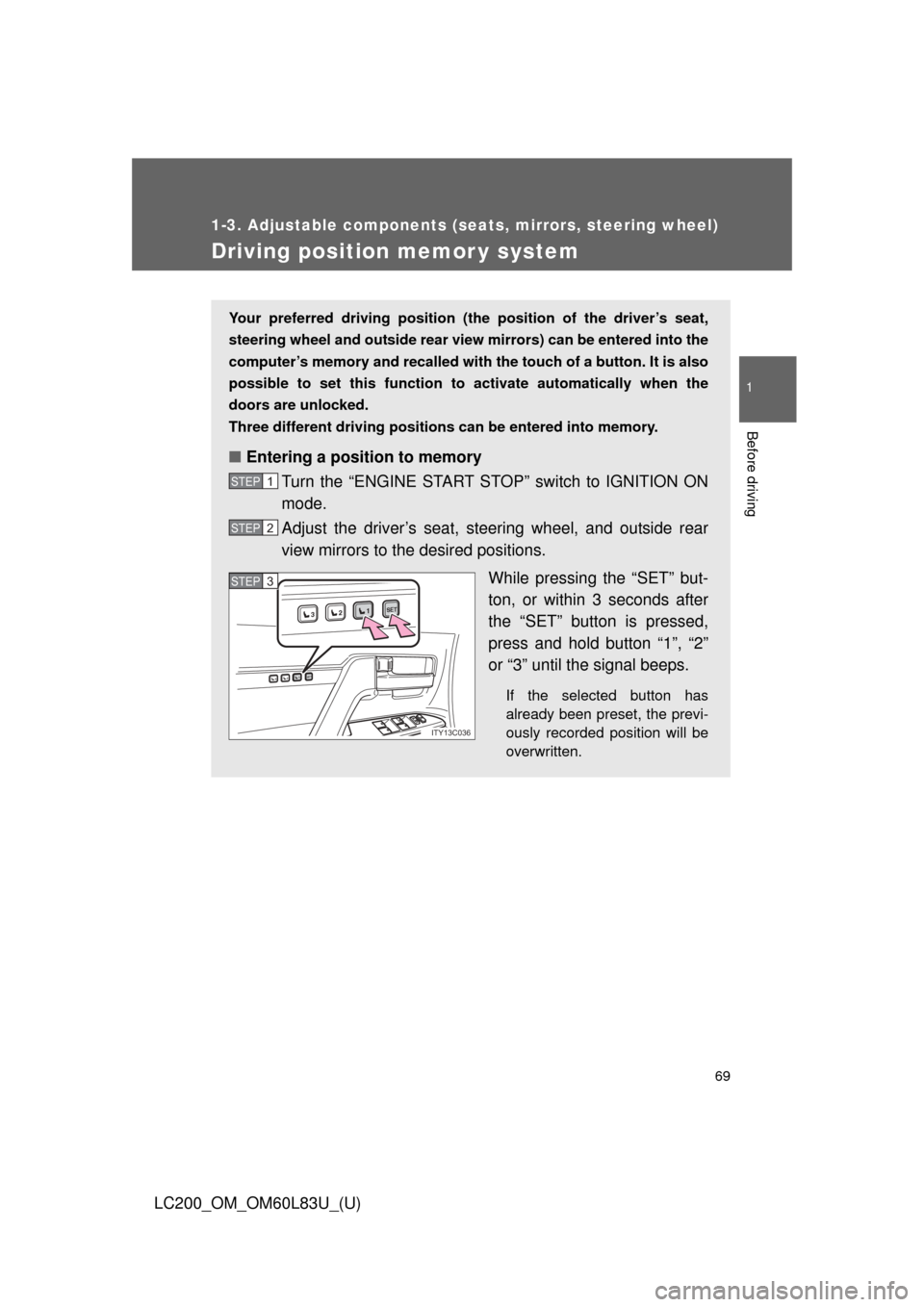
While pressing the “SET” but-
ton, or within 3 seconds after
the “SET” button is pressed,
press and hold button “1”, “2”
or “3” until the signal beeps.
If the selected button has
already been preset, the previ-
ously recorded position will be
overwritten.
STEP1
STEP2
1SET23
1SET23
ITY13C036
STEP3STEP3
Page 70 of 728
70 1-3. Adjustable components (seats, mirrors, steering wheel)
LC200_OM_OM60L83U_(U)
Linking driving position memory with door unlock operation
Record your driving position to button “1”, “2” or “3” before performing
the following: Using the wireless remote control Turn the “ENGINE START STOP” switch to OFF after closing
the driver’s door.
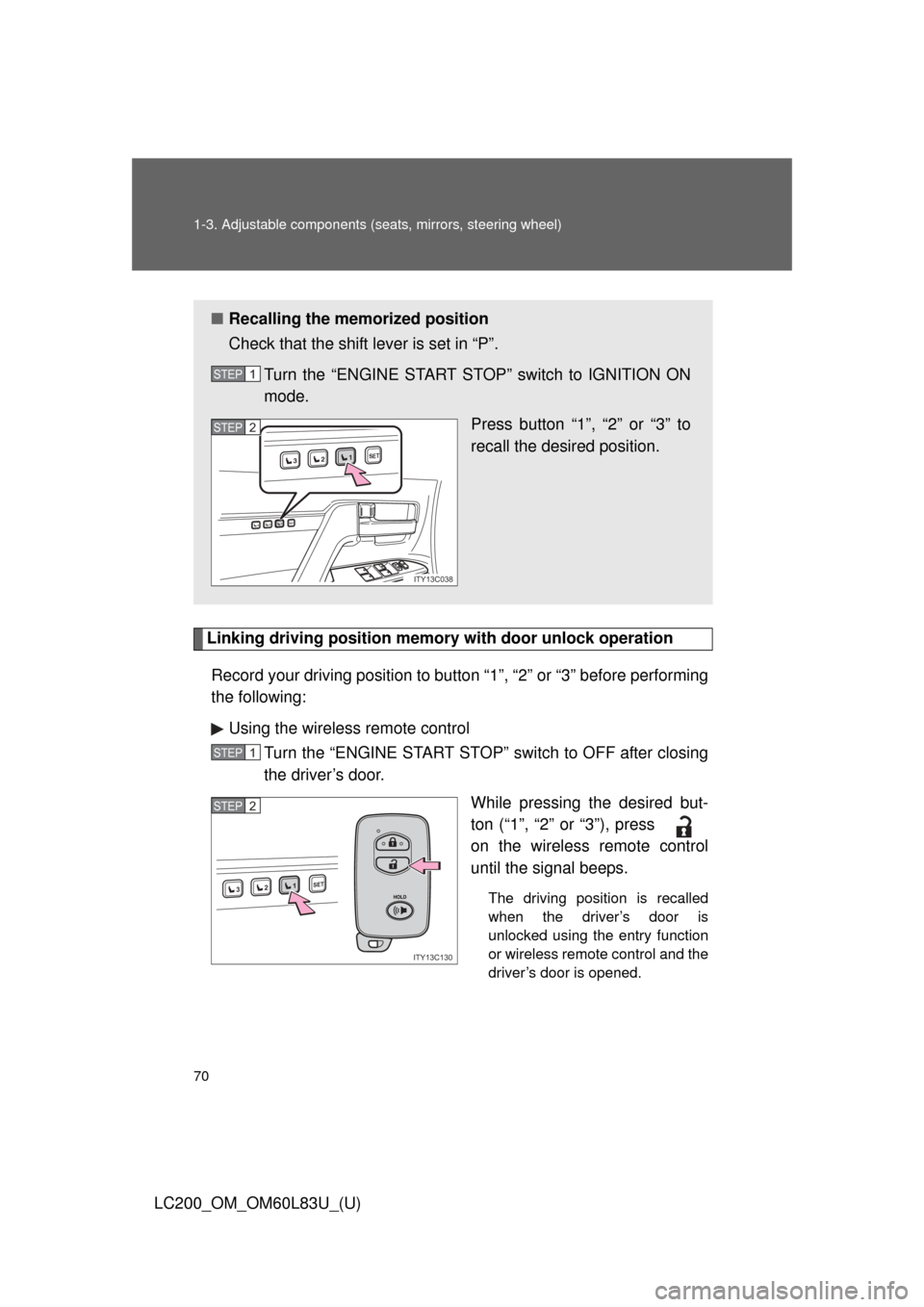
While pressing the desired but-
ton (“1”, “2” or “3”), press
on the wireless remote control
until the signal beeps.
The driving position is recalled
when the driver’s door is
unlocked using the entry function
or wireless remote control and the
driver’s door is opened.
■Recalling the memorized position
Check that the shift lever is set in “P”.
Turn the “ENGINE START STOP” switch to IGNITION ON
mode. Press button “1”, “2” or “3” to
recall the desired position.
STEP1
1SET23
1SET23
ITY13C038
STEP2
STEP1
1SET23
ITY13C130
STEP2
Page 87 of 728
87
1
1-3. Adjustable components (seats, mirrors, steering wheel)
Before driving
LC200_OM_OM60L83U_(U)
Steering wheel
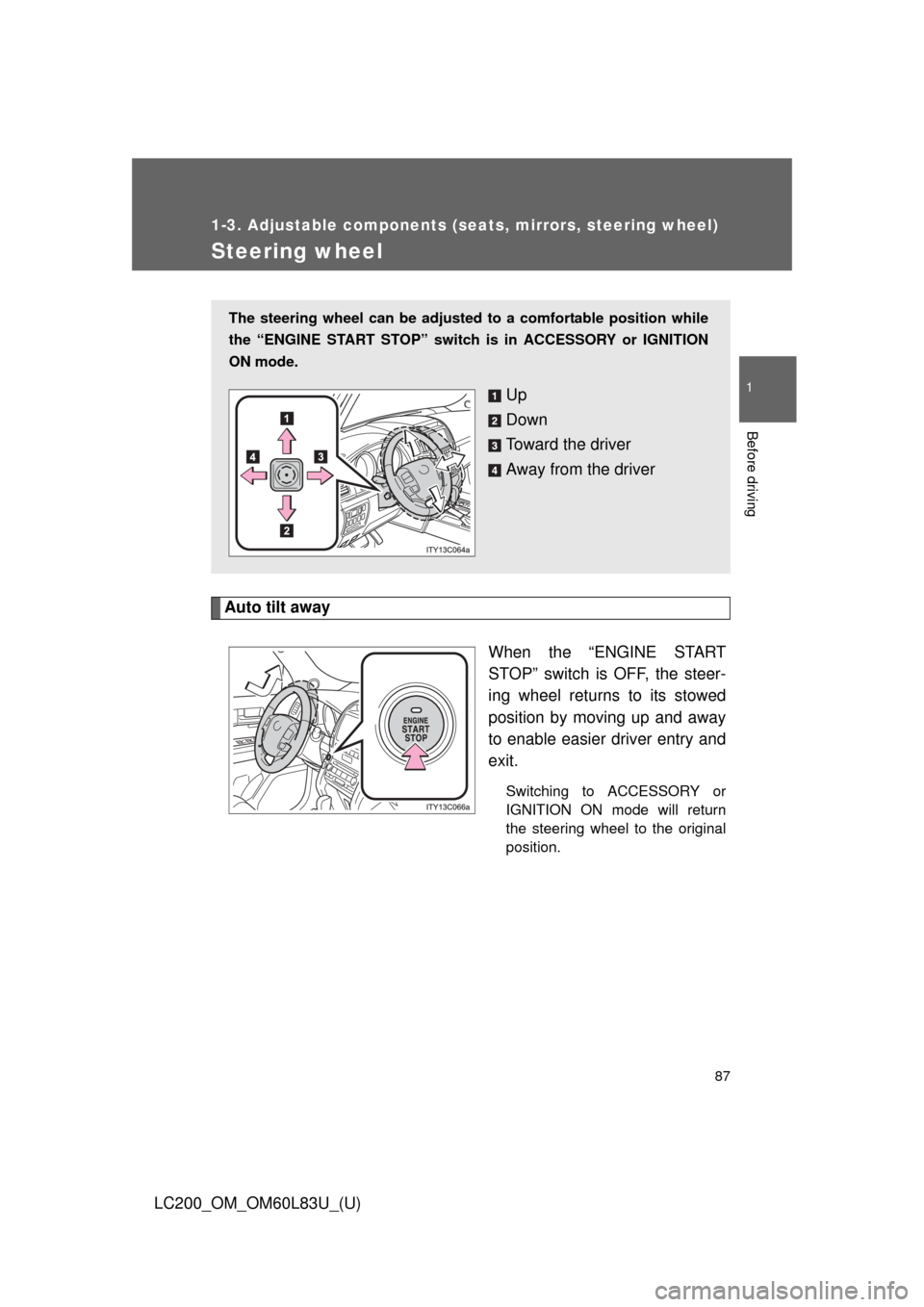
Auto tilt awayWhen the “ENGINE START
STOP” switch is OFF, the steer-
ing wheel returns to its stowed
position by moving up and away
to enable easier driver entry and
exit.
Switching to ACCESSORY or
IGNITION ON mode will return
the steering wheel to the original
position.
The steering wheel can be adjusted to a comfortable position while
the “ENGINE START STOP” switch is in ACCESSORY or IGNITION
ON mode.
Up
Down
Toward the driver
Away from the driver