Page 282 of 540
2825-2. Using the audio system
HILUX_OM_OM0K219E_(EE)■
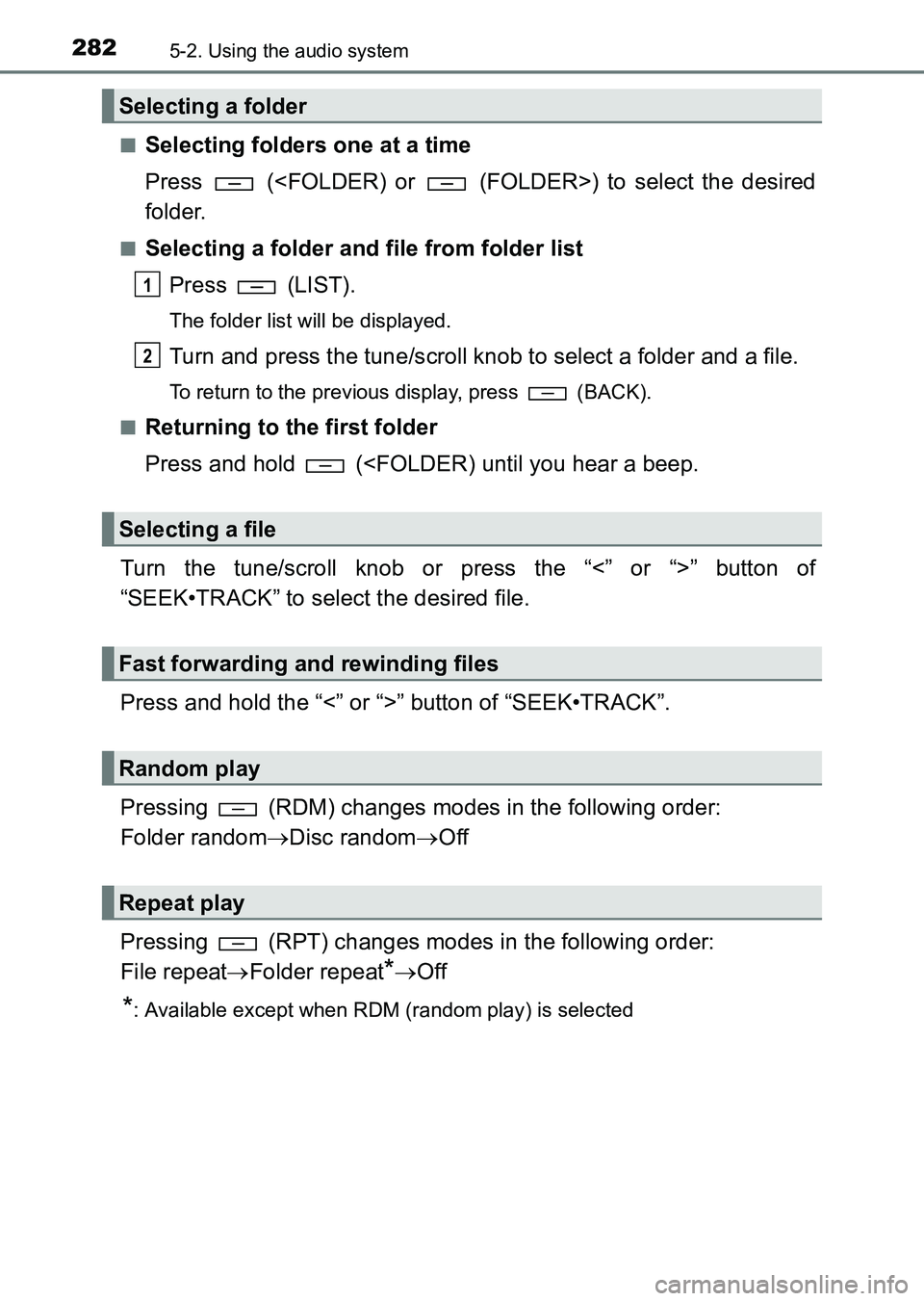
Selecting folders one at a time
Press () to select the desired
folder.
■Selecting a folder and file from folder list
Press (LIST).
The folder list will be displayed.
Turn and press the tune/scroll knob to select a folder and a file.
To return to the previous display, press (BACK).
■
Returning to the first folder
Press and hold (
Turn the tune/scroll knob or press the “<” or “>” button of
“SEEK•TRACK” to select the desired file.
Press and hold the “<” or “>” button of “SEEK•TRACK”.
Pressing (RDM) changes modes in the following order:
Folder random →Disc random →Off
Pressing (RPT) changes modes in the following order:
File repeat →Folder repeat
*→Off
*: Available except when RDM (random play) is selected
Selecting a folder
Selecting a file
Fast forwarding and rewinding files
Random play
Repeat play
1
2
HILUX_OM_OM0K219E_(EE).book Page 282 Wednesday, May 14, 2014 3:06 PM
Page 283 of 540
2835-2. Using the audio system
5
Interior features
HILUX_OM_OM0K219E_(EE)
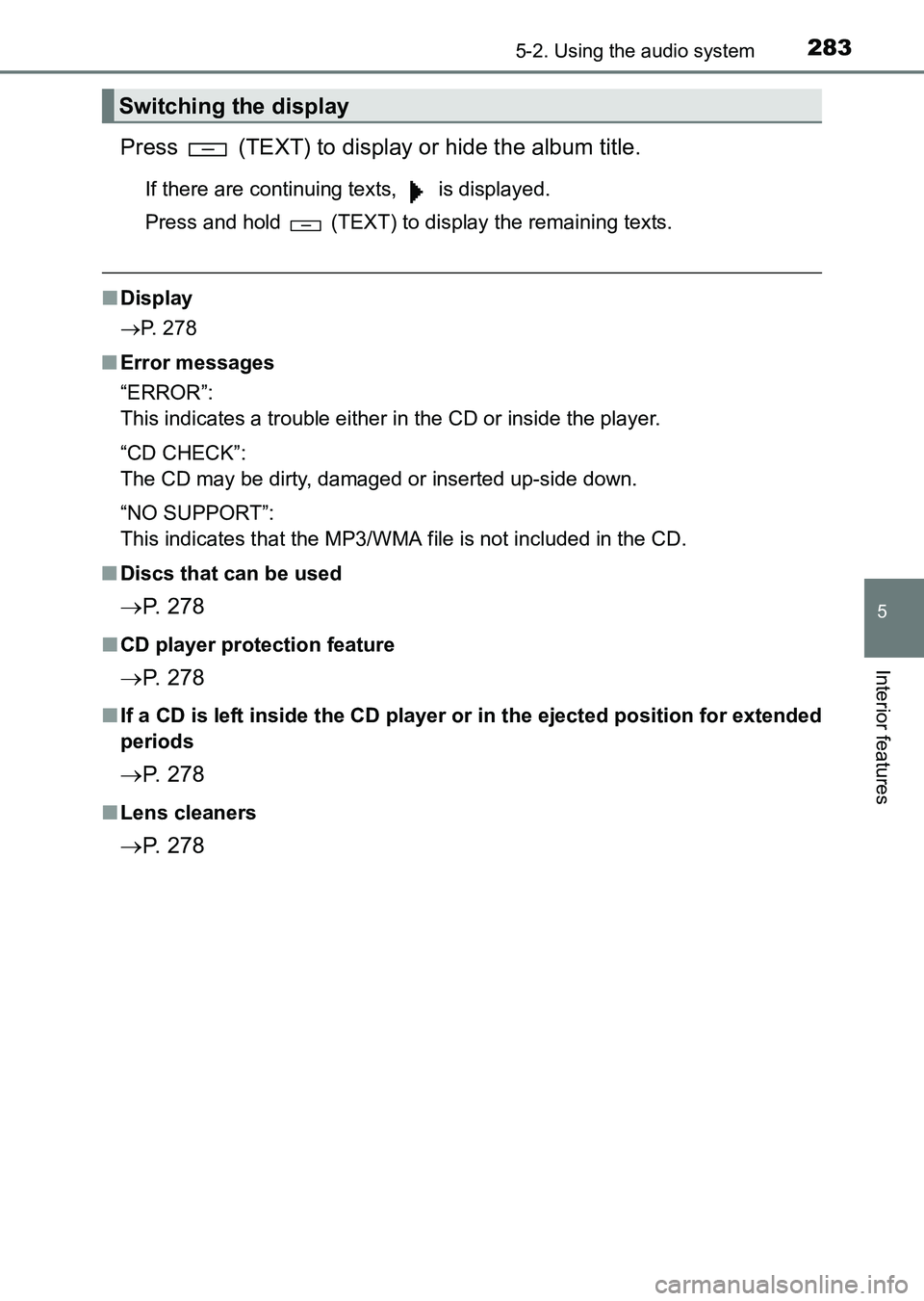
Press (TEXT) to display or hide the album title.
If there are continuing texts, is displayed.
Press and hold (TEXT) to display the remaining texts.
■Display
→ P. 278
■ Error messages
“ERROR”:
This indicates a trouble either in the CD or inside the player.
“CD CHECK”:
The CD may be dirty, damaged or inserted up-side down.
“NO SUPPORT”:
This indicates that the MP3/WMA file is not included in the CD.
■ Discs that can be used
→ P. 2 7 8
■CD player protection feature
→ P. 2 7 8
■If a CD is left inside the CD player or in the ejected position for extended
periods
→ P. 2 7 8
■Lens cleaners
→ P. 2 7 8
Switching the display
HILUX_OM_OM0K219E_(EE).book Page 283 Wednesday, May 14, 2014 3:06 PM
Page 285 of 540
2855-2. Using the audio system
5
Interior features
HILUX_OM_OM0K219E_(EE)●
Compatible media
Media that can be used for MP3 and WMA playback are CD-Rs and CD-
RWs.
Playback in some instances may not be possible, depending on the status
of the CD-R or CD-RW. Playback may not be possible or the audio may
jump if the disc is scratched or marked with fingerprints.
● Compatible disc formats
The following disc formats can be used.
•Disc formats:
CD-ROM Mode 1 and Mode 2
CD-ROM XA Mode 2, Form 1 and Form 2
• File formats: ISO9660 Level 1, Level 2, (Romeo, Joliet)
MP3 and WMA files written in any format other than those listed above
may not play correctly, and their file names and folder names may not be
displayed correctly.
Items related to standards and limitations are as follows.
• Maximum directory hierarchy: 8 levels
• Maximum length of folder names/file names: 32 characters
• Maximum number of folders: 192 (including the root)
• Maximum number of files per disc: 255
● File names
The only files that can be recognized as MP3/WMA and played are those
with the extension .mp3 or .wma.
● Multi-sessions
As the audio system is compatible with multi-sessions, it is possible to play
discs that contain MP3 and WMA files. However, only the first session can
be played.
● ID3 and WMA tags
ID3 tags can be added to MP3 files, making it possible to record the track
title and artist name, etc.
The system is compatible with ID3 Ver. 1.0, 1.1, and Ver. 2.2, 2.3 ID3 tags.
(The number of characters is based on ID3 Ver. 1.0 and 1.1.)
WMA tags can be added to WMA files, making it possible to record the
track title and artist name in the same way as with ID3 tags.
HILUX_OM_OM0K219E_(EE).book Page 285 Wednesday, May 14, 2014 3:06 PM
Page 287 of 540
287
5
5-2. Using the audio system
Interior features
HILUX_OM_OM0K219E_(EE)
Operating an iPod
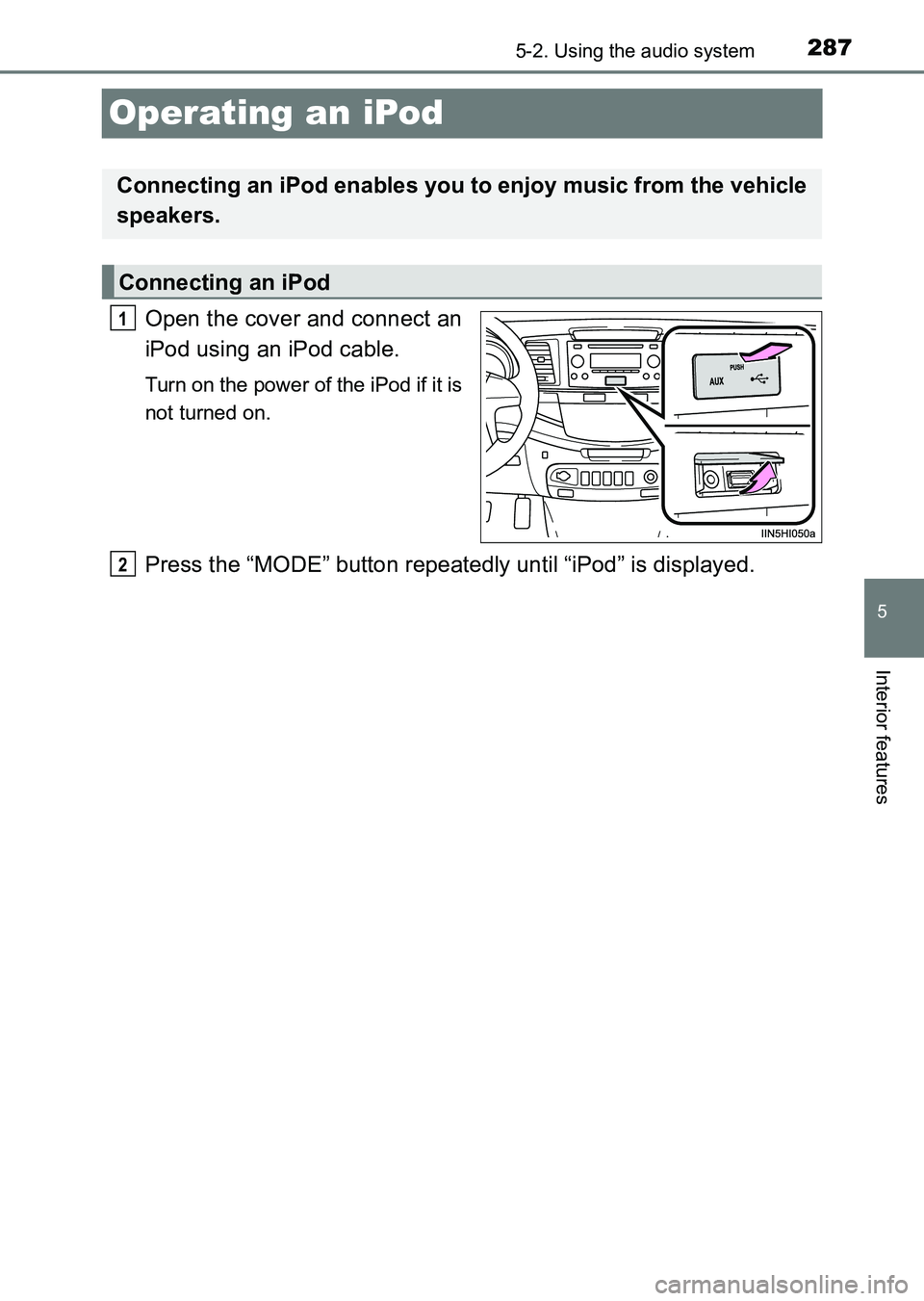
Open the cover and connect an
iPod using an iPod cable.
Turn on the power of the iPod if it is
not turned on.
Press the “MODE” button repeatedly until “iPod” is displayed.
Connecting an iPod enables you to enjoy music from the vehicle
speakers.
Connecting an iPod
1
2
HILUX_OM_OM0K219E_(EE).book Page 287 Wednesday, May 14, 2014 3:06 PM
Page 288 of 540
2885-2. Using the audio system
HILUX_OM_OM0K219E_(EE)
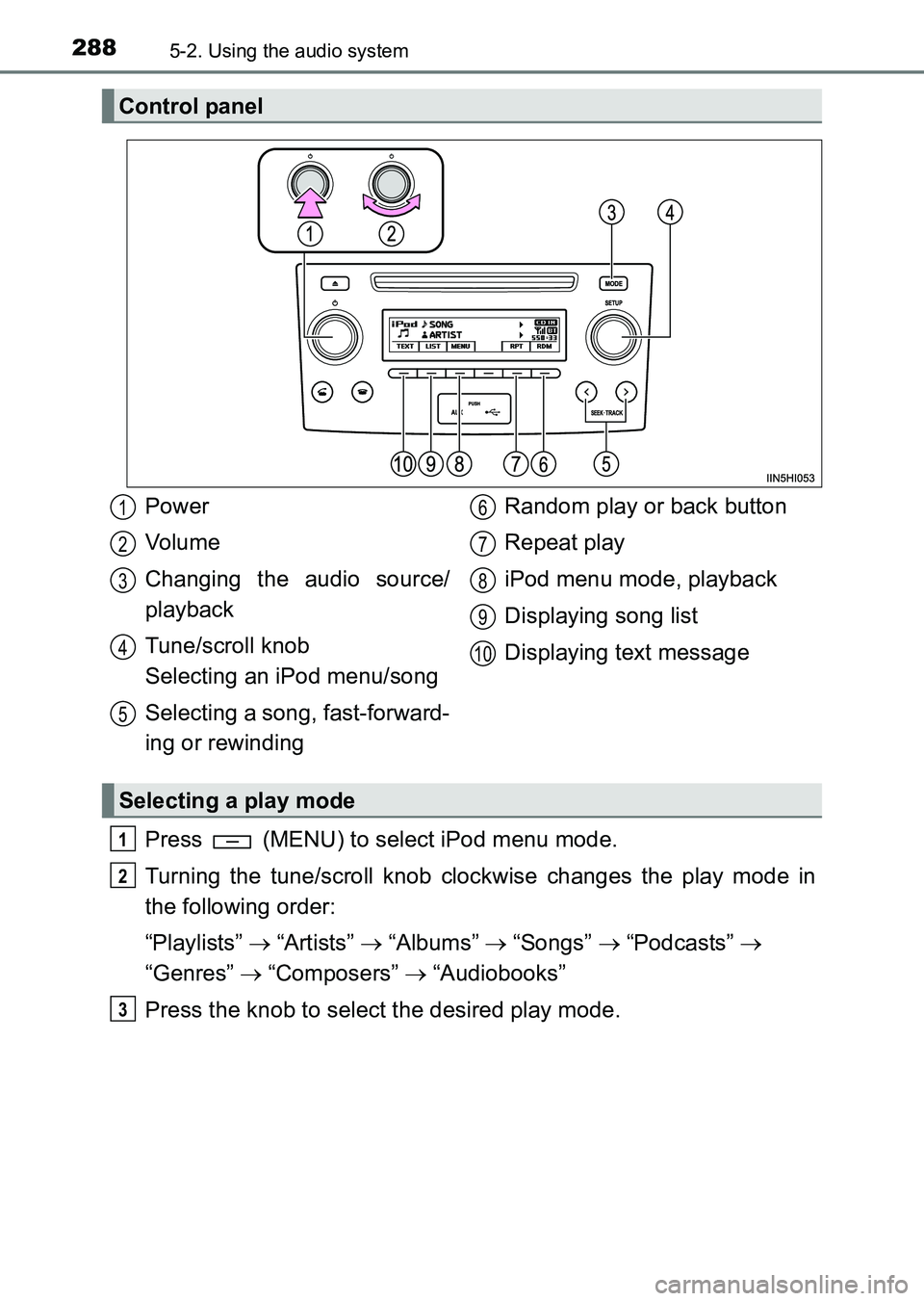
Press (MENU) to select iPod menu mode.
Turning the tune/scroll knob clockwise changes the play mode in
the following order:
“Playlists” → “Artists” → “Albums” → “Songs” → “Podcasts” →
“Genres” → “Composers” → “Audiobooks”
Press the knob to select the desired play mode.
Control panel
Power
Vo lu m e
Changing the audio source/
playback
Tune/scroll knob
Selecting an iPod menu/song
Selecting a song, fast-forward-
ing or rewinding Random play or back button
Repeat play
iPod menu mode, playback
Displaying song list
Displaying text message
Selecting a play mode
1
2
3
4
5
6
7
8
9
10
1
2
3
HILUX_OM_OM0K219E_(EE).book Page 288 Wednesday, May 14, 2014
3:06 PM
Page 289 of 540
2895-2. Using the audio system
5
Interior features
HILUX_OM_OM0K219E_(EE)■
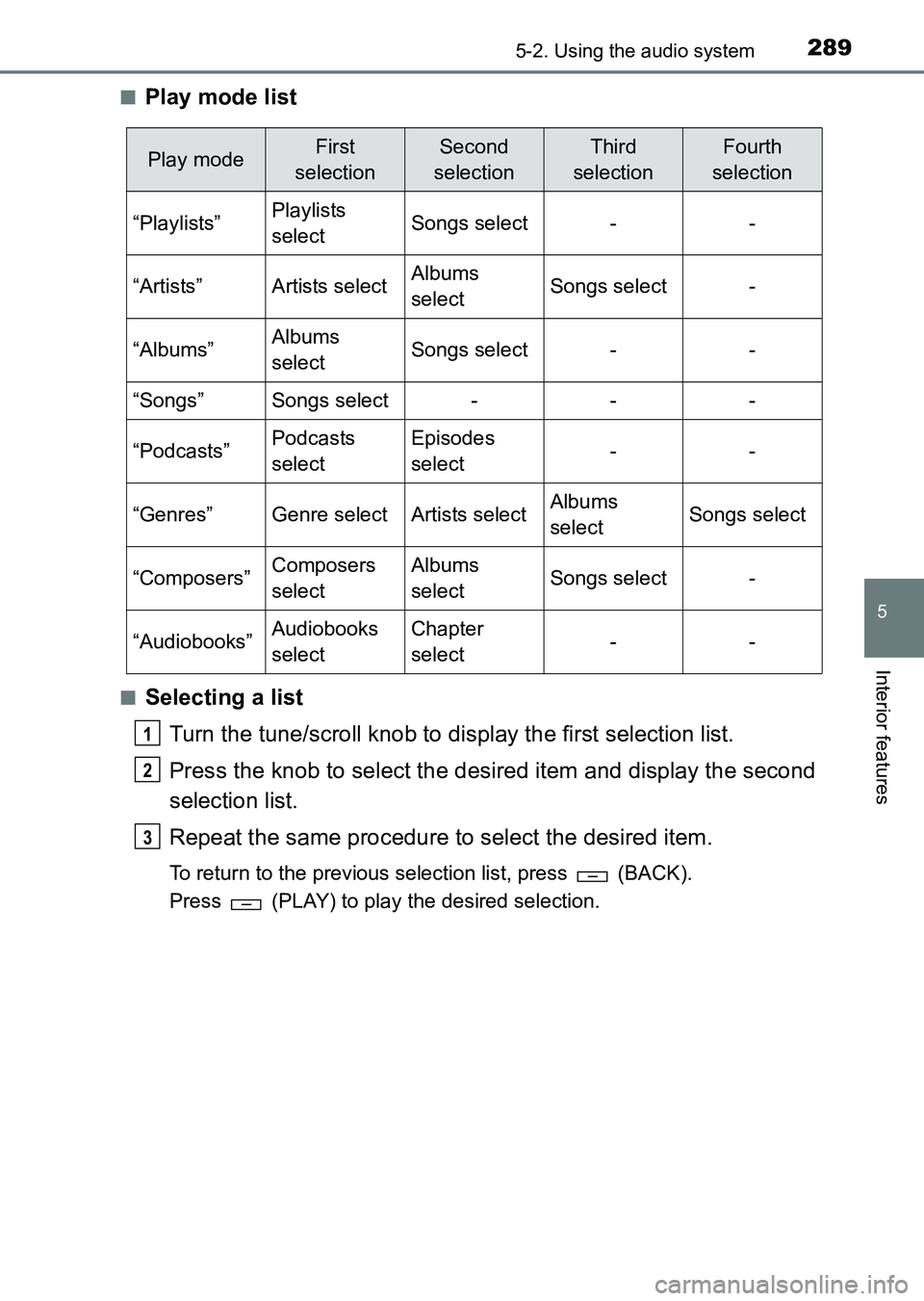
Play mode list
■Selecting a list
Turn the tune/scroll knob to display the first selection list.
Press the knob to select the desired item and display the second
selection list.
Repeat the same procedure to select the desired item.
To return to the previous selection list, press (BACK).
Press (PLAY) to play the desired selection.
Play modeFirst
selectionSecond
selectionThird
selectionFourth
selection
“Playlists”Playlists
selectSongs select--
“Artists”Artists selectAlbums
selectSongs select-
“Albums”Albums
selectSongs select--
“Songs”Songs select---
“Podcasts”Podcasts
selectEpisodes
select--
“Genres”Genre selectArtists selectAlbums
selectSongs select
“Composers”Composers
selectAlbums
selectSongs select-
“Audiobooks”Audiobooks
selectChapter
select--
1
2
3
HILUX_OM_OM0K219E_(EE).book Page 289 Wednesday, May 14, 2014 3:06 PM
Page 290 of 540
2905-2. Using the audio system
HILUX_OM_OM0K219E_(EE)
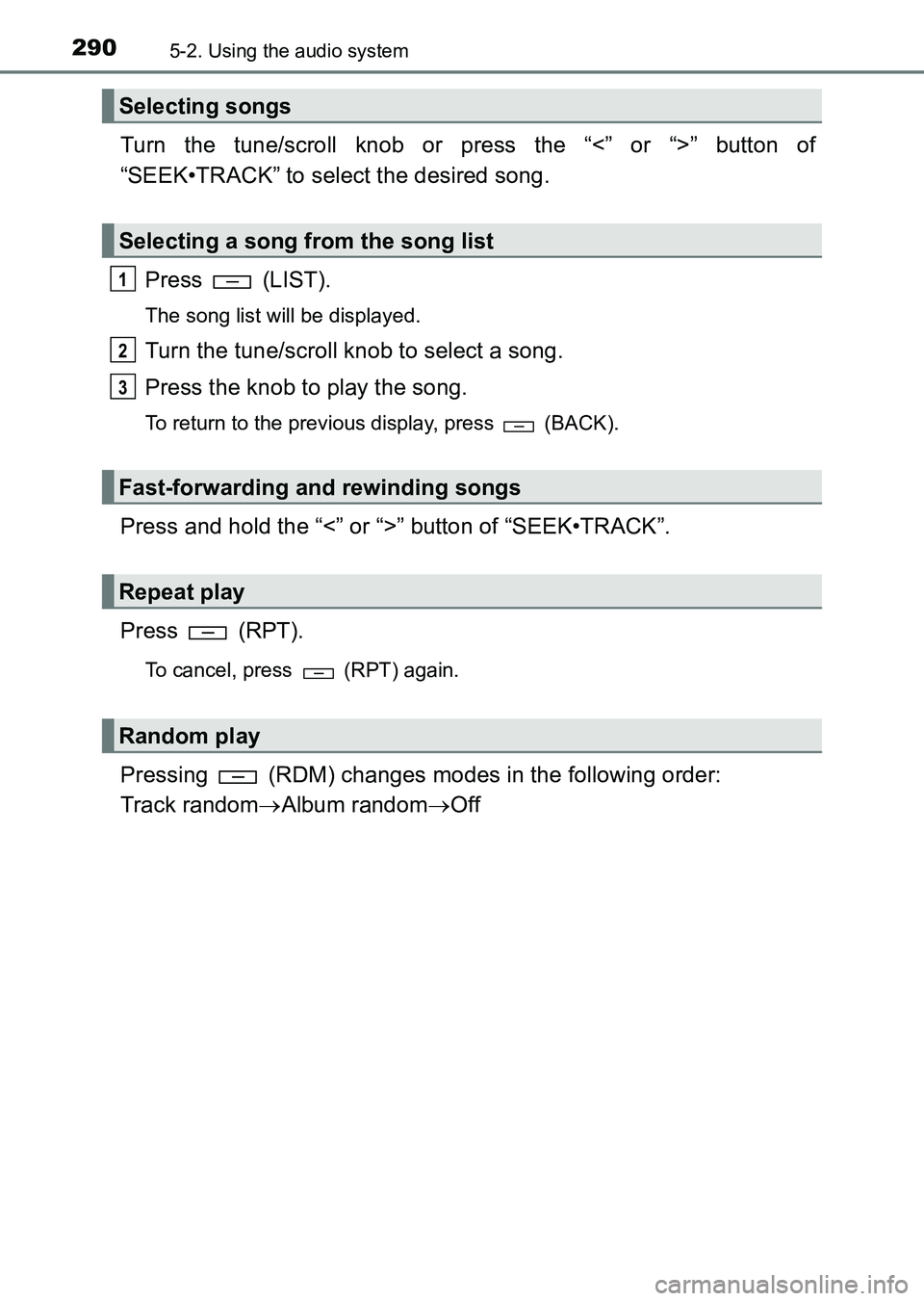
Turn the tune/scroll knob or press the “<” or “>” button of
“SEEK•TRACK” to select the desired song.Press (LIST).
The song list will be displayed.
Turn the tune/scroll knob to select a song.
Press the knob to play the song.
To return to the previous display, press (BACK).
Press and hold the “<” or “>” button of “SEEK•TRACK”.
Press (RPT).
To cancel, press (RPT) again.
Pressing (RDM) changes modes in the following order:
Track random →Album random →Off
Selecting songs
Selecting a song from the song list
Fast-forwarding and rewinding songs
Repeat play
Random play
1
2
3
HILUX_OM_OM0K219E_(EE).book Page 290 Wednesday, May 14, 2014 3:06 PM
Page 291 of 540
2915-2. Using the audio system
5
Interior features
HILUX_OM_OM0K219E_(EE)
Press the (TEXT) display or hide the album title.
If there are continuing texts, is displayed.
Press and hold (TEXT) to display the remaining texts.
■About iPod
●“Made for iPod” and “Made for iPhone” mean that an electronic accessory
has been designed to connect specifically to iPod, or iPhone, respectively,
and has been certified by the developer to meet Apple performance stan-
dards.
● Apple is not responsible for the operation of this device or its compliance
with safety and regulatory standards. Please note that the use of this acces-
sory with iPod or iPhone may affect wireless performance.
● iPhone, iPod, iPod classic, iPod nano, iPod shuffle, and iPod touch are
trademarks of Apple Inc., registered in the U.S. and other countries.
■ iPod functions
●When an iPod is connected and the audio source is changed to iPod mode,
the iPod will resume play from the same point in which it was last used.
● Depending on the iPod that is connected to the system, certain functions
may not be available. Disconnecting the device and reconnecting it once
again may resolve some malfunctions.
● While connected to the system, the iPod cannot be operated with its own
controls. It is necessary to use the controls of the vehicle’s audio system
instead.
Switching the display
HILUX_OM_OM0K219E_(EE).book Page 291 Wednesday, May 14, 2014 3:06 PM