2015 SKODA CITIGO change time
[x] Cancel search: change timePage 6 of 160
Board literature
You will always find this Owner's manual and the Service Plan included in the
on-board literature for your vehicle.
Depending on the equipment, the on-board literature can also include the
Owner´s Manual Radio and in some countries also the brochure On the road.
Owner´s Manual
These Owner´s Manual apply to all body variants of the vehicle and all related
model versions as well as all equipment levels .
This Owner's manual describes all possible equipment variants without identi-
fying them as special equipment, model variants or market-dependent equip-
ment. Consequently, this vehicle does not contain all of the equipment com-
ponents described in this Owner's Manual.
The level of equipment of your vehicle refers to your purchase contract of the
vehicle. For any questions regarding the scope of equipment, please contact a
ŠKODA Partner.
The Pictures in this Owner's Manual are for illustrative purposes only. The il-
lustrations can differ in minor details from your vehicle; they are only intended
to provide general information.
ŠKODA AUTO a.s. pursues a policy of constant product and model develop-
ment. Changes in terms of supply scope are possible at any time with regard to
design, equipment and technology. The information listed in this Owner's Man-
ual corresponds to the information available at the time of going to press.
No basis for legal claims may therefore be derived from the technical data, il-
lustrations and information provided in this Owner's Manual.
Service schedule
The service schedule includes the documentation of the vehicle handover,
warranty information and service events.
The Owner´s Manual Radio
The Owner´s Manual Radio contains a description of the operation of the radio.
On-the-road brochure
The on-the-road brochure contains the customer service number of the im-
porter and the service number for individual countries as well as emergency
numbers.On-board literature onlineFig. 1
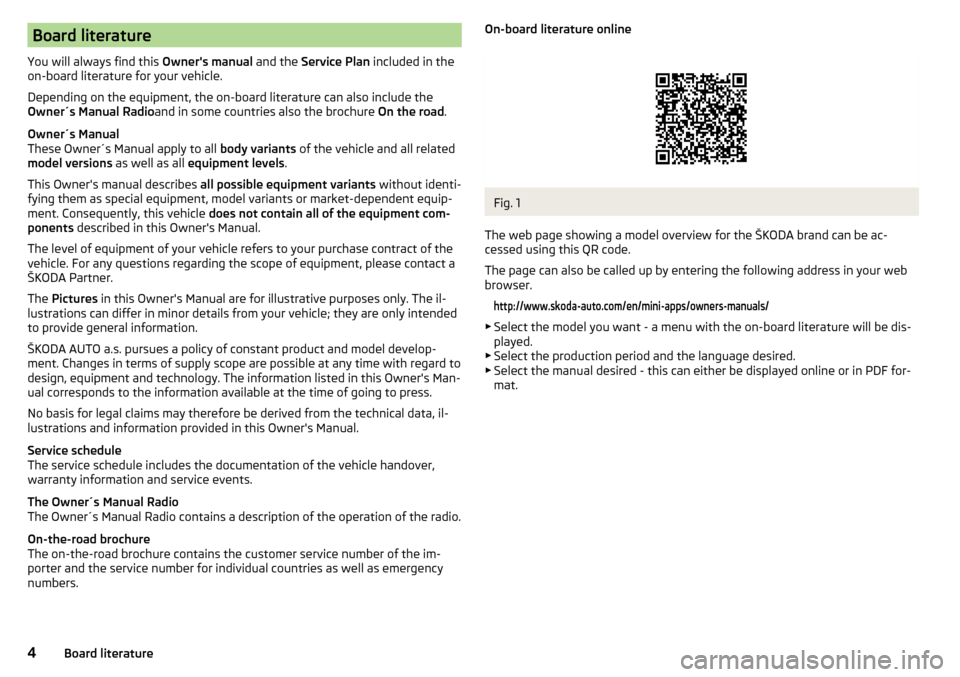
The web page showing a model overview for the ŠKODA brand can be ac-
cessed using this QR code.
The page can also be called up by entering the following address in your web
browser.
http://www.skoda-auto.com/en/mini-apps/owners-manuals/
▶ Select the model you want - a menu with the on-board literature will be dis-
played.
▶ Select the production period and the language desired.
▶ Select the manual desired - this can either be displayed online or in PDF for-
mat.
4Board literature
Page 11 of 160

WARNING■The front seats and all head restraints must be adjusted to match the
body size at all times and the seat belt must always be fastened properly to
provide the most effective levels of protection to the passengers.■
Each occupant must correctly fasten the seat belt belonging to the seat.
Children must be fastened » page 19, Transporting children safely with a
suitable restraint system.
■
By sitting incorrectly, the occupant is risking life-threatening injuries.
■
The seat backrests must not be tilted too far back when driving, as this
will impair the function of the seat belts and of the airbag system – risk of
injury!
Correct seat position of the driver
Fig. 2
Correct seated position for the driver/correct steering wheel posi-
tion
Read and observe
on page 9 first.
For your own safety and to reduce the risk of injury in the event of an accident,
the following instructions must be observed.
Adjust the driver’s seat in the forward/back direction so that the pedals
can be fully depressed with slightly bent legs.
Adjust the seat backrest so that the highest point of the steering wheel
can be reached with your arms at a slight angle.
Adjust the steering wheel so that the distance
A
between the steering
wheel and your chest is at least 25 cm » Fig. 2.
Correctly fasten the seat belt » page 13.
WARNING■
Always assume the correct seated position before setting off and do not
change this position while driving. Also advise your passengers to adopt
the correct seated position and not to change this position while the car is
moving.■
Maintain a distance of at least 25 cm to the steering wheel. Not maintain-
ing this minimum distance will mean that the airbag system will not be able
to properly protect you – hazard!
■
When driving, hold the steering wheel with both hands firmly on the out-
er edge in the “9 o'clock” and “3 o'clock” position » Fig. 2. Never hold the
steering wheel in the “12 o'clock” position or in any other way (e.g. in the
middle, inner edge of the steering wheel or similar). In such cases, you
could severely injure the arms, hands and head when the driver airbag is
deployed.
■
Ensure that there are no objects in the driver's footwell as they may get
caught behind the pedals when driving or applying the braking. You would
then no longer be able to operate the clutch, brake or acceleration pedals.
Adjusting the steering wheel position
Fig. 3
Adjusting the steering wheel position
Read and observe
on page 9 first.
The height of the steering wheel can be adjusted.
›
Turn the safety lever beneath the steering wheel towards the arrow
1
» Fig. 3 .
›
Adjust the steering wheel to the desired position. The steering wheel can be
adjusted in line with the arrow
2
.
›
Press the safety lever down until it clicks into the direction of the arrow
3
.
9Passive Safety
Page 33 of 160

The arrow symbol is shown after the name of the engaged gear.- Recommends that you change up to a higher gear
- Recommends that you change down to a lower gear
Gear recommendation - vehicles with manual transmission
The recommended gear and the arrow icon is displayed.
If e.g.
appears, this means it would be beneficial to change up from a lower
gear into 3rd gear.
Gear recommendation - vehicles with automated manual transmission mode
for manual gearshifting (Tiptronic)
The currently engaged gear and the relevant arrow icon is displayed.
If .g
appears, this means it would be beneficial to change up from 3rd gear
to a higher gearWARNINGThe driver is always responsible for selecting the correct gear in different
driving situations, such as overtaking.
Multi-function display (MFD)
Introduction
This chapter contains information on the following subjects:
Operation
31
Multifunction display details
31
Warning at excessive speeds
32
Memory
33
33
The driving data is displayed on the multifunction display.
The multifunction display only operates if the ignition is switched on. After the ignition is switched on, the function that was last selected before switching
off the ignition is displayed.
WARNING■ Concentrate fully at all times on your driving! As the driver you are fully
responsible for the operation of your vehicle.■
Even at temperatures of around +4 °C, black ice may still be on the road
surface! You should therefore not only rely on the outside temperature dis-
play for accurate information as to whether there is ice on the road.
Operation
Fig. 24
Buttons on the control lever
Read and observe on page 31 first.
Some features of the multi-function display can be operated with the buttons
on the control lever » Fig. 24.
Operation description
ButtonActionOperationABriefly push up or downSelect data / set data valuesBPress brieflyView information / confirm specificationPress and hold buttonReset memory
Multifunction display details
Read and observe
on page 31 first.
Overview of driving data (depending on the vehicle equipment).
Clock
The current time is displayed.
31Instruments and control lights
Page 35 of 160

MemoryFig. 25
Multi-function display - Display
example of the memory
Read and observe on page 31 first.
The following data will be saved in two memory banks 1 and 2 .
▶ Average fuel consumption.
▶ Distance driven.
▶ Average speed.
▶ Driving time.
The selected memory is displayed at position
A
» Fig. 25 .
“1” - Single-trip memory
The memory collates the driving information from the moment the ignition is
switched on until it is switched off.
New data will also flow into the calculation of the current driving information if
the trip is continued within 2 hours after switching off the ignition.
If the trip is interrupted for more than 2 hours, the memory is automatically
erased.
“2” - Long-term memory
The memory gathers driving information from any number of individual jour-
neys up to a total of 19 hours and 59 minutes driving or 1999 kilometres driven.
The memory is deleted when either of these limits is reached and the calcula-
tion starts all over again.
Unlike the single-trip memory, the total-trip memory is not deleted after a pe-
riod of interruption of driving of 2 hours.
Select memory
Operation » page 31,
▶
Select the desired data to be displayed in the multi-function display.
▶ Confirm details again to select the desired memory.
Reset memory
Operation » page 31,
▶ Select the desired data to be displayed in the multi-function display.
▶ Select the desired memory.
▶ Reset the selected memory by pressing down on it for a long time.
Note
Disconnecting the vehicle battery will delete all memory data.Fig. 26
Buttons in the instrument clus-
ter - variant 1
Read and observe on page 31 first.
The time is set as follows.
›
Select the time display on the instrument cluster » page 31, Operation .
›
Press the button
A
» Fig. 26 and keep it pressed down until the hour display
starts flashing.
›
To change the value, press the button
B
. To change the value quickly, hold
down the button.
›
Press button
A
until it flashes to select the minute display.
›
To change the value, press the button
B
. To change the value quickly, hold
down the button.
›
Confirm the value entered by pressing the button
A
again, or wait for
around 5 seconds. The setting is saved automatically (the value stops flash-
ing).
33Instruments and control lights
Page 37 of 160

At a speed of more than approximately 20 km/h the warning light flashes
and an audible warning sounds at a time.
The warning signal is switched of and the
indicator light is permanently lit if
the driver and front passenger have not fastened their seat belts within the
next 90 seconds.
Alternator
Read and observe
on page 34 first.
illuminates - the battery is not being charged whilst the engine is running.
Seek help from a specialist garage.
CAUTION
If in addition to the symbol the symbol » page 35 illuminates while driv-
ing, stop driving - risk of engine damage! Switch off the engine and seek as-
sistance from a specialist garage.
Engine oil pressure too low
Read and observe
on page 34 first.
lights up or flashes - the engine oil pressure is too low.
An audible signal sounds as a warning.
›
Stop the vehicle, switch off the engine, and check the engine oil level
» page 109 , Checking the oil level .
If the warning light illuminates or flashes, do not drive any further, even if
the oil level is correct! Switch off the engine and seek assistance from a spe-
cialist garage.
CAUTION
■ The oil pressure light is not an oil level indicator! One should therefore
check the oil level at regular intervals, preferably after every refuelling stop.■
If for some reason, it is not possible to top up the engine oil under the cur-
rent circumstances,
do not continue driving! Switch off the engine and seek
assistance from a specialist garage.
Coolant
Read and observe
on page 34 first.
lights up or flashes - the coolant temperature is too high or the coolant lev-
el is too low.
An audible signal sounds as a warning tone.
›
Stop the vehicle, switch off the engine, and allow the engine to cool down.
›
Check the coolant level, if necessary top up the coolant.
If the coolant is within the specified range, the cooling fan may be malfunc-
tioning.
›
Switch off the ignition.
›
Check the fuse for the cooling fan, replace if necessary.
If the coolant level and fan fuse are both OK but the warning light is still
illuminated ,
do not drive any further!
Seek help from a specialist garage.
Automated transmission
Read and observe
on page 34 first.
fault
lights up - there is a fault in the automatic transmission.
An audible signal sounds as a warning tone.
Do not continue to drive! Switch off the engine and seek assistance from a
specialist garage.
Functional impairment
lights up and gear change is not possible - for technical reasons there may
be an impairment of the automatic transmission.
›
Stop the car, turn the ignition off and on again.
If the warning light lights up after you again switch on the ignition, seek as-
sistance from a specialist garage.
Gearbox overheating
and is possibly also
illuminated - the automatic transmission is overheat-
ing.
An audible signal sounds as a warning tone.
35Instruments and control lights
Page 66 of 160

Net pockets on the front seat restFig. 72
Meshed pocket
Read and observe on page 58 first.
The net pockets are used for storage of small and light objects, such as mobilephones and the like.
The net pockets are located on the inner sides of the front seat backrests
» Fig. 72 .
The maximum permissible load of the net pockets is 150 g.
WARNINGDo not exceed the maximum permissible load of the meshed pockets.
Heavy objects are not secured sufficiently – risk of injury!
CAUTION
Do not put large objects, e.g. bottles or objects with sharp edges into the net
pockets - risk of damaging the pockets and seat coverings.
Stowage compartments in front of the rear seats
Fig. 73
Storage compartment
Read and observe on page 58 first.
The open storage compartments
A
are located on the backs of the front
seats » Fig. 73 .
Luggage compartment and transporting cargo
Introduction
This chapter contains information on the following subjects:
Lashing eyes
65
Bag hooks
65
Fixing nets
65
Luggage compartment cover
66
Variable loading floor
67
Class N1 vehicles
67
When transporting cargo the following instructions must be adhered to
▶ When transporting heavy objects, the driving characteristics change due to
the shift in centre-of-gravity. The speed and style of driving must be adjus-
ted accordingly.
▶ The cargo should be stowed in the luggage compartment. To prevent it from
moving it should be secured with suitable lashing straps to the lashing eyes
or secured with fixing nets.
▶ Distribute loads as evenly as possible.
▶ Place heavy objects as far forward as possible.
▶ The transported items must be stowed in such a way that no objects are able
to slip forward on sudden driving or braking manoeuvres – risk of injury!
▶ Tyre pressure should be adjusted for the load.
▶ When transporting loads in the luggage compartment that has been en-
larged by folding one of the rear seats forward, care should be taken to en-
sure the safety of passengers transported on the other rear seat.
In the event of an accident, even small and light objects gain so much kinetic
energy that they can cause severe injuries.
The magnitude of the kinetic energy is dependent on the speed at which the
vehicle is travelling and the weight of the object.
Example: In the event of a frontal collision at a speed of 50 km/h, an object
with a weight of 4.5 kg produces an energy, which corresponds to 20 times its
own weight. This means that it results in a weight of approx. 90 kg “ ”.
64Using the system
Page 84 of 160

M - Manual gearshift (Tiptronic)
Further information » page 82.
With driving mode set, the vehicle will not start up
If the vehicle does not start off, the problem may be that the selector lever is not completely in the selected position. In such an instance, press the brake
pedal and put the selector lever into the required position.
Faults in the automatic gearbox
In the event of a fault in the automatic gearbox, warning lights may light up in
the instrument panel » page 35,
Automated transmission .
An error on the automated manual transmission can become noticed, for ex- ample, by the following.
▶ Only certain gears are selected.
▶ The reverse gear R cannot be used.
Manual gearshift (Tiptronic)
Fig. 95
Selector lever: manual shifting/information display
Read and observe
and on page 81 first.
Tiptronic mode makes it possible to manually shift gears on the selector lever. The gearshift indicator must be observed when changing gear » page 30.
Switching to manual shifting when the vehicle is stationary
›
Depress the brake pedal.
›
Press the selector lever twice to the left in the spring-tensioned position.
Switching to manual shifting during driving
›
Press the selector lever towards the left in the spring-tensioned position in
the direction of the arrow and set in position M. The selector lever position
you have engaged is shown in the instrument cluster display » Fig. 95.
Shifting up gears›Press the selector lever forwards + » Fig. 95 .
Shifting down gears›
Press the selector lever backwards
-
» Fig. 95 .
Temporarily switching to manual shifting in position D
›
Tilt the selector lever forward
+
or rearwards
-
» Fig. 95 .
If in a short time, no manual gear change takes place, then the temporary
manual shifting switches off.
Note
■ It may be beneficial, for example, when travelling downhill, to use manual
shifting of gears. Shifting to a lower gear reduces the load on the brakes and
hence the wear on the brakes » page 78, Information on braking .■
When accelerating, the gearbox automatically shifts up into the higher gear
just before the maximum permissible engine speed is reached.
■
If a lower gear is selected, the gearbox does not shift down until there is no
risk of the engine overrevving.
Starting-off and driving
Read and observe
and on page 81 first.
Starting off
›
Start the engine.
›
Firmly depress and hold the brake pedal.
›
Press the selector lever towards the left in the spring-tensioned position in
the direction of the arrow » Fig. 94 on page 81 and insert into position D .
›
Release the brake pedal and accelerate.
Stopping (while the car is moving)
›
Fully depress and hold the brake pedal and bring the vehicle to a stop.
›
Keep holding the brake pedal until driving is resumed.
The selector lever position N does not have to be selected when stopping for a
short time, such as at a cross roads.
Kick-down
The Kick-down function allows you to achieve the maximum acceleration of
your vehicle while driving.
When the accelerator pedal is fully depressed, the Kick-down function is acti-
vated in any forward driving mode.
82Driving
Page 96 of 160

ŠKODA service partners are liable for any ŠKODA Genuine Part defects for aperiod of 2 years after installation or delivery in accordance with the materials
defect liability, provided that nothing else was agreed in the purchase contract
or in any other agreements. You should keep the approved warranty certificate
and the bill for these components for this period of time, so that commence-
ment of the term may be verified.
In addition, ŠKODA Service Partners also stock a range of suitable car care
products as well as those parts which are subject to natural wear-and-tear,
such as tyres, batteries, bulbs and wiper blades.
Note
The accessories authorized by the company ŠKODA AUTO a.s. will be offered
by the ŠKODA partners in all countries where the company ŠKODA AUTO a.s.
has a sales and service network. This will usually be in the form of a printed
catalogue of Original ŠKODA Accessories, in the form of separate printed bro-
chures or in the form of offers for ŠKODA Genuine Accessories on the ŠKODA
partner web pages.
Spoiler
Read and observe
on page 92 first.
If your new vehicle is fitted with a spoiler on the front bumper in combination
with the spoiler on the luggage compartment lid, the following instructions
must be adhered to. ▶ For safety reasons, the vehicle must only be fitted with a spoiler on the front
bumper in combination with the associated spoiler on the luggage compart-
ment lid.
▶ This kind of spoiler cannot be left on the front bumper either on its own, in
combination with another spoiler not on the luggage compartment lid or in
combination with an unsuitable spoiler on the luggage compartment lid.
▶ We recommend that you consult the ŠKODA service partner for any repairs to
or replacement, addition or removal of spoilers.
WARNING■ If work on your vehicle's spoilers is not carried out properly, this can lead
to operational faults - risk of accident and serious injuries.■
If a front spoiler, full wheel trim, etc. is mounted retrospectively, it must
be ensured that the air supply to the front wheel brakes is not reduced.
The front brakes may overheat, which can have a negative impact on the
functioning of the braking system – risk of accident!
Airbags
Read and observe
on page 92 first.
WARNING■Modifications, repairs and technical alterations that have been carried out
unprofessionally can cause damage and operational faults, and can also se-
riously impair the effectiveness of the airbag system – risk of accident and
fatal injury!■
A change to the vehicle's wheel suspension, including the use of non-ap-
proved wheels and tire combinations, can alter the functioning of the air-
bag system - risk of accident and fatal injury!
WARNINGInformation on the use of the airbag system■Never install any airbag parts into the vehicle that have been removed
from old cars or have been recycled.■
Never install damaged airbag parts in the vehicle. The airbags may then
not be deployed properly or even at all in the event of an accident.
WARNING■ No modifications of any kind must be made to parts of the airbag system.■Any work on the airbag system including the installation and removal of
system components due to other repair work (e.g. removal of the steering
wheel) must only be carried out by a specialist garage.■
Never make any changes to the front bumper or the bodywork.
■
It is prohibited to manipulate individual parts of the airbag system, as this
might result in the airbag being deployed.
■
The protective function of the airbag system is sufficient for only one ac-
cident. The airbag system must then be replaced if the airbag has been de-
ployed.
94General Maintenance