2015 Seat Leon 5D brake
[x] Cancel search: brakePage 198 of 308

Operation
driver has to intervene by accelerating or in-
t erruptin
g the br
aking process by applying
the brake or pushing the third lever back-
wards ››› page 190.
Driving in tunnels
When driving through tunnels the radar sen-
sor may be limited. Switch off the ACC in tun-
nels.
Narrow or misaligned vehicles
The radar sensor can only detect narrow or
misaligned vehicles when they are within
range ››› Fig. 200 B. This applies particularly
to narrow vehicles such as motorbikes. In
these cases, you should brake as necessary.
Vehicles with special loads and accessories
Special loads and accessories of other vehi-
cles that jut out over the sides, backwards or
over the top may be out of the ACC's range.
Switch off the ACC when driving behind vehi-
cles with special loads and accessories or
when overtaking them. In these cases, you
should brake as necessary.
Other vehicles changing lanes
Vehicles changing lanes a short distance
away from your own can only be detected
when they are within range of the sensors.
Consequently, the ACC will take longer to re- act
››› Fig. 201 C. In these cases, you should
brake as necessary.
Stationary vehicles
The ACC does not detect stationary objects
while driving, such as traffic tails or damaged
vehicles.
If a vehicle detected by the ACC turns or
moves over and there is a stationary vehicle
in front of it, the ACC will not react to it
››› Fig. 201 D. In these cases, you should
brake as necessary.
Vehicles driving in the opposite direction
and vehicles crossing your path
The ACC does not react to vehicles approach-
ing from the opposite direction or vehicles
crossing your path.
Metal objects
Metal objects, e.g. rails on the road or sheets
used in road works, can confuse the radar
sensor and cause the ACC to react wrongly.
Factors that may affect how the radar sensor
operates
If laser sensor operation is impaired, due to
heavy rain, spray, snow or mud, the ACC is
deactivated temporarily. The relevant text
message will appear in the dash panel dis-
play. If necessary, clean the radar sensor. When the radar sensor begins to operate
properly ag
ain, the ACC will automatically be
available again. The message on the instru-
ment panel screen will switch off and the ACC
will be reactivated again.
ACC operation may be affected by a strong ra-
dar reverse reflection, for example in a closed
car park.
Trailer towing
When driving with trailer the ACC controls
less dynamically.
Overheated brakes
If the brakes overheat, for example after
abrupt braking or in long and steep slopes,
the ACC may be deactivated temporarily. The
relevant text message will appear in the dash
panel display. In this case, adaptive cruise
control cannot be activated.
Adaptive cruise control can be reactivated
once brake temperature has cooled suffi-
ciently. The message will disappear from the
instrument panel display. If the message ACC
not available remains on for quite a long
time it means that there is a fault. Contact a
specialised workshop. SEAT recommends vis-
iting a SEAT dealership.
196
Page 199 of 308

Driver assistance systems
WARNING
If the message ACC ready to start ap-
pear s
on the instrument panel display and
the vehicle in front starts up, the vehicle will
start up automatically. In this case the radar
sensor may not detect obstacles on the road.
This could cause an accident and serious in-
juries.
● Before driving off, check that the road is
cle
ar. If necessary, apply the brake. Monitoring system Front As-
s
i
s
t*
Introduction
›› ›
table on page 2
The Front Assist Monitoring system helps to
prevent rear collisions.
The Front Assist can warn the driver of colli-
sion hazards, prepare the vehicle for emer-
gency braking in case of danger, assist the
driver on braking and cause automatic brak-
ing.
The Front Assist is not a replacement for
driver awareness. Distance warning
If the sy
s
tem detects that safety is endan-
gered by the proximity of the vehicle in front,
it may warn the driver by means of a message
on the instrument panel when driving at a
speed of between approximately 60 km/h
(37 mph) and 210 km/h (130 mph)
››› Fig. 202.
The warning moment varies depending on
the traffic situation and driver behaviour.
Pre-warning
If the system detects a possible collision with
the vehicle in front, it may warn the driver by
means of an audible warning and an indica-
tion on the instrument panel when driving at
a speed of between approximately 30 km/h
(18 mph) and 210 km/h (130 mph)
››› Fig. 202.
The warning moment varies depending on
the traffic situation and driver behaviour. At
the same time, the vehicle will prepare for a
possible emergency braking ››› .
C ritic
a
l warning
If the driver fails to react to the pre-warning,
the system may actively intervene in the
brakes when driving at a speed of between
approximately 30 km/h (18 mph) and
210 km/h (130 mph), generating a brief jolt
to warn of the imminent collision. Automatic braking
If the driver al
so fails to react to the pre-warn-
ing, the system may brake the vehicle auto-
matically, by progressively increasing braking
effect driving at a speed of between approxi-
mately 5 km/h (3 mph) and 210 km/h
(130 mph). By reducing speed in case of a
possible collision, the system may contribute
to reducing the consequences of an accident.
Front assist
If the Front Assist notices that the driver is
not braking sufficiently in case of a collision
hazard, the system can increase braking ef-
fect and thus avert the collision when driving
at a speed of between approximately 5 km/h
(3 mph) and 210 km/h (130 mph). Front as-
sist only acts while the brake pedal is press-
ed down hard. WARNING
The intelligent technology in the Front Assist
cannot c
hange the laws of physics. The driver
is always responsible for braking in time. If
the Front Assist issues a warning, then, de-
pending on the traffic circumstances, you
must brake immediately or dodge the obsta-
cle.
● Adapt your speed and safe distance to the
vehicl
e in front of you at all times to suit visi-
bility, weather, road and traffic conditions.
● The Front Assist alone cannot avoid acci-
dents and seriou
s injuries. » 197
Technical data
Advice
Operation
Emergencies
Safety
Page 200 of 308

Operation
●
In comp l
ex driving situations, the Front As-
sist may issue unnecessary warnings and in-
tervene unnecessarily in braking, such as in
traffic islands.
● If the operation of the Front Assist is im-
paired, f
or example, by dirt or because the ra-
dar sensor has lost its settings, the system
may issue unnecessary warnings and inter-
vene inopportunely in the braking.
● During driving, the Front Assist does not re-
act to peop
le or animals or vehicles crossing
your path or which approach you head-on in
the same lane.
● The driver must always be ready to take
over the c
ontrol of the vehicle. Note
● When the Front As
sist causes a braking,
the brake pedal is “harder”.
● Automatic interventions by the Front Assist
on the brake
s may be interrupted by pressing
the clutch, accelerator or moving the wheel.
● If the Front Assist does not work as descri-
bed in this c
hapter (e.g. in intervenes several
times unnecessarily), switch it off. Have the
system checked by a specialised workshop.
SEAT recommends visiting a SEAT dealership. On-screen warning lamps and mes-
s
ag
e
s Fig. 202
On the instrument panel display:
W arnin
g indic
ations. Distance warning
If
the s
af
e distance with regard to the vehicle
in front is exceeded, the relevant warning will
appear on the instrument panel display
. WARNING
Observe the safety warnings ›››
in Warning
and indication l amp
s on page 109. Note
When the Front Assist is connected, the indi-
cation s
on the instrument panel screen may
be concealed by warnings from other func-
tions, such as an incoming call. Radar sensor
Fig. 203
On the front bumper: radar sensor. A radar sensor is installed on the front bump-
er t
o det
ermine the tr
affic situation
››› Fig. 203 1 . This sensor can detect vehi-
c l
e
s in front up to a distance of approximately
120 m.
The radar sensor's visibility may be impaired
by dirt, mud or snow, or by environmental in-
fluences such as rain or mist. In this case the
Front Assist monitoring system does not
work. The instrument panel displays the fol-
lowing message: Front Assist: No sensor vision! If necessary clean the ra-
dar sensor ››› .
When the r a
d
ar sensor begins to operate
properly again, the Front Assist will automati-
cally be available again. The message will
disappear from the instrument panel display.
198
Page 202 of 308

Operation
Switching distance warning on and off
If the s
af
e distance with regard to the vehicle
in front is exceeded, the relevant warning will
appear on the instrument panel display
. In this case, increase the safe dis-
tance.
The distance warning function can be activa-
ted or deactivated in the Easy Connect sys-
tem with the button and the function but-
t on
s
and
Driv
er As
s ist
› ››
p
age 28.
The sy
stem will store the setting for the next
time the ignition is switched on.
SEAT recommends keeping the distance
warning switched on at all times.
Switching the Front Assist Monitoring
Sys
tem off in the following situations In the following situations the Front Assist
Monit
orin
g
System should be deactivated
due to the system's limitations ››› :
● When the vehicle is to be towed.
● If the vehicle is on a test bed.
● When the radar sensor is damaged.
● If the radar sensor takes a heavy knock, for
e x
amp
le in a rear collision.
● If it intervenes several times unnecessarily. ●
If the ra
dar sensor is covered temporarily
with some kind of accessory, such as an ad-
ditional headlight or the like.
● When the vehicle is to be loaded on a lorry,
ferry
or train. WARNING
If the Front Assist is not switched off in the
sit uation
s described, serious accidents and
injuries may occur.
● Switch off the Front Assist in critical situa-
tions. System limitations
The Front Assist Monitoring System has cer-
t
ain ph
y
sical limitations inherent in the sys-
tem. Thus, in certain circumstances some of
the system's reactions may be inopportune
or be delayed from the driver's standpoint.
So pay attention in order to intervene if nec-
essary.
The following conditions may cause the Front
Assist Monitoring System not to react or do
so too late:
● On taking tight bends.
● Pressing the accelerator all the way down.
● If the Front Assist is switched off or dam-
aged. ●
If the ASR ha
s been manually disconnec-
ted.
● If the ESC is controlling.
● If several brake lights of the vehicle or elec-
trically
connected trailer are damaged.
● If the radar sensor is dirty or covered.
● If there are metal objects, e.g. rails on the
roa
d or sheets used in road works.
● If the vehicle is reversing.
● If the vehicle over-accelerates.
● In case of snow or heavy rain.
● In case of narrow vehicles, such as motor-
bike
s.
● Misaligned vehicles.
● Vehicles crossing the other's path.
● Vehicles approaching in the opposite direc-
tion.
● Special loads and accessories of other ve-
hicle
s that jut out over the sides, backwards
or over the top.
200
Page 203 of 308
Driver assistance systems
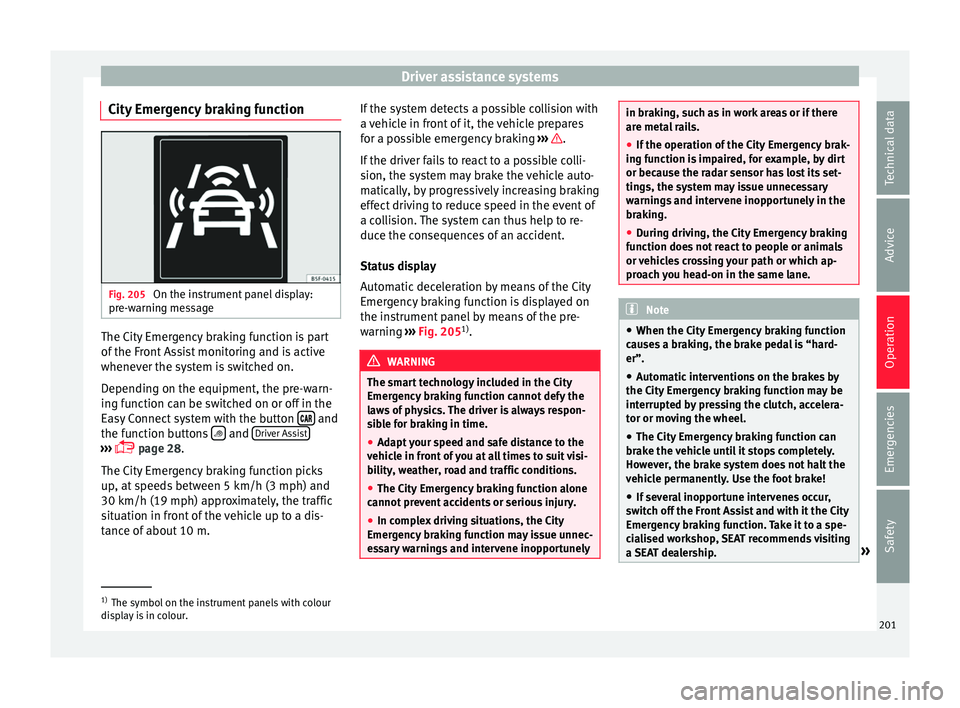
City Emergency braking function Fig. 205
On the instrument panel display:
pr e-w
arnin
g message The City Emergency braking function is part
of
the Fr
ont
Assist monitoring and is active
whenever the system is switched on.
Depending on the equipment, the pre-warn-
ing function can be switched on or off in the
Easy Connect system with the button and
the f u
nction b
uttons and
Driv
er As
s ist›››
pag
e 28.
The C ity Emergency braking function picks
up, at speeds between 5 km/h (3 mph) and
30 km/h (19 mph) approximately, the traffic
situation in front of the vehicle up to a dis-
tance of about 10 m. If the system detects a possible collision with
a v
ehic
le in front of it, the vehicle prepares
for a possible emergency braking ››› .
If the driv
er f
ails to react to a possible colli-
sion, the system may brake the vehicle auto-
matically, by progressively increasing braking
effect driving to reduce speed in the event of
a collision. The system can thus help to re-
duce the consequences of an accident.
Status display
Automatic deceleration by means of the City
Emergency braking function is displayed on
the instrument panel by means of the pre-
warning ››› Fig. 205 1)
. WARNING
The smart technology included in the City
Emerg ency
braking function cannot defy the
laws of physics. The driver is always respon-
sible for braking in time.
● Adapt your speed and safe distance to the
vehicl
e in front of you at all times to suit visi-
bility, weather, road and traffic conditions.
● The City Emergency braking function alone
cannot pr
event accidents or serious injury.
● In complex driving situations, the City
Emergency
braking function may issue unnec-
essary warnings and intervene inopportunely in braking, such as in work areas or if there
are met
a
l rails.
● If the operation of the City Emergency brak-
ing fu
nction is impaired, for example, by dirt
or because the radar sensor has lost its set-
tings, the system may issue unnecessary
warnings and intervene inopportunely in the
braking.
● During driving, the City Emergency braking
function doe
s not react to people or animals
or vehicles crossing your path or which ap-
proach you head-on in the same lane. Note
● When the City Emer
gency braking function
causes a braking, the brake pedal is “hard-
er”.
● Automatic interventions on the brakes by
the City Emer
gency braking function may be
interrupted by pressing the clutch, accelera-
tor or moving the wheel.
● The City Emergency braking function can
brake the
vehicle until it stops completely.
However, the brake system does not halt the
vehicle permanently. Use the foot brake!
● If several inopportune intervenes occur,
switc
h off the Front Assist and with it the City
Emergency braking function. Take it to a spe-
cialised workshop, SEAT recommends visiting
a SEAT dealership. »1)
The symbol on the instrument panels with colour
dis p
lay is in colour. 201
Technical data
Advice
Operation
Emergencies
Safety
Page 220 of 308

Operation
››› Fig. 217. The c
amer a image is viewed to-
gether with orientation lines projected by the
system on the Easy Connect system screen.
The bottom of the screen displays part of the
bumper corresponding to the registration
plate area that will be used as reference by
the driver.
Rear assist settings:
Rear assist offers the user the possibility to
change the image's brightness, contrast and
colour settings.
To change these settings:
● Park the vehicle in a safe place.
● Apply the parking brake.
● Switch the ignition on.
● If necessary, switch on the Easy Connect
syst
em.
● Engage reverse gear or turn the selector
lever t
o position R.
● Press the function b
utton displayed on
the right of the image.
● Make the desired adjustments on the menu
by pr
essing the –/+ function buttons or by
moving the corresponding scroll button.
Necessary conditions for parking and ma-
noeuvring with the
The system should not be used in the follow-
ing cases: ●
If the imag
e displayed is not very reliable or
is distorted, for example low visibility or dirty
lens.
● If the area behind the vehicle is not dis-
pla
yed very clearly or is incomplete.
● If the vehicle is heavily loaded at the rear.
● If the position and installation angle of the
camera h
ave been changed, e.g. after a rear-
end collision. Have the system checked by a
specialised workshop.
Familiarising yourself with the system
To familiarise yourself with the system, the
orientation lines and their function, SEAT rec-
ommends practising parking and manoeu-
vring with the rear assist in a place without
too much traffic or in a car park when there
are good weather and visibility conditions.
Cleaning the camera lens
Keep the camera lens clean and clear of snow
and ice:
● Moisten the lens using a normal alcohol-
based gl
ass cleaning product and clean the
lens with a dry cloth.
● Remove snow using a small brush.
● Use de-icing spray to remove any ice. CAUTION
● Never u se abr
asive cleaning products to
clean the camera lens.
● Do not use hot or warm water to remove ice
or snow fr
om the camera lens. Doing so could
damage the camera. Parking and manoeuvring with the
re
ar a
ssist Fig. 218
Display on the Easy Connect system
s c
r
een: orientation lines. Switching the system on and off
●
The rear assist will switch on when the igni-
tion i s
on or the en
gine running, on engaging
reverse gear (manual gearbox) or on chang-
ing the selector lever to the R position (auto-
matic gearbox).
● The system switches off 8 seconds after
diseng
aging reverse gear (manual gearbox)
218
Page 228 of 308

Operation
Hitching and connecting the trailer Fig. 230
Schematic diagram: assignment of
the pins of the trailer's electrical socket.
Key of the Schematic diagram ››› Fig. 230:
PinMeaning
1Left turn signal
2Rear fog light
3Earth, pins 1, 2, 4 to 8
4Right turn signal
5Rear light, right
6Brake lights
7Rear light, left
8Reverse lights
9Permanent live
10Cable without positive charge
11Earth, pin 10
Key of the Schematic diagram ››› Fig. 230:
PinMeaning
12Unassigned
13Earth, pin 9 Electrical socket for trailer
The v
ehic
le is fitted with a 13-pole power
socket for the electrical connection between
the trailer and the vehicle. If the system de-
tects that a trailer has been connected elec-
trically, the electrical equipment on the trailer
will receive voltage through this connection.
Pin 9 has a permanent live. This powers, for
example, the trailer's interior lighting. Pin 10
is only powered when the engine is running.
The charge wire (pin 10) charges, for exam-
ple, a caravan battery.
Pin 9 and 10 should not be connected to
each other to avoid discharging or damaging
the vehicle's battery.
The earth wires, pin 3, pin 11 and pin 13,
should never be connected to each other to
avoid overloading the electrical system.
If the trailer has a 7-contact connector , you
will need to use an adapter cable. In this case
the function corresponding to pin 10 will not
be available. Trailer maximum electricity consumption
Brake lights (total)84 Watts
Turn signal, on each side42 Watts
Side lights (total)100 Watts
Rear lights (total)42 Watts
Rear fog light42 Watts
Never exceed the values indicated!
Note
● If the r e
ar lights of the trailer are not cor-
rectly connected, the vehicle electronics may
be damaged.
● If the trailer absorbs excessive electric cur-
rent, the v
ehicle electronics may be dam-
aged.
● Never connect the trailer's electric system
directly t
o the electrical connections of the
tail lights or any other power sources. Only
use the connections intended for providing
electric current to the trailer. Ball coupling of towing bracket de-
v
ic
e* The ball coupling is provided with instruc-
tion
s
on fittin
g and removing the ball cou-
pling of the towing bracket.
226
Page 229 of 308

Towing bracket device
WARNING
The towing bracket ball coupling must be
st or
ed securely in the luggage compartment
to prevent them being flung through the vehi-
cle and causing injury. Note
● By l
aw, the ball coupling must be removed
if a trailer is not being towed if it obscures
the number plate. Driving with a trailer
Fig. 231
Turn the 13-pin connector Before driving
● Grip the 13-pin connector at area A and
r emo
v
e it in the direction of the arrow
››› Fig. 231.
● Remove the protective cover 5
› ››
Fig. 219
up w
ards.
After driving
● Grip the 13-pin connector at area A and
in ser
t
it in the opposite direction to the arrow
››› Fig. 231.
● Fit the protective cover 5
› ›
› Fig. 219
on
the ball coupling.
Safety lug
The safety lug B
› ›
› Fig. 231
is used to hook
up the trailer's retainer cable.
On hooking it up to the safety lug, the retain-
er cable should have slack in all the trailer
positions with respect to the vehicle (sharp
bends, reverse gear, etc.).
Headlights
The front part of the vehicle may be raised
when the trailer is connected and the light
may dazzle the rest of the traffic.
Adapt the height of the headlights using the
headlight range rotary adjuster 1)
. WARNING
● Never u se the s
afety lug to tow!
● Adjust your speed to suit the road and traf-
fic condition
s.
● All work on the electrical system must be
carried out on
ly by specialised workshops.
● Never connect the trailer's electric system
to the electric
al connections of the rear lights
or any other power sources.
● After hooking up the trailer and connecting
the socket, c
heck that all the trailer's rear
lights are working properly. Note
● If ther e i
s any fault in the trailer's lighting,
check the fuses in the instrument panel fuse
box ›››
page 55.
● The contact between the retainer cable and
the safety
lug may give rise to mechanical
wear in the lug's surface protection. This
wear will not prevent the safety lug from op-
erating properly or cause any fault and is ex-
cluded from the warranty.
● When connecting and disconnecting the
trail
er, the towing vehicle's handbrake
should be applied. 1)
This does not apply for vehicles with bi-xenon
hea dlights.
227
Technical data
Advice
Operation
Emergencies
Safety