Page 76 of 216
2.2
“On” position M
The ignition is switched on:
Start position D
If the engine fails to start at the first
attempt, the key must be turned back
before the starter can be activated
again. Release the key as soon as the
engine starts.
vehicles fitted with an automatic
gearbox
Before starting, move the lever to posi-
tion P.
“Stop and steering lock”
position St
To lock: remove the key and turn the
steering wheel until the steering column
locks.
To unlock: turn the key and the steering
wheel slightly.
“Accessories” position A
When the ignition is switched off, any
accessories (radio, etc.) will continue to
function.
RUNNING IN/STARTING, STOPPING THE ENGINE (1/2)
Running in
Petrol version
For the first 600 miles (1,000 km), do
not exceed 78 mph (130 km/h) in the
highest gear, or 3,000 to 3,500 rpm.
You may only expect top performance
from your vehicle after approximately
1,800 miles (3,000 km) .
Service intervals: refer to the
Maintenance Document for your vehi-
cle.
Page 78 of 216

2.4
Warning light � is displayed on the
instrument panel. This notifies you that
the engine is on standby.
The vehicle equipment remain opera-
tional while the engine is stopped.
The engine will restart as soon as you
press the clutch pedal and move into
gear.
STOP AND START function (1/3)
This system enables a reduced fuel
consumption and lower greenhouse
gas emissions.
The system is activated automatically
when the vehicle is started.
While driving, the system stops the
engine (standby) when the vehicle is
at a standstill (traffic jam, traffic lights,
etc).
System operating conditionsEngine standby is activated if:
– the vehicle has been driven since its last stop;
– the gearbox is in neutral;
– the clutch pedal is released;
and
– the vehicle is travelling at less than 3 km/h. Special feature of the automatic
engine re-start
Under certain conditions, the engine
can restart on its own in order to guar-
antee your safety and comfort.
This can occur especially when:
– the outdoor temperature is too low or
too high (less than around 0 °C or
higher than around 30 °C);
– the “Clear View” function is activated (please see the information on “Air
conditioning” in Section 3);
– the battery is not sufficiently charged;
– the vehicle speed is above 7 km/h (downhill slope, etc.);
– repeated pressing on the brake pedal or braking system require-
ment;
– ...
Special note: when opening the pas-
senger side door, some of these condi-
tions prevent the engine from automati-
cally restarting.
Engine on standby - braking
assistance is no longer op-
erational.
Do not drive off when the
engine is on standby (warn-
ing light
� is displayed
on the instrument panel).
If you get out of the vehicle, a beep
notifies you that the engine is on
standby and has not been switched
off.
Before getting out of the
vehicle, you must switch
off the ignition (please see
section on “Starting, stop-
ping the engine”).
Page 79 of 216
2.5
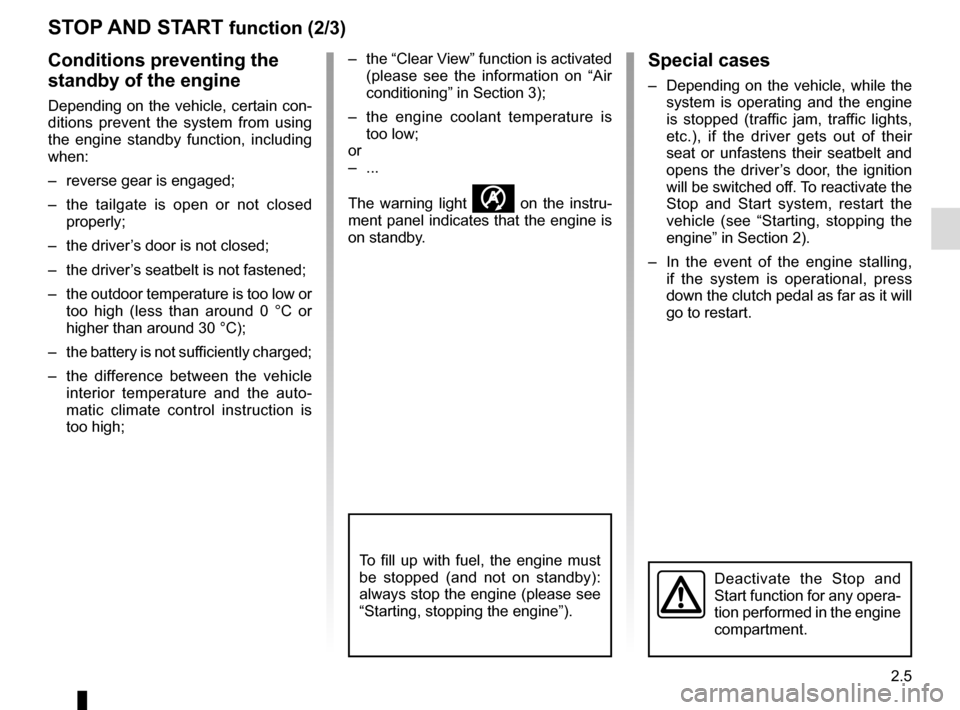
STOP AND START function (2/3)
Special cases
– Depending on the vehicle, while the system is operating and the engine
is stopped (traffic jam, traffic lights,
etc.), if the driver gets out of their
seat or unfastens their seatbelt and
opens the driver’s door, the ignition
will be switched off. To reactivate the
Stop and Start system, restart the
vehicle (see “Starting, stopping the
engine” in Section 2).
– In the event of the engine stalling, if the system is operational, press
down the clutch pedal as far as it will
go to restart.
Conditions preventing the
standby of the engine
Depending on the vehicle, certain con-
ditions prevent the system from using
the engine standby function, including
when:
– reverse gear is engaged;
– the tailgate is open or not closed properly;
– the driver’s door is not closed;
– the driver’s seatbelt is not fastened;
– the outdoor temperature is too low or too high (less than around 0 °C or
higher than around 30 °C);
– the battery is not sufficiently charged;
– the difference between the vehicle interior temperature and the auto-
matic climate control instruction is
too high; – the “Clear View” function is activated
(please see the information on “Air
conditioning” in Section 3);
– the engine coolant temperature is too low;
or
– ...
The warning light
� on the instru-
ment panel indicates that the engine is
on standby.
To fill up with fuel, the engine must
be stopped (and not on standby):
always stop the engine (please see
“Starting, stopping the engine”).
Deactivate the Stop and
Start function for any opera-
tion performed in the engine
compartment.
Page 80 of 216
2.6
STOP AND START function (3/3)
Deactivating, activating the
function
Press switch 1 to deactivate the func-
tion. Warning light 2 in the switch lights
up.
Pressing this again will reactivate the
system. Warning light 2 in switch 1
goes out. The system is automatically reacti-
vated each time the vehicle is started
(see “Starting, stopping the engine” in
Section 2).
Operating faults
If the warning light 2 integrated on the
switch 1 comes on, the system is de-
activated.
Please consult an authorised dealer.
2
Before getting out of the
vehicle, you must switch
off the ignition (please see
section on “Starting, stop-
ping the engine”).
1
Page 81 of 216

2.7
SPECIAL FEATURES OF PETROL VERSIONS
The following operating conditions:
– driving for long periods when the low fuel level warning light is lit;
– using leaded petrol;
– using fuel or lubrication additives which are not approved.
Or operating faults such as:
– faulty ignition system, running out of fuel or disconnected spark plugs re-
sulting in the engine misfiring or cut-
ting out when driving;
– loss of power,
as they may cause the catalytic con-
verter to overheat and thus reduce its
efficiency, or damage it irreparably
and cause heat damage to the vehi-
cle. If you notice any of the above operating
faults, have the necessary repairs car-
ried out as soon as possible by an ap-
proved Dealer.
These faults may be avoided by regu-
larly taking your vehicle to an approved
Dealer at the intervals specified in the
Maintenance document.
Starting problems
To avoid damaging the catalytic con-
verter,
do not keep trying to start the
engine (using the start button, or by
pushing or towing the vehicle) without
having identified and corrected the
starting fault.
If the fault cannot be identified, do not
keep trying to start the engine, but con-
tact an approved Dealer.
Do not park the vehicle or
run the engine in locations
where combustible sub-
stances or materials such as
grass or leaves can come into con-
tact with the hot exhaust system.
Page 82 of 216

2.8
Gear lever
Selecting reverse gear
Vehicle with manual gearbox: Follow
the grid marked on knob 1 and, depend-
ing on the vehicle, lift the ring against
the knob to engage reverse gear.
Vehicles with automatic gear-
box: refer to the information on the
“Automatic gearbox” in Section 2.
The reversing lights will come on as
soon as reverse gear is selected with
the ignition on.
1
GEAR LEVER/HANDBRAKE
Handbrake
To release:
Pull the lever 3 up slightly, press
button 2 and then lower the lever to the
floor.
The red warning light
D on the in-
strument panel will come on if you are
driving with an incorrectly released
handbrake.
To apply:
Pull lever 3 upwards. Check that the
vehicle is immobilised. The warning
light
D on the instrument panel will
come on.
3
2
When stationary, and de-
pending on the slope and/or
vehicle load, it may be nec-
essary to pull up the hand-
brake at least two extra notches and
engage a gear (1
st or reverse gear)
for vehicles with a manual gearbox
or position P for vehicles with an au-
tomatic gearbox.
An impact to the under-
side of the vehicle while
manoeuvring (e.g.: strik-
ing a post, raised kerb or
other street furniture) may result in
damage to the vehicle (e.g.: defor-
mation of an axle).
To avoid any risk of accident, have
your vehicle checked by an ap-
proved Dealer.
Make sure that the hand-
brake is properly released
when driving (red indicator
light off), otherwise over-
heating, or even damage, may
occur.
Page 83 of 216

2.9
Fuel consumption is accredited in ac-
cordance with a standard regulatory
method. Identical for all manufactur-
ers, this enables vehicles to be com-
pared with one another. Consumption
in real time depends on vehicle usage
conditions, the equipment fitted and the
user’s driving style. To optimise fuel
consumption, please refer to the follow-
ing advice.
Depending on the vehicle, you will have
various functions which enable you to
lower your fuel consumption:
– gear change indicator;
– the journey record and eco-driving advice via the multimedia display;
– ECO mode activated by button ECO.
If fitted on the vehicle, the navigation
system provides additional information.
1
2
Journey recordOnce the engine is switched off, you
will see “Journey record” displayed on
the screen 2 , enabling you to view in-
formation relating to your last journey.
This indicates:
– average fuel consumption;
– number of miles/kilometres travelled;
– number of miles/kilometres saved.
DRIVING ADVICE, ECO-DRIVING (1/4)
Gear change indicator 1
To obtain optimum consumption levels,
a warning light on the instrument panel
lets you know the best time to move up
or down a gear:
Š move up a gear;
‰ move down a gear.
Page 84 of 216

2.10
Mode ECO
ECO mode is a function which opti-
mises fuel consumption. It acts on all
elements which consume fuel (engine
power, heating and/or air conditioning,
etc).Activating the function
Press the switch 3.
The warning light
� comes on on
the instrument panel to confirm activa-
tion.
While driving, it is possible to leave the
ECO mode temporarily in order to im-
prove engine performance.
To do this, press the accelerator pedal
firmly and fully.
ECO mode is reactivated when you
take pressure off the accelerator pedal.
Disabling the function
Press the switch 3.
The warning light
� goes out on
the instrument panel to confirm deac-
tivation.
3
DRIVING ADVICE, ECO-DRIVING (2/4)
An overall rating from 0 to 100 is dis-
played to let you assess your eco driv-
ing performance. The higher the score,
the better your eco-driving perform-
ance.
Eco advice is given to help improve
your performance.
With your favourite journeys saved, you
can evaluate your performance.
For more information, please see the
multimedia system instructions.

