2015 RENAULT TRAFIC locking
[x] Cancel search: lockingPage 50 of 292

1.44
CHILD SAFETY: General information (1/2)
Carrying children
Children, and adults, must be correctly
seated and strapped in for all journeys.
The children being carried in your vehi-
cle are your responsibility.
A child is not a miniature adult. Children
are at risk of specific injuries as their
muscles and bones have not yet fin-
ished growing. The seat belt alone
would not provide suitable protection.
Use an approved child seat and ensure
you use it correctly.
A collision at 30 mph
(50 km/h) is the same as fall-
ing a distance of 10 metres.
Transporting a child without
a restraint is the equivalent of allow-
ing him or her to play on a fourth-
floor balcony without railings.
Never travel with a child held in your
arms. In the event of an accident,
you will not be able to keep hold of
the child, even if you yourself are
wearing a seat belt.
If your vehicle has been involved in
a road accident, replace the child
seat and have the seat belts and
ISOFIX anchorage points checked.
To prevent the doors being
opened, use the “Child
safety” device (refer to the
information on “Opening
and closing the doors” in Section 1).
Driver’s responsibility
when parking or stopping
the vehicle
Never leave an animal,
child or adult who is not self-suffi-
cient alone on your vehicle, even for
a short time.
They may pose a risk to themselves
or to others by starting the engine,
activating equipment such as the
electric windows or by locking the
doors.
Also, in hot and/or sunny weather,
please remember that the tempera-
ture inside the passenger compart-
ment increases very quickly.
RISK OF DEATH OR SERIOUS
INJURY.
Page 55 of 292
1.49
CHILD SAFETY: fitting a child seat, general information (1/2)
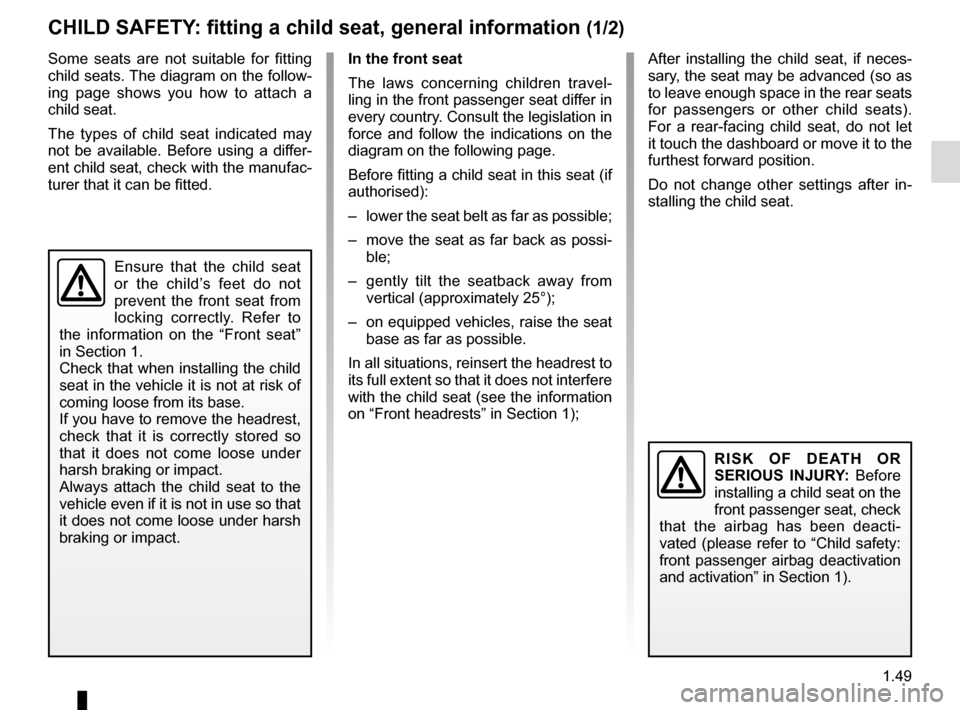
Some seats are not suitable for fitting
child seats. The diagram on the follow-
ing page shows you how to attach a
child seat.
The types of child seat indicated may
not be available. Before using a differ-
ent child seat, check with the manufac-
turer that it can be fitted.
Ensure that the child seat
or the child’s feet do not
prevent the front seat from
locking correctly. Refer to
the information on the “Front seat”
in Section 1.
Check that when installing the child
seat in the vehicle it is not at risk of
coming loose from its base.
If you have to remove the headrest,
check that it is correctly stored so
that it does not come loose under
harsh braking or impact.
Always attach the child seat to the
vehicle even if it is not in use so that
it does not come loose under harsh
braking or impact.
RISK OF DEATH OR
SERIOUS INJURY: Before
installing a child seat on the
front passenger seat, check
that the airbag has been deacti-
vated (please refer to “Child safety:
front passenger airbag deactivation
and activation” in Section 1).
In the front seat
The laws concerning children travel-
ling in the front passenger seat differ in
every country. Consult the legislation in
force and follow the indications on the
diagram on the following page.
Before fitting a child seat in this seat (if
authorised):
– lower the seat belt as far as possible;
– move the seat as far back as possi- ble;
– gently tilt the seatback away from vertical (approximately 25°);
– on equipped vehicles, raise the seat base as far as possible.
In all situations, reinsert the headrest to
its full extent so that it does not interfere
with the child seat (see the information
on “Front headrests” in Section 1); After installing the child seat, if neces-
sary, the seat may be advanced (so as
to leave enough space in the rear seats
for passengers or other child seats).
For a rear-facing child seat, do not let
it touch the dashboard or move it to the
furthest forward position.
Do not change other settings after in-
stalling the child seat.
Page 87 of 292

1.81
DRIVING POSITION: LEFT-HAND DRIVE (2/2)
The equipment fitted, described below, DEPENDS ON THE VERSION AND COUNTRY.
1 Side air vent.
2 Location for ashtray or cup holder.
3 Stalk for:– direction indicator lights;
– exterior lights;
– front fog lights;
– rear fog lights.
4 Instrument panel.
5 Location for driver’s airbag and horn.
6 Stalk for: – windscreen and rear screen wiper/washer;
– trip computer and warning system information read-out.
7 RENAULT card reader.
8 Remote radio controls.
9 Centre air vent.
10 Accessories socket.
11 Multimedia/radio touchscreen.
12 Storage compartment. 13 Location for passenger airbag or
storage compartment.
14 Glovebox.
15 Fast idle speed switch.
16 Rear de-icer switch.
17 Accessories socket or cigarette lighter.
18 Heating and ventilation controls.
19 Handbrake.
20 Location for ashtray or cup holder.
21 Central door locking/unlocking con- trols.
22 Hazard warning lights switch.
23 Gear lever.
24 ECO mode switch.
25 Engine start/stop button.
26 Stop and Start function activation/ deactivation control.
27 Cruise control/speed limiter main control.
28 Ignition switch for vehicles with key.
29 Control for adjusting steering wheel reach.
30 Cruise control/speed limiter controls.
31 Storage compartment.
32 Bonnet release control.
33 Controls for: – electric headlight beam adjust-
ment,
– instrument panel lighting dimmer,
– traction control,
– activation/deactivation of the
parking distance control system.
Page 89 of 292

1.83
DRIVING POSITION: RIGHT-HAND DRIVE (2/2)
The equipment fitted, described below, DEPENDS ON THE VERSION AND COUNTRY.
1 Side air vent.
2 Location for ashtray or cup holder.
3 Location for passenger airbag or storage compartment.
4 Storage compartment.
5 Centre air vent.
6 Multimedia/radio touchscreen.
7 Accessories socket.
8 RENAULT card reader.
9 Stalk for: – direction indicator lights;
– exterior lights;
– front fog lights;
– rear fog lights.
10 Location for driver’s airbag and horn.
11 Instrument panel.
12 Stalk for: – windscreen and rear screen wiper/washer;
– trip computer and warning system information read-out. 13 Controls for:
– electric headlight beam adjust-
ment,
– instrument panel lighting dimmer,
– traction control,
– activation/deactivation of the
parking distance control system.
14 Storage compartment.
15 Remote radio controls.
16 Ignition switch for vehicles with key.
17 Cruise control/speed limiter controls.
18 Control for adjusting steering wheel reach.
19 Cruise control/speed limiter main control.
20 Stop and Start mode activation/de- activation control. 21 Engine start/stop button.
22 ECO mode switch.
23 Handbrake.
24 Gear lever.
25 Central door locking/unlocking con-
trols.
26 Hazard warning lights switch.
27 Location for ashtray or cup holder.
28 Heating and ventilation controls.
29 Accessories socket or cigarette lighter.
30 Rear de-icer switch.
31 Fast idle speed switch.
32 Glovebox.
33 Bonnet release control.
Page 102 of 292
1.96
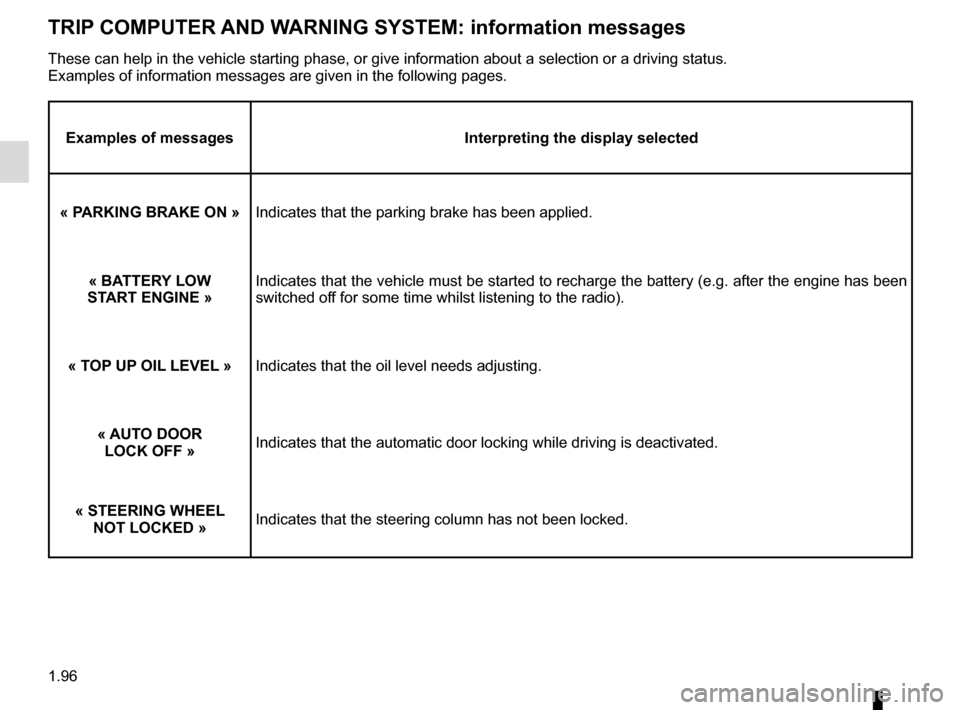
TRIP COMPUTER AND WARNING SYSTEM: information messages
Examples of messagesInterpreting the display selected
« PARKING BRAKE ON » Indicates that the parking brake has been applied.
« BATTERY LOW
START ENGINE » Indicates that the vehicle must be started to recharge the battery (e.g\
. after the engine has been
switched off for some time whilst listening to the radio).
« TOP UP OIL LEVEL » Indicates that the oil level needs adjusting.
« AUTO DOOR LOCK OFF » Indicates that the automatic door locking while driving is deactivated.
« STEERING WHEEL NOT LOCKED » Indicates that the steering column has not been locked.
These can help in the vehicle starting phase, or give information about \
a selection or a driving status.
Examples of information messages are given in the following pages.
Page 145 of 292
2.21
DRIVING CORRECTION DEVICES AND AIDS (1/5)
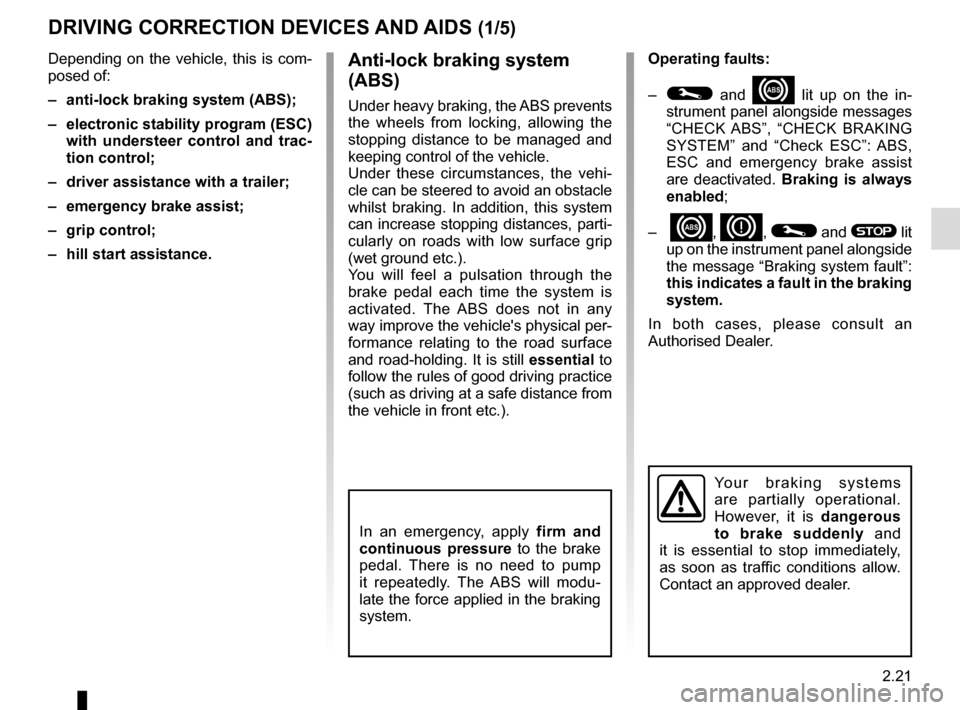
Operating faults:
–
© and x lit up on the in-
strument panel alongside messages
“CHECK ABS”, “CHECK BRAKING
SYSTEM” and “Check ESC”: ABS,
ESC and emergency brake assist
are deactivated. Braking is always
enabled;
–
x, D, © and ® lit
up on the instrument panel alongside
the message “Braking system fault”:
this indicates a fault in the braking
system.
In both cases, please consult an
Authorised Dealer.
Anti-lock braking system
(ABS)
Under heavy braking, the ABS prevents
the wheels from locking, allowing the
stopping distance to be managed and
keeping control of the vehicle.
Under these circumstances, the vehi-
cle can be steered to avoid an obstacle
whilst braking. In addition, this system
can increase stopping distances, parti-
cularly on roads with low surface grip
(wet ground etc.).
You will feel a pulsation through the
brake pedal each time the system is
activated. The ABS does not in any
way improve the vehicle's physical per-
formance relating to the road surface
and road-holding. It is still essential to
follow the rules of good driving practice
(such as driving at a safe distance from
the vehicle in front etc.).
In an emergency, apply firm and
continuous pressure to the brake
pedal. There is no need to pump
it repeatedly. The ABS will modu-
late the force applied in the braking
system.
Your braking systems
are partially operational.
However, it is dangerous
to brake suddenly and
it is essential to stop immediately,
as soon as traffic conditions allow.
Contact an approved dealer.
Depending on the vehicle, this is com-
posed of:
– anti-lock braking system (ABS);
– electronic stability program (ESC) with understeer control and trac-
tion control;
– driver assistance with a trailer;
– emergency brake assist;
– grip control;
– hill start assistance.
Page 176 of 292
3.14
WINDOWS (1/2)
Avoid resting any objects against a
half-open window: there is a risk that
the electric window winder could be
damaged.
1
2
3
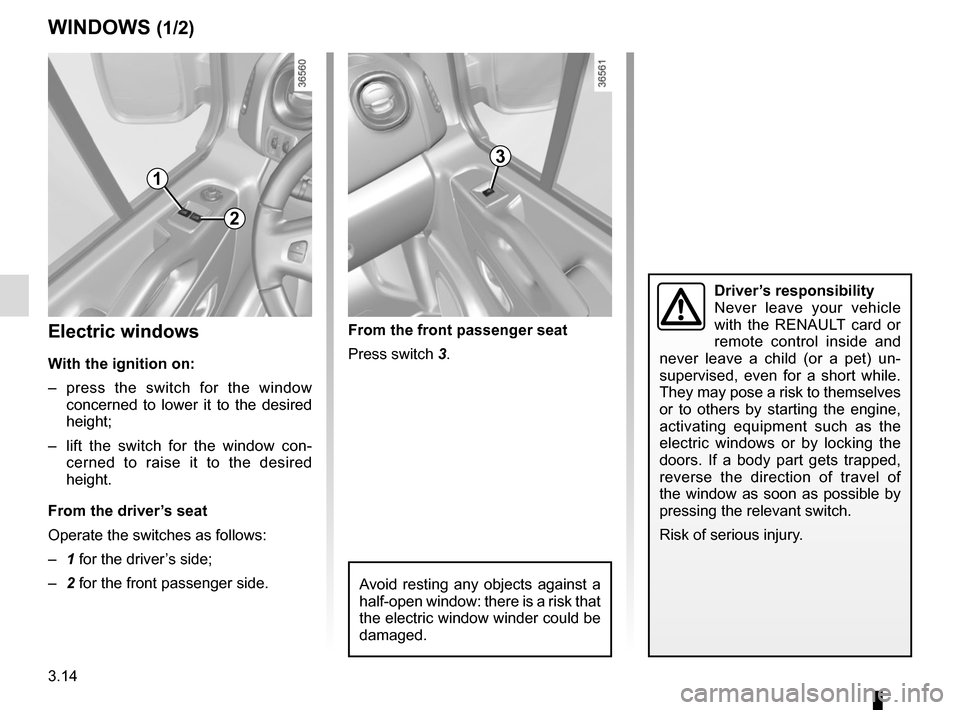
Electric windows
With the ignition on:
– press the switch for the window concerned to lower it to the desired
height;
– lift the switch for the window con- cerned to raise it to the desired
height.
From the driver’s seat
Operate the switches as follows:
– 1 for the driver’s side;
– 2 for the front passenger side. From the front passenger seat
Press switch 3.
Driver’s responsibility
Never leave your vehicle
with the RENAULT card or
remote control inside and
never leave a child (or a pet) un-
supervised, even for a short while.
They may pose a risk to themselves
or to others by starting the engine,
activating equipment such as the
electric windows or by locking the
doors. If a body part gets trapped,
reverse the direction of travel of
the window as soon as possible by
pressing the relevant switch.
Risk of serious injury.
Page 194 of 292
3.32
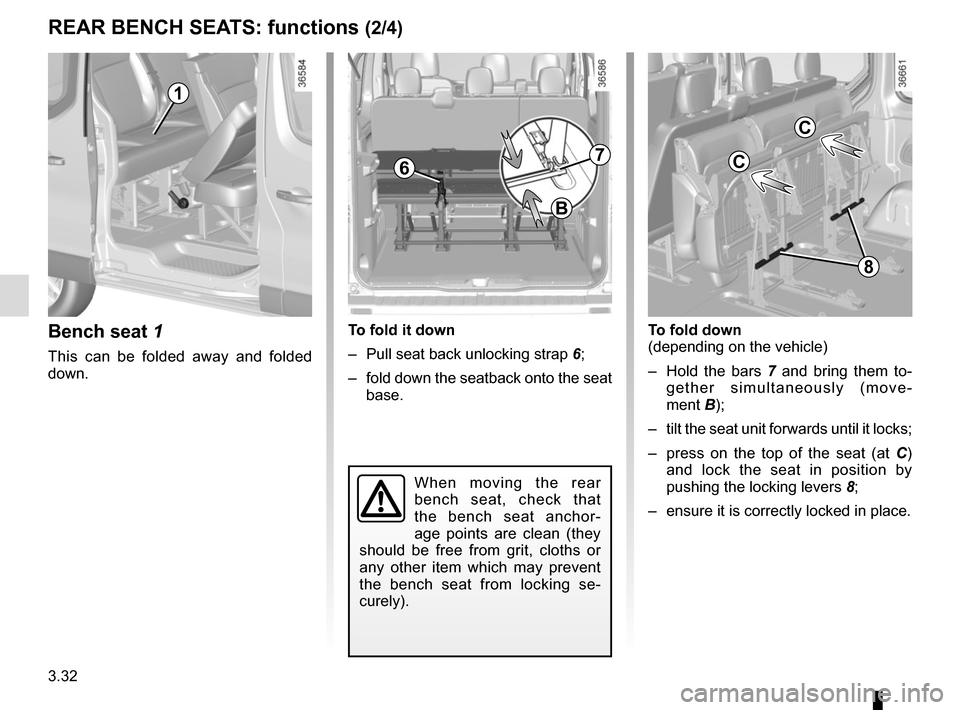
Bench seat 1
This can be folded away and folded
down.
To fold it down
– Pull seat back unlocking strap 6;
– fold down the seatback onto the seat base.
1
7
B
To fold down
(depending on the vehicle)
– Hold the bars 7 and bring them to-
gether simultaneously (move-
ment B);
– tilt the seat unit forwards until it locks;
– press on the top of the seat (at C)
and lock the seat in position by
pushing the locking levers 8;
– ensure it is correctly locked in place.
When moving the rear
bench seat, check that
the bench seat anchor-
age points are clean (they
should be free from grit, cloths or
any other item which may prevent
the bench seat from locking se-
curely).
REAR BENCH SEATS: functions (2/4)
6
8
C
C