Page 9 of 316

1.3
RENAULT CARD: general information (2/2)
Advice
Avoid leaving the card in hot, cold or
humid areas.
Do not keep the RENAULT card in
a place where it could be bent or
damaged accidentally, such as in a
back pocket of a garment.
Replacement: need for an
additional RENAULT Card
If you lose your RENAULT card or
require another, you can obtain one
from an approved dealer.
If a RENAULT card is replaced, it
will be necessary to take the vehi-
cle and all of its RENAULT cards
to an approved dealer to initialise
the system.
You may use up to four RENAULT
cards per vehicle.
Distance lighting function
Pressing button 4 switches on the
dipped beam headlights, the indicator
lights and the interior lighting for ap-
proximately 30 seconds. This can be
used, for example, to identify the vehi-
cle from a distance when parked in a
car park.
Note: Pressing button 4 again switches
off the lighting.
4
Driver’s responsibility
Never leave an animal,
child or adult who is not
self-sufficient alone in your
vehicle, even for a short time.
They may pose a risk to themselves
or to others by starting the engine,
activating equipment such as the
electric windows or locking the
doors, for example.
Also, in hot and/or sunny weather,
please remember that the tempera-
ture inside the passenger compart-
ment increases very quickly.
RISK OF DEATH OR SERIOUS
INJURY.
Page 11 of 316

1.5
RENAULT “HANDS-FREE” CARD: usage (2/4)
“Hands-free” locking using the
sensor 3
If you wish to lock your vehicle while the
card is within range, make sure that the
doors and boot are closed and place
your finger over the sensor 3 on the
driver’s door handle. The vehicle will
lock.
Note: The sensor cannot be used to
lock the vehicle unless the RENAULT
card is within the access zone 1.
Special features of the locking
system
Having locked the vehicle by pressing
the sensor 3, there is a delay of approx-
imately 3 seconds before it can be un-
locked again. During these 3 seconds,
the door handles can be tried to make
sure that the vehicle is locked properly.
If a door is open or not properly closed:
– when locking using the sensor 3,
the vehicle will lock/unlock in quick
succession, but the hazard warning
lights will not flash;
– the vehicle will not lock as you move away.
3
Remote “Hands-free” locking
With the RENAULT card on you, and
doors and boot closed, move away
from the vehicle: it will lock automati-
cally as soon as you leave the access
zone.
Note: The distance at which the vehicle
locks depends on the surroundings.
To indicate that the doors have been
locked, the hazard warning lights
flash once and then light up for ap-
proximately four seconds, and a beep
sounds in confirmation.
4
“Hands-free” unlocking
With the RENAULT card in zone 1 ,
place your hand on a door handle 2: the
vehicle will unlock.
The hazard warning lights flash once
to indicate that the doors have been un-
locked.
Pressing button 4 unlocks the whole
vehicle, including the boot, or, for ve-
hicles equipped with an automatic tail-
gate, opens the boot completely.
2
Page 12 of 316

1.6
RENAULT “HANDS-FREE” CARD: usage (3/4)
Particular features of the locking
system (continued)
If the RENAULT card has been within
range for approximately 15 minutes,
remote locking is disabled.
The vehicle cannot be locked if the card
is within the zone 7.
If the vehicle is unlocked by pressing
the button on the RENAULT card, but
the doors or boot are not then opened;
remote “hands-free” locking is disabled.Using the card as a remote
control
Unlocking with the card RENAULT
Press the button 5.
The hazard warning lights flash once
to indicate that the doors have been un-
locked.
Locking using the RENAULT card
With the doors and boot closed, press
button 6: the vehicle will lock.
The hazard warning lights will flash
twice to indicate that the vehicle is
locked. Note: The maximum distance at which
the vehicle locks depends on the sur-
roundings.
Special features
If the a door or the boot is open or not
properly closed, the vehicle cannot be
locked. The vehicle will lock/unlock in
quick succession, but the hazard warn-
ing lights will not flash.
5
6
7
The card buttons are deactivated
when the engine is running.
3
Page 17 of 316
1.11
OPENING AND CLOSING THE DOORS (1/3)
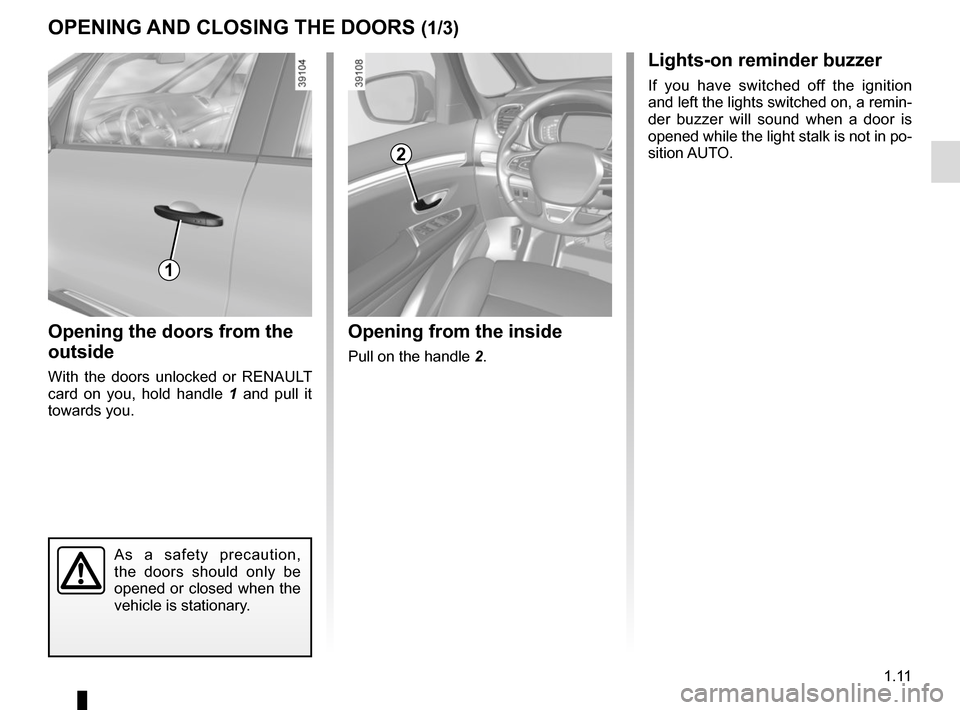
Opening the doors from the
outside
With the doors unlocked or RENAULT
card on you, hold handle 1 and pull it
towards you.
Opening from the inside
Pull on the handle 2.
2
As a safety precaution,
the doors should only be
opened or closed when the
vehicle is stationary.
1
Lights-on reminder buzzer
If you have switched off the ignition
and left the lights switched on, a remin-
der buzzer will sound when a door is
opened while the light stalk is not in po-
sition AUTO.
Page 18 of 316
1.12
OPENING AND CLOSING THE DOORS (2/3)
4
Door/tailgate open buzzer
At a standstill, warning light 3 lights
up on the instrument panel alongside
warning light 4, indicating the opening
element(s) (door, boot) open or incor-
rectly closed. Once the vehicle reaches a speed of
approximately 12 mph (20 km/h), a war-
ning light indicates if the door(s) or lug-
gage compartment are open or impro-
perly closed, along with the message
«Boot open» or «Door open» and a
beep will sound for around 40 seconds
or until the door/luggage compartment
is closed.
3
Page 19 of 316

1.13
OPENING AND CLOSING THE DOORS (3/3)
Child safety
Press switch 5 to allow or prevent ope-ning of the rear doors and rear electric
windows from inside the vehicle.
The indicator light in the switch lights up
to confirm that the locks have been ac-
tivated.
Note: If there is a system fault, the mes-
sage “Check child safety device” is dis-
played on the instrument panel: please
contact an authorised dealer.
Safety of rear occupants
The driver can enable op-
eration of the rear doors
and, depending on the ve-
hicle, the electric windows by press-
ing switch 4 on the side with the il-
lustration.
Depending on the vehicle, in the
event of a fault:
– a beep sounds;
– a message is displayed on the instrument panel;
– the integrated indicator does not light up.
If the battery has been discon-
nected, press switch 4 on the side
with the symbol to lock the rear
doors.
Driver’s responsibility
when parking or stopping
the vehicle
Never leave an animal,
child or adult who is not self-suffi-
cient alone on your vehicle, even for
a short time.
They may pose a risk to themselves
or to others by starting the engine,
activating equipment such as the
electric windows or locking the
doors.
Also, in hot and/or sunny weather,
please remember that the tempera-
ture inside the passenger compart-
ment increases very quickly.
RISK OF DEATH OR SERIOUS
INJURY.
5
As a safety precaution,
the doors should only be
opened or closed when the
vehicle is stationary.
Page 28 of 316
1.22
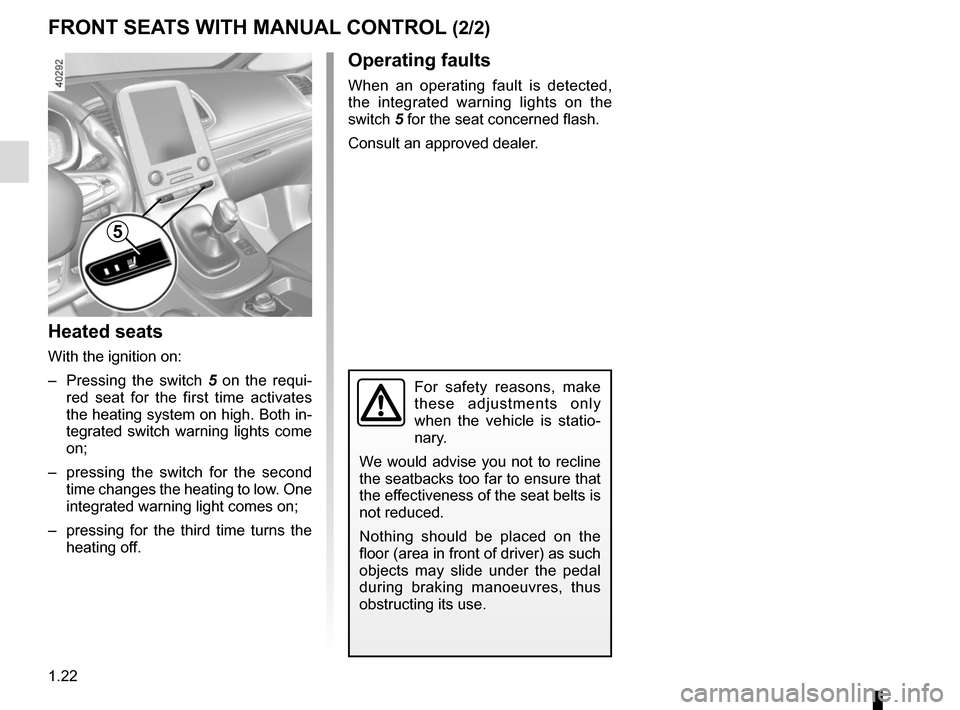
Heated seats
With the ignition on:
– Pressing the switch 5 on the requi-
red seat for the first time activates
the heating system on high. Both in-
tegrated switch warning lights come
on;
– pressing the switch for the second time changes the heating to low. One
integrated warning light comes on;
– pressing for the third time turns the heating off.
FRONT SEATS WITH MANUAL CONTROL (2/2)
For safety reasons, make
these adjustments only
when the vehicle is statio-
nary.
We would advise you not to recline
the seatbacks too far to ensure that
the effectiveness of the seat belts is
not reduced.
Nothing should be placed on the
floor (area in front of driver) as such
objects may slide under the pedal
during braking manoeuvres, thus
obstructing its use.
Operating faults
When an operating fault is detected,
the integrated warning lights on the
switch 5 for the seat concerned flash.
Consult an approved dealer.
5
Page 30 of 316
1.24
DRIVER’S SEAT WITH ELECTRIC CONTROLS (2/2)
5
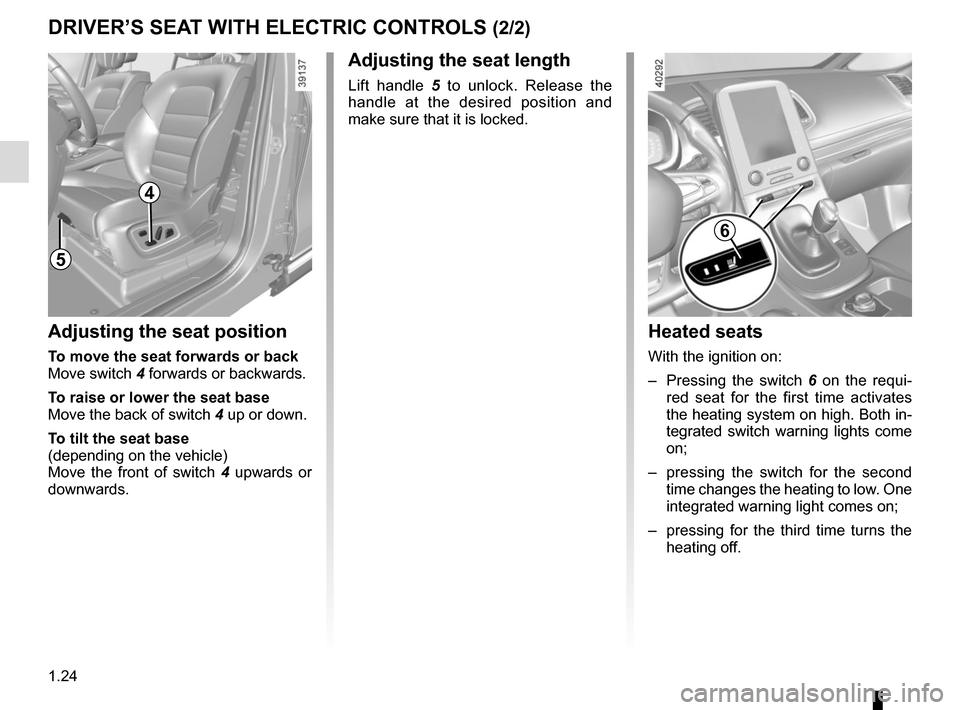
Heated seats
With the ignition on:
– Pressing the switch 6 on the requi-
red seat for the first time activates
the heating system on high. Both in-
tegrated switch warning lights come
on;
– pressing the switch for the second time changes the heating to low. One
integrated warning light comes on;
– pressing for the third time turns the heating off.
Adjusting the seat position
To move the seat forwards or back
Move switch 4 forwards or backwards.
To raise or lower the seat base
Move the back of switch 4 up or down.
To tilt the seat base
(depending on the vehicle)
Move the front of switch 4 upwards or
downwards.
Adjusting the seat length
Lift handle 5 to unlock. Release the
handle at the desired position and
make sure that it is locked.
6
4