2015 PEUGEOT 4008 service
[x] Cancel search: servicePage 110 of 389
108
4008_en_Chap04_conduite_ed01-2014
Manual gear changing
In the automated mode, you can take over
control temporarily at any time using the
steering mounted controls.
th
e use of these controls permits manual
selection of the gears in situations which
require a faster change down than that offered
in automated mode (arrival at a roundabout,
exit from a car park with a steep gradient,
over taking...).
th
e gearbox engages the gear requested if
the engine speed permits it.
t
he
gear engaged
appears.
to r
eturn to the automated mode, do one of the
following:
-
p
ress the back of the "+/OFF" steering
mounted control 3 for approximately
2
seconds,
-
m
ove the gear lever quickly towards
position +/- and then return it to position D ,
-
s
top the vehicle.
Stopping the vehicle Operating fault
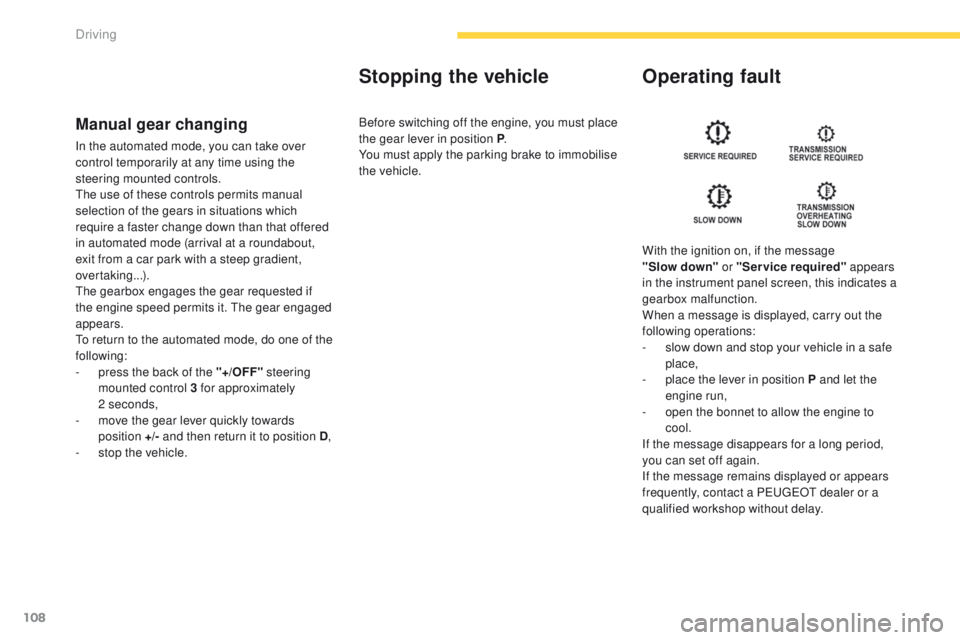
With the ignition on, if the message
"Slow
down" or "Service required" appears
in the instrument panel screen, this indicates a
gearbox malfunction.
When a message is displayed, carry out the
following operations:
-
s
low down and stop your vehicle in a safe
place,
-
p
lace the lever in position P and let the
engine run,
-
o
pen the bonnet to allow the engine to
cool.
If the message disappears for a long period,
you can set off again.
If the message remains displayed or appears
frequently, contact a P
e
uge
Ot
dealer or a
qualified workshop without delay.
Before switching off the engine, you must place
the gear lever in position P
.
You must apply the parking brake to immobilise
the vehicle.
Driving
Page 200 of 389
198
4008_en_Chap07_info-pratiques_ed01-2014
Recovering the vehicle
Recovery of your
vehicle
2 wheel drive (2WD) versions: towing
with the wheels on the ground
F Put the gear lever into neutral (position N for the CVt gearbox).
F
u
n
lock the steering by by turning the
ignition switch to the " ON" position (or
to " ON " mode for vehicle fitted with the
"Keyless
e
n
try and Starting" system).
F
R
elease the parking brake.
F
S
witch on the hazard warning lamps on
both vehicles.
F
M
ove off gently and travel slowly for a short
distance only.
General recommendations
Observe the legislation in force in your
c o unt r y.
en
sure that the weight of the towing
vehicle is higher than that of the towed
vehicle.
th
e driver must remain at the wheel of
the towed vehicle and must have a valid
driving licence.
When towing a vehicle with all four
wheels on the ground, always use an
approved towing bar; rope and straps
are prohibited.
When towing a vehicle with the engine
off, there is no longer any power
assistance for braking or steering.
In the following cases, you must always
call on a professional recovery service:
-
v
ehicle broken down on a motor way
or fast road,
-
4 w
heel drive vehicle,
-
w
hen it is not possible to put the
gearbox into neutral, unlock the
steering, or release the parking
brake,
-
t
owing with only two wheels on the
ground,
-
w
here there is no approved towing
bar available...
to
wing with the wheels on the ground
is only possible on 2 wheel drive (2WD)
versions.
F
F
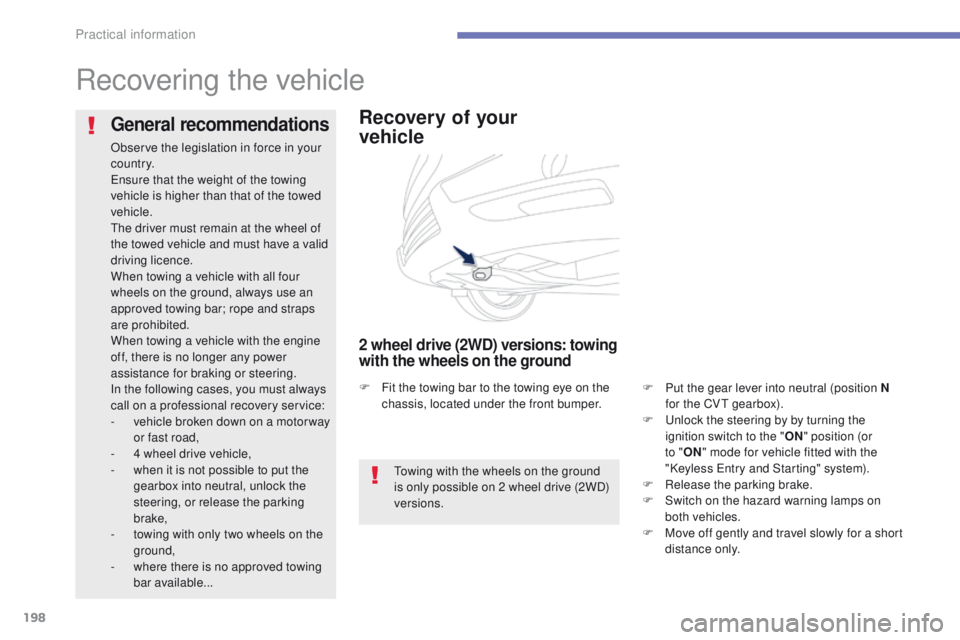
it the towing bar to the towing eye on the
chassis, located under the front bumper.
Practical information
Page 215 of 389

213
4008_en_Chap08_verifications_ed01-2014
Checking levels
take care when working under the bonnet, as certain areas of the engine may be extremely hot (risk of burns) and the cooling fan could start at
any time (even with the ignition off).
Oil level
the check of the the level is done
out with the dipstick, located under
the bonnet. Refer to the description
of your engine compartment for the
position of the dipstick.Engine oil change
Refer to the warranty and maintenance record
for details of the interval for this operation.
In order to maintain the reliability of the engine
and emission control system, never use
additives in the engine oil.
Oil specification
the oil must be the correct grade for your
engine and conform to the manufacturer's
recommendations.
Check all of these levels regularly, in line with the warranty and maintenance record.
t
o
p them up if necessary, unless other wise indicated.
If a level drops significantly, have the corresponding system checked by a P
e
uge
Ot
dealer or a qualified workshop.
Dipstick
there are two marks on the dipstick:
A = maximum
If the level is above this
mark, contact a P
e
uge
Ot
dealer or a qualified
workshop.
B = minimum
to
p up the level through the
oil filler orifice, using the
correct grade of oil for your
engine.
t
h
e level must never
be below this mark.
th
is check will only be correct if the vehicle is
on level ground and the engine has been off for
more than 30 minutes.
It is normal to top up the oil level between
two services (or oil changes). P
e
uge
Ot
recommends that you check the level, and top
up if necessary, every 3 000 miles (5 000 km).
After topping up the oil, the check when
switching on the ignition with the oil level
indicator in the instrument panel is not valid
during the 30 minutes after topping up.
8
Checks
Page 220 of 389
218
4008_en_Chap08_verifications_ed01-2014
Brake wear depends on the style
of driving, particularly in the case
of vehicles used in town, over short
distances. It may be necessary to have
the condition of the brakes checked,
even between vehicle services.
Brake pads
For information on checking brake
disc wear, contact a PeugeOt
dealer or a qualified workshop.
Brake disc wear Parking brake
If excessive travel or a loss of
effectiveness of this system is
noticed, the parking brake must be
checked, even between two services.
Only use products recommended by
P
e
uge
Ot
or products of equivalent
quality and specification.
In order to optimise the operation of
units as important as those in the
braking system, P
e
uge
Ot
selects and
offers very specific products.
After washing the vehicle, dampness,
or in wintry conditions, ice can form
on the brake discs and pads: braking
efficiency may be reduced. Make light
brake applications to dry and defrost
the brakes.
Checking this system must be done by a
P
e
uge
Ot
dealer or a qualified workshop.
un
less there is a leak in the circuit, a drop in
the brake fluid level indicates that the brake
pads are worn.
Checks
Page 244 of 389
242Consult your mobile telephone's user manual and enter
the pairing code recorded in step 7 in the telephone.
BLUETOOTH® TELEPHONE
WITH
VOICE
RECOGNITION
the system says "Start the pairing procedure on the telephone.
Consult the instructions in the telephone manual ".
If the code is incorrect, the system locks.
to clear the code:
-
check that the telephone's voice recognition is not activated,
-
with the ignition on and the audio system active, press the
e ND
CALL button for 2 seconds, 3 times in succession.
When it detects a Bluetooth
® compatible mobile telephone, the
system says "Please say the name of the telephone after the
beep".
After the audible signal, allocate a name to the telephone
by saying the name of your choice.
t
he system says "Allocate an order of priority between 1 and 7.
One is the highest level of priority ".
g
ive a number between 1 and 7 to establish the level of
priority of the mobile telephone.
The system says and confirms the "name of the telephone " and
the "number" of its priority.
Answer "Ye s ".
Say "No" to return to step 13.
t
he systems says "Pairing complete" then emits an audible signal
and deactivates the voice recognition.
t
he services available depend on the network, the SIM card and the compat\
ibility of the Bluetooth
® telephone used. Check in your telephone
user
manual and with your service provider for the services you have access t\
o.
If the system does not detect the Bluetooth
® compatible mobile
telephone, the matching process stops ands is accompanied by an
audible signal.
If you select a level of priority which has already been allocated to
another telephone, the system asks you if you wish to replace this
level of priority.
Page 266 of 389
04
264
4008_en_Chap10b_Mitsu6_ed01-2014
the satellite navigation system guides the driver to the destination
set in accordance with a chosen route.
Initially
, it searches for the destination required by the user, then
it calculates the route and finally it provides the visual and vocal
guidance instructions.
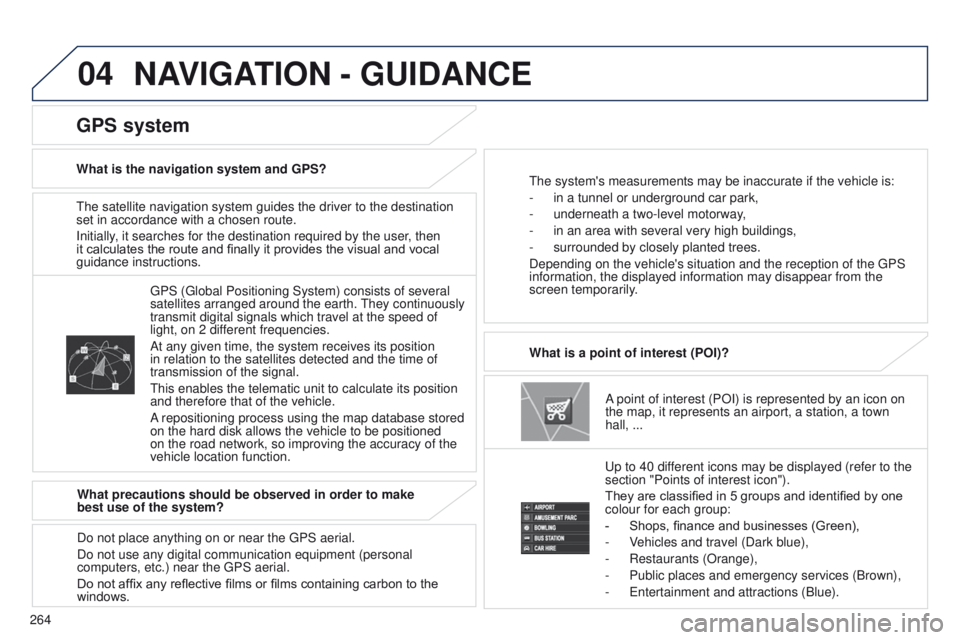
A point of interest (POI) is represented by an icon on
the map, it represents an airport, a station, a town
hall,
...
What is a point of interest (POI)?
u
p to 40 different icons may be displayed (refer to the
section "Points of interest icon").
They are classified in 5 groups and identified by one
colour for each group:
-
Shops, finance and businesses (Green),
-
V
ehicles and travel (Dark blue),
-
Restaurants (Orange),
-
Public places and emergency services (Brown),
-
e ntertainment and attractions (Blue).
g
PS ( g lobal Positioning System) consists of several
satellites arranged around the earth.
t
hey continuously
transmit digital signals which travel at the speed of
light, on 2 different frequencies.
At any given time, the system receives its position
in relation to the satellites detected and the time of
transmission of the signal.
t
his enables the telematic unit to calculate its position
and therefore that of the vehicle.
A repositioning process using the map database stored
on the hard disk allows the vehicle to be positioned
on the road network, so improving the accuracy of the
vehicle location function.
GPS system
What is the navigation system and GPS?t he system's measurements may be inaccurate if the vehicle is:
-
in a tunnel or underground car park,
-
underneath a two-level motorway
,
-
in an area with several very high buildings,
-
surrounded by closely planted trees.
Depending on the vehicle's situation and the reception of the
g PS
information, the displayed information may disappear from the
screen temporarily.
What precautions should be observed in order to make
best use of the system?
Do not place anything on or near the
g PS aerial.
Do not use any digital communication equipment (personal
computers, etc.) near the
g PS aerial.
Do not affix any reflective films or films containing carbon to the
windows.
NAVIGATION - GUIDANCE
Page 268 of 389
04
266
4008_en_Chap10b_Mitsu6_ed01-2014
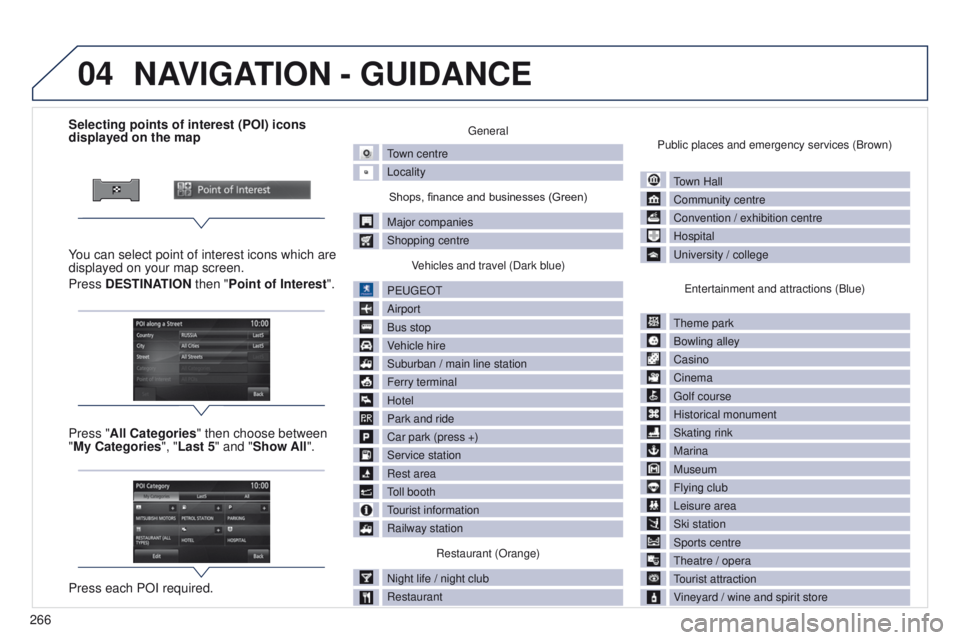
Selecting points of interest (POI) icons
displayed on the map
You can select point of interest icons which are
displayed on your map screen.
Press DESTINATION then "Point of Interest ".
Press "All Categories" then choose between
"My Categories", "Last 5" and "Show All".
Press each POI required.general
town centre
Locality
Shops, finance and businesses (Green)
Major companies
Shopping centre V
ehicles and travel (Dark blue)
P
euge
O
t
Airport
Bus stop
V
ehicle hire
Suburban / main line station
Ferry terminal
Hotel
Park and ride
Car park (press +)
Service station
Rest area
toll booth
tourist information
Railway station
Restaurant (Orange)
Night life / night club
Restaurant Public places and emergency services (Brown)
town Hall
Community centre
Convention / exhibition centre
Hospital
u
niversity / college
e
ntertainment and attractions (Blue)
t
heme park
Bowling alley
Casino
Cinema
g
olf course
Historical monument
Skating rink
Marina
Museum
Flying club
Leisure area
Ski station
Sports centre
t
heatre / opera
tourist attraction
V
ineyard / wine and spirit store
NAVIGATION - GUIDANCE
Page 309 of 389
05
307
4008_en_Chap10c_Mitsu5_ed01-2014
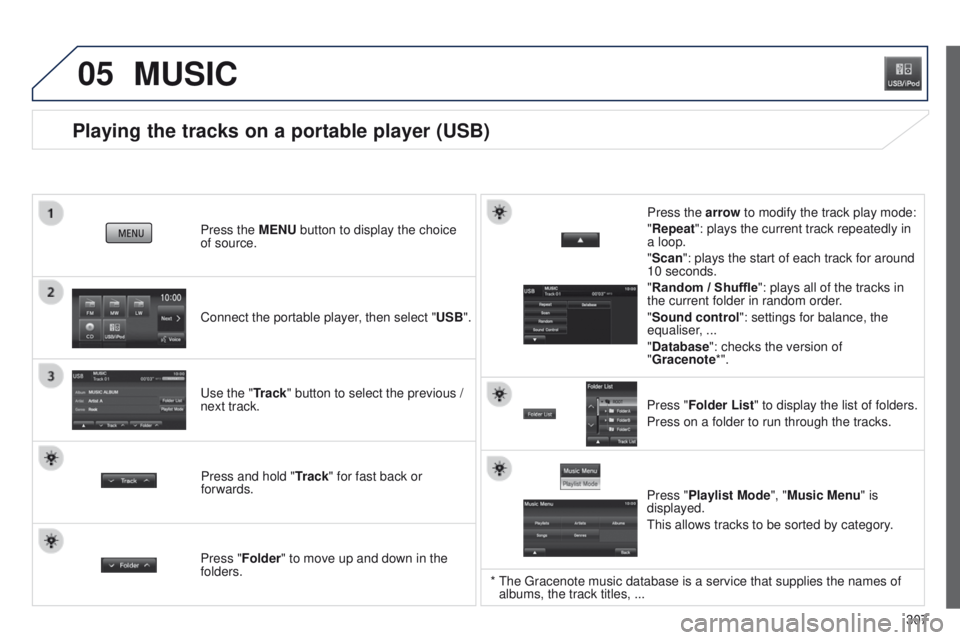
Playing the tracks on a portable player (USB)
Connect the portable player, then select "USB". Press the MENU button to display the choice
of source.
u
se the "Track" button to select the previous /
next track.
MUSIC
Press and hold " Track" for fast back or
forwards. Press the arrow to modify the track play mode:
"Repeat": plays the current track repeatedly in
a loop.
"Scan": plays the start of each track for around
10 seconds.
"Random / Shuffle
": plays all of the tracks in
the current folder in random order.
"Sound control ": settings for balance, the
equaliser, ...
"Database ": checks the version of
"Gracenote*".
Press "Folder List " to display the list of folders.
Press on a folder to run through the tracks.
Press "Folder" to move up and down in the
folders. Press "Playlist Mode", "Music Menu" is
displayed.
t
his allows tracks to be sorted by category.
* the g racenote music database is a service that supplies the names of
albums, the track titles, ...