Page 30 of 416
28
308_en_Chap01_controle-de-marche_ed01-2015
Coolant temperature gauge
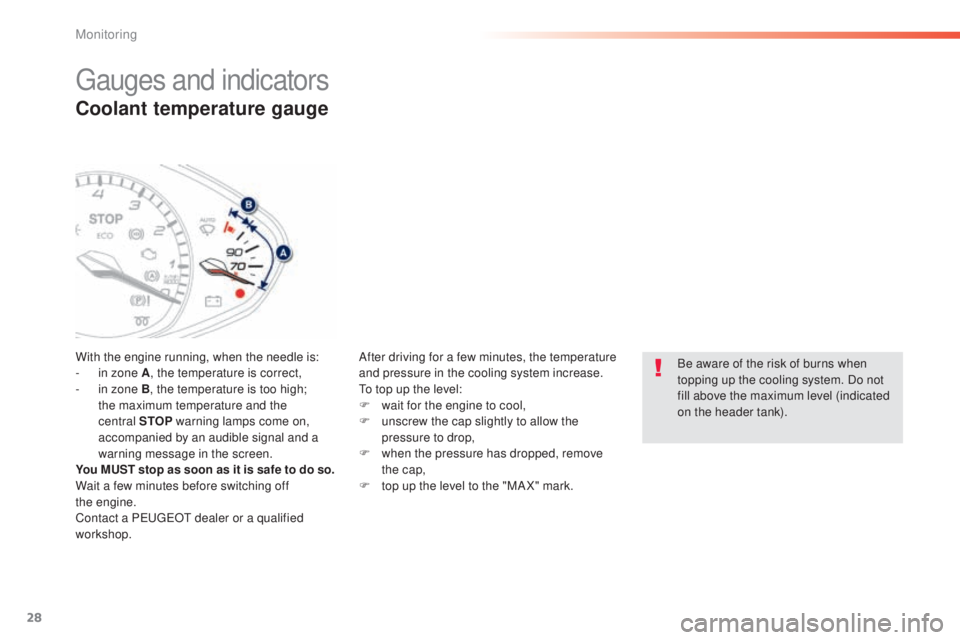
With the engine running, when the needle is:
- i n zone A , the temperature is correct,
-
i
n zone B, the temperature is too high;
the maximum temperature and the
central STOP warning lamps come on,
accompanied by an audible signal and a
warning message in the screen.
You MUST stop as soon as it is safe to do so.
Wait a few minutes before switching off
the
engine.
Contact a P
e
uge
Ot
dealer or a qualified
workshop. After driving for a few minutes, the temperature
and pressure in the cooling system increase.
to t
op up the level:
F
w
ait for the engine to cool,
F
u
nscrew the cap slightly to allow the
pressure to drop,
F
w
hen the pressure has dropped, remove
the cap,
F
t
op up the level to the "MA X" mark.Be aware of the risk of burns when
topping up the cooling system. Do not
fill above the maximum level (indicated
on the header tank).
gauges and indicators
Monitoring
Page 31 of 416

29
308_en_Chap01_controle-de-marche_ed01-2015
Service indicator
this is a check against the planned servicing
intervals in the manufacturer's service
schedule.
It is calculated from the last service indicator
reset according to the number of miles travelled
and the time elapsed since the last service.More than 1 800 miles (3 000 km)
remain before the next service is due
When the ignition is switched on, no service
information appears in the screen.
Between 600 miles (1 000 km) and
1 800 miles (3 000 km) remain
before the next service is due
For 5 seconds after the ignition is switched on, the
spanner symbolising the service operations comes
on.
t
h
e distance recorder display line indicates the
distance remaining before the next service is due.
Example: 1 700 miles (2 800 km) remain before
the next service is due.
For 5 seconds after the ignition is switched on, the
screen indicates:
5 seconds after the ignition is switched on,
the spanner goes off ; the distance recorder
resumes its normal operation.
t
h
e screen then
indicates the total and trip distances.
For BlueHDi Diesel versions only
(depending on country of sale), the level
of deterioration of the engine oil is also
taken into account.
1
Monitoring
Page 32 of 416
30
308_en_Chap01_controle-de-marche_ed01-2015
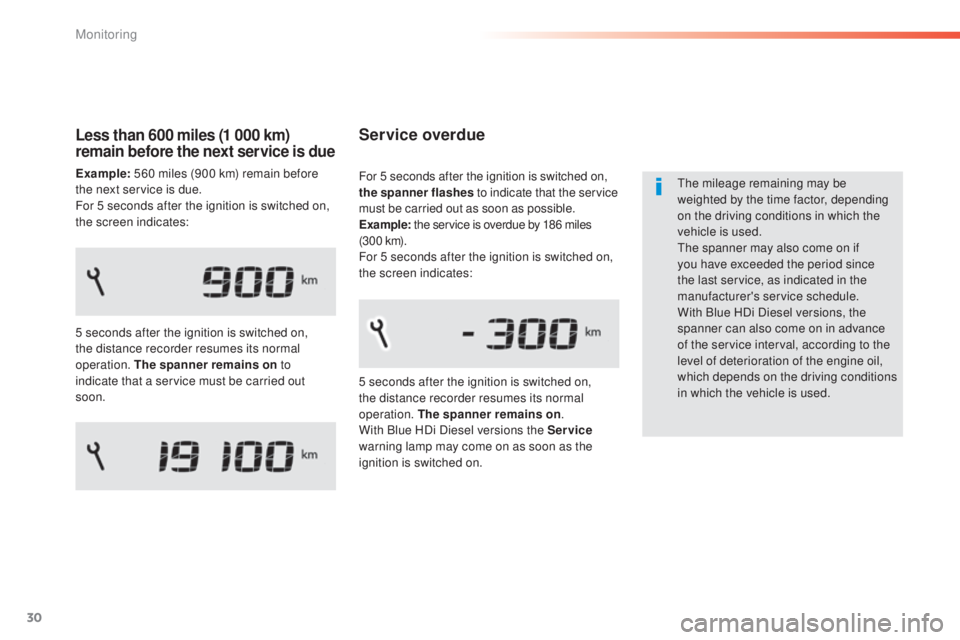
Service overdue
the mileage remaining may be
weighted by the time factor, depending
on the driving conditions in which the
vehicle is used.
th
e spanner may also come on if
you have exceeded the period since
the last service, as indicated in the
manufacturer's service schedule.
With Blue HDi Diesel versions, the
spanner can also come on in advance
of the service interval, according to the
level of deterioration of the engine oil,
which depends on the driving conditions
in which the vehicle is used.
5 seconds after the ignition is switched on,
the distance recorder resumes its normal
operation. The spanner remains on
.
With Blue HDi Diesel versions the Service
warning lamp may come on as soon as the
ignition is switched on. For 5 seconds after the ignition is switched on,
the spanner flashes to indicate that the service
must be carried out as soon as possible.
Example: the service is overdue by 186 miles
(3 0 0 k m).
For 5 seconds after the ignition is switched on,
the screen indicates:
Less than 600 miles (1 000 km)
remain before the next service is due
Example: 560 miles (900 km) remain before
the next service is due.
For 5 seconds after the ignition is switched on,
the screen indicates:
5 seconds after the ignition is switched on,
the distance recorder resumes its normal
operation. The spanner remains on to
indicate that a service must be carried out
soon.
Monitoring
Page 35 of 416
33
308_en_Chap01_controle-de-marche_ed01-2015
Distance recorders
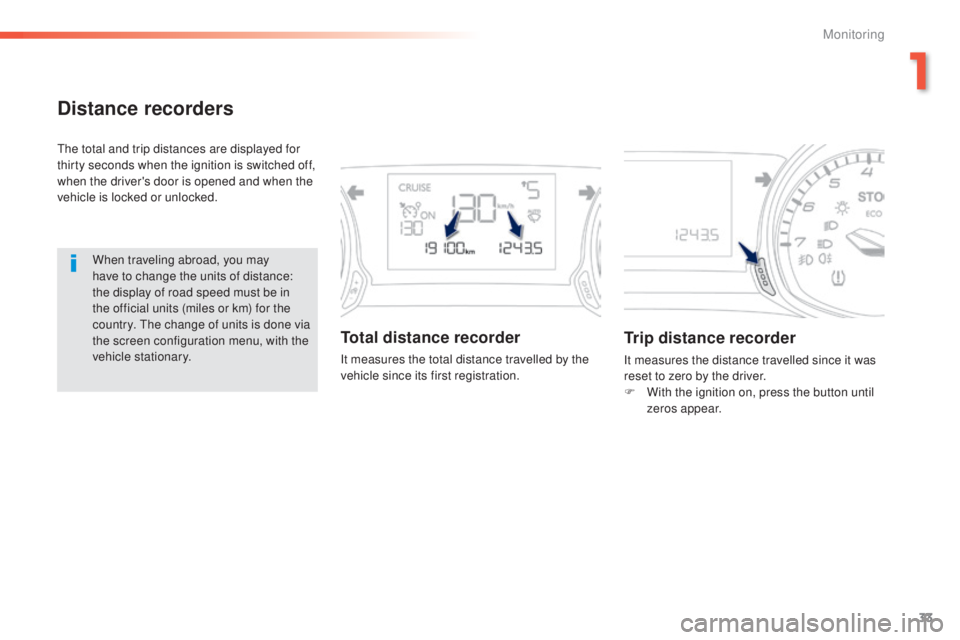
the total and trip distances are displayed for
thirty seconds when the ignition is switched off,
when the driver's door is opened and when the
vehicle is locked or unlocked.When traveling abroad, you may
have to change the units of distance:
the display of road speed must be in
the official units (miles or km) for the
country.
t
h
e change of units is done via
the screen configuration menu, with the
vehicle stationary.
Total distance recorder
It measures the total distance travelled by the
vehicle since its first registration.
Trip distance recorder
It measures the distance travelled since it was
reset to zero by the driver.
F
W
ith the ignition on, press the button until
zeros appear.
1
Monitoring
Page 36 of 416
34
308_en_Chap01_controle-de-marche_ed01-2015
Lighting dimmer control
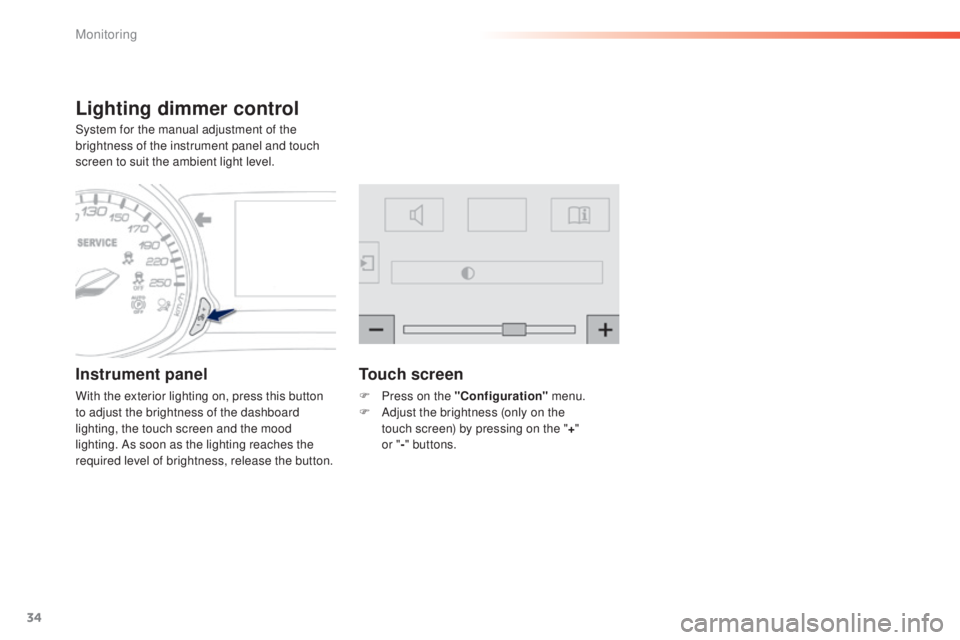
System for the manual adjustment of the
brightness of the instrument panel and touch
screen to suit the ambient light level.
Instrument panel
With the exterior lighting on, press this button
to adjust the brightness of the dashboard
lighting, the touch screen and the mood
lighting. As soon as the lighting reaches the
required level of brightness, release the button.
Touch screen
F Press on the "Configuration" menu.
F A djust the brightness (only on the
touch
screen) by pressing on the " +"
or " -"
buttons.
Monitoring
Page 37 of 416
35
308_en_Chap01_controle-de-marche_ed01-2015
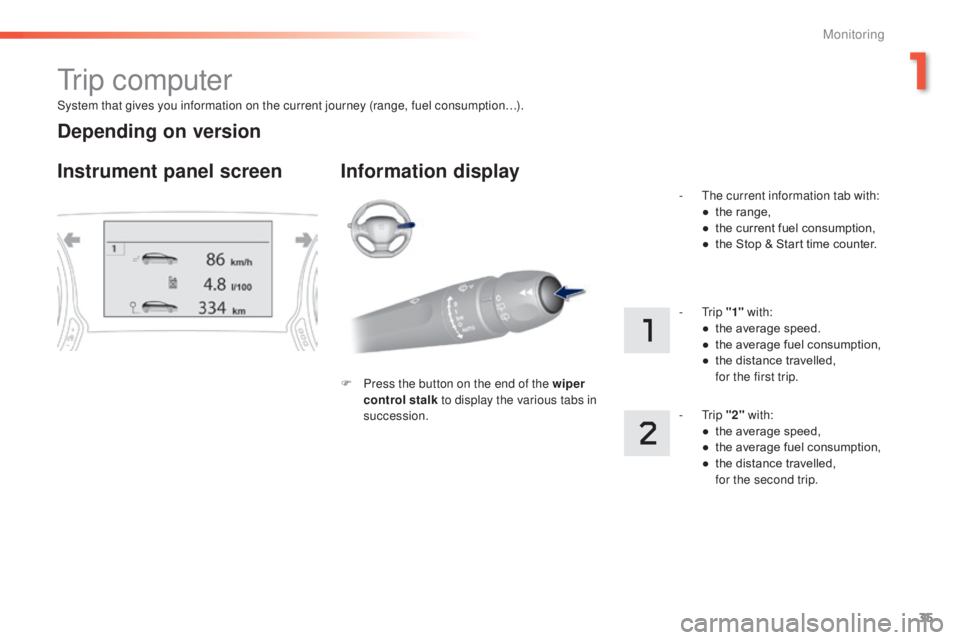
System that gives you information on the current journey (range, fuel consumption…).
tr i p c o m p u t e r
Instrument panel screen Information display
F Press the button on the end of the wiper control stalk to display the various tabs in
succession. -
t
h
e current information tab with:
●
t
he range,
●
t
he current fuel consumption,
●
t
he Stop & Start time counter.
- t
r
ip
"1" with:
●
t
he average speed.
●
t
he average fuel consumption,
●
t
he distance travelled, f
or the first trip.
- t
r
ip "2" with:
●
t
he average speed,
●
t
he average fuel consumption,
●
t
he distance travelled,
f
or the second trip.
Depending on version
1
Monitoring
Page 39 of 416
37
308_en_Chap01_controle-de-marche_ed01-2015
tr i p c o m p u t e r
System that gives you information on the current journey (range, fuel consumption…).
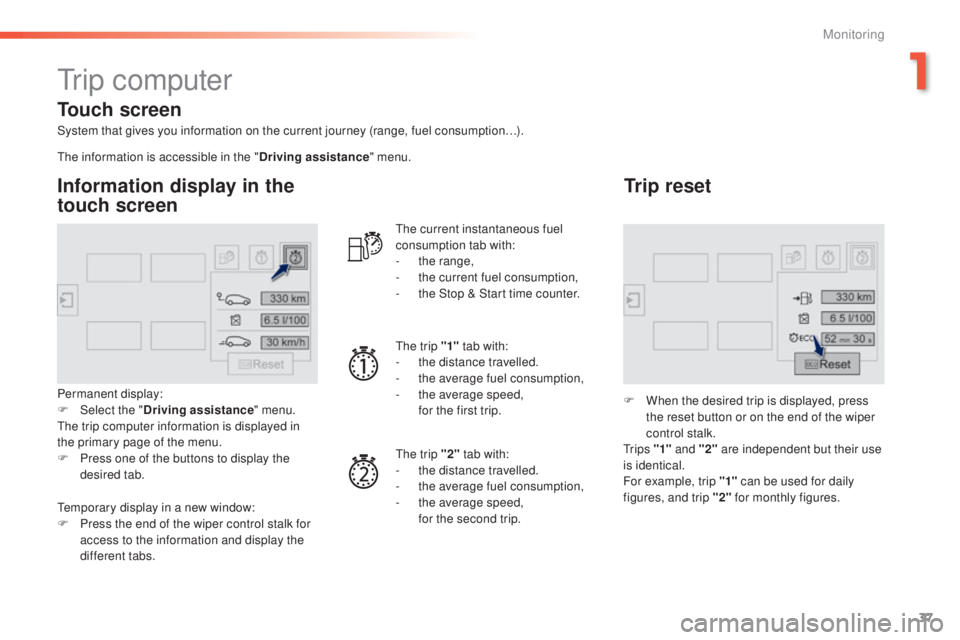
Information display in the
touch screen
Permanent display:
F Sel ect the " Driving assistance " menu.
th
e trip computer information is displayed in
the primary page of the menu.
F
P
ress one of the buttons to display the
desired tab.
th
e current instantaneous fuel
consumption tab with:
-
t
he range,
-
t
he current fuel consumption,
-
t
he Stop & Start time counter.
th
e trip "1"
tab with:
-
t
he distance travelled.
- t he average fuel consumption,
- t he average speed,
f
or the first trip.
th
e trip "2" tab with:
-
t
he distance travelled.
-
t
he average fuel consumption,
-
t
he average speed,
f
or the second trip.
Trip reset
F When the desired trip is displayed, press the reset button or on the end of the wiper
control stalk.
t
r i p s "1" and "2" are independent but their use
is identical.
For example, trip "1" can be used for daily
figures, and trip "2" for monthly figures.
th
e information is accessible in the "
Driving assistance" menu.
te
mporary display in a new window:
F
P
ress the end of the wiper control stalk for
access to the information and display the
different tabs.
Touch screen
1
Monitoring
Page 41 of 416

39
308_en_Chap01_controle-de-marche_ed01-2015
touch screen
It gives access to:
- the heating/air conditioning controls,
-
m
enus for adjusting settings for vehicle
functions and systems,
-
a
udio and display configuration menus,
-
a
udio system and telephone controls and
the display of associated information.
For reasons of safety, the driver
should only carr y out operations
that require close attention, with the
vehicle stationary.
Some functions are not accessible
when driving.General operation
Recommendations
It is necessary to press firmly, particularly for
"flick" gestures (scrolling through lists, moving
the map...).
A light wipe is not enough.
th
e screen does not recognise pressing with
more than one finger.
th
is technology allows use at all temperatures
and when wearing gloves.
Do not use pointed objects on the touch
screen.
Do not touch the touch screen with wet hands.
us
es a soft clean cloth to clean the touch
screen.
And, depending on equipment, it allows:
-
t
he display of alert messages and the
visual parking sensors information,
-
a
ccess to the controls for the navigation
system and Internet services, and the
display of associated information.
State of indicator lamps
Some buttons contain an indicator lamp that
gives the state of the corresponding function.
gr
een indicator: you have switched on the
corresponding function.
Orange indicator: you have switched off the
corresponding function.
1
Monitoring