2015 PEUGEOT 2008 ignition
[x] Cancel search: ignitionPage 204 of 340
202
2008_en_Chap09_info-pratiques_ed01-2015
Changing a wiper blade
Before removing a front
wiper blade
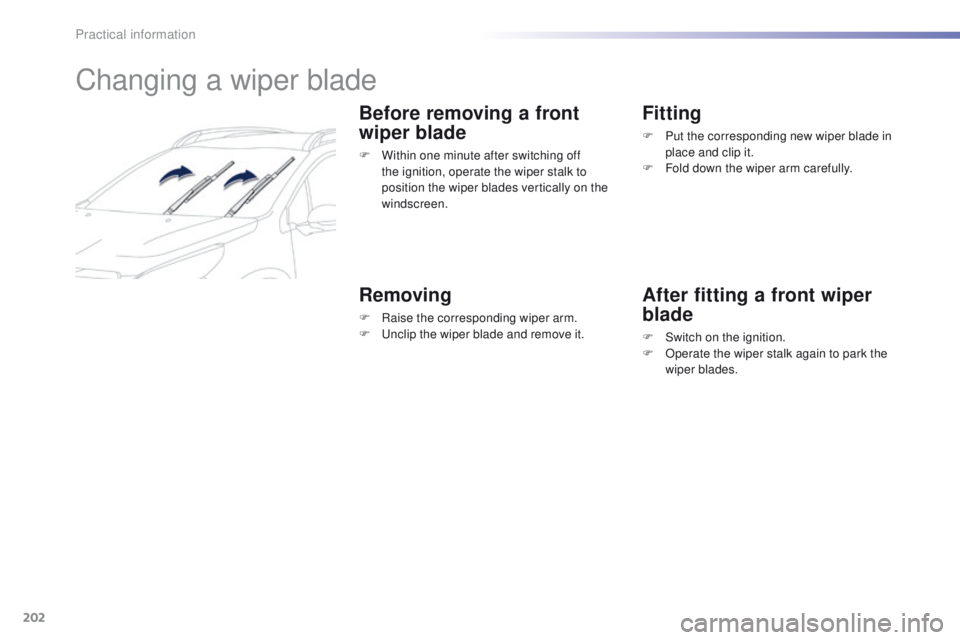
F Within one minute after switching off the ignition, operate the wiper stalk to
position the wiper blades vertically on the
windscreen.
Removing
F Raise the corresponding wiper arm.
F U nclip the wiper blade and remove it.
Fitting
F Put the corresponding new wiper blade in place and clip it.
F
F
old down the wiper arm carefully.
After fitting a front wiper
blade
F Switch on the ignition.
F O perate the wiper stalk again to park the
wiper blades.
Practical information
Page 206 of 340
204
2008_en_Chap09_info-pratiques_ed01-2015
Towing your vehicleTowing another
vehicle
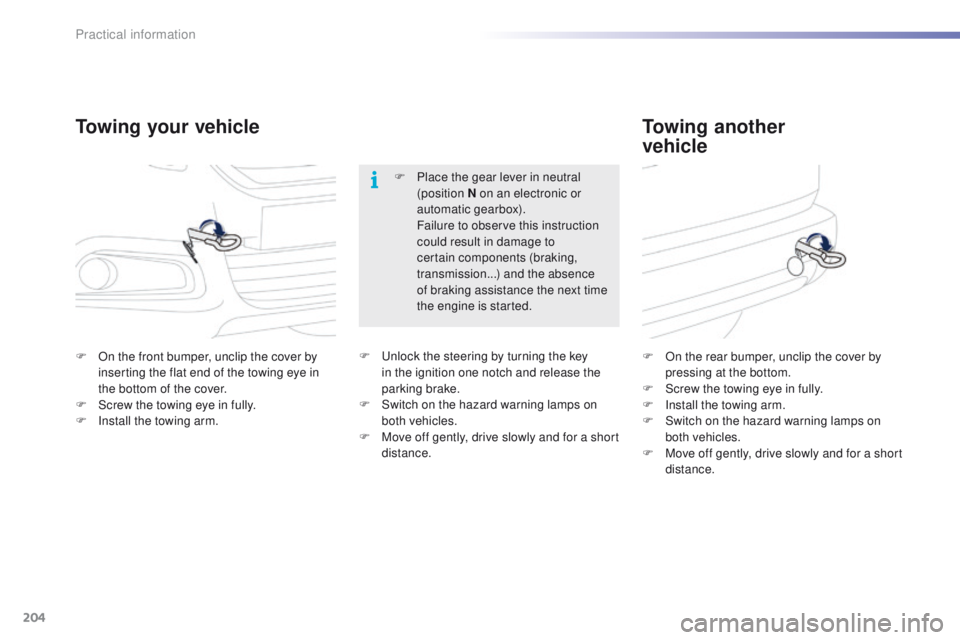
F On the front bumper, unclip the cover by
inserting the flat end of the towing eye in
the bottom of the cover.
F
S
crew the towing eye in fully.
F
I
nstall the towing arm. F
O n the rear bumper, unclip the cover by
pressing at the bottom.
F
S
crew the towing eye in fully.
F
I
nstall the towing arm.
F
S
witch on the hazard warning lamps on
both vehicles.
F
M
ove off gently, drive slowly and for a short
distance.
F
P
lace the gear lever in neutral
(position N on an electronic or
automatic gearbox).
F
ailure to observe this instruction
could result in damage to
certain components (braking,
transmission...) and the absence
of braking assistance the next time
the engine is started.
F U nlock the steering by turning the key
in the ignition one notch and release the
parking brake.
F
S
witch on the hazard warning lamps on
both vehicles.
F
M
ove off gently, drive slowly and for a short
distance.
Practical information
Page 216 of 340
214
2008_en_Chap10_verifications_ed01-2015
Checking levels
Oil level
The check is carried out either when the
ignition is switched on using the oil level
indicator in the instrument panel (depending
on version), or using the dipstick.Engine oil change
Refer to the warranty and maintenance record
for details of the interval for this operation.
In order to maintain the reliability of the engine
and emission control system, never use
additives in the engine oil.
Oil specification
The oil must be the correct grade for your
engine and conform to the manufacturer's
recommendations.The brake fluid level should be close
to the "MA X" mark. If it is not, check
the brake pad wear.
Brake fluid level
Changing the fluid
Refer to the warranty and maintenance record
for details of the interval for this operation.
Fluid specification
The brake fluid must conform to the
manufacturer's recommendations.
Take care when working under the bonnet, as certain areas of the engine may be extremely hot (risk of burns) and the cooling fan could start at
any time (even with the ignition off).
Check all of these levels regularly, in line with the warranty and maintenance record. Top them up if necessary, unless other wise indicated.
If a level drops significantly, have the corresponding system checked by a PEUGEOT dealer or a qualified workshop.
It is normal to top up the oil level
between two services (or oil changes).
PEUGEOT recommends that you check
the level, and top up if necessary, every
3 000 miles (5 000 kms).
It will only be correct if the vehicle is on level
ground and the engine has been off for more
than 30 minutes.
Checks
Page 234 of 340
232
2008_en_Chap12a_BTA_ed01-2015
Emergency call
PEUGEOT Connect SOS
The green indicator lamp comes on for
3 seconds when the ignition is switched
on, signifying that a call can be made.
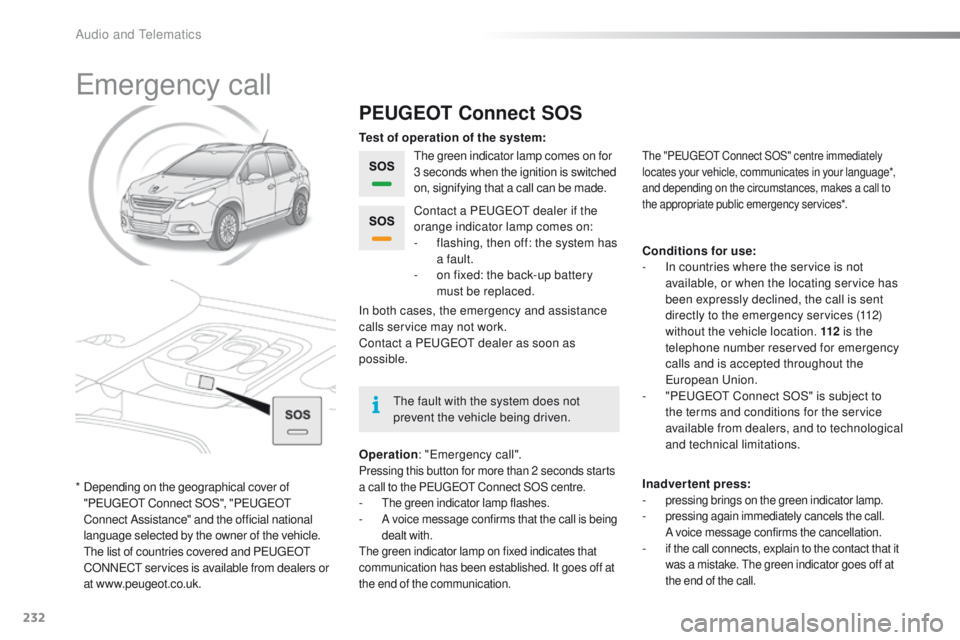
Operation : "Emergency call".
Pressing this button for more than 2 seconds starts
a call to the PEUGEOT Connect SOS centre.
- The green indicator lamp flashes.- A voice message confirms that the call is being
dealt with.
The green indicator lamp on fixed indicates that
communication has been established. It goes off at
the end of the communication.
In both cases, the emergency and assistance
calls service may not work.
Contact a PEUGEOT
dealer as soon as
possible. Contact a PEUGEOT dealer if the
orange indicator lamp comes on:
-
f
lashing, then off: the system has
a fault.
-
o
n fixed: the back-up battery
must be replaced.
The "PEUGEOT Connect SOS" centre immediately
locates your vehicle, communicates in your language*,
and depending on the circumstances, makes a call to
the appropriate public emergency services*.
Test of operation of the system:
Conditions for use:
-
I
n countries where the service is not
available, or when the locating service has
been expressly declined, the call is sent
directly to the emergency services (112)
without the vehicle location. 112 is the
telephone number reserved for emergency
calls and is accepted throughout the
European Union.
-
"
PEUGEOT Connect SOS" is subject to
the terms and conditions for the service
available from dealers, and to technological
and technical limitations.
Inadvertent press:
-
pressing brings on the green indicator lamp.- pressing again immediately cancels the call.
A voice message confirms the cancellation.
- if the call connects, explain to the contact that it was a mistake. The green indicator goes off at
the end of the call.
* Depending on the geographical cover of "PEUGEOT Connect SOS", "PEUGEOT
Connect Assistance" and the official national
language selected by the owner of the vehicle.
T
he list of countries covered and PEUGEOT
CONNECT services is available from dealers or
at www.peugeot.co.uk. The fault with the system does not
prevent the vehicle being driven.
Audio and Telematics
Page 239 of 340
237
2008_en_Chap12b_SMEGplus_ed01-2015
Volume adjustment (each source is
independent, including traffic announcements
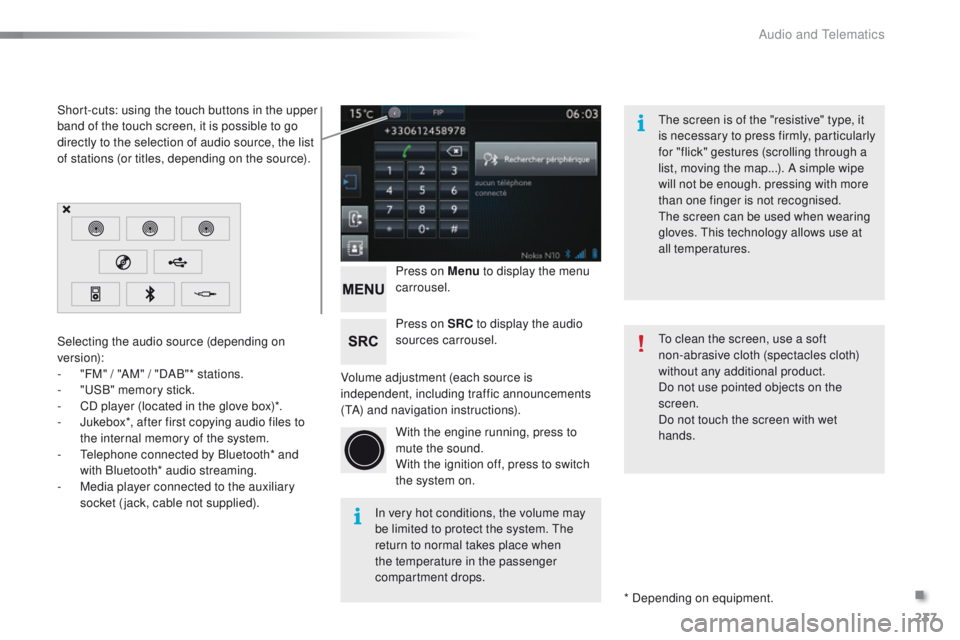
(TA) and navigation instructions).Press on Menu
to display the menu
carrousel.
Press on SRC to display the audio
sources carrousel.
With the engine running, press to
mute the sound.
With the ignition off, press to switch
the system on.
Selecting the audio source (depending on
version):
-
"
FM" / "AM" / "DAB"* stations.
-
"
USB" memory stick.
-
C
D player (located in the glove box)*.
-
J
ukebox*, after first copying audio files to
the internal memory of the system.
-
T
elephone connected by Bluetooth* and
with Bluetooth* audio streaming.
-
M
edia player connected to the auxiliary
socket (jack, cable not supplied).
* Depending on equipment.
Short-cuts: using the touch buttons in the upper
band of the touch screen, it is possible to go
directly to the selection of audio source, the list
of stations (or titles, depending on the source).
The screen is of the "resistive" type, it
is necessary to press firmly, particularly
for "flick" gestures (scrolling through a
list, moving the map...). A simple wipe
will not be enough. pressing with more
than one finger is not recognised.
The screen can be used when wearing
gloves. This technology allows use at
all temperatures.
In very hot conditions, the volume may
be limited to protect the system. The
return to normal takes place when
the temperature in the passenger
compartment drops. To clean the screen, use a soft
non-abrasive cloth (spectacles cloth)
without any additional product.
Do not use pointed objects on the
screen.
Do not touch the screen with wet
hands.
.
Audio and Telematics
Page 266 of 340
264
2008_en_Chap12b_SMEGplus_ed01-2015
Media
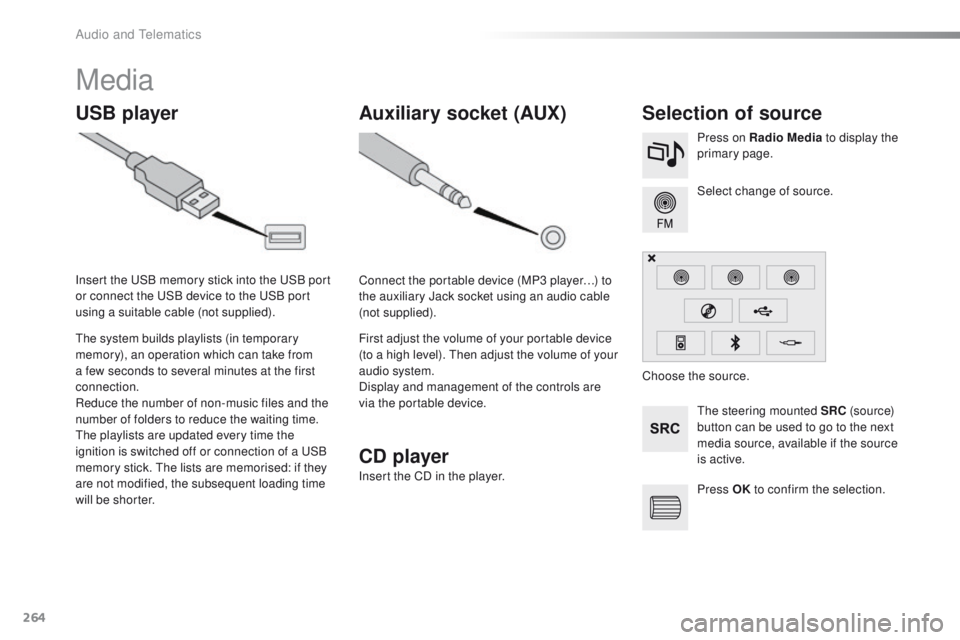
USB playerSelection of source
The steering mounted SRC (s o u r c e)
button can be used to go to the next
media source, available if the source
is active. Select change of source. Press on Radio Media to display the
primary page.
The system builds playlists (in temporary
memory), an operation which can take from
a few seconds to several minutes at the first
connection.
Reduce the number of non-music files and the
number of folders to reduce the waiting time.
The playlists are updated every time the
ignition is switched off or connection of a USB
memory stick. The lists are memorised: if they
are not modified, the subsequent loading time
will be shorter. Insert the USB memory stick into the USB port
or connect the USB device to the USB port
using a suitable cable (not supplied).
Auxiliary socket (AUX)
Connect the portable device (MP3 player…) to
the auxiliary Jack socket using an audio cable
(not supplied).
First adjust the volume of your portable device
(to a high level). Then adjust the volume of your
audio system.
Display and management of the controls are
via the portable device. Choose the source.
CD player
Insert the CD in the player.
Press OK to confirm the selection.
Audio and Telematics
Page 287 of 340
285
2008_en_Chap12b_SMEGplus_ed01-2015
The services available depend on
the network, the SIM card and the
compatibility of the Bluetooth telephone
used. Check the telephone manual and
with your network provider for details of
the services available to you.
The ability of the system to connect
with only one profile depends on the
telephone. The three profiles may all
connect by default.
Visit www.peugeot.co.uk for more information
(compatibility, additional help, ...).
The recognised telephone
appears in the list.
Depending on your telephone, you may be
asked to accept automatic connection every
time the ignition is switched on. On return to the vehicle, if the last telephone
connected is present again, it is reconnected
automatically and within around 30 seconds
after switching on the ignition the pairing is
done without any action on your part, with
(Bluetooth activated).
To modify the automatic connection mode,
select the telephone in the list then select the
desired profile.Depending on the type of telephone,
the system will ask you to accept or not
the transfer of your contacts.
If not, select " Update".
Connecting a Bluetooth®
peripheral device
Automatic reconnection
On switching on the ignition, the telephone
connected when the ignition was last switched
off is automatically reconnected, if this
connection mode had been activated during the
pairing procedure.
The connection is confirmed by the display of a
message and the name of the telephone.
Manual connection
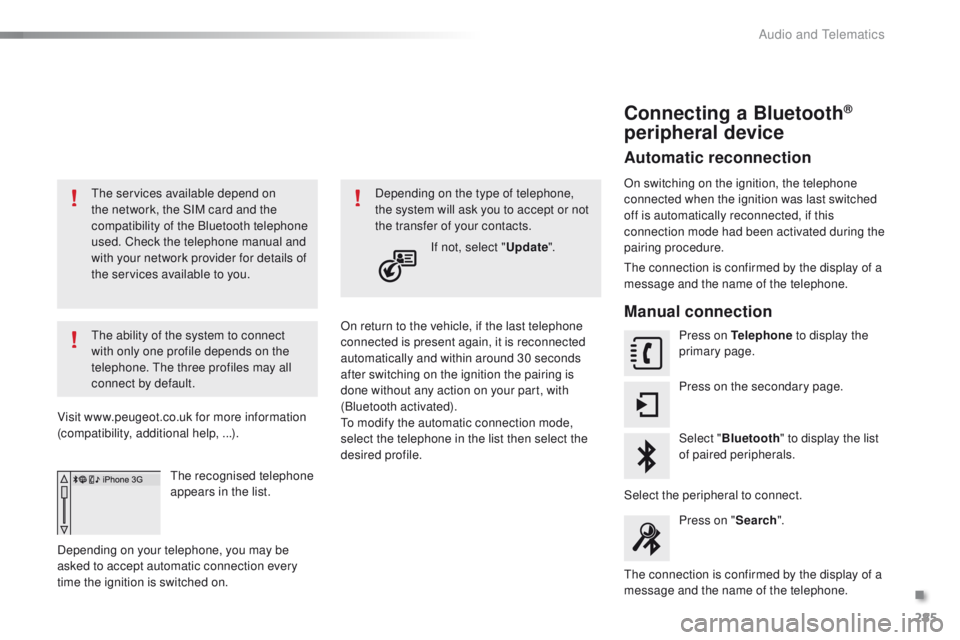
Press on Telephone to display the
primary page.
Press on the secondary page.
Select " Bluetooth " to display the list
of paired peripherals.
Select the peripheral to connect. Press on " Search".
The connection is confirmed by the display of a
message and the name of the telephone.
.
Audio and Telematics
Page 304 of 340
302
2008_en_Chap12c_RDE2_ed01-2015
Media
USB player
This unit comprises a USB port
and a Jack auxiliary socket,
depending on model.Connect a USB memory stick to the USB port
or connect a USB device to the USB port using
a suitable cable (not supplied).
The system constitutes playlists (in
temporary memory) the creation time
for which can be from a few seconds to
several minutes at the first connection.
Limiting the number of non-music files
and the number of folders reduces this
waiting time. The playlists are updated
every time the ignition is switched off or
a USB memory stick is connected.
The lists are memorised: if there is no
change in the lists, the next loading
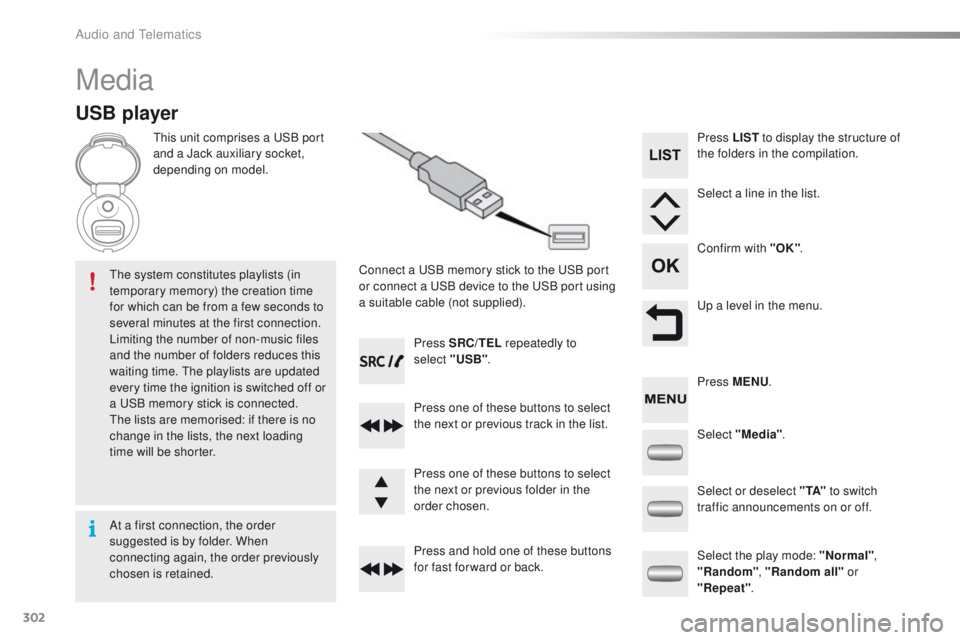
time will be shorter. Press SRC/TEL
repeatedly to
select "USB" .
Press one of these buttons to select
the next or previous track in the list.
Press and hold one of these buttons
for fast for ward or back. Press one of these buttons to select
the next or previous folder in the
order chosen. Press LIST
to display the structure of
the folders in the compilation.
Select a line in the list.
Confirm with "OK" .
Up a level in the menu.
Select "Media" .
Select the play mode: "Normal" ,
"Random" , "Random all" or
"Repeat" .
Select or deselect " TA"
to switch
traffic announcements on or off. Press MENU .
At a first connection, the order
suggested is by folder. When
connecting again, the order previously
chosen is retained.
Audio and Telematics